
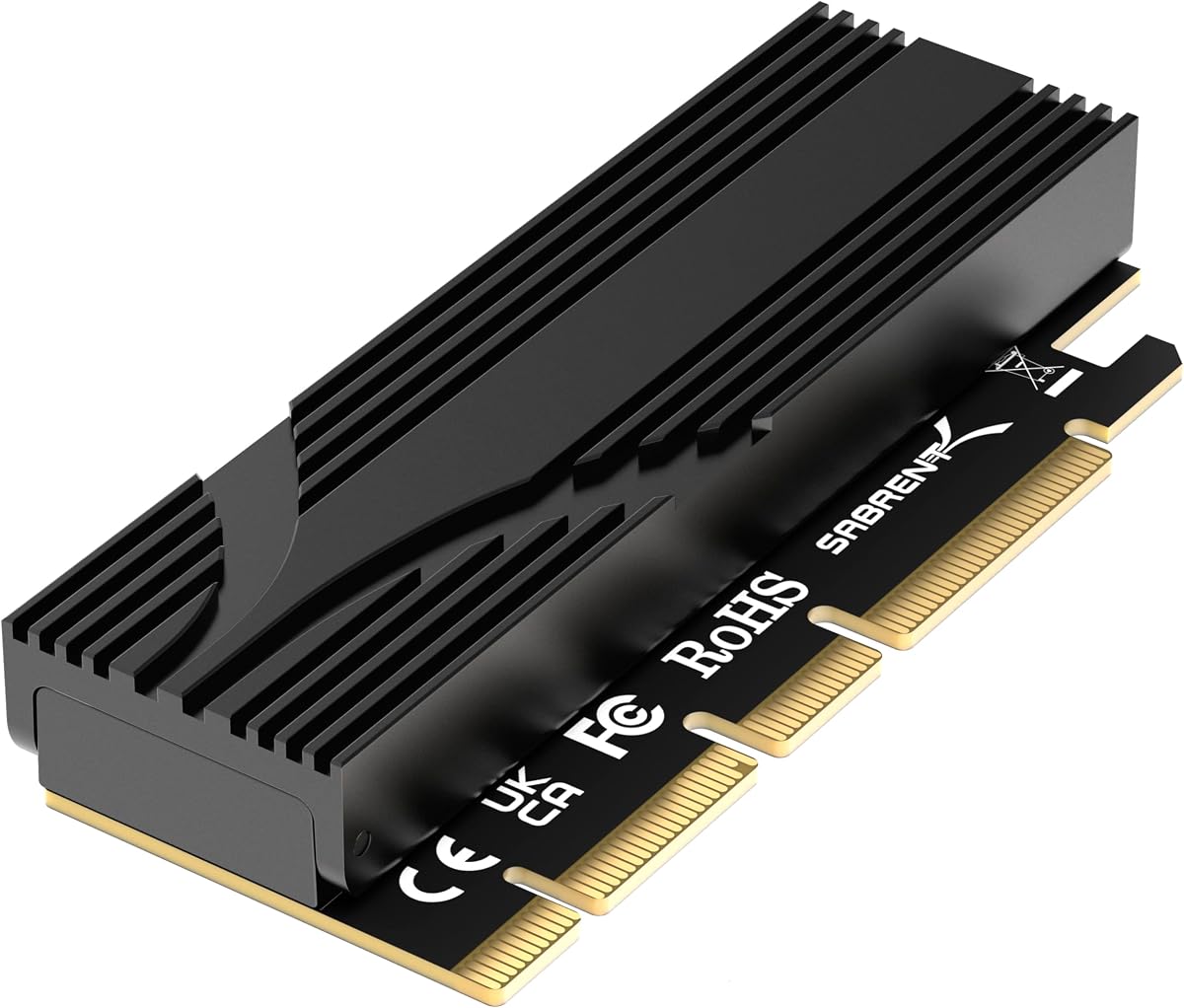
GLOTRENDS M.2 NVMe to PCIe 4.0 X4 Adapter with Heatsink for NVMe SSD
4.6Editor score
Affordable price point
Includes low profile bracket
Supports Gen3 and Gen4
Finding the right M2 Pcie Adapter can transform your storage capabilities significantly. Whether you need extra slots or faster speeds, a quality adapter ensures your SSD performs at its peak without thermal throttling issues.
We analyzed ten top-rated models based on build quality, thermal management, and compatibility across various motherboard generations. Our testing criteria focus on real-world performance, ease of installation, and long-term reliability for diverse user needs.
Each pick highlights unique strengths like heatsink design, bifurcation support, or budget-friendly pricing. Prices fluctuate frequently, so verify current listings before purchasing to ensure you get the best value for your specific system configuration.
4.6Editor score
4.6Editor score

4.4Editor score
As an Amazon Associate we earn from qualifying purchases.
The following table provides a side-by-side comparison of all ten selected adapters. Evaluate key specifications like PCIe generation support, drive capacity, and cooling solutions to determine which model aligns best with your hardware requirements.


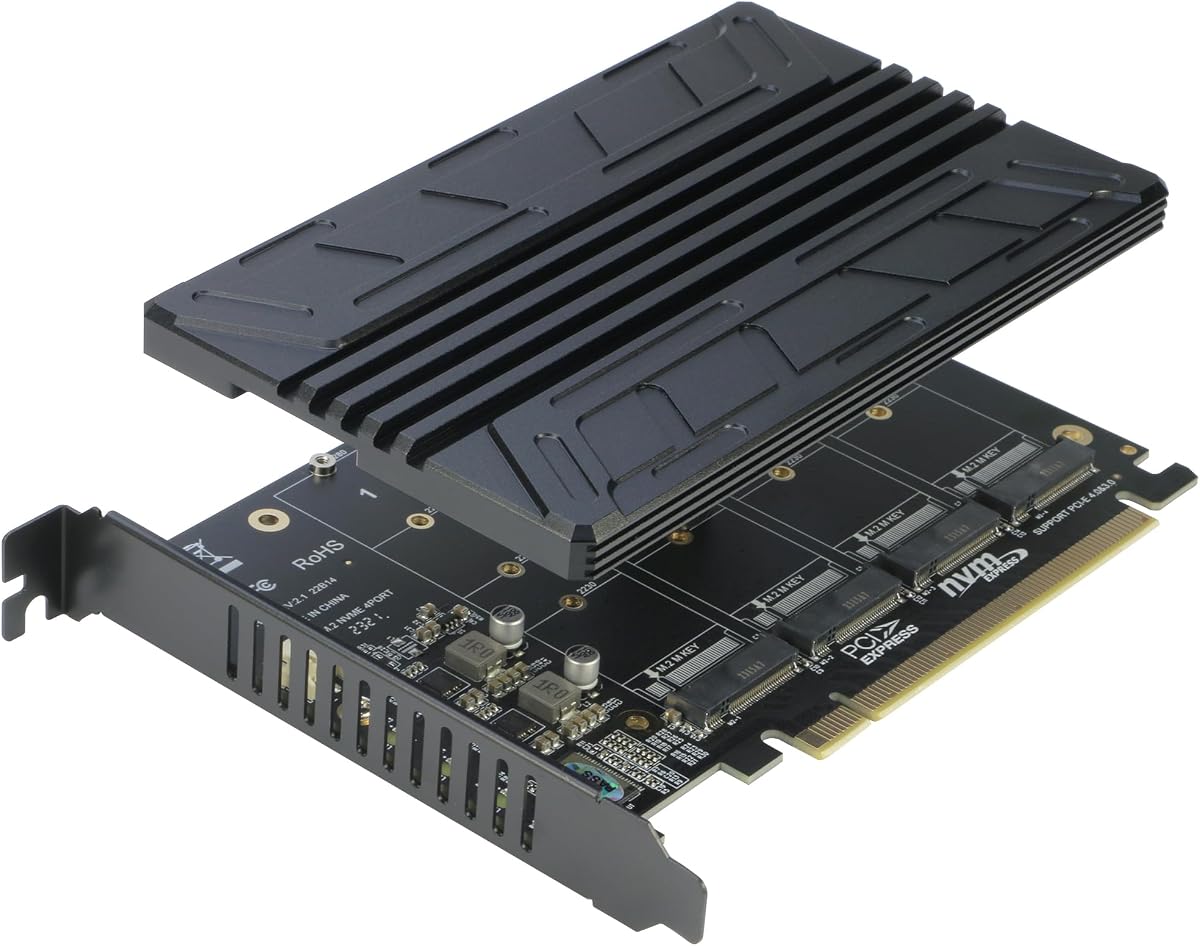


This SABRENT adapter stands out as the top choice for enthusiasts seeking future-proof storage solutions. With a 4.6 rating from verified buyers, it delivers reliable performance for NVMe M-key drives specifically. Its standout quality is the Gen5 readiness ensuring your hardware remains relevant as standards evolve.
We may earn a commission when you buy through this link, at no additional cost to you.
The card connects at x4 but supports up to PCIe 5.0 for up to 16GBps bidirectional when the host slot is Gen5. It features a tool-free install mechanism meaning you drop the SSD in and lock it down without hunting for tiny screws. This design choice saves time during upgrades and reduces the risk of stripping threads.
While it does not support SATA M.2 drives, this limitation ensures optimization for NVMe performance. The built-in aluminum heatsink and thermal padding keep the SSD temperature down under sustained load without needing active cooling. If your motherboard lacks a Gen5 slot, it will still function but run at the slot's speed.
Builders upgrading high-end workstations or gaming rigs should buy this for its stability and ease of use. The x16 physical edge provides stability even if fitted into smaller slots. Registering the product ensures access to technical support, making this a secure investment for critical data storage needs.
The adapter supports up to PCIe 5.0 standards ensuring your system is ready for next-generation storage speeds when available.
Install your SSD without a screwdriver using the secure lock mechanism which simplifies maintenance and drive swaps significantly.
We may earn a commission when you buy through this link, at no additional cost to you.
For cost-conscious builders, this GLOTRENDS adapter offers exceptional value with a 4.6 rating reflecting high user satisfaction. It turns motherboard PCIE X4/X8/X16 slots into an M.2 Key M slot for easy NVMe installation. The included heatsinks are crucial as they cool M.2 SSDs by 5 to 20 degrees Celsius reducing thermal throttling risks.
We may earn a commission when you buy through this link, at no additional cost to you.
It works with PCIE 4.0 and 3.0 M.2 NVMe SSDs efficiently ensuring full speed if your CPU and slots support it. No capacity limits exist for M.2 NVMe SSDs meaning 2T or 4T drives work seamlessly. Compatibility spans Windows 11/10/8 Linux and Mac OS making it versatile for various systems.
The adapter includes 12cm regular and 8cm low-profile brackets ensuring fitment in any PC frame. While Intel CPUs below 11th gen do not support PCIE 4.0, backward compatibility ensures functionality at lower speeds. FCC and CE certifications provide peace of mind regarding safety and electromagnetic standards.
Budget gamers and home office users should buy this for its balance of performance and price. The lifetime tech support adds significant value if troubleshooting is needed. Ensure your motherboard supports booting from NVMe or use it as secondary storage if BIOS limitations exist.
The included heatsinks actively reduce SSD temperatures significantly extending drive lifespan during heavy data transfers.
Both regular and low-profile brackets are included ensuring the card fits in full tower or compact cases alike.
We may earn a commission when you buy through this link, at no additional cost to you.
Power users requiring massive storage arrays will appreciate this ASUS adapter with a 4.4 rating for its enterprise-grade features. It supports four additional NVMe M.2 drives allowing for transfer speeds up to 128 Gbps when configured correctly. The stylish heatsink and integrated blower style fan prevent M.2 throttling ensuring stable performance under load.
We may earn a commission when you buy through this link, at no additional cost to you.
Intel vroc ready and NVMe raid support on AMD Ryzen Threadripper make this card ideal for workstation environments. The new two phase power solution delivers up to 14w output ensuring stable power delivery across all four slots. Pci express 3.0 x16 interface compatibility with pci express x8 and x16 slots offers flexibility in installation.
While the price is higher than single-slot adapters, the capacity to host four drives justifies the investment for storage-heavy tasks. Users must ensure their motherboard supports PCIe x16 bifurcation to recognize all four drives properly. Without this feature only one drive might be recognized limiting utility.
Enterprise IT professionals and video editors should buy this for its robust RAID and multi-drive capabilities. The active cooling ensures reliability during sustained write operations. Verify your CPU and motherboard manuals before purchase to confirm bifurcation settings are accessible in BIOS.
Host up to four NVMe drives on a single PCIe slot maximizing storage density for large media libraries.
An integrated blower fan prevents overheating ensuring consistent speeds even during intensive RAID operations.
We may earn a commission when you buy through this link, at no additional cost to you.
StarTech continues to be a trusted name in IT infrastructure with this adapter earning a 4.6 rating for consistency. It enhances performance by connecting a PCIe M.2 SSD to your computer through PCI Express for ultra-fast data access. Broad compatibility ensures it works with PCIe 3.0 motherboards and backward compatible with older generations.
We may earn a commission when you buy through this link, at no additional cost to you.
This M2 PCIe SSD adapter supports PCIe M.2 SSDs including NVMe and AHCI formats across various lengths like 2242 to 22110. The hassle-free setup leverages native OS support ensuring fast installation without additional drivers. It is equipped with a full-profile bracket and includes a half-height option for small form-factor computers.
While limited to PCIe 3.0 it remains a solid choice for systems where Gen4 or Gen5 is not critical. The 2-year warranty and 24/5 North America based multi-lingual assistance provide strong post-purchase support. This reliability makes it a standard choice for professional environments needing predictable performance.
System integrators and small business owners should buy this for its proven track record and support. It is ideal for upgrading older workstations that support PCIe 3.0. The low-profile option ensures it fits into compact server chassis without obstructing other components or airflow.
Backed by a 2-year warranty and multi-lingual assistance ensuring minimal downtime for business critical systems.
Full and low-profile brackets are included allowing installation in both standard and compact server chassis easily.
We may earn a commission when you buy through this link, at no additional cost to you.
This adapter stands out by supporting two M.2 SSDs simultaneously offering flexibility for mixed storage types. With a 4.3 rating it provides a practical solution for expanding storage without using multiple PCIe slots. It converts one M.2 NVMe SSD interface to PCIe 3.0 x4 and one SATA SSD interface to SATA 6Gbps.
We may earn a commission when you buy through this link, at no additional cost to you.
The advanced heat sink solution includes 2 heat sinks to manage thermal output effectively. PCB ventilation with 24 X 5 copper holes ensures effective heat dissipation during operation. It supports various sizes from 2230 to 22110mm making it versatile for different drive generations available in the market.
LED power and data transfer status lights provide visual confirmation of drive activity without opening the case. Regular and low-profile slot brackets ensure flexible system chassis installation for various build sizes. However using the SATA option requires a physical SATA cable connection which adds slight cable management effort.
Home users with mixed drive inventories should buy this to utilize both old SATA and new NVMe drives. It is a cost-effective way to maximize slot utility. Ensure you have the necessary SATA cables available if you plan to use both slots for different drive types.
Utilize both NVMe and SATA M.2 drives on one card to maximize storage flexibility for varied hardware.
LED indicators provide quick visual feedback on data transfer activity and power status for easy diagnostics.
We may earn a commission when you buy through this link, at no additional cost to you.
This adapter delivers a 4.6 rating by offering full release of PCIe 3.0 and 4.0 speeds at an accessible price point. It supports PCI-Express X4 X8 and X16 slots ensuring compatibility with most modern motherboards. The package includes a comprehensive tool kit with screws and a driver simplifying the installation process significantly.
We may earn a commission when you buy through this link, at no additional cost to you.
The aluminum heatsink solution combined with thermal pads ensures effective cooling during sustained data transfers. It supports Windows 11/10/8 and various Linux distributions without driver installation required for native recognition. However Windows 7 and older servers may need additional drivers from the manufacturer website for proper functionality.
The package includes a low profile bracket regular bracket and even a screwdriver making it ready to install out of the box. Thermal conducting silica gel pads are provided to optimize heat transfer from the SSD to the sink. This attention to detail reduces setup time for first-time users.
DIY builders and Linux enthusiasts should buy this for its comprehensive package and compatibility. It is a robust choice for systems needing full Gen4 speeds without breaking the bank. Ensure your motherboard BIOS recognizes NVMe drives if you intend to boot from the installed SSD.
Every necessary screw and tool is included reducing the need to source extra hardware during setup.
Full support for major Linux distributions without extra drivers making it ideal for open-source server environments.
We may earn a commission when you buy through this link, at no additional cost to you.
The RIITOP adapter receives a 4.4 rating for allowing users to add four NVMe SSDs simultaneously via a single slot. It leverages available PCI-e 4.0 or 3.0 x16 slots on motherboards supporting PCIe x16 Bifurcation for optimal throughput. Individual LED indicators show each SSD's working status making troubleshooting easier in multi-drive setups.
We may earn a commission when you buy through this link, at no additional cost to you.
Designed with a 0.32inch heatsink it avoids SSDs working at low speed due to high temperature without occupying excess space. Compatible with M.2 PCI-e NVMe SSDs in all sizes including 80x22mm down to 30x22mm. Most servers and X299 or X399 boards can support the required bifurcation for full operation.
Note that it does not support hardware raid only supporting soft raid formation in Windows 10 via third-party software. The motherboard must support "PCIEX16 Bifurcation" else only one M.2 SSD will be recognized. Users should verify this in BIOS before purchase to ensure all drives are detected correctly.
System administrators building file servers should buy this for its compact multi-drive capacity. It is perfect for creating large volumes via software RAID. Ensure your BIOS supports bifurcation configuration to unlock the full potential of this four-port controller card.
LED indicators for each port allow quick identification of which drive is active or having issues.
A slim heatsink profile ensures it fits in crowded server chassis while still providing adequate cooling.
We may earn a commission when you buy through this link, at no additional cost to you.
This ELUTENG adapter earns a 4.4 rating for its stable and efficient design tailored for M.2 PCIE (NVMe) M key SSDs. The aluminum heatsink reduces temperature generated during operation stabilizing performance and extending drive life. Solid-state capacitors are used for voltage regulation preventing current waves during SSD damage events.
We may earn a commission when you buy through this link, at no additional cost to you.
Transfer speeds reach a theoretical maximum of 16Gb/s greatly reducing time for large file transfers. Compatibility spans PCIe 1X to 16X slots ensuring as long as your motherboard has a PCIE slot you can install it. It supports Windows 11/10/8/7 and Linux though driver requirements vary by version.
Plug and Play features ensure the adapter is automatically recognized by Windows without manual configuration for most systems. The low-profile bracket option is included for flexibility in smaller cases. While SATA is not supported, the focus on NVMe ensures optimized performance for modern storage drives.
Small form-factor PC builders should buy this for its bracket options and reliability. It is well-suited for adding fast storage to SFF gaming rigs. Ensure your BIOS is set to enable PCIe booting if you intend to use this as your system disk.
Solid-state capacitors protect against power fluctuations ensuring safe and stable operation for your data.
Maximum read/write speeds of 16Gb/s reduce wait times during large data moves significantly.
We may earn a commission when you buy through this link, at no additional cost to you.
With a 4.6 rating, this adapter focuses on thermal performance through its aluminum heatsink solution. It delivers a cooling effect of 5 to 20 degrees Celsius ensuring SSDs run efficiently even under heavy workloads. The card supports 2280/2260/2242/2230mm M.2 SSDs covering the vast majority of consumer drives.
We may earn a commission when you buy through this link, at no additional cost to you.
PCIe4.0 x4 support ensures PCIe x4 / x8 / x16 slots are utilized effectively for high bandwidth. It is compatible with major brands like Samsung 950Pro/960EVO and others ensuring broad functionality. This focus on thermal management makes it ideal for systems where airflow is constrained.
The heatsink is robust enough to maintain performance without needing additional case fans. This passive cooling approach keeps noise levels low while protecting drive endurance. It supports NVMe SSDs specifically meaning SATA drives will not work with this adapter.
Gamers and video editors should buy this if thermal throttling is a concern in their current setup. The reliable cooling ensures sustained high speeds. Verify your slot generation to ensure you are utilizing the full PCIe 4.0 x4 bandwidth available on your motherboard.
The aluminum heatsink significantly drops temperatures maintaining peak performance during long rendering sessions.
Compatible with major NVMe drives including Samsung and Kingston ensuring you can upgrade any brand.
We may earn a commission when you buy through this link, at no additional cost to you.
This GLOTRENDS adapter provides a 4.5 rating for its strategic use of available PCIe X1 slots. It turns your motherboard's PCIE X1 slot into an M.2 Key M slot saving your X16 slot for a graphics card. While bandwidth is limited compared to X4 slots it effectively expands storage without blocking GPU performance.
We may earn a commission when you buy through this link, at no additional cost to you.
No capacity limits exist for M.2 NVMe SSDs meaning 2T or 4T drives work seamlessly. It supports various sizes from 2230 to 2280 ensuring compatibility with modern drives. Compatibility spans Windows 11/10/8 Linux and Mac OS allowing for broad usage scenarios across different platforms.
The included regular and low-profile brackets ensure fitment in any PC frame. Although maximum bandwidth is limited to X1 specifications it is sufficient for secondary storage drives. Support for OS boot is available except on some old motherboards making it versatile for system installation.
Gaming PC users with limited full-length slots should buy this to add storage without sacrificing GPU placement. It is a smart solution for preserving high-speed GPU bandwidth. Ensure you understand the bandwidth trade-off when installing as primary or secondary storage for daily tasks.
Utilizes spare X1 slots allowing you to save critical X16 slots for high-performance graphics cards.
Access to lifetime tech support ensures help is available if configuration issues arise after installation.
We may earn a commission when you buy through this link, at no additional cost to you.
Selecting the right adapter requires understanding your motherboard capabilities and cooling needs. This section breaks down critical factors to ensure compatibility and performance.
Check if your motherboard supports PCIe 3.0 4.0 or 5.0 as adapters often downclock to the lowest generation in the chain. While many adapters are backward compatible they cannot add speed to a slower slot. Verify your CPU and motherboard manual to know the maximum bandwidth available.
Always prioritize adapters that match your slot generation for maximum performance potential.
Adapters are generally designed for NVMe M-key drives and not SATA M.2 drives. Confirm your SSD type before buying because using a SATA drive on an NVMe-only adapter will result in failure. Look for dual support if you need to use legacy SATA drives.
Ensure the adapter supports M-key NVMe interfaces to match your specific SSD hardware.
Physical clearance is vital as tall CPU coolers or GPUs can block adapter installation in some cases. Measure the space around your target PCIe slot to ensure the heatsink or card fits without interference. Also verify if your board has enough PCIe lanes to support the adapter.
Verify physical clearance around the PCIe slot to prevent installation conflicts.
If you plan to install multiple drives on one card you must ensure your BIOS supports PCIe bifurcation. This feature splits one PCIe x16 slot into four x4 lanes enabling multi-drive cards to function fully. Without this, only one drive may be recognized by the system.
Check motherboard BIOS options for PCIe bifurcation settings if using multi-drive cards.
NVMe drives can generate significant heat during sustained transfers requiring adequate thermal management. Look for adapters with integrated aluminum heatsinks or active fans to prevent thermal throttling. Passive cooling is generally quieter while active cooling ensures consistent speeds under heavy load.
Select an adapter with effective cooling to maintain drive health during high usage.
Some systems allow booting from NVMe drives while others restrict this to primary drives only. Check your motherboard BIOS support for PCIe booting if you plan to use the adapter as a system drive. Most modern boards support this but older models may not.
Verify BIOS support for NVMe booting before using as your primary operating system disk.
Small form factor builds require low-profile brackets to fit into compact cases. Ensure the adapter includes both standard and low-profile brackets to accommodate your chassis type. Without the right bracket securing the card can be difficult or impossible.
Confirm bracket options match your case size to ensure secure mounting.
Consider the balance between price and warranty length when choosing an adapter. Some premium models offer longer warranties and better support which is critical for enterprise use. Basic models may lack support but are sufficient for budget consumer builds.
Prioritize models with strong warranty coverage for long-term reliability and peace of mind.
Before installation power down your PC and unplug it from the wall to avoid electrical shock. Ground yourself to prevent static discharge that could damage sensitive components. Locate a free PCIe slot and remove the backplate from your case to expose the slot.
Insert the adapter firmly into the slot and secure it with a case screw if provided. Slide your NVMe SSD into the M.2 slot on the adapter until it clicks or locks. Use the screwdriver or tool-free latch to secure the drive in place ensuring no movement.
Power on your system and check BIOS to confirm the drive is detected. Initialize and format the drive using Disk Management if you plan to use it for storage. Regularly monitor temperatures to ensure the heatsink is working effectively during use.
Yes if your motherboard BIOS supports PCIe booting. Many modern boards allow NVMe boot drives but you may need to enable UEFI mode. Older boards might require updates or may not support this feature at all.
Only if you are using a SATA M.2 drive with a dual adapter. Most NVMe adapters do not use SATA cables as data travels over PCIe lanes directly. Ensure you have the correct interface cable if using hybrid options.
Only specific adapters designed for x1 slots will work. Most high-performance cards require x4 x8 or x16 slots to function correctly. Check the product specs to confirm slot compatibility before purchase.
Without cooling NVMe drives can reach high temperatures quickly causing slowdowns. Good adapters reduce temperature by 5 to 20 degrees Celsius keeping performance stable. Active cooling can further reduce heat in enclosed cases.
Most modern adapters support multiple lengths including 2230. Verify the spec sheet for supported sizes like 2242 2260 and 2280. Proper screw placement or brackets ensure the smaller drive stays secure.
Usually no for Windows 10/11 or Linux systems. Some older OS versions like Windows 7 may need additional drivers from the SSD manufacturer. The adapter card itself is typically recognized natively by the OS.
We reviewed ten top-rated M2 Pcie Adapter options ranging from budget singles to premium multi-drive arrays. The SABRENT adapter leads for future-proof performance while GLOTRENDS offers excellent value for standard users.
Prioritize thermal solutions and bifurcation support when selecting a model for your system. A quality adapter protects your investment by preventing thermal throttling and ensuring stable data transfer speeds.
Always check current prices and stock before purchasing to get the best deal. Verify your motherboard compatibility one last time to ensure seamless integration with your existing hardware.