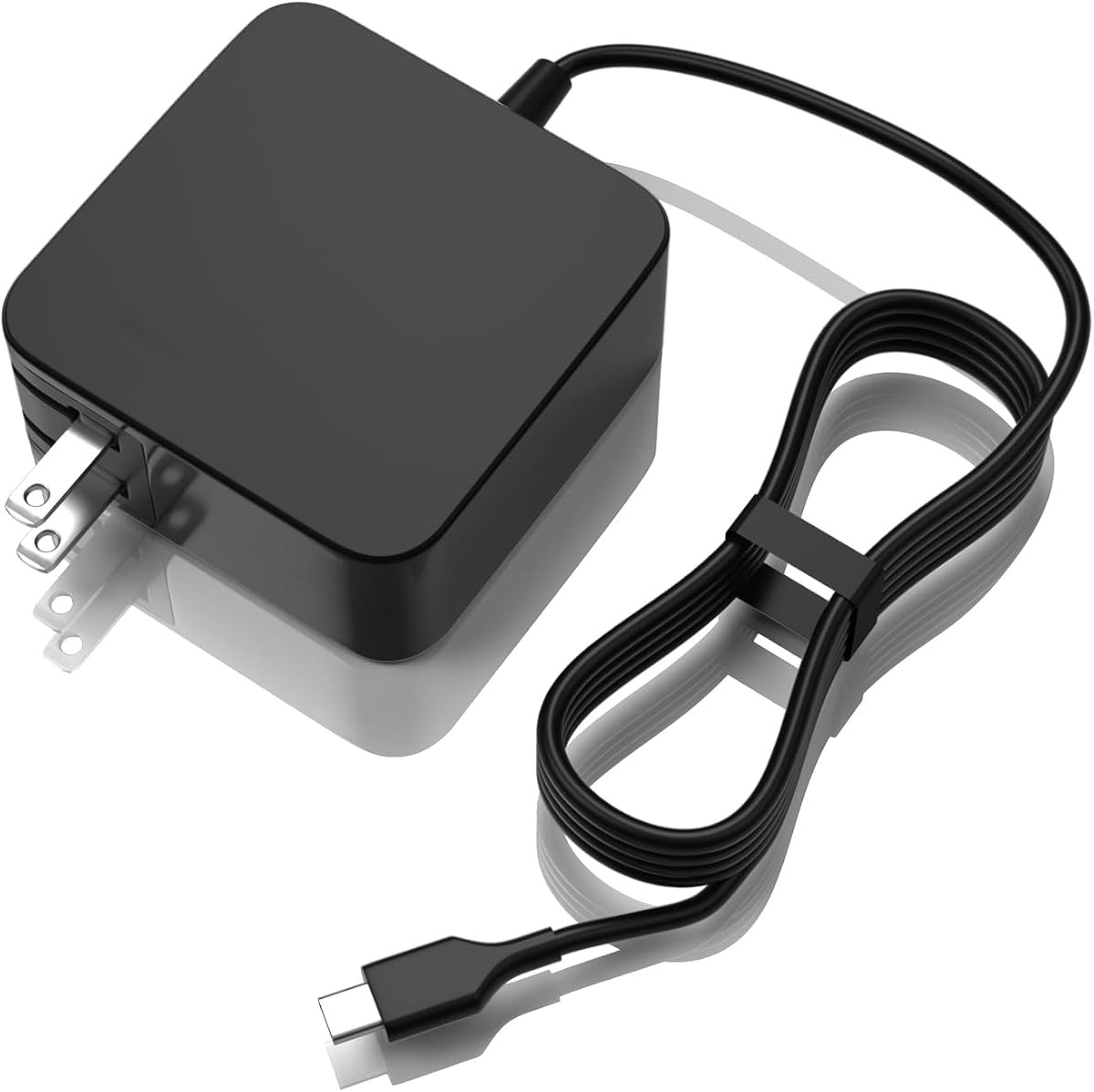
90W USB C Fast Charger
4.8Editor score
Fast charging for USB-C devices
Ninety watt maximum power output
Multiple built-in safety protections
This guide compares the top ASUS Vivobook and Zenbook power cord options for 2026, evaluating compatibility, safety features, wattage output, and connector
Finding a reliable power cord for your ASUS Vivobook or Zenbook is essential for maintaining productivity. A good charger must match your device's wattage requirements while providing stable voltage output to prevent hardware damage over time.
We compared ten top-rated replacement chargers based on compatibility, safety certifications, build quality, and user feedback. Our analysis focuses on round barrel connectors and modern USB-C options to cover the full range of ASUS laptop models.
Each pick highlights specific benefits like connector variety, warranty length, and portability. Keep in mind that product availability and pricing change frequently, so verify details before purchasing to ensure you get the right fit for your device.
4.8Editor score

4.4Editor score

4.5Editor score
The following table provides a side-by-side comparison of all ten selected chargers. Review the key specifications to determine which model aligns best with your specific laptop model and charging requirements.


This charger delivers reliable power for most non-gaming ASUS laptops. It holds a solid user rating due to its adaptability across different Vivobook and Zenbook series.
We may earn a commission when you buy through this link, at no additional cost to you.
The standout feature is the inclusion of four switchable round connectors. This design ensures you can match the exact barrel size required by your device, reducing compatibility risks.
Trade-offs include the lack of USB-C support for newer models and the manual effort needed to swap connectors. However, for older round-port devices, this is an acceptable compromise.
Buy this if you need a versatile replacement for standard ASUS laptops. Its extended warranty and broad compatibility make it a top choice for general users.
Four detachable tips cover most round port sizes found on ASUS devices.
A twenty-four month warranty provides peace of mind for long-term use.
We may earn a commission when you buy through this link, at no additional cost to you.
The Dexpt charger offers excellent value with a notably long power cord. It is designed to fit round port models with precise connector tips and clear status indicators.
We may earn a commission when you buy through this link, at no additional cost to you.
Its 7.5-foot cord allows flexible placement while working. The LED indicator provides immediate visual feedback on charging status, which is helpful for troubleshooting.
The main drawbacks are the shorter warranty period and lack of USB-C support. These are minor issues given the affordable price point and solid build quality.
Ideal for users needing extra cord length for comfort. It balances cost and performance well for standard Vivobook and Zenbook devices.
A 7.5-foot cord provides ample flexibility for home or office setups.
LED indicators show charging status clearly at a glance.
We may earn a commission when you buy through this link, at no additional cost to you.
Powseed provides a detailed compatibility list covering many specific Vivobook and Zenbook models. This clarity helps users confirm fit before purchasing, reducing returns.
We may earn a commission when you buy through this link, at no additional cost to you.
The unit includes robust safety features like built-in short circuit protection. It also comes with four interchangeable tips to match various round port requirements.
While the cord is fixed at 1.8 meters, the two-year warranty compensates by offering long-term security. It lacks USB-C capabilities for newer models.
Choose this if you want detailed compatibility info. It is a safe bet for users needing standard round barrel charging with warranty coverage.
Extensive model lists help confirm fit for specific device variants.
Built-in short circuit protection safeguards connected laptops from power spikes.
We may earn a commission when you buy through this link, at no additional cost to you.
This 90W charger is built for newer Vivobook models that support USB-C fast charging. It delivers higher power to handle demanding tasks without draining the battery.
We may earn a commission when you buy through this link, at no additional cost to you.
Certifications like FCC and CE ensure safe operation. The USB-C connector simplifies setup, supporting modern devices with reversible plug designs.
It costs more than basic adapters and only fits USB-C models. For users needing speed and modern connectivity, the premium is worth the investment.
Best for owners of S15, S16X, or OLED variants. It ensures rapid recharging during intensive work sessions or travel.
Ninety watts support performance laptops requiring more energy for tasks.
USB-C design allows for fast charging on newer compatible devices.
We may earn a commission when you buy through this link, at no additional cost to you.
With a high user rating, this charger excels in performance and reliability. It is designed for models requiring 90W USB-C power delivery.
We may earn a commission when you buy through this link, at no additional cost to you.
Safety mechanisms prevent overheating and overcharging during use. The robust design ensures consistent output even under heavy load conditions.
It is priced higher than standard adapters and lacks round connector support. However, the speed and safety features justify the cost for power users.
Perfect for high-performance Zenbook 14X OLED owners. It keeps devices powered efficiently during demanding workflows.
Positive feedback highlights reliability and consistent charging performance.
Overheating protection ensures safe operation during extended use.
We may earn a commission when you buy through this link, at no additional cost to you.
This adapter features a foldable plug to save space in bags. It suits users with USB-C ports who prioritize portability and travel convenience.
We may earn a commission when you buy through this link, at no additional cost to you.
It supports a wide voltage range and includes foldable plug for ease of transport. Safety certifications ensure safe use with connected devices.
The cord is shorter than some rivals and caps at 65W. For basic daily charging, this remains a reliable and compact option.
Best for students or travelers with compatible devices. Its space-saving design makes it ideal for backpacks and tight workspaces.
A foldable plug reduces bulk, making it easier to carry in bags.
Compliance with CE and FCC standards ensures safe power delivery.
We may earn a commission when you buy through this link, at no additional cost to you.
Nicpower targets a wide range of round port Vivobook and Zenbook series. It provides a stable 19V output suitable for 45W and 33W models too.
We may earn a commission when you buy through this link, at no additional cost to you.
The product listing details numerous compatible models to simplify selection. It maintains solid build quality for daily use without extra fluff.
Verify connector size before ordering as USB-C is unsupported. For legacy models, this is a straightforward and affordable replacement choice.
Ideal for users with older Vivobook versions needing round charging. It covers most common barrel sizes without needing multiple adapters.
A detailed list helps confirm compatibility with specific Vivobook models.
Consistent power delivery protects battery health over time.
We may earn a commission when you buy through this link, at no additional cost to you.
This affordable adapter fits specific 45W models with 4.0mm tips. It offers backward compatibility with lower wattage devices needing 33W input.
We may earn a commission when you buy through this link, at no additional cost to you.
The foldable plug supports travel and desk use. It delivers consistent 19V power without risking damage to compatible laptops.
It cannot power high-demand laptops requiring 65W or more. For basic needs, it remains a cost-effective solution with simple operation.
Best for budget-conscious buyers with matching specs. It ensures reliable charging for entry-level Vivobook and Zenbook units.
Works with lower wattage laptops needing 33W input safely.
Foldable plug minimizes bulk for easy storage in bags.
We may earn a commission when you buy through this link, at no additional cost to you.
Dexpt simplifies setup by including three connector sizes. It targets common 65W models, ensuring users can find the right fit quickly.
We may earn a commission when you buy through this link, at no additional cost to you.
The unit delivers stable 19V output suitable for everyday use. Its straightforward design avoids unnecessary complexity for standard charging needs.
Verify connector size carefully as USB-C is excluded. For round port devices, it is a practical and affordable choice.
Ideal for users needing quick replacement without extra parts. It balances cost and reliability effectively for standard laptops.
Three included connector sizes cover common barrel port variants.
Consistent 19V power ensures reliable charging for supported devices.
We may earn a commission when you buy through this link, at no additional cost to you.
EERSY stands out with an 8.8-foot cord for extended reach. It supports multiple socket types to match various Vivobook and Zenbook configurations.
We may earn a commission when you buy through this link, at no additional cost to you.
A high rating reflects consistent performance and user satisfaction. The long cord allows flexible placement across larger desks or rooms.
The cord may add bulk during travel, and warranty is standard. For home use, it offers unmatched flexibility for round port devices.
Best for users needing maximum reach. It ensures comfortable charging setups without compromising on power delivery.
An 8.8-foot cord provides maximum reach for flexible positioning.
Supports various socket types for broad device compatibility.
We may earn a commission when you buy through this link, at no additional cost to you.
Selecting the right power cord requires understanding your laptop's voltage, wattage, and connector type to ensure safe and efficient charging.
Check your laptop's power requirements to match the charger's wattage. A 65W adapter works for 45W or 33W models but not vice versa.
Match wattage to device needs for optimal battery health.
Identify if your laptop uses a round barrel port or USB-C. Older models use round tips like 4.0mm or 5.5mm while newer ones prefer USB-C.
Verify port type to avoid compatibility issues.
Look for FCC, CE, or RoHS certifications that confirm compliance with safety standards. These reduce risks of overheating or electrical surges.
Prioritize certified chargers for device protection.
Review the warranty period offered by the manufacturer. Longer warranties indicate confidence in product durability and support.
Aim for at least one year of coverage.
Choose a cord length that fits your workspace. Longer cords like 8.8 feet offer flexibility while shorter ones save travel space.
Balance length with portability needs.
Inspect reviews for build quality mentions. A sturdy adapter resists damage from daily use and maintains consistent performance.
Look for durable materials and secure joints.
Consider foldable plugs and compact designs if you travel often. Slim adapters take up less space in bags or backpacks.
Select compact models for frequent travel.
Compare the price against included features like connector variety or warranty. Basic units may suffice for home use while travelers may need premium features.
Balance cost with your specific requirements.
Plug the charger into a wall outlet first before connecting it to your laptop. This sequence prevents power spikes that could harm your device during connection.
Inspect the connector tip for dust or damage before each use. Wipe it gently with a dry cloth to maintain a secure connection and charging efficiency.
Avoid bending the cord sharply near the connector plug. Store it loosely coiled to prevent internal wire damage and ensure a long lifespan.
Yes, a 65W charger can safely power a 45W laptop as it matches the voltage requirement. The laptop will only draw the power it needs.
Measure the diameter of your existing charger's round tip with a caliper or compare it to images in the product listing. Common sizes are 4.0mm or 5.5mm.
No, USB-C and round barrel ports are physically incompatible. Ensure the connector type matches your device before purchasing.
Look for overvoltage, short circuit, and overheat protection. Certifications like FCC or CE also indicate compliance with safety standards.
Most chargers include a one or two year warranty covering manufacturing defects. Check product details for specific terms and claim processes.
Slight warmth is normal during use but excessive heat suggests issues. Ensure proper ventilation and replace the charger if it feels too hot.
Longer cords offer flexibility but may be bulkier. Choose based on your workspace setup and how often you move your laptop.
Third-party chargers can be reliable if they meet safety standards. Verify compatibility and read reviews to ensure consistent quality.
The Superer 65W and Dexpt chargers offer excellent value for round port models while USB-C options suit newer devices needing speed.
Prioritize safety certifications and warranty length when selecting a replacement to ensure long-term reliability and device protection.
Always confirm current pricing and availability before purchasing to secure the best deal for your specific laptop requirements.