
Amazon Basics Stereo 2.0 Speakers
4.4Editor score
USB powered convenience
Simple volume control
Compact desktop footprint
Discover the top MacBook external speakers setup options for enhanced audio quality and seamless connectivity to elevate your daily computing and media
Finding the perfect audio companion for your Mac requires careful consideration of connectivity and sound quality. External speakers transform your workspace into an immersive environment for work and entertainment alike.
We evaluated ten top-rated models based on compatibility, build quality, and acoustic performance. Each option offers unique advantages for different user needs and budget constraints.
Every recommendation includes detailed specifications and real-world usage insights to help you decide. Prices and availability may change, so verify current listings before purchasing your ideal audio system.
4.4Editor score

4.4Editor score
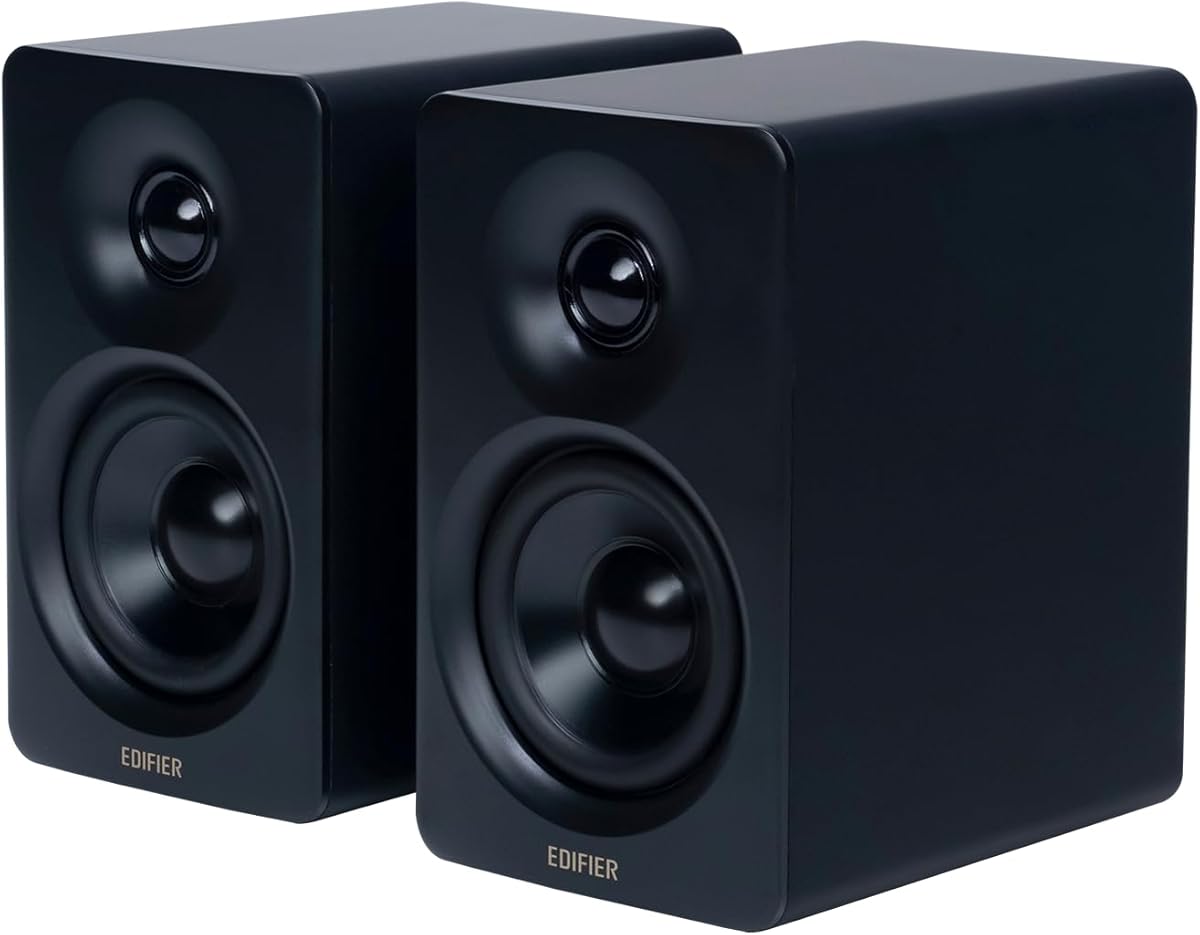
4.5Editor score
This side-by-side comparison highlights the key specifications and features of each recommended speaker model to help you identify the best fit for your specific MacBook audio requirements.




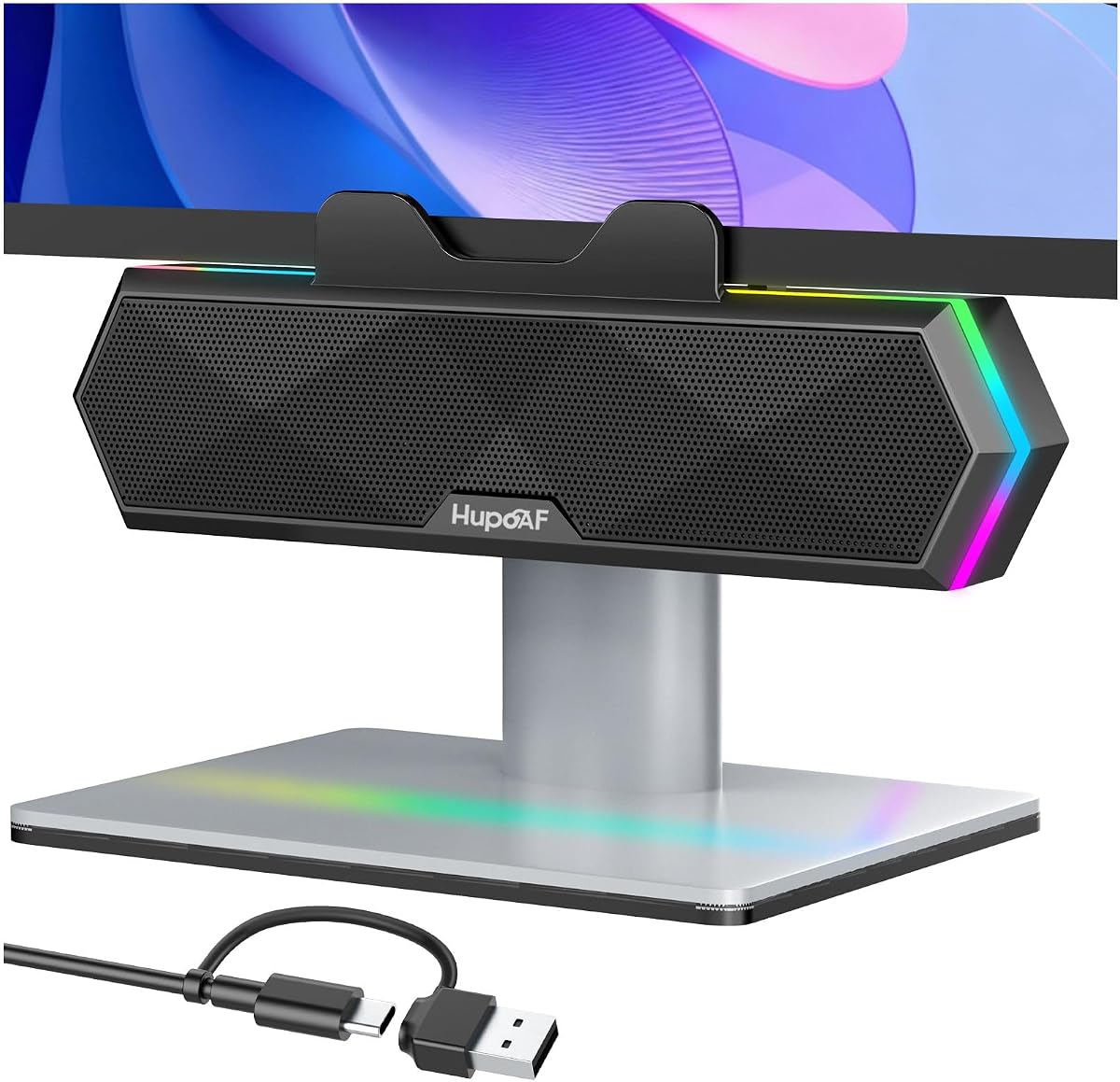
This compact speaker system stands out as the top recommendation for MacBook users seeking seamless integration. It delivers solid stereo performance with deep bass while occupying minimal desk real.
We may earn a commission when you buy through this link, at no additional cost to you.
The USB-C compatibility ensures it works perfectly with newer Mac models without extra dongles. The adaptive channel switching guarantees left and right audio remain correct regardless of mounting position.
While the bass is deep for the size, it cannot match larger floor models. The clip-on mechanism is sturdy but may not fit ultra-thin bezel monitors without risk.
Ideal for students and professionals needing space-saving audio enhancement. This unit provides excellent value for daily multimedia tasks and video calls on your Mac.
The built-in USB-C adapter allows direct connection to modern MacBooks without additional hardware.
Clip-on mounting keeps your desk clear while positioning speakers at ear level for better sound.
We may earn a commission when you buy through this link, at no additional cost to you.
This budget-friendly option delivers reliable audio for everyday MacBook use. It offers clean sound reproduction and straightforward connectivity for casual listening needs.
We may earn a commission when you buy through this link, at no additional cost to you.
The USB power source eliminates the need for external outlets. Inline volume control provides quick adjustments without accessing system settings on your computer.
Sound quality is adequate for speech and light music but lacks depth for intense bass. The plastic construction feels durable but lacks premium materials.
Perfect for users prioritizing affordability and simplicity. This pair provides essential audio improvement without complex features or high costs for students.
Connect via USB and audio jack for immediate use with zero software installation required.
Offers solid performance at a low cost point making it accessible for tight budgets.
We may earn a commission when you buy through this link, at no additional cost to you.
These speakers bridge the gap between wired reliability and wireless convenience for Mac users. The Bluetooth capability allows streaming from phones or tablets alongside your MacBook.
We may earn a commission when you buy through this link, at no additional cost to you.
Easy-Switch technology lets you toggle between devices quickly without re-pairing. The passive radiator delivers sufficient bass for casual listening in small to medium rooms.
Sound remains clear during conference calls and media playback. However, deep bass lovers might find the output limited compared to larger powered systems.
Great for hybrid setups where multiple devices share one audio source. The flexible connectivity ensures you stay connected to your Mac and mobile seamlessly.
Switch between Bluetooth and cable inputs instantly to accommodate different audio sources easily.
Engineered to prioritize vocal clarity for video meetings and podcast listening on Mac.
We may earn a commission when you buy through this link, at no additional cost to you.
This model leverages modern USB-C ports for streamlined audio on MacBooks. It offers 50% more volume than predecessors with rich sound for its compact footprint.
We may earn a commission when you buy through this link, at no additional cost to you.
The 45-degree elevation directs sound straight to your ears for better imaging. A gain switch allows you to push volume levels higher when needed.
Bluetooth pairing works well for mobile streaming though it lacks a built-in microphone. Sound clarity is strong but bass is not as punchy as larger towers.
Recommended for users wanting clean aesthetics and USB-C simplicity. This speaker fits perfectly on minimal desks while delivering solid audio performance daily.
Uses single USB-C cable for both power and audio reducing cable clutter on your desk.
Elevated drivers ensure sound reaches your ears directly improving clarity and spatial effect.
We may earn a commission when you buy through this link, at no additional cost to you.
This premium speaker system offers audiophile-grade performance for Mac users seeking high fidelity. It features high-resolution audio certification and powerful 66W RMS output for dynamic sound.
We may earn a commission when you buy through this link, at no additional cost to you.
The cap-sensitive touch panel provides intuitive volume and playback control. Included aluminum stands elevate drivers to ear level for optimal listening geometry.
Build quality is exceptional with premium materials ensuring durability. While the price is steep, the sound fidelity and features justify the cost for serious listeners.
Best suited for professionals or enthusiasts prioritizing sound quality above budget. This setup transforms your Mac into a high-end audio source for music and media.
Hi-Res audio support ensures lossless playback of high-quality music files from your Mac.
Aluminum stands and sleek design match Apple aesthetics while delivering stable audio performance.
We may earn a commission when you buy through this link, at no additional cost to you.
Designed for audio professionals, these studio monitors deliver flat frequency response for accurate mixing. They ensure your Mac outputs sound exactly as intended without artificial coloration.
We may earn a commission when you buy through this link, at no additional cost to you.
Balanced inputs and Bluetooth multi-point support cater to diverse professional needs. The MDF cabinet minimizes resonance for cleaner sound reproduction even at high volumes.
Custom sound modes let you tweak EQ via the ConneX app. However, they require desk space and careful positioning for best results in a workspace.
Ideal for creators, editors, or musicians working on Mac. These speakers provide the precision needed for video editing or podcasting projects daily.
Delivers accurate sound without artificial boost ensuring you hear audio exactly as produced.
Balanced inputs reduce noise for clean signal transmission from professional audio interfaces.
We may earn a commission when you buy through this link, at no additional cost to you.
This speaker bar offers a straightforward audio upgrade for MacBook users on a tight budget. It connects via USB with no driver installation required for immediate use.
We may earn a commission when you buy through this link, at no additional cost to you.
Dual 3W drivers and a passive radiator enhance bass performance beyond expectations. The compact form factor fits under most monitors without obstructing visibility.
Build materials are functional but feel less premium than higher-end models. Sound clarity is good for media consumption though it may lack nuance for music.
Best for casual users needing basic sound improvement without complexity. This unit delivers reliable audio for movies and games with minimal setup effort.
Plug into USB port and start listening immediately without software downloads or settings changes.
Combines low cost with decent sound output making it accessible for all users.
We may earn a commission when you buy through this link, at no additional cost to you.
This compact speaker delivers impressive sound from a palm-sized design tailored for Mac setups. The 30-degree tilt directs audio precisely to your listening position for better immersion.
We may earn a commission when you buy through this link, at no additional cost to you.
Premium components ensure low noise and consistent sound quality even during startup. The volume dial allows for tactile adjustments without reaching for keyboard shortcuts.
Connectivity is limited to USB and aux inputs meaning no Bluetooth support. It lacks the wireless freedom of other models but maintains reliability for desk use.
Recommended for those prioritizing desk space and build quality. This speaker provides clear, reliable audio for work and light entertainment on your Mac.
Upward tilt angle ensures sound waves reach your ears directly for improved clarity and immersion.
Gold-plated inputs reduce electrical noise ensuring clean signal without static interference.
We may earn a commission when you buy through this link, at no additional cost to you.
Designed primarily for collaboration, this speakerphone offers full duplex audio allowing multiple people to speak simultaneously without interruption. It integrates seamlessly with Mac video conferencing tools.
We may earn a commission when you buy through this link, at no additional cost to you.
AI noise cancellation filters out background noise ensuring your voice comes through clearly. LED indicators provide visual feedback on mute status and call activity.
Music playback works but audio tuning prioritizes voice clarity over fidelity. The price is high for a speaker, yet it is justified for remote work professionals.
Best for remote teams needing professional audio quality on calls. This unit ensures your Mac meetings sound professional and interruption-free with your Mac.
AI noise cancellation ensures your voice is prioritized and clear during important virtual meetings.
Microsoft Teams and Zoom certification ensures optimized performance on common collaboration platforms.
We may earn a commission when you buy through this link, at no additional cost to you.
This clip-on speaker adds visual flair with RGB lighting modes that complement gaming setups on Mac. It delivers deep bass and clear highs without occupying valuable desk space.
We may earn a commission when you buy through this link, at no additional cost to you.
A non-slip clamp secures it firmly to monitor edges while allowing easy removal. The single USB connection handles both power and audio transmission efficiently.
Sound quality is strong for its compact size though it lacks a microphone for calls. RGB lighting can be turned off for distraction-free work environments.
Perfect for gamers or users who value aesthetics alongside audio. This speaker enhances your Mac setup visually and acoustically with minimal effort.
Six RGB lighting modes add personality to your desk while audio performance remains reliable.
Clip mount design saves desk space by attaching directly to your monitor frame.
We may earn a commission when you buy through this link, at no additional cost to you.
Selecting the right audio system for your Mac requires evaluating several key factors to ensure optimal performance and compatibility.
Modern MacBooks often lack traditional 3.5mm jacks, making USB-C or Bluetooth essential for seamless connection. Ensure your chosen speaker supports the ports available on your specific device to avoid needing extra adapters that can introduce latency or degrade audio quality.
Look for dual connectivity options that allow both wired stability and wireless flexibility depending on your daily tasks.
Some speakers draw power directly from USB ports which simplifies setup, while others require separate wall adapters. USB-powered models are ideal for clean desk setups but may offer less power compared to AC-connected systems that deliver higher volume levels.
Choose USB power if you value minimalism, but consider AC-powered options if you need louder output.
Sound quality varies significantly across price points affecting clarity and bass response. Active speakers with built-in amplifiers generally provide better performance than passive units. Look for features like dedicated subwoofers or digital signal processing for richer sound.
Prioritize models with high-resolution audio support if you listen to high-fidelity music files.
Compact designs are crucial for users with limited workspace. Monitor-mounted speakers save significant desk real by utilizing vertical space. Ensure the physical dimensions fit comfortably without obstructing your keyboard or monitor visibility.
Consider clip-on solutions if your desk is crowded with other peripherals or accessories.
Materials used in construction impact durability and sound resonance. MDF cabinets reduce unwanted vibrations better than plastic shells. Aluminum components add rigidity and often improve heat dissipation for amplifiers.
Select sturdy materials that can withstand daily handling and long-term use without degradation.
Physical controls like knobs or touch panels make volume adjustments easier than relying on system settings. Ensure controls are easily accessible and intuitive to use without interrupting your workflow or requiring deep menu navigation.
Touch controls add modern appeal but ensure they are responsive and precise enough for daily use.
Verify that the speakers work with macOS drivers and audio protocols. Some generic PC models may lack specific optimizations for Mac audio outputs. Ensure seamless pairing if you use multiple devices like iPad or iPhone alongside your Mac.
Check manufacturer specifications to confirm official support for Apple operating systems.
Audio equipment spans a wide price range depending on features and performance. Budget models offer basic amplification while premium options deliver professional-grade sound. Determine your usage needs to avoid overpaying for unnecessary high-end features.
Balance cost with performance to get the best value for your specific audio needs.
Connect your speakers to your Mac using the appropriate cable or Bluetooth pairing. Navigate to System Settings and select the external device under sound output to route audio correctly.
Regularly clean speaker grilles with a soft dry cloth to prevent dust buildup. Avoid using harsh chemicals that could damage finishes or internal components.
Store speakers in a dry environment away from direct sunlight or extreme temperatures. This preserves the integrity of internal electronics and prevents warping of materials over time.
Most USB speakers have built-in DACs making them plug-and-play. You only need an external DAC if using analog audio inputs and seeking audiophile-grade sound quality.
You can connect multiple speakers but macOS typically routes audio to one device. To use multiple, you may need specialized third-party software to aggregate output devices.
Check output selection in System Settings and ensure drivers are updated. Restart your Mac if sound stops working unexpectedly to reset audio services.
Wired connections generally provide lower latency and consistent quality. Bluetooth offers convenience but may introduce slight lag depending on the codec used by your device.
Newer MacBooks use USB-C for power and audio. Ensure your speakers include USB-C or an adapter for direct connection without extra dongles.
Most multi-connectivity speakers can pair with phones via Bluetooth. Check compatibility to confirm seamless switching between your Mac and mobile devices.
We have reviewed ten diverse options ranging from budget-friendly models to premium systems tailored for audio professionals. Each provides unique strengths depending on your workspace and audio preferences.
Prioritize connectivity and build quality to ensure your speakers match your Mac's capabilities seamlessly. Consider your budget and usage needs before finalizing any purchase decision.
Always check current pricing and availability as values fluctuate regularly. Verify compatibility with your specific Mac model to avoid any setup issues after buying.