
HP 14 inch Laptop
4.5Editor score
Anti-glare coating
14-inch display
Lightweight design
Finding a laptop with an anti glare screen is essential for anyone who spends long hours working on a computer. These displays reduce harsh reflections from overhead lights and sunlight, making it easier to focus on your tasks without straining your eyes during extended use.
We evaluated ten standout models based on their display technology, processing power, memory capacity, and overall build quality. Each product was selected for its ability to provide a comfortable viewing experience while delivering reliable performance for work, study, or entertainment needs.
Each pick below highlights key specifications and real-world benefits to help you make an informed decision. Please note that prices and availability can change quickly, so verify current details before purchasing to ensure you get the best value for your budget today.
4.5Editor score
4.1Editor score

4.5Editor score
As an Amazon Associate we earn from qualifying purchases.
The following comparison table provides a side-by-side overview of the key specifications for all ten laptops featured in this guide. This allows you to quickly assess differences in processor type, memory capacity, storage options, and display characteristics across the entire range.




The Dell 15.6 Laptop is designed for everyday computing with a focus on efficiency and eye comfort. It features an anti-glare screen that helps maintain visibility in various lighting conditions. The ComfortView software reduces harmful blue light emissions to keep your eyes comfortable over extended viewing times.
We may earn a commission when you buy through this link, at no additional cost to you.
This model includes a numeric keypad and calculator hotkey for easy data entry tasks. The lifted hinges provide an ergonomic typing angle to support comfortable wrist positioning. It also comes with 1 Year Onsite Service for reliable support when you need it most.
While the 8 GB RAM handles standard tasks well, it may struggle with heavy multitasking or demanding applications. The storage options are adequate for basic use but might require cloud solutions for larger file libraries. These trade-offs are acceptable for users focused on budget and essential functionality.
This laptop is ideal for students and professionals who need a reliable machine for web browsing, document editing, and media consumption. Its focus on eye comfort makes it a strong choice for long study sessions or office work.
The ComfortView software helps reduce harmful blue light emissions to keep your eyes comfortable over extended viewing times.
Lifted hinges provide an ergonomic typing angle to support comfortable wrist positioning during long typing sessions.
We may earn a commission when you buy through this link, at no additional cost to you.
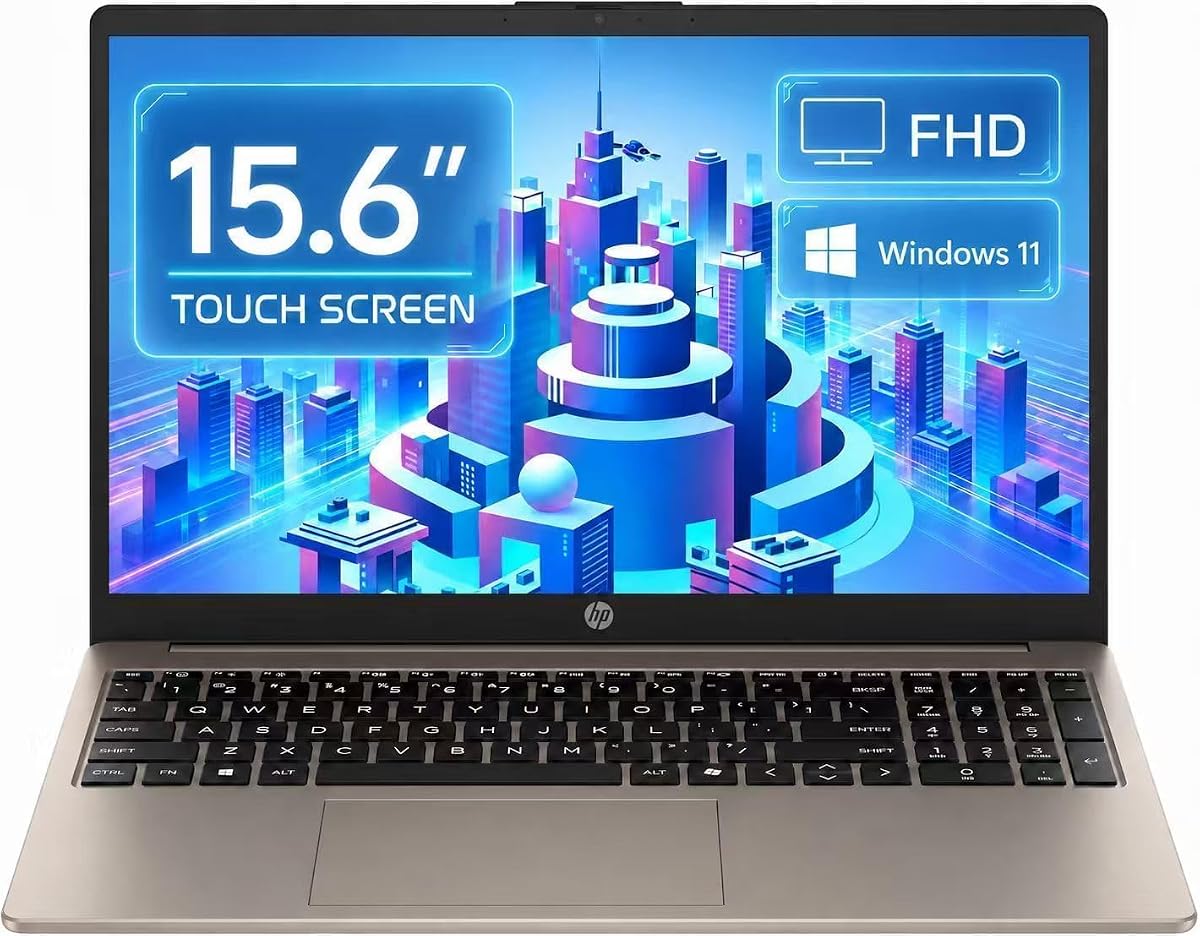
The HP Pavilion 15.6 Inch offers a versatile touchscreen experience with an anti-glare display that ensures clear views from different angles. The capacitive touchscreen makes everyday tasks like scrolling web pages or selecting items more intuitive for all users. This model stands out with 16GB RAM and a 1TB SSD for ample memory and storage.
We may earn a commission when you buy through this link, at no additional cost to you.
It is powered by an Intel Core i3-N305 processor that reaches speeds up to 3.8 gigahertz for smooth multitasking. The 8 cores and 8 threads handle multiple browser tabs, streaming video, and office documents without lag. Battery life extends up to 11 hours on a single charge for productivity away from outlets.
The privacy shutter on the 720p HD camera protects your video calls from unwanted viewing effectively. While the processor is efficient for daily tasks, it may not meet the needs of heavy creative workloads or gaming. The storage and memory are sufficient for most users but could be limiting for specialized professional use.
This laptop is best for users who want a modern interface with touch capabilities and ample storage for files. It suits students and remote workers who need reliable connectivity and security features for daily tasks and video conferencing.
Navigate documents, zoom into photos, and interact with apps directly on the 15.6 inch Full HD anti-glare display.
Connect to fast wireless networks with Wi-Fi 6 and Bluetooth 5.3 for reliable streaming and file transfers.
We may earn a commission when you buy through this link, at no additional cost to you.
The HP 14 inch Laptop is an affordable option with a non-touch display that offers clear and vibrant visuals. The anti-glare coating and 250 nits brightness make it perfect for both work and entertainment in varied lighting. Its slim 0.71-inch profile and lightweight 3.24 lb chassis ensure easy portability.
We may earn a commission when you buy through this link, at no additional cost to you.
Equipped with an Intel N150 CPU featuring up to 4.4 GHz, 4 cores, and 4 threads, it ensures efficient multitasking capabilities. The multiple ports including USB 3.0 Type-C and Type-A provide versatile connectivity options for peripherals. Wi-Fi and Bluetooth enable seamless wireless networking for remote work or school.
The limited 4GB RAM and 128GB SSD may restrict heavy multitasking and local storage needs. Users might need to rely on the included 1TB Cloud Storage for larger files. These compromises are acceptable for basic web browsing, document editing, and media streaming tasks.
This laptop is best for students and home users who prioritize portability and budget over high performance. It is a great choice for those who need a reliable device for online classes and everyday computing on the go.
Equipped with an Intel N150 CPU, featuring up to 4.4 GHz, 4 cores, and 4 threads.
Stay connected with multiple ports including USB 3.0 Type-C, USB 3.0 Type-A, HDMI, and a headphone/mic combo jack.
We may earn a commission when you buy through this link, at no additional cost to you.
The HP FHD IPS Touchscreen laptop offers a reliable display with 300 nits brightness and anti-glare properties for clear visuals. The AMD Ryzen 5 7520U processor delivers responsive performance for everyday tasks and entertainment. It includes AI noise reduction for clearer team conversations during conference calls.
We may earn a commission when you buy through this link, at no additional cost to you.
This model features a high-quality camera with a shutter to keep you safe online when not in use. The dual array digital microphones and AI noise reduction software ensure you get every point across during communications. It also comes with a dedicated Copilot key to streamline tasks and enhance efficiency.
The 256GB SSD provides fast boot times but may fill up quickly with large media libraries or software. The absence of a dedicated GPU limits its use for high-end gaming or intensive video editing. These trade-offs are acceptable for general productivity and casual entertainment needs.
This laptop is ideal for users who need a modern device with AI features for workflow optimization. It suits professionals and students who rely on video conferencing and need a clean, distraction-free display.
Advanced AI Noise Reduction tracks only your voice during conference calls while automatically filtering out noises and other speakers.
Full HD IPS Touchscreen Display delivers incredible detail, wide-viewing angles, and lifelike color reproduction.
We may earn a commission when you buy through this link, at no additional cost to you.
The HP Laptop Computer 15.6" features a 13th Gen Intel Core i7 processor that advances real-world computing and multi-tasking. It delivers impressive performance for creating, gaming, and entertainment with Intel Iris Xe Graphics. The Full HD display offers crystal-clear visuals and images with vibrant quality of 2 million pixels.
We may earn a commission when you buy through this link, at no additional cost to you.
It supports HP Fast Charge to power down your device and go from 0 to 50% charge in approximately 45 minutes. Windows 11 is preloaded to think, express, and create in a natural way with a rejuvenated Start menu. The device is designed for those who need to do more at once efficiently.
The higher price point reflects its powerful processor and graphics capabilities compared to budget models. While it handles creative tasks well, users should consider if they need such high-end performance for basic web use. The fast charging is a valuable feature for busy professionals on the move.
This laptop is best for power users and creatives who require robust performance for demanding applications. It suits professionals who need fast boot times, ample storage, and a high-quality display for presentations.
Intel Iris Xe Graphics delivers impressive performance for creating, gaming, and entertainment with a new level of graphics performance.
Power down your device and go from 0 to 50% charge in approximately 45 minutes with HP Fast Charge technology.
We may earn a commission when you buy through this link, at no additional cost to you.
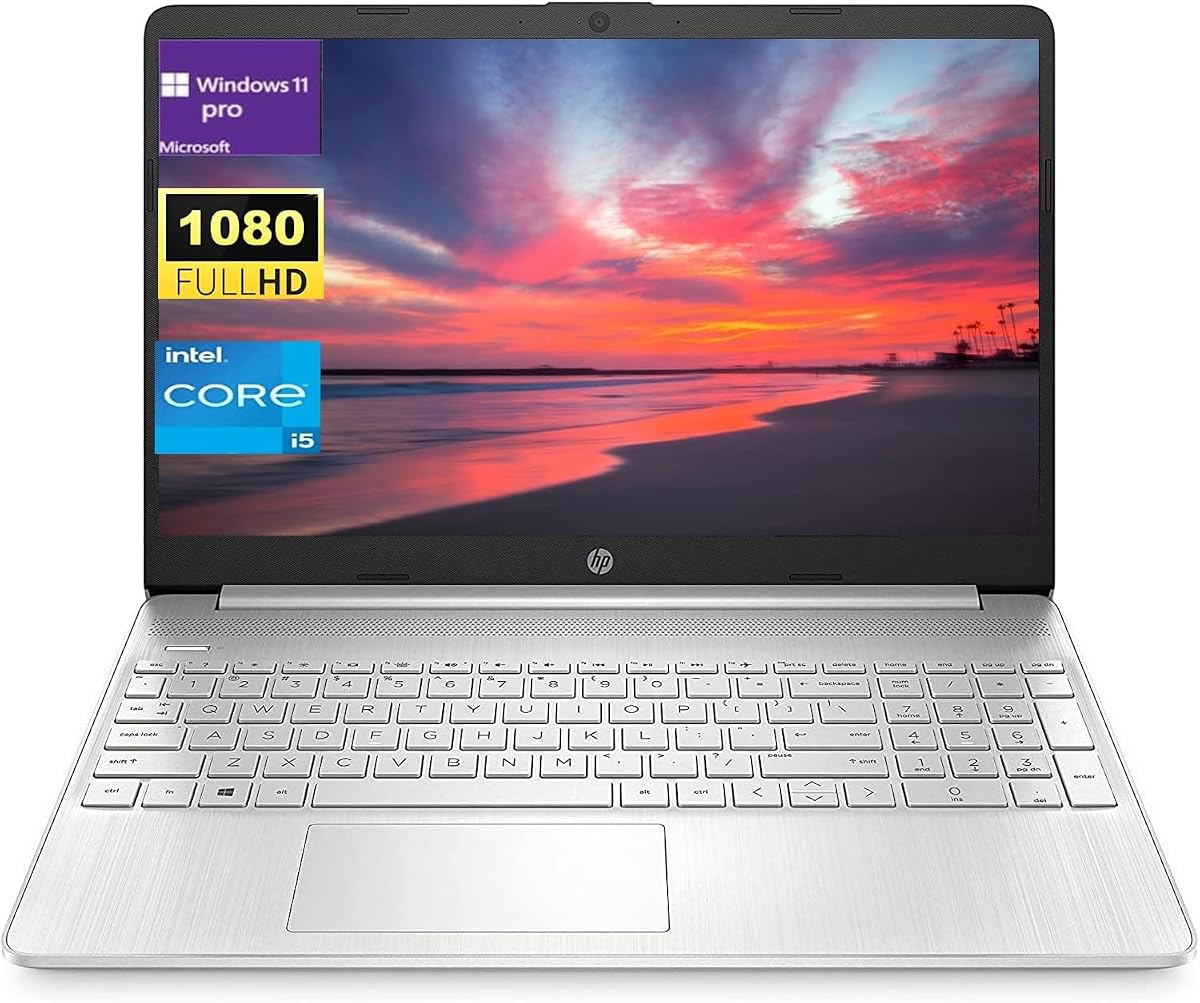
The HP 15.6" FHD Anti-glare Laptop runs Windows 11 Pro for professional features and security. It is powered by an Intel Core i5-1135G7 Processor for smooth performance across multiple applications. The 512GB Solid State Drive is ideal for faster bootup and data transfer for everyday work.
We may earn a commission when you buy through this link, at no additional cost to you.
This model includes Intel Iris Xe Graphics for solid multimedia performance and clear visuals. The SD Card Reader allows for easy photo transfers and storage expansion. It connects via SuperSpeed USB Type-C and Type-A ports along with HDMI and Bluetooth.
The 8GB RAM may limit heavy multitasking compared to higher-end models with 16GB. The battery life of up to 10 hours and 45 minutes is decent but falls short of all-day usage. These compromises are acceptable for users who primarily work in office environments.
This laptop is best for business users and professionals who need Windows 11 Pro features. It suits those who need a reliable machine for document processing and secure data management.
Windows 11 Pro offers advanced security and management features for business and professional use.
The 512GB Solid State Drive is ideal for faster bootup and data transfer than conventional hard drives.
We may earn a commission when you buy through this link, at no additional cost to you.
The Dell Latitude 5420 features a comfortable 14" FHD anti glare touch display for clear image output. It reduces light reflections in all scenes while the handy touch function adds extra usability for daily use. The mature 11th Generation Intel Quad-Core i5-1145G7 processor ensures stable performance.
We may earn a commission when you buy through this link, at no additional cost to you.
Equipped with sufficient 16GB DDR4 memory, it effortlessly manages multiple tasks at once and maintains fluent operation all day long. The built-in reliable solid state drive delivers a far smoother user experience than conventional hard drives. It includes Thunderbolt 4 and HDMI ports for versatile connectivity.
As a renewed product, it may not be in factory-new condition but offers significant value. The 256GB SSD provides swift storage performance but limits local storage space. These trade-offs are acceptable for users who rely heavily on cloud storage solutions.
This laptop is best for business professionals who need a durable, portable machine with touch features. It suits users who prioritize performance and connectivity for office and online learning tasks.
Boasting the mature 11th Generation Intel Quad-Core i5-1145G7 processor for excellent power efficiency and stable performance.
Weighing 3.03 lbs, this business laptop is designed for daily use and easy transport between meetings.
We may earn a commission when you buy through this link, at no additional cost to you.
The Lenovo Business 15.6" features a 15.6" FHD anti-glare display with 250 nits brightness and an 88% screen-to-body ratio. The TN panel delivers wide viewing angles for comfortable viewing during long work sessions. Anti-glare coating reduces eye strain in bright environments effectively.
We may earn a commission when you buy through this link, at no additional cost to you.
Powered by Intel N150 processor with 8GB LPDDR5-4800 RAM, it handles web browsing and document editing with ease. The MIL-STD-810H military-grade tested construction ensures reliability in challenging conditions. It supports dual-display capability or connection to projectors for presentations with confidence.
The 128GB storage may require expansion or cloud usage for larger file needs. The TN panel has narrower viewing angles compared to IPS screens which limits color accuracy. These compromises are acceptable for general business and home users who prioritize durability.
This laptop is best for users who need a reliable and durable device for daily computing without breaking the bank. It suits students and remote workers who value physical build quality and portability.
MIL-STD-810H military-grade tested ensures reliability in challenging conditions with PC-ABS construction.
Anti-glare coating reduces eye strain in bright environments during long work sessions.
We may earn a commission when you buy through this link, at no additional cost to you.
The HP 17.3" FHD IPS LED Laptop offers a large display with incredible detail and lifelike color reproduction. The AMD FreeSync Technology syncs your display and refresh rate so you get fluid, artifact-free visual performance. It includes a dedicated Copilot key to streamline tasks and enhance overall efficiency.
We may earn a commission when you buy through this link, at no additional cost to you.
Powered by AMD Ryzen 5 7430U Processor, it multitasks, streams, and edits photos or videos smoothly. The high-quality camera with a shutter keeps you safe online when not in use. Dual array digital microphones and dual speakers ensure you get every point across during calls.
The larger screen adds weight and bulk which may reduce portability compared to smaller models. Battery life is limited due to the power consumption of the 17-inch display. These trade-offs are acceptable for users who work primarily at a desk or in a fixed location.
This laptop is best for users who need a large screen for productivity and media consumption. It suits professionals and students who prioritize visual space and processing power over portability.
17.3" Full HD IPS LED Display delivers incredible detail, wide-viewing angles, and lifelike color reproduction.
Dedicated Copilot key offers AI-powered assistance to streamline tasks and enhance overall efficiency.
We may earn a commission when you buy through this link, at no additional cost to you.
The HP 17 Inch FHD Laptop features a 17.3" Full HD IPS anti-glare screen with wide viewing angles and flicker-free technology. It beats Intel i7-1355U in everyday performance, multitasking, and efficiency with a Hexa-Core Processor. The 16GB DDR4 RAM ensures rapid boot-ups and instant application launches.
We may earn a commission when you buy through this link, at no additional cost to you.
Preloaded with Windows 11 and a dedicated Copilot key, it offers AI-powered assistance to streamline tasks. The lift-hinge ergonomic design and HP Fast Charge keep you powered throughout the day. It includes a 720p HD webcam with privacy shutter for secure video calls.
The bulky size may make it less suitable for frequent travel compared to 14-inch models. Higher power consumption can limit battery life when away from an outlet. These trade-offs are acceptable for users who need a powerful and large screen for stationary work.
This laptop is best for home office users and students who need a large screen and good performance. It suits those who value long battery life and modern connectivity for study and entertainment.
Enjoy sharp visuals on a 17.3" Full HD anti-glare screen with flicker-free technology perfect for productivity.
AMD Ryzen 5 7430U beats Intel i7-1355U in everyday performance, multitasking, and efficiency.
We may earn a commission when you buy through this link, at no additional cost to you.
Choosing the right laptop with an anti-glare screen requires attention to display technology, processing power, and build quality. This guide breaks down the key factors you should evaluate to find a device that fits your specific needs and budget.
Look for displays with high brightness levels and anti-glare coatings to ensure readability in various lighting conditions. IPS panels generally offer better viewing angles and color accuracy compared to TN panels, making them a better choice for work and media.
The processor determines how smoothly your laptop can handle multitasking and demanding applications. For general use, Intel Core i5 or AMD Ryzen 5 processors provide a good balance of power and efficiency, while i7 or Ryzen 7 options suit more intensive tasks.
At least 8GB of RAM is recommended for smooth performance with multiple applications open simultaneously. Solid State Drives (SSDs) provide faster boot times and data access than traditional hard drives, making them essential for a responsive user experience.
If you plan to use your laptop away from an outlet, look for models that offer at least 8 to 10 hours of battery life on a single charge. Efficient processors and moderate screen brightness settings can help extend usage time significantly.
Consider the size and weight of the laptop based on your travel habits. 14-inch models are generally lighter and easier to carry, while 17-inch laptops offer larger screens but add bulk to your bag.
Ensure the laptop comes with a licensed version of Windows 11 Home or Pro that supports your workflow. Check for included software subscriptions such as Microsoft 365 that may add value to the purchase and provide essential office tools.
Verify the presence of essential ports like USB-C, HDMI, and SD card readers to connect peripherals without adapters. Wi-Fi 6 and Bluetooth 5.0 or later ensure fast and reliable wireless connections for streaming and file transfers.
A sturdy chassis made of durable materials like aluminum or reinforced plastic protects the laptop from daily wear and tear. Some business models undergo military-grade testing to ensure reliability in challenging conditions.
Clean the screen gently with a soft, lint-free microfiber cloth to remove dust and fingerprints without scratching the anti-glare coating. Avoid using harsh chemicals or abrasive materials that could damage the specialized surface of the display.
Adjust the brightness and color settings to reduce eye strain during long work sessions. Many laptops include software tools like ComfortView that lower blue light emission in the evening to help maintain a healthy sleep schedule.
Store your laptop in a protective sleeve or case when transporting it to prevent scratches and impacts on the screen. Ensure the device is completely shut down or in sleep mode before closing the lid to avoid accidental keystrokes or damage to the hinge.
An anti-glare screen has a specialized coating that diffuses light reflections, reducing glare from overhead lights or windows. This makes the display easier to read in bright environments and helps prevent eye strain during extended use.
IPS panels generally offer better color accuracy and wider viewing angles compared to TN panels. While both can have anti-glare coatings, IPS screens provide a more consistent visual experience when viewing from the side or during shared presentations.
Use a soft microfiber cloth to wipe the screen gently without applying too much pressure. Avoid paper towels or harsh chemicals like ammonia, which can damage the anti-glare coating over time.
Anti-glare coatings can slightly reduce the perceived brightness and vibrancy of colors compared to glossy screens. However, the trade-off is often worth it for the reduction in reflections and improved readability in bright conditions.
RAM determines how many applications you can run simultaneously without lag. More RAM ensures smooth performance when multitasking, which complements the visual experience of a high-quality anti-glare display.
While anti-glare screens reduce reflections, direct sunlight can still wash out the display if the brightness is low. Look for models with high brightness levels of 300 nits or more for better visibility in outdoor environments.
The ten laptops featured in this guide offer a range of options from budget-friendly 14-inch models to powerful 17-inch workstations. Whether you need portability for travel or a large screen for productivity, there is a device here that balances performance with visual comfort.
Prioritize the features that matter most to your daily workflow such as battery life, storage capacity, and processor speed. A high-quality anti-glare display can significantly reduce eye strain, making it a worthwhile investment for anyone who spends hours in front of a computer.
Prices and availability change frequently so be sure to check current listings before making your final purchase. We hope this guide helps you find the perfect laptop that meets your specific needs and budget requirements.