
WALI Adjustable Laptop Desk Mount
4.5Editor score
Dual mounting options
Innovative cooling design
16 inch height adjustment
Finding the right Laptop Tray Desk Mount can transform your workspace into a more ergonomic and efficient environment. These mounts elevate your device to eye level, reducing strain on your neck and shoulders while freeing up valuable desk space for other essentials.
We carefully evaluated ten leading models based on build quality, adjustment range, cooling design, and ease of installation. Our analysis focuses on versatility, ensuring each pick offers robust support for various laptop sizes and mounting scenarios to suit different workstation needs.
Each selection below highlights unique strengths like dual-use capabilities or specialized ventilation. Remember that product availability and pricing can fluctuate over time, so checking the latest details before purchasing ensures you get the best value for your specific setup requirements.
4.5Editor score

4.6Editor score

4.6Editor score
As an Amazon Associate we earn from qualifying purchases.
This side-by-side comparison highlights key specifications across all ten selected Laptop Tray Desk Mount models to help you quickly identify which one aligns best with your specific workstation requirements and preferred features.


The VIVO Single Laptop Notebook Desk Mount Stand stands out as a versatile solution for ergonomic computing. With a strong 4.6 rating from users, it combines durability with flexible motion to elevate your device comfortably without permanent desk modification.
We may earn a commission when you buy through this link, at no additional cost to you.
Its ventilated tray fits laptops up to 17 inches while supporting weights of 22 pounds. The arm offers extensive motion including full 360-degree rotation, plus tilt and swivel adjustments. Integrated cable clips on arms and the pole keep wires tidy and accessible.
While robust, the C-clamp and grommet options are limited to wooden surfaces. The grommet base also has a thickness limit of three inches. Ensuring your desk compatibility is crucial before purchase to avoid installation issues later.
Ideal for home office professionals needing a reliable and adjustable workstation upgrade. Its balance of features and build quality makes it a top recommendation for those prioritizing ergonomics and organization over extreme customizability or unique material designs.
The arm adjusts from plus 90 to minus 90 degrees in tilt with 180 degrees of swivel and full 360-degree rotation for versatile positioning.
Detachable cable clips on arms and center pole keep power and AV cords clean and organized to reduce clutter on your workspace.
We may earn a commission when you buy through this link, at no additional cost to you.
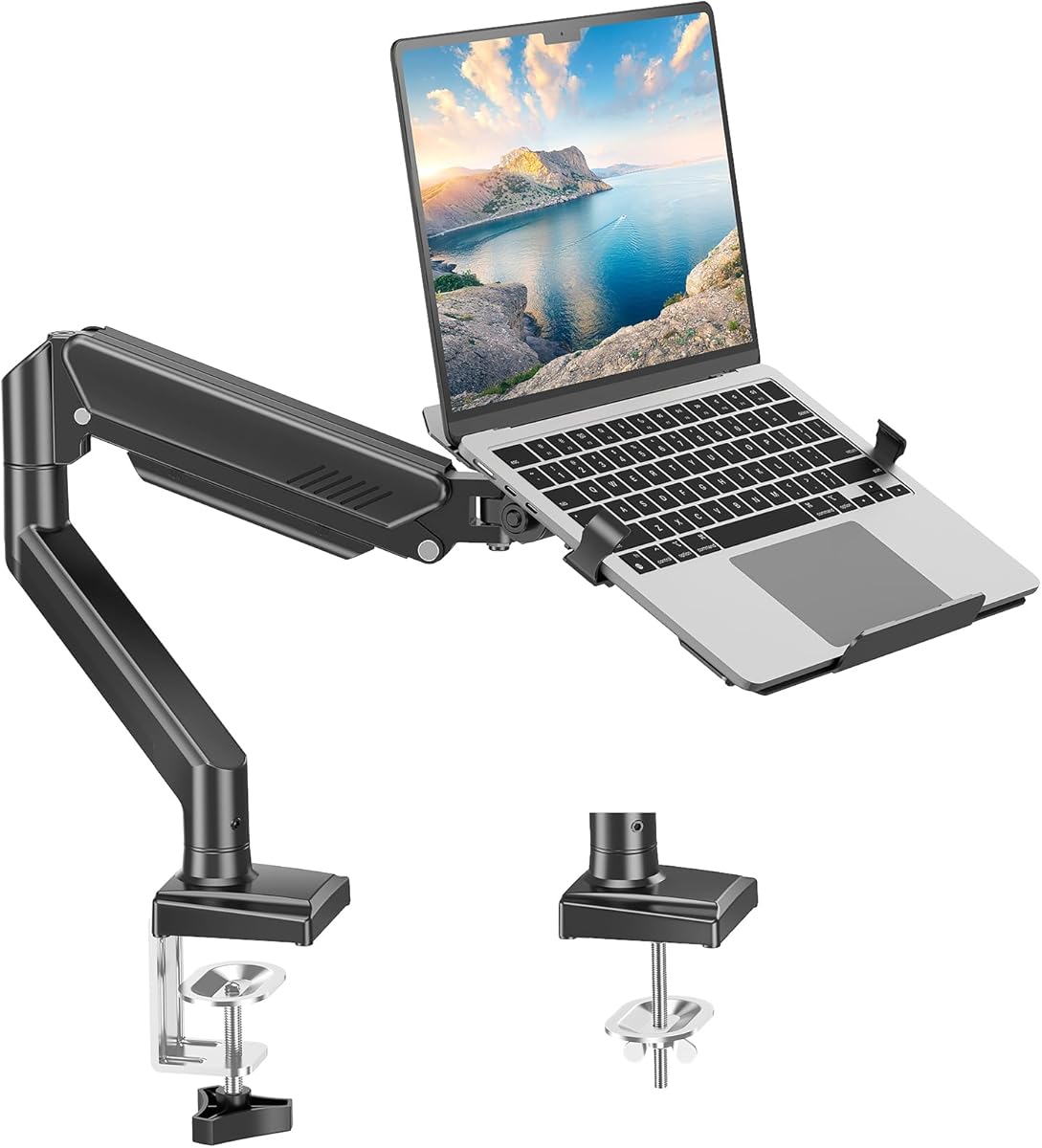
The WALI Adjustable Laptop Desk Mount offers exceptional value for those seeking an ergonomic upgrade without breaking the bank. Rated 4.5 by satisfied users, it provides robust support for notebooks up to 17 inches with smart design features for airflow.
We may earn a commission when you buy through this link, at no additional cost to you.
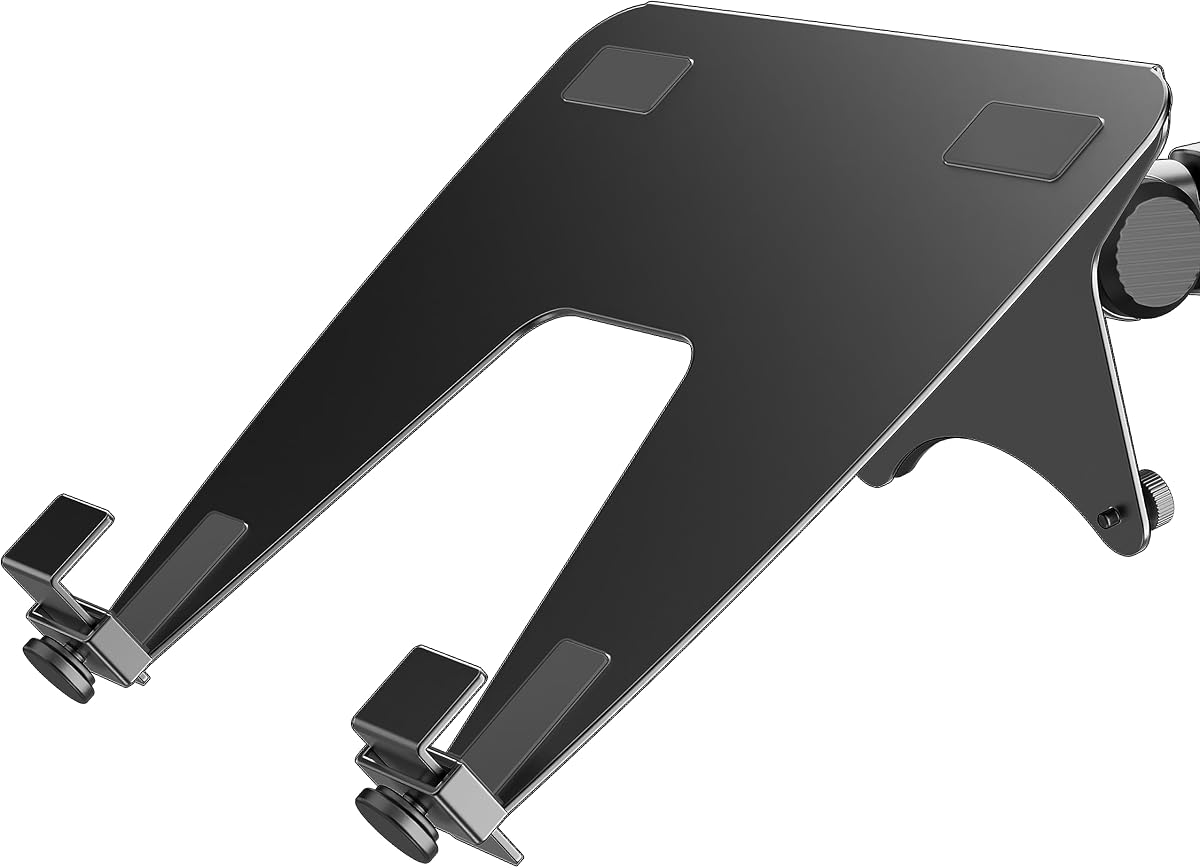
Its dual mounting options include a C-clamp for desks 0.4 to 4 inches thick and a grommet mount for thinner surfaces. The tray features venting holes to absorb cooling air from laptop fans while allowing a 16-inch height adjustment range.
Swivel is limited to 90 degrees and tilt to 15 degrees which may restrict extreme viewing angles. The protruding bottom lip helps secure devices but could interfere with thicker laptop cases or accessories on the lower edge of the chassis.
Perfect for budget-conscious professionals or students needing basic ergonomic benefits. Its reliability and thoughtful cooling design make it a solid choice for standard office setups where extreme flexibility is less critical than overall stability.
Venting holes on the laptop tray absorb cooling air from the laptop fan to help manage heat during extended usage sessions.
High-grade arms allow for 16 inch height adjustment plus tilt and swivel to customize your viewing experience seamlessly.
We may earn a commission when you buy through this link, at no additional cost to you.
The monTEK 2-in-1 Laptop & Monitor Desk Mount delivers premium build quality and performance for demanding workstations. With a high 4.6 rating, it features durable steel and aluminum construction to support both laptops and monitors up to 32 inches with curved compatibility.
We may earn a commission when you buy through this link, at no additional cost to you.
Its full-motion adjustable arm offers significant tilt from plus 80 to minus 45 degrees and wide swivel for optimal ergonomics. The ergonomic detachable tray provides heat dissipation while scratch-free clamps and built-in cable management keep your setup tidy and protected.
Grommet mounting requires specific hole diameters which may not suit all desks. Additionally the price is higher than standard models but reflects the enhanced materials and broader compatibility with various screen types and laptop sizes.
Best for users requiring a heavy-duty and versatile mount for multiple display types. Its superior build quality and extensive adjustment options make it worth the investment for those prioritizing long-term reliability and premium ergonomics in a professional setting.
This mount supports 12 to 18 inch laptops and 17 to 32 inch monitors including curved screens for a versatile workspace solution.
The arm offers tilt plus 80 to minus 45 degrees swivel plus 90 to minus 90 and rotation plus 180 to minus 180 for comfortable posture.
We may earn a commission when you buy through this link, at no additional cost to you.
The MOUNT PRO Laptop Arm Mount provides a stable aluminum solution for ergonomic desk setups with a 4.4 rating. It supports notebooks up to 17 inches and monitors up to 32 inches offering full-motion adjustment for comfortable viewing positions.
We may earn a commission when you buy through this link, at no additional cost to you.
Key strengths include built-in cable management guides and a ventilated tray that maximizes airflow to keep devices cool. Six anti-slip pads and latches secure laptops in place preventing slips or falls during active work or gaming sessions.
It does not fit curved screens and rotating the laptop tray to a vertical position is discouraged for safety. The setup is straightforward with visual manuals but ensure your desk matches the clamp or grommet specifications before purchasing.
Recommended for home office professionals and students needing reliable cooling and cable management. Its combination of adjustability and secure design makes it a strong contender for standard flat screens and laptops requiring airflow and organization.
The arm offers minus 45 to plus 90 degrees tilt 180 swivel and 360 rotation to raise your monitor up to 17.3 inches.
Ventilated tray maximizes airflow and 6 anti-slip pads with latches prevent slips or falls during work or gaming.
We may earn a commission when you buy through this link, at no additional cost to you.
The HUANUO Adjustable Monitor Arm with Laptop Tray offers a flexible 2-in-1 solution supporting 13 to 32 inch monitors with a ventilated tray up to 17-inch laptops. It holds up to 22 pounds and features integrated cable management for a tidy desk.
We may earn a commission when you buy through this link, at no additional cost to you.
Its tray design includes a 0.8 inch protruding bottom lip and breathable structure to avoid overheating. The arm extends up to 16 inches and supports full tilt and swivel adjustments. Installation works with C-clamp or grommet for wood desks.
Tightening screws tightly is essential when adjusting angles to maintain stability. The clamp option fits only wooden desks which may limit use for glass or composite surfaces. Proper installation ensures the mount remains secure over time.
Great for users needing a simple dual-purpose mount for laptops and standard monitors. Its ventilated design and cable management features make it a practical choice for those prioritizing heat control and organized cabling in a home office environment.
This Laptop stand features a 14 by 12 inch ventilated tray with a 0.8 inch protruding bottom lip to avoid overheating.
Adjustable arm offers 45 tilt 90 swivel and 360 rotation with easy height range up to 17 inches tall.
We may earn a commission when you buy through this link, at no additional cost to you.
The HUANUO Laptop Desk Mount emphasizes ergonomics with a ventilated tray featuring 240 holes for improved airflow. It fits laptops up to 17 inches or adapts to monitors up to 32 inches. Rated 4.5 by users it offers flexible adjustments for comfort.
We may earn a commission when you buy through this link, at no additional cost to you.
Key features include 15-inch pole height and cable management clips to route wires along the arm and pole. The design aims to avoid neck strain and maximize performance. Support team provides swift solutions for any issues.
Installation requires wood desks only which limits versatility compared to universal clamps. Pole length is restricted to 15 inches may not reach eye level for very tall setups. Check desk material and dimensions carefully before purchase.
Ideal for users prioritizing cooling and ergonomic comfort on wood desks. Its focus on health and efficiency makes it a solid pick for those needing reliable airflow and a tidy setup without complex installation steps.
Designed with a ventilated tray that has 240 holes for improved airflow to avoid overheating and extend device lifespan.
Free up valuable desk space underneath for keyboard and mouse and route wires along the arm using cable clips.
We may earn a commission when you buy through this link, at no additional cost to you.
The HUANUO 2 in 1 Function Laptop Mount supports monitors from 13 to 34 inches and notebooks up to 17 inches. Rated 4.4 it offers full motion adjustments and a ventilated tray with anti-slip pads for secure and cool placement.
We may earn a commission when you buy through this link, at no additional cost to you.
It extends up to 18.1 inches and reaches 17.5 inches high. Velcro straps ensure stability while the setup is quick due to pre-assembled parts. Clamps fit wood desks from 0.39 to 2.56 inches thick.
Velcro straps may degrade over time with frequent use. The grommet option has specific hole diameter limits that require precise measurements. Ensuring your desk fits these constraints is key to a stable installation.
Best for multitaskers needing to switch between laptop and monitor modes often. Its wide monitor compatibility and full motion range provide flexibility for dynamic workflows while maintaining a clean and organized workstation.
Effortlessly adjust laptop or monitor to perfect angle and height with tilt plus 45 swivel plus 90 and rotation 360 degrees.
11.8 by 10.4 inch ventilated tray with 6 anti-slip pads and widened bottom guard hold laptops securely in place.
We may earn a commission when you buy through this link, at no additional cost to you.
The VIVO Black Clamp-on Rotating Laptop Tray provides a unique under desk solution to save valuable surface space. It holds up to 11 pounds and rotates 360 degrees with a solid C-clamp for a secure attachment without damage.
We may earn a commission when you buy through this link, at no additional cost to you.
The platform fits laptops up to 17 inches with depth not exceeding 11.5 inches. When not in use the tray rotates underneath the desk for discreet storage. It fits desks up to 2 inches thick with specific clearance needs.
Requires 31 inches of clearance for full rotation which may not fit smaller workspaces. Also it does not lock in place so fluid adjustability may cause slight shifts during typing on heavy keyboards.
Perfect for compact desks needing hidden storage and ergonomic typing angles. Its space-saving design is ideal for those who prioritize desk clearness and occasionally need to type comfortably with the device below surface level.
This 12.3 by 8.8 inch tray secures to desk with rotating clamp holding your laptop below desk for ergonomic typing angles.
Single desk clamp allows tray to pivot a full 360 degrees providing ultimate flexibility for customized placement.
We may earn a commission when you buy through this link, at no additional cost to you.
The Suptek Single Laptop Notebook Desk Mount offers relief from fatigue by allowing optimal viewing height for screens up to 27 inches. With a 4.4 rating it supports notebooks up to 17 inches and integrates cable management for a tidy workspace.
We may earn a commission when you buy through this link, at no additional cost to you.
Its arm swivels 180 degrees with 360-degree rotation and plus 90 tilt. A 400mm height adjustment provides choices for comfortable positions. The tray prevents overheating with venting holes and features a bottom edge lip to prevent falls.
Weight limit is 15.6 pounds which excludes heavier gaming laptops. Grommet holes must fit diameters between 10 and 78 millimeters. Ensuring your desk thickness and hole size match these specs is crucial for stable mounting.
Great for users needing an adjustable ergonomic setup for flat screens and laptops. Its multifunctional design and reliable height adjustments make it a solid pick for general office use where standard weight capacity is sufficient.
This stand fits most 13 to 27 inch flat and curved monitors with VESA of 75x75mm or 100x100mm patterns.
Monitor desk stand arm is fully adjustable with 180 swivel 360 rotation plus 90 tilt and 400mm height adjustment.
We may earn a commission when you buy through this link, at no additional cost to you.
The ergounion Laptop Tray for Monitor Arm transforms standard mounts into ergonomic workstations supporting heavy gaming laptops up to 28.6 pounds. It offers a unique 30-degree desktop slant for better typing angles while maintaining industrial-grade durability.
We may earn a commission when you buy through this link, at no additional cost to you.
Key features include zero port interference with secure clips and protective padding to keep devices scratch-free. Its hollow design dissipates heat and the tray acts as a standalone solution with a fixed slant for desk placement.
Requires a compatible VESA mount with 100×100 pattern which means it is an add-on rather than a full stand. The fixed slant is optimized for viewing but may limit flat typing without an external keyboard setup.
Ideal for power users with heavy laptops needing robust support. Its durability and port accessibility make it a premium choice for those who want to maximize monitor arm utility while protecting expensive devices from scratches or heat.
Secure bottom-edge clips instead of side clamps ensure all laptop ports are 100 percent accessible for cleaner cable management.
Integrated protective padding and bottom-retaining clips ensure your laptop stays locked in place and scratch-free on any modern office.
We may earn a commission when you buy through this link, at no additional cost to you.
Selecting the right mount depends on several critical factors ranging from device weight to desk compatibility. Understanding these elements ensures your new workstation upgrade improves comfort and organization without causing installation issues.
Weight capacity determines the maximum load the mount can safely support without sagging or tipping. Most options support between 11 to 28 pounds covering standard ultrabooks to heavy gaming laptops. Always check the rated limit before purchase to ensure stability during typing.
Ensure the mount capacity exceeds your device weight plus any accessories like external keyboards or docking stations.
Desk compatibility defines the maximum thickness the clamp can fit and whether the surface material is suitable. Many mounts only work on wooden surfaces which limits use on glass or composite desks. Measure your desk thickness carefully against the C-clamp and grommet limits.
Match your desk type and thickness with the mounting options to ensure a stable fit without drilling holes into expensive workstations.
Adjustability range covers the extent to which you can tilt swivel and rotate the tray for a comfortable viewing angle. Models offering full 360-degree rotation and wide tilt degrees provide the most ergonomic flexibility. Consider how often you move positions during work.
Prioritize models with wide adjustment ranges if you share your desk or need to switch between typing and video viewing frequently.
Cooling design ensures the tray allows adequate airflow to prevent laptops from overheating during heavy use. Vented trays with ventilation holes help dissipate heat more effectively than solid platforms. Look for trays that promote natural air circulation.
Choose a ventilated design if you use your laptop for gaming or rendering to maintain optimal performance and device longevity.
Cable management features keep wires organized and out of the way to prevent clutter and accidental unplugging. Some mounts include clips or channels to route power cords neatly along the arm. Integrated solutions save time on external organizers.
Look for built-in cable clips or routed channels to maintain a clean and professional workspace appearance without tangled cords.
Build material influences the overall durability and stability of the mount during daily use. Steel and aluminum constructions provide robust support but may weigh more than plastic options. Heavier materials reduce unwanted vibrations when typing.
Opt for metal construction if you prioritize long-term stability and need to support heavier laptops without flexing.
Installation ease refers to how quickly and simply the mount can be attached without specialized tools. Most options include visual manuals and all necessary hardware to complete setup in minutes. Check if pre-assembled parts are included to reduce assembly time.
Choose a model with pre-assembled components and clear instructions for a hassle-free installation process.
Versatility describes the mount ability to switch between laptop and monitor configurations or support various screen sizes. Dual-use models allow you to remove the tray for standard monitor mounting saving costs on additional hardware. Ensure VESA compatibility matches your devices.
Select a 2-in-1 design if you need to switch between laptop and external monitor modes to maximize value.
Install the mount by choosing the clamp or grommet option that matches your desk thickness and material. Secure the clamp tightly to prevent slipping and ensure the base sits flat on the surface before attaching the tray.
Adjust the arm and tray to your eye level by using the tilt and height settings. Lock the joints firmly after positioning to avoid unwanted movement during typing. Check that the laptop sits securely on the tray pads.
Regularly clean the tray and arms with a soft dry cloth to remove dust. Inspect screws and joints periodically to maintain stability. If the mount feels loose re-tighten all bolts using the provided tools for safety.
Most mounts require wooden surfaces for the clamp to grip effectively. Glass or composite desks often lack the texture needed for secure clamping. Check the product specs for compatible materials before purchasing to avoid installation issues on non-wood desks.
Typical weight capacity ranges from 11 to 28 pounds depending on the model and build material. Standard options handle ultrabooks well while heavier ones support gaming laptops. Always verify the maximum load before placing your device to ensure stability and safety.
Most mounts are designed for flat screens and may not fully support curved displays due to their geometry. Some premium models explicitly state curved monitor compatibility but laptops usually require flat bases. Check the specifications for curvature support if needed.
Commonly supported VESA patterns include 75x75mm and 100x100mm for external monitors. Ensure your monitor matches these standards if you plan to remove the tray. Most 2-in-1 models include both patterns for broad compatibility with standard displays.
Use a tray with ventilation holes designed to maximize airflow under the device. Ensure the laptop does not block intake vents and position the tray for natural convection. Avoid placing items on the laptop that might restrict air movement during use.
Most 2-in-1 models feature a detachable tray that can be removed with basic tools or clips. This allows quick switching to standard monitor mode without replacing the arm. Follow the manual instructions carefully to avoid losing small parts during removal.
If your desk exceeds the maximum thickness the clamp can grip consider using a grommet mount or alternative setup. Some models offer larger clamp options for thicker surfaces. Measure your desk precisely before purchasing to ensure compatibility with included hardware.
Many mounts are compatible with standing desks if the clamp fits the edge securely. Ensure the clamp allows attachment to the desk thickness even when adjusted. Some models provide higher pole heights to maintain ergonomic levels while standing.
We have reviewed ten exceptional options ranging from versatile dual-use models to specialized cooling-focused trays. Each pick balances ergonomics stability and ease of use to fit various professional and personal needs.
Prioritize weight capacity and desk compatibility to ensure a stable and long-lasting investment. Choosing a model with ample adjustability and ventilation will greatly enhance your daily computing comfort and productivity.
Always check current product availability and pricing as they can vary by retailer and time. Comparing features against your specific desk setup and device requirements will help you make the most informed decision for your workspace upgrade.