
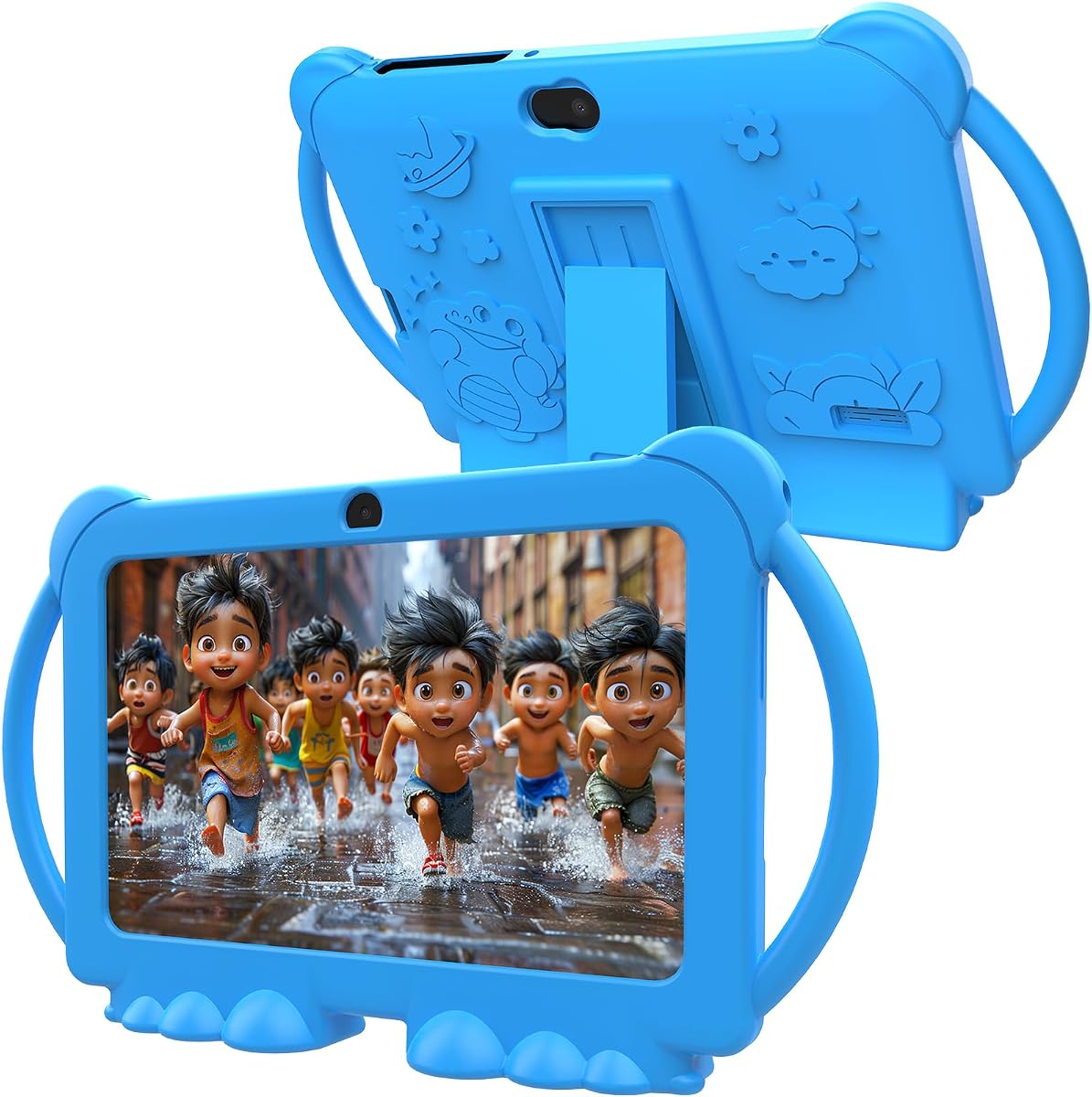
Kids Tablet 7 Inch for Kids 3-9
4.0Editor score
Android twelve system
Forty eight gig storage
Eye protection screen
Finding the right tablet for young children requires balancing fun with safety and education. Parents need devices that are durable enough to survive drops and engaging enough to keep kids learning without excessive screen time.
We evaluated ten top models based on screen quality, battery life, storage capacity, and robust parental control features. Each option offers a unique blend of performance and protection suited for toddlers and early elementary students.
Every selection includes detailed insights on hardware, software, and real-world usability. Keep in mind that stock levels and promotional offers can shift quickly, so verifying current availability before purchase is always recommended for peace of mind.
4.0Editor score

4.6Editor score

4.6Editor score
As an Amazon Associate we earn from qualifying purchases.
The following comparison table outlines the core specifications and unique attributes of each device to help you quickly identify the model that best fits your family's specific needs and budget constraints.




The Amazon Fire 7 Kids tablet stands out as a reliable entry point for families seeking a durable and educational device. With a solid rating from thousands of users, it offers a balanced mix of entertainment and learning tools right out of the box.
We may earn a commission when you buy through this link, at no additional cost to you.
Its standout feature is the included Amazon Kids+ subscription, which provides access to thousands of ad-free books, games, and videos from trusted brands like Disney and PBS Kids. The one-year worry-free guarantee ensures peace of mind, allowing parents to return the device for a replacement if it breaks within two years.
While the internal storage is limited to 16 gigabytes, expandable options via microSD help mitigate this constraint. The 10-hour battery life supports long trips without constant charging, and the parental dashboard makes managing screen time straightforward for busy caregivers.
This tablet is ideal for younger children who need a safe digital environment with minimal setup. Parents looking for an affordable first tablet that prioritizes safety and educational content should strongly consider this model for their household.
Amazon Kids+ offers curated content that grows with your child, ensuring age-appropriate learning and entertainment without exposure to ads.
The kid-proof case is designed to absorb shocks from drops, making it suitable for active toddlers who might handle devices roughly.
We may earn a commission when you buy through this link, at no additional cost to you.
The Amazon Fire HD 8 Kids tablet elevates the experience with a larger, brighter screen and enhanced performance. It remains a top choice for families wanting a balance between entertainment capabilities and robust safety features for young users.
We may earn a commission when you buy through this link, at no additional cost to you.
With 32 gigabytes of internal storage and up to 13 hours of battery life, this device supports extended use without interruptions. The strengthened glass and included kid-proof case provide significant protection against daily wear and tear, while the Parent Dashboard allows for precise control over screen time and content access.
While the interface is based on a customized version of Android, it limits access to the full Google Play Store compared to some competitors. However, the vast library of pre-vetted apps and media through Amazon Kids+ compensates for this limitation for most families.
This model is perfect for children who need more space for games and videos or require a clearer display for reading. It is a reliable investment for parents prioritizing battery longevity and screen quality in a protective package.
The 8-inch HD screen offers sharper visuals, making reading and video watching more engaging and easier on the eyes for developing vision.
Support for microSD cards up to 1 terabyte ensures that growing media collections and app libraries never run out of space.
We may earn a commission when you buy through this link, at no additional cost to you.
This 7-inch tablet offers a cost-effective solution for families needing a versatile device without breaking the bank. It runs on Android 12, providing a familiar interface that supports a wide range of educational apps and media players.
We may earn a commission when you buy through this link, at no additional cost to you.
The device includes essential features like 32 gigabytes of storage and a protective case to handle minor drops. Eye protection technology adjusts brightness automatically to reduce strain during long reading sessions, which is a thoughtful addition for younger eyes.
Performance may not match high-end models due to the hardware limitations, but it handles basic tasks like streaming videos and playing educational games adequately. The ability to download apps directly from Google Play gives it flexibility that some closed ecosystems lack.
Ideal for budget-conscious parents or as a secondary device for older siblings, this tablet balances utility and affordability. It is a practical choice for households that want full Android functionality without a premium price tag.
Running a standard Android OS allows access to a vast ecosystem of third-party educational apps not available on locked-down devices.
Automatic brightness adjustments help maintain a comfortable viewing experience, reducing the risk of eye fatigue during extended use.
We may earn a commission when you buy through this link, at no additional cost to you.
The YosaToo Kids Tablet focuses on providing a rich learning environment even without an internet connection. Its pre-loaded offline apps cover subjects like math and art, making it a strong companion for travel or areas with spotty Wi-Fi.
We may earn a commission when you buy through this link, at no additional cost to you.
Running on Android 16 ensures compatibility with modern applications and updates. The device includes a durable silicone case that absorbs impact, along with adjustable stand functionality for hands-free viewing. Parental controls allow for filtering content and setting time limits effectively.
While the screen is a compact 7 inches, it is bright enough for indoor use. The ability to access Google Kids Space and the full Play Store ensures that children can find age-appropriate content easily as they grow older.
This tablet is excellent for families who travel frequently or need a device that works reliably offline. It offers a good balance of learning tools and entertainment options in a sturdy, child-friendly package.
Offline capabilities mean the tablet remains useful on road trips or flights without requiring constant internet connectivity for basic entertainment.
Support for Google Kids Space and YouTube provides a scalable experience that adapts as children develop new interests and skills over time.
We may earn a commission when you buy through this link, at no additional cost to you.
Designed for older children transitioning from toddler devices, this Pro model offers a more mature interface and expanded capabilities. It retains the safety features families expect while allowing for more independent use and exploration.
We may earn a commission when you buy through this link, at no additional cost to you.
With 64 gigabytes of storage and a hexa-core processor, performance is smooth for multitasking and gaming. The web browser includes guardrails to filter inappropriate content, enabling safe independent browsing. Voice and video calls via Alexa add a communication layer that parents can manage.
The slim case is less bulky than the standard toddler version, appealing to older kids who prefer a sleeker look. The 13-hour battery life ensures the device lasts through a full day of school or activities without needing a recharge.
This is the ideal upgrade for pre-teens who need more power and freedom but still require parental oversight. It bridges the gap between a toy and a full productivity tool, supporting creativity and learning.
Built-in web filtering allows older children to explore the internet safely under parent supervision without risking exposure to harmful sites.
Secure voice and video calling capabilities let families stay connected while ensuring that only approved contacts can reach the child.
We may earn a commission when you buy through this link, at no additional cost to you.
This tablet emphasizes multimedia engagement with a dual camera setup suitable for photos and videos. It runs on Android 12, offering a versatile platform for educational apps and creative projects in a compact form factor.
We may earn a commission when you buy through this link, at no additional cost to you.
The IPS screen provides decent viewing angles, while the shockproof case protects against daily drops. Bluetooth allows for connecting headphones or external speakers, enhancing the audio experience for stories and music without disturbing others.
While performance is generally adequate for basic tasks, it may struggle with heavier applications. However, the inclusion of parental controls ensures that screen time remains managed and content stays appropriate for toddlers and young children.
Suitable for families prioritizing creative tools like photography and video recording, this device offers a fun way to document memories. It is a solid budget-friendly option for casual users who value camera utility.
Dual cameras encourage children to explore photography and video editing, fostering creativity through hands-on media creation activities.
Bluetooth support expands audio possibilities, allowing for immersive listening experiences with external accessories when needed.
We may earn a commission when you buy through this link, at no additional cost to you.
Featuring a 10-inch HD display, this tablet offers ample screen real estate for reading and watching videos. The Octa-core processor and 8GB RAM ensure smooth multitasking, making it suitable for more demanding educational tasks and games.
We may earn a commission when you buy through this link, at no additional cost to you.
Pre-loaded with Google Kids Space, it provides a curated interface focused on learning and safety. The blue light reduction technology helps minimize eye strain, which is beneficial during prolonged usage sessions. Expandable storage options support a growing media library.
The device includes an adjustable stand and a protective case for convenience, though the larger size may be cumbersome for very young toddlers. Battery performance is generally strong, supporting extended entertainment periods between charges.
This model is best suited for older children or shared family use where a larger screen is beneficial. It balances performance with safety features, making it a versatile tool for comprehensive digital learning.
Blue light reduction settings help protect vision during long sessions, ensuring a healthier viewing experience for developing eyes.
High expandability means users can store extensive libraries of books, videos, and apps without worrying about running out of space.
We may earn a commission when you buy through this link, at no additional cost to you.
This tablet focuses on connectivity and visual comfort with features like eye protection mode and dual camera capabilities. It supports Netflix via Widevine L1, offering a rich streaming experience within the safe confines of a child-friendly device.
We may earn a commission when you buy through this link, at no additional cost to you.
The silicone case protects against bumps and allows for hands-free viewing via an adjustable stand. WiFi and Bluetooth connectivity ensure seamless streaming and audio connections. Parental controls are robust, allowing filters on websites and apps to maintain a safe digital environment.
Performance is decent for everyday tasks, though it may not excel in heavy gaming. The design prioritizes ease of use and safety, making it a reliable choice for casual media consumption and educational activities.
Ideal for families who value media streaming and camera features, this tablet offers a comprehensive package. It balances essential safety measures with entertainment features that engage children effectively.
Widevine L1 certification enables high-quality streaming of popular shows, providing entertainment without compromising safety protocols.
Eye protection mode automatically adjusts settings to reduce strain, encouraging healthy viewing habits during extended sessions.
We may earn a commission when you buy through this link, at no additional cost to you.
With a 6000mAh battery, this tablet promises extended usage times, making it ideal for travel or long study sessions. The Unisoc T606 octa-core processor handles multitasking well, supported by a large storage pool for media and apps.
We may earn a commission when you buy through this link, at no additional cost to you.
PD fast charging ensures quick recharges when needed, reducing downtime. Dual-band WiFi provides stable connections, while the FM radio adds an extra entertainment feature for offline listening. Parental controls help manage screen time and content access effectively.
The 10-inch display offers a comfortable size for reading and watching content. The protective case and adjustable stand enhance portability and usability, making it a practical tool for both learning and leisure.
This device suits families prioritizing battery life and performance. It is a strong contender for households that need a reliable device capable of lasting through long days without frequent charging.
A large battery capacity ensures the device lasts longer on a single charge, supporting uninterrupted learning and play sessions.
Dual-band WiFi reduces connectivity issues, providing a smoother experience for streaming videos and downloading educational content.
We may earn a commission when you buy through this link, at no additional cost to you.
This tablet offers a simple and affordable solution for young children with a kid-friendly interface. It comes pre-installed with various educational apps and games, making it ready to use out of the box for immediate engagement.
We may earn a commission when you buy through this link, at no additional cost to you.
The Type-C charging port ensures faster and more reliable charging compared to older micro-USB standards. Parental controls allow for setting time limits and filtering content to keep the digital environment safe and age-appropriate.
The included durable case protects against drops, while the IPS screen provides decent color reproduction for everyday viewing. Performance is adequate for basic apps and video streaming, though it may struggle with resource-intensive tasks.
Perfect for budget-conscious families needing a straightforward device, this tablet delivers essential features without complexity. It serves as an excellent entry-level option for introducing children to digital learning tools.
Type-C charging speeds up the process of getting back to play, reducing waiting times for both parents and children.
Pre-installed apps allow immediate use without complex configurations, making it easy for parents to get started right away.
We may earn a commission when you buy through this link, at no additional cost to you.
Selecting the right device involves considering hardware durability, software safety, and long-term value to ensure a positive experience for both parents and children.
Children often handle devices roughly, so a sturdy case is essential. Look for models with shock-absorbing materials and reinforced corners to prevent damage from accidental drops.
A durable case extends the device's lifespan and reduces repair costs, making it a critical feature for active households.
Robust parental controls allow you to manage screen time, filter content, and set educational goals. The ability to block apps and websites ensures a safe environment.
Effective controls give parents peace of mind and help establish healthy digital habits early on.
Long battery life is vital for travel and uninterrupted play. Aim for devices that last at least 10 hours on a single charge to avoid constant recharging.
Quick charging technologies like USB-C further enhance convenience by reducing downtime between sessions.
Larger screens offer better visibility for reading and videos but may be heavier for small hands. IPS panels generally provide better color accuracy and viewing angles.
Choose a size that balances visibility with portability based on your child's typical usage scenarios.
Internal storage determines how many apps and media files can be saved locally. Expandable storage via microSD cards adds flexibility for growing libraries.
Prioritize devices with at least 32 gigabytes of internal storage to avoid frequent management of digital content.
Android offers broad app compatibility, while closed systems like Fire OS provide curated safety. Consider whether your family needs full Google Play access or prefers a controlled ecosystem.
The right OS ensures that educational content is accessible while maintaining necessary safety guardrails.
A warranty like the worry-free guarantee offers free replacements if the device breaks within a specific period. This feature reduces risk for parents buying for young children.
Reliable customer support ensures that technical issues are resolved quickly, keeping the device functional for long-term use.
Many tablets include subscriptions to services with educational books and games. Access to trusted content helps maximize the device's learning potential.
Check if included subscriptions renew reasonably or if you can cancel them based on your family's needs.
Set up parental controls before handing the device to your child. Create a unique profile and configure time limits and content filters to ensure a safe browsing experience from day one.
Regularly check for software updates to keep the tablet secure and running smoothly. Updates often include new safety features and performance improvements that enhance the user experience.
Clean the screen with a soft microfiber cloth to avoid scratches. Avoid using harsh chemicals or spraying liquid directly on the device to protect the internal components and screen coating.
Yes, most models include robust parental controls that let you set screen time limits and filter content. These features ensure that children can explore apps and media safely without exposure to inappropriate material.
Many models support microSD cards to expand storage up to 1 terabyte. This allows you to store more books, videos, and games locally without needing cloud storage.
Most included tablets ship with a durable kid-proof case designed to absorb impact from drops. This built-in protection reduces the risk of damage during daily use by active children.
Battery life varies but often ranges from 10 to 13 hours of mixed use. This allows for extended play and learning sessions without needing frequent recharging throughout the day.
Yes, parental control dashboards typically allow you to block specific apps and websites. This ensures that children only access content deemed appropriate for their age and maturity level.
Some tablets offer a worry-free guarantee that allows you to return a broken device for a free replacement within a set period. This covers accidental damage and provides peace of mind for parents.
The Amazon Fire HD 8 Kids remains a top recommendation for its balance of screen quality, battery life, and robust safety features. It offers a reliable experience for most families looking for a primary learning device.
For budget-conscious buyers, options like the Kids Tablet 7 Inch provide essential features at a lower cost. Consider your child's specific needs regarding storage and performance when making your final decision.
Prices and availability can change frequently, so checking current offers before purchasing ensures you get the best deal. Prioritize durability and parental controls to keep the digital experience safe and educational.