
KAMRUI Mini PC E1
4.4Editor score
AMD Ryzen 5 3500U
Dual 4K Display Output
Compact Form Factor Design
This guide compares the top Htpc Mini PC models of 2026, evaluating performance, display support, and connectivity for home theater and office use.
Finding the right Htpc Mini PC can transform your home entertainment setup into a powerful media hub. These compact devices offer immense processing power in a tiny footprint, making them ideal for streaming, light gaming, and general productivity tasks without the bulk of a traditional tower.
To compile this list, we evaluated ten leading models based on processor performance, graphics capabilities, connectivity options, and expandability. We focused on devices that balance efficiency with power, ensuring they can handle modern media codecs and multitasking demands while fitting seamlessly into any living space.
Each pick below highlights specific strengths like triple display support, high-speed networking, or robust cooling systems. While we strive for accuracy, product availability and features can change over time, so always verify the latest details before making your final purchasing decision for your specific needs.
4.4Editor score

4.2Editor score

4.4Editor score
The following comparison table provides a side-by-side overview of the top ten Htpc Mini PC models. This snapshot helps you quickly identify key specifications like processor type, memory configuration, and display capabilities to narrow down your search effectively.




The GMKtec G10 stands out as a top contender in the Htpc Mini PC category, combining solid performance with versatile connectivity. It earns high marks for its ability to drive three 4K displays simultaneously, making it an excellent choice for media centers and productivity setups alike.
We may earn a commission when you buy through this link, at no additional cost to you.
At its heart lies the Ryzen 5 3500U processor, which offers significantly better multi-threaded performance than many competing Intel N-series chips. This allows for smooth multitasking and handling of video playback without stuttering. The included 16GB of RAM ensures that system memory is rarely a bottleneck during daily use.
While the device performs well out of the box, users can unlock even more power by enabling Performance Mode in the BIOS. This adjustment increases the TDP, allowing the CPU to sustain higher clock speeds for longer periods. However, this might lead to slightly higher noise levels during intensive tasks.
For anyone looking to build a compact home theater PC that can also serve as a light gaming or office machine, the G10 is a highly recommended choice. Its balance of price, performance, and expandability makes it a versatile option for various home computing needs.
This model supports three independent 4K screens via HDMI, DisplayPort, and USB-C, perfect for multi-monitor trading or media editing setups.
The inclusion of a 2.5GbE Ethernet port ensures fast wired network speeds, ideal for high-bandwidth tasks like streaming 4K video or hosting local servers.
We may earn a commission when you buy through this link, at no additional cost to you.
The GMKtec G11 is designed with network enthusiasts and small business users in mind. Its standout feature is the dual 2.5GbE Ethernet ports, which allow it to function effectively as a router, firewall, or NAS server without needing extra hardware.
We may earn a commission when you buy through this link, at no additional cost to you.
Powered by the Ryzen Embedded R2514, this mini PC delivers robust performance for both office tasks and light media work. The graphics capabilities are particularly impressive, offering significantly higher throughput than standard integrated solutions found in this price range.
The device is built for reliability, with validation for continuous operation which is crucial for server applications. While it carries a slightly higher price tag than some competitors, the inclusion of high-end networking features justifies the cost for those needing advanced connectivity.
If you are looking for a compact unit that can double as a high-performance home lab server or a powerful media center, the G11 offers a unique blend of networking and computing power that few other devices in this category can match.
With two 2.5GbE ports, users can set up isolated networks for guests or IoT devices, enhancing security and network management capabilities.
Validated for 24/7 workloads, this device is suitable for always-on scenarios like media streaming or file serving without overheating risks.
We may earn a commission when you buy through this link, at no additional cost to you.
The KAMRUI E1 delivers excellent value for those seeking a capable Htpc Mini PC without breaking the bank. It packs a Ryzen 5 processor into a small form factor, making it perfect for living room setups where space is at a premium.
We may earn a commission when you buy through this link, at no additional cost to you.
Despite its budget-friendly positioning, the device does not skimp on display capabilities, supporting two independent 4K displays at 60Hz. This ensures that your home theater experience is crisp and clear, whether you are watching movies or browsing the web.
The base configuration includes 8GB of RAM and a 256GB SSD, which is sufficient for basic media consumption but might feel limiting for heavy multitasking. However, the memory and storage slots are accessible, allowing for easy upgrades if your needs grow over time.
For students, light users, or anyone needing a secondary computer for media consumption, the E1 provides a reliable and cost-effective solution. It balances affordability with enough performance to handle daily tasks smoothly.
Support for two 4K screens allows for extended desktop setups, enhancing productivity or entertainment experiences without needing a large PC tower.
The ability to expand memory and storage means this budget unit can grow with your needs, extending its lifespan and utility significantly.
We may earn a commission when you buy through this link, at no additional cost to you.
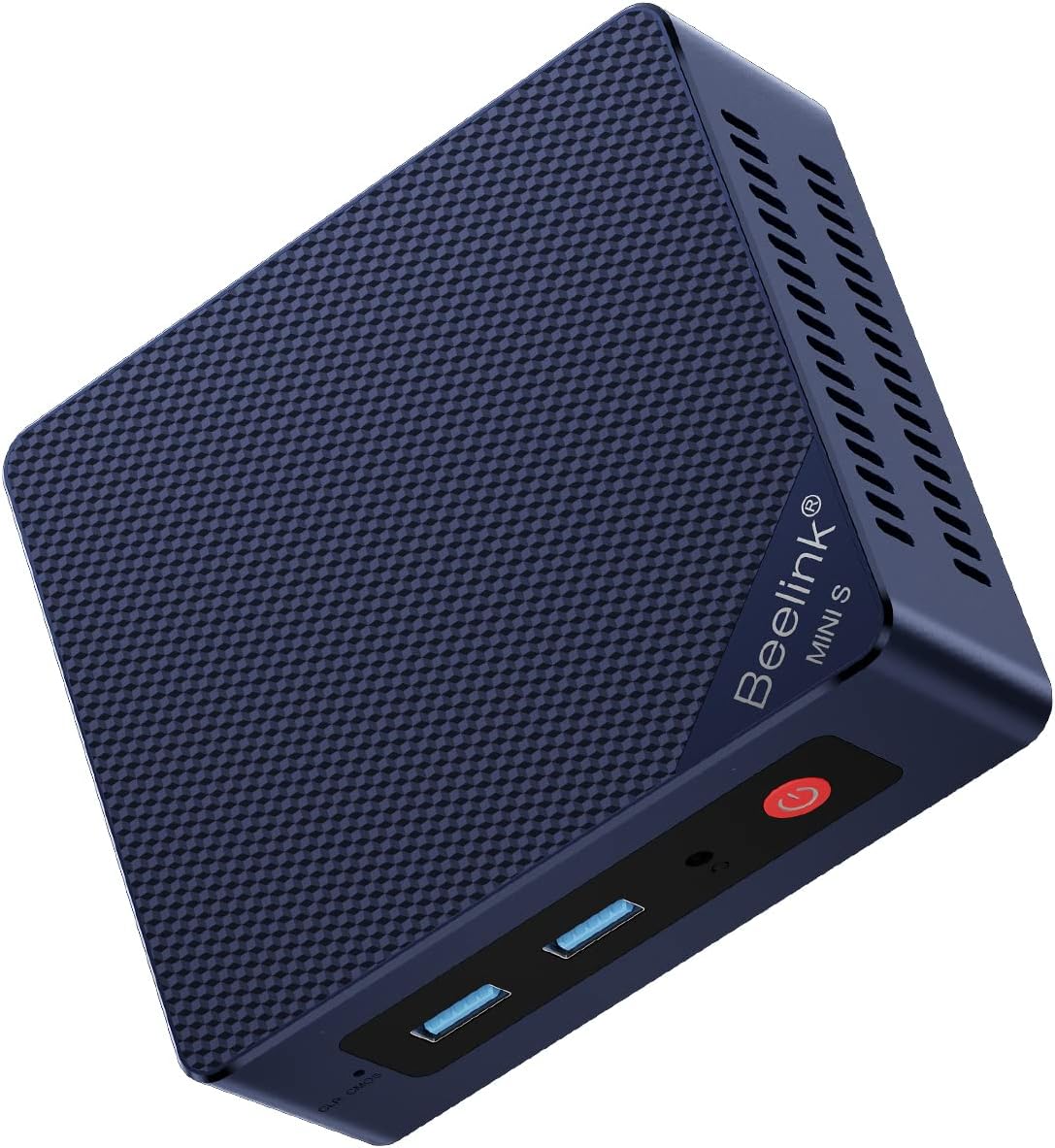
The Beelink Mini S13 is optimized for users who prioritize silence and efficiency. Its cooling system is designed to run quietly, making it an ideal fit for a bedroom or living room where noise levels matter during media playback.
We may earn a commission when you buy through this link, at no additional cost to you.
Equipped with the Intel N150 processor, this mini PC handles everyday tasks like web browsing and video streaming with ease. While it is not built for heavy gaming, its integrated graphics support 4K video playback smoothly, which is the primary use case for many home users.
With 16GB of RAM included as standard, this device offers better multitasking headroom than many competitors at similar price points. The storage capacity is also generous, providing ample space for media libraries and applications without immediate need for expansion.
For those seeking a silent, reliable machine for general office work or streaming media, the S13 is a solid choice. Its compact size and VESA mount compatibility allow it to blend seamlessly into any existing setup.
Large CPU fan and dedicated cooling shields ensure heat dissipation without generating noticeable noise, perfect for quiet environments.
Support for Intel Unison allows users to link their PC with smartphones for easy file transfers and notification management.
We may earn a commission when you buy through this link, at no additional cost to you.
The GMKtec G10 with 1TB storage is an excellent choice for users who need substantial space for media files. It maintains the same core performance as the standard model but adds significant capacity for movies, music, and documents.
We may earn a commission when you buy through this link, at no additional cost to you.
With the Ryzen 5 3500U processor, this mini PC handles heavy workloads comfortably. The 16GB of RAM ensures that the system remains responsive even when multiple applications are running simultaneously, making it versatile for both work and play.
The 2.5GbE Ethernet port is a valuable addition for users who rely on fast wired connections for transferring large files or streaming high-bitrate media. This connectivity ensures that the hardware bottleneck is minimized during network-intensive tasks.
For home theater enthusiasts who need local storage for their media library, this model offers a perfect balance of power and capacity. It reduces the need for external drives while keeping the footprint small.
The 1TB SSD provides ample space for extensive media collections, reducing the need for external hard drives and clutter.
2.5GbE support ensures that moving large files across the network happens quickly, which is crucial for media servers.
We may earn a commission when you buy through this link, at no additional cost to you.
The Getorli Mini PC offers a strong blend of modern connectivity and performance. The inclusion of WiFi 6 ensures that wireless performance is optimized for high-speed networks, reducing latency and improving stability compared to older standards.
We may earn a commission when you buy through this link, at no additional cost to you.
Powered by the Ryzen 5 3501U, it provides reliable performance for daily tasks and media consumption. The 16GB of RAM is a generous offering for a device of this size, allowing for smooth multitasking without slowdowns.
Triple display support is a key feature for users who want to extend their workspace or entertainment setup. This capability allows for greater productivity or entertainment immersion without requiring a larger physical footprint.
For those who need a compact PC with reliable wireless performance, the Getorli model is a solid option. Its design focuses on practical utility while maintaining a small form factor suitable for modern desks and living rooms.
The latest WiFi 6 standard provides faster speeds and better congestion management, ideal for households with many connected devices.
Support for three monitors allows users to expand their desktop space significantly, enhancing productivity and multitasking capabilities.
We may earn a commission when you buy through this link, at no additional cost to you.
The Beelink MINI S12 is an excellent entry point for anyone new to mini PCs. It offers a clean, efficient design that handles basic tasks effortlessly, making it a favorite for students and casual users.
We may earn a commission when you buy through this link, at no additional cost to you.
Despite its low power consumption, the device performs well for media streaming and office work. The integrated graphics are sufficient for decoding 4K video, ensuring a smooth viewing experience without taxing the processor.
The 16GB of RAM is a standout feature at this price level, allowing users to keep multiple tabs and applications open without issues. This headroom makes the system feel snappy and responsive during everyday use.
For those looking for a reliable, energy-saving machine for light computing tasks, the MINI S12 is a strong contender. It balances cost and capability effectively, providing a hassle-free experience for general users.
Low power consumption reduces electricity costs and carbon footprint, making it an eco-friendly choice for always-on use.
Small dimensions and wall-mount options free up valuable desk space, perfect for small offices or entertainment centers.
We may earn a commission when you buy through this link, at no additional cost to you.
The Beelink SER5 MAX represents the premium end of the Htpc Mini PC spectrum. With a Ryzen 7 processor and LPDDR5 memory, it offers performance that rivals larger desktop towers in a compact chassis.
We may earn a commission when you buy through this link, at no additional cost to you.
This model is built for users who need raw power for creative work or gaming alongside media playback. The high-speed memory ensures that applications load quickly and complex tasks are handled efficiently without bottlenecks.
The cooling system is designed to manage heat effectively, allowing the CPU to sustain high performance for longer periods. This makes it suitable for demanding tasks like video editing or running virtual machines.
For enthusiasts who want a desktop replacement that doesn't take up much space, the SER5 MAX is an excellent choice. It offers high-end specs that justify the higher cost for those seeking maximum performance.
The use of LPDDR5 memory provides faster data throughput than standard DDR4, resulting in quicker application loading and smoother multitasking.
A robust cooling solution ensures that performance remains stable even under heavy loads, preventing thermal throttling during intensive use.
We may earn a commission when you buy through this link, at no additional cost to you.
The GMKtec M2 Pro offers a robust Intel-based alternative for users who prefer Intel architecture. Its Core i7 processor delivers high clock speeds that excel in single-threaded tasks like web browsing and office productivity.
We may earn a commission when you buy through this link, at no additional cost to you.
The integrated Iris Xe graphics provide solid performance for video playback and light creative work. This capability ensures that media streaming is smooth and reliable, making it a great option for home entertainment systems.
Connectivity is a strong point for this model, featuring USB4.0 which offers incredible data transfer speeds and versatile docking capabilities. This is particularly useful for users who rely on external peripherals or storage.
For those who need a powerful yet compact machine for general computing tasks, the M2 Pro is a strong contender. It combines traditional Intel strengths with modern connectivity features.
Support for USB4.0 allows for ultra-fast data transfers and high-resolution video output, making it ideal for external setups.
The ability to drive three displays simultaneously expands productivity possibilities for users who work across multiple windows.
We may earn a commission when you buy through this link, at no additional cost to you.
The Beelink MINI S12 Pro is designed for reliability in office settings. It offers a smooth experience for document editing, web conferencing, and general administrative tasks without unnecessary bloat.
We may earn a commission when you buy through this link, at no additional cost to you.
The 16GB of RAM ensures that video calls and document handling do not slow down the system. This configuration is practical for small businesses or home offices where efficiency is key.
Networking is robust with a 2.5G LAN port, providing stable wired connections that are often necessary for reliable video conferencing. This ensures that meetings remain uninterrupted by connectivity issues.
For anyone needing a dependable mini PC for work, the MINI S12 Pro is a practical choice. It focuses on stability and ease of use, making it suitable for non-technical users.
The device is optimized for consistent performance during standard office tasks, ensuring no interruptions during critical work hours.
Two 4K HDMI ports allow for dual monitor setups, increasing workspace and productivity for administrative tasks.
We may earn a commission when you buy through this link, at no additional cost to you.
Selecting the right Htpc Mini PC involves considering several critical factors that align with your specific needs. This guide breaks down the most important aspects to help you make an informed decision.
The processor is the brain of your mini PC and determines how well it handles tasks. For media streaming, an Intel N-series or Ryzen 3 is often sufficient. However, for multitasking or light gaming, opt for Ryzen 5 or higher to ensure smooth performance.
Look for processors with multiple cores and threads to handle concurrent operations efficiently without lag.
At least 16GB of RAM is recommended for modern multitasking and future-proofing your system. If you plan to run multiple applications or use virtual machines, this is essential for maintaining responsiveness.
Storage should ideally be SSD-based for fast boot times and application loading. Check if the device allows expansion to accommodate future growth in data needs.
Ensure the mini PC supports your desired monitor setup. Many models offer dual HDMI ports or a mix of HDMI and USB-C with DisplayPort Alt Mode. Triple display support is available on some high-end models for enhanced productivity.
Check for the latest standards like HDMI 2.1 to ensure compatibility with 4K and 60Hz refresh rates for high-quality visuals.
Gigabit Ethernet is standard, but 2.5GbE ports are becoming more common in modern devices. These provide faster wired transfer speeds which are beneficial for high-bitrate media streaming or file sharing.
Wireless connectivity should support at least WiFi 6 to ensure stable and fast connections in environments with multiple devices.
Mini PCs can generate heat due to their small size. Look for models with effective cooling solutions like dedicated fans and heat sinks. Quiet operation is crucial for living room setups to avoid disturbing media viewing.
Review user feedback regarding fan noise under load to ensure the device meets your noise tolerance levels.
Consider the variety and number of USB ports available. USB-C with power delivery is a valuable feature for simplifying cable management. Ensure there are enough ports for your peripherals like keyboards, mice, and external drives.
Check if the RAM and storage slots are accessible for future upgrades. Some models have soldered components which limit expansion options.
Once you have unboxed your mini PC, connect it to your monitor using HDMI or DisplayPort cables. Use a USB-C or standard power adapter to power the device. Ensure all peripherals like keyboard and mouse are connected before turning on the power.
Place the device in a well-ventilated area to prevent overheating. Avoid blocking the air vents on the chassis. Regularly clean dust from the vents to maintain airflow and ensure optimal cooling performance during operation.
Keep your operating system and drivers updated to ensure compatibility with media codecs and software. This helps maintain security and performance over time. Use sleep or shutdown modes appropriately when the device is not in use to save energy.
Yes, many Htpc Mini PCs support dual or triple monitor setups through HDMI and USB-C ports. Check the specific model specs to confirm the number of supported displays and resolution limits.
Most mini PCs are designed for casual gaming and media playback. While they can handle light titles, they are not typically built for demanding AAA games due to thermal and graphics limitations.
Many models feature M.2 slots for additional SSDs. You can open the chassis to install a new drive, but ensure you check the manual for specific steps and supported capacities.
Most units come pre-installed with Windows or a version of Linux. Always verify the included OS before purchasing to ensure it meets your requirements.
Yes, they consume significantly less power than traditional desktop towers. This makes them ideal for always-on setups like media servers or home offices.
HDMI 2.1 supports higher bandwidth, allowing for 4K at 120Hz or 8K resolutions. HDMI 2.0 is sufficient for standard 4K at 60Hz which is common for most media use.
The GMKtec G10, KAMRUI E1, and Beelink SER5 MAX stand out as top choices in their respective categories. They offer a mix of performance, value, and features that cater to different user needs.
Prioritize processing power and memory if you need a versatile machine for work and entertainment. For simple media playback, entry-level models provide sufficient capability at a lower cost.
Remember that product specifications and availability can change. Always verify the latest details and pricing before purchasing to ensure you are getting the best value for your specific requirements.