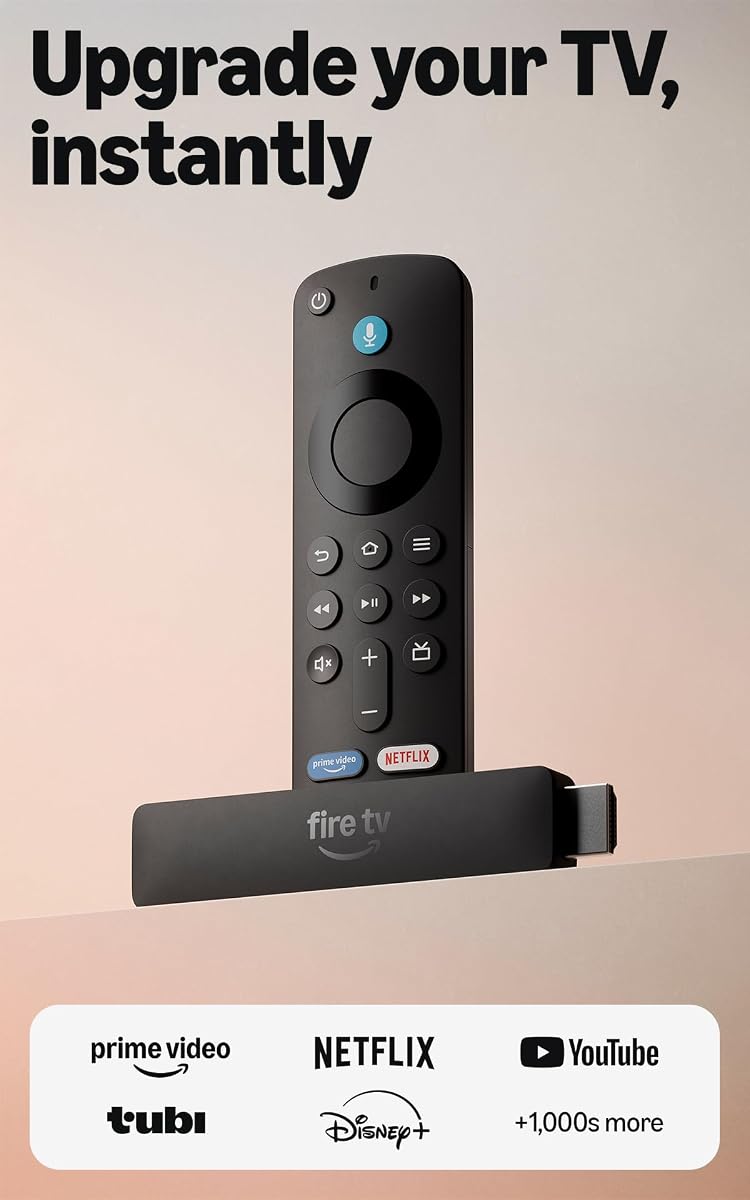
Amazon Fire TV Stick HD
4.1Editor score
Crisp Full HD picture
Powered by your TV
Alexa Voice Remote included
This guide compares the top ten HDMI streaming devices for October 2026, evaluating performance, picture quality, and smart features to help you choose the
Choosing the right HDMI streaming device can transform your television into a powerful entertainment hub. With numerous options available, finding a player that balances speed, resolution, and ease of use is essential for a smooth viewing experience.
We have evaluated ten leading models based on their processing power, connectivity options, and user interface design. Our analysis focuses on how well each device handles high resolution video, supports popular apps, and integrates with smart home ecosystems.
Each pick below highlights specific strengths such as budget friendliness, premium audio support, or compact design. Note that availability and specific model features may vary over time, so checking current listings is recommended before purchasing.
4.1Editor score

4.4Editor score

4.6Editor score
The following table provides a side-by-side overview of key specifications and features for each of the ten streaming players reviewed in this guide.



The Roku Ultra stands out as a top tier HDMI streaming device for those seeking maximum performance. It earns a high user rating for its lightning-fast interface and cinematic picture quality that rivals dedicated media players.
We may earn a commission when you buy through this link, at no additional cost to you.
Its standout features include 4K HDR10+ and Dolby Vision support paired with immersive Dolby Atmos audio. The rechargeable Voice Remote Pro adds convenience with backlit buttons and a built-in finder function to locate it easily.
While it costs more than budget sticks, the inclusion of an Ethernet port ensures stable streaming in areas with weak Wi-Fi signals. The ability to pair headphones directly to the remote also allows for private listening without disturbing others.
This device is ideal for users who want the fastest Roku experience with premium audio visual capabilities. It simplifies TV viewing with a clutter free remote and easy setup that gets you to content quickly.
The Ultra delivers spectacular picture quality with 4K and Dolby Vision alongside Dolby Atmos for a theater-like experience.
The rechargeable remote includes backlit buttons and a lost finder to prevent fumbling in the dark.
We may earn a commission when you buy through this link, at no additional cost to you.
The Roku Streaming Stick 4K offers a perfect blend of performance and portability for modern homes. It holds a strong user rating due to its ability to deliver sharp 4K images while remaining almost invisible behind the TV.
We may earn a commission when you buy through this link, at no additional cost to you.
Its sleek design ensures it does not block neighboring HDMI ports making it easy to switch between streaming and gaming consoles. The long-range Wi-Fi receiver helps maintain a stable connection even in rooms farther from your router.
Travelers appreciate the ability to take their TV experience on the go without logging into someone else's device. While it lacks an Ethernet port the wireless performance is generally robust for most household streaming needs.
This stick is an excellent choice for those who prioritize space saving design without compromising on picture quality. It brings rich detail and lifelike clarity to any TV in the house with simple setup.
Take your TV experience anywhere with a compact design that fits easily in a travel bag.
Enjoy stunningly sharp 4K pictures with Dolby Vision and HDR10+ for vibrant colors and detail.
We may earn a commission when you buy through this link, at no additional cost to you.
The Amazon Fire TV Stick HD provides an accessible entry point into smart streaming with its latest 2026 update. Users appreciate its streamlined navigation that jumps straight to favorite apps and live TV content quickly.
We may earn a commission when you buy through this link, at no additional cost to you.
Its ability to be powered by the TV via Direct Power eliminates the need for a wall adapter reducing cable clutter significantly. The ultra-portable profile connects directly to the HDMI port without blocking other adjacent ports.
Alexa+ integration helps find content faster across apps and manages smart home devices with simple voice commands. While it does not support 4K it delivers crisp Full HD quality suitable for most standard televisions.
This stick is perfect for users seeking a cost effective way to upgrade their TV without complex setup. It offers endless entertainment options and personalized recommendations to keep you watching more.
Direct Power allows the device to run off your TV reducing the need for extra cables.
Alexa helps find shows faster and controls smart home devices with natural voice commands.
We may earn a commission when you buy through this link, at no additional cost to you.
The Roku Ultra LT delivers a powerful streaming experience with stunning 4K picture quality and Dolby Vision clarity. It is designed for users who want high performance without the extra cost of the premium Ultra model.
We may earn a commission when you buy through this link, at no additional cost to you.
A strong steady Wi-Fi connection is ensured by dual-band technology which is crucial for rooms farther from the router. The included Ethernet port offers a wired option for maximum stability during live sports or gaming.
Setup is simple with the included HDMI and USB extension cord allowing for flexible placement behind the TV. The Voice Remote allows you to control volume and power on your compatible TV with ease.
This device is a solid choice for households wanting reliable 4K streaming with ample channel support. It balances performance and price effectively making it a favorite for many viewers.
Dual-band Wi-Fi and Ethernet support ensure smooth streaming regardless of your home network layout.
Stunningly sharp 4K picture brings out rich detail in your entertainment with lifelike clarity.
We may earn a commission when you buy through this link, at no additional cost to you.
The Fire TV Stick 4K Plus elevates entertainment with next generation streaming performance optimized for modern displays. It supports vibrant 4K Ultra HD with Dolby Vision and HDR10+ for a cinematic experience at home.
We may earn a commission when you buy through this link, at no additional cost to you.
A key highlight is its cloud gaming capability allowing you to play popular titles like Call of Duty without a dedicated console. This adds significant value for users who want gaming options alongside standard movie streaming.
Wi-Fi 6 support ensures smooth performance even when other devices are connected to your router. The AI-powered search helps you find what you love across apps with natural voice commands and personalized picks.
This stick is ideal for families wanting high quality video and gaming in one compact device. It provides endless entertainment options from free live TV to premium subscriptions all in one place.
Stream hundreds of games via cloud gaming without needing a separate gaming console.
Wi-Fi 6 support ensures smooth streaming even when multiple devices are connected to your network.
We may earn a commission when you buy through this link, at no additional cost to you.
The Fire TV Stick 4K Select offers everything you need to stream in brilliant 4K Ultra HD with High Dynamic Range. It gives instant access to a world of content with tailor-made recommendations and fast performance.
We may earn a commission when you buy through this link, at no additional cost to you.
Plugging in and connecting to Wi-Fi is straightforward making setup quick for any user. Alexa is at your fingertips to search and launch shows across your favorite apps with simple voice commands.
Cloud gaming support allows you to play popular titles without a console when paired with a controller. The modern design helps you spend less time scrolling and more time watching your favorite shows.
This model is perfect for those who want 4K quality without paying for higher-end features. It brings smart TV capabilities to any display with easy access to streaming apps and live TV.
Plug in and connect to Wi-Fi for smooth streaming without complicated configuration steps.
AI-powered search helps you find what you love across apps with natural voice commands.
We may earn a commission when you buy through this link, at no additional cost to you.
The Fire TV Stick 4K Max delivers the newest Fire TV experience with a powerful processor for lightning-fast app starts. It supports Wi-Fi 6E to ensure the fastest connectivity available for high bandwidth streaming needs.
We may earn a commission when you buy through this link, at no additional cost to you.
With 16GB of storage it holds double the apps and games compared to other models making it ideal for power users. The Ambient Experience displays museum-quality art and photography when not watching content to enhance your room.
Fluid gameplay and fast-rendering graphics are enabled by the updated processor supporting popular cloud gaming services. The upgraded remote includes a recents button and dedicated channel buttons to surf live TV effortlessly.
This device is recommended for those who want the ultimate speed and storage in a streaming stick. It transforms your TV into a smart hub with art display and seamless navigation across all apps.
Support for Wi-Fi 6E ensures the fastest possible wireless connection for lag-free streaming.
16GB storage capacity allows for more apps games and downloads than standard streaming sticks.
We may earn a commission when you buy through this link, at no additional cost to you.
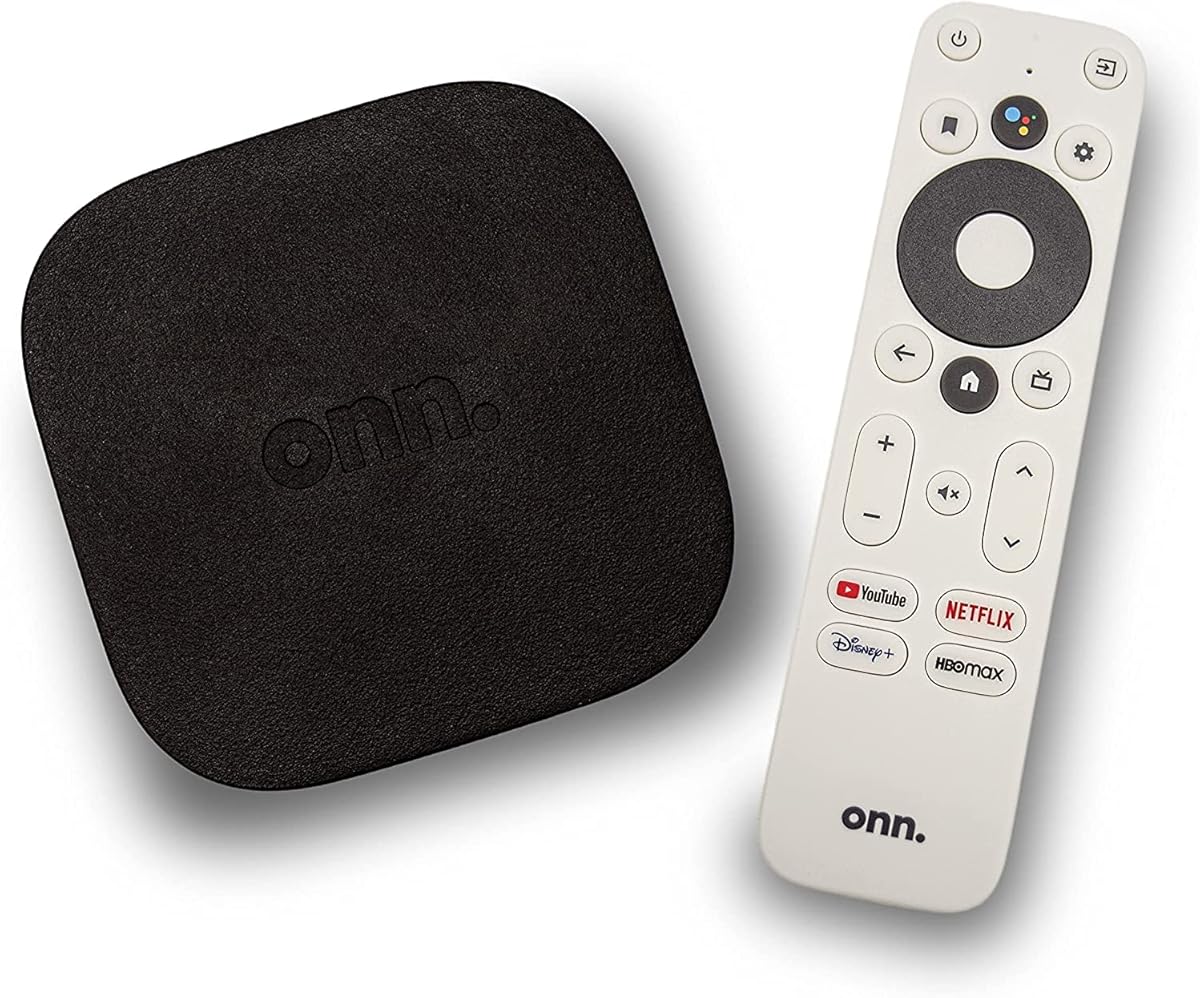
The ONN Android TV 4K UHD provides access to the best content available through the Google Play Store and beyond. It offers stunning Ultra HD resolution for greater clarity and detail on compatible televisions.
We may earn a commission when you buy through this link, at no additional cost to you.
Voice control allows you to find play and control content with just a button press on the remote. Chromecast built-in makes it easy to cast movies and photos from your Android or iOS devices directly.
Setup is straightforward by accessing your Google account to configure language and Wi-Fi network settings quickly. The device provides crystal clear audio with enhanced dialogue and increased volume for a more complete mix.
This player is ideal for those who prefer Android TV flexibility and ecosystem integration. It plugs directly into your TV's HDMI port with the included cable for immediate setup and streaming.
Access the Google Play Store and use Google Assistant for seamless control and content discovery.
Chromecast built-in lets you easily cast media from your phone to your TV wirelessly.
We may earn a commission when you buy through this link, at no additional cost to you.
The Roku Ultra LT 2023 model offers fast smooth TV streaming in any room thanks to its best Wi-Fi capabilities. It supports 4K and HDR10 with Dolby Vision for exceptional picture quality on compatible TVs.
We may earn a commission when you buy through this link, at no additional cost to you.
Private listening is a standout feature allowing you to plug headphones into the remote for uninterrupted viewing. This is perfect for watching late at night without waking others in the house.
No more juggling remotes as this device lets you power up your TV and adjust volume from one control. The included Ethernet port provides a reliable wired connection when Wi-Fi is unstable.
This model is a reliable choice for viewers who prioritize private listening and network stability. It combines high resolution video with convenient remote features for a superior streaming experience.
Plug headphones into the remote to watch TV late at night without disturbing others in the house.
Enjoy fast smooth streaming in any room with the best Wi-Fi available on this model.
We may earn a commission when you buy through this link, at no additional cost to you.
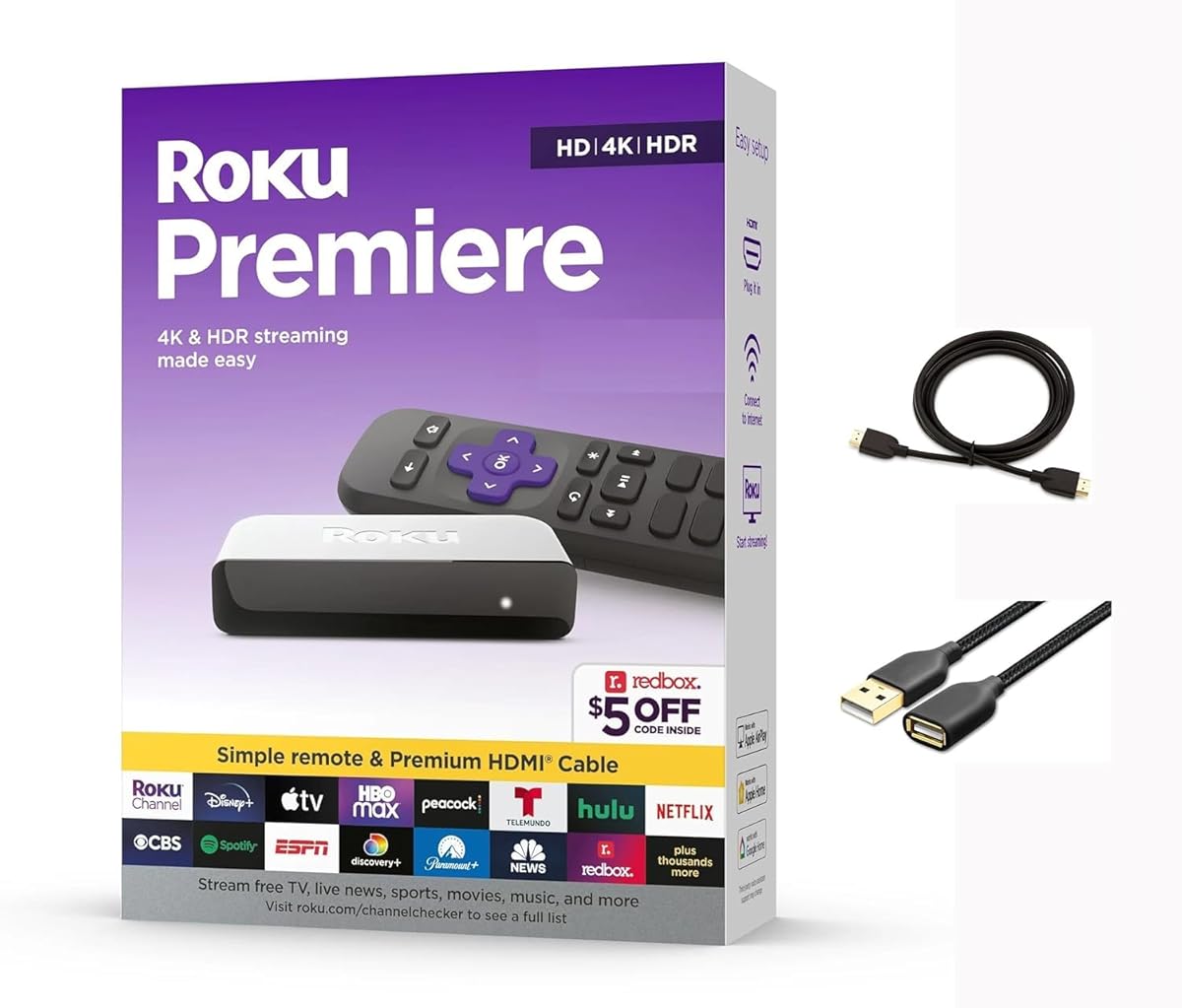
The Roku Premiere offers a simple and compact way to upgrade your streaming experience with a massive selection of content. It delivers incredible picture quality optimized for your TV with sharp resolution and vivid color.
We may earn a commission when you buy through this link, at no additional cost to you.
Setup is guided and quick with the included Premium High Speed HDMI Cable making it ready to use in minutes. It works with popular voice assistants like Siri Alexa and Google Assistant for convenient hands-free control.
You can share content effortlessly with Apple AirPlay from iOS devices to your TV without needing third-party apps. The mobile app lets you control your device search with your voice and enjoy headphone mode on your phone.
This player is perfect for those who want straightforward access to free live TV and premium channels. It ensures you stay up to date with automatic software updates and a simple remote layout.
Effortlessly share videos photos and music from your Apple devices to your TV wirelessly.
Access hundreds of free live TV channels and premium content with automatic updates.
We may earn a commission when you buy through this link, at no additional cost to you.
Selecting the right streaming device depends on your TV capabilities and desired features. This guide breaks down the key factors to consider before making a purchase.
Check if your TV supports 4K UHD and HDR10+ or Dolby Vision for the best picture quality. Higher resolution ensures sharper images and better detail especially on larger screens.
Prioritize devices with both 4K and HDR compatibility to future-proof your setup against newer content releases.
Look for Wi-Fi 6 or 6E support to ensure smooth streaming when multiple devices are connected to your router. Ethernet ports are vital for homes with unstable wireless networks.
Devices with advanced Wi-Fi standards reduce buffering and maintain high quality video during peak usage times.
Voice remotes allow you to find content quickly and control smart home devices without typing. Rechargeable batteries save money and reduce waste compared to standard disposable options.
Choose a remote with backlit buttons and voice search capabilities for convenience in dark rooms.
Ensure the device supports all your favorite streaming apps like Netflix and Disney and and YouTube. A simple interface helps you find content faster without navigating complex menus.
Popular platforms offer better organization and search functionality to streamline your viewing experience.
Dolby Atmos support provides immersive surround sound for compatible home theater systems and soundbars. Private listening via headphone jack is useful for watching at night without disturbing others.
Select a device that matches your audio setup to fully enjoy cinematic sound effects and dialogue.
More storage space allows you to download apps and games without needing to uninstall them frequently. Faster processors ensure app launches happen quickly without lag during navigation.
Higher storage and processing power improve overall responsiveness and multitasking capabilities.
Compact stick designs are ideal for travel or small TVs where space behind the panel is limited. Box players offer more ports but take up more room and need a dedicated power outlet.
Consider where your TV sits to choose a player that fits easily without blocking other HDMI inputs.
Devices with Alexa or Google Assistant allow you to dim lights and check cameras while watching shows. This integration turns your living room into a cohesive smart hub.
Look for built-in voice assistants to control smart devices directly from your streaming remote.
Begin by connecting the HDMI cable from the device to your TV and plug the USB power adapter into a wall outlet or your TV's USB port. Wait for the setup screen to appear and follow the on-screen instructions to connect to your Wi-Fi network.
Install your preferred streaming apps by searching for them in the device store or using the remote to navigate to existing icons. Sign into each account with your credentials to unlock personalized content and subscriptions.
Keep the device clean by avoiding dust buildup on the vents to prevent overheating. Ensure it has enough airflow and restart it occasionally to clear cached data and improve performance.
Yes high-quality 4K streaming requires a Premium High Speed HDMI cable to support high bandwidth and HDR. Most devices come with one but upgrading may help if you experience signal issues.
Yes most modern streaming sticks have HDMI adapters to work on older TVs with HDMI ports. However you will only get 4K quality if your TV supports it otherwise it will downscale to HD.
Buffering usually occurs due to slow internet speeds or weak Wi-Fi signals. Try moving the router closer using a wired Ethernet connection or reducing the number of connected devices.
Most support ARC or HDMI eARC for passing audio to compatible soundbars. Check your device specs to ensure it supports the audio formats your soundbar requires like Dolby Atmos.
Updates typically happen automatically when the device is idle. You can manually check for updates in settings to ensure you have the latest features and security patches installed.
Yes you can log into your streaming accounts on multiple devices but some services limit simultaneous streams. Check your subscription terms to know how many screens you can use at once.
Check the batteries or recharge the remote if applicable. Pair it again by holding the pairing button near the device and ensure there are no obstructions between the remote and player.
No these devices work without a cable subscription by streaming apps over the internet. You can access free live TV and on-demand content with just an internet connection.
We have reviewed ten excellent HDMI streaming devices ranging from budget-friendly sticks to premium players with advanced features. The Roku Ultra stands out for performance while the Fire TV Stick HD offers great value for basic needs.
Consider your TV resolution and desired audio quality when making a decision. If you need gaming capabilities or smart home integration prioritize models with robust processors and voice assistants.
Prices and availability can change so verify the current details before buying. We hope this guide helps you find the perfect player to elevate your home entertainment experience.