
MAIWO Hard Drive Docking Station
4.5Editor score
48TB total capacity
3 USB hub ports
Independent power supply
Finding the right hardware to manage data backups and disk cloning is essential for professionals and enthusiasts alike. A quality docking station allows seamless transitions between drives without complex setups.
We evaluated ten top-rated models based on compatibility, speed, and ease of use. Each entry offers unique features suited for different storage capacities and interface requirements.
Every pick highlights key strengths and potential limitations to help you decide. Prices fluctuate frequently so check current listings before making your final purchase choice.
4.5Editor score

4.5Editor score

4.5Editor score
As an Amazon Associate we earn from qualifying purchases.
This side-by-side overview highlights the distinct capabilities of each model to assist your selection process based on specific technical requirements.

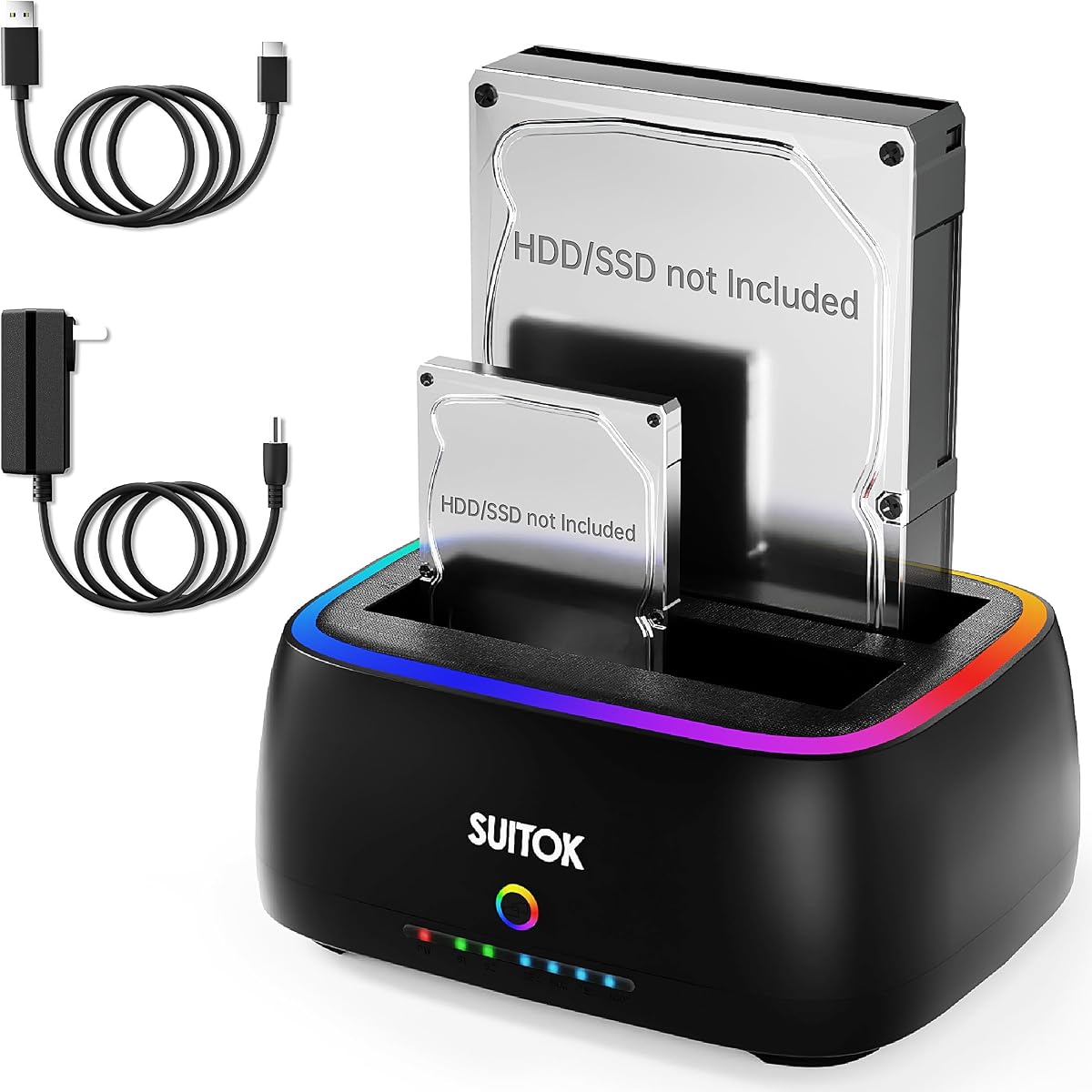

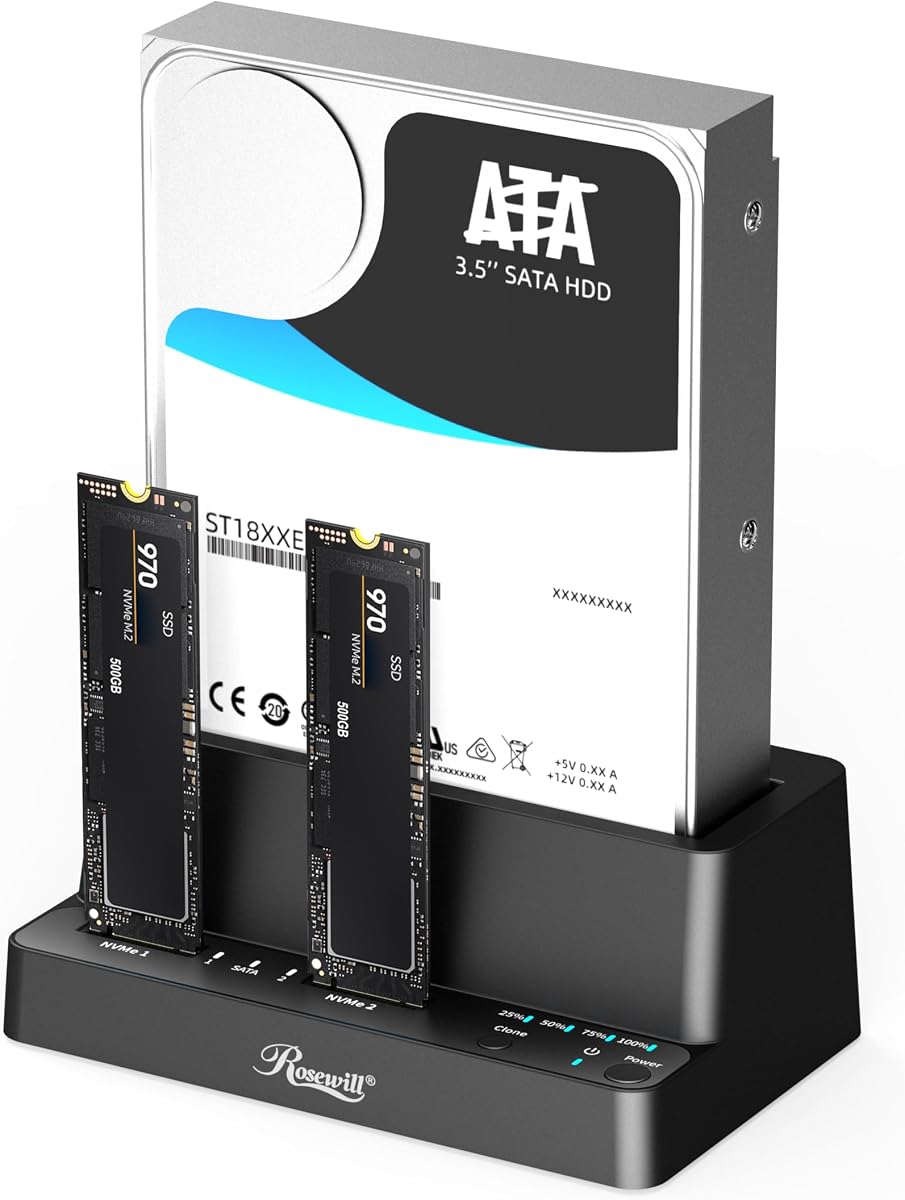


This docking station offers reliable performance for daily data transfers and cloning tasks. It supports a wide range of SATA drives up to 10TB which covers most consumer needs.
We may earn a commission when you buy through this link, at no additional cost to you.
Its USB 3.0 interface delivers fast transfer speeds allowing quick backups. The offline cloning feature works independently of a computer which is ideal for simple duplication jobs.
While the cloning speed is moderate it remains effective for standard backups. The lack of USB-C may limit compatibility with newer laptops without adapters.
Ideal for users needing a straightforward solution for backing up mechanical drives or SSDs. This model balances cost and functionality effectively for home and office environments.
Accommodates both 2.5 and 3.5 inch drives so you can manage various hardware sizes in one station.
Clone drives without connecting to a PC which simplifies workflow for IT tasks or quick data migration.
We may earn a commission when you buy through this link, at no additional cost to you.
Designed for modern laptops this unit provides a USB-C interface for direct connection. It allows both drives to appear separately on your system for easy file management.
We may earn a commission when you buy through this link, at no additional cost to you.
The offline cloning button lets you copy data without a computer which is efficient for duplicating systems or backups. Each bay has its own LED indicator for status.
Note that it only supports SATA drives excluding M.2 or IDE types. You must ensure your source and target drives match size requirements for cloning.
Best suited for users with newer Mac or PC setups needing USB-C connectivity. It delivers solid performance for routine cloning and mounting tasks.
Uses USB-C for faster and more durable connections compatible with current generation computers and adapters.
Both drives mount individually allowing you to work on data from two sources simultaneously.
We may earn a commission when you buy through this link, at no additional cost to you.
This advanced dock stands out by supporting both SATA and M.2 NVMe drives. The triple bay design offers flexibility to connect multiple drives for complex workflows.
We may earn a commission when you buy through this link, at no additional cost to you.
With USB 3.2 Gen 2 technology data transfers reach up to 10Gbps. Offline cloning is supported across different drive types which adds significant versatility.
It is pricier than basic models but justifies the cost with broader compatibility. Ensure you have the right cables since it uses a combo USB setup.
Perfect for professionals managing mixed storage environments including SSDs and traditional HDDs. This model future-proofs your setup against changing drive standards.
Handle NVMe and SATA drives in one unit reducing the need for multiple adapters or docks.
Leverages faster USB standards to reduce wait times when moving large datasets between drives.
We may earn a commission when you buy through this link, at no additional cost to you.
Offering strong value this unit handles substantial storage needs with a total capacity of 48TB. It includes additional USB ports which adds utility to your desk setup.
We may earn a commission when you buy through this link, at no additional cost to you.
The offline clone function works without drivers and includes clear LED progress indicators. This makes tracking backup tasks simple for users without technical expertise.
Build quality is functional but not premium so expect standard plastic materials. The lack of USB-C limits its appeal for newer devices but it remains compatible with most.
An excellent entry-level choice for home users or small offices needing basic cloning and docking. It provides reliable performance at an accessible price point.
Built-in USB hub ports allow you to connect peripherals without taking up additional USB ports on your computer.
Dedicated power adapter ensures stable operation even with high capacity drives that draw more energy.
We may earn a commission when you buy through this link, at no additional cost to you.
This model features a sleek design that fits well on modern desks. It supports capacities up to 40TB and uses USB-C for contemporary connectivity standards.
We may earn a commission when you buy through this link, at no additional cost to you.
Offline cloning includes a visible LED progress bar showing 25 to 100 percent completion. This visual feedback helps you monitor tasks without keeping a computer screen on.
While it offers TRIM support for SSD longevity it lacks some advanced enterprise features. It is best for light to medium duty workloads rather than heavy server use.
Recommended for users wanting a simple portable solution with current interfaces. It balances essential features with a user-friendly physical design effectively.
LED indicators show exactly how far along the cloning process is providing peace of mind during long transfers.
Includes TRIM support to help maintain the performance and lifespan of your solid state drives over time.
We may earn a commission when you buy through this link, at no additional cost to you.
Built for IT professionals this dock offers high-speed sector-by-sector copying. It includes a universal power adapter and USB cables so you can use it out of the box.
We may earn a commission when you buy through this link, at no additional cost to you.
The cloning speed reaches up to 28GB per minute which is faster than many consumer units. This efficiency saves valuable time during large-scale system migrations.
It is more expensive than average models but includes robust build quality and support. The toaster-style top loading makes drive insertion quick and easy without tools.
Ideal for businesses or technicians requiring reliable high-performance duplication tools. The included lifetime technical assistance adds significant value for professional users.
Achieves industry-leading cloning speeds which reduce downtime when deploying multiple systems or performing backups.
Engineered for heavy use with sturdy components that withstand daily handling in professional environments.
We may earn a commission when you buy through this link, at no additional cost to you.
This compact unit supports NVMe and SATA drives across three bays. Its portable form factor makes it easy to carry between locations for on-site work.
We may earn a commission when you buy through this link, at no additional cost to you.
With USB 3.2 Gen 2×1 speeds you get rapid data access which is helpful for large media files. Offline cloning ensures you can duplicate drives anywhere without a PC.
While highly portable the compact size means less space for multiple large drives at once. Check specifications carefully to ensure it fits your workflow.
Great for mobile technicians or travelers who need versatile drive support. It brings high-speed docking capabilities to a smaller package.
Combines high-speed transfer rates with a small footprint ideal for professionals on the move.
Accommodates modern NVMe and older SATA drives providing broad compatibility for diverse hardware collections.
We may earn a commission when you buy through this link, at no additional cost to you.
This station offers five bays allowing simultaneous duplication of four target drives from one source. It is designed for heavy users needing massive storage capacity up to 100TB.
We may earn a commission when you buy through this link, at no additional cost to you.
The aluminum alloy construction helps dissipate heat during long operations which is crucial for five drives running at once. LED indicators keep you informed about status.
Some users report mixed reliability so testing is recommended before critical operations. The size is substantial so ensure you have adequate desk space for it.
Best for users needing high-volume backup capabilities in a single unit. It is a powerful tool for managing large archives or media libraries.
Clone one source to multiple targets at once which significantly speeds up large-scale backup workflows.
Aluminum body acts as a heat sink to keep internal temperatures safe during extended use.
We may earn a commission when you buy through this link, at no additional cost to you.
This docking station supports UASP protocol which is up to 20 percent faster than standard USB 3.0. It includes a built-in power switch for convenient control over energy usage.
We may earn a commission when you buy through this link, at no additional cost to you.
Offline cloning works without software installation making it easy to duplicate drives. The 12V 3A power supply ensures stability even with high capacity drives.
It does not support M.2 drives so users with newer SSDs should look elsewhere. The design is utilitarian focusing on function rather than modern aesthetics.
Suitable for users prioritizing transfer speed and power management. It provides a stable platform for regular backups and file transfers.
Uses UASP to optimize data transfers reducing latency and improving overall read write speeds.
Built-in switch and sleep mode help reduce power consumption when drives are not in active use.
We may earn a commission when you buy through this link, at no additional cost to you.
This enterprise grade unit adds secure erase functionality compliant with NIST standards which is vital for data security. It supports cloning and erasing without a host computer.
We may earn a commission when you buy through this link, at no additional cost to you.
The LCD menu allows easy navigation of options making complex tasks simple to execute. It supports eSATA and USB giving flexibility in connection methods.
It is significantly more expensive than consumer options so justify the cost if you need secure wiping. It is overkill for home users but essential for data security.
Perfect for organizations handling sensitive data requiring secure disposal. The robust build and features make it a long-term investment.
Secure erase modes ensure data cannot be recovered which is critical for compliance and privacy.
LCD menu simplifies operation so even complex tasks like erasing are manageable via physical buttons.
We may earn a commission when you buy through this link, at no additional cost to you.
Selecting the right docking station requires evaluating specific needs such as interface types capacity limits and cloning speed. Use these factors to narrow down your choice.
Check if the docking station supports your drive types such as SATA M.2 NVMe or older IDE formats. Some models only handle SATA so ensure they match your hardware.
Verify capacity limits to ensure your high TB drives will fit properly without issues.
Modern laptops often require USB-C connections while older systems use USB-A. Select a model that fits your available ports or includes a combo cable.
USB 3.2 Gen 2 offers faster speeds than USB 3.0 so look for higher specs if speed is a priority.
Offline cloning allows you to duplicate drives without a computer which is useful for system cloning or quick backups. Ensure the unit supports this feature independently.
Check the maximum cloning speed which often ranges from 60Mbps to higher rates depending on the model.
Different docking stations support different maximum capacities per bay. Look for models that support up to 10TB or higher if you have large drives.
Consider total capacity across all bays if you plan to connect multiple large drives simultaneously.
Metal housings provide better heat dissipation than plastic which is important during long operations. Look for models with cooling vents or aluminum alloys.
Robust construction ensures longevity especially if you plan to move the unit frequently or use it daily.
Tool-free designs allow you to install drives quickly without screwdrivers. This is crucial for efficiency when handling multiple drives.
LED indicators help track status and progress which simplifies monitoring for less experienced users.
External power adapters provide stable energy which is essential for 3.5 inch drives that draw more power. Check voltage and amperage ratings.
Internal power sources may save space but are less reliable for high power drives.
Prices vary significantly from budget options to premium models. Determine your needs to avoid paying for unnecessary features like secure erase if you do not need it.
Balance features with cost to find the best value for your specific use case.
First insert the drives correctly into the designated slots ensuring they are fully seated. Power on the device and wait for the indicators to stabilize before starting tasks.
For cloning select the source and target drives carefully as the target will be overwritten. Press the cloning button and monitor the progress lights until completion.
Regularly clean the vents to prevent dust buildup which can cause overheating. Store the unit in a dry place when not in use to protect internal components.
No. the target drive must be equal to or larger than the source drive. If it is smaller the cloning process will fail to prevent data loss.
Most modern docking stations are plug and play requiring no drivers. They appear as standard USB mass storage devices on your system.
Only specific models that support M.2 NVMe slots will work. Standard SATA docks cannot read NVMe drives directly.
Offline cloning is optimized for speed without computer overhead but may vary. Online cloning allows file access which adds some overhead.
Power loss can corrupt the target drive. Use an uninterruptible power supply or ensure stable power to avoid data issues.
USB-C offers faster transfer speeds and more modern connectivity. However USB-A remains widely compatible with many computers and adapters.
The SABRENT USB 3.0 Dual Bay stands out as the top choice for most users due to its balanced features. The MAIWO option provides excellent value for budget-conscious buyers.
Prioritize compatibility and connection speed to ensure long term satisfaction with your purchase. Select a model that matches your specific drive types and transfer needs.
Always check current product listings for the latest updates and pricing. This ensures you get the most accurate information before finalizing your decision.