
HP Everyday Business Paper
4.5Editor score
150 sheets included
32 lb weight
Sharp color graphics
This guide compares the top 10 glossy papers for laser printers to help you find the best option for brochures, flyers, and professional documents.
Finding the right glossy paper for your laser printer can transform ordinary documents into professional marketing materials. The right choice ensures vibrant colors, sharp text, and a finish that stands out to your audience without causing jams or smudging.
We have carefully evaluated ten top-rated options based on their weight, coating quality, brightness, and compatibility with various laser printer models. Our analysis focuses on real-world performance to help you avoid common printing issues while achieving high-quality results every time.
Each product review highlights key features, pros, and cons to guide your decision. Please note that availability and pricing can change frequently, so verify current details before purchasing to ensure you get the best value for your specific printing needs.
4.5Editor score

4.7Editor score
4.5Editor score
The following table provides a side-by-side comparison of the top ten glossy papers available for laser printers, highlighting key specifications to help you make an informed choice.


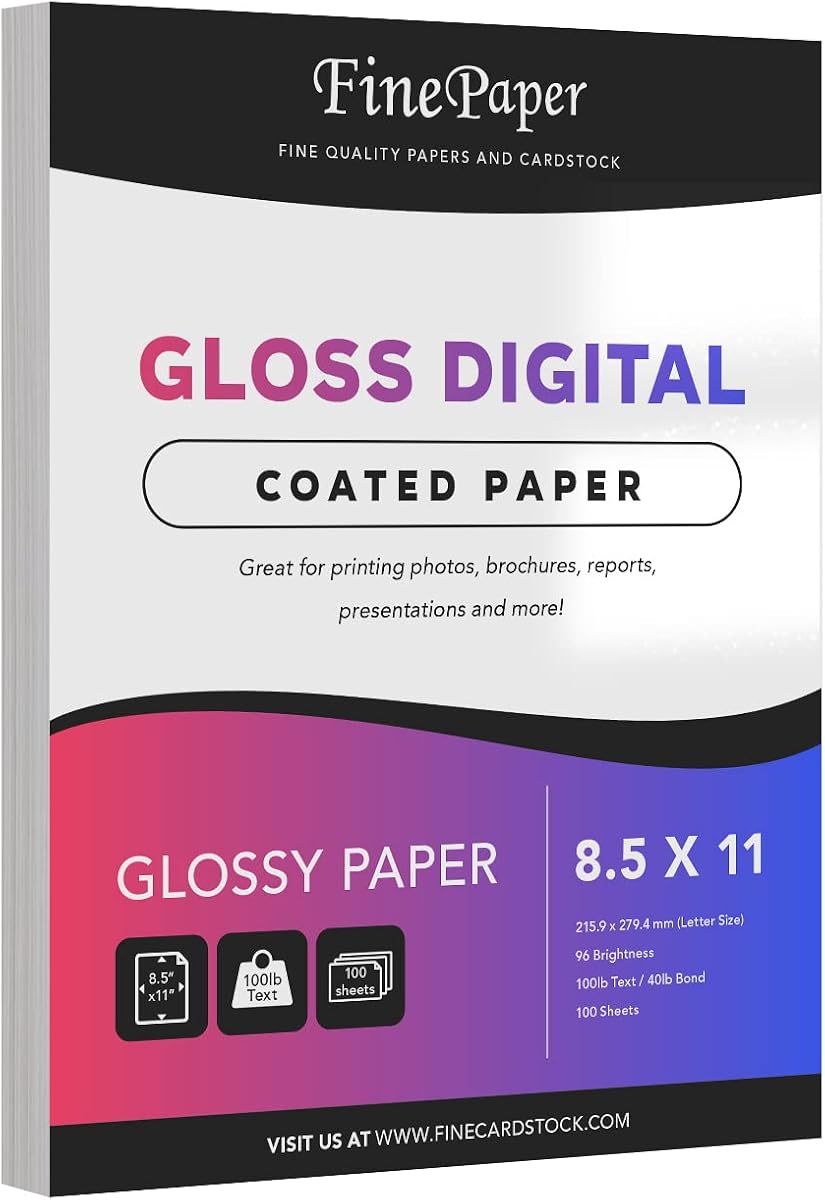

This premium paper stands out as the top choice for professionals needing high-quality glossy finishes. It boasts a 4.7 rating and delivers photo-vibrant clarity suitable for luxury portfolios and menus.
We may earn a commission when you buy through this link, at no additional cost to you.
The C2S coating ensures seamless dual-sided printing with zero show-through. With 100lb Text weight, it offers flexibility for binding while maintaining a polished, professional look from every angle.
While it is pricier than standard options, the archival-safe, acid-free composition ensures your prints remain vibrant for years. The 400-sheet quantity provides great value for high-volume needs.
Buy this if you require top-tier print quality for brochures and business proposals. It is engineered specifically for laser printers to avoid jams and maximize color saturation.
The Gloss 72 finish delivers rich color saturation and high-definition details perfect for detailed designs.
At 100lb Text, the paper is supple enough to fold or bind without cracking or appearing too stiff.
We may earn a commission when you buy through this link, at no additional cost to you.
HP Everyday Business Paper offers a reliable budget-friendly solution for glossy printing needs. With a 4.5 rating, it balances cost and quality effectively for everyday business documents.
We may earn a commission when you buy through this link, at no additional cost to you.
The glossy finish creates compelling brochures and flyers with crisp black text and sharp color graphics. It minimizes show-through effectively for typical business plan and report printing.
While not as heavy as premium stock, its performance is adequate for high-volume needs without breaking the bank. Users can easily scan documents using the HP Smart app for convenience.
Choose this for standard office tasks requiring a glossy touch. It is designed to work seamlessly with laser printers for consistent results without jams.
This paper delivers a glossy finish suitable for reports and marketing materials at a competitive price point.
Documents printed on this paper scan clearly and can be managed digitally through the HP Smart app.
We may earn a commission when you buy through this link, at no additional cost to you.
This 500-sheet pack is ideal for high-volume printing environments needing consistent quality. With a 4.5 rating, it promises rich color reproduction and excellent opacity for flyers and brochures.
We may earn a commission when you buy through this link, at no additional cost to you.
The 96 brightness ensures vivid colors while the acid-free lignin-free composition prevents yellowing over time. The jam-free guarantee provides peace of mind for uninterrupted printing sessions.
Although it requires significant storage space, the volume ensures you stay stocked for busy periods. It is optimized for both color and black and white laser printers effectively.
Buy this if you run frequent marketing campaigns or design projects. It balances bulk convenience with professional gloss results for various document types.
Buying in a 500-sheet pack reduces the frequency of reordering and ensures you always have paper on hand.
The acid-free formulation helps preserve your printed pieces for years without fading or becoming brittle.
We may earn a commission when you buy through this link, at no additional cost to you.
This option focuses on double-sided vibrant color printing for posters and event flyers. With a 3.9 rating, it offers a balance of quality and value for occasional high-volume runs.
We may earn a commission when you buy through this link, at no additional cost to you.
The C2S gloss coating on both sides ensures rich color reproduction and a smooth finish. It is engineered specifically for color laser printers to avoid the common issues of inkjet paper.
While the pack size is smaller, it is perfect for quick projects without waste. The 96 brightness makes sure your prints look true-to-screen every time you use them.
Select this for school projects or event announcements where double-sided printing is key. It provides a professional look without the heavy weight of cardstock.
Ideal for proposals, school projects, and graduation announcements due to its professional quality and finish.
Specifically designed for laser printers to ensure smooth feeding and prevent common jamming issues.
We may earn a commission when you buy through this link, at no additional cost to you.
HP Professional Business Paper brings rich color and sharp graphics to your branded materials. It holds a 4.4 rating and is perfect for high-impact marketing and sales collateral.
We may earn a commission when you buy through this link, at no additional cost to you.
The 52 lb weight offers a substantial feel for professional brochures. Sourced from sustainably managed forests, it supports eco-friendly business practices while delivering recyclable results.
It produces two-sided materials with a glossy finish that looks brilliant and polished. The high-quality finish ensures your business stands out in competitive markets.
Buy this when branding and environmental responsibility are priorities. It is ideal for business plans and sales pitches requiring a premium look.
This paper is sourced from sustainably managed forests according to Forest Stewardship Council standards.
Bring professional quality and rich color to your branded materials for a standout business image.
We may earn a commission when you buy through this link, at no additional cost to you.
This paper is excellent for flyers and design proposals needing a glossy finish. With a 3.9 rating, it provides reliable performance for color printing without premium costs.
We may earn a commission when you buy through this link, at no additional cost to you.
The 96 brightness delivers excellent opacity for full color photographs and posters. Its acid-free lignin-free composition helps preserve the paper and prevent fading or brittleness over time.
While it may have a lower average rating, the jam-free guarantee ensures trouble-free runs for you. It is optimal for both color and black and white laser and digital printers.
Choose this for everyday business printing needing a glossy touch. It balances cost effectiveness with professional appearance for proposals.
It offers rich color reproduction and excellent opacity without the cost of a premium paper.
Acid free and lignin free properties help preserve the paper for long-lasting quality appearance.
We may earn a commission when you buy through this link, at no additional cost to you.
This option is designed for photo printing needs with a smooth finish that absorbs even ink. It holds a 4.6 rating and is compatible with inkjet and laser jet printers.
We may earn a commission when you buy through this link, at no additional cost to you.
Weighing 200 gsm, it provides industry-standard thickness for photo papers. Its fast drying surface helps prevent smudging while keeping prints looking vibrant and lasting.
While primarily recommended for inkjet, it works well in laser setups for glossy photos. The bulk pack ensures you have plenty for your printing projects.
Buy this for photo printing needs where quality matters. It creates lasting impressions for images worthy of becoming physical photos.
The smooth finish ensures fast drying and even ink absorption for clean results.
Compatible with inkjet and laser jet printers though inkjet is recommended for photo printing.
We may earn a commission when you buy through this link, at no additional cost to you.
HP Enhanced Business Paper produces polished two-sided sales and marketing materials. With a 4.6 rating, it makes your business stand out with rich color and sharp graphics.
We may earn a commission when you buy through this link, at no additional cost to you.
Sourced from sustainably managed forests, it aligns with responsible business standards. The glossy finish delivers brilliant professional prints that enhance your marketing impact.
This option is ideal for two-sided brochures needing a glossy touch. It ensures your sales materials look professional and compelling to clients.
Choose this for sales and marketing materials where branding is key. It balances quality and sustainability for everyday professional use.
Make your business stand out with rich color and sharp graphics for compelling sales materials.
This paper is sourced from sustainably managed forests according to Forest Stewardship Council standards.
We may earn a commission when you buy through this link, at no additional cost to you.
This 100lb Text paper is perfect for brochures and design proposals needing a glossy finish. With a 4.2 rating, it offers superior image quality for color laser printing.
We may earn a commission when you buy through this link, at no additional cost to you.
The acid-free lignin-free composition ensures long-lasting quality appearance and prevents brittleness. Its 96 brightness delivers excellent opacity for full color photographs and posters.
It is designed to be trouble-free and optimal for laser printers. The bulk packaging ensures safe delivery and storage for your office needs.
Select this for brochures needing durable glossy results. It balances weight and quality for professional marketing materials.
It offers rich color reproduction and superior image quality without the cost of a premium paper.
Acid free and lignin free properties preserve the paper and prevent fading over time.
We may earn a commission when you buy through this link, at no additional cost to you.
This glossy coated finish enhances readability and showcases colors with exceptional clarity and depth. With a 4.0 rating, it is perfect for detailed designs and crisp text.
We may earn a commission when you buy through this link, at no additional cost to you.
Both sides feature a premium gloss coating for flawless double-sided printing. It offers the right balance of durability and flexibility suitable for various applications.
While it may have a standard weight, it ensures your prints are substantial and professional. It fits seamlessly into any office or home printer setup for easy use.
Choose this for booklets and multi-page documents where print quality is paramount. It creates eye-catching promotional materials that stand out effectively.
The smooth glossy finish enhances readability and showcases colors with exceptional clarity and depth.
Both sides feature a premium gloss coating allowing for flawless double-sided printing for booklets.
We may earn a commission when you buy through this link, at no additional cost to you.
Choosing the right glossy paper involves understanding weight, coating, brightness, and printer compatibility to ensure your marketing materials look professional.
Paper weight determines the thickness and stiffness of your printed materials. For laser printers, look for options like 32lb Bond or 80lb to to ensure smooth feeding and prevent jams while providing substantial quality. Heavier weights like 100lb Text offer more durability for brochures but may be harder to fold without cracking.
For professional business documents, a weight of 40lb to 80lb provides the right balance of flexibility and sturdiness for most printing needs.
A high-quality coating is essential for vibrant color reproduction and sharp text on laser printers. Look for papers with double-sided C2S coatings if you plan to print on both sides, as this prevents show-through and maintains professional consistency across the document. A higher gloss finish enhances depth and richness in images and graphics.
Ensure the coating is optimized specifically for laser fusing temperatures to prevent curling or melting inside your printer.
Brightness ratings like 96 or higher ensure that colors appear vivid and true-to-screen. High opacity, such as 96 or above, prevents text or images from showing through to the other side. This is critical for double-sided brochures and flyers where readability is paramount. Brighter paper also enhances the contrast of black text for sharper results.
Select a paper with high brightness and opacity to guarantee that your marketing materials look crisp and clean without visual distractions.
Always check that the glossy paper is explicitly designed for laser printers. Inkjet glossy paper will melt or jam in a laser printer due to the heat fusing process. The product data consistently warns against using non-laser paper in laser devices. Compatibility ensures smooth feeding and reliable output every time you print.
Verify that the packaging states compatibility with color laser or digital printers to avoid damage to your device or wasted materials.
Acid-free and lignin-free paper prevents your prints from yellowing or fading over time. This is crucial for archival documents and long-term display materials. Look for products labeled as archival safe to ensure your brochures and portfolios remain vibrant for years. This quality also protects the paper from becoming brittle with age.
Prioritize acid-free options for any materials you intend to keep as records or display long-term to preserve print quality.
Proper packaging is vital for maintaining paper quality. Boxes should be sealed to protect against moisture and damage during shipping. Moisture can cause paper to curl or jam in the printer. Secure packaging ensures every sheet arrives flat and ready to print without pre-treatment.
Choose products that come in boxed or ream packaging to ensure the paper is protected and ready for immediate use in your office.
Many top products are sourced from sustainably managed forests certified by the Forest Stewardship Council (FSC). This ensures your printing choices align with environmental responsibility. Recyclable paper is also a factor for businesses aiming to reduce their carbon footprint. Look for FSC certifications on product packaging to verify green claims.
Select FSC-certified and recyclable paper to support sustainable business practices without compromising on print quality or finish.
Consider the number of sheets included in each package to determine the value proposition. Bulk packs like 400 or 500 sheets are cost-effective for high-volume printing. Smaller packs of 50 or 100 sheets suit occasional users. Calculate the cost per sheet based on the package size to find the most economical option for your volume needs.
Evaluate your printing volume against package sizes to avoid overstocking or running out of paper during peak times.
Always store your glossy paper in a cool, dry place to prevent moisture absorption. Keep the packaging sealed until you are ready to use it to avoid curling or static issues in the printer tray.
Before loading, fan the stack of paper gently to separate the sheets and prevent multiple feeding. Ensure the paper is aligned properly in the input tray to reduce the risk of misfeeds or jams.
Allow printed documents to cool completely before handling to prevent smudging. Since laser toner is fused with heat, warm paper may still be slightly sensitive to touch immediately after printing.
No, you should never use inkjet glossy paper in a laser printer. Inkjet coatings are not heat resistant and may melt or damage the printer fuser. Always use paper specifically labeled as compatible with laser printers.
Curling often occurs when the paper absorbs moisture or is stored improperly. Ensure your paper is kept in sealed packaging and stored in a dry environment. Additionally, make sure your printer settings match the paper weight to prevent excessive heat.
For most laser printing needs, weights between 32lb Bond and 100lb Text offer the best balance. Lower weights feed smoothly while higher weights provide a more substantial professional feel for brochures.
Glossy paper generally does not significantly affect print speed on modern laser printers. However, ensure your printer is set to the correct media type in its settings to optimize performance and prevent errors.
Choose double-sided paper if you need to print on both sides without show-through. Single-sided paper is sufficient for simple flyers. Double-sided options typically have better opacity and coating on both sides for professional results.
Most high-quality glossy papers are recyclable as mixed paper, especially those without heavy coatings. Check the product specifications for recycling details. Generally, paper with minimal coatings can be recycled in standard municipal programs.
Jams can occur if the paper is damp, stacked too high, or not fanned properly. Use fresh paper from sealed packages. Adjust the tray guides to fit the paper size and ensure the printer settings match the paper weight.
To get bright colors, choose paper with high brightness ratings like 96. Ensure your printer is set to 'High Quality' or 'Best' mode. Using the correct paper type settings helps the printer adjust heat and toner application.
Our top picks include the Glossy Business Paper for overall quality, HP Everyday for budget-friendly needs, and the 500-sheet pack for bulk value. Each offers distinct benefits depending on your printing goals and volume requirements.
Prioritize paper weight and coating quality to ensure your prints look professional and durable. Double-sided options provide better value for brochures and flyers where both sides are visible to clients.
Remember that prices and availability may change so verify current details before purchasing. Selecting the right paper will significantly improve your business document appearance and reliability.