
MXZ Intel Core i7 13700F Gaming PC
4.5Editor score
Intel Core i7 13700F Processor
RTX 4070 Graphics Card
16GB DDR4 RAM and 1TB SSD
This guide compares the top 10 Gaming Pcs with Rtx 4070 for October 2026, analyzing performance specs, cooling systems, and build quality to help gamers find
Finding the right desktop for modern gaming requires balancing power, efficiency, and value. The RTX 4070 offers a sweet spot for 1440p gaming, delivering smooth frame rates and ray tracing capabilities without breaking the bank. These systems combine robust processors with capable graphics to handle AAA titles and creative workloads alike.
We have analyzed ten distinct prebuilt configurations to identify the most reliable options available this month. Each unit was evaluated based on component quality, thermal management, expandability, and overall value. Our list covers a range of price points and form factors to suit different desktop setups and performance needs.
Each selection highlights specific strengths like superior cooling, premium cases, or balanced component pairings. Prices and availability fluctuate frequently, so verifying current stock is essential before purchase. This guide ensures you understand what each system brings to the table for a informed decision.
4.5Editor score

4.6Editor score

5.0Editor score
This side by side comparison breaks down the specifications and features of every system to help you quickly identify which model offers the best performance for your specific gaming and productivity needs.



This desktop is our top overall pick for gamers seeking a powerful yet practical build. It combines a modern 14th Gen Intel processor with the RTX 4070 to handle demanding titles with ease. The inclusion of DDR5 memory ensures future-ready performance for multitasking and productivity tasks.
We may earn a commission when you buy through this link, at no additional cost to you.
The 14700KF processor offers high clock speeds ideal for competitive gaming and streaming. Paired with 16GB of DDR5 RAM and a fast 1TB SSD, system responsiveness is excellent. This setup supports 1440p gaming smoothly and provides enough headroom for content creation workflows.
While the unit is powerful, specific brand details are less transparent compared to established manufacturers. Users should check warranty terms carefully before purchase. Overall, the component selection represents a strong balance of price and performance for most users.
Buy this if you want a reliable all-rounder for gaming and daily computing. The combination of CPU, GPU, and modern memory makes it a capable machine for years to come. It is an excellent choice for those who prioritize raw specs over brand aesthetics.
The Core i7-14700KF delivers exceptional speeds for gaming, streaming, and content creation workflows.
DDR5 RAM and a 1TB SSD provide fast loading times and responsive multitasking capabilities.
We may earn a commission when you buy through this link, at no additional cost to you.
This MXZ system stands out as the best budget option on our list. It packs the RTX 4070 into a build that remains affordable without sacrificing core performance. The inclusion of Windows 11 Pro adds extra value for productivity users who need enhanced features.
We may earn a commission when you buy through this link, at no additional cost to you.
Performance remains strong thanks to the 13700F processor and solid GPU. The RGB fans add a visual flair to the build. Support includes free lifetime tech assistance which is rare at this price point. It is ideal for gamers needing a solid entry into high-end settings.
The use of DDR4 RAM instead of DDR5 limits future bandwidth potential slightly. However, the GPU handles gaming bottlenecks more than the memory in most titles. Users should expect good frame rates at 1440p without breaking the bank.
Choose this if budget is a primary concern but performance is not. The combination of specs offers a compelling value proposition for new builds or upgrades. Verify warranty details to ensure peace of mind with the purchase.
You get the full power of the RTX 4070 at a very competitive entry price point.
Free lifetime tech support adds significant value and reassurance for budget buyers.
We may earn a commission when you buy through this link, at no additional cost to you.
The MSI Aegis RS2 is a powerhouse designed for enthusiasts who demand the best. It features a liquid cooling solution that keeps temperatures low during intense sessions. The Ultra 7 265K processor paired with the 4070 Super ensures top-tier performance across all tasks.
We may earn a commission when you buy through this link, at no additional cost to you.
Memory and storage are generous with 32GB DDR5 and 2TB NVMe. This allows for heavy multitasking and storing large game libraries without running out of space. The AI features in the GPU further boost performance for supported titles via DLSS technology.
The main trade-off is the higher price compared to air-cooled alternatives. However, the build quality and cooling efficiency justify the cost for users who run intensive workflows. The USB Type-C connectivity also adds modern convenience for peripherals.
This is the right choice for power users who need a high-performance workstation. It handles demanding games and professional apps with equal ease. Consider this if you prioritize silence and thermal efficiency above all else.
The 360mm liquid cooler ensures the CPU stays cool even during marathon gaming sessions.
32GB RAM and 2TB SSD provide plenty of space for apps and large games.
We may earn a commission when you buy through this link, at no additional cost to you.
Skytech Gaming builds systems focused on value and quality. This King 95 unit features a solid AMD CPU and the more powerful 4070 Super. The cooling system is robust with ample airflow fans to keep everything running cool.
We may earn a commission when you buy through this link, at no additional cost to you.
The RAM speed is a highlight at 6000MHz which helps CPU performance significantly. The power supply is high quality ensuring stability for the GPU. It comes with a solid warranty and support options for peace of mind.
Some users may find the accessory bundle lacks peripherals like keyboards. However, the core components are top notch. The case aesthetics also offer a modern look with clean lines and RGB options.
This is a solid pick for gamers who want reliable hardware. It runs most titles well and offers a good balance of specs. Look for it if you prefer AMD platforms for your gaming rig.
6000MHz DDR5 RAM offers fast data transfer speeds ideal for gaming performance.
The 750W Gold PSU ensures efficient power delivery and system stability.
We may earn a commission when you buy through this link, at no additional cost to you.
This model offers a rare chance to get a Gen 9 CPU in a prebuilt budget range. It includes DDR5 memory and the Super graphics card for strong performance. The case features multiple RGB fans for airflow and style.
We may earn a commission when you buy through this link, at no additional cost to you.
The 9700X is efficient and powerful for its class. It handles gaming and multitasking well. The OS is fully installed and ready to go which saves setup time. Tech support options are generous for this price tier.
Be aware that reviews are mixed which can suggest build quality variance. Checking current stock and support responsiveness is wise. It represents a unique opportunity for those wanting newer parts on a budget.
Consider this if you want the latest AMD silicon without premium pricing. It is a decent option for those willing to navigate a smaller brand experience. Verify warranty coverage before committing.
The Ryzen 9700X brings the latest CPU features to an accessible price point.
Windows 11 Pro is installed so you can start gaming immediately after arrival.
We may earn a commission when you buy through this link, at no additional cost to you.
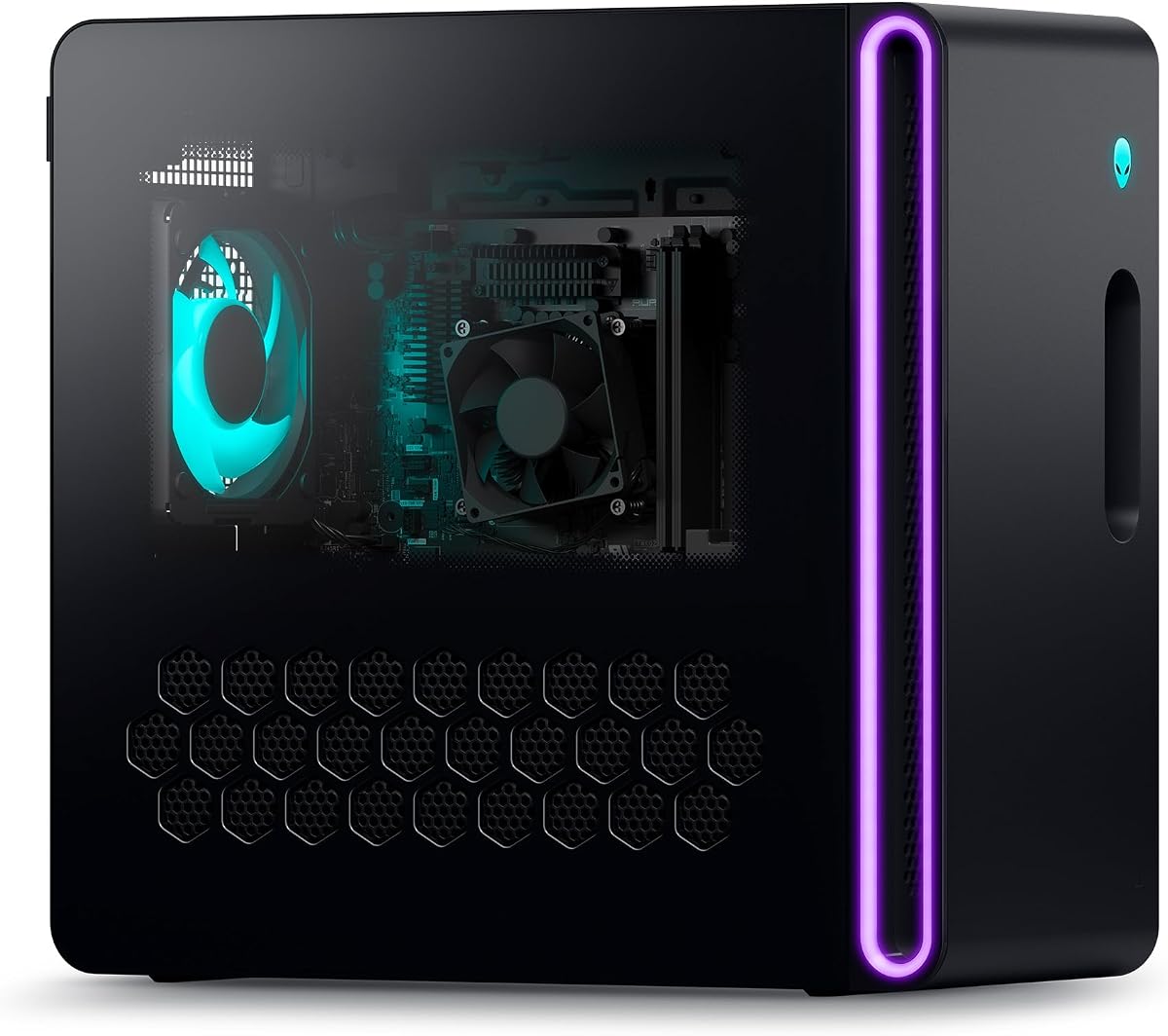
Alienware is known for design and reliability. This desktop brings a next gen GPU for future proof gaming. The chassis is sleek and matte with customizable lighting zones. Dell provides onsite service which is excellent for enterprise users.
We may earn a commission when you buy through this link, at no additional cost to you.
The processor and new architecture ensure high performance. It is designed for marathon gaming sessions with good thermal management. The lighting system integrates well with the ecosystem for a unified look.
Upgrades might be limited due to proprietary parts. Users should check upgrade paths carefully. The price reflects the brand premium but build quality is top notch.
This is ideal for fans of the brand and those needing reliable onsite support. It looks great on a desk and performs well. Prioritize this if brand and service matter more than raw specs.
The RTX 5070 brings advanced architecture for improved rasterization and ray tracing.
Dell offers onsite service which ensures help arrives quickly if issues arise.
We may earn a commission when you buy through this link, at no additional cost to you.
MSI continues its tradition of strong gaming hardware. This unit combines a strong GPU with generous memory. It offers excellent performance for creative workloads and gaming. The 2TB storage allows for a large library.
We may earn a commission when you buy through this link, at no additional cost to you.
The cooling system keeps heat under control. RGB lighting adds a nice touch for enthusiasts. It is a good middle ground between premium brands and custom builds. Windows 11 Home is ready for use.
Cost is higher than budget builds but specs are justified. Users will find the RAM size useful for multitasking. Check for deals as prices fluctuate often.
Choose this if you need memory and storage in one box. It handles heavy loads well. It is a reliable pick for those wanting a trusted brand.
32GB of DDR5 ensures you can run multiple apps and games smoothly.
A 2TB SSD provides plenty of room for all your favorite games.
We may earn a commission when you buy through this link, at no additional cost to you.
This compact unit balances size and power well. It fits easily into smaller desks while offering high specs. The 32GB RAM is generous and supports heavy tasks. It is VR ready for future hardware.
We may earn a commission when you buy through this link, at no additional cost to you.
Connectivity is strong with the latest Wi-Fi standards. Upgrades are straightforward for DIY users. It runs cool and quiet for most workloads. The MSI Center software helps manage performance profiles easily.
The CPU is mid tier but sufficient for the GPU. Check reviews to ensure your needs match performance. It is a good fit for those needing power in a smaller package.
Consider this for limited space setups. It offers a clean modern look and reliable features. Prioritize this if you need a desktop that hides under a desk.
The small chassis saves desk space without compromising performance.
Wi-Fi 6E ensures fast wireless speeds for gaming and downloads.
We may earn a commission when you buy through this link, at no additional cost to you.
The R16 offers solid internal specs and excellent support. It features a modern chassis and improved airflow. The onsite service ensures help is nearby if issues arise. It looks sleek and professional on a desk.
We may earn a commission when you buy through this link, at no additional cost to you.
Memory is robust for multitasking and rendering. The GPU handles games well. It is a good choice for office and gaming dual use. The color options are subtle for a professional look.
Proprietary parts mean upgrades are limited. Users should check service terms before buying. It is a reliable option for those who value support.
Buy this if you need peace of mind for work and play. It balances style and function well. Prioritize it if service availability is a top priority.
1 Year Onsite support ensures hardware issues are resolved quickly at your location.
The optimized chassis improves airflow for quieter and cooler operation.
We may earn a commission when you buy through this link, at no additional cost to you.
iBUYPOWER offers a robust configuration for power users. It includes large storage and memory. This setup is great for gamers who need space for many titles. The RGB case adds flair to any setup.
We may earn a commission when you buy through this link, at no additional cost to you.
Connectivity is comprehensive with USB and Ethernet ports. It runs smoothly with no unnecessary software. The performance matches high requirements. It is a solid choice for home gaming labs.
Some fans may run loud at high loads. Ensure your environment tolerates the noise. The value is strong given the component count.
Select this if you need storage and memory in one build. It is a powerful desktop for serious players. Check noise levels before buying.
A 2TB NVMe SSD lets you store hundreds of games without slowing down.
32GB of DDR5 ensures multitasking and streaming are never interrupted.
We may earn a commission when you buy through this link, at no additional cost to you.
Choosing the right gaming PC requires understanding key components and how they affect your experience.
The processor drives game logic and multitasking. Look for a Core i7 or Ryzen 7 to match the GPU. These ensure no bottlenecks in modern titles.
Prioritize newer gen CPUs for longevity.
RAM affects loading speeds and multitasking. DDR5 is faster than DDR4 and offers better performance. Aim for 16GB minimum or 32GB for heavy tasks.
Higher speeds and capacities are better.
Fast storage reduces load times significantly. An NVMe SSD is essential for modern gaming. Size depends on how many games you keep installed.
Get 1TB or more for a full library.
Heat management ensures stable performance. Fans or liquid cooling keep components safe. Better cooling means quieter operation and better speeds.
Choose systems with ample airflow or liquid.
The look of the PC matters for many gamers. RGB lighting and tempered glass are common. Ensure the case allows for good airflow.
Balance style with cooling performance.
Upgrading later saves money. Standard parts allow for easy swaps. Avoid proprietary systems if possible.
Check motherboard and case limits.
Warranties protect your investment. Look for at least one year. Onsite support adds peace of mind.
Always verify service terms.
Compare specs to price. Higher value means more performance per dollar. Avoid paying too much for the brand.
Focus on the total component list.
Place the PC in a well ventilated area to prevent overheating. Avoid enclosed spaces that trap heat.
Update drivers regularly for best performance and security. Use manufacturer tools for GPU updates.
Clean dust from fans and vents every few months. Use compressed air to keep airflow clear.
Yes, the RTX 4070 is excellent for 1440p gaming. It delivers smooth frame rates in most titles with ray tracing enabled. This resolution is its sweet spot.
You need at least 16GB for most games. If you stream or run heavy apps, aim for 32GB. DDR5 RAM is faster and future ready for new software.
Prebuilts save time and often include warranties. They are cost effective for most users. However check for proprietary parts before buying.
Yes but you must check power and case limits. Standard cases allow easy swaps. Proprietary cases might restrict upgrade options.
Liquid cooling offers lower noise and temps. Fans are cheaper and easier to maintain. Choose based on your budget and room noise.
Windows 11 Home is sufficient for gaming. Pro adds features for work or virtualization. Ensure your version supports your games.
A well built system lasts five years or more. Regular cleaning and updates extend lifespan. Component replacement can extend use further.
Check shipping and tax charges on the site. Some setups require cables or mounts. Review the full cart before paying.
Our top picks cover the best options for gamers this month. From budget builds to premium units there is a system for everyone.
Prioritize the GPU and memory for long term value. Cooling and support matter for daily use.
Prices change quickly so check availability now. Find the perfect PC for your setup today.