
Acer Nitro V 16S AI Gaming Laptop
4.4Editor score
AMD Ryzen 7 260 Processor
32GB DDR5 Memory Included
180Hz WUXGA IPS Display
Finding the right gaming laptop for Baldurs Gate 3 requires balancing raw power with portability. You need a machine that handles complex graphics without lagging during critical story moments or intense combat sequences.
We evaluated ten top models based on processor speed, graphics capabilities, and display quality. Each option offers unique strengths tailored to RPG enthusiasts who demand smooth gameplay and stunning visual fidelity in every scene.
This guide details what makes each pick stand out for Baldurs Gate 3. Remember that availability and specific configurations can shift quickly so verify current stock before making your final decision today.
4.4Editor score

4.4Editor score

4.3Editor score
As an Amazon Associate we earn from qualifying purchases.
The following table provides a side-by-side look at the core specifications of our top ten selections. This overview helps you quickly identify which machine fits your specific performance needs and portability requirements for Baldurs Gate 3.


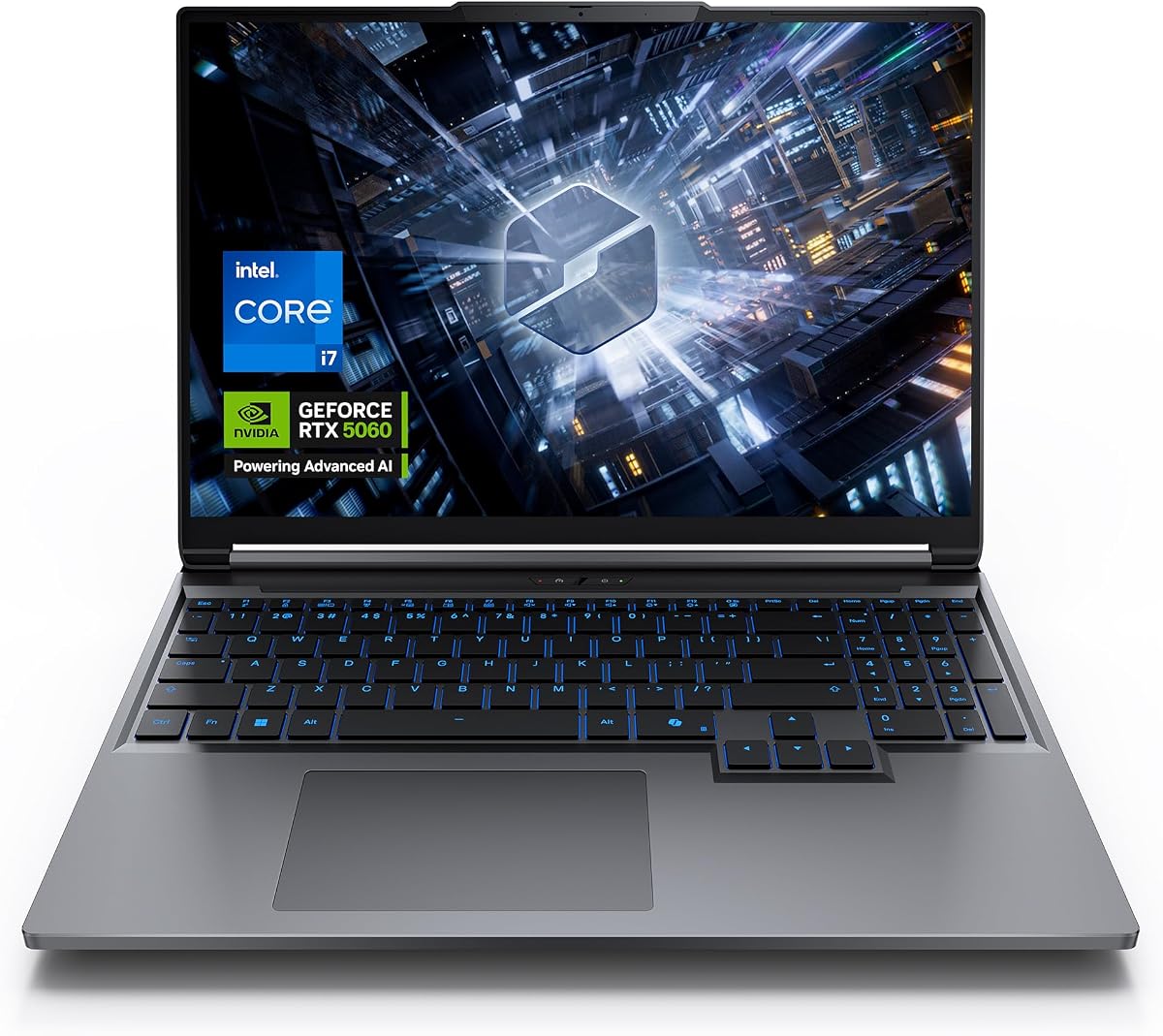



The ASUS ROG Strix G16 earns our Editor's Choice title for Baldurs Gate 3 due to its balanced mix of power and portability. With a strong Intel Core i7 processor and NVIDIA RTX 5060 graphics, it handles the game's detailed environments without breaking a sweat.
We may earn a commission when you buy through this link, at no additional cost to you.
Key strengths include the 165Hz FHD+ display which offers smooth motion during combat and the advanced ROG Intelligent Cooling system that keeps the chassis comfortable even during long dungeon dives. The inclusion of Wi-Fi 7 ensures that your online sessions remain lag-free and responsive.
Honest trade-offs include the lack of easy upgrade paths for memory and storage. While 16GB of DDR5 is sufficient for now, future-proofing might require careful consideration of your specific needs before purchase to avoid bottlenecks later.
This model is perfect for players who want a premium experience without overspending on unnecessary features. We recommend it for anyone looking for a reliable, high-performance machine that delivers consistent frame rates in Baldurs Gate 3.
The vapor chamber and liquid metal cooling allow the system to maintain high clocks without throttling.
The ACR film on the display enhances contrast making dark cave scenes easier to see clearly.
We may earn a commission when you buy through this link, at no additional cost to you.
The Acer Nitro V 16S stands out as the Best Budget pick because it delivers exceptional specs at a competitive price. The 32GB DDR5 memory is a standout feature that ensures multitasking remains smooth while you explore the vast world of Baldurs Gate 3.
We may earn a commission when you buy through this link, at no additional cost to you.
Its 180Hz WUXGA display offers vibrant colors and smooth motion which is crucial for avoiding motion sickness during rapid combat sequences. The NVIDIA RTX 5060 GPU with Blackwell architecture brings cinematic visuals and ray tracing capabilities that enhance the game immersion.
Trade-offs include the use of Wi-Fi 6 rather than Wi-Fi 7 which might limit future wireless speeds. Additionally the build quality is functional but lacks the premium feel found in higher-end gaming laptops which might matter to some users.
We recommend this laptop for gamers on a budget who refuse to compromise on RAM or refresh rates. It is an ideal choice for students or enthusiasts who want high performance without breaking the bank.
Having 32GB of memory means you can run background apps while gaming without stuttering.
The 180Hz refresh rate reduces blur making fast-paced action scenes much easier to follow.
We may earn a commission when you buy through this link, at no additional cost to you.
This premium ASUS ROG Strix G16 is designed for players who want the absolute best visuals for Baldurs Gate 3. The Intel Core Ultra 9 processor paired with the RTX 5070 Ti ensures that every spell and environment renders with stunning fidelity and speed.
We may earn a commission when you buy through this link, at no additional cost to you.
The standout feature is the ROG Nebula 2.5K display with a 240Hz refresh rate. This combination provides incredibly sharp text and smooth motion which is essential for appreciating the detailed art style of the game. The advanced cooling keeps everything stable even under heavy load.
The main trade-off is the significant investment required for this level of performance. It is also heavier than some portable options which might be a consideration for travelers. However for desktop replacement users this is an excellent choice.
We recommend this model for enthusiasts who prioritize visual quality above all else. If you want to see Baldurs Gate 3 in its full glory without any compromise this machine delivers unmatched performance and display quality.
The ROG Nebula panel offers superior brightness and color accuracy for a cinematic experience.
Liquid metal and vapor chamber tech keep the system quiet during long play sessions.
We may earn a commission when you buy through this link, at no additional cost to you.
The msi Cyborg 17 offers a large 17.3 inch screen that makes exploring the world of Baldurs Gate 3 incredibly immersive. Despite its size it remains thin and portable making it a rare find for those who want a big display without the bulk.
We may earn a commission when you buy through this link, at no additional cost to you.
Powered by the Intel Core 7 processor and RTX 5060 it handles the game requirements easily. The unique translucent black design adds a touch of style that stands out from typical black gaming laptops. Cooling is efficient ensuring stable performance.
The trade-off here is the 144Hz refresh rate which is lower than some competitors. While sufficient for most gamers competitive players might prefer a faster panel. However for the price the large screen is a major benefit.
We recommend this laptop for players who prioritize screen real estate over maximum refresh rates. It is perfect for those who want to maximize their view of the game world without spending a fortune on a massive desktop setup.
The 17.3 inch display fills your peripheral vision making the game world feel more real.
Weighing only 5.5 pounds it is easy to carry to campus or a coffee shop.
We may earn a commission when you buy through this link, at no additional cost to you.
The GIGABYTE Gaming A16 focuses on raw GPU power with its NVIDIA RTX 5070 graphics card. This allows you to crank up the settings in Baldurs Gate 3 for maximum ray tracing and visual fidelity without significant slowdown.
We may earn a commission when you buy through this link, at no additional cost to you.
Its slim 19.45mm chassis makes it a pleasure to hold and carry. The GiMATE AI interface provides an intuitive way to manage system performance and resources. This is a great option for users who want high-end graphics in a thin body.
The trade-off involves using a slightly older Intel processor which may limit multitasking capabilities compared to newer models. Ratings are mixed but the performance per dollar is strong for those prioritizing graphical output.
We recommend this model for gamers who want high-end graphics without a high-end bulk. If you focus on visual details and ray tracing this laptop offers a compelling balance of power and portability.
The RTX 5070 handles heavy graphics loads allowing for higher settings in the game.
A slim chassis means it fits easily in backpacks without adding too much weight.
We may earn a commission when you buy through this link, at no additional cost to you.
The HP Victus 15.6 stands out because it includes 32GB of DDR5 RAM which is rare in this price range. This allows for smooth multitasking even if you have many browser tabs open while playing Baldurs Gate 3.
We may earn a commission when you buy through this link, at no additional cost to you.
While the RTX 4050 is an entry-level GPU it still handles the game well at medium to high settings. The 144Hz IPS display offers good color accuracy and fast response times. Users praise its reliability and solid build quality.
The main trade-off is the lower resolution and GPU class compared to higher end models. If you need ultra settings or 1440p resolution this might not be enough. But for 1080p gaming it is a strong contender.
We recommend this laptop for users who need high RAM for work and play. It is perfect for students or professionals who want a versatile machine that can handle productivity and gaming equally well.
The 32GB memory allows you to stream and game simultaneously without issues.
A full size keyboard with numpad is great for typing and data entry tasks.
We may earn a commission when you buy through this link, at no additional cost to you.
The Aurora 16X offers a premium metal design that feels sturdy and professional. The 2.5K display provides sharp details which is excellent for reading quest logs and dialogue in Baldurs Gate 3.
We may earn a commission when you buy through this link, at no additional cost to you.
It features a strong Intel Core i7 processor and ample cooling to keep performance stable. The upgradeable memory and storage slots mean you can extend the life of the laptop as your needs grow.
The trade-off is a heavier chassis and average battery life. You will likely need to keep the charger handy for long sessions. But for a performance machine the build quality is commendable.
We recommend this laptop for users who value build quality and upgradeability. It is a smart choice for those who plan to keep their machine for several years and want to customize it later.
The metal finish resists scratches and feels more durable than plastic alternatives.
The 2.5K resolution makes text and icons look incredibly sharp on screen.
We may earn a commission when you buy through this link, at no additional cost to you.
The ASUS TUF Gaming A16 is known for its military-grade durability which makes it a reliable choice for everyday use. The AMD Ryzen 7 processor provides efficient performance for gaming and daily tasks.
We may earn a commission when you buy through this link, at no additional cost to you.
While the RTX 4050 is an entry level GPU it balances well with the processor. The 144Hz display ensures smooth visuals during combat. Users love the sturdy build quality that withstands travel and wear.
The trade-off is the limited 512GB storage which may fill up quickly with modern games. You may need to add an external drive or upgrade the SSD later. Otherwise it is a solid performer.
We recommend this laptop for rugged reliability and solid value. If you need a laptop that can take a beating and still perform well this model fits the bill for casual to moderate gaming.
Military-grade testing means this laptop can handle drops and bumps better than others.
The AMD processor uses less power which helps with battery life during work.
We may earn a commission when you buy through this link, at no additional cost to you.
This GIGABYTE Gaming A16 features the Ryzen 7 260 processor which is optimized for AI tasks. For Baldurs Gate 3 this means smooth performance and good compatibility with modern graphics technologies.
We may earn a commission when you buy through this link, at no additional cost to you.
The RTX 5060 GPU ensures that you can enjoy high settings without lag. The slim chassis makes it easy to carry around campus or to work. GiMATE AI tools help optimize performance dynamically.
The trade-off is the build quality which is functional but less premium than aluminum options. Also the AI features might not be used by every gamer. But for the price it is a strong performer.
We recommend this laptop for those who want modern AI features and a slim design. It is a good fit for users who prioritize efficiency and portability in a gaming machine.
The processor helps streamline tasks allowing more system resources for the game.
A slim design means you can fit it easily into smaller bags and backpacks.
We may earn a commission when you buy through this link, at no additional cost to you.
The Dell Alienware 16 Aurora offers a premium build quality with an anodized aluminum lid that looks and feels exceptional. The WQXGA display provides incredibly sharp visuals that enhance the art style of the game.
We may earn a commission when you buy through this link, at no additional cost to you.
With 32GB of DDR5 RAM and a powerful RTX 5060 GPU it handles the game with ease. The inclusion of Windows 11 Pro adds professional features for power users. Build quality is top notch across the board.
The trade-off is the higher price point which may not fit every budget. Also the refresh rate is moderate at 120Hz. However the overall quality and design make it worth it for many users.
We recommend this laptop for those who value premium design and build quality. If you want a machine that looks great and performs well this Alienware model is a top choice for gaming.
The aluminum lid adds durability and a high-end look that stands out in meetings.
WQXGA resolution ensures text and UI elements look crisp and easy to read.
We may earn a commission when you buy through this link, at no additional cost to you.
Selecting the right laptop involves balancing several key factors to ensure smooth gameplay and long-term satisfaction.
For Baldurs Gate 3 the GPU is critical because the game relies on detailed environments and complex lighting effects. A mid-range card like the RTX 5060 is ideal for high settings at 1080p or 2K. More power allows for ray tracing and higher frame rates which improve immersion significantly.
Look for at least an RTX 5060 to ensure you can play with detailed settings for years.
A strong CPU is needed to handle the physics and AI calculations in large combat scenes. Modern Intel Core i7 or AMD Ryzen 7 processors are sufficient to prevent lag during intense moments. Multicore performance ensures that your game runs smoothly alongside background tasks.
Prioritize processors from the latest generation for best compatibility and efficiency.
Baldurs Gate 3 benefits greatly from ample RAM to keep assets loaded quickly. 16GB is the standard minimum but 32GB ensures you can multitask without slowdown. Having extra memory prevents stuttering when switching between the game and communication apps.
Choose a laptop with at least 32GB if you plan on streaming or multitasking often.
The display determines how immersive your experience feels during exploration. A high refresh rate of 144Hz or more provides smooth motion which is vital for action sequences. Color accuracy ensures that the art style of the game looks vibrant and true to life.
Look for displays with high refresh rates and good color coverage for best visuals.
Fast storage is essential for loading large game worlds and assets quickly. An NVMe SSD ensures that load times are short and the system remains responsive. This helps you jump back into the game without waiting for long menus to process.
A PCIe Gen 4 SSD of at least 1TB is recommended for fast access to games.
Gaming laptops generate significant heat during long sessions which can affect performance. A robust cooling system with multiple fans and heat pipes keeps components stable. This prevents throttling and ensures that your laptop runs quietly and efficiently over time.
Check for advanced cooling tech like vapor chambers or liquid metal for best results.
If you plan to travel with your laptop weight and battery life matter. A lighter chassis makes it easier to carry to classes or work. However powerful laptops often come with larger bricks which can offset the weight savings.
Consider the overall weight and battery capacity based on your travel needs.
Strong internet connectivity is needed for online play and updates. Wi-Fi 7 is the newest standard offering lowest latency for competitive online gaming. Wired Ethernet ports also ensure a stable connection if you prefer a stationary setup.
Look for laptops with Wi-Fi 7 and multiple USB ports for flexible setups.
To maintain peak performance keep the laptop on a hard surface that allows proper airflow. Using a cooling pad helps regulate temperatures during extended sessions of playing Baldurs Gate 3.
Regularly update your graphics drivers and BIOS to ensure compatibility with new game features and security patches. Keeping your system software current prevents crashes and improves overall stability.
Clean the vents and keyboard periodically to prevent dust buildup. Compressed air is effective for removing debris from fans and vents to ensure your system stays cool.
For optimal performance a laptop with an RTX 5060 or higher is recommended. These cards handle high settings and ray tracing well without stuttering. More power means smoother frames during combat and complex scenes.
16GB is sufficient for running the game at high settings. However if you multitask with browser tabs or Discord open 32GB is better. More memory prevents slowdowns during long play sessions.
While not as critical as shooters a high refresh rate like 144Hz improves smoothness. It reduces motion blur during camera pans and combat making the world feel more responsive. It also helps with general UI responsiveness.
A 1080p or 1440p resolution offers a balance of sharpness and performance. 4K is possible with top hardware but may reduce frame rates. Higher resolution makes UI text and art look crisp and detailed.
Yes good cooling prevents the processor from slowing down due to heat. A robust cooling system ensures stable performance during long sessions. It also keeps the laptop quieter and extends its lifespan.
Yes an NVMe SSD is essential for short load times and quick world transitions. Hard drives are too slow for modern open world games like this. SSDs ensure you spend more time playing and less time waiting.
We have covered ten excellent options ranging from budget-friendly to premium machines for Baldurs Gate 3. Each model offers unique strengths whether you prioritize screen size raw power or portability for your play style.
Prioritize the GPU and display quality to get the most immersive experience possible. Also consider upgrade options for memory and storage to ensure your laptop lasts for years of future gaming.
Remember to check current availability and prices before purchasing as models may vary. Verify the specific specs match your needs to ensure a great experience playing Baldurs Gate 3 today.