
Vansuny 128GB USB C Flash Drive
4.3Editor score
Dual USB C and USB A connectors
Fast USB 3.0 transfer speeds
Compact design with keychain loop
Discover the top extra storage for tablet options including SD cards and USB drives to expand memory and enhance performance for all your digital needs
Tablets are powerful tools for work and entertainment but limited internal storage often holds them back from reaching their full potential. Finding the right extra storage for tablet can transform your device into a versatile hub for files, media, and applications without the need for upgrades.
We compared ten leading storage solutions ranging from microSD cards to portable SSDs and USB flash drives. Our analysis focused on compatibility, transfer speeds, durability, and value to ensure you find the perfect match for your specific tablet model and usage habits.
Each pick highlights key features and performance metrics to help you make an informed decision quickly. Please note that product availability and pricing can change frequently so verify current details before finalizing your purchase to get the best deal available today.
4.3Editor score
4.7Editor score

4.5Editor score
This side-by-side comparison highlights the key specifications and unique strengths of each storage option to help you quickly identify the best fit for your tablet setup and budget requirements.


The Made for Amazon SanDisk 128GB microSD card stands out as the ideal solution for users invested in the Amazon Fire ecosystem. With a strong rating of 4.6 stars this card is specifically tested and certified to work seamlessly with Fire Tablets and Fire TV devices ensuring no compatibility issues arise during use.
We may earn a commission when you buy through this link, at no additional cost to you.
Its Class 10 performance rating supports Full HD video recording and playback making it perfect for streaming movies or storing high quality photos without lag. The card allows you to load apps games and media directly onto it freeing up valuable internal storage space on your device for a smoother experience.
While it excels with Fire devices it may not offer the same level of optimization for other tablet brands which could be a limitation for users with mixed device environments. However for the target audience the reliability and ease of use outweigh this specific constraint significantly.
If you own a Fire Tablet this card is the safest and most efficient choice to expand your storage. It delivers consistent performance for daily tasks and media consumption making it a top recommendation for Amazon users looking to enhance their device capacity.
Designed exclusively for Fire devices this card ensures instant recognition and optimal performance without needing additional drivers or configuration steps.
Class 10 speed class allows for smooth playback of 1080p videos making it ideal for streaming and local media storage on your tablet.
We may earn a commission when you buy through this link, at no additional cost to you.
The SanDisk 256GB Ultra Dual Drive offers a versatile solution for users who need to transfer files between tablets and computers easily. With both USB-C and USB-A connectors built into one drive you can connect directly to your tablet or plug into a standard computer port without adapters.
We may earn a commission when you buy through this link, at no additional cost to you.
Featuring read speeds up to 150MB/s this drive ensures quick transfers of large files like videos and high resolution photos. The retractable design protects the connectors when not in use reducing the risk of damage and keeping the drive safe during transport in your bag.
While the 256GB capacity is generous the physical size is larger than a microSD card which might be a minor inconvenience for users seeking the most compact option. However the convenience of having two connector types in one device often outweighs this trade-off for most professionals.
This drive is perfect for hybrid workflows where you switch between tablets and laptops frequently. It simplifies your tech setup by eliminating the need for separate dongles and adapters making it a practical choice for on the go productivity.
The dual connector design allows you to plug directly into USB-C tablets and USB-A computers seamlessly without needing extra accessories or cables.
Connectors slide into the body to prevent damage and dirt accumulation ensuring longevity even when carried in a crowded backpack or pocket.
We may earn a commission when you buy through this link, at no additional cost to you.
The SSK Portable SSD 1TB External represents the pinnacle of portable storage for power users and professionals. With read speeds reaching up to 1050MB/s it handles large files like 4K video footage and complex datasets with ease making it significantly faster than traditional flash drives.
We may earn a commission when you buy through this link, at no additional cost to you.
Its aluminum alloy case not only provides a premium look but also helps dissipate heat during intensive tasks ensuring consistent performance without throttling. The included cables allow you to connect to both USB-C and USB-A devices making it versatile for a wide range of tablets and laptops.
The 1TB capacity is a major advantage for those who need extensive storage for media libraries or work projects without relying on cloud services. While it requires a cable to connect which adds a slight bulk compared to direct plug drives the speed and capacity justify the extra step.
This SSD is the best choice for creative professionals who need reliable high speed storage on the go. It transforms your tablet into a capable workstation for editing and rendering tasks by providing the raw power and space required.
Read speeds up to 1050MB/s mean you can transfer gigabytes of data in seconds rather than minutes boosting your workflow efficiency significantly.
The thick aluminum alloy case offers superior heat dissipation and physical protection ensuring the drive remains reliable even during heavy usage sessions.
We may earn a commission when you buy through this link, at no additional cost to you.
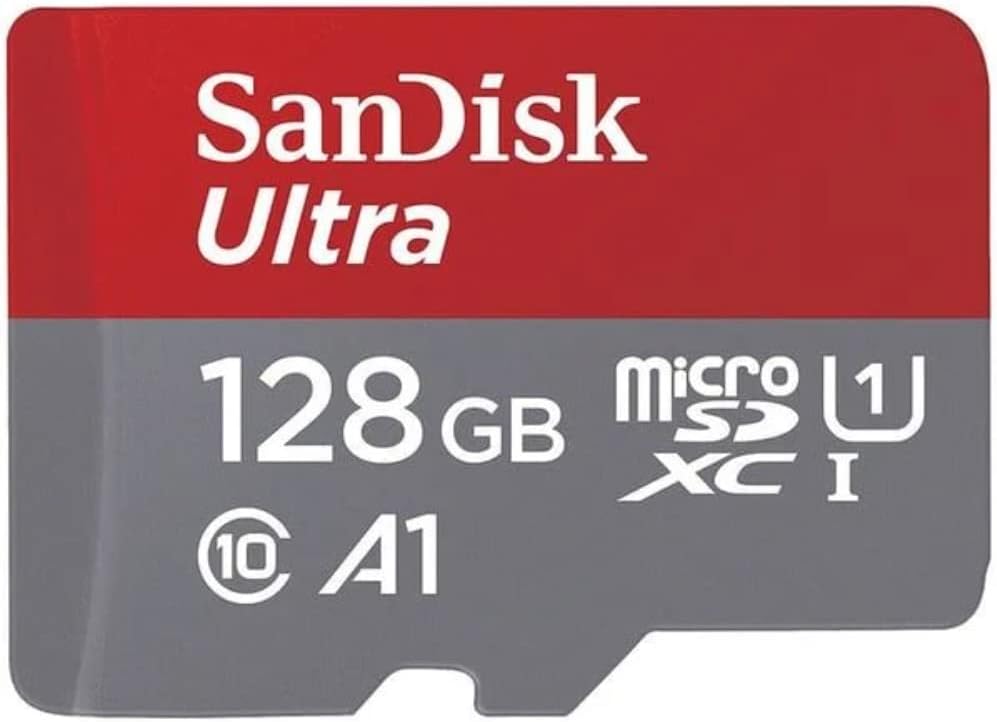
The SanDisk 128GB Ultra microSDXC card offers an exceptional balance of performance and price for general tablet users. With an impressive 4.7 star rating it is a top choice for expanding storage on Android tablets Chromebooks and even Windows laptops needing extra space.
We may earn a commission when you buy through this link, at no additional cost to you.
Its A1 rating ensures apps load faster when stored on the card making it feel like a part of the internal storage. Transfer speeds up to 140MB/s allow you to move photos and videos quickly while the 10-year warranty provides peace of mind for long-term reliability.
While 128GB might feel limiting for professionals storing terabytes of data it is sufficient for most casual users and students. The main drawback is the need for an adapter if you wish to connect it to a computer with only USB ports adding a small step to transfers.
For budget conscious buyers seeking reliable expansion this card is hard to beat. It delivers solid performance for everyday tasks and media storage making it a dependable addition to your tablet setup without breaking the bank.
The A1 rating ensures that apps stored on the card load quickly and run smoothly enhancing the overall user experience on your device.
Backed by a 10-year limited warranty this card offers long-lasting protection and trustworthiness for your stored files and personal data.
We may earn a commission when you buy through this link, at no additional cost to you.
The JOIOT 128GB USB C Flash Drive is designed for portability and ease of use across multiple devices. Its mini size allows it to fit easily into pockets or bags while the dual plugs ensure you can connect to USB-C tablets and standard USB-A computers without extra gear.
We may earn a commission when you buy through this link, at no additional cost to you.
With read speeds up to 130MB/s this drive transfers photos and documents quickly making it suitable for everyday file sharing needs. The durable plastic enclosure protects the connectors from dust and damage ensuring the drive stays functional even with frequent use in your daily carry.
Write speeds are lower than read speeds which is common for this class of drive but may be noticeable when moving large files back and forth. However for casual users the convenience of plug and play functionality and broad compatibility with Windows Mac and Linux outweighs this limitation.
This drive is ideal for students and professionals who need a quick way to move files between devices. Its compact design and dual connectivity make it a handy tool for presentations or sharing data on the go efficiently.
No drivers or software are required to use this drive making it instantly ready to store and retrieve files on any compatible device.
The included cap protects connectors from dust and scratches ensuring the drive remains in good condition during transport and storage.
We may earn a commission when you buy through this link, at no additional cost to you.
The SanDisk 128GB Ultra Dual Drive Go combines portability with utility for modern tablets. Featuring reversible USB-C and traditional USB-A connectors it makes transferring files between your tablet and computer seamless without the need for extra adapters or cables.
We may earn a commission when you buy through this link, at no additional cost to you.
It comes with the SanDisk Memory Zone app which allows you to automatically back up photos and manage files directly on your device. This feature adds value beyond simple storage by helping you keep your media organized and safe without manual effort on your part.
While the read speeds are impressive the drive is designed for convenience rather than high-end performance tasks like video editing. The compact size makes it easy to carry but it may generate some heat during prolonged transfers which is normal for drives of this form factor.
For users seeking a reliable and versatile storage option this drive strikes a great balance. It is perfect for everyday backups media storage and sharing files across different devices with ease and consistency.
The included Memory Zone app helps you back up photos and manage files automatically saving you time and ensuring data safety.
Dual connectors allow you to switch between USB-C tablets and USB-A computers instantly streamlining your workflow and reducing clutter.
We may earn a commission when you buy through this link, at no additional cost to you.
The Samsung Type-C USB Flash Drive 256GB offers a robust solution for users needing durable storage. Its high read speeds of up to 400MB/s ensure quick access to files making it suitable for running applications or playing media directly from the drive.
We may earn a commission when you buy through this link, at no additional cost to you.
Designed with durability in mind this drive is waterproof shock-proof magnet-proof and temperature-proof. These features make it ideal for users who work in challenging environments or travel frequently where equipment might be exposed to harsh conditions.
The 256GB capacity provides ample space for documents photos and videos. While the sleek design is appealing the lack of a USB-A connector means you may need an adapter for older computers which could be a minor inconvenience for some users.
For those prioritizing durability and performance this drive is a strong candidate. It combines speed with toughness ensuring your data remains safe and accessible even when the drive is subjected to daily wear and tear.
Waterproof and shock-proof design ensures the drive can withstand accidental drops and exposure to elements protecting your valuable data.
Up to 400MB/s read speeds allow you to open large files and run apps directly from the drive without significant delays.
We may earn a commission when you buy through this link, at no additional cost to you.
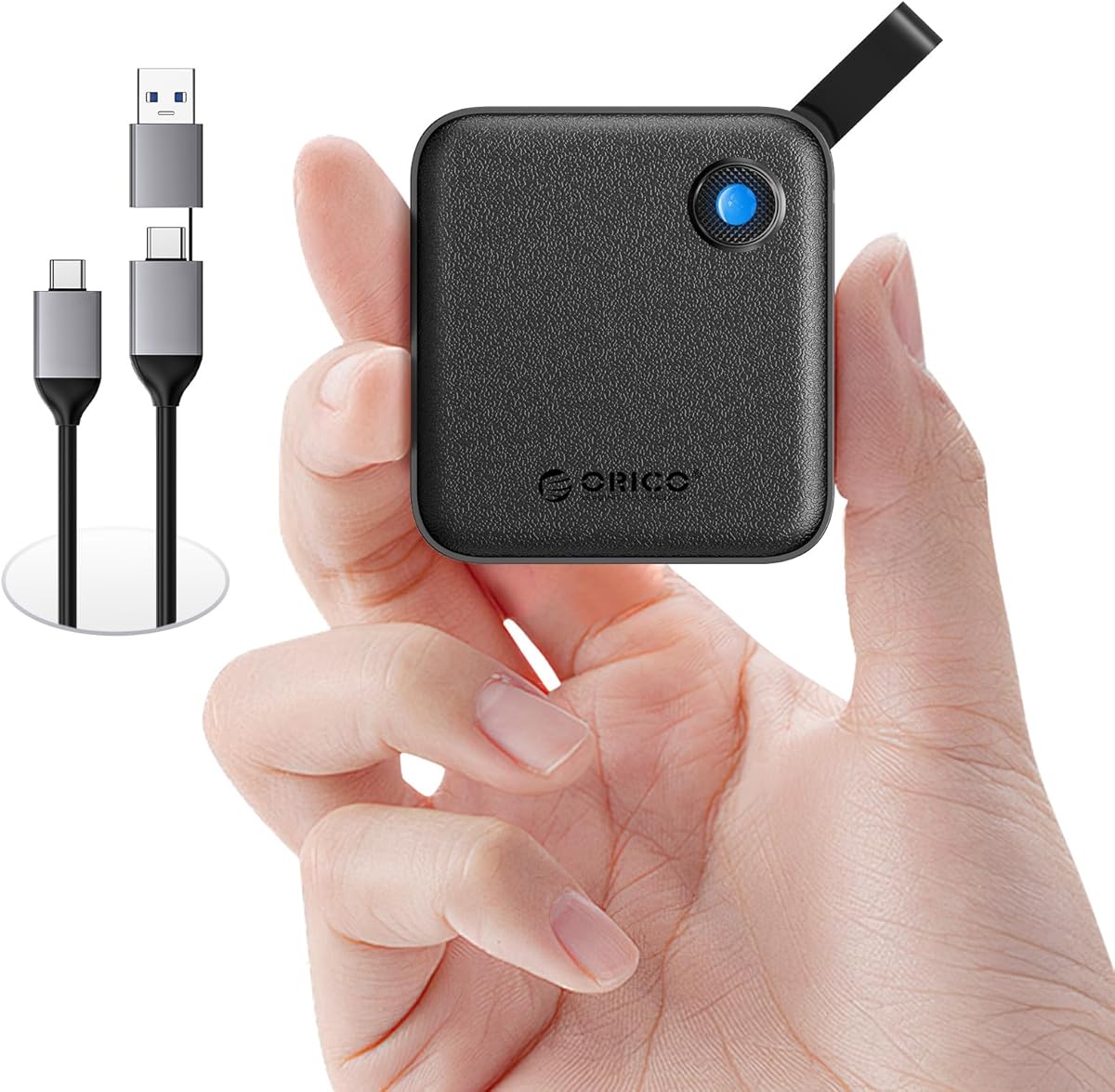
The ORICO 256GB Portable SSD brings SSD performance at an accessible price point for many users. With speeds up to 460MB/s it handles file transfers much faster than traditional hard drives or flash drives making it ideal for media professionals and casual users alike.
We may earn a commission when you buy through this link, at no additional cost to you.
The included 2-in-1 USB-C and USB-A cable ensures you can connect to a wide range of devices without hunting for adapters. Its lightweight design makes it easy to carry in a pocket or bag allowing you to take your data wherever you go comfortably.
While the plastic body is less premium than aluminum cases it still offers sufficient protection for general use. The cable length is standard but might feel slightly short for desktop setups which is a minor trade-off for the portability and speed it offers.
This SSD is an excellent entry point for those wanting faster storage without spending a fortune. It delivers reliable performance for backups and media storage ensuring your workflow remains efficient and uninterrupted.
Up to 460MB/s speeds mean you can move large videos and datasets quickly reducing wait times and improving productivity.
The included 2-in-1 cable supports both USB-C and USB-A devices ensuring you can connect to almost any tablet or computer.
We may earn a commission when you buy through this link, at no additional cost to you.
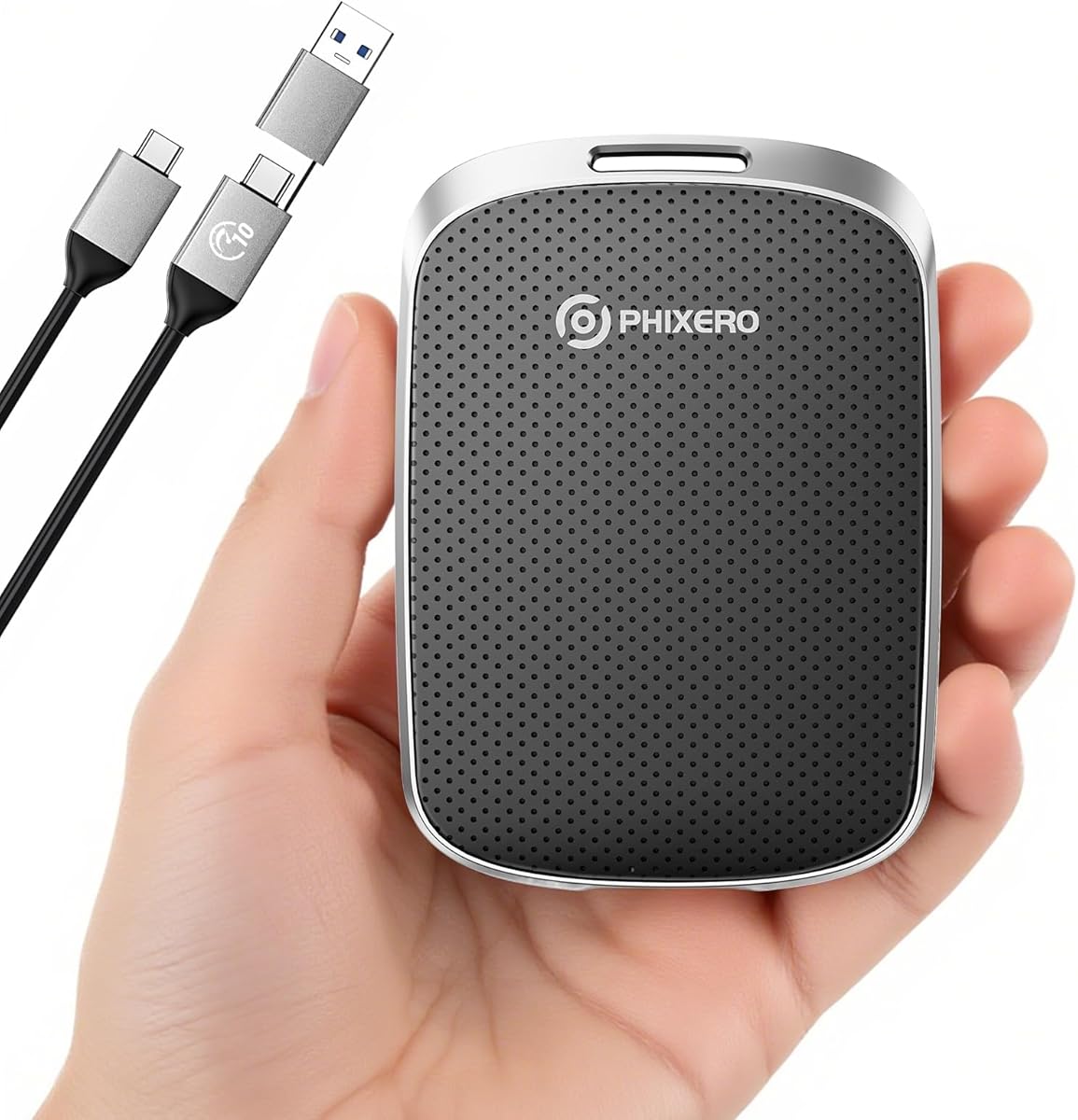
The PHIXERO Portable Extern SSD 256GB offers a balance of speed and durability for mobile users. With read speeds up to 550MB/s it efficiently handles 4K video and large files making it a strong option for creators who need reliable storage on the move.
We may earn a commission when you buy through this link, at no additional cost to you.
Its aluminum alloy frame is designed to resist drops and dust ensuring the drive remains functional even if accidentally dropped. The inclusion of a USB-C to C and A cable provides flexibility for connecting to various devices including PCs and tablets.
The drive is lightweight yet sturdy and comes with a hanging loop for secure attachment to a belt or backpack. While the cable connection adds slight bulk it is a necessary trade-off for the higher speeds and capacities an SSD provides over flash drives.
For users seeking dependable high-speed storage without premium pricing this SSD is a solid choice. It supports 4K recording and large transfers ensuring your creative work flows smoothly regardless of where you are working.
The anti-drop aluminum frame protects against shocks and dust keeping your data safe during travel and daily usage.
Up to 550MB/s read speeds enable quick transfers and direct editing of 4K videos without stuttering or lag.
We may earn a commission when you buy through this link, at no additional cost to you.
The Vansuny 128GB USB C Flash Drive is an affordable option for expanding storage across multiple devices. With dual USB-C and USB-A connectors it allows you to transfer files between tablets and computers easily without needing additional adapters or accessories.
We may earn a commission when you buy through this link, at no additional cost to you.
USB 3.0 speeds ensure fast transfer times for common files and media making it efficient for everyday use. The keychain design keeps the drive handy and prevents loss while supporting a wide range of file formats for versatility in different workflows.
While it may not match the speed of high-end SSDs or premium drives it offers excellent value for casual users. The plastic body is functional but less rugged than aluminum options which is acceptable given the price point and intended use case.
This drive is perfect for budget-conscious buyers needing basic file sharing capabilities. It provides a reliable way to move documents and media between devices keeping your data accessible wherever you need it.
Dual connectors allow easy file transfers between modern tablets and older computers without extra adapters saving you money and time.
Attached to a keychain the drive is always accessible and less likely to be misplaced in a busy daily routine.
We may earn a commission when you buy through this link, at no additional cost to you.
Selecting the right storage solution requires understanding your specific needs and device compatibility to ensure seamless integration and performance.
The first step in choosing storage is identifying the ports available on your tablet. Modern devices often use USB-C exclusively while older models may have micro-USB or SD card slots. Matching the storage connector to your tablet ensures you can plug in without adapters.
Verify your tablet supports USB On-The-Go if using a flash drive as some devices require specific settings or apps to recognize external storage.
Consider how much data you plan to store on the external drive. Basic documents and photos may only require 64GB or 128GB while 4K video and large apps need 512GB or more. Assess your current storage usage to determine the necessary expansion.
Choose a capacity that allows room for future growth to avoid the hassle of upgrading again soon after purchase.
Speed is crucial when transferring large files or running apps directly from the drive. Look for products labeled USB 3.0 or higher and check read and write speed ratings to ensure smooth performance without delays.
Higher speeds may cost more but they save time and improve usability especially when working with media files or backups.
If you travel often or work in demanding environments durability becomes a priority. Metal enclosures offer better heat dissipation and protection against drops compared to plastic options ensuring your drive lasts longer.
Look for water or shock resistance features if you expect the drive to face physical stress during transport.
Ensure the storage device works with your operating system whether it is Android Windows or iOS. Some drives may require formatting or specific software to function properly on certain platforms.
Cross compatibility is key if you use multiple devices so check product details for broad support before buying.
Plug and play functionality is preferred to avoid complicated setup processes. Check if the drive requires drivers or apps to access files which can add friction to your daily workflow.
Simple connections without software dependencies save time and reduce potential technical issues.
Determine your budget and compare features across products within that range. Sometimes paying slightly more gets you better speeds or durability which offers better long term value than the cheapest option.
Consider warranty terms as they reflect the manufacturer confidence in the product and protect your investment.
Decide whether you prefer a drive that stays inserted or one you carry separately. SD cards are discreet while external SSDs are portable but larger. The choice depends on how you use your tablet day to day.
Compact designs are better for travel while larger drives may offer more robust protection and capacity.
Begin by checking your tablets settings to enable external storage access if needed. Most devices recognize USB drives instantly but Android may require granting file permissions through a notification after connecting.
Always eject the drive safely from your device before unplugging to prevent data corruption. Use the system eject option rather than pulling the cable directly to ensure all processes are complete.
Store your drives in a cool dry place away from direct sunlight to maintain performance and prevent physical damage. Avoid exposing the connectors to dust or moisture to ensure long-lasting reliability and connectivity.
Yes many tablets allow you to install apps on external storage if you format the drive as portable storage. This helps free up internal memory but may reduce app performance slightly compared to internal storage.
Usually internal storage is faster but high-quality external SSDs can match or exceed internal speeds. Check your drive ratings and tablet support to see if performance gains are possible.
It depends on the storage type. If you have a USB-C drive you do not need an adapter. For USB-A drives you will need a USB-C to A adapter or OTG cable to connect.
Connect the drive to your tablet and use a file manager app to drag and drop files. Ensure the drive is recognized in settings before attempting to move data for a smooth transfer.
No using external storage does not void your tablet warranty. However damage caused to the device during use of external accessories may not be covered by the warranty terms.
exFAT is best for compatibility between Android and Windows systems. FAT32 is older and has file size limits while NTFS is less supported on tablets without extra software.
Regularly back up important files weekly or after major projects to prevent data loss. Keeping multiple copies on different drives or cloud services ensures your data remains safe.
Some games support installation on external drives but performance may vary. Check game settings and tablet compatibility before moving game files to ensure smooth gameplay without lag.
We reviewed ten top options ranging from microSD cards to high-speed SSDs to help you find the perfect fit for your needs. Each product offers unique strengths in speed capacity and durability to suit different usage scenarios.
Prioritize compatibility and speed if you work with large files or media while budget users may prefer microSD cards and flash drives for basic storage expansion. Choose what aligns best with your workflow and device type.
Prices and availability fluctuate so always verify current offers before buying. Keep your data secure and your tablet performing at its best with the right external storage solution tailored to your needs.