
Logitech Slim Wireless Bluetooth Mouse for Mac
4.7Editor score
Silent click technology
18 month battery life
Slim portable design
Compare the top 10 External Mouse for MacBook Neo options including Logitech, Apple, and Satechi models for performance, battery, and design compatibility.
Finding the right External Mouse for MacBook Neo can transform your workflow and comfort. A good mouse offers precision, comfort, and seamless connectivity to match your laptop.
We compared ten leading models based on design, battery life, connectivity options, and user ratings. This list covers budget friendly options and premium ergonomic choices.
Each pick highlights key features and real world performance. Note that availability and pricing change frequently so check current listings before deciding.
4.7Editor score

4.4Editor score

4.6Editor score
This side by-side comparison highlights key specs across all ten models to help you choose the right fit for your MacBook Neo.






The Logitech MX Master 4 for Mac stands out as a top choice with its premium design and advanced performance features. It holds a 4.4 rating and offers unique haptic feedback for enhanced productivity.
We may earn a commission when you buy through this link, at no additional cost to you.
Its MagSpeed scroll wheel allows ultra-fast scrolling with pixel precision. The Haptic Sense Panel provides customizable feedback for shortcuts and notifications to keep you in flow.
While powerful, it is heavier than portable options and priced higher. The ergonomic shape reduces hand stress during long sessions making comfort acceptable for many.
This model suits power users needing precision and customization. It pairs seamlessly with MacBook Neo for a refined and efficient workflow.
The MagSpeed wheel lets you scroll 1000 lines per second while stopping on a pixel for exact control.
Customizable haptic feedback on the Haptic Sense Panel enhances actions and shortcuts for better workflow awareness.
We may earn a commission when you buy through this link, at no additional cost to you.
The Satechi Slim EX Wireless Mouse features an anodized aluminum shell that elevates workspace aesthetics. It holds a 4.6 rating and offers 3-in-1 multi-device freedom.
We may earn a commission when you buy through this link, at no additional cost to you.
You can switch between two Bluetooth channels and a 2.4GHz USB-C receiver effortlessly. The rechargeable battery delivers up to three months of continuous use.
While premium, it may require a USB-C cable for charging and has limited color choices. The quiet clicks and precise wheel make trade-offs acceptable.
Ideal for users valuing design and versatility. It works well with MacBook Neo for a cohesive and professional setup.
Switch between two Bluetooth channels and a 2.4GHz USB-C receiver without re-pairing for seamless control.
The anodized aluminum shell and metal wheel provide a refined look and durable feel for daily use.
We may earn a commission when you buy through this link, at no additional cost to you.
The Logitech Slim Wireless Bluetooth Mouse for Mac is a sleek and affordable option for everyday use. It holds a 4.7 rating and delivers quiet and portable performance.
We may earn a commission when you buy through this link, at no additional cost to you.
Its design matches an iPad with clean lines and round corners. You get silent clicks with 90 percent less noise for quiet environments.
It lacks a USB receiver and has basic features. The 18-month battery life and portability make these limitations acceptable for most users.
Perfect for travelers and casual users. It pairs easily with MacBook Neo for a simple and effective experience.
Experience about 90 percent less noise with silent clicks ideal for cafes libraries or crowded trains.
Extra slim soft rounded sides fit naturally in your palm for comfortable all day use.
We may earn a commission when you buy through this link, at no additional cost to you.
The Logitech M240 Compact Silent offers a simple reliable solution for quiet and portable use. It holds a 4.4 rating and features fast Bluetooth wireless pairing.
We may earn a commission when you buy through this link, at no additional cost to you.
You get 90 percent reduced click sound with the same feel. The mouse is small enough to toss in a bag and works with multiple platforms.
While basic and plastic, it delivers solid battery life and silence. The lack of multi-device switching is acceptable for single machine setups.
Great for budget conscious travelers. It connects instantly to MacBook Neo for a hassle free and quiet experience.
90 percent reduced click sound eliminates noise and distractions for you and others around you.
Slim and ambidextrous portable compact mouse guides either your right or left hand into a natural position.
We may earn a commission when you buy through this link, at no additional cost to you.
The Logitech M350s Pebble 2 brings style and versatility with its minimalist round design. It holds a 4.5 rating and offers multi-device switching capabilities.
We may earn a commission when you buy through this link, at no additional cost to you.
You can hop across 3 devices easily via Bluetooth and use Silent Touch Technology to reduce click noise by 90 percent. Battery life reaches 2 years.
The Logi Bolt receiver is sold separately and it lacks USB-C charging. The eco friendly design and long battery make these trade-offs acceptable.
Ideal for multi device users who value style. It pairs seamlessly with MacBook Neo for a modern and efficient setup.
Use Bluetooth to connect up to 3 wireless devices and switch between them with the Easy-Switch button.
Pebble Mouse 2 M350s is a quiet mouse with Silent Touch Technology that removes 90 percent click noise.
We may earn a commission when you buy through this link, at no additional cost to you.
The Logitech POP Mouse adds personal style with a compact and portable design. It holds a 4.6 rating and features customizable Action Buttons for shortcuts.
We may earn a commission when you buy through this link, at no additional cost to you.
You can switch between work and social modes quickly. Silent Touch Technology removes 90 percent of click noise and battery life is 2 years.
It uses an AA battery and lacks USB-C charging. The expressive design and ease of access make these trade-offs acceptable for most users.
Perfect for creative users wanting expression. It connects easily with MacBook Neo for a fun and productive workflow.
Quickly switch between work social and break modes or access your AI tools with the customizable Action Buttons.
Proudly express yourself and add style to your space with the fresh modern design that stands out.
We may earn a commission when you buy through this link, at no additional cost to you.
The Logitech Mobi Fold is designed for mobility with an ultra-thin and foldable structure. It holds a 4.2 rating and offers quick USB-C charging.
We may earn a commission when you buy through this link, at no additional cost to you.
It slips into a pocket and unfolds to power on. You get 4K DPI tracking and Adaptive Touch Scrolling for line-by-line accuracy.
The price is higher than basic models and Logi Bolt is sold separately. The travel convenience and ergonomic benefits make these trade-offs acceptable.
Ideal for frequent travelers. It works seamlessly with MacBook Neo for on-the-go productivity.
Small foldable and ultra-thin this lightweight mouse is ideal for on-the-go use and slips into your pocket.
Provides 22 percent less muscle strain compared to using a laptop trackpad for all day comfort.
We may earn a commission when you buy through this link, at no additional cost to you.
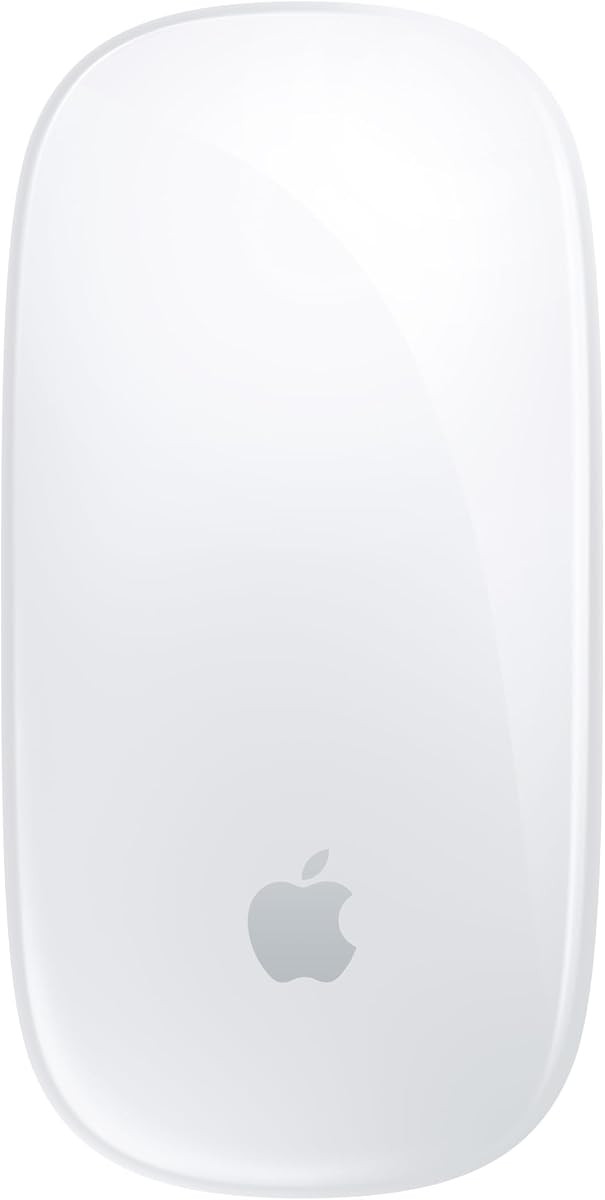
The Apple Magic Mouse provides native integration with Mac systems. It holds a 4.4 rating and features a Multi-Touch surface for gestures.
We may earn a commission when you buy through this link, at no additional cost to you.
You get optimized foot design for smooth glide and automatic pairing with Mac. The battery powers it for about a month or more.
Charging is via USB-C cable but not while in use. The native experience and gestures make this trade-off acceptable for Mac loyalists.
Best for Apple ecosystem users. It pairs automatically with MacBook Neo for a seamless and familiar experience.
Perform simple gestures such as swiping between web pages and scrolling through documents directly on the surface.
Ready to go straight out of the box and pairs automatically with your Mac for instant setup.
We may earn a commission when you buy through this link, at no additional cost to you.
This Bluetooth Wireless Mouse offers versatile connectivity with dual modes for flexibility. It holds a 4.3 rating and includes three adjustable DPI settings.
We may earn a commission when you buy through this link, at no additional cost to you.
You can switch between Bluetooth and 2.4G USB receiver modes easily. Auto sleep mode saves energy when not in use.
The build is basic and the USB adapter may be separate. The versatile connectivity and ergonomic design make these trade-offs acceptable.
Good for mixed OS setups. It works well with MacBook Neo for reliable cross-platform navigation.
Switch between Bluetooth mode or 2.4G mode for compatibility with all Bluetooth enabled laptops or USB ports.
Three adjustable DPI levels let you change according to your different demands for precision or speed.
We may earn a commission when you buy through this link, at no additional cost to you.
The Satechi M1 Wireless Bluetooth Mouse delivers reliable performance with high precision optical sensors. It holds a 4.4 rating and features a sleek aluminum finish.
We may earn a commission when you buy through this link, at no additional cost to you.
It offers a stable 32 ft connection range and 1200 DPI resolution for accurate tracking. The USB-C rechargeable battery eliminates disposable needs.
The Bluetooth 4.2 is older than 5.0 and not for very old Macs. The build quality and ergonomics make this acceptable for most modern users.
Ideal for users seeking reliability. It connects seamlessly with MacBook Neo for stable navigation.
Equipped with high-precision optical sensors and 1200 DPI resolution for accurate tracking and fast scrolling.
Embrace a greener alternative with a built-in lithium-ion battery and USB C rechargeable port.
We may earn a commission when you buy through this link, at no additional cost to you.
Choosing the right External Mouse for MacBook Neo involves considering connectivity, ergonomics, battery, and design.
Consider Bluetooth versus USB receiver compatibility. Bluetooth offers cleaner setups but USB may be more stable for older devices.
Ensure the mouse supports macOS and your other systems for seamless switching.
Look for shapes that fit your hand size and reduce strain. Ambidextrous models suit left handed users.
Ergonomic curves and thumb rests improve comfort during long sessions.
Battery longevity varies from months to years. Rechargeable options reduce waste while disposable ones offer convenience.
Check auto-sleep features to conserve power when not in use.
Materials like aluminum provide durability and aesthetics. Plastic may be lighter and cheaper.
Consider weight if you travel frequently with your mouse.
Silent click technology reduces noise for shared spaces. This helps maintain focus and respect others.
Look for silent ratings like 90 percent noise reduction.
Customizable buttons and software apps boost productivity. Shortcuts can automate tasks.
Check compatibility with macOS for best customization results.
Slim and foldable designs suit travel. Compact mice fit in bags easily.
Balance portability with comfort for your use case.
Prices vary by features and brand. Budget models cover basics while premium ones add ergonomics and customization.
Decide what features matter most to justify cost.
Pair your mouse with MacBook Neo via Bluetooth settings or insert the USB receiver securely for connection.
Keep the mouse surface clean with a soft cloth and ensure charging ports are free from dust and lint.
Store the mouse in a cool dry place and avoid moisture to maintain battery health and build integrity.
Several models like Logitech M240 and M350s offer up to 18 to 24 months. Rechargeable options vary by usage but can last months per charge.
Yes, silent mice reduce distractions in shared spaces. They maintain click feel while cutting noise by about 90 percent.
Most modern External Mouse for MacBook Neo use Bluetooth so no receiver is needed. Some offer both options for flexibility.
Use the provided USB-C or USB cable to connect to a port on your laptop or wall adapter. Charge fully before first use.
Yes, many models support iPadOS alongside macOS. Check product details for multi-device compatibility.
DPI between 1000 and 1600 is suitable for most tasks. Higher DPI allows faster cursor movement.
Ergonomic designs promote natural hand positions which can reduce strain. They help during long work sessions.
Aluminum mice offer premium feel and durability. They match MacBook aesthetics but cost more than plastic.
Top picks include the Logitech MX Master 4 for Mac for performance, Satechi Slim EX for premium build, and Logitech Slim for budget.
Prioritize comfort and connectivity that match your daily tasks and travel needs.
Always check current availability and pricing since deals change often.