
Sonnet Breakaway Box 850 T5
4.5Editor score
850W internal PSU
80Gbps bandwidth
Integrated Thunderbolt 5 dock
This guide compares the top ten Egpu Enclosures for 2026, evaluating performance, compatibility, and design to help you choose the best external GPU solution.
External GPU enclosures transform standard laptops into powerful desktop workstations by allowing users to connect high-performance graphics cards. These devices bridge the gap between portable computing and raw graphical power, essential for creators and gamers alike.
We evaluated ten leading Egpu Enclosures based on bandwidth speed, power delivery, cooling efficiency, and build quality. Our analysis focuses on real-world usability, compatibility with modern Thunderbolt standards, and support for diverse GPU configurations.
Each pick highlights specific strengths and limitations to guide your decision-making process. Prices and availability fluctuate frequently, so verify current details before purchasing to ensure you get the best value for your specific setup.
4.5Editor score

4.0Editor score

3.8Editor score
The following table provides a side-by-side comparison of the top ten external graphics enclosures available today, highlighting key specifications and unique features for quick reference.


The Razer Core X V2 stands out as a top contender in the external graphics enclosure market for its support of the latest Thunderbolt 5 standard. With ratings reflecting solid performance, it offers a robust solution for users needing high bandwidth and power delivery.
We may earn a commission when you buy through this link, at no additional cost to you.
Its primary strength lies in the ultra-fast bandwidth of up to 80 Gbps, ensuring smooth performance for demanding creative apps and AAA games. The enclosure supports graphics cards up to four slots wide, providing flexibility for power users who require substantial graphical horsepower.
However, potential buyers should note that the GPU and power supply are sold separately, which increases the total investment cost. Additionally, Mac devices with M1 or later chipsets do not support eGPUs, limiting compatibility for Apple users.
This enclosure is ideal for Windows 11 users with Thunderbolt 4 or 5 laptops who want to turn their devices into gaming or creative powerhouses instantly. Its modular design and active cooling make it a reliable choice for sustained performance.
The Thunderbolt 5 connection manages the most demanding tasks with ease, offering significantly higher bandwidth than previous generations.
Easy tool-free installation allows you to swap out GPUs or upcycle older cards with PCIe Gen 4 support using thumbscrews.
We may earn a commission when you buy through this link, at no additional cost to you.
The Sonnet Breakaway Box 850 T5 delivers astounding performance by unlocking near-desktop GPU power for Thunderbolt 5 Windows 11 laptops. Its high rating reflects its capability to handle GPU-accelerated workflows efficiently.
We may earn a commission when you buy through this link, at no additional cost to you.
Key strengths include the 850W power supply which supports power-hungry GPU cards, and the built-in Thunderbolt 5 dock providing additional connectivity. This setup accelerates editing, rendering, and AI-driven applications significantly.
While expensive, the investment is justified for professionals needing reliable, high-performance hardware. The variable-speed fan ensures cooling without excessive noise, maintaining system stability during heavy loads.
Buyers looking for premium connectivity and power in a single package should consider this enclosure. It effectively supercharges AI applications and creative workflows with increased processing power.
The 850W PSU supports today's power-hungry cards while the dock adds USB and Ethernet ports for a complete desktop experience.
Supercharge AI-driven applications with massively increased processing power and efficiency provided by the high-bandwidth connection.
We may earn a commission when you buy through this link, at no additional cost to you.
The ANQ-L336 Mini offers an excellent entry point for users seeking external GPU capabilities without breaking the bank. It features a certified controller module showing high performance in gaming and 3D modeling.
We may earn a commission when you buy through this link, at no additional cost to you.
Its optimized version supports seamless 32Gbps data transfer, ideal for laptops and Mini PCs via Thunderbolt or USB4. The support for various power supplies like ATX or SFX adds flexibility for users who already have spare parts.
Potential downsides include lower bandwidth compared to newer Thunderbolt 5 enclosures and mixed user experiences. However, for casual users or those with specific handheld consoles, it provides a functional solution.
This enclosure is perfect for gamers with handhelds or users needing a basic upgrade. The PD charging support directly through the connection ensures convenient power delivery for your device.
Ideal for USB4 equipped handheld consoles like the ROG Ally X and MSI Claw 8 for portable gaming setups.
Equipped with USB-A and Thunderbolt ports allowing for attachment of external devices as needed.
We may earn a commission when you buy through this link, at no additional cost to you.
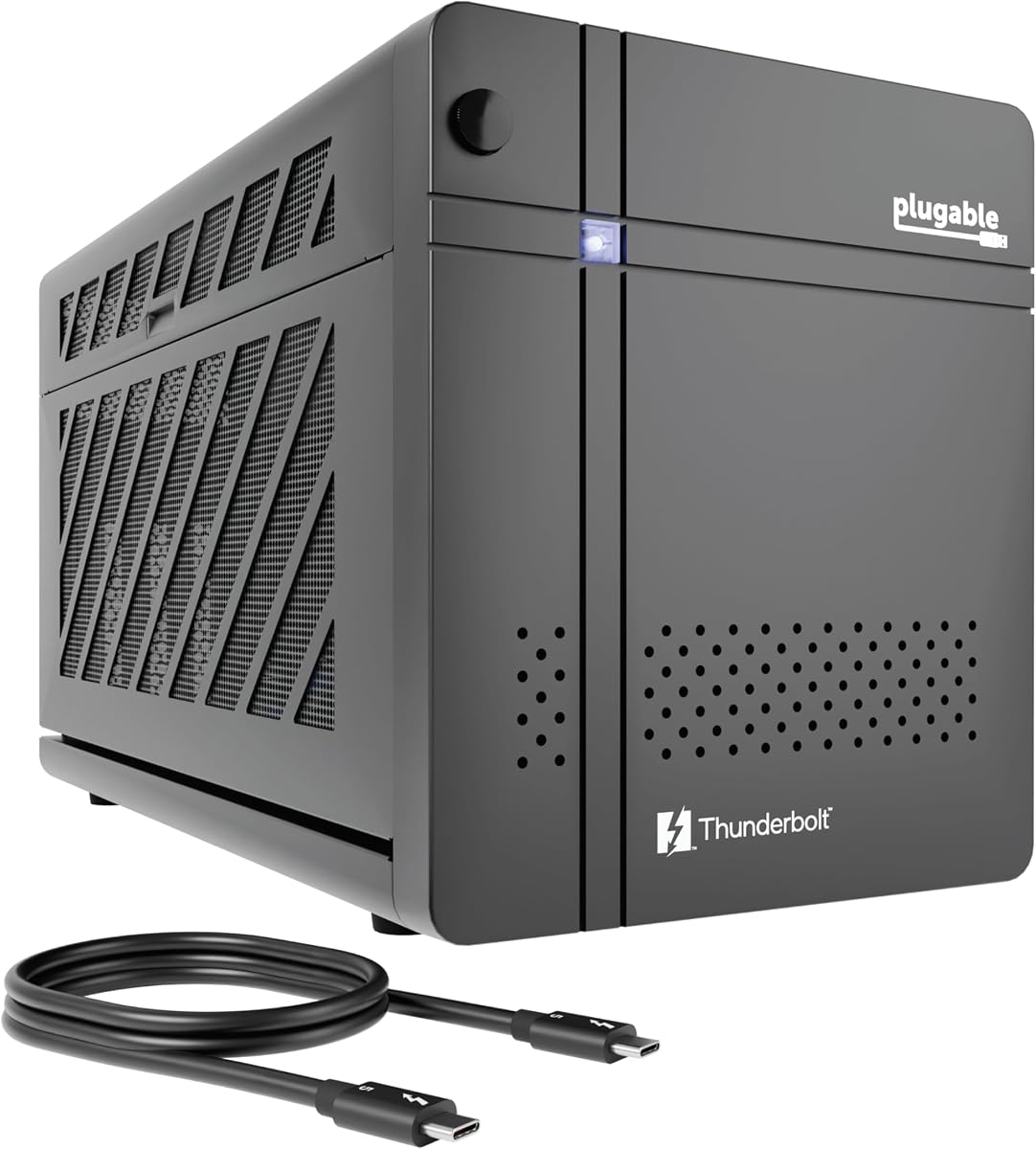
The Plugable TBT5-AI is designed specifically for users running offline AI models securely. With a perfect rating, it delivers high performance and privacy by allowing local model execution without cloud risks.
We may earn a commission when you buy through this link, at no additional cost to you.
Its 80Gbps Thunderbolt 5 interface provides double the bandwidth of previous standards. The 850W PSU ensures reliable power for demanding GPUs while supporting various ports for connectivity.
The privacy aspect is its standout feature, resolving innovation versus privacy deadlocks. However, it lacks macOS support which limits the audience primarily to Windows users.
This solution is perfect for AI developers prioritizing data security and privacy. It scales modularly with workflow needs ensuring reliability for home offices or IT departments.
Resolve the innovation vs. privacy deadlock by running models like Llama 3 with an air gap.
The enclosure supports scaling with workflow needs through high bandwidth and dedicated GPU power support.
We may earn a commission when you buy through this link, at no additional cost to you.
This compact kit includes everything needed to boost graphics power for editing or rendering on the go. Its lightweight yet robust anodized aluminum shell protects components while maintaining portability.
We may earn a commission when you buy through this link, at no additional cost to you.
Features include one Thunderbolt port with 85W charging and another with 15W charging alongside a DP port. It supports PCIe 3.0 x16 data transfer mode effectively for compatible laptops.
While limited in GPU size and power compared to premium units, it delivers desktop-grade performance where needed. The included carrying case adds convenience for frequent travelers.
Users needing a simple, complete kit should choose this option. Its durable design ensures premium protection wherever you go.
This enclosure combines portability with premium protection including a custom carrying case for safe transport.
Multiple interfaces including dual charging ports and DP output for versatile desktop integration.
We may earn a commission when you buy through this link, at no additional cost to you.
The VK-Y900 supports official Intel controllers for stable data transfer and future-proofing your setup. It is specially optimized for handhelds like ROG Ally X enabling turbo mode via pass-through charging.
We may earn a commission when you buy through this link, at no additional cost to you.
Equipped with dual Thunderbolt ports it keeps the workspace clean and efficient while charging at 85W. The team offers fast technical assistance ensuring peace of mind with prompt responses.
Note that this solution is intended for AI deep learning development rather than gaming. It enables running LLM models via TinyGPU on Apple Silicon Macs which is a unique feature.
This enclosure is ideal for developers focusing on local AI applications. Its stable architecture supports future hardware needs effectively.
This solution enables running LLM models via the TinyGPU application on Apple Silicon Macs.
Specialized team offers fast assistance for connectivity and driver issues between laptops and docks.
We may earn a commission when you buy through this link, at no additional cost to you.
The Sonnet Breakaway Box 750ex connects high-performance GPU cards to computers with Thunderbolt 3 ports. It works with both Mac and Windows systems significantly improving editing and rendering tasks.
We may earn a commission when you buy through this link, at no additional cost to you.
Its 750W power supply supports the latest compatible GPU cards and handles future power requirements. The 750ex model adds USB ports and Ethernet for additional connectivity.
While Thunderbolt 3 is older, it remains reliable for many users. However M1 Macs are not compatible with GPUs which is a key limitation.
This enclosure is suitable for users needing stable Mac compatibility and additional ports. Its design cuts application task times effectively.
Enables GPU acceleration to significantly improve editing, rendering, color grading, animation, and special effects performance.
Adds four USB Type A ports plus an RJ45 Gigabit Ethernet port for wired network connectivity.
We may earn a commission when you buy through this link, at no additional cost to you.
This mini enclosure offers a stable and efficient expansion experience via an officially certified controller module. It is compatible with NUCs and laptops having USB4 or Thunderbolt interfaces.
We may earn a commission when you buy through this link, at no additional cost to you.
Features include both USB A and a second TB3 port enabling the dock to work as a hub. However it requires certain DIY knowledge for setup and driver compatibility.
Users should verify hardware system support before purchasing as compatibility depends on controllers. The product has a one-year warranty for support.
Ideal for technically inclined users seeking a low cost solution. It provides essential expansion capabilities without complex features.
Inclusion of both a USB A port and a second TB3 Port allows attaching additional Thunderbolt devices downstream.
This product requires certain DIY knowledge and will involve driver and hardware compatibility settings.
We may earn a commission when you buy through this link, at no additional cost to you.
The MINISFORUM DEG2 offers USB4 V2 and OCuLink dual mode support with transfer speeds up to 80Gbps. A hardware switch allows instant switching between docking and pure GPU performance modes.
We may earn a commission when you buy through this link, at no additional cost to you.
Integrated M.2 NVMe storage allows direct storage of AI models on the dock maintaining synchronized workspace. Built-in re-drive signal booster stabilizes data transfer and minimizes latency.
This dual-link design enhances signal stability for high-bandwidth tasks like LLM inference. It supports a single-cable workflow for seamless plug-and-play experience.
Users needing flexible performance modes and storage will benefit here. Its enhanced signal stability ensures reliable performance during intensive tasks.
OCuLink mode supports transfer speeds up to 64Gbps for pure GPU performance when docking mode is not needed.
A built-in M.2 2280 slot allows direct storage of AI models and project files on the dock.
We may earn a commission when you buy through this link, at no additional cost to you.
This complete kit includes everything needed for instant graphics power boost for editing or gaming. It features a lightweight yet robust anodized aluminum shell combining portability with protection.
We may earn a commission when you buy through this link, at no additional cost to you.
With one Thunderbolt port with 85W charging and another with 15W charging alongside a DP port it covers essential needs. It supports PCIe 3.0 x16 data transfer mode.
The carrying case makes it easy to deliver desktop-grade graphics performance wherever you go. However limitations on GPU size apply.
Ideal for general users needing a complete solution without hassle. Its robust design ensures reliable performance.
This complete kit includes everything you need including a GPU Enclosure Box, power supply, and cables.
Featuring a lightweight yet robust anodized aluminum shell this enclosure combines portability with premium protection.
We may earn a commission when you buy through this link, at no additional cost to you.
Selecting the right external GPU enclosure requires evaluating several technical factors to ensure optimal performance and compatibility with your existing devices.
Check your laptop or device for Thunderbolt 3, 4, or 5 ports. USB4 must support eGPU protocols to work correctly. Older USB-C ports without Thunderbolt will not function.
Ensure your system supports the specific Thunderbolt standard of the enclosure to avoid connectivity issues.
High-end GPUs require significant wattage. Look for enclosures with 850W PSUs for future-proofing. Some budget options include lower wattage power supplies.
Match the PSU capacity to your planned GPU's power requirements to prevent system instability.
Measure your graphics card dimensions before buying. Some enclosures support up to 4-slot wide cards while others are limited. Check length and width specifications carefully.
Verify the enclosure's physical dimensions against your GPU to ensure it fits inside the chassis.
Consider how many external ports you need. Some enclosures include Ethernet or extra USB ports for docking functionality. Others focus solely on GPU passthrough.
Choose an option that provides enough peripheral connectivity for your desk setup.
Most enclosures support Windows 10 and 11. Mac compatibility is limited especially for M1 or later chipsets. Linux support varies by model and driver availability.
Confirm macOS or Linux support if you plan to use the enclosure with non-Windows systems.
Steel chassises offer durability while aluminum shells are lightweight. Active cooling fans help maintain performance during heavy loads. Check fan noise levels before purchasing.
Prioritize enclosures with robust cooling and sturdy construction for long-term reliability.
Ensure the package includes necessary cables like Thunderbolt 5 or USB-C. Some come with carrying cases for portability. Check if adapters are needed for specific setups.
Verify that all essential accessories are included to avoid extra costs after purchase.
Look for products with at least a one-year warranty. Lifetime support teams are available for some premium models. Check return policies for compatibility issues.
Choose brands that offer reliable technical support to resolve connectivity or driver problems.
Connect the enclosure to your laptop via the Thunderbolt cable first before attaching the power supply. Install the latest GPU drivers on your system to ensure proper recognition. The device will automatically power on when connected to the host.
Place the enclosure in a well-ventilated area to allow airflow through the fans. Avoid covering the intake or exhaust vents. Check for dust accumulation periodically and clean with compressed air.
Disconnect the Thunderbolt cable safely through the operating system menu before unplugging. This prevents data corruption or driver conflicts. Store the enclosure in a dry place when not in use.
No, the USB-C port must support Thunderbolt 3, 4, or 5 protocols. Standard USB-C ports do not provide the necessary bandwidth for external graphics. Check your device specifications before purchasing.
Most enclosures sold online do not include a graphics card or power supply. You must purchase these components separately. Verify the product details to see what is included in the package.
Compatibility depends on the Mac model. Macs with Intel chips work with some enclosures. However, M1 and later Apple Silicon chips do not support eGPUs effectively. Check compatibility lists carefully.
Open the chassis using the provided thumbscrews or tools. Insert the GPU into the PCIe slot and secure it with screws. Connect the power cables from the internal PSU to the GPU. Close the case.
Thunderbolt 5 offers up to 80 Gbps bandwidth compared to 40 Gbps on Thunderbolt 4. This results in faster data transfer and better performance. Thunderbolt 5 is the latest standard for eGPUs.
Yes, most enclosures are designed to support gaming. You can play AAA titles on a laptop with the performance of a desktop. Ensure your chosen GPU supports modern games.
Warranty periods vary by manufacturer. Some offer one year while others provide lifetime support for specific models. Check the product listing for exact terms and conditions.
No, the enclosure generally works without specific drivers. However, you must install the latest drivers for the graphics card inside it. Windows usually recognizes the Thunderbolt connection automatically.
The Razer Core X V2, Sonnet Breakaway Box 850 T5, and ANQ-L336 Mini stand out as top picks for their respective categories. Each offers unique strengths tailored to different user needs and budgets.
Prioritize bandwidth speed and power capacity based on your planned GPU. Ensure compatibility with your operating system and Thunderbolt ports before purchasing. Look for enclosures with robust cooling and support.
Prices and availability change frequently so verify current details on the product pages. Checking user reviews and specifications helps confirm the right fit. Choose a solution that balances performance with portability.