
TobenONE 18-in-1 DisplayLink Docking Station
4.5Editor score
Four HDMI ports for 4K displays
120W power adapter included
18 total ports for connectivity
This guide compares the top 10 docking stations with quad monitor support for 2026, analyzing display limits, power delivery, port selection, and compatibility.
Choosing the right docking station with quad monitor support is essential for professionals who need expansive screen real estate. Whether you are a developer, financial trader, or creative professional, having four displays can significantly boost your productivity and streamline your workflow.
We evaluated ten leading models based on their display capabilities, port diversity, power delivery, and overall build quality. Our analysis includes both DisplayLink-enabled solutions and Thunderbolt docks to ensure we cover the full spectrum of options available for modern workstations.
Each pick below details specific features, pros, cons, and ideal use cases to help you find the perfect match for your laptop. Keep in mind that prices fluctuate frequently, so verify current costs before making your final purchase decision.
4.5Editor score

4.7Editor score
4.0Editor score
The following table provides a side-by-side comparison of the top ten models, highlighting their key specifications and distinct advantages for different user needs.
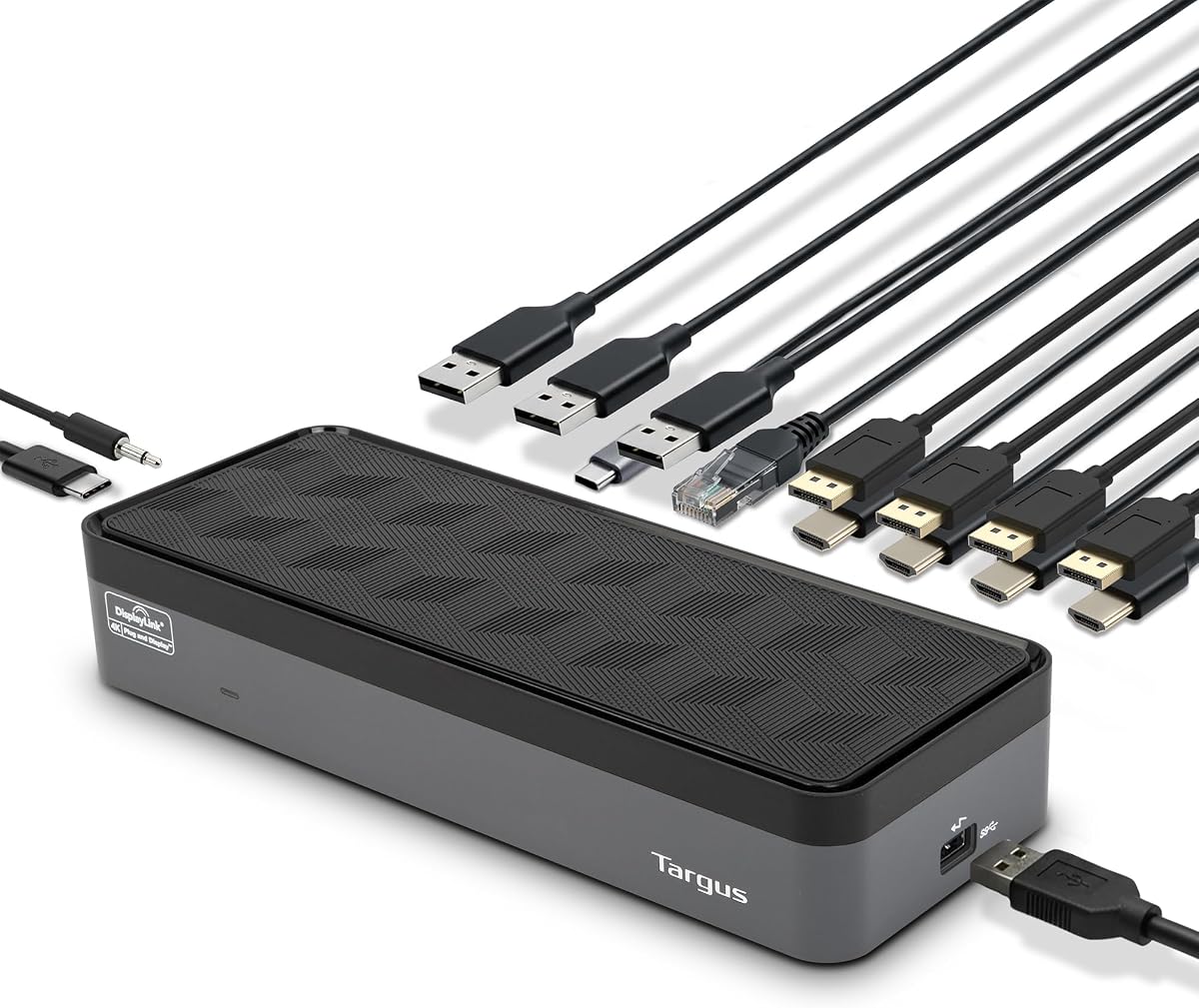

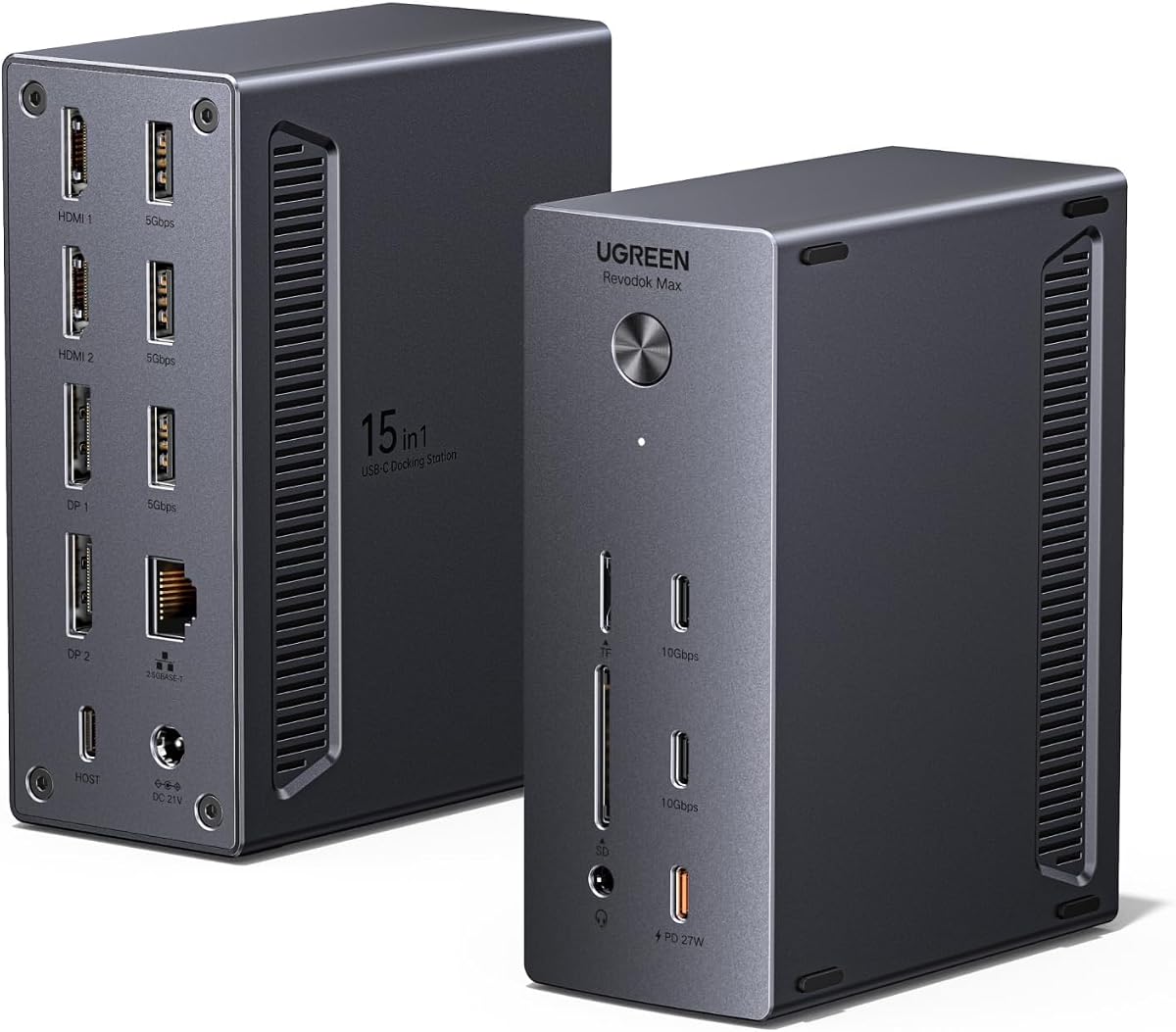
The Targus USB-C Universal Quad 4K Docking Station is a robust solution for expanding your workspace. With a solid rating, it stands out for its ability to support a single 5K or four 4K UHD displays simultaneously, making it ideal for multi-monitor setups.
We may earn a commission when you buy through this link, at no additional cost to you.
Its universal compatibility is a major strength, offering power tips for legacy hosts from major brands like Acer, Dell, HP, and Lenovo. The inclusion of five USB ports, an Ethernet port, and audio jacks ensures you can connect all necessary peripherals without extra adapters.
While the design is somewhat bulky compared to modern ultra-thin docks, the utility it provides justifies the size. The requirement for specific adapters for some systems might be a minor inconvenience for users seeking a purely plug-and-play experience.
This dock is best suited for professionals using older laptops who need reliable quad monitor support and comprehensive connectivity. If you need to connect a variety of devices and multiple screens, this Targus model offers excellent versatility.
Supports a wide range of legacy laptops with included adapters for seamless connectivity.
Allows for a single 5K display or four 4K monitors to maximize screen real estate.
We may earn a commission when you buy through this link, at no additional cost to you.
The TobenONE DisplayLink Docking Station is a powerhouse for connectivity with its 18 ports total. Rated highly by users, it enables you to run multiple 4K displays from a single USB-C connection, enhancing multitasking efficiency significantly.
We may earn a commission when you buy through this link, at no additional cost to you.
Its compatibility with Thunderbolt and full-featured USB-C laptops ensures it works with modern devices. The included 120W power adapter charges your laptop up to 100W while providing power for connected devices, reducing cable clutter on your desk.
However, it requires driver installation and does not support Linux/Unix systems, which may limit its appeal for certain user bases. Additionally, the screen recording functionality can interfere with some streaming services like Netflix.
For home office or professional workflows requiring extensive peripheral connections and multiple screens, this dock is an excellent choice. It is trusted for financial analysis and live streaming setups where reliability is key.
Features 10Gbps transfer speeds for quick file exchanges and seamless data access.
Ideal for complex tasks like trading, development, and content creation with multiple monitors.
We may earn a commission when you buy through this link, at no additional cost to you.
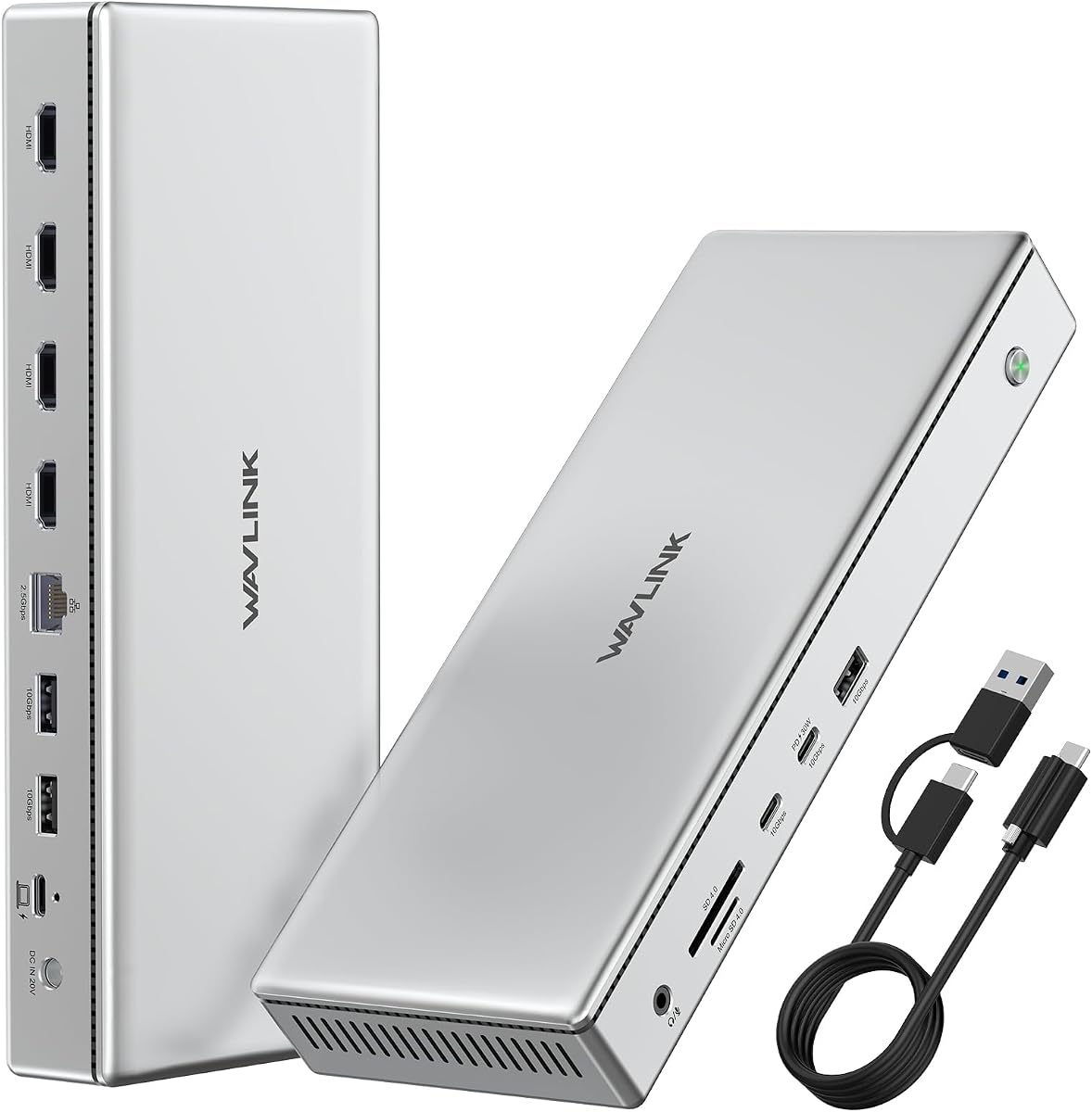
The WAVLINK Pro Docking Station is designed to overcome Mac display limitations using DisplayLink technology. With a solid build quality and good rating, it allows you to connect four 4K HDMI displays at 60Hz, ideal for coding or trading setups.
We may earn a commission when you buy through this link, at no additional cost to you.
Its all-in-one 15-port expansion features two 2.5G Ethernet, multiple USB ports, and card readers, maximizing productivity in one sleek dock. The included 160W power adapter can charge your laptop and mobile devices simultaneously without extra chargers.
While the refresh rates are standard at 60Hz, the sheer number of displays supported on macOS makes it a top choice for Mac users. The driver dependency means you must install software, but this enables its superior multi-monitor capabilities.
If you are a Mac user needing more than the standard display output, this WAVLINK model is an ideal solution. It combines style with substantial functionality for video editors and creators needing robust connectivity.
Designed to work seamlessly with modern Mac laptops via USB-C and Thunderbolt.
Charges laptops up to 100W and phones up to 30W simultaneously.
We may earn a commission when you buy through this link, at no additional cost to you.
The StarTech Thunderbolt 5 Universal Docking Station stands out for its driverless plug-and-play performance across macOS and Windows. Rated highly, it avoids OS-specific workarounds and ensures consistent behavior in shared environments.
We may earn a commission when you buy through this link, at no additional cost to you.
It supports up to four extended 4K 60Hz displays via HDMI and DisplayPort, delivering a high-performance workspace for productivity and creative workflows. The inclusion of 140W Power Delivery ensures your laptop stays charged even under heavy load.
While the price is premium, the reliability and lifetime support justify the investment for professional deployments. It is limited to Thunderbolt devices, but those users get exceptional performance without the hassle of driver installations.
This dock is the IT pro's choice for businesses needing reliable, cross-platform performance. If you value speed and simplicity in your hardware setup, this StarTech model is highly recommended for high-end laptops.
True plug-and-play setup saves time and reduces help desk tickets significantly.
Integrated K-slot and Nano lock slots protect your fleet in public workspaces.
We may earn a commission when you buy through this link, at no additional cost to you.
The TobenONE 18-in-1 DisplayLink Docking Station offers excellent value for those seeking quad monitor support. Rated highly, it features four HDMI ports to support up to four external displays on Windows laptops in stunning 4K resolution.
We may earn a commission when you buy through this link, at no additional cost to you.
Its 18 ports allow you to connect high-speed peripherals, storage, and networks through one connection. The included 120W power adapter provides fast charging for your laptop and can simultaneously charge a phone, reducing clutter on your desk.
While MacOS users are limited to three displays, Windows users get full quad capability. The requirement to install drivers is standard for DisplayLink docks but ensures wide compatibility across various systems.
For home office or travel setups needing extensive connectivity on a budget, this dock is a top contender. It is perfect for those who want to maximize screen space without investing in a Thunderbolt solution.
Multiple USB ports enable fast file transfers and connection of multiple devices.
Leave home adapters behind and use the dock for charging on the go.
We may earn a commission when you buy through this link, at no additional cost to you.
The UGREEN USB-C DisplayLink Docking Station provides flexible display options with resolutions up to 8K. With a high rating, it allows you to build a multi-monitor workstation from one USB-C connection using DisplayLink technology.
We may earn a commission when you buy through this link, at no additional cost to you.
It features 15 ports including HDMI, DP, USB-C, and 2.5GbE for fast networking. The included 150W adapter charges your laptop and provides a dedicated PD-Out port for a phone, though power is shared dynamically.
While the driver requirement means initial setup is needed, the flexibility it offers for varied resolutions is impressive. Users must be aware of power sharing limits when using the secondary PD port heavily.
This dock is suitable for professionals needing both fast networking and diverse display configurations. It is an excellent choice for home offices requiring stable wired connections and multiple screens.
2.5GbE provides stable and fast wired networking for workstations and homes.
Dedicated PD port allows simultaneous charging of phone or tablet.
We may earn a commission when you buy through this link, at no additional cost to you.
This TobenONE model is another reliable option for connecting multiple monitors. With its 18 ports, it allows for extensive peripheral connection while supporting up to four displays depending on the host laptop.
We may earn a commission when you buy through this link, at no additional cost to you.
The 120W power adapter ensures your laptop remains charged while in use. It is trusted by IT professionals for its expert lifetime support, which resolves issues quickly to reduce downtime in professional environments.
Like other DisplayLink docks, it requires driver installation and does not support Linux/Unix. However, its compatibility with macOS and Windows makes it versatile for mixed-device environments.
For users prioritizing long-term support and stability, this dock is a solid choice. It fits well in both home office and professional workflows where reliability is paramount.
Direct access to product engineers ensures long-term reliability and troubleshooting.
Super-speed data transfer handles multiple devices and large files efficiently.
We may earn a commission when you buy through this link, at no additional cost to you.
Designed for IT deployments, this StarTech dock delivers consistent behavior in shared environments. Its driverless performance avoids OS-specific workarounds, making it ideal for hot-desking or public workspaces.
We may earn a commission when you buy through this link, at no additional cost to you.
Security is enhanced with integrated K-slot and Nano lock slots to protect equipment. Rigorous testing across major laptop brands ensures reliability before it reaches your environment.
While the cost is high, the investment pays off in reduced help desk tickets and maintenance. The high 140W Power Delivery supports demanding workloads without throttling.
This is a premium choice for enterprises needing standardized and secure connectivity solutions. If you manage a fleet of devices, this dock offers the control and performance you need.
Rigorously tested to deliver reliable performance across diverse environments.
Integrated slots protect equipment in high-traffic or public workspaces.
We may earn a commission when you buy through this link, at no additional cost to you.
This TobenONE model offers comprehensive connectivity with 18 powerful ports. Rated highly by users, it supports up to four external displays on Windows laptops, unlocking multitasking potential with immersive visual experiences.
We may earn a commission when you buy through this link, at no additional cost to you.
The 120W adapter allows you to leave home power adapters behind, keeping your workspace clutter-less. It supports various OS including Windows, macOS, Chrome OS, and Android for flexible use.
Customer care is a priority for this brand, with a dedicated team to fix product problems. However, lack of Linux support may be a drawback for open-source users.
For those needing a budget-friendly way to expand displays and ports, this dock delivers. It is well-suited for travelers and remote workers requiring versatile connectivity options.
Dedicated support team ensures quick resolution of any technical issues.
Includes power adapter for convenient travel setups without extra chargers.
We may earn a commission when you buy through this link, at no additional cost to you.
The UGREEN USB-C DisplayLink Docking Station supports high resolutions up to 8K. It is designed to help you build a multi-monitor workstation from one connection using DisplayLink drivers for enhanced functionality.
We may earn a commission when you buy through this link, at no additional cost to you.
Features include fast 2.5GbE networking and dedicated card slots for reading data quickly. The included 150W adapter shares power dynamically, ensuring your laptop stays charged while using connected devices.
While driver installation is mandatory, the package includes everything needed for a smooth setup. Power sharing limits may affect output when charging multiple devices simultaneously at high wattages.
For those needing high resolutions and fast networking, this dock is a strong contender. It balances performance and affordability well for professional home office setups.
Supports up to 8K output for incredibly detailed and sharp displays.
Fast SD/TF slots enable quick file transfers and media reading.
We may earn a commission when you buy through this link, at no additional cost to you.
Selecting a docking station with quad monitor support involves evaluating several key factors to ensure compatibility and performance.
Check whether the dock supports HDMI or DisplayPort outputs. Some docks use DisplayLink technology to support more monitors than native hardware allows, which is essential for Mac users needing more than two screens.
Ensure the ports support your desired resolution and refresh rate to avoid bottlenecks in your visual setup.
Look for docks with sufficient Power Delivery (PD) wattage to charge your laptop while in use. Most modern laptops require at least 60W to 100W for efficient charging during heavy workloads.
A higher wattage ensures that your laptop does not lose battery even when multiple devices are connected.
Consider how many USB-A and USB-C ports you need for peripherals like keyboards, mice, and storage. Some docks include Ethernet and audio ports which can reduce the need for separate adapters.
Prioritize docks that offer the specific port mix required by your daily workflow to minimize clutter.
Verify that the dock is compatible with your operating system. Some docks work seamlessly with Windows and macOS while others may require specific drivers or have limitations on Linux.
Check the manufacturer's compatibility list to avoid purchasing a dock that does not support your laptop model.
Look for docks made from durable materials like aluminum which offer better heat dissipation and longevity. A sturdy build ensures that the ports and connections remain reliable over time.
Avoid cheap plastic models if you need a dock for daily professional use.
Some advanced docks require software drivers to enable multi-monitor capabilities. Ensure you are comfortable installing and maintaining drivers for optimal performance.
Driverless docks are available but often come at a higher price and may have fewer ports.
If you need a stable internet connection, choose a dock with Ethernet support. Fast Ethernet options like 2.5GbE can significantly improve network speeds compared to Wi-Fi.
This feature is particularly valuable for large file transfers and stable streaming.
To set up your docking station, first install any required drivers and connect your laptop via USB-C. Then plug in your monitors and peripherals ensuring each connection is secure for stable performance.
Regularly update your dock drivers to maintain compatibility with the latest operating systems. This will prevent any unexpected display issues or connectivity drops during critical work hours.
Keep the dock in a well-ventilated area to prevent overheating. Avoid stacking other devices on top of the dock to ensure proper airflow around its vents.
Yes, you can connect four 4K monitors using a docking station with DisplayLink technology or Thunderbolt support. Ensure your laptop has a compatible port and that the dock supports quad 4K resolution.
You need a full-featured USB-C or Thunderbolt port to support video output and power delivery. Some docks require specific ports like Thunderbolt 5 for maximum bandwidth and resolution support.
HDMI and DisplayPort are both video interfaces but DisplayPort supports higher refresh rates and daisy-chaining easier. Most docks include both types to accommodate different monitor inputs.
Mac laptops typically support two external displays natively but DisplayLink docks allow for four. You may need to install DisplayLink drivers and select the correct display settings.
Most laptops require at least 60W to 100W for charging while in use. Check your laptop's power requirements to ensure the dock provides enough wattage for stable operation.
Many docking stations do not support Linux due to driver limitations. Always check the manufacturer's specifications before purchasing if you are using a Linux-based operating system.
Daisy-chaining depends on your monitor and dock capabilities. Some docks allow daisy-chaining through DisplayPort to reduce cable clutter while others require direct connections.
Most docks are desktop sized but some are compact enough for travel. Consider the size and weight if you plan to move your setup frequently between locations.
We have reviewed ten top models ranging from affordable DisplayLink options to premium Thunderbolt docks. Each provides unique advantages depending on your budget and specific connectivity needs.
Prioritize power delivery and port selection to ensure your setup meets all your daily requirements. If you need advanced features like high resolution and speed, invest in a premium model.
Remember to check current prices and availability as these can fluctuate frequently. Choosing the right dock will significantly enhance your productivity and workspace organization.