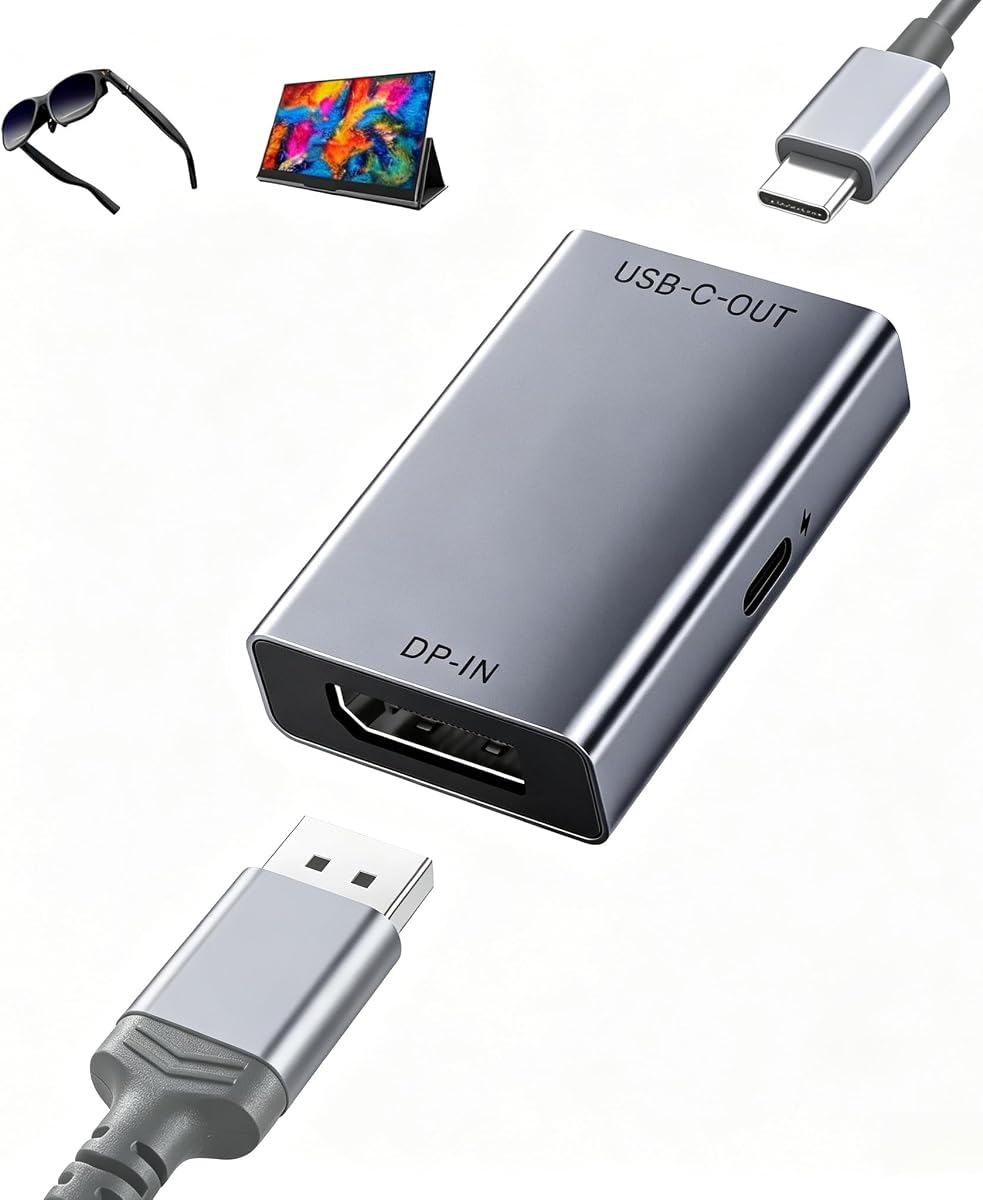
DisplayPort to USB-C Adapter with Power
4.5Editor score
4K 120Hz support
Compact aluminum build
Wide device compatibility
This guide compares the top 10 Displayport Adapter for AR Glasses models for 2026, evaluating compatibility, resolution, power delivery, and build quality.
Finding the right Displayport Adapter for AR Glasses is crucial for immersive experiences. These adapters bridge the gap between traditional DisplayPort sources and modern USB-C displays, ensuring smooth video transmission.
We compared ten top models based on resolution support, power delivery, and device compatibility. Each product was evaluated for build quality, signal stability, and ease of use with popular AR glasses and monitors.
Each pick highlights key strengths and ideal use cases for gamers and professionals. Please note that prices and availability can change frequently, so verify current details before purchasing your adapter.
4.5Editor score

4.8Editor score

4.2Editor score
The following table provides a side-by-side comparison of all ten top-rated Displayport Adapter for AR Glasses models. Review key specifications like resolution support, power features, and connection types to find the best fit for your setup.
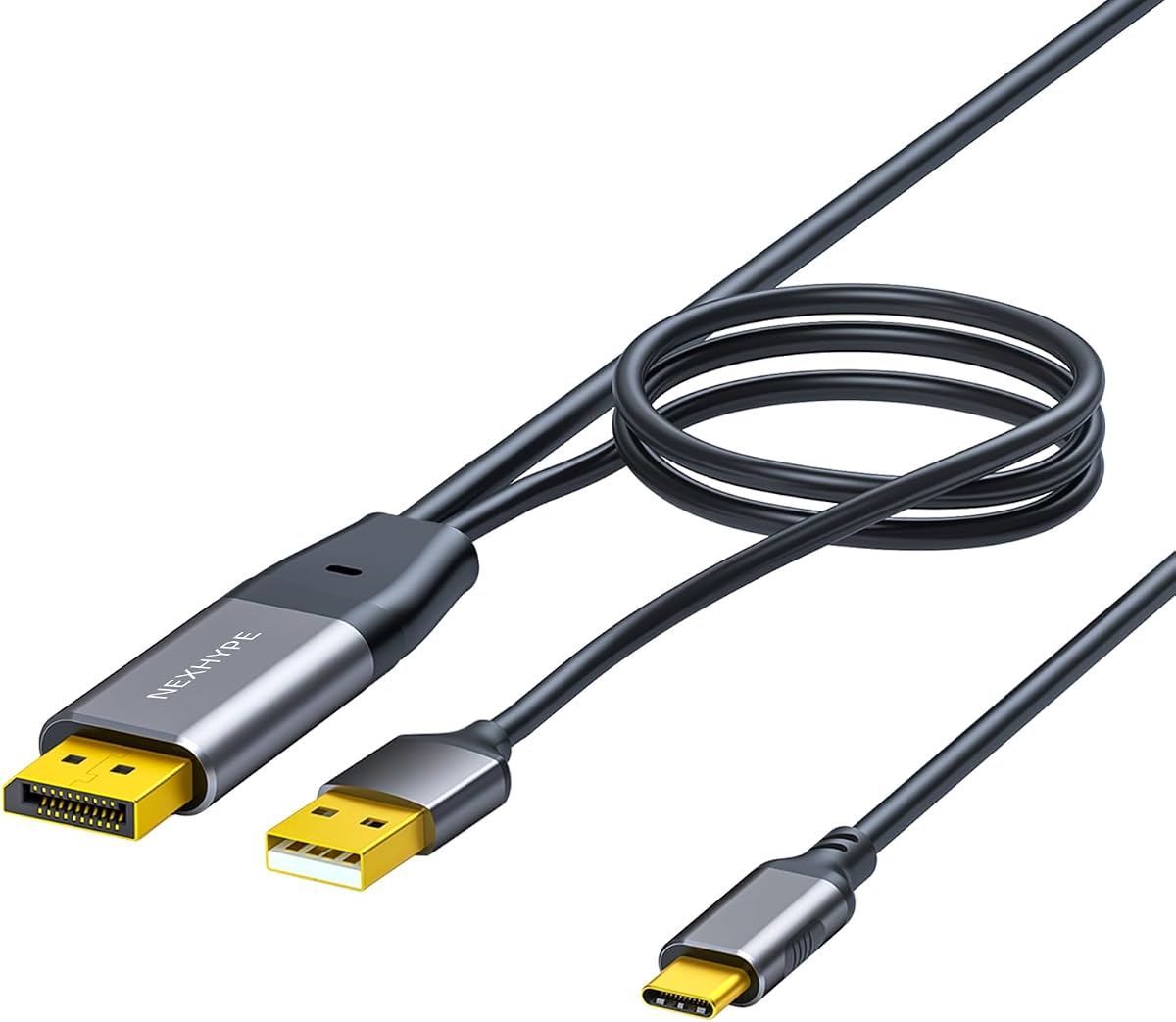


This adapter is a top choice for users seeking high-quality Displayport Adapter for AR Glasses solutions. With a 4.8 rating, it delivers 4K 60Hz video and full touch support for portable monitors.
We may earn a commission when you buy through this link, at no additional cost to you.
The graphene shielding ensures minimal signal loss, while the aluminum cooling case keeps the adapter cool during extended sessions. It supports full touch functionality and transmits pristine digital audio to USB-C monitors.
However, it is not compatible with Nintendo Switch 2 or Oculus VR devices. Users with Apple Studio Display should verify GPU DSC support before purchasing to ensure optimal performance.
Ideal for creative professionals and gamers, this adapter offers a robust setup for video editing and immersive experiences. Its reliable performance makes it a standout option in the market.
Connect your Mac Mini or MacBook Pro to 4K USB-C monitors for color-critical work with stable signal transmission and audio sync.
The integrated USB-A power port stabilizes the signal for smooth touch interaction, ensuring a seamless experience with compatible displays.
We may earn a commission when you buy through this link, at no additional cost to you.
This budget-friendly adapter excels in providing 4K 120Hz support for immersive gaming and movie experiences. With a 4.5 rating, it is a popular choice for AR glasses users.
We may earn a commission when you buy through this link, at no additional cost to you.
The premium aluminum alloy housing ensures durability and excellent heat dissipation, while the ultra-low latency makes it ideal for fast-paced games. It connects easily without needing additional drivers.
Note that it supports one-way video transmission from DP to USB-C. Ensure your AR glasses support DP Alt Mode for optimal functionality, as reverse compatibility is not provided.
Perfect for travelers and mobile users, this adapter slips easily into your pocket. Its balance of performance and affordability makes it a great value for most setups.
Works with popular AR glasses like XREAL, Roki-d, and Thunderbird AR, as well as portable monitors and gaming consoles like Switch and ROG Ally.
If no display or audio appears, reconnect ports firmly and ensure firmware is updated. Use certified USB4 or Thunderbolt cables for stable connections.
We may earn a commission when you buy through this link, at no additional cost to you.
This adapter offers stunning 8K 30Hz visuals and 4K 144Hz output for high-performance setups. Rated 4.2, it connects your DisplayPort source to USB-C monitors with ease.
We may earn a commission when you buy through this link, at no additional cost to you.
The 65W Power Delivery keeps your display charged while transmitting video, and the graphene-coated cable ensures flexibility and tangle-free use. It is perfect for creative work and gaming.
However, it does not support touchscreens or displays with built-in batteries. The 0.5m length is compact but might limit reach in some desktop configurations.
Best for users seeking ultra-clarity and portability, this adapter simplifies mobile workstations. Its premium features justify the investment for demanding visual tasks.
Experience stunning details with 8K support, making it perfect for high-resolution video editing and immersive visual applications.
The 0.5m graphene cable offers the perfect balance of reach and portability, ideal for tight desk setups and travel.
We may earn a commission when you buy through this link, at no additional cost to you.
This cable delivers reliable performance with a 6.6ft length and integrated USB power for battery-free monitors. With a 4.7 rating, it supports one-way transmission from DP to USB-C.
We may earn a commission when you buy through this link, at no additional cost to you.
The gold-plated connectors and aluminum casing ensure durability, while the PVC jacket offers flexibility for daily use. It connects well with AR glasses and portable monitors.
Note that it supports portable monitors up to 1080P resolution. For HDMI sources like PS5, an additional HDMI-to-DP adapter is required since it lacks an HDMI interface.
Ideal for users needing extra reach, this cable simplifies setup with its integrated power design. Its comprehensive support adds long-term value for buyers.
The additional USB cable provides power delivery and data transmission, supporting touch-control signals for compatible portable monitors.
Gold-plated connectors and an aluminum casing prevent rust and ensure smooth plugging, while the PVC jacket withstands bending conditions.
We may earn a commission when you buy through this link, at no additional cost to you.
This adapter supports 4K 120Hz and includes a 3-Port USB Hub for peripherals. With a 4.2 rating, it is designed for smooth gaming and movie experiences with minimal motion blur.
We may earn a commission when you buy through this link, at no additional cost to you.
It delivers 10-bit color accuracy for professional work, while the aluminum housing manages heat during long sessions. The non-slip silicone pad ensures stable operation on surfaces.
However, the USB Hub requires a separate USB data cable to activate, and power is limited for larger monitors. This adds complexity to the setup process.
Best for gamers and streamers needing responsive visuals, this adapter offers strong color and refresh performance. Consider the power limits for portable monitor compatibility.
Unidirectional DP to USB-C conversion outputs games with 4K 120Hz, minimizing motion blur in fast-paced FPS and racing titles.
HDR and 10-bit color depth deliver precise reproduction for designers and editors, leveraging DP1.4 bandwidth for image quality.
We may earn a commission when you buy through this link, at no additional cost to you.
This adapter supports 4K 60 resolution with a compact USB-A power supply for USB-C devices. With a 4.4 rating, it features gold-plated connectors for stable transmission.
We may earn a commission when you buy through this link, at no additional cost to you.
The 1.6FT length is ideal for short setups, and it is backward compatible with lower resolutions. The aluminum housing provides better heat dissipation during use.
Note that signal is unidirectional from DP to USB-C. If using high-power devices, an additional power source may be required beyond the built-in design.
Suitable for users needing a compact solution, this adapter connects well with various AR glasses and monitors. Its reliable transfer rate supports high-definition viewing.
With a transfer rate over 10Gbps, it ensures high-speed signal transmission from DisplayPort to USB-C end for smooth video.
Compatible with host devices and AR glasses like Xreal and Viture, offering flexibility for various display setups.
We may earn a commission when you buy through this link, at no additional cost to you.
This cable converts DisplayPort signals to USB-C with a 6FT length and power design. With a 4.6 rating, it supports 4K 60Hz and is compatible with various resolutions.
We may earn a commission when you buy through this link, at no additional cost to you.
Gold-plated connectors and PVC material ensure durability and flexibility. It is easy to use without drivers, connecting directly between signal source and display.
Note that it does not supply power to portable screens and only supports touch if the screen has built-in functionality. This limits power management options.
Perfect for users needing extra reach, this cable connects well with AR glasses and monitors. Its reliable performance makes it a solid choice for daily use.
No driver installation is required, making it easy to transmit DisplayPort signal sources to USB-C displays instantly.
Works with brands like Lenovo, ARZOPA, and Thunderobot monitors, as well as AR glasses like Xrea and RayNe0.
We may earn a commission when you buy through this link, at no additional cost to you.
This adapter supports Switch 2 dock mode and delivers 4K 60Hz video for gaming. With a 4.5 rating, it allows uninterrupted gameplay with PD3.0 charging during use.
We may earn a commission when you buy through this link, at no additional cost to you.
The compact design features an aluminum alloy construction for effective cooling. It is well-suited for remote work and virtual meetings with efficient portability.
Note that it may generate more heat and requires PD 60W for TV mode. Proper ventilation is necessary to maintain performance during extended sessions.
Best for gamers using handheld consoles, this adapter offers broader compatibility. Its efficient cooling and charging support make it a strong contender.
Switch 2 in Dock Mode is supported for TV output, enabling seamless gameplay casting to AR glasses or portable monitors.
PD3.0 charging keeps devices powered during use, allowing uninterrupted gameplay or work while casting video to displays.
We may earn a commission when you buy through this link, at no additional cost to you.
This cable supports 4K 60Hz with a 6.6ft length and USB power for stable signals. With a 4.3 rating, it is compatible with various resolutions like 2K and 1080P.
We may earn a commission when you buy through this link, at no additional cost to you.
It connects directly to signal source and display without intermediate transformers. The USB power supply ensures stability, though it does not transmit data or power screens.
Note that it may not work with VR/AR glasses or setups prone to flickering. Verify your devices support DP Alt Mode to avoid compatibility issues.
Suitable for users needing extra cable length, this adapter connects well with laptops and monitors. It offers good value for standard display requirements.
Only supports DisplayPort to USB-C, ensuring direct output from computers to USB-C displays without signal conversion.
Verify device support for DP Alt Mode before purchasing, as it may not work with certain smart glasses or data-only ports.
We may earn a commission when you buy through this link, at no additional cost to you.
This adapter connects VITURE Neckband to USB-C displays with a magnetic interface. With a 4.2 rating, it supports 10 Gbit/s transfer and 4K 60fps video.
We may earn a commission when you buy through this link, at no additional cost to you.
It can be paired with the Mobile Dock for dual displays, enhancing productivity. The magnetic port ensures easy attachment and detachment during use.
Note that XR Glasses are not included and it is designed for VITURE systems. Users with other brands may find limited compatibility.
Best for VITURE users, this adapter simplifies neckband connectivity. Its high transfer speed and magnetic design provide a convenient experience.
Connect the Neckband to any USB-C display easily, providing a streamlined setup for mobile entertainment and work.
Pair with the Mobile Dock to use the Neckband on two displays simultaneously, expanding workspace flexibility.
We may earn a commission when you buy through this link, at no additional cost to you.
Selecting the right adapter requires attention to technical specifications. Below are key factors to consider when comparing Displayport Adapter for AR Glasses models.
Ensure the adapter supports the resolution and refresh rate your AR glasses or monitor requires. Look for 4K 60Hz or higher if you need smooth visuals for gaming or media.
Prioritize adapters with higher refresh rates like 120Hz for immersive and responsive visual experiences.
Check if the adapter includes a power port to keep your display charged. For portable monitors or glasses with batteries, a PD feature can simplify cable management.
Adapters with integrated USB power tails are useful for stabilizing signal and powering devices without extra adapters.
Choose a cable length that fits your workspace. Longer cables offer more flexibility but may impact signal integrity if not shielded properly.
Look for aluminum housings and gold-plated connectors for durability and effective heat dissipation.
Verify that the adapter works with your specific AR glasses or monitor. Some models are optimized for certain brands like Xreal, Rokid, or Viture.
Ensure your source device supports DP Alt Mode if you plan to use it with AR glasses or portable displays.
Most adapters are unidirectional, meaning they only support signal flow from DisplayPort to USB-C. Confirm this matches your setup requirements.
Avoid bidirectional confusion by checking product descriptions carefully before purchase.
Some adapters include USB ports for peripherals like mice or keyboards. Check if separate data cables are needed to activate hub functions.
This adds convenience but may complicate setup if power and data connections are separate.
If using touch-enabled monitors, ensure the adapter supports full touch functionality. This often requires specific power stabilization features.
Confirm compatibility with touch screens to avoid losing interactive capabilities in your setup.
Look for adapters with robust warranty coverage and technical support. This ensures you have assistance if connectivity issues arise.
Longer warranties and responsive support teams add confidence to your purchase decision.
Connect the DisplayPort end to your source device and the USB-C end to your AR glasses or monitor. Ensure all connections are firmly seated to avoid signal drops.
If audio is not playing, update your AR glasses firmware and switch the mode to DP in settings. Always verify device compatibility before use.
Store the adapter in a protective case to prevent cable damage. Avoid excessive bending of the cable and keep it away from heat sources to maintain longevity.
No, ensure your AR glasses support USB-C video input with DP Alt Mode. Most adapters list compatible models like Xreal, Rokid, or Viture for best performance.
Most adapters are plug and play and require no drivers. Simply connect the device to your source and display for immediate functionality.
Many adapters support up to 4K 60Hz or 120Hz depending on the model. Some premium options even support 8K 30Hz for ultra-high clarity.
Update your AR glasses firmware and ensure the mode is set to DisplayPort. Check device settings to confirm audio is routed correctly through the adapter.
Yes, adapters can connect to consoles like Switch or ROG Ally via DisplayPort output. Ensure the console supports the required resolution and protocol.
Many include integrated USB power ports to supply power. Check the adapter's wattage to ensure it meets your device's power requirements.
We reviewed ten top models ranging from budget to premium options. The top picks offer strong resolution support, power features, and compatibility for immersive setups.
Prioritize adapters that match your specific resolution needs and power requirements. Consider factors like cable length and build quality to ensure long-term durability.
Remember to check current prices and availability before buying. Verifying device compatibility helps avoid compatibility issues with your chosen adapter.