
Smart Digital Calendar 15.6
4.4Editor score
15.6 inch screen
AI photo enhancement
No subscription fees
Finding the right digital chore chart can transform how your household manages daily tasks and schedules. These smart devices combine calendars, reminders, and visual tracking to keep everyone aligned without paper clutter.
We evaluated ten leading models based on screen quality, syncing capabilities, chore features, and ease of use. Our analysis focuses on real-world performance for busy families seeking reliable organization tools.
Each pick highlights unique strengths like gamification, meal planning, or photo framing. Prices and availability change frequently so verify current details before purchasing your new family command center.
4.4Editor score

4.4Editor score

5.0Editor score
As an Amazon Associate we earn from qualifying purchases.
This side-by-side comparison highlights key specifications across all ten models. Review screen sizes, connectivity options, and unique features to find the perfect fit for your home.
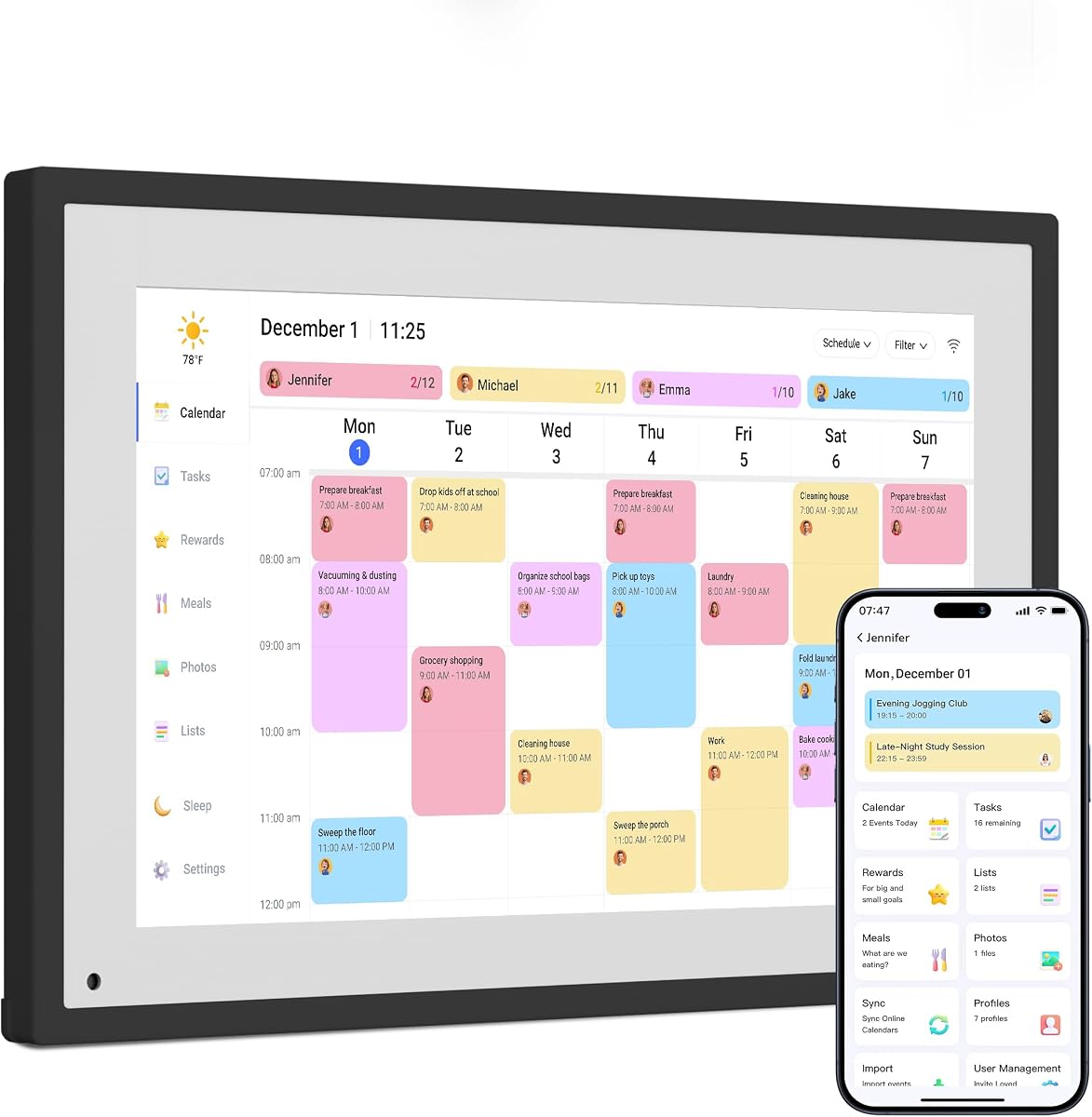




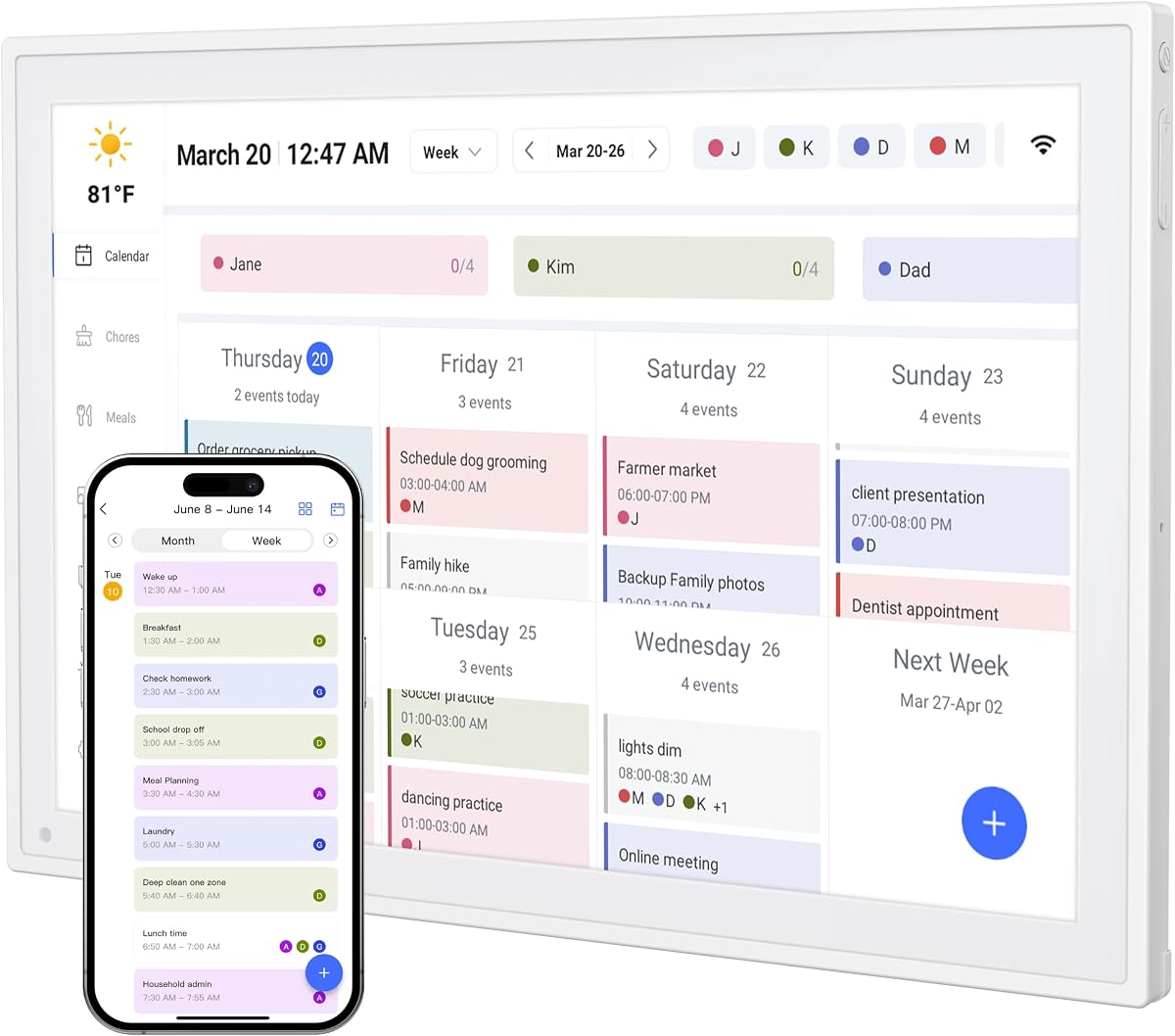

This digital chore chart combines functionality with elegance. It features a 10.1 inch screen that displays schedules and chores clearly. The interface allows color coding for each family member.
We may earn a commission when you buy through this link, at no additional cost to you.
Its All-In-One Smart Family Calendar feature organizes every schedule in one place. Assign tasks with specific colors to track who does what easily. The touchscreen is responsive and intuitive for all ages.
While it lacks wall mounting options, the stand design fits well on desks or counters. The lack of advanced meal planning might limit larger households. Overall it balances features and cost effectively.
Ideal for small to medium families seeking reliable organization. It works best on flat surfaces due to mounting limitations. Recommend this for straightforward scheduling needs without extra bells and whistles.
The color-coded task system helps visualize responsibilities quickly without confusion among members.
When idle the screen transitions to a digital photo frame showing cherished memories elegantly.
We may earn a commission when you buy through this link, at no additional cost to you.
This model stands out with its expansive 15.6 inch HD touchscreen. It serves as a comprehensive family command center for schedules and chores. The interface supports real-time syncing with major platforms.
We may earn a commission when you buy through this link, at no additional cost to you.
Its Motivational Chore and Reward System encourages kids to complete tasks willingly. Assign tasks and let children earn points for completion. The AI photo restoration enhances memories displayed on the frame.
While the price is higher, the feature set justifies the investment for busy homes. The size might overwhelm smaller counters without wall mounting. Requires a stable power connection for continuous operation.
Best for large families needing detailed coordination tools. Prioritize wall mounting to maximize screen utility. Recommend this for households valuing interactive engagement and robust sync features.
Children actively participate in scheduling through gamified points and reward tracking.
The larger screen accommodates more info without clutter for clear visibility.
We may earn a commission when you buy through this link, at no additional cost to you.
Designed with user experience in mind this unit offers quick plug and play setup. It connects via Wi-Fi to link calendars automatically. The interactive chore chart motivates members to build healthy habits.
We may earn a commission when you buy through this link, at no additional cost to you.
The dinner planner eliminates daily questions about meals by displaying weekly plans clearly. You can manage the calendar from anywhere using the companion app. It syncs seamlessly with iOS and Google services.
Some advanced tools like Magic Import require paid subscriptions which adds cost. Wall mounting options are limited compared to other models. Still the core features remain strong for daily use.
Ideal for gift seekers wanting practical home organization. Perfect for kitchens or desks where setup is simple. Recommend this for users needing remote access and basic meal planning.
Access and update schedules via mobile app without touching the device.
Display dinner plans to keep the whole family informed easily.
We may earn a commission when you buy through this link, at no additional cost to you.
This unit emphasizes syncing across multiple platforms like Google and Yahoo. It brings everyone appointments into one intuitive display for harmony. The dual-band Wi-Fi ensures updates happen instantly without lag.
We may earn a commission when you buy through this link, at no additional cost to you.
Its meal planner and to-do list simplify routines by mapping weekly needs centrally. Kids check off tasks on the responsive touchscreen to build independence. The space-saving design fits desks or counters perfectly.
The screen size might restrict viewing distance compared to larger options. Advanced photo features are standard without AI enhancement. Still the core organization tools are robust for daily tasks.
Best for users valuing broad platform compatibility. Prioritize desktop placement for easy reach. Recommend this for families needing centralized meal and task tracking.
Keep work and home tasks visible in one place for clear focus.
Children tap the screen to mark tasks complete building responsibility.
We may earn a commission when you buy through this link, at no additional cost to you.
This premium hub offers a massive 15.4 inch touchscreen for detailed views. It combines shared schedules with a chore chart for seamless sync. The HD display mounts easily on walls or sits on countertops.
We may earn a commission when you buy through this link, at no additional cost to you.
Disney Mode adds animations and avatars to encourage family collaboration. This unique feature makes chores fun for children. The app allows remote access to shared tasks and lists anytime.
Premium features like Magic Import require a Plus subscription adding ongoing cost. The design is sleek but might not suit all decor styles. However functionality remains top-tier for busy homes.
Ideal for large families wanting advanced customization. Prioritize wall mounting to utilize screen space fully. Recommend this for users valuing design and unique kid engagement.
Use character animations to motivate children during daily tasks.
A central display that handles schedules and chores effectively.
We may earn a commission when you buy through this link, at no additional cost to you.
This model focuses on keeping costs low without sacrificing core syncing. It works with Google and iCloud for real time updates. The interface includes a chore list kids can check off easily.
We may earn a commission when you buy through this link, at no additional cost to you.
Kids earn stars for completing tasks building self-discipline. The visual weekly meal manager displays menus to reduce daily stress. Automatic updates keep the family planner running smoothly.
Photo frame features are basic compared to high-end models. Customization options like AI restoration are absent. Still it covers essential needs for organization without extra fees.
Best for families prioritizing value and simplicity. Recommend this for households needing a no-fuss solution. Ideal for those seeking a reliable sync tool under standard budget.
All features are unlocked without hidden fees or monthly plans.
Display weekly menus to reduce daily stress about meals.
We may earn a commission when you buy through this link, at no additional cost to you.
The 15.6 inch FHD screen delivers crisp visuals for family schedules. It syncs with major calendars via the AiMOR app. The interactive star reward chart turns housework into games.
We may earn a commission when you buy through this link, at no additional cost to you.
With 64GB storage you can hold thousands of media files easily. Transfer photos or videos via the dedicated app for sharing. The auto-rotate feature adjusts the view based on placement.
App dependency for sharing media might limit direct file transfers. The setup requires Wi-Fi configuration initially which can delay use. Still the storage capacity supports rich media use.
Ideal for families wanting to store many photos and videos. Prioritize stable Wi-Fi for best sync results. Recommend this for users needing media storage and scheduling.
Hold thousands of HD media files for your frame easily.
Auto-generate grocery lists directly from meal plans.
We may earn a commission when you buy through this link, at no additional cost to you.
This unit offers a perfect balance of features and simplicity. It syncs instantly with major calendars upon Wi-Fi connection. The customizable reward charts encourage kids to complete tasks.
We may earn a commission when you buy through this link, at no additional cost to you.
Real-time weather forecasts tailored to your location help planning. The smart reminders and kids activity planner keep everyone informed. You can customize sleep schedules to save energy.
Photo features lack advanced AI options found in premium models. However the high user rating reflects solid satisfaction. It fits well for standard daily organizational needs.
Best for users seeking high reliability at low cost. Prioritize wall mounting for best visibility. Recommend this for families needing basic scheduling and weather info.
View local forecasts to plan daily activities better.
Set up charts to encourage kids with positive reinforcement.
We may earn a commission when you buy through this link, at no additional cost to you.
Designed as a family command center it supports color-coded schedules. The full HD IPS touchscreen offers wide viewing angles. Silent vibration alerts wake you without disturbing your partner.
We may earn a commission when you buy through this link, at no additional cost to you.
Quick setup and sync across devices ensure schedule changes are instant. The meal planner allows saving recipes and organizing ingredients easily. It fits naturally on desks or counters.
User ratings are lower than top models which suggests some issues. Design is functional but lacks unique features. Still the multi-device sync is robust for remote users.
Ideal for users needing silent alerts and recipe tools. Prioritize Wi-Fi connection for best sync performance. Recommend this for those seeking recipe integration.
Wake for appointments without disturbing your partner at night.
Save family recipes and organize ingredients for meals.
We may earn a commission when you buy through this link, at no additional cost to you.
This calendar syncs seamlessly with Apple and Google calendars. It displays meal titles to reduce food waste and keep the family informed. The ultra-thin design complements modern decor.
We may earn a commission when you buy through this link, at no additional cost to you.
Switch to photo frame mode to relive memories easily. Sleep mode reduces light pollution at night. You can manage grocery lists and shopping lists in one space.
Recipes are not detailed which might limit meal planning. The display is functional but basic. Still the core syncing is reliable for standard home use.
Best for users valuing a clean and thin design. Prioritize Wi-Fi connection for best sync results. Recommend this for those needing basic meal and task tools.
Use integrated lists to track daily tasks clearly.
Sleek profile fits well in modern home spaces.
We may earn a commission when you buy through this link, at no additional cost to you.
Selecting the right digital chore chart requires assessing key features like screen size and syncing capabilities. This guide helps you understand what matters for your household.
Larger screens allow more info at once without clutter. Consider 15 inch for main hubs and 10 inch for smaller spaces.
Prioritize size based on where you place the device for best view.
Ensure the device syncs with Google or Apple calendars. This keeps everyone's schedules updated in real time.
Check supported apps to confirm they match your existing tools.
Look for reward systems or star points for kids. Gamified features keep children motivated to complete tasks.
Choose models that allow easy task assignment and tracking.
Meal planners help organize weekly menus and grocery lists. They reduce daily decision stress significantly.
Pick models that display plans clearly for easy reference.
Many devices double as digital photo frames. Check storage limits and support for sharing media.
Select options with high resolution for best image quality.
Plug and play setups save time. Check for Wi-Fi configuration steps before buying.
Simpler setup ensures faster adoption by family members.
Wall mounting saves space and allows better visibility. Ensure the model supports mounting hardware.
Decide placement early to choose the right design style.
Some models charge for premium features. Review all fees to avoid hidden costs.
Opt for no-subscription models if you want all tools unlocked.
Set up your calendar by connecting to Wi-Fi. Sync your Google or Apple account to import existing schedules. Invite family members to add tasks easily.
Use the app to update tasks remotely. Assign chores with color codes so everyone knows their responsibilities. Check progress daily to build habits.
Keep the screen clean with a soft cloth. Avoid direct sunlight to prevent screen glare. Adjust brightness settings for night use to save energy.
A digital chore chart is an electronic device that tracks family tasks and schedules. It replaces paper lists with a touchscreen interface. Users assign tasks and check them off easily.
Yes most models sync with Google Apple or Outlook calendars. This ensures schedules stay updated across devices. Check compatibility before purchasing.
Some models have basic features for free. Advanced tools like AI photo enhancement may require a subscription. Look for no-subscription options to save money.
Connect the device to power and Wi-Fi. Use the setup app to link your accounts. Mount on the wall or place on a counter.
Yes the interfaces are designed for kids. They can tap to check off tasks and earn rewards. Parents still oversee assignments via the app.
Larger screens like 15 inch fit main hubs better. Smaller sizes like 10 inch work for desks. Choose based on your available space.
Some models include weather updates on the screen. This helps plan daily activities effectively. Check features list to confirm this tool.
Use the companion app to upload media. Some models support direct Wi-Fi transfer. Set photo mode to cycle memories automatically.
The top picks like Skylight Calendar and Dragon Touch 10.1 offer excellent features. They balance size sync and usability for busy families.
Prioritize features like sync and rewards if you have kids. For smaller spaces choose compact models with reliable performance.
Remember prices and stock change quickly. Check current details on Amazon before buying your new smart calendar.