
HuGuWdy Pink Wireless Car Mouse
4.4Editor score
Car-shaped design
Affordable price
Stable connectivity
Discover the 10 best cute laptop mouse options for 2026. This guide compares designs, performance, and features to help you find the perfect stylish and
Finding a laptop mouse that blends functionality with style can transform your workspace into a more inviting environment. Cute designs range from pastel colors to unique shapes like cats and cars, appealing to users who value aesthetics alongside performance. Whether you are a student, creative professional, or casual user, the right mouse can enhance comfort and joy during daily tasks.
We compared ten top-rated models based on connectivity, ergonomics, battery life, and design appeal. Each option offers distinct features such as silent clicks, dual-mode connectivity, or rechargeable batteries. Our analysis ensures you receive reliable information to make an informed decision without needing to visit multiple stores or sift through endless reviews online.
Every product listed here includes detailed specs, pros, and cons to highlight real-world performance. Prices and availability may fluctuate over time, so checking current listings is recommended before purchasing. We aim to provide a comprehensive resource that balances cuteness with practical usability for laptops and desktops alike.
4.4Editor score

4.4Editor score

4.7Editor score
This table provides a quick side-by-side overview of all ten models. Review key specs like connectivity type, battery source, and unique design elements to narrow down your choices before reading detailed reviews below.





The wegear USB Wireless Mouse stands out as a top contender for those seeking both function and style. With a rating of 4.4 stars, it balances performance and aesthetics effectively. Its pink color adds a cute touch while maintaining professional usability for work environments.
We may earn a commission when you buy through this link, at no additional cost to you.
Key strengths include precision adjustable DPI levels and long battery life up to 24 months. The 6-button layout enhances productivity for document navigation. The ergonomic design reduces hand strain during extended use sessions throughout your workday.
Trade-offs involve the need for a USB port and limited Mac functionality for side buttons. These are acceptable compromises given the competitive price point and overall performance. Users should consider their specific OS needs before purchasing.
Ideal for laptop users wanting reliable performance with a colorful design. We recommend this mouse for students or professionals needing durability and customization without sacrificing aesthetic appeal for their daily tasks.
Side buttons streamline workflow for document navigation. This feature saves time when browsing web pages or switching tabs efficiently.
Built to last with millions of click durability tests. Ergonomic contours support natural hand position for all-day comfort without fatigue.
We may earn a commission when you buy through this link, at no additional cost to you.
The Akko Cat Theme Wireless Gaming Mouse brings a playful cat-shaped design to your setup. Its 4.4 rating reflects satisfaction with its performance and unique aesthetic appeal. This mouse caters to users wanting a distinctive look without sacrificing quality.
We may earn a commission when you buy through this link, at no additional cost to you.
Tri-mode connectivity allows seamless switching between Bluetooth 3.0, 5.0, and 2.4GHz wireless. This flexibility supports multi-device setups efficiently. The ergonomic build ensures comfortable palm fit for extended use sessions.
While gaming-focused, it may not appeal to all casual users. Battery requirements add extra cost to initial purchase. These factors are minor considering the versatile connectivity options provided by this model.
Recommended for cat lovers and users needing device flexibility. This mouse fits well in creative or home office environments where style matters as much as technical performance.
Tri-mode connection supports laptops and tablets effortlessly. Use Bluetooth for modern devices and 2.4GHz for stable connections.
Designed for comfort with anti-slip bottom grip. Agile scroll wheel enables precise and smooth operations during work or play.
We may earn a commission when you buy through this link, at no additional cost to you.
The Bluetooth Mouse for Laptop Donut Pink offers rechargeable convenience with a 4.7 star rating. Its unique donut shape stands out visually while providing practical wireless utility. Users appreciate the balance between cute aesthetics and reliable technical features.
We may earn a commission when you buy through this link, at no additional cost to you.
Seamless dual-device connection allows easy switching between devices via one button. The 1200 DPI sensor ensures smooth tracking on most surfaces. Silent clicks make it ideal for quiet environments like offices or libraries.
A higher price point and charging needs are potential drawbacks. These are acceptable trade-offs for the sustainability of rechargeable power and dual functionality. Users should check compatibility with their devices before purchase.
Perfect for travelers and professionals valuing eco-friendly tech. This mouse combines performance with personality for users seeking a modern, functional accessory for daily computing needs.
Switch between laptop and tablet instantly. Stable connection up to 30 feet ensures reliable performance anywhere.
Built-in battery lasts up to 20 days. Use while charging for uninterrupted productivity without battery swaps.
We may earn a commission when you buy through this link, at no additional cost to you.
TECKNET Compact Ambidextrous Wireless Mouse is designed for small to medium hands. Its 4.6 rating highlights satisfaction with comfort and ease of use. The special pink color adds a cute touch suitable for kids or adults alike.
We may earn a commission when you buy through this link, at no additional cost to you.
Soft click quiet operation prevents disturbance in shared spaces. Smart sleep modes extend battery life up to 15 months significantly. The compact design fits easily into bags for effortless travel to coffee shops or offices.
Limitations include USB A port requirements. It may not fit large hands comfortably due to smaller size. These are minor issues given the specific target audience benefits provided by this design.
Recommended for kids, travelers, or those with smaller hands. This mouse ensures optimal fit and comfort without compromising on essential wireless performance features.
Easy to store in bags or pockets. Perfect for daily commuting or business trips needing lightweight accessories.
Three sleep modes match usage patterns. Extend battery life by automatically adjusting power-saving modes.
We may earn a commission when you buy through this link, at no additional cost to you.
Unipows Wireless Mouse features a slim ergonomic design with a gradient pink to purple finish. A 4.6 rating confirms its quality and user satisfaction. The unique color adds a romantic touch to any workspace setup.
We may earn a commission when you buy through this link, at no additional cost to you.
Noiseless buttons provide soft clicks for better focus. High DPI movement allows tracking on nearly any surface effectively. The nano receiver stores inside the mouse for convenient portability.
Not compatible with modern MacBook Pros lacking USB ports. This limits use for some users needing USB-C solutions. Consider your device compatibility before purchasing to ensure seamless operation.
Best for users valuing unique aesthetics and reliability. This mouse blends performance with style for those wanting a standout device in their daily tech toolkit.
Rated to 5 million comfortable clicks. Smooth surface ensures incredible user experience without wear.
Enters sleep mode after 8 minutes. Activates easily with any button click to save energy.
We may earn a commission when you buy through this link, at no additional cost to you.
HuGuWdy Pink Wireless Car Mouse offers a unique sports car design with LED lights. Its 4.4 rating reflects appreciation for its playful twist to workspace aesthetics. Perfect for women, kids, or anyone wanting fun tech accessories.
We may earn a commission when you buy through this link, at no additional cost to you.
Seamless performance ensures lag-free browsing up to 10 meters. Handy receiver storage keeps your desk tidy. Low-battery endurance prevents drain when not in use with a bottom switch design.
Requires AAA batteries which are not included. Not rechargeable adds ongoing costs. These drawbacks are minimal given the low initial price point and fun aesthetic appeal for creative users.
Ideal for gift-giving or budget-conscious buyers. This mouse combines value with style for users wanting a distinctive accessory without high expense.
Spice up your tech life with playful design. Provides excellent value for unique accessories in any home office.
Stable connectivity within 10-meter obstacle-free range. Ensure steady performance during daily use tasks easily.
We may earn a commission when you buy through this link, at no additional cost to you.
JUHOO Wireless Mouse prioritizes silent clicks and portable design. A 4.5 rating indicates solid performance across various computing tasks. It serves well as a gift for friends or sweeties valuing quiet productivity.
We may earn a commission when you buy through this link, at no additional cost to you.
Advanced wireless transmission ensures stable connection up to 10 meters. Special soundless design keeps focus without disturbing others. Auto sleep after 8 minutes saves power effectively between use sessions.
Design is less overtly cute than others. Receiver is hidden inside battery compartment requiring removal. These minor issues balance out with excellent functionality and silent operation for shared workspaces.
Recommended for quiet environments and portable users. This mouse offers reliable performance and noise reduction for professionals needing focus during work hours.
Special soundless design keeps you focused. Never disturb others while working in shared offices or homes.
Works with PC, laptops, and tablets effectively. Ensure compatibility across your daily tech devices easily.
We may earn a commission when you buy through this link, at no additional cost to you.
TENMOS M101 Wireless Mouse features a Silent-Flower design suitable for young people. A 4.4 rating highlights user satisfaction with its aesthetic and performance features. The colorful design adds a charming touch to modern workspaces.
We may earn a commission when you buy through this link, at no additional cost to you.
Accurate tracking ensures excellent precision and control. Silent clicks prevent distractions during work. Low power consumption mode saves energy after 10 minutes of inactivity effectively.
Ergonomic shape is less specialized than others. Batteries not included adds extra cost. These trade-offs are minor considering the unique visual appeal and reliable wireless functionality provided.
Best for students and design-conscious buyers. This mouse balances style with utility for users prioritizing visual aesthetics in their tech gear.
Automatically sleeps after 10 minutes. Saves power effectively without needing manual intervention by user.
Colorful design suits modern young users. Adds charm to your desk setup while providing reliable wireless function.
We may earn a commission when you buy through this link, at no additional cost to you.
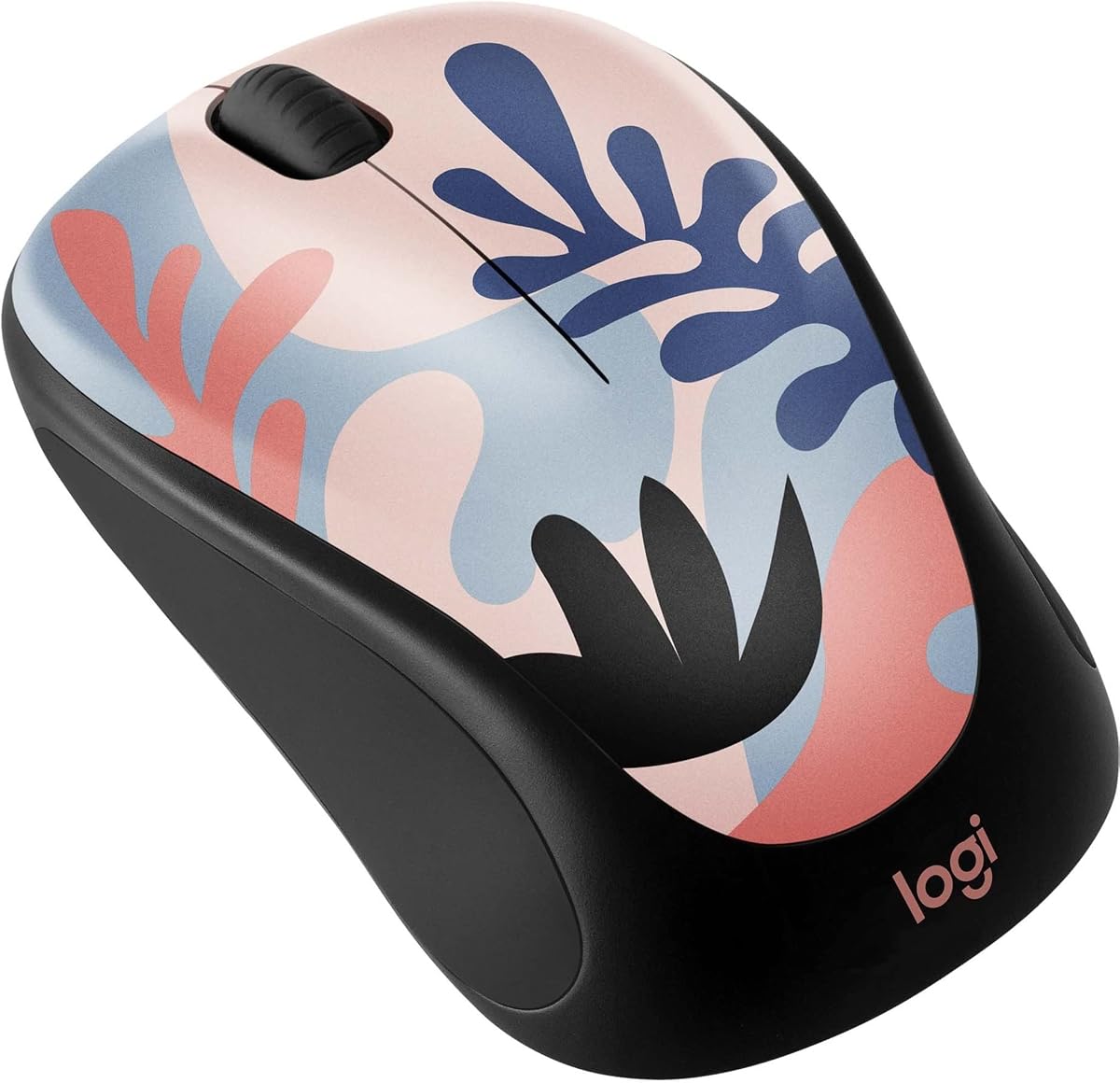
Logitech Design Collection Limited Edition Wireless Mouse brings vibrant designs to your desk. A 4.6 rating confirms quality and comfort. This model appeals to users valuing both style and reliable brand reputation.
We may earn a commission when you buy through this link, at no additional cost to you.
Unifying receiver supports up to six compatible devices. Soft rubber side-grips add extra comfort during use. Portable design fits easily into bags for travel or meetings.
Limited availability may make finding specific colors difficult. Requires standard USB ports not present on newer MacBooks. Consider device compatibility before purchase to ensure seamless setup with current hardware.
Recommended for brand loyalists and design fans. This mouse combines portability and comfort with unique aesthetic options for personalizing your workspace effectively.
Each colorful mouse creates a vibrant look. Build your personal desk setup with unique aesthetic choices.
Includes post-consumer recycled plastic. Shows environmental commitment without sacrificing quality or durability standards.
We may earn a commission when you buy through this link, at no additional cost to you.
FMOUSE Cute Cartoon Silent Wireless Mouse features a Kawaii cat design. A 4.6 rating reflects satisfaction with its office-friendly features. Perfect for women, remote workers, or cat lovers seeking functional aesthetics.
We may earn a commission when you buy through this link, at no additional cost to you.
Dual mode Bluetooth and USB supports various devices. Silent clicks are 90% quieter than standard. Ergonomic shape fits small-to-medium hands comfortably for long periods.
Non-rechargeable design requires AA battery. Some users may prefer USB-C charging. These are minor inconveniences given the wide compatibility and silent operation for shared workspaces.
Ideal for office workers and cat enthusiasts. This mouse blends humor and function making it a great gift or personal desk accessory for daily use.
Iconic office meme with adorable cat. Adds humor to workspace while maintaining professional ergonomics standards.
Switch via bottom toggle easily. Auto-reconnects on power-on ensuring stable connectivity across your devices.
We may earn a commission when you buy through this link, at no additional cost to you.
Choosing the right cute laptop mouse involves balancing style with technical performance. Use this guide to understand key factors that affect usability and long-term satisfaction.
Cute laptop mice often feature unique shapes like cats, cars, or pastel colors. Choose designs that complement your workspace without causing discomfort. Ensure ergonomic curves support your hand for extended use sessions.
Prioritize a design that matches your personal style while providing practical comfort for daily tasks.
Modern mice support Bluetooth, 2.4GHz wireless, or both. Bluetooth eliminates dongles, while 2.4GHz offers stable connection on older devices. Check your device ports to ensure compatibility before purchase.
Select connectivity that matches your device ports and usage habits for seamless operation.
Battery-powered mice may use AA or AAA batteries while others are rechargeable. Rechargeable options reduce waste but require charging cables. Consider how often you travel to decide on power sources.
Choose battery life that aligns with your usage frequency and convenience preferences.
Comfort is crucial for productivity. Look for contoured shapes that support your palm and fingers. Lightweight options reduce strain during long work hours.
Ensure the mouse fits your hand size and usage duration to prevent fatigue.
Silent mice reduce noise in shared offices or home environments. Special soundless designs prevent distractions during meetings. This feature is essential for quiet workspaces.
Opt for silent models if you often work around others or prefer quiet interactions.
Most mice work with Windows, macOS, and Linux. Side buttons may not function on Mac devices. Confirm compatibility to avoid feature limitations.
Verify OS support to ensure all mouse buttons work as expected on your system.
High-quality mice withstand millions of clicks. Check manufacturer warranties for long-term support. Durable plastic and reinforced buttons extend product lifespan.
Invest in models with strong warranties to protect your purchase investment.
Compact mice fit easily into bags or pockets. Lightweight designs are ideal for frequent travelers. Ensure storage options for receivers when traveling.
Choose portable models if you move between locations regularly for work.
Start by pairing the mouse with your device. If using Bluetooth, enable pairing mode on the mouse and find it in your device settings. For 2.4GHz wireless, insert the USB receiver into a free port.
Keep the mouse clean by wiping with a soft dry cloth. Avoid liquids that could damage internal components. Clean the sensor area periodically for smooth tracking.
Store in a dry place away from extreme heat. Use a protective case for travel. Check battery levels regularly to avoid sudden interruptions during use.
Most models work with Mac OS but side buttons may have limited functionality. Always check product descriptions for full Mac compatibility. Bluetooth options often provide better seamless support on Apple devices.
Battery life ranges from weeks to years depending on the model. AA battery models can last 6 months to 2 years with power-saving modes. Rechargeable models typically offer 10-30 days per charge cycle.
Some models support switching between multiple devices via Bluetooth or toggle switches. Check specs for dual or tri-mode connectivity. This feature enhances productivity for users with laptops and tablets.
Silent clicks reduce noise significantly compared to standard mice. They are best for quiet workspaces or shared offices. In loud environments, regular clicks may suffice but silent offers better peace of mind.
Optical sensors work on most surfaces but glass may cause issues. High DPI sensors improve tracking on reflective surfaces. Adding a mouse pad ensures consistent performance across all surfaces.
Pink, pastel, and unique shapes like cars or cats are popular. Colors vary by model so check availability. Choose what matches your personal style or desk setup theme.
We highlighted ten models ranging from budget car shapes to premium rechargeable designs. The wegear USB Wireless Mouse leads with durability while FMOUSE offers unique meme-inspired style. Each option balances function and aesthetics.
Prioritize your needs: battery life, compatibility, or silent clicks. Travelers should favor compact models while office users may prefer silent options. Ergonomic comfort ensures long-term satisfaction.
Prices and availability change regularly. Verify current listings before purchase to secure the best deal. Enjoy a stylish and functional workspace with your new cute mouse.