
Square Reader for magstripe (USB-C)
4.6Editor score
Accepts magstripe cards
USB-C connectivity
Free POS app included
This guide compares the top credit card readers for phones including mobile POS systems and Bluetooth readers to help you choose the right payment solution for
Modern businesses need flexible payment solutions to accept transactions anywhere. Credit card readers for phones transform smartphones into point of sale terminals. These devices allow entrepreneurs to process payments securely without bulky hardware.
We evaluated ten top-rated mobile card readers based on connectivity features security and ease of use. Our analysis covers magstripe chip and contactless options across various price points. Each product offers unique strengths for different business models and environments.
Each pick highlights key specifications pros and cons to help you decide. Prices and availability change frequently so check current listings before purchasing. We aim to provide honest detailed insights for informed purchasing decisions in this guide.
4.6Editor score

4.5Editor score

4.5Editor score
This side-by-side comparison highlights key specifications across all ten reviewed mobile card readers. Use this table to quickly identify which device matches your specific business requirements and connectivity preferences.




The Square Reader for magstripe (USB-C) stands out as the most affordable option for new businesses. With a rating of 4.6 it offers reliable performance for simple transactions. Its USB-C design ensures compatibility with modern smartphones without extra adapters.
We may earn a commission when you buy through this link, at no additional cost to you.
Setting up is incredibly fast with no long-term commitments required. You can download the free Square Point of Sale app create an account and start accepting payments immediately. This makes it ideal for freelancers or pop-up vendors needing quick setup.
The main trade-off is that it only reads magnetic stripes which limits acceptance to older cards. However for many small businesses this cost effective solution provides a solid starting point to process payments on the go without significant overhead.
If you need a basic reliable reader to get started quickly this is the perfect choice. It works seamlessly with Apple devices using Lightning connectors and offers efficient fund management for growing entrepreneurs.
This reader allows you to start accepting payments without a large upfront investment making it accessible for any budget.
Sales inventory and tips are all tracked in one place through the free Square app for streamlined business management.
We may earn a commission when you buy through this link, at no additional cost to you.
This device takes the top spot due to its versatility and modern payment support. Rated at 4.5 it accepts contactless payments chip cards Apple Pay and Google Pay. The second generation brings significant improvements in connectivity and battery performance.
We may earn a commission when you buy through this link, at no additional cost to you.
The ability to process offline payments for up to 24 hours ensures you never miss a sale during connectivity issues. Enhanced security features including 24/7 fraud prevention protect both you and your customers at no extra cost making it trustworthy.
While it costs more than the magstripe version the flexibility of accepting all major card types justifies the investment. You get a low flat rate for every tap or dip with no hidden fees or long-term contracts.
For businesses needing reliable and secure payment processing anywhere this reader is the best overall choice. It pairs securely with your device and keeps taking payments even when internet access is temporarily unavailable.
Customers love the convenience of tapping their cards or phones while you get secure and fast transaction processing.
Offline capabilities mean you can continue operating during network outages ensuring no lost revenue opportunities.
We may earn a commission when you buy through this link, at no additional cost to you.
This reader serves a niche audience requiring high security authentication for military and government access. With a 4.3 rating it supports CAC PIV and NFC badges alongside standard credit cards. It is built for professionals needing identity verification in the field.
We may earn a commission when you buy through this link, at no additional cost to you.
The plug and play design means no extra drivers are needed for immediate use on Windows Mac Linux or Android. Its dual-head cable eliminates the need for adapters ensuring you can connect to any device port easily.
Certified for high security standards it meets EMV and PC SC requirements for reliable data reading. The reinforced cable and compact body make it travel friendly for daily office work or field deployments.
While not meant for general retail this reader is essential for authorized personnel needing secure access control. It offers lifetime technical support and a 24-month warranty ensuring long-term reliability for critical tasks.
Meets strict military and government standards for identity verification ensuring authorized access is granted reliably.
Works across multiple operating systems without drivers making it versatile for various administrative environments.
We may earn a commission when you buy through this link, at no additional cost to you.
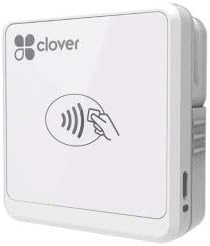
Clover GO offers a powerful mobile POS experience with a perfect 5.0 rating. It pairs via Bluetooth with any smartphone providing secure transaction processing. The system allows you to set custom tax rates and tips for various products.
We may earn a commission when you buy through this link, at no additional cost to you.
You can manage multiple employee permissions easily ensuring only authorized staff see sensitive business data. Paperless receipts via email or text keep customers happy and reduce paper waste. Security is prioritized from card acceptance to transaction completion.
The device requires processing through SwyftPAY and is available for US businesses only. Dock sold separately may be needed for some setups but the core functionality remains robust for mobile operations.
For businesses needing granular control over taxes and staff access this system is highly effective. Its intuitive interface makes handling daily transactions straightforward while keeping customer data protected throughout.
Custom tax rates and tips help you manage pricing accurately across different product categories effortlessly.
Employee permissions prevent unauthorized access to financial data keeping your business operations secure and organized.
We may earn a commission when you buy through this link, at no additional cost to you.
Square Terminal combines ringing sales accepting payments and printing receipts in one sleek device. It accepts all major credit and debit cards with a low rate and no hidden fees. Chip cards are processed in just two seconds for speed.
We may earn a commission when you buy through this link, at no additional cost to you.
The built-in battery allows cordless operation throughout the day without being tethered to a power outlet. This makes it perfect for counter use or moving around your store to ring up customers directly.
Getting your money as soon as the next business day helps cash flow significantly. The device offers a unified experience so you do not need multiple tools to manage your transaction workflow effectively.
For retail environments needing a dedicated stand alone payment station this is ideal. It simplifies the checkout process and provides a professional experience for customers while keeping your back office simple.
Combining all functions into one device reduces clutter and speeds up the transaction process significantly.
The battery lasts all day so you can focus on serving customers without worrying about power cables.
We may earn a commission when you buy through this link, at no additional cost to you.
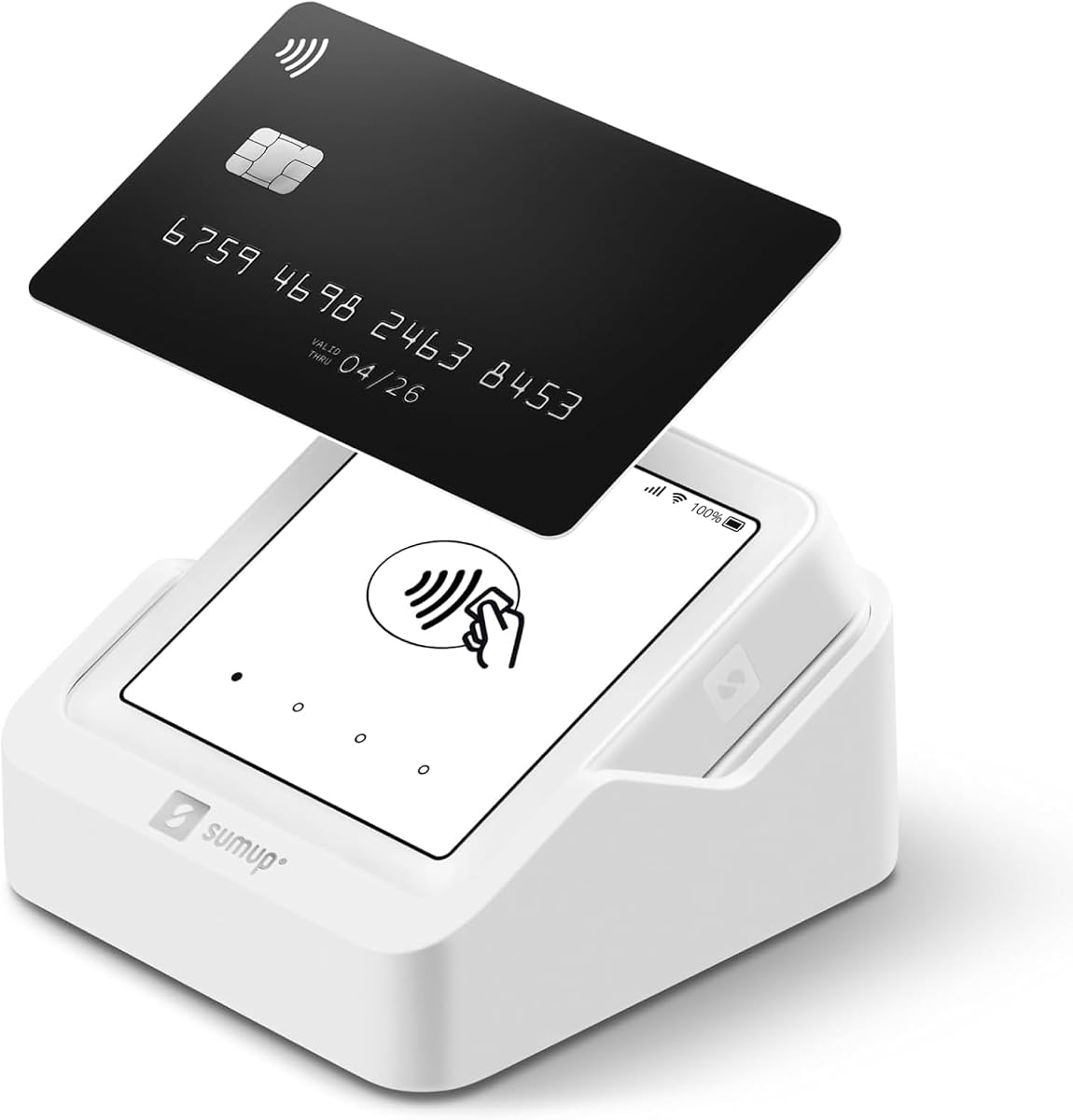
SumUp Plus connects via Bluetooth to accept payments on your smartphone or tablet. It supports NFC and RFID transactions which speeds up checkout for contactless users. The free app allows you to start accepting transactions quickly.
We may earn a commission when you buy through this link, at no additional cost to you.
You pay a flat rate per in-person transaction with no hidden fees or long-term contracts. This simple pricing structure helps you calculate costs easily without worrying about monthly minimums or complex tiers.
The device is portable allowing you to move freely while processing payments at events or markets. While the rating is slightly lower it offers a reliable solution for those prioritizing flexibility and ease of use.
If you need a straightforward reader that handles modern contactless methods this is a strong contender. It works well for small businesses wanting to avoid complex contracts and keep setup simple.
Support for NFC and RFID ensures you can accept tap payments easily for modern customers.
Flat rate fees mean you know exactly what you pay per transaction with no surprise charges.
We may earn a commission when you buy through this link, at no additional cost to you.
SumUp Solo is a self-contained device with a full touch-screen interface for managing sales. It comes with a free SIM card and mobile data so you can process payments without relying on phone connections. The battery capability is strong with an added charging station.
We may earn a commission when you buy through this link, at no additional cost to you.
This truly portable device lets you stay in control of your business wherever you go. Setup is fast and hassle-free via the SumUp website or app. US-based support is available through phone email and chat for peace of mind.
While the rating is lower the standalone nature removes the need for a separate smartphone which can be useful. It is ideal for vendors who want a dedicated transaction device that operates independently.
If you need a device with its own connection and screen this offers a unique solution. It simplifies transactions by removing the dependency on your personal phone for payment processing.
Built-in SIM card means you do not need to tether to your phone to process transactions anywhere.
Full touch-screen makes navigation easy and fast even for customers unfamiliar with digital systems.
We may earn a commission when you buy through this link, at no additional cost to you.
This newest model of Clover GO pairs wirelessly with your mobile device via Bluetooth. It offers robust security ensuring customer data is protected from card acceptance through transaction completion. Custom tax rates and tips can be set for various items.
We may earn a commission when you buy through this link, at no additional cost to you.
You can create and manage multiple employee permissions to restrict access to sensitive business information. This feature is valuable for teams where not everyone needs to see full operational data or financial details.
Paperless receipts via email or text are supported for customer convenience. The device requires processing through Powering POS and is limited to US-based businesses. It serves as a pocket-friendly POS system for modern retail needs.
If managing staff access is a priority this system provides the tools needed to secure your data. It balances portability with advanced management features suitable for small growing businesses.
Granular permissions ensure only authorized staff can view or manage sensitive financial data.
Sending receipts via text or email keeps customers happy and reduces paper waste efficiently.
We may earn a commission when you buy through this link, at no additional cost to you.
This reader supports EMV chip cards and works with both iOS and Android devices. It does not require a merchant account which can simplify onboarding for new sellers. Security is a core focus throughout the transaction process.
We may earn a commission when you buy through this link, at no additional cost to you.
Quantities of this version are limited and it may be an end of life product. Orders may be fulfilled with the most current version of Clover Go so check availability before purchasing. It remains a solid option for contactless payments.
The lack of a merchant account requirement makes it accessible for smaller sellers needing quick integration. Its portable design fits easily into any mobile setup without bulky accessories or complex hardware.
For those seeking an easy entry into card payments this reader provides a secure and flexible path. Always confirm the latest version is available to ensure full support and warranty coverage.
No merchant account needed means you can start selling without going through lengthy approval processes.
EMV chip support ensures transactions are protected against fraud with modern security standards.
We may earn a commission when you buy through this link, at no additional cost to you.
This third generation Bluetooth reader works with any Clover Go account for flexible payment processing. It features end to end security ensuring customer data is protected throughout the transaction. Custom tax rates and tips can be adjusted for various needs.
We may earn a commission when you buy through this link, at no additional cost to you.
You can use it anywhere with wireless connectivity for true mobility. The lack of a merchant account requirement simplifies setup for new users. It supports seamless payments on the go without needing fixed terminals or cables.
While ratings vary the functionality remains solid for basic retail and service needs. It integrates smoothly with Clover systems allowing you to manage sales and payments in one place effortlessly.
If you need a versatile reader that supports standard tax configurations this is suitable. It ensures secure transactions while keeping your hardware setup lightweight and mobile for daily use.
Compatible with any Clover Go account so you can use existing credentials without extra setup.
End to end encryption protects sensitive data giving customers confidence during every payment.
We may earn a commission when you buy through this link, at no additional cost to you.
Selecting the right card reader involves evaluating connectivity compatibility and fees. This section explains key factors to consider before making your purchase.
Readers connect via Bluetooth audio jack or USB-C. Bluetooth offers wireless freedom while USB-C provides stable power. Choose based on your device port and need for mobility.
Select a connection that matches your phone model and usage patterns.
Ensure the reader supports the payment types your customers use. Options include magstripe chip NFC and contactless payments. Modern devices accept Apple Pay and Google Pay for faster checkouts.
Prioritize readers that accept contactless and chip cards for future-proofing.
Different processors charge varying rates per transaction. Some offer flat rates while others have monthly fees. Look for transparent pricing with no hidden costs or long-term contracts.
Compare fee structures to align with your typical transaction volume and budget.
The companion app manages sales inventory and reporting. Ensure it fits your business workflow and supports features like tipping and receipts. A user-friendly app reduces administrative time.
Choose an ecosystem that offers tools you actually need for daily operations.
Security is critical for protecting customer data. Look for end to end encryption and PCI compliance. Fraud prevention tools and dispute management add layers of safety for your business.
Verify that the provider offers strong security standards at no extra cost.
Mobile readers face wear from daily use. Check for battery life cable quality and build materials. Rugged models may be needed for outdoor or field environments.
Invest in a device that can withstand your specific operating conditions.
How quickly you get paid matters for cash flow. Many systems offer next business day deposits but some take longer. Check payout options before committing to a processor.
Select a provider that supports quick access to your earnings.
Issues can arise with payment processing. Reliable support through phone email or chat helps resolve problems quickly. Look for providers with US-based teams for faster assistance.
Ensure help is available when you need it most to avoid lost sales.
Start by downloading the required app and creating your business account. Pair the reader via Bluetooth or plug it into your phone port. Test a small transaction to confirm everything works correctly.
Keep the device clean and dry to prevent damage from dust or moisture. Store it in a protective case when not in use to avoid scratches or drops. Charge batteries regularly if wireless to maintain peak performance.
Update the app and firmware regularly to access security patches and new features. Review sales reports frequently to track performance and identify trends. If issues occur contact support immediately to resolve transaction errors.
Most modern readers like Square or SumUp do not require a separate merchant account. They handle processing directly so you can start selling immediately. Some business systems may require setup through their own processor.
Top models accept major credit and debit cards including chip and contactless payments. Many support Apple Pay and Google Pay for tap-to-pay options. Magstripe only readers are cheaper but less versatile for modern needs.
Most providers deposit funds within one to two business days. Some offer instant transfer options for an additional fee. Check specific terms with your processor for exact timing and transfer limits.
Connectivity depends on the processor and your location. Some support multiple currencies while others are US only. Verify international support and fees before traveling or selling across borders.
Many options charge only per transaction with no monthly fees. Some advanced plans include monthly costs for added features. Always check the fee structure before signing up to avoid unexpected costs.
Some readers support offline payments for up to 24 hours. Transactions process once connectivity is restored. Ensure your device meets offline requirements before relying on this feature.
We reviewed ten distinct mobile card readers suited for various business needs from budget-friendly magstripe options to all-in-one terminals. The Square Reader contactless and chip offers excellent versatility while the Square Terminal provides a complete station solution.
Prioritize factors like security connectivity and fees that match your specific operational requirements. A reader that fits your workflow will improve efficiency and customer satisfaction significantly over time.
Prices and availability change frequently so verify current listings before purchasing. We hope this guide helps you select the right tool to grow your business securely and efficiently.