
OMTech K40+ 45W Desktop CO2 Laser Engraver & Cutter
4.4Editor score
Compact desktop design
45W laser performance
Wide software compatibility
This expert guide compares the top CO2 laser cutters for 2026, evaluating power, speed, safety, and software compatibility to help you choose the right machine.
Choosing the right CO2 laser cutter can transform your creative projects into professional-grade results. Whether you are a hobbyist looking to personalize gifts or a small business owner scaling production, the right machine offers precision, speed, and versatility. Understanding the nuances of laser power, workspace size, and safety features is essential for making an informed decision that fits your specific needs and budget.
We have carefully evaluated a wide range of CO2 laser cutters available in the market today. Our analysis focuses on key performance metrics such as cutting speed, material compatibility, and ease of use. We also consider software integration, safety certifications, and the overall value proposition of each model. This comprehensive comparison ensures you have the information needed to select a device that delivers consistent quality and reliability.
Each pick in this guide highlights specific strengths and ideal use cases for different users. From compact desktop models perfect for startups to industrial-grade machines for high-volume work, there is an option for everyone. Please note that product availability and specifications can change over time, so we recommend verifying details before purchasing. Our goal is to provide a clear path to finding the perfect laser solution for your workshop.
4.4Editor score

4.5Editor score

5.0Editor score
This side-by-side comparison outlines the key specifications and capabilities of the top ten CO2 laser cutters. By examining power output, workspace dimensions, and unique features, you can quickly identify which machine aligns with your project requirements and operational goals.


The xTool P3 stands out as a flagship machine designed for serious production and professional-grade results. With an 80W laser and intelligent automation, it handles thick materials like acrylic with unmatched speed and precision. Its Class 1 safety rating ensures a secure operating environment for any user.
We may earn a commission when you buy through this link, at no additional cost to you.
Its automated creation system simplifies workflow significantly. LiDAR ranging ensures perfect focus while dual HD cameras provide microscopic alignment accuracy. The smart nesting software maximizes material utilization which reduces waste. The conveyor feeder allows for unlimited length projects without manual intervention.
While the initial investment is high, the productivity gains justify the cost for commercial users. The modular design allows you to add IR lasers or air purifiers later. It is a scalable solution that grows with your business needs over time.
This machine is ideal for workshops requiring reliability and high throughput. If you value automation and safety above all else, this is the top choice. It sets a new standard for desktop CO2 laser capabilities in the current market.
The place and go workflow eliminates manual setup steps entirely. This feature saves time and ensures consistent results every time.
Fully enclosed design with active suppression systems protects users from hazards. This is critical for unattended operation.
We may earn a commission when you buy through this link, at no additional cost to you.
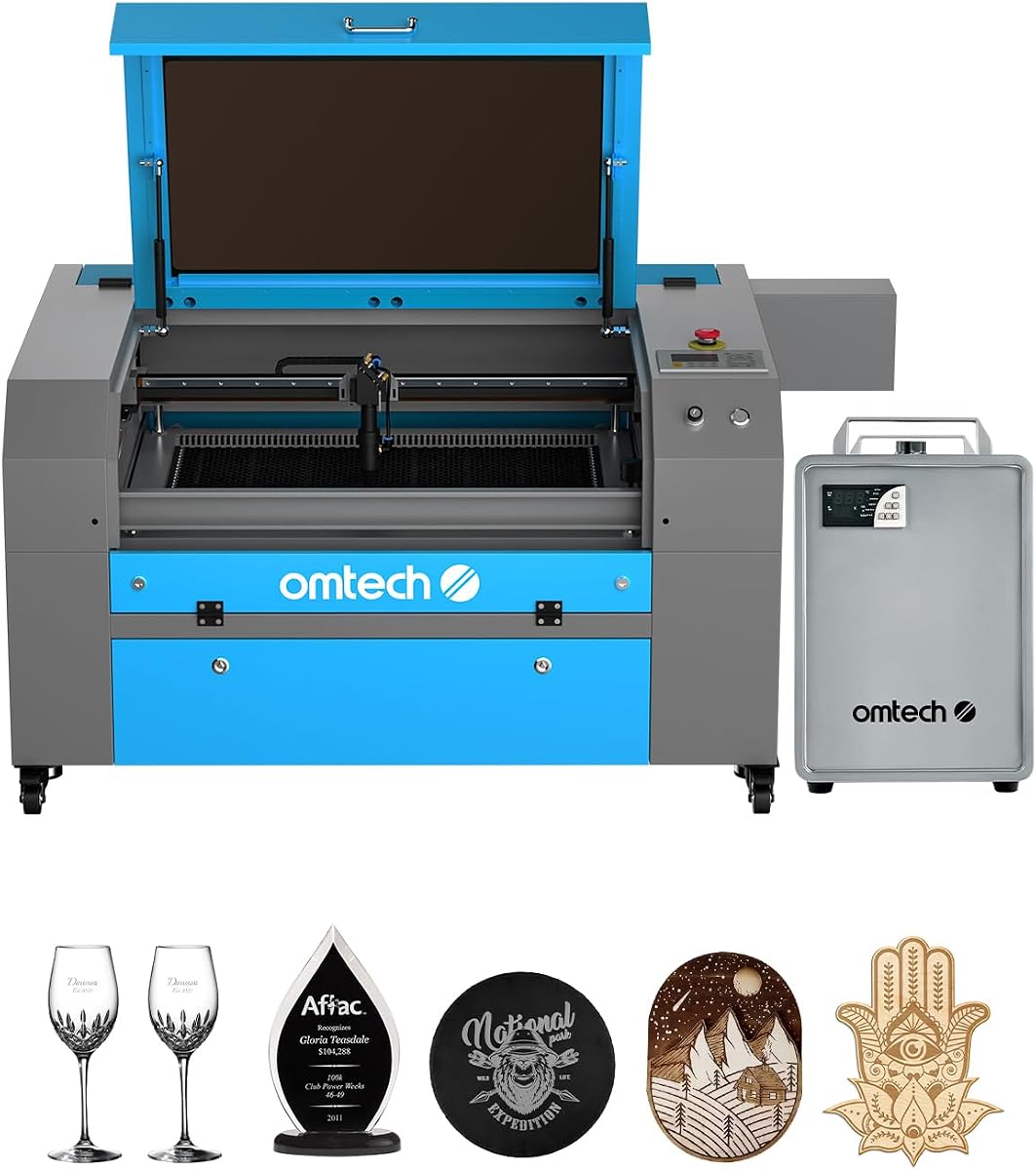
The OMTech K40+ offers a fantastic entry point for DIY makers and small businesses on a budget. Upgraded to 45W, it cuts acrylic and wood much better than older 40W models. Its compact size fits easily on standard workbenches without taking up too much space.
We may earn a commission when you buy through this link, at no additional cost to you.
It includes essential features like an integrated air assist to keep cuts clean. The machine supports popular software options like LightBurn and LaserGRBL for flexible control. Global support ensures you can get help whenever you run into technical issues.
While it lacks automation, it delivers solid performance for hobbyists. The honeycomb bed handles flat items well. It is a great starter machine for those learning laser cutting and engraving basics.
If you want a reliable machine without a huge financial commitment, this is the way to go. It balances cost and capability well. It proves you do not need to spend a fortune to get quality results.
Its small footprint makes it perfect for home workshops or offices. You can store it away easily when not in use.
Wide software compatibility means you can use tools you already know. This reduces the learning curve significantly.
We may earn a commission when you buy through this link, at no additional cost to you.
The VEVOR 100W combines power and space to handle large-scale projects efficiently. Its 24 by 35-inch bed allows for cutting full sheets of material. The 100W tube delivers strong performance for thicker acrylic and wood in a single pass.
We may earn a commission when you buy through this link, at no additional cost to you.
It features a Class 1 safety certification which is rare for this price point. The digital control panel works with major design software. This flexibility makes it suitable for both technical and creative users.
The pass-through doors extend the workspace beyond the machine limits. You can work on long signs or banners without cutting them in half. This design choice adds immense value for sign makers.
For professional small businesses needing throughput and size, this is a top contender. It balances industrial specs with desktop accessibility. The high ratings indicate consistent quality and customer satisfaction.
The generous workspace allows for full sheet cutting. This reduces setup time and material waste significantly.
Class 1 protection keeps hazardous rays contained. This is a major plus for safe unattended operation.
We may earn a commission when you buy through this link, at no additional cost to you.
The OMTech Maker 90W is built for commercial workloads without breaking the bank. It features a Yongli H2 tube designed to last 8000 hours. The included water chiller helps maintain stable performance during long engraving sessions.
We may earn a commission when you buy through this link, at no additional cost to you.
Its 20×28 workspace is a sweet spot for many businesses. The pass-through doors allow handling large items easily. The flame retardant window adds an extra layer of safety for the operator.
While it lacks some automated features, its raw power and reliability make up for it. You get consistent deep engraving results on wood and glass. It is a workhorse for production shops.
Choose this model if you prioritize tube longevity and throughput. It is a solid investment for small businesses scaling up. The included accessories save you from buying extras later.
The H2 tube is engineered for extended life. This reduces maintenance costs over the lifespan of the machine.
A dedicated chiller keeps the laser tube at optimal temperature. This prevents overheating during heavy use.
We may earn a commission when you buy through this link, at no additional cost to you.
The OMTech Maker 60W bundles a popular laser software with the machine. This eliminates the need to buy LightBurn separately. The included autofocus function saves you from manual height adjustments for every job.
We may earn a commission when you buy through this link, at no additional cost to you.
It comes with a water chiller to protect the laser tube. This ensures consistent performance during extended work sessions. The 20×28 bed is sufficient for most standard commercial projects.
The autofocus feature simplifies setup significantly. It finds the right focal distance automatically. This reduces operator error and improves consistency across different materials.
If you want a machine ready to go out of the box, this is ideal. The software bundle offers great value. It is perfect for small shops needing ease of use.
Preinstalled software means you can start working immediately. No extra licensing fees are required to begin.
Button adjustments for the workbed save time. This ensures the laser is always perfectly focused for the job.
We may earn a commission when you buy through this link, at no additional cost to you.
This version of the K40+ is designed for accessibility and ease of use. It brings powerful features to a compact frame. The 45W tube is a solid upgrade from the original 40W models. It handles acrylic and wood with confidence.
We may earn a commission when you buy through this link, at no additional cost to you.
The built-in air assist reduces smoke and protects lenses. This keeps your workspace cleaner and improves cut quality. It is a practical feature for desktop environments.
With a 12×8 workspace, it is great for small projects. You can engrave jewelry or personalized gifts efficiently. It does not require a dedicated industrial room.
For hobbyists and beginners, this machine is hard to beat. It balances cost and performance well. It is an excellent gift for makers who want to start cutting.
The small footprint fits in any office. You do not need a massive table to use this machine.
Integrated air assist reduces smoke and debris. This makes it safer for indoor environments.
We may earn a commission when you buy through this link, at no additional cost to you.
The OMTech Pronto 100W is engineered for speed and efficiency. It boasts speeds up to 39.4 inches per second which beats many traditional models. The autofocus takes the guesswork out of material setup.
We may earn a commission when you buy through this link, at no additional cost to you.
With a 40×24 workspace, it fits large production items. The water protection and air alarms ensure safe operation. It is a robust machine for serious makers.
The speed increase means more jobs finished in less time. This improves ROI for business owners. The build quality feels solid and reliable for daily use.
If you need to cut quickly and accurately, this is a great pick. It scales well with production demands. It is a smart step up from entry-level machines.
High speeds increase throughput significantly. This allows you to take on more orders.
Automated focus reduces manual effort. This saves time and increases repeatability.
We may earn a commission when you buy through this link, at no additional cost to you.
The OMTech Pronto 130W offers massive power and workspace. The 51×35 bed fits almost any project you might have. The 130W tube cuts through thick materials with ease.
We may earn a commission when you buy through this link, at no additional cost to you.
It supports high speeds up to 1000 mm/s. This ensures rapid processing of large batches. The autofocus helps maintain quality over the large bed.
It is a commercial-grade machine in a desktop form factor. It can handle industrial tasks like signage. The build quality supports continuous daily operation.
Choose this if you need size and raw power. It is the best choice for high-volume sign makers. It delivers professional results consistently.
The 130W tube handles tough materials. This expands what projects you can take on.
The large bed accommodates big items. This reduces the need to cut work in pieces.
We may earn a commission when you buy through this link, at no additional cost to you.
This model is designed for simplicity and ease of use. It strips back unnecessary complexity for basic tasks. The 45W power is perfect for light engraving and cutting tasks.
We may earn a commission when you buy through this link, at no additional cost to you.
It is easy to set up and get running quickly. This makes it great for classrooms or offices. The air assist ensures clean results without extra parts.
It is an ideal gift for hobbyists who want reliability. You do not need technical expertise to use it. It fits any budget without sacrificing quality.
For basic needs, this is a solid reliable choice. It performs well for small items. It is a great way to enter the laser hobby.
User friendly controls make it accessible. Anyone can start learning laser cutting easily.
The compact design saves valuable desk space. It does not overwhelm your workspace.
We may earn a commission when you buy through this link, at no additional cost to you.
The OMTech Pro 130W is a top tier industrial machine. It offers a massive workspace and powerful motor system. The WiFi connectivity adds modern convenience to the workflow.
We may earn a commission when you buy through this link, at no additional cost to you.
The built-in chiller maintains precise temperatures. This ensures stable power output over long periods. Servo motors provide high precision for detailed designs.
It is built for continuous heavy duty use. The fire retardant window ensures safety. This is a powerhouse for demanding production environments.
If you need the highest end specs, this is it. It is a long term investment for serious businesses. It outperforms most other desktop options available.
Servo motors ensure high accuracy on cuts. This improves the quality of finished products.
Connect wirelessly for easier file transfer. This speeds up the production process.
We may earn a commission when you buy through this link, at no additional cost to you.
Selecting the right machine requires balancing power, space, and budget. This guide breaks down the essential factors to help you find the perfect match.
Laser power measured in watts dictates what materials you can cut and how fast. Higher wattage allows for thicker cuts like acrylic or wood in a single pass. For beginners, a 40W to 60W unit is often enough for engraving and thin cuts. Professionals needing throughput should look at 80W or higher for efficiency.
Always choose a power level that exceeds your heaviest intended cuts to ensure longevity and performance.
The physical working area determines how large your projects can be. A standard desktop machine offers 12×8 inches suitable for small items. Industrial models may offer 40×24 or larger for full sheets. Always check if pass-through doors are included to extend your effective workspace.
Select a bed size that accommodates your largest typical material without frequent resizing.
Software is the brain of your laser machine. Most units support Windows but Mac compatibility varies. Open standards that work with LightBurn offer more flexibility than proprietary controllers. Ensure you can import files easily without extra drivers.
Prioritize open software support to avoid being locked into expensive or limited tools.
Safety is critical when working with high energy lasers. Look for enclosed designs with Class 1 ratings if possible. Interlock switches that cut power when opened protect the operator. Air assist systems also reduce smoke buildup and fire risks.
Never compromise on safety features. An enclosed machine is always safer for unattended use.
High power lasers generate significant heat that must be dissipated. Air cooling is common for lower power models but water cooling is required for 90W and above. Built-in chillers offer stability while external systems save desk space.
Ensure your cooling method matches the laser tube requirements to prevent overheating.
The laser tube is a consumable part that eventually needs replacement. Brands like Yongli offer tubes rated for 8000 hours or more. A longer lifespan reduces maintenance costs and downtime. Always ask about warranty and replacement options.
Invest in machines with tubes rated for higher hours to lower long term ownership costs.
Technical support is vital when issues arise. Reputable brands offer global support and local demos. Comprehensive service plans give peace of mind. Check if firmware updates are free to ensure long term usability.
Choose a vendor that offers robust support to keep your business running smoothly.
Start by securing your material flat on the bed to prevent uneven focus. Align your design using the provided red pointers to ensure accuracy before starting. Always run a test pattern on scrap material to verify settings.
Keep the lenses and mirrors clean with proper cleaning solutions to maintain power output. Regularly empty the dust tray to prevent fire hazards. Check the air assist system to ensure it is blowing away debris during cuts.
Allow the machine to cool down after long sessions to extend tube life. Store your files in a safe place and keep the software updated. Regular maintenance ensures the machine continues to perform safely.
Standard CO2 laser cutters cannot cut metal but they can mark it effectively. Metals reflect the CO2 wavelength and require fiber lasers for cutting. However, you can engrave coated metals or anodized aluminum for visual designs.
Some bundles include LightBurn but many do not by default. Always check the product description to confirm software inclusion. If not included, you can purchase it separately or use open-source alternatives.
High power tubes like 90W or higher require water cooling to function safely. Lower power models may use air cooling. Always follow the manufacturer's cooling requirements to prevent damage.
High quality tubes typically last around 8000 to 12000 hours. Usage patterns and cooling quality impact this lifespan. Proper maintenance extends the life significantly.
Yes if they have proper safety features like enclosures and Class ratings. Never operate unvented machines in living spaces. Always wear appropriate eye protection when near the beam.
Most controllers support Windows only but some offer Mac software. Check compatibility details before purchasing. Emulators may be required for some programs.
Use isopropyl alcohol and a lint-free cloth to wipe the optics gently. Clean regularly to prevent soot buildup. Never touch the glass surface with fingers.
The top three picks highlight the best options for different needs and budgets. The xTool P3 offers unmatched automation while the OMTech K40+ provides great entry value. The VEVOR 100W delivers excellent large format capability.
When prioritizing, consider your workspace limits and material thickness first. Ensure the machine supports your preferred software. Safety features should be non-negotiable for unattended operation.
Prices and availability change frequently so always check current offers. We hope this guide helps you find the perfect tool. Start your next project with confidence.