
Artisul D16
5.0Editor score
15.6 inch display area
76% Adobe RGB color gamut
7 customizable hotkeys and dial
Finding the right tool for digital art can be challenging. You need a device that offers precision and comfort without breaking the bank. A cheap drawing tablet with screen provides an intuitive interface for artists of all skill levels.
We analyzed ten top-rated models to bring you this curated list. Our comparison focuses on screen quality, pressure sensitivity, and overall value. Each product has been selected based on customer feedback and technical specifications.
Every pick highlights specific strengths and potential trade-offs. You will see how each device performs in real-world creative scenarios. Prices fluctuate regularly, so verify current deals before making your final purchase decision.
5.0Editor score

4.4Editor score

4.5Editor score
As an Amazon Associate we earn from qualifying purchases.
This side-by-side comparison covers all ten selected models. We examine their key specifications to highlight differences in screen size, pressure levels, and connectivity options for informed decision making.




The XP-PEN Artist12 stands out as a top contender in the budget category. It offers a 11.6 inch HD IPS display with 72% NTSC color gamut which ensures vibrant and accurate colors for digital art.
We may earn a commission when you buy through this link, at no additional cost to you.
Its battery-free stylus with 8192 pressure sensitivity levels provides a natural drawing experience. The included anti-reflective screen protector reduces glare effectively allowing for comfortable extended drawing sessions without eye strain.
While it lacks tilt recognition the overall performance remains strong for beginners and intermediate users. The customizable shortcut keys and touch bar enhance workflow efficiency significantly across various creative applications.
This model is ideal for students or hobbyists looking for reliable hardware without a premium price tag. Its compatibility with major software like Photoshop and Clip Studio makes it a versatile tool for diverse creative tasks.
The display delivers 1920×1080 resolution with 100% SRGB coverage ensuring your artwork looks true to life.
Eight shortcut keys and a programmable touch bar allow quick access to essential tools like zoom and scroll.
We may earn a commission when you buy through this link, at no additional cost to you.
The VEIKK VK1200 V2 is a compelling choice for artists needing portability and precision. Its full-laminated technology integrates glass and screen to minimize parallax ensuring cursor accuracy during detailed work.
We may earn a commission when you buy through this link, at no additional cost to you.
The inclusion of two battery-free pens and twenty-eight replacement nibs offers great value. The anti-glare glass provides a natural paper-like feel that reduces reflections and improves the overall drawing experience.
Although the screen is compact the frameless design maximizes the active area. Setup is simplified by the single USB-C cable option which transmits data power and video simultaneously for a cleaner workspace.
This device is perfect for commuters or students who need a reliable drawing tool on the go. Its tilt function and customizable keys make it adaptable for various artistic styles and software environments.
The anti-glare glass mimics paper texture reducing glare and offering a familiar tactile experience.
Single-cable USB-C support reduces clutter and makes setup faster for laptop users.
We may earn a commission when you buy through this link, at no additional cost to you.
The GAOMON PD1161 brings advanced features like tilt support to the budget segment. This allows for more natural shading and brush strokes which enhances the artistic expression significantly compared to non-tilt models.
We may earn a commission when you buy through this link, at no additional cost to you.
Its matte film reduces glare making it feel like sketching on paper. The eight press keys on the side provide ample customization options for shortcuts that speed up your digital art workflow.
While it requires a computer connection it works with a wide range of software including Krita and Photoshop. The included battery-free stylus ensures uninterrupted creativity without the hassle of charging.
Artists looking for tilt capabilities without the high cost will appreciate this model. It is also suitable for online education and note-taking due to its responsive screen and flexible compatibility.
Tilt support allows for dynamic brush strokes adding depth and realism to your digital illustrations.
Eight shortcut keys can be programmed to fit your specific software needs improving efficiency.
We may earn a commission when you buy through this link, at no additional cost to you.
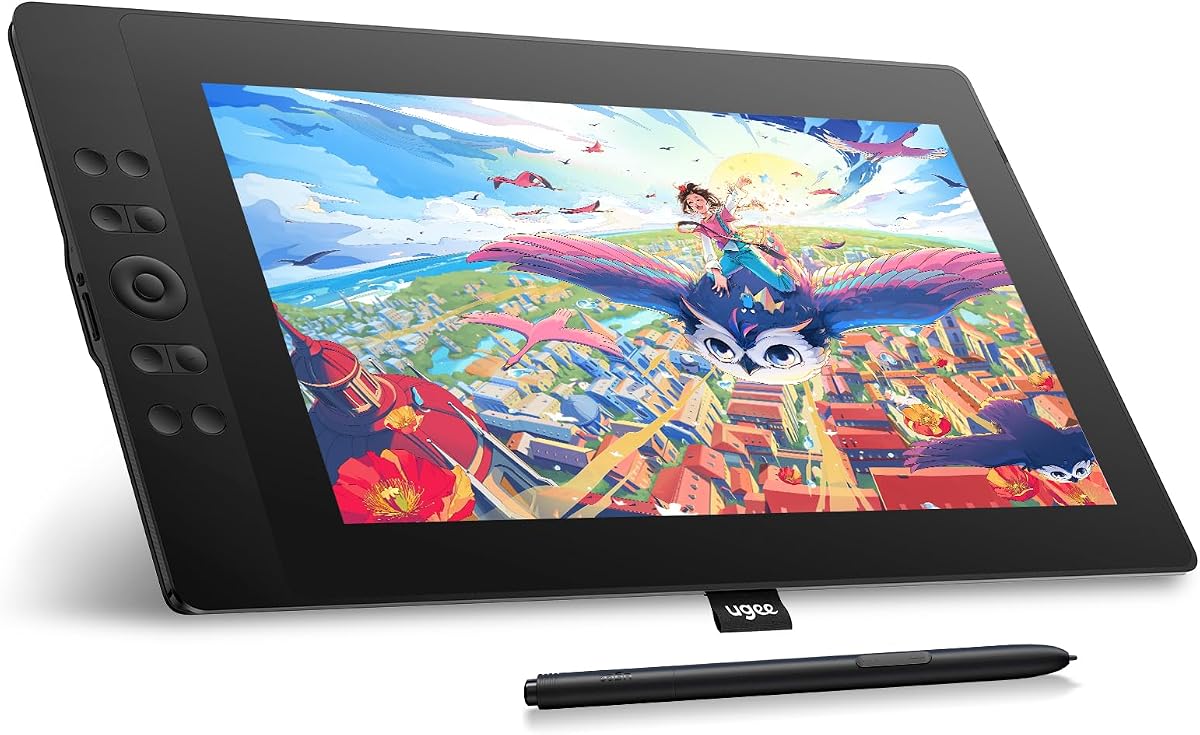
The Artisul D16 offers a spacious 15.6 inch display which is rare in the budget category. This larger area provides more room for detailed work and reduces the need for frequent zooming while drawing.
We may earn a commission when you buy through this link, at no additional cost to you.
Its full-laminated screen ensures accurate cursor positioning and vibrant colors with 76% Adobe RGB coverage. The quick dial allows for intuitive brush size adjustments without interrupting your creative flow.
The included adjustable stand supports multiple angles catering to different user preferences and reducing strain. This makes it comfortable for long sessions whether you are drawing or editing photos.
Ideal for artists who need a larger canvas without the premium price tag. The refurbished option offers high performance at a lower cost making it accessible for those on a tight budget.
A 15.6 inch screen provides ample space for detailed illustrations and multi-layer projects.
76% Adobe RGB coverage ensures accurate color reproduction for professional design work.
We may earn a commission when you buy through this link, at no additional cost to you.
The HUION Kamvas 13 Gen 3 delivers professional-grade color accuracy with a factory calibration report. Its Avg Delta E less than 1.5 ensures that what you see is what you get in your final prints.
We may earn a commission when you buy through this link, at no additional cost to you.
The Canvas Glass 2.0 reduces glare and improves touch sensitivity significantly. This creates a smooth and natural drawing experience that mimics traditional media while offering digital versatility.
Dual dials and programmable keys streamline your workflow efficiently. The 16384 pressure levels capture subtle nuances in your strokes allowing for expressive and detailed artwork.
This model is worth the investment for those who prioritize color fidelity and build quality. Its compatibility with Android devices adds flexibility for artists who prefer mobile workflows on the go.
Factory calibration ensures high color accuracy reducing the need for post-processing adjustments.
Canvas Glass 2.0 offers reduced glare and improved accuracy for precise pen control.
We may earn a commission when you buy through this link, at no additional cost to you.
The UGEE UE16 stands out with its impressive 143% sRGB color gamut providing vivid and lifelike colors. This wide coverage is beneficial for designers who require accurate color representation across different projects.
We may earn a commission when you buy through this link, at no additional cost to you.
Its full-laminated screen minimizes parallax and ensures precise cursor positioning. The 16K pressure sensitivity captures subtle differences in line weight allowing for nuanced and expressive strokes.
Four color space modes let you switch between sRGB Adobe RGB DCI-P3 and Black White seamlessly. This flexibility helps in adapting to different industry standards and creative requirements efficiently.
Artists seeking a large screen with vibrant colors will find this model appealing. The scroll wheel and eight physical keys offer tactile feedback that enhances control during detailed editing tasks.
143% sRGB coverage ensures rich and vibrant colors for stunning digital illustrations.
Multiple color space modes allow seamless transitions between different visual and project needs.
We may earn a commission when you buy through this link, at no additional cost to you.
The VEIKK VK1200 is designed with beginners in mind offering essential features without overwhelming complexity. It includes two pens and twenty-eight nibs ensuring you have enough supplies to start immediately.
We may earn a commission when you buy through this link, at no additional cost to you.
The tilt function adds a layer of versatility for shading and brush work. This feature allows for dynamic strokes that enhance the realism of your digital art significantly.
A comfortable artist glove is included to keep hands clean and reduce friction on the screen. The six shortcut keys provide quick access to common tools making navigation easier for newcomers.
This tablet is perfect for students or hobbyists taking their first steps in digital art. Its straightforward design and comprehensive accessory package make it an excellent starting point for creative exploration.
Simplified interface and included accessories make getting started easy for new digital artists.
Included artist glove keeps hands clean and reduces friction for smoother drawing movements.
We may earn a commission when you buy through this link, at no additional cost to you.
The RubensTab T11 Pro offers a unique standalone experience without needing a computer connection. This independence allows you to sketch and create anywhere with its built-in battery providing up to five hours of use.
We may earn a commission when you buy through this link, at no additional cost to you.
Its 10.1 inch Full HD IPS screen delivers vibrant colors and sharp details for a clear drawing surface. The device comes with pre-installed professional-grade apps making it ready to use right out of the box.
Multi-touch functionality enhances interaction allowing for intuitive zooming and panning. This feature improves the overall user experience by making navigation fluid and responsive to your gestures.
Ideal for artists on the move who need a self-contained creative tool. The included adjustable stand case ensures protection and comfort making it a practical choice for travel and casual use.
Standalone design with built-in battery allows creative work anywhere without external computers.
Pre-installed apps and intuitive controls mean you can start drawing immediately after unboxing.
We may earn a commission when you buy through this link, at no additional cost to you.
The VEIKK VK1200V2 offers an upgraded experience with 16384 pressure sensitivity levels. This improvement provides finer control over line weight and stroke dynamics for more detailed and expressive artwork.
We may earn a commission when you buy through this link, at no additional cost to you.
Its 120% sRGB color gamut ensures vivid and accurate colors for your creations. The full-laminated screen reduces parallax significantly improving precision during intricate drawing tasks.
At just 1.78 lbs this model is lightweight and easy to transport for on-the-go sessions. The anti-slip back cover keeps the tablet stable on your desk during intense creative work.
Artists looking for improved sensitivity without leaving the budget category will appreciate this upgrade. The inclusion of two styluses offers a convenient backup ensuring you never lose your primary tool.
16384 pressure levels capture subtle line variations for detailed professional illustrations.
120% sRGB coverage provides rich color reproduction for stunning visual projects.
We may earn a commission when you buy through this link, at no additional cost to you.
The XPPen Artist 12 Pro Lite simplifies setup with its 3-in-1 cable design. This eliminates the need for extra adapters making connection to your computer straightforward and hassle-free.
We may earn a commission when you buy through this link, at no additional cost to you.
Full-lamination reduces parallax for a more natural drawing experience. The stylus supports up to 60 degrees of tilt allowing for smooth shading and brush strokes without constant software adjustments.
A programmable Red Dial offers convenient control over brush sizes and other settings. The eight shortcut keys further enhance your workflow allowing quick access to essential tools and functions.
This model is ideal for those seeking ease of use without sacrificing essential features. Its compatibility with major software ensures versatility for diverse creative needs and learning environments.
3-in-1 cable design removes adapter needs making connection quick and straightforward.
Red Dial and shortcut keys streamline navigation allowing focus on creativity.
We may earn a commission when you buy through this link, at no additional cost to you.
Selecting the right pen display involves evaluating several key factors to ensure it meets your creative needs and budget constraints.
Screen size directly impacts your workspace. Larger displays like 15.6 inches offer more room for detailed work while compact 11.6 inch screens are portable and desk-friendly. Resolution determines clarity with FHD (1920×1080) being standard for crisp images.
Choose a size that fits your desk space and project complexity. Higher resolution ensures smoother lines and better detail visibility during long sessions.
Pressure sensitivity determines how well the pen reacts to your touch. 8192 levels are standard for budget models but 16K levels offer finer control for detailed strokes. Higher sensitivity allows for nuanced line weights and shading effects.
Prioritize models with higher pressure levels if you plan on creating intricate artwork. Most modern software supports these ranges effectively.
Color accuracy is vital for professional design work. Look for color gamut coverage like 72% NTSC or 120% sRGB to ensure vibrant and true-to-life colors. Some models offer Delta E values under 2 for higher precision.
If color fidelity matters for your prints or client work select a display with wider gamut coverage and factory calibration reports.
Battery-free styluses provide uninterrupted use without charging delays. Tilt support adds versatility for shading techniques similar to traditional brushes. Check if the pen includes replacement nibs or ergonomic grips for comfort.
Select a pen with tilt functionality if you need natural shading effects. Battery-free options ensure you can work continuously without worrying about power.
USB-C single-cable connectivity simplifies setup by transmitting power data and video simultaneously. HDMI and USB-A options are common for older computers but may need adapters. Verify your laptop has compatible ports before purchasing.
Choose USB-C if your devices support it for a cleaner workspace. Otherwise ensure you have the necessary adapters for HDMI connections.
Shortcut keys streamline your workflow by mapping common commands like undo zoom or brush changes. Some models include dials for quick adjustments of brush size or opacity. More keys mean more control over your creative environment.
Look for at least six customizable keys to enhance efficiency. Dials add extra convenience for scaling adjustments without menu diving.
Most drawing tablets work with Windows and macOS but check for Linux or Android support if needed. Drivers must be available for your OS to ensure full functionality. Some displays allow direct connection to Android devices.
Verify driver availability for your specific operating system. Android compatibility is a bonus for mobile artists seeking flexibility.
A durable metal body and anti-slip back improve stability during use. Screen protectors reduce glare and scratches for longevity. Warranty terms range from one year to lifetime support depending on the brand.
Prioritize models with anti-reflective glass and solid build materials. A longer warranty provides peace of mind for long-term use.
Begin by installing the latest drivers from the manufacturer website before connecting the device. This ensures proper recognition and calibration of all buttons and pen functions on your system.
Set your pen pressure curve in the software settings to match your drawing style. Adjust tilt thresholds and shortcut mappings to improve workflow efficiency and reduce repetitive hand movements.
Clean the screen with a soft microfiber cloth to avoid scratches. Store the pen in its holder when not in use and replace nibs regularly to maintain consistent writing pressure and feel.
Most models in this category require a connection to a PC or Mac to function. They act as secondary displays rather than standalone devices. However some options like RubensTab T11 Pro offer built-in systems for computer-free use.
These devices are compatible with popular creative software like Adobe Photoshop Illustrator Clip Studio Paint and Krita. Drivers ensure full functionality across Windows macOS and Linux platforms for diverse user needs.
Many budget models feature battery-free styluses that use electromagnetic resonance for power. This eliminates the need for charging cables and ensures uninterrupted creativity. Always check product specs for specific pen technology details.
Parallax occurs when there is a gap between the pen tip and cursor. Full-laminated screens minimize this by integrating the glass directly onto the display. Ensure drivers are updated and use the correct pen settings for best accuracy.
Some models support Android devices via USB-C DP1.2 protocols if they support the necessary hardware. Always verify system requirements before connecting to ensure full functionality and driver support across platforms.
Standard screens have a visible gap between glass and display causing parallax. Laminated screens fuse these layers reducing this gap for a more accurate cursor position. This improves precision and reduces eye strain during detailed work.
With proper care these tablets can last several years. Nibs wear down over time but are replaceable. Regular updates to drivers and avoiding physical impacts helps maintain performance and screen longevity over time.
Most brands offer at least a one-year hardware warranty with lifetime technical support. This covers defects and driver issues ensuring you have assistance if problems arise after purchase or during initial setup phases.
The XP-PEN Artist12 and VEIKK VK1200 V2 offer excellent value for beginners needing reliable performance. For those wanting larger spaces the Artisul D16 provides ample room without breaking the bank.
Prioritize screen size and pressure sensitivity based on your workflow. Tilt support and color gamut are crucial if you need professional-grade shading and color accuracy for serious art projects.
Prices change frequently so always check current listings before buying. Verify driver support and port compatibility to ensure a smooth setup process and uninterrupted creative experience starting today.