
Canon MegaTank G3270
4.1Editor score
Affordable initial purchase price
Large ink capacity included
Simple wireless setup process
Finding a reliable cartridge free printer can transform your home office workflow by eliminating the constant hassle of replacing tiny ink cartridges. These modern devices use large ink tanks that last for years, offering significant savings on operational costs while delivering high-quality output for documents and photos alike.
We have carefully evaluated ten leading models from major brands like Epson, HP, and Canon to determine which ones offer the best balance of speed, quality, and ease of use. Our analysis focuses on real-world performance metrics, ink capacity, connectivity options, and overall user satisfaction ratings to ensure you make an informed decision.
Each pick in this list highlights specific strengths such as print speed, mobile connectivity, or included ink volume so you can choose the device that fits your unique requirements. Please note that pricing and availability change frequently, so be sure to verify current deals before making your final purchase decision online.
4.1Editor score

4.3Editor score

3.9Editor score
As an Amazon Associate we earn from qualifying purchases.
The following table provides a side-by-side comparison of all ten selected models so you can quickly assess their key specifications and features at a glance.





The HP Smart Tank 5003 stands out as a top contender in the cartridge free printer category due to its impressive inclusion of up to three years of ink right out of the box. This model combines essential all-in-one functionality with a robust wireless system that allows for seamless printing from various devices without the need for constant cartridge replacements.
We may earn a commission when you buy through this link, at no additional cost to you.
Its standout quality lies in the mess-free refill system that eliminates the guesswork and spills often associated with traditional ink bottle refills. Users report that the setup is straightforward once initial configuration is complete and the print quality delivers sharper text and richer colors suitable for both document work and home photo printing needs.
While the initial setup process might require a bit of patience to align the printhead and connect to your network properly the long-term benefits outweigh this minor inconvenience. The only notable trade-off is the limited paper tray capacity which may require more frequent refilling for high-volume office environments compared to larger desktop units.
This printer is ideal for families or home offices that need reliable high-volume printing without the ongoing cost of expensive ink cartridges. If you value convenience and low operational costs over advanced paper handling features the HP Smart Tank 5003 is a highly recommended choice for everyday printing tasks.
Including up to three years of ink significantly reduces the total cost of ownership making it one of the most economical choices available today.
The easy-access refill system allows users to replenish ink bottles without squeezing or spilling ensuring a clean and stress-free maintenance experience.
We may earn a commission when you buy through this link, at no additional cost to you.
The Epson EcoTank ET-2803 is a solid choice for users seeking a reliable cartridge free printer that emphasizes savings and environmental responsibility. It comes with enough ink to last up to two years and utilizes innovative Micro Piezo Heat-Free technology to produce sharp text and impressive color photos on virtually any paper type.
We may earn a commission when you buy through this link, at no additional cost to you.
Key strengths include the high-capacity ink tanks that reduce the frequency of refills and the EcoFit ink bottles which make filling easy and worry-free. Users appreciate the modern connectivity features including hands-free voice-activated printing and the intuitive Epson Smart Panel app for seamless mobile device integration.
One trade-off is the relatively slow print speed which may not suit high-volume commercial environments but is acceptable for typical home use. The display interface is also quite basic compared to newer models but it remains functional for essential navigation and copying tasks without confusion.
This model is best suited for households that prioritize cost savings and reducing plastic waste without sacrificing print quality. If you need a dependable printer for occasional to moderate printing tasks the ET-2803 offers a great balance of features and value in the current market.
By using this printer you actively help reduce the amount of cartridge waste ending up in landfills contributing to a more sustainable home office setup.
Hands-free voice-activated printing capabilities allow you to manage tasks effortlessly using compatible smart home devices for added convenience.
We may earn a commission when you buy through this link, at no additional cost to you.
The Epson EcoTank ET-2903 is widely regarded as the best-performing model in its class offering a perfect blend of speed quality and user-friendly features. It includes enough ink to last up to three years and boasts a fast 11 pages per minute black print speed which is significantly quicker than many competitors in this price range.
We may earn a commission when you buy through this link, at no additional cost to you.
Its standout feature is the 1.44 inch color display that simplifies navigation and document copying tasks compared to simpler monochrome interfaces found on lower-end models. The high-resolution flatbed scanner and stunning photographic print quality make it an excellent choice for users who frequently need to print vibrant images or detailed graphics.
While it carries a slightly higher price point than some entry-level options the added productivity features and print speed justify the investment for active users. The absence of auto duplex printing is a minor limitation but manual two-sided printing is still possible for those who need to save paper occasionally.
This printer is ideal for home offices or creative enthusiasts who need fast high-quality output without the hassle of cartridge changes. If you value a large color screen and consistent reliability the ET-2903 is a top-tier choice for delivering professional results at home.
With eleven black and six color ISO pages per minute and zero warmup time you can finish large printing jobs efficiently without unnecessary delays.
The color display provides simple intuitive navigation for scanning and copying tasks making the printer accessible even for less tech-savvy users.
We may earn a commission when you buy through this link, at no additional cost to you.
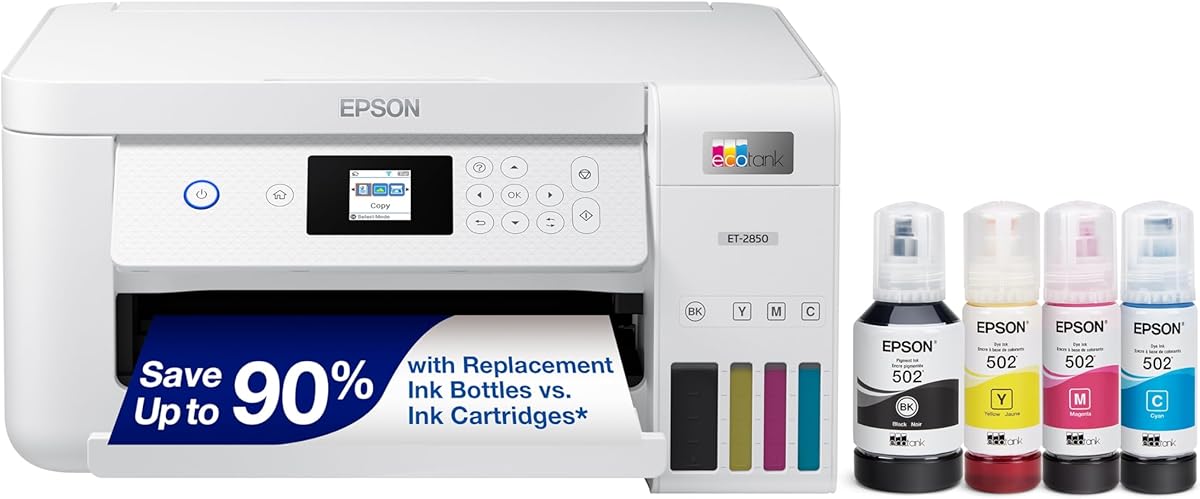
The Epson EcoTank ET-2850 offers a compelling mid-range option with its inclusion of auto 2-sided printing which saves paper and reduces manual effort. It provides dramatic savings on replacement ink compared to traditional cartridges and utilizes pigment black ink to produce extremely sharp text that stands out on standard paper.
We may earn a commission when you buy through this link, at no additional cost to you.
Key strengths include the color display for easy navigation and the intuitive Epson Smart Panel app which enhances mobile printing experiences significantly. The high-capacity ink tanks ensure you are not constantly buying new bottles while the EcoFit design makes filling them a quick and stress-free task every time.
While the upfront cost is higher than entry-level models the added convenience of auto duplex printing and superior text quality often makes up for it in the long run. The main trade-off is the limited paper capacity which may require more frequent refilling if you have large batch printing jobs to complete regularly.
This model is best for users who need a balance of advanced features and cost efficiency for everyday document creation. If paper conservation and sharp text are priorities for your workflow the ET-2850 delivers consistent performance and reliable connectivity for home or small office use.
The paper-saving auto 2-sided printing feature helps reduce waste and costs automatically without requiring manual intervention for every job.
Unique Micro Piezo Heat-Free technology combined with pigment black ink produces text that is exceptionally sharp and professional for any business document.
We may earn a commission when you buy through this link, at no additional cost to you.
The Epson EcoTank ET-4800 is designed for users who prioritize straightforward functionality and high-quality output without unnecessary complexity. It utilizes high-capacity ink tanks to eliminate the need for tiny expensive cartridges and maintains the signature Micro Piezo Heat-Free technology that ensures sharp text and vibrant color photos.
We may earn a commission when you buy through this link, at no additional cost to you.
Key strengths include the zero cartridge waste design which appeals to environmentally conscious consumers and the reliable wireless printing capabilities. The built-in scanner and copier are high-resolution making it easy to digitize documents or create copies quickly while the Easy EcoFit bottles make refilling completely hassle-free.
One trade-off is the lower user rating compared to newer models which might indicate minor limitations in connectivity speed or interface design. However for basic home needs the print quality remains impressive and the savings on ink are substantial over the life of the device for most users.
This model is ideal for budget-conscious buyers who still want professional print quality and the convenience of an all-in-one system. If you need a reliable workhorse for standard documents and photos without extra bells and whistles the ET-4800 provides solid value for money.
Using this printer helps significantly reduce the amount of plastic cartridge waste ending up in landfills contributing to a cleaner environment overall.
The technology allows for impressive color photos and graphics on virtually any paper type giving you flexibility in your creative projects.
We may earn a commission when you buy through this link, at no additional cost to you.
The Canon MegaTank G3270 stands out as an excellent budget option for those looking to switch to cartridge-free printing without a high initial investment. It comes with enough ink to last up to two years and supports printing up to 6000 black and 7700 color pages using a single set of inks for massive savings.
We may earn a commission when you buy through this link, at no additional cost to you.
Key strengths include the affordable price point and the substantial ink capacity that allows users to save up to 1000 on ink over time compared to cartridge-based systems. The 1.35 square LCD display provides straightforward navigation for basic printing scanning and copying tasks without overwhelming users with complex menus.
One limitation is the single-sided printing capability which means you must manually flip pages for double-sided documents. However for most home users the cost savings and ease of use outweigh this minor inconvenience especially when compared to more expensive competitors in the same category.
This printer is perfect for budget-conscious families or students who need reliable color printing on a tight budget. If you prioritize low upfront costs and high page yields over advanced features like auto duplex printing the G3270 is a fantastic entry point into tank-based printing.
The combination of low purchase price and massive ink capacity makes this one of the most cost-effective solutions available for home printing today.
The square LCD display ensures simple intuitive operation for all users making it easy to manage tasks without technical expertise.
We may earn a commission when you buy through this link, at no additional cost to you.
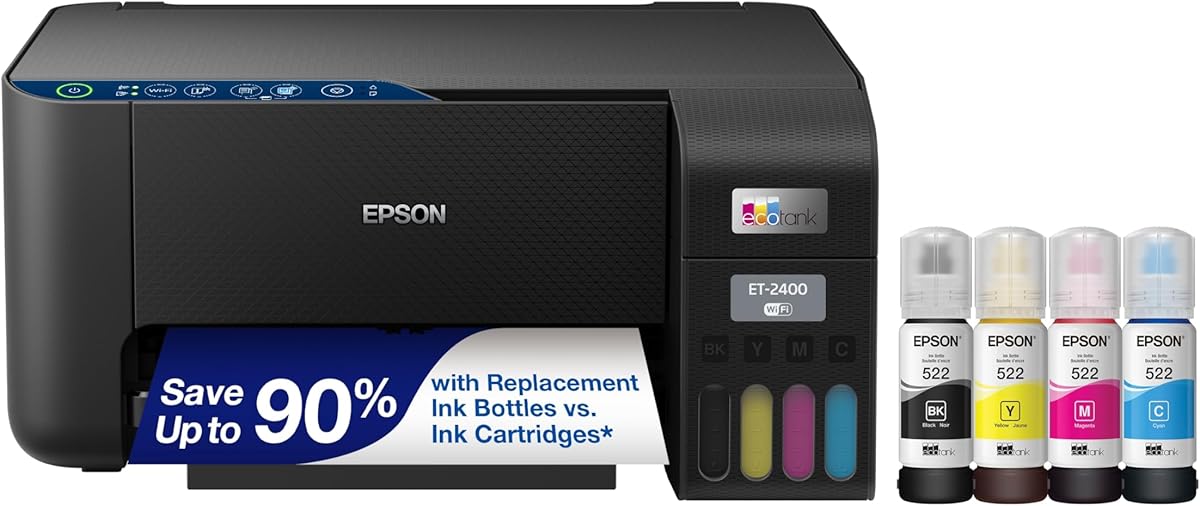
The Epson EcoTank ET-2400 is a reliable home printer designed to minimize ink costs and simplify maintenance for everyday users. It offers less frequent ink replacement than traditional cartridges and allows you to print up to 4500 black and white pages and 7200 color pages on a single set.
We may earn a commission when you buy through this link, at no additional cost to you.
Key strengths include the high-capacity ink tanks and the exclusive EcoFit ink bottles which make the refill process easy and worry-free. Users appreciate the zero cartridge waste design which aligns with sustainable practices and the Micro Piezo Heat-Free technology ensures sharp text and impressive color photos on various paper types.
One trade-off is the relatively slower color print speed compared to higher-end models which might be noticeable in busy environments. Additionally the lack of a touchscreen display means navigation relies on physical buttons which some users might find less intuitive than modern digital interfaces.
This model is well-suited for home users who want a dependable and eco-friendly printer for moderate volume tasks. If you value low running costs and reliable performance over high-speed output the ET-2400 provides a solid foundation for your home office setup.
By choosing this printer you contribute to reducing the amount of cartridge waste ending up in landfills supporting a greener environment effectively.
The exclusive EcoFit bottles are designed to make filling easy and worry-free ensuring that maintenance is quick and mess-free every time.
We may earn a commission when you buy through this link, at no additional cost to you.
The Epson EcoTank ET-2800 is a durable and reliable color printer designed for home environments that need consistent performance and vivid output. It comes with up to two years of ink in the box and uses Micro Piezo Heat-Free technology to create detailed prints that stand out in quality and clarity.
We may earn a commission when you buy through this link, at no additional cost to you.
Key strengths include the ability to fire off 10 ISO pages per minute which is efficient for everyday document needs and the zero cartridge waste design that supports sustainability efforts. The high-capacity ink tanks reduce the need for frequent maintenance while the unique EcoFit bottles ensure the refill process is simple and clean.
One trade-off is the lack of a color display which means navigation is performed using standard physical controls that are functional but less modern than touchscreen options. Despite this the print quality remains sharp and the wireless capabilities allow for easy connection to smart devices for seamless home office workflow.
This model is ideal for users who prioritize reliability and print quality over flashy interface features. If you need a straightforward device that delivers detailed prints and low operating costs the ET-2800 is a strong candidate for everyday home printing tasks.
Firing off 10 ISO pages per minute allows you to easily finish large jobs without excessive wait times for standard documents.
Designed for reliability this printer creates vivid detailed prints and documents thanks to proven technology trusted by millions of users worldwide.
We may earn a commission when you buy through this link, at no additional cost to you.
The Epson EcoTank ET-2980 is a versatile option designed to meet the needs of users seeking high capacity and simple maintenance. It comes with enough ink to last up to three years and includes enough to print up to 6600 black pages and 5500 color pages which is ideal for larger households.
We may earn a commission when you buy through this link, at no additional cost to you.
Key strengths include the unique EcoFit bottles that make refilling simple without the worry of drying out and the status as the world's best-selling supertank printer which speaks to its proven reliability. The enhanced mobile printing from the Epson Smart Panel app allows you to print and scan from the convenience of your smartphone or device.
One trade-off is the higher price point compared to standard models which might be a consideration for budget-focused buyers. However the three-year ink inclusion and robust build quality offer long-term value that often offsets the initial cost over the life of the printer.
This model is perfect for families or home offices that demand high capacity and minimal maintenance. If you want a trusted brand with excellent mobile features and long-lasting ink supply the ET-2980 is a versatile choice for diverse printing needs.
As the world's best-selling supertank printer it represents a proven and trusted solution with over 100 million units sold worldwide.
Enhanced mobile printing from the Epson Smart Panel app allows you to print and scan from the convenience of your smart phone.
We may earn a commission when you buy through this link, at no additional cost to you.
The Epson EcoTank ET-2988 offers a premium feature set at a renewed price making it an attractive option for value-conscious buyers who want advanced capabilities. It comes with enough ink to last up to three years and boasts fast print speeds of 15 black pages per minute which is ideal for high-volume output requirements.
We may earn a commission when you buy through this link, at no additional cost to you.
Key strengths include auto duplex printing which saves paper automatically and the 1.44 color screen for easy navigation through complex menus and settings. The high 4800 x 1200 dpi print resolution ensures stunning quality for both photos and text while the enhanced mobile printing supports AirPrint and Mopria services seamlessly.
One trade-off is that this unit is a renewed product which means it has been refurbished and tested to meet strict standards but may have minor cosmetic imperfections. While this lowers the cost significantly it may not have the same long-term warranty coverage as a brand-new unit depending on the seller.
This model is ideal for users who want high-end features like auto duplex and color displays without paying full retail price. If you prioritize speed and advanced functionality and are comfortable with a renewed device the ET-2988 offers the best value for premium performance.
With fast 15 black and 8 color ISO ppm print speeds this model handles large jobs faster than any other standard home printer.
Purchasing this renewed option allows you to access premium features like auto duplex printing at a significantly lower price point than new models.
We may earn a commission when you buy through this link, at no additional cost to you.
Selecting the right cartridge free printer involves evaluating several critical factors to ensure it meets your specific printing volume and quality needs.
One of the most important aspects of a cartridge free printer is the amount of ink included in the box and the total capacity of the tanks. Look for models that offer at least two to three years of ink supply to ensure you get maximum value from your initial purchase without needing frequent refills.
Prioritize printers that come with enough ink to last several years so you can focus on printing rather than buying supplies constantly.
Print speed is crucial if you have a busy home office or school needs. While many standard models print around 10 pages per minute black some higher-end models like the ET-2988 can reach speeds of 15 pages per minute for faster turnaround on large jobs.
Choose a model with pages per minute speed that matches your average daily output requirements to avoid bottlenecks in your workflow.
Modern printers must offer robust connectivity options such as Wi-Fi and mobile printing support. Look for models that support Apple AirPrint Mopria or dedicated apps like the Epson Smart Panel app for seamless printing from smartphones and tablets.
Ensure the printer supports modern wireless standards so you can print effortlessly from any device in your home or office network.
Some models include advanced paper handling features like auto duplex printing which automatically prints on both sides of the page. This feature saves paper and is useful for users who frequently print documents and want to reduce waste without manual intervention.
Opt for a printer with auto duplex capabilities if you print high volumes of text documents and want to save on paper costs.
The interface on the printer determines how easy it is to navigate settings and copy documents. Higher-end models feature 1.44 inch color displays that provide intuitive menus while basic models might rely on simple LCD screens or physical buttons.
Select a model with a clear display that makes it easy to manage settings and troubleshoot issues without consulting a manual every time.
Resolution is key for photo printing and detailed graphics. Look for printers that support high resolution like 4800 x 1200 dpi or higher to ensure your images look crisp and vibrant on standard home paper.
Focus on DPI ratings that match your needs for visual content if you plan to print photos or marketing materials regularly.
A user-friendly refill system is essential for convenience. Models with EcoFit or unique key systems prevent spills and mix-ups making it easier to refill tanks without mess or stress.
Choose a printer with a mess-free refill design to ensure that maintaining your ink levels is a simple and clean process.
Beyond the upfront price consider the cost of replacement ink and the longevity of the printer. Models with high-capacity tanks and included ink can save you hundreds or even thousands of dollars over the life of the device compared to cartridge printers.
Calculate the long-term savings of ink capacity and included supply to ensure you get the best financial value from your investment.
To get the best performance from your cartridge free printer start by ensuring it is placed on a stable surface away from direct sunlight or dust. This helps prevent the ink from drying out prematurely and ensures the printer components remain cool during heavy usage cycles.
When refilling ink bottles always check that you are using the correct bottle for the correct color as most models use uniquely keyed systems to prevent accidental mixing. Pour the ink slowly into the designated tank and allow it to drain fully before removing the bottle to avoid spills.
Regular maintenance such as running a nozzle check or cleaning cycle every few weeks helps maintain print quality and prevents clogs. If you are not using the printer for an extended period try to print a small document every couple of weeks to keep the ink flowing through the system.
A cartridge free printer uses large external ink tanks instead of small disposable cartridges. It is better because it offers significantly lower cost per page reduces plastic waste and allows you to print thousands of pages before refilling.
Yes you will eventually need to buy ink but these printers come with enough supply for years and replacement bottles are much cheaper than standard cartridges. This means you buy ink much less frequently and at a fraction of the cost.
Yes many modern models offer speeds of 10 to 15 pages per minute which is fast enough for typical home office document needs. They may not match industrial laser speeds but they are efficient enough for standard daily tasks.
Absolutely most color supertank models are designed to print high-quality photos with vibrant colors and sharp details. They often support borderless printing and specific photo paper types for professional-looking results at home.
Manufacturers strongly recommend using genuine ink to avoid damage to the printhead or voiding the warranty. Non-genuine ink can cause clogs or poor print quality which may not be covered by the printer's limited warranty.
You can connect your phone using Wi-Fi and mobile apps like Epson Smart Panel or AirPrint. Download the app scan the QR code on the printer and follow the on-screen prompts to link your device to the network.
No they require minimal maintenance mainly periodic cleaning cycles and refilling the tanks. Unlike laser printers you do not need to worry about toner or complex drum replacements making them very low maintenance.
Yes because the initial investment pays off quickly due to the massive savings on ink over time. If you print regularly the cost savings compared to cartridge printers are substantial within the first year.
We have highlighted the top ten cartridge free printers including our top picks for best overall best budget and best premium models to suit different needs and budgets. Each option offers significant savings and convenience compared to traditional cartridge systems.
Prioritize ink capacity and speed when making your final decision to ensure the device matches your specific printing volume and quality requirements effectively.
Remember to check current prices and availability as these can fluctuate frequently. Verify the latest deals before purchasing to get the best value for your home office setup.