
VAYDEER Volume Control Knob
4.5Editor score
One-click mute function
Driver-free operation
Solid metal build
This guide compares the top Bluetooth volume control knobs for PC and mobile, evaluating connectivity, build quality, and customizable features for better
Modern digital workspaces demand intuitive hardware that simplifies daily tasks without cluttering your desk. A Bluetooth volume control knob offers tactile precision for audio adjustments, making it an essential tool for professionals and enthusiasts alike.
We evaluated ten leading models based on connectivity options, build durability, and functional versatility. Each product was assessed for compatibility across Windows, macOS, and mobile platforms to ensure seamless integration with your existing ecosystem.
Every pick highlights key strengths and potential limitations to help you make an informed decision. Keep in mind that availability and terms may shift, so verify current details before purchasing your preferred device.
4.5Editor score

4.7Editor score

3.8Editor score
The following table provides a side-by-side overview of the top contenders in the market. Use this comparison to quickly identify which model aligns with your specific connectivity and functional requirements.


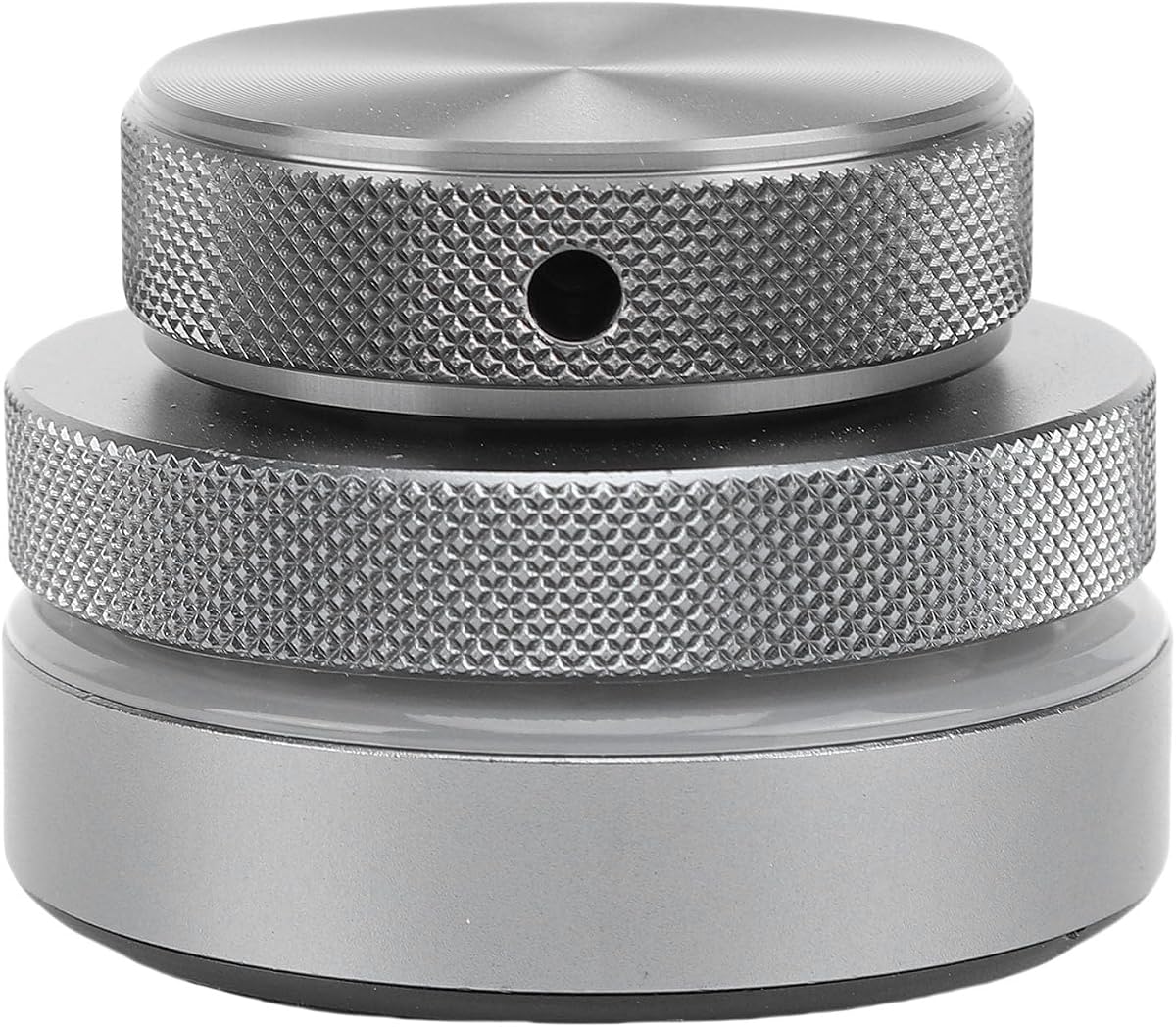
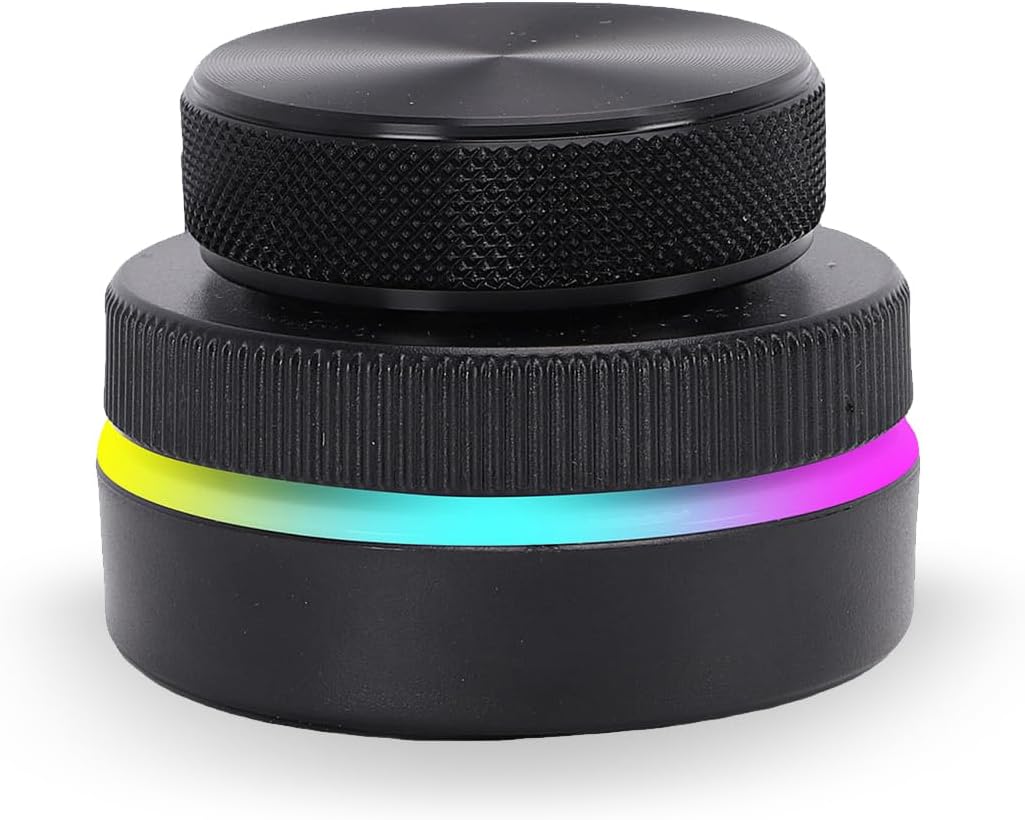
The LICAEVEY Volume Control Knob stands out as the top choice for users seeking a versatile and robust audio controller. With a strong rating, it delivers seamless connectivity through Bluetooth, 2.4G, and USB C interfaces. Its ability to support complex shortcuts and its durable construction make it an ideal companion for both productivity and entertainment setups.
We may earn a commission when you buy through this link, at no additional cost to you.
Its standout feature is the extensive customization capability, allowing you to map standard keyboard functions or complex combos to a single press. The 360-degree infinite rotation ensures smooth and accurate adjustments without stopping, while the RGB lighting adds a personalized touch to your desk. The built-in 400mAh battery supports reliable operation, and the compact design makes it easy to transport.
While the customization offers power, it may require some time to set up efficiently. Additionally, the RGB lighting, though attractive, might not suit minimalistic workspaces. These trade-offs are acceptable given the device's overall functionality and build quality, making it a solid investment for power users.
This knob is best suited for professionals and enthusiasts who need quick access to multimedia controls and system shortcuts. Whether you are editing videos, managing conference calls, or simply adjusting music, this device provides the tactile precision needed to streamline your workflow effectively.
Support for Bluetooth, 2.4G, and USB C ensures the device works seamlessly across phones, tablets, and PCs without drivers.
Map complex keyboard shortcuts to a single press, enhancing efficiency for tasks like page flipping or media control.
We may earn a commission when you buy through this link, at no additional cost to you.
The Anticater VK-01 is designed for users who prioritize build quality and aesthetic appeal alongside functionality. Its CNC aluminum construction provides a solid, premium feel, and the textured grip ensures smooth, accurate volume adjustments. This model is particularly appealing for those who want a device that looks as good as it performs on a professional desk.
We may earn a commission when you buy through this link, at no additional cost to you.
The triple-mode connectivity allows for flexibility, supporting Bluetooth, 2.4 GHz wireless, and USB-C wired connections. The included macro software lets you assign specific functions, adding a layer of customization that benefits power users. Its compatibility with both Windows and macOS makes it a versatile choice for diverse environments.
The necessity of installing macro software for full functionality might be a hurdle for casual users seeking plug-and-play simplicity. Additionally, the higher cost compared to basic models reflects its premium materials but may not fit every budget. However, the durability and professional design justify the investment for many.
This knob is ideal for creatives and professionals who value tactile feedback and a high-end look. Whether you are mixing audio or simply managing daily volume, the precision and build quality of the Anticater VK-01 make it a reliable and stylish addition to your workspace.
Constructed from durable CNC aluminum with a textured grip, this knob offers longevity and precise control.
Assign custom functions via intuitive software, enhancing productivity for complex tasks across different applications.
We may earn a commission when you buy through this link, at no additional cost to you.
The Jiawu USB Volume Control Knob brings a modern touch to audio management with its Bluetooth 5.1 connectivity and sleek aluminum alloy design. It offers a range of sound control functions including volume adjustment, mute, track switching, and playback pausing. The RGB lighting adds a dynamic visual element that complements any gaming or tech-focused setup.
We may earn a commission when you buy through this link, at no additional cost to you.
Its programmable nature allows you to customize up to five functions, tailoring the device to your specific workflow needs. The compact and portable design ensures it fits easily on any desk without taking up much space. Despite being a newer product, it shows promise with features that cater to tech enthusiasts looking for a personalized experience.
As a newer entry, it lacks extensive user feedback to confirm long-term reliability or software stability. There is also limited data on battery life and connection stability compared to established competitors. However, its feature set suggests it is a strong contender for those willing to try the latest options.
This device is best for tech-savvy users who appreciate modern aesthetics and customization. If you need a controller that offers a blend of style and functionality with RGB flair, the Jiawu knob provides a compelling option for enhancing your desktop audio setup.
Equipped with Bluetooth 5.1 for stable and efficient wireless connections to your PC and mobile devices.
Customizable RGB lighting allows you to create unique effects that match your personal style or setup theme.
We may earn a commission when you buy through this link, at no additional cost to you.
The Razer Wireless Control Pod is designed for users invested in the Razer ecosystem, offering deep integration with specific speaker models. It allows for advanced audio control including EQ preset cycling and Chroma brightness adjustments. The build quality is high, featuring a durable aluminum alloy construction that withstands daily use while providing a satisfying tactile feel.
We may earn a commission when you buy through this link, at no additional cost to you.
Its rotatable and clickable dial lets you fine-tune settings quickly, while the source button simplifies switching between devices. The Razer Audio App provides extensive configuration options, ensuring you can tailor the device to your exact preferences. Bluetooth connectivity adds flexibility, removing the need for constant cable management on your desk.
The reliance on specific Razer hardware and software means it may not be fully utilized by those outside the brand ecosystem. The cost is also higher than generic alternatives, reflecting the specialized features. However, for Razer fans, the integration benefits are significant and justify the investment.
This pod is best for gamers and audiophiles who use Razer audio equipment. The ability to control Chroma effects and advanced audio settings from one device enhances the immersive experience, making it a valuable addition for those seeking a unified gaming setup.
Remap audio functions and cycle through EQ presets using the intuitive Razer Audio App for precise sound control.
Adjust the Chroma brightness of your entire setup directly from the pod, creating a cohesive visual experience.
We may earn a commission when you buy through this link, at no additional cost to you.
This silver Bluetooth Volume Control Knob leverages the latest Bluetooth 5.3 technology for stable and lag-free connections across Windows, MacOS, iOS, and Android. Its solid zinc alloy CNC crafted design ensures durability, while the RGB lighting offers a vibrant customization option. The device is packed with essential media control functions suitable for daily desktop use.
We may earn a commission when you buy through this link, at no additional cost to you.
With support for volume adjustment, mute, play/pause, and track switching, it covers all basic needs effectively. The zinc alloy build with anti-slip knurling provides a premium feel and prevents sliding during use. The built-in 300mAh battery supports up to 90 days standby, reducing the need for frequent charging.
The feature set is somewhat basic compared to programmable models, focusing instead on core utility. The price point may be high for users who do not need the metallic finish or specific connectivity version. However, the build quality and battery life make it a practical choice for reliable control.
This knob is best for users seeking a durable and stylish wireless controller for everyday tasks. Whether streaming music or managing documents, its reliable connectivity and long battery life ensure you stay in control without constant interruptions or charging worries.
Built-in Bluetooth 5.3 chip ensures instant pairing and stable connections across all major operating systems and devices.
Constructed from solid zinc alloy with anti-slip knurling, providing a robust and tactile feel during daily use.
We may earn a commission when you buy through this link, at no additional cost to you.
The VAYDEER Volume Control Knob is an excellent choice for users seeking simplicity and affordability without sacrificing build quality. Its one-click mute function is highly convenient for quick audio management during calls or listening. The sturdy metal shell and solid rotary shaft ensure it lasts through daily use, offering a premium feel at a budget-friendly price.
We may earn a commission when you buy through this link, at no additional cost to you.
Designed for driver-free operation, it works immediately upon plugging into your PC, making it ideal for users who prefer immediate functionality. The non-slip base keeps the device steady, preventing accidental movement while you adjust volume. It is a practical accessory that enhances your desktop utility without the need for complex setup.
The lack of Bluetooth connectivity limits its use to wired USB connections only. Additionally, it lacks the customization options found in more expensive models, offering basic volume and mute control. However, for straightforward needs, these limitations are often acceptable given the low cost and reliability.
This knob is perfect for students, home users, or anyone needing a reliable and simple volume controller. Its ease of use and durable construction make it a fantastic gift or practical addition to any computer setup that prioritizes function and value.
Plug and play functionality allows immediate use without installing drivers, ensuring a hassle-free experience for all users.
Quickly stop and resume audio with a simple press of the knob, making it ideal for frequent audio management.
We may earn a commission when you buy through this link, at no additional cost to you.
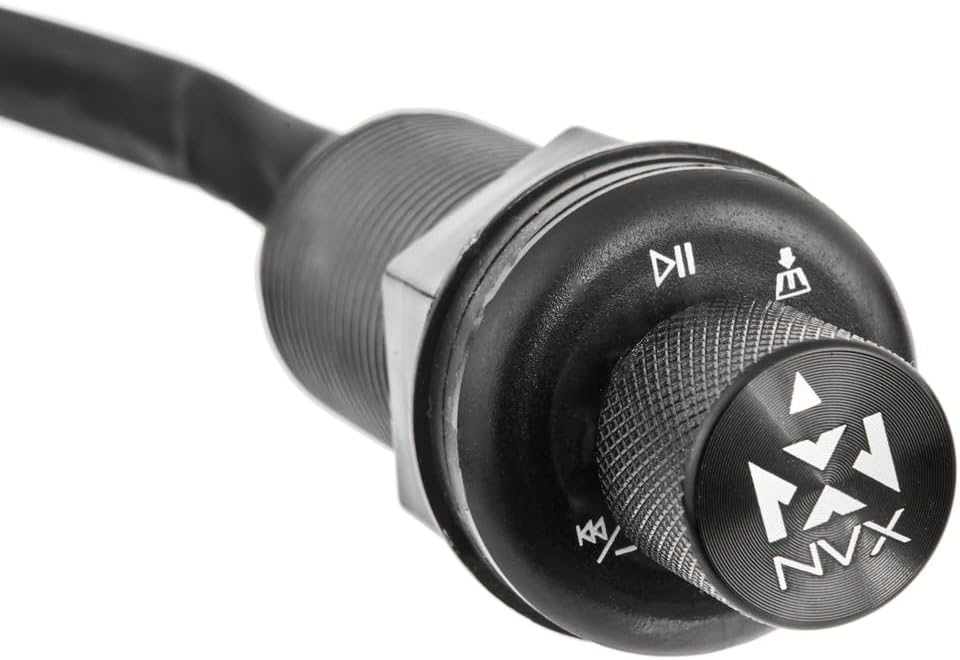
The NVX Universal Bluetooth Audio Receiver and Volume Control Knob provides a seamless way to manage audio in car systems that support AUX inputs. It allows for one-knob control of track playback, pause, and volume, offering convenience while driving. The mounting options include flush or under-dash configurations, ensuring it blends well with vehicle interiors.
We may earn a commission when you buy through this link, at no additional cost to you.
Designed to be universally compatible with iPhones, Androids, and other Bluetooth devices, it simplifies the listening experience without needing to look at a phone. The compact design ensures it does not clutter the dashboard, keeping your focus on the road. This model is a practical addition for older cars or those seeking simpler audio control.
Its functionality is primarily limited to basic media control rather than advanced desktop customization. It may not be suitable for users seeking PC or tablet integration beyond basic audio routing. However, its specific utility in automotive contexts makes it a valuable tool for enhancing driving convenience.
This device is best for drivers who want physical control over their audio sources without touching their phone. The flush mounting and easy connectivity make it a reliable choice for improving the audio experience in a variety of vehicle setups.
Works seamlessly with Android, iPhone, and other Bluetooth devices to deliver wireless audio control in any car.
Includes flush and under-dash mounting options for a clean installation that suits your specific vehicle dashboard layout.
We may earn a commission when you buy through this link, at no additional cost to you.
This Volume Control Knob offers a balanced combination of connectivity and control with its support for 2.4G wireless and USB-C wired modes. The stable, low-latency connection ensures that adjustments are instant, while the non-slip base keeps the device steady. The aluminum-alloy knob provides a satisfying tactile experience that enhances daily use.
We may earn a commission when you buy through this link, at no additional cost to you.
With broad compatibility across major operating systems including Windows, macOS, Android, and iOS, it works seamlessly with your phone, tablet, or desktop. The RGB lighting adds a visual element to your setup without requiring complex software. It is a versatile controller that simplifies audio management across multiple devices.
The customization options may be limited compared to more advanced programmable models. Additionally, detailed battery specifications are not fully clear, which could impact long-term planning. However, for users needing reliable control across platforms, it remains a strong and practical choice.
This knob is best for general users and creators who need consistent audio control on different devices. Whether for gaming, work, or leisure, its stability and ease of use make it a helpful accessory for maintaining a smooth workflow.
Supports both 2.4G wireless and USB-C wired connections for flexible usage across various setups and devices.
Smooth aluminum-alloy knob and non-slip base provide a comfortable grip and stable operation for all-day use.
We may earn a commission when you buy through this link, at no additional cost to you.
This Bluetooth 5.1 USB Volume Control Knob stands out for its advanced programmability, allowing you to customize up to five functions via an app. Its support for Bluetooth and USB connections provides flexibility for different usage scenarios. The aluminum alloy build ensures durability, while the RGB lighting adds a stylish touch to any desk.
We may earn a commission when you buy through this link, at no additional cost to you.
Key features include one-key mute, track switching, and playback pause, offering comprehensive control over multimedia. The ability to customize lighting and key mappings via an app makes it a versatile tool for personalized workflows. It is a compact device that fits easily into various setups without taking up too much space.
The need for app setup may be a slight barrier for users seeking immediate plug-and-play functionality. As a newer model, it lacks extensive community feedback to confirm long-term performance. Nevertheless, the feature set and build quality suggest it is a strong contender for enthusiasts.
This knob is ideal for tech enthusiasts and professionals who appreciate customization. Whether you are editing content or managing music, the ability to tailor functions to your needs enhances your productivity and audio management experience significantly.
Customize up to five functions and lighting effects via the app, allowing for a personalized control experience.
Choose between Bluetooth and USB connections to suit your device setup and ensure reliable operation.
We may earn a commission when you buy through this link, at no additional cost to you.
The VBESTLIFE USB Volume Control Knob offers unique compatibility with HarmonyOS alongside standard platforms like Windows and macOS. Its three connection modes including BT5.0, 2.4G, and USB-C ensure broad usability. The 360-degree rotation allows for smooth adjustments, and the built-in 400mAh battery supports continuous work without frequent charging.
We may earn a commission when you buy through this link, at no additional cost to you.
It supports a wide range of functions including brightness adjustment, webpage navigation, and electronic book page turning. The compact design and RGB lighting make it an attractive addition to your workspace. This versatility makes it useful not just for audio but also for navigation and presentation tasks.
Some users might find the setup slightly complex due to multiple connection options. There is also mixed feedback on driver-free functionality across different platforms. However, the broad support and battery life make it a compelling choice for specific use cases.
This knob is best for users needing cross-platform support and advanced navigation features. Whether managing presentations or reading ebooks, its ability to handle diverse tasks makes it a versatile tool for enhancing your digital workflow.
Compatible with Windows, OS X, Android, iOS, and HarmonyOS, ensuring versatility across a wide range of devices.
Use for media playback, brightness control, and presentation navigation, offering a versatile accessory for daily tasks.
We may earn a commission when you buy through this link, at no additional cost to you.
Selecting the right Bluetooth volume control knob depends on your specific needs, device ecosystem, and budget. Consider these factors to find a model that enhances your workflow.
Look for knobs that support Bluetooth and USB-C wired connections to ensure flexibility across devices. Some models also offer 2.4G wireless for lower latency, which is beneficial for gaming or live audio work.
Aluminum alloy and CNC-machined bodies offer durability and a premium feel compared to plastic options. A textured grip and solid base prevent slipping, ensuring precise control during adjustments.
If you need advanced control, choose a model with programmable keys and macro software. This allows you to map shortcuts for specific apps, enhancing productivity beyond basic volume changes.
Rechargeable lithium batteries reduce the need for frequent replacements, while some models use standard batteries. Check standby times to ensure the device remains reliable during extended use.
Verify that the knob supports your operating system, whether Windows, macOS, Android, or iOS. Some models also support specific ecosystems like HarmonyOS, which is essential for niche users.
Consider RGB lighting, color options, and size to match your desk setup. A compact and stylish design can enhance both the functionality and visual appeal of your workspace.
Plug-and-play models save time by eliminating the need for drivers or complex software. If you prioritize simplicity, choose a device that works immediately upon connection.
Begin by connecting your knob to your device using the preferred method, whether Bluetooth pairing or USB cable. Follow the manufacturer's instructions for initial pairing to ensure a stable link.
To pair your knob, enable Bluetooth on your PC and put the device in pairing mode by pressing and holding the button. Once the LED blinks, select it from your device list to complete the connection and start using it immediately.
Most modern Bluetooth volume knobs support both Windows and macOS for basic audio control. Always check the product specs to confirm compatibility with your specific operating system version.
Many models offer driver-free plug-and-play functionality for basic volume control. Advanced features like macro programming may require specific software installation from the manufacturer.
Battery life varies by model but can range from several days to months of standby. Rechargeable batteries typically provide days of use before needing another charge cycle.
Some models allow button customization through companion software, enabling you to map shortcuts or commands. Others offer fixed functions for simplicity, so review the features before purchasing.
Ensure the device is charged and in pairing mode. Try resetting the connection or checking for firmware updates on the manufacturer's website to resolve recognition issues.
Certain models with AUX input support and wireless connectivity can be used for in-car audio control. Verify that the knob supports your vehicle's audio system input before purchasing.
We have reviewed the top Bluetooth volume control knobs for November 2026, highlighting models that excel in connectivity, build quality, and customization. Each option offers unique strengths tailored to different user needs.
When choosing, prioritize factors like platform support and battery life to ensure the device fits your workflow. Consider whether you need basic control or advanced programmability to select the right model.