
NIMO 15.6" AI Ready Laptop
4.9Editor score
Intel N150 Quad Core Processor
180 Degree Lay Flat Hinge
2 Year Warranty and Support
Finding a durable all metal laptop ensures long-lasting performance and a premium feel. These devices offer superior heat dissipation and structural integrity compared to plastic alternatives.
We evaluated ten top models based on build quality, processing power, display clarity, and portability. Each selection represents the best value in its category for various user needs.
Every pick highlights key strengths and potential trade-offs to guide your decision. Prices and availability change frequently, so check current listings before purchasing your new device.
4.9Editor score

5.0Editor score

5.0Editor score
As an Amazon Associate we earn from qualifying purchases.
This side by side comparison highlights the key specifications and unique features of each all metal laptop on our list. Use this guide to quickly identify the model that best fits your specific workflow and budget requirements.




This Dell Latitude Rugged 5430 stands out as the premier choice for professionals seeking a durable all metal laptop with robust performance capabilities. It combines industrial grade build quality with powerful internal components that handle demanding workflows efficiently.
We may earn a commission when you buy through this link, at no additional cost to you.
The Core i7 processor paired with 32GB of RAM ensures smooth operation even when running multiple resource intensive applications simultaneously. The 1TB SSD provides fast boot times and ample storage for large project files and media libraries.
While the price is higher than standard consumer laptops, the two year warranty and on site service justify the investment for business users. The added weight is a trade-off for the exceptional durability and protection against daily wear and tear.
Professional users who need reliability and power in a single device should consider this model. It delivers consistent performance and longevity that surpasses typical consumer grade options available in the market today.
The rugged metal chassis resists impacts and environmental stress, making it ideal for field work and harsh environments.
With 32GB of RAM and a high speed processor, complex tasks like data analysis run without lag or slowdown.
We may earn a commission when you buy through this link, at no additional cost to you.
The NIMO 15.6 AI Ready Laptop offers exceptional value for those seeking an all metal laptop without breaking the bank. Its lightweight design and efficient processor make it perfect for students and casual home users alike.
We may earn a commission when you buy through this link, at no additional cost to you.
Students and remote workers benefit from the silent fan operation and long battery life during lectures or meetings. The metal top cover provides durability against daily bumps in backpacks and shared spaces.
While the processor is not designed for heavy gaming or video editing, it handles browsing and document work effortlessly. The limited base RAM might restrict heavy multitasking but expansion slots offer future upgrades.
Budget conscious buyers should prioritize this model for its balance of build quality and reliability. It represents a smart investment for everyday productivity tasks without compromising on essential features.
The efficient cooling system ensures the laptop runs quietly, making it suitable for libraries and quiet workspaces.
A full stack of ports eliminates the need for dongles, simplifying connections to projectors and external drives.
We may earn a commission when you buy through this link, at no additional cost to you.
The FIREBAT Gaming Laptop Metal 15.3in delivers high end performance in a sleek all metal form factor designed for power users and gamers. It combines cutting edge hardware with a robust chassis capable of withstanding intensive usage.
We may earn a commission when you buy through this link, at no additional cost to you.
The Ryzen 7 processor and DDR5 RAM allow for smooth video editing and 3D rendering on the go. The WQXGA display provides vibrant colors and sharp details crucial for creative professionals and designers.
While the unit is slightly heavier due to the robust build, the performance gains justify the extra weight. Users should expect shorter battery life when running graphically demanding applications compared to lighter office laptops.
Content creators and professionals needing desktop class power should choose this laptop for its versatility. It offers future proofing through expandability and superior build materials that ensure long term durability.
The 120Hz refresh rate ensures smooth visuals for both creative work and high speed gaming experiences.
The all metal body aids in heat dissipation, keeping internal components cool during extended usage sessions.
We may earn a commission when you buy through this link, at no additional cost to you.
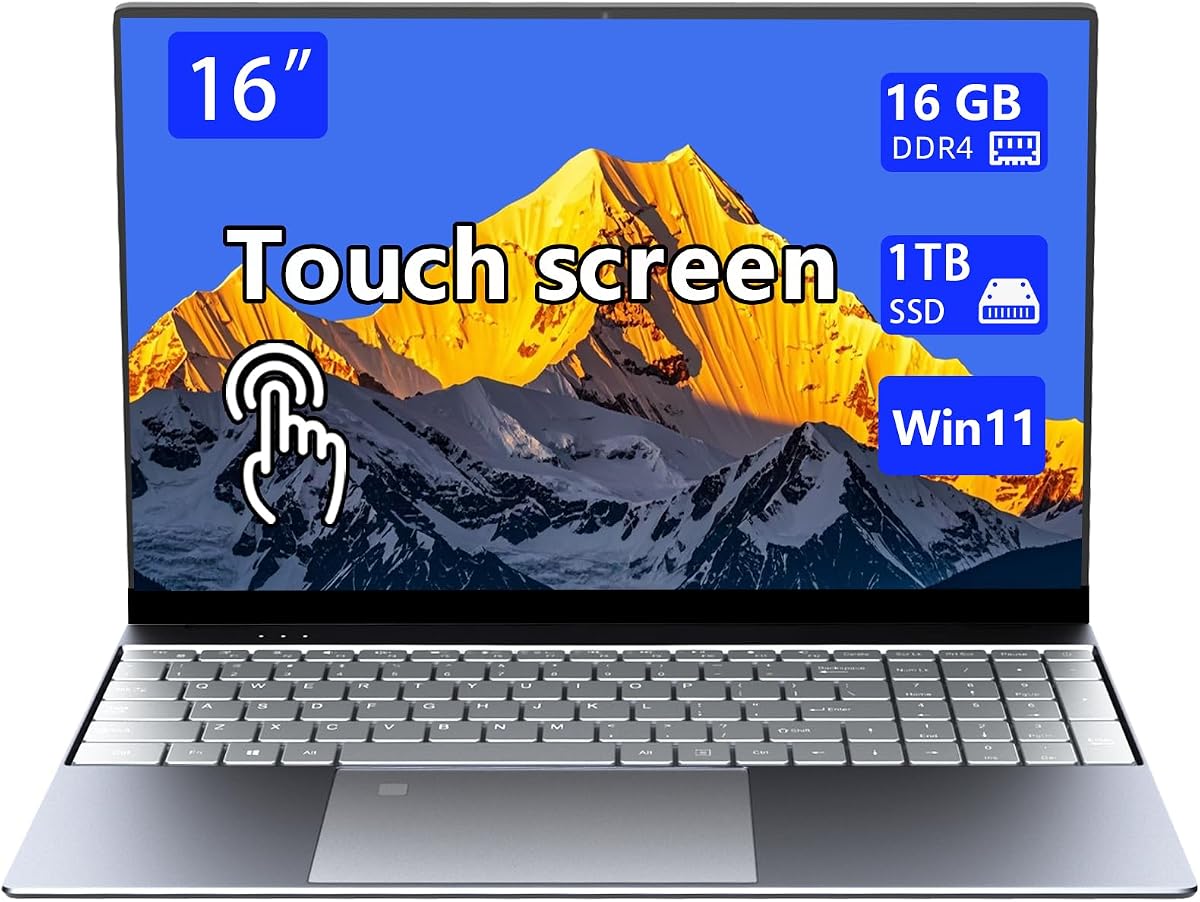
This 16-inch touchscreen laptop is an excellent choice for those needing vast storage and high memory within an all metal frame. It is designed for multitasking users who manage large files regularly.
We may earn a commission when you buy through this link, at no additional cost to you.
Office workers and designers benefit from the ten-point touchscreen and vibrant display colors. The high RAM capacity allows many browser tabs and applications to run simultaneously without performance drops.
The processor is capable for daily tasks but may struggle with heavy loads compared to higher end models. The 2TB drive ensures you rarely need to worry about running out of space for media files.
Users prioritizing storage and memory over raw processing power will find this device highly reliable. It is a cost effective solution for heavy file usage in a premium metal design.
The screen offers vivid colors and high resolution, making media consumption and design work visually appealing.
The metal body improves thermal performance, preventing overheating during extended use of the storage system.
We may earn a commission when you buy through this link, at no additional cost to you.
The HP OmniBook 3 14 inch AI PC redefines portability with its impressive battery life and vibrant OLED screen. It targets mobile professionals who need to work unplugged for long periods.
We may earn a commission when you buy through this link, at no additional cost to you.
Frequent travelers appreciate the ability to last days on a single charge while maintaining fast connectivity. The OLED display provides rich colors that make content viewing enjoyable on the go.
The Snapdragon processor handles daily tasks well but might not suit all legacy x86 specific software. The lower SSD capacity requires reliance on cloud storage for large data sets.
Mobile workers should prioritize this laptop for its endurance and display quality. It sets a new standard for battery efficiency in the modern all metal laptop category.
Copilot+ PC features assist with tasks like recording and summarizing meetings to boost productivity automatically.
The OLED panel delivers deep blacks and sharp details, enhancing both work and entertainment experiences.
We may earn a commission when you buy through this link, at no additional cost to you.
This version of the 16-inch touchscreen laptop offers a balanced mix of features for general home and office use. It provides essential capabilities without the high cost of premium models.
We may earn a commission when you buy through this link, at no additional cost to you.
Students and home office users benefit from the security features and large SSD storage. The all metal chassis ensures the device stays protected against typical daily handling.
While performance is sufficient for standard applications, gaming or heavy editing might be limited. Users should expect solid reliability for standard document and media consumption tasks.
Home users looking for a reliable device for browsing and light work will find this sufficient. It offers the durability of metal without the premium price tag.
Fingerprint readers and backlit keyboards ensure secure and convenient access in various lighting conditions.
The responsive touchscreen allows for intuitive navigation and direct interaction with applications.
We may earn a commission when you buy through this link, at no additional cost to you.
The HP Everyday Slim Laptop is designed for students who need a portable and lightweight all metal laptop for daily classes. It focuses on essential productivity tools and cloud integration.
We may earn a commission when you buy through this link, at no additional cost to you.
College students appreciate the included software and long battery life during lectures. The slim profile fits easily into backpacks for commuting across campus.
The local storage is modest but cloud options extend capacity significantly for documents. Performance is optimized for writing and research rather than heavy media tasks.
Students needing a reliable and light tool for schoolwork should choose this model. It simplifies the workflow with integrated AI and cloud storage solutions.
Copilot AI helps summarize notes and manage tasks to improve study efficiency.
The lightweight build ensures you can carry it everywhere without feeling weighed down.
We may earn a commission when you buy through this link, at no additional cost to you.
This Core i7 laptop offers a robust all metal design with a focus on visual quality and performance. It is well suited for professionals needing a reliable screen for work.
We may earn a commission when you buy through this link, at no additional cost to you.
The IPS display provides wide viewing angles and clear text which is useful for long coding sessions. The metal build ensures a premium feel and better cooling than plastic equivalents.
While the Bluetooth version is older, standard connectivity remains stable for peripherals. The recycled aluminum shows a commitment to sustainability alongside quality construction.
Professionals needing a stable screen and secure login should consider this option. It balances performance and design effectively for daily business use.
Using recycled aluminum reduces environmental impact without compromising structural integrity.
The narrow bezels and IPS technology enhance focus on the content displayed.
We may earn a commission when you buy through this link, at no additional cost to you.
This Dell laptop combines modern components like DDR5 RAM with a responsive touchscreen. It is ideal for users who want the latest tech in a metal chassis.
We may earn a commission when you buy through this link, at no additional cost to you.
The 16:10 ratio provides extra vertical space for productivity. The DDR5 memory ensures faster data handling which benefits multitasking and general speed.
Storage is smaller than competitors but fast SSD technology compensates for loading times. Users should check battery expectations as performance demands power.
Tech enthusiasts seeking modern specs should find this model appealing. It offers a forward looking configuration in a sturdy and reliable build.
The taller screen ratio maximizes vertical space for documents and coding.
Latest ports support external monitors and fast charging for modern peripherals.
We may earn a commission when you buy through this link, at no additional cost to you.
This 2026 model is a straightforward all metal laptop focused on reliability and connectivity. It serves well for students and business users needing essential features.
We may earn a commission when you buy through this link, at no additional cost to you.
The wide array of ports ensures you can connect various devices without adapters. The lightweight design makes it easy to carry for travel or daily commutes.
Performance is adequate for standard office work and web browsing. While the screen is standard, it is bright enough for indoor use.
Users needing a no fuss device for general tasks should consider this model. It provides a sturdy build and functional features at a sensible price point.
Multiple USB and HDMI ports allow direct connection to displays and peripherals.
The thin profile and low weight reduce strain during daily transport.
We may earn a commission when you buy through this link, at no additional cost to you.
Selecting the right all metal laptop involves evaluating build quality, performance, and specific use case requirements.
All metal laptops typically use aluminum or magnesium alloys which offer superior durability and heat dissipation. Look for models with sturdy hinges and smooth finishes to ensure long term usability.
Prioritize devices with solid chassis construction to prevent flex and damage from daily transport.
Choose a processor that matches your workload needs. For general tasks, modern quad core chips are sufficient, while professionals may require high performance multi core CPUs.
Ensure the CPU generation is recent to avoid software compatibility issues and achieve better energy efficiency.
A minimum of 16GB RAM is recommended for smooth multitasking in 2026. Opt for SSDs as they provide faster boot times and responsive application loading compared to older drives.
Check for expandability options if you anticipate needing more storage or memory in the future.
Select a screen with high resolution and color accuracy to reduce eye strain during long work hours. IPS panels offer wider viewing angles and better consistency than TN panels.
Touchscreen features can enhance interaction for those who prefer direct control and note taking.
Consider the weight and dimensions if you travel frequently. Metal laptops are generally heavier than plastic ones, so balance durability with the need for mobility.
Look for slim profiles that fit easily into standard backpacks for effortless commuting.
Modern laptops should include USB-C, HDMI, and audio jacks to support a variety of peripherals. Wi-Fi 6 and Bluetooth ensure fast and reliable wireless connections.
Verify the availability of necessary ports to minimize the need for additional adapters and dongles.
For mobile users, battery life is critical. Aim for models that offer all day usage to avoid constant charging during work or travel.
Check for fast charging capabilities to get back to full power quickly when needed.
A reliable warranty protects your investment against defects and accidental damage. Look for brands with strong customer support networks for quick service.
Extended warranty plans can provide peace of mind for long term usage in demanding environments.
Always use a protective sleeve or case when carrying your all metal laptop to prevent scratches and dents on the exterior finish.
Avoid exposing the device to extreme temperatures as metal conducts heat and cold more effectively than other materials.
Clean the chassis with a soft lint free cloth and avoid harsh chemicals to preserve the anodized surface and build quality.
Yes, all metal laptops generally offer superior durability due to the structural integrity of aluminum and magnesium alloys. They resist physical stress better than plastic casings.
Yes, metal chassis act as heat sinks that help dissipate internal heat more efficiently. This contributes to better thermal management and stable performance.
If you value longevity and a premium feel, investing in an all metal laptop is often worthwhile. The build quality typically ensures a longer lifespan than cheaper options.
It depends on the specific model. Some feature removable panels while others have soldered components. Always check the specs before purchasing.
Use a soft microfiber cloth and a mild cleaning solution. Avoid abrasive materials to prevent scratching the finish or coating.
Metal chassis are often slightly heavier due to density but the difference is often minimal in modern designs. The added weight offers better rigidity.
We have reviewed the top ten all metal laptops ranging from rugged business machines to budget friendly student models. Each device offers unique strengths tailored to different professional and personal needs.
When choosing prioritize build quality and performance specs that match your daily workflow. Whether you need raw power or portability the right metal chassis ensures reliability.
Prices and availability fluctuate frequently so check current listings before purchasing your new device. Investing in a quality all metal laptop ensures you are prepared for future computing demands.