
Liene PixCut S1 Color Sticker Printer
4.2Editor score
Color dye-sublimation printing
AI image extraction cutting
Waterproof durable stickers
This guide compares the top AI sticker printer maker models for kids and creators, evaluating voice control, printing quality, and ease of use for creative
Discover the magic of turning ideas into physical stickers instantly with AI sticker printer maker devices. These innovative tools combine voice recognition and thermal printing to let users create custom designs without ink or messy supplies. Perfect for kids and crafters alike, they spark imagination through hands-on creative play.
We evaluated ten leading models based on printing technology, voice accuracy, ease of use, and overall creative potential. Our analysis focuses on how each device handles voice commands, the quality of thermal outputs, and the included accessories that enhance the experience. This comparison helps you find the right fit for your needs.
Each pick highlights key strengths like portability, app integration, and safety features for younger users. You will see detailed breakdowns of specs, pros, and cons to guide your decision. Keep in mind that availability and offers may shift quickly, so check current listings before purchasing your new creative companion.
4.2Editor score

4.8Editor score

5.0Editor score
This side-by-side comparison shows how each AI sticker printer maker handles voice commands, printing quality, and creative options to help you choose the right device for your projects.
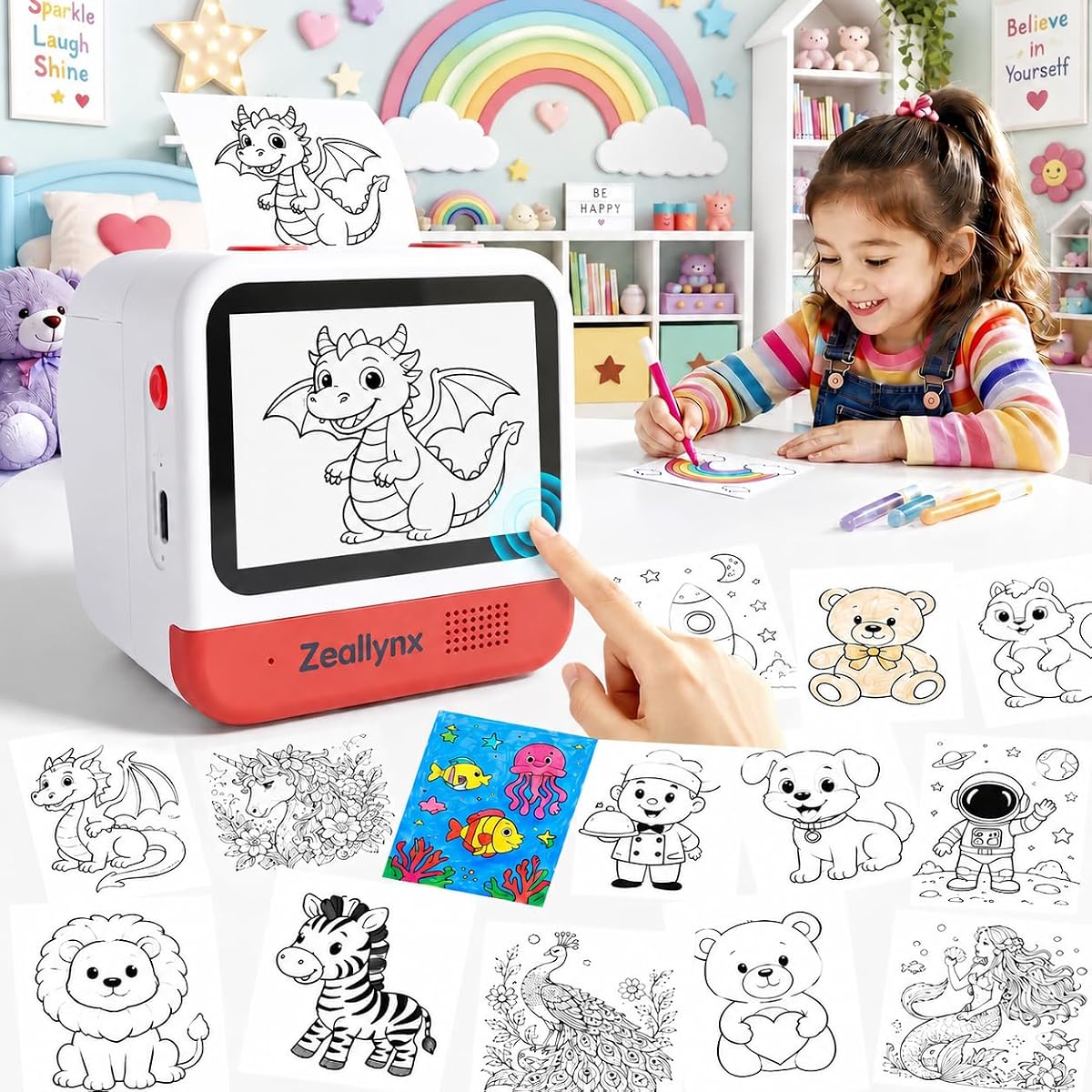

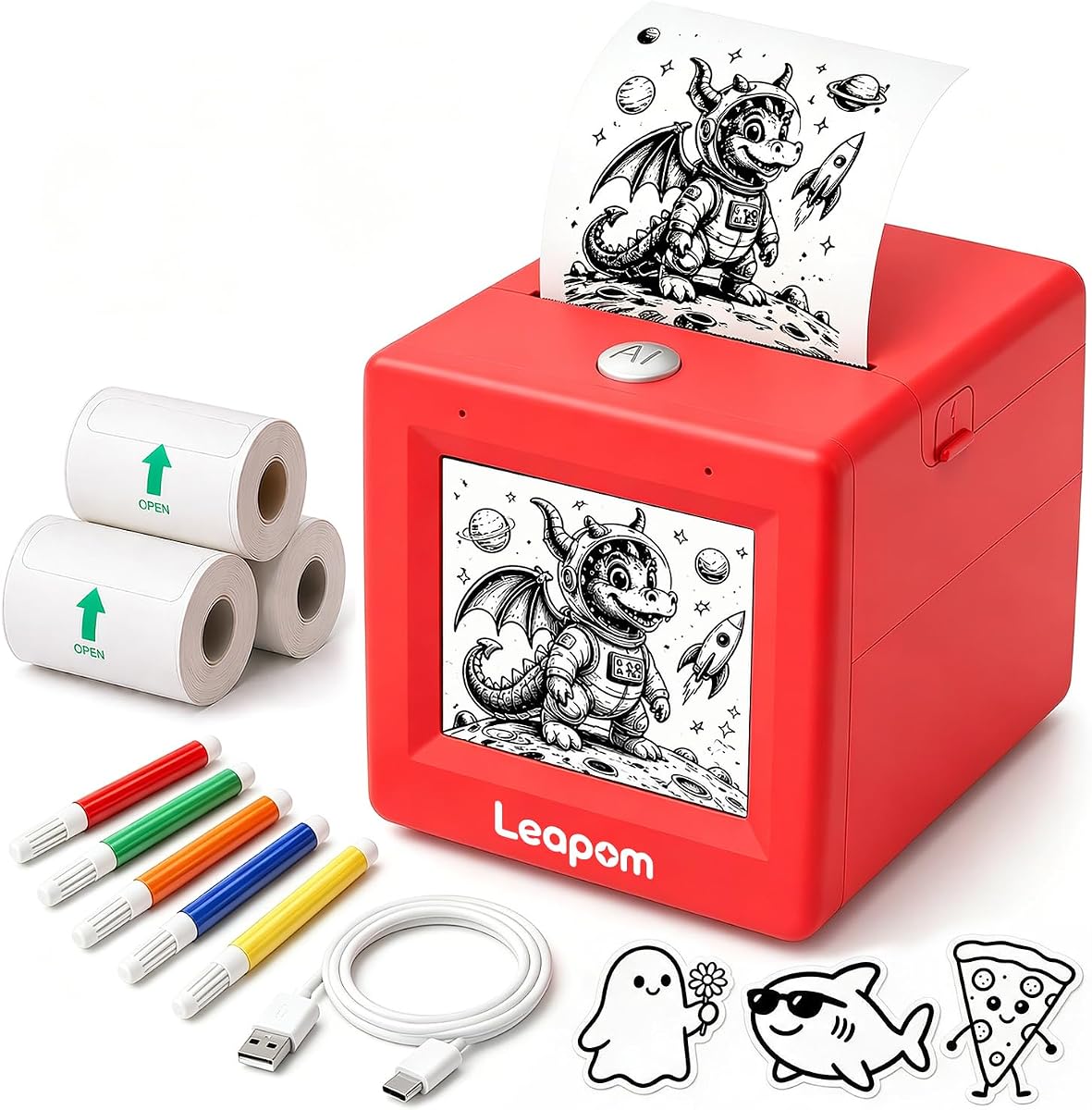


This AI sticker printer maker stands out for its seamless voice-to-sticker workflow designed specifically for kids. With a 4.8 rating, users praise how quickly ideas become printable cartoons without any complex setup or app downloads. The device connects directly via Wi-Fi to generate images from spoken prompts instantly.
We may earn a commission when you buy through this link, at no additional cost to you.
The standout feature is the simplicity of voice control paired with a touchscreen for style selection. Children can describe what they want to draw and watch the thermal printer produce crisp black-and-white line art. This process encourages communication skills and creativity since they do not need drawing abilities to see their ideas materialize.
While it uses thermal technology that limits output to monochrome, the included watercolor pens turn each print into a coloring project. The privacy-first approach ensures no data storage and strict content filtering, making it safe for younger children. This trade-off keeps operation simple and avoids subscription fees.
Parents seeking a creative gift that blends tech with hands-on art will find this model ideal. It is perfect for birthdays or holidays when you want to spark imagination without screen time. The reliable performance and ease of use make it a top recommendation for families looking for fun sticker making.
Kids describe ideas out loud and the AI instantly transforms words into printable designs without needing drawing skills.
Strict content filters and no data storage ensure a secure environment for children to explore creativity freely.
We may earn a commission when you buy through this link, at no additional cost to you.
The Liene PixCut S1 brings professional-grade quality to home sticker creation with its dye-sublimation technology. Rated 4.2 by users, it delivers vibrant 300 DPI prints that rival commercial photo stickers. This all-in-one machine handles both printing and die-cutting in one step, saving time for serious crafters.
We may earn a commission when you buy through this link, at no additional cost to you.
Its AI image extraction feature automatically recognizes subjects in photos and cuts around them with pinpoint accuracy. Users can upload selfies or photos and watch AI transform them into anime characters or custom stickers. The four-layer lamination ensures these creations are waterproof and scratch-resistant for long-lasting use.
While the price point is higher than basic thermal printers, the color output and durability justify the cost for advanced projects. The app offers thousands of free templates without paywalls, adding value beyond the hardware. This makes it a premium choice for those wanting professional results at home.
Crafters or small business owners needing custom labels or gift stickers will appreciate this device's capabilities. It excels where color and precision matter more than simplicity. If you want to turn any moment into a custom sticker quickly, this model offers the tools to do so effectively.
Dye-sublimation printing creates vivid colors while AI cutting ensures professional edges on every sticker design.
Four-layer lamination protects stickers from water and scratches keeping them vibrant over time.
We may earn a commission when you buy through this link, at no additional cost to you.
This compact AI sticker printer maker achieves a perfect 5.0 rating thanks to its user-friendly features and low price. It converts voice ideas into black-and-white line art instantly using thermal technology that requires no ink or toner. The vibrant LED display lets users preview designs before printing to avoid wasting paper.
We may earn a commission when you buy through this link, at no additional cost to you.
Seven unique art styles range from stick figures to anime, offering variety for different creative tastes. The rechargeable battery provides hours of use, making it perfect for travel or classroom activities. Content filters block inappropriate material ensuring a safe experience for kids using the voice commands.
The value proposition is strong since it includes four rolls of paper and a free app for additional features. While it lacks color printing, the coloring aspect becomes part of the fun allowing kids to customize outlines. This balance of features and cost makes it an excellent entry point for families.
For parents wanting an affordable creative toy that encourages imagination without complex tech, this model fits perfectly. It is simple enough for young children yet engaging enough for older ones. The portability ensures fun anywhere whether at home or on the go.
Color LED screen shows designs in real time so users only print what they truly love.
Lightweight and rechargeable design allows kids to create stickers anywhere without needing a power outlet.
We may earn a commission when you buy through this link, at no additional cost to you.
This AI sticker printer maker combines touchscreen control with voice commands for a smooth independent experience. Users rate it 5.0 for how easily kids can navigate modes and preview content without help. The 2.4GHz Wi-Fi connection starts printing quickly without complex app downloads or pairing steps.
We may earn a commission when you buy through this link, at no additional cost to you.
Ten creative modes include drawing, comic strip, and story collection options that keep projects fresh. The TF card support allows saving favorite designs directly on the printer for easy reprinting later. Thermal printing produces clean black-and-white lines ready for coloring with markers or crayons.
The device includes two sticker paper rolls and two plain rolls so you can start various projects immediately. Its simplicity makes it ideal for classrooms or family activities where setup time should be minimal. The lack of app dependency ensures more privacy and faster access.
Parents looking for a device that kids can operate alone will appreciate the intuitive design. It removes barriers like account creation or Bluetooth pairing. This model is great for encouraging self-directed creativity and storytelling through physical sticker creation.
Combining touchscreen and voice input gives kids multiple ways to interact with and control the printer.
TF card support lets you save and reuse favorite designs directly on the device.
We may earn a commission when you buy through this link, at no additional cost to you.
Stickerbox focuses on reducing screen time by offering a voice-only sticker printer maker. It is rated 4.2 and designed to encourage hands-on storytelling and coloring without tablets. The push-to-talk button ensures the device only listens when needed protecting privacy and minimizing background listening.
We may earn a commission when you buy through this link, at no additional cost to you.
Certified kid-safe and COPPA compliant, this device never stores personal data and filters content strictly. The thermal printing creates instant black-and-white stickers that kids can color with included pencils. This approach turns digital prompts into tactile activities that build imagination and motor skills.
While the lack of a screen means no preview, the simplicity keeps the experience focused on creativity. It is ideal for families trying to balance technology use with offline play. The BPA-free paper and no-ink design keep operations clean and safe for daily use.
If you want a tech toy that does not require looking at a screen, this is a strong choice. It supports independent play and creative expression in a safe environment. The ease of use makes it accessible even for younger children who can speak clearly.
Eliminating screens encourages hands-on storytelling and coloring without digital distractions.
Push-to-talk activation and COPPA compliance ensure no data is stored or listened to unnecessarily.
We may earn a commission when you buy through this link, at no additional cost to you.
This compact AI sticker printer maker is designed for ages three and up with straightforward voice commands. It transforms spoken ideas into printable designs instantly using thermal technology that never needs ink. The kit includes three rolls of sticker paper and markers so kids can start creating right away.
We may earn a commission when you buy through this link, at no additional cost to you.
The free app allows printing photos and templates without credit card requirements though users should ignore third-party ads. Content filters block inappropriate material making it safe for young learners to use independently. The lightweight design lets children carry it easily to different rooms or schools.
While it lacks advanced features, its simplicity makes it a great introductory creative tool. The focus on communication and art helps build confidence in early learners. Parents appreciate the lack of complex setup and reliable performance for daily play.
For younger children just starting to explore creativity, this device offers a safe and fun way to see ideas come to life. It balances technology with hands-on coloring and play. The portability ensures it can be part of various activities from travel to home crafts.
Simple voice interface makes it easy for young children to create stickers without help.
Includes everything needed to start making stickers including paper and coloring markers.
We may earn a commission when you buy through this link, at no additional cost to you.
This device encourages bonding by combining voice input with an HD screen for shared creative projects. Users rate it 5.0 for how well it supports parent-child activities and DIY crafts. The screen displays ideas from the app allowing families to collaborate on sticker designs before printing.
We may earn a commission when you buy through this link, at no additional cost to you.
It produces clear black-and-white prints suitable for coloring journaling and daily labeling. The package includes five rolls of paper split between regular and adhesive types for varied uses. This versatility makes it great for home organization as well as creative play.
While it requires initial app setup, the simplicity of voice commands keeps it accessible. The portable design ensures it can move easily between rooms or locations. Parents appreciate how it blends technology with tangible outputs that children can touch and color.
Families looking for a creative tool to work on together will find this model rewarding. It supports learning and play in a connected way. The reliable performance and included supplies make it a hassle-free choice for home use.
Voice input and screen display allow parents and kids to brainstorm designs together.
Includes both regular and sticker paper for various creative and labeling projects.
We may earn a commission when you buy through this link, at no additional cost to you.
The T02 is one of the smallest AI sticker printer maker models available. Rated 4.2 it fits easily in pockets or backpacks for on-the-go creativity. It connects via Bluetooth in seconds to smartphones and includes AI functions like photo cutout and voice-to-image within the app.
We may earn a commission when you buy through this link, at no additional cost to you.
Despite its size, it supports versatile uses from study notes to custom labels. The thermal printing works with standard sticker paper or clear transparent sheets. This flexibility makes it useful for students or hobbyists needing quick portable prints without bulk.
It does not support computer printing which limits options compared to larger devices. However the app offers many themes and fonts for customization. The lack of ink keeps it clean and ready to use anywhere.
For travelers or students wanting a mini lab in their bag, this fits perfectly. It balances portability with functionality well. The included thermal paper and easy connection make it practical for daily creative tasks.
Ultra compact design fits easily in pockets or backpacks for instant printing anywhere.
Connect via Bluetooth to access AI photo and voice features directly from smartphone.
We may earn a commission when you buy through this link, at no additional cost to you.
This AI sticker printer maker offers flexibility with Bluetooth and Wi-Fi connections for different needs. Rated 4.4 it provides six distinct art styles like Anime and Ink Wash for varied projects. The setup is straightforward and allows direct voice printing via Wi-Fi after configuration.
We may earn a commission when you buy through this link, at no additional cost to you.
Safety is highlighted with BPA-free materials and content filtering to protect users. The rechargeable battery uses USB-C for convenient charging anywhere. Kids can color each black-and-white output making it a dual creative tool.
While color output is not available, the style variety keeps output interesting. It works well for travel with its compact design and long battery life. This model suits kids who want different visual effects in their creations.
Families wanting a mix of connectivity and style options will find this balanced. It supports independent play and creative exploration. The safety features and portable design make it a reliable choice for various settings.
Supports both Bluetooth and Wi-Fi so users can choose the best connection method.
Six AI styles allow users to switch between different artistic looks easily.
We may earn a commission when you buy through this link, at no additional cost to you.
This unique model features an AI companion that answers questions and suggests ideas. Rated 4.4 it lets children create via touchscreen without app installation. The 3.5 inch screen shows previews before printing making the process intuitive.
We may earn a commission when you buy through this link, at no additional cost to you.
The voice companion adds educational value by guiding creative thinking. It uses thermal inkless printing for clean smudge-resistant outputs. Privacy is maintained with push-to-talk voice activation and content filtering.
Two starter sticker paper rolls allow immediate play. The portable design suits boys and girls ages three to twelve. While outputs are monochrome, the chat interaction makes it stand out as a learning tool.
Parents wanting a device that combines creative and educational benefits will appreciate this. It encourages storytelling and questions alongside art. The simplicity and safety make it suitable for independent use.
Built-in voice companion answers questions and suggests creative ideas during use.
Touchscreen interface removes need for external apps keeping setup simple.
We may earn a commission when you buy through this link, at no additional cost to you.
Selecting the right sticker printer involves considering connectivity printing type, safety, and creative options that match your needs.
A key factor is how well the device understands spoken prompts. Look for models with clear microphones and content filters that ensure age-appropriate output. Accurate voice-to-image conversion saves paper and keeps kids engaged.
Prioritize devices that respond quickly to commands without frequent errors.
Connectivity determines setup ease. Some devices work via Wi-Fi without apps while others need Bluetooth pairing or smartphone connections. Decide if you prefer standalone operation or app-based customization.
Choose Wi-Fi or no-app options for simpler use and less dependency on phones.
Most models use thermal printing producing black-and-white line art that kids can color. Premium options may offer color printing and waterproof durability. Consider whether coloring is part of the fun or if color is essential.
If vibrant stickers are needed, look for dye-sublimation technology over standard thermal.
Check what paper types are included and how easy refills are. Some kits provide both sticker and plain paper rolls. Ensure the device uses standard thermal paper to keep costs manageable.
Select models that include starter supplies and allow easy refills for ongoing use.
Safety features like content filtering and COPPA compliance are vital for childrens devices. Look for push-to-talk voice activation and no data storage policies. These protect kids from inappropriate content and privacy risks.
Ensure the device has strict filters and no data storage for safe use.
For travel or classroom use, a portable design with rechargeable battery matters. Compact units should fit in bags easily and offer long hours of printing on one charge. USB-C charging is convenient for modern households.
Choose lightweight models with rechargeable batteries for flexible use anywhere.
Additional features like art styles or AI companions add value. Devices with multiple modes for comics or labels keep the experience fresh. Consider how much variety your child needs.
Look for models offering different art styles or creative modes to avoid boredom.
The device should be intuitive for kids to operate independently. Touchscreens or simple button controls reduce frustration. Avoid complex setups that require constant adult intervention.
Pick devices with clear controls and minimal setup steps for independent play.
To get started, charge the device fully and load a roll of thermal paper. Connect to Wi-Fi if required or open the app and follow on-screen prompts. Then press the voice button and clearly describe your idea such as a dragon or a flower.
Once the printer finishes the design, you can color it with markers or pencils. To maintain the device, keep it dry and clean the surface with a soft cloth. Store thermal rolls in a cool place away from direct heat to prevent fading.
For optimal battery life, turn off the device when not in use. Regularly update firmware if available to improve features and performance. Check the paper path occasionally to prevent jams from curling paper.
Many models operate via Wi-Fi with touchscreens allowing direct printing without apps. Some require initial smartphone setup but can work standalone afterward. Check device specs for no-app features if phone use is not desired.
Most use standard thermal sticker paper that is BPA-free. Refills come in rolls and vary by width. Using manufacturer recommended paper prevents jams and ensures print quality.
Portable units typically offer several hours of continuous use on a full charge. Standby time may extend over a week. Charging via USB-C takes a couple of hours depending on model.
Most do not require subscriptions for basic voice printing. Some apps offer free templates and elements without paywalls. Verify features to ensure no hidden costs exist.
Yes thermal prints produce black-and-white line art designed for coloring. Markers or colored pencils work well. This allows kids to personalize and customize each print.
Standard thermal stickers are not waterproof unless specified. Premium models may have lamination for water resistance. Check product details for waterproof claims before purchase.
Reputable devices include strict content filters and COPPA compliance. Voice input is often push-to-talk to ensure privacy. Review safety features to confirm age-appropriate protection.
Basic models focus on voice prompts but some apps allow photo import. Premium devices with dye-sublimation can print photo-quality stickers. Check connectivity options to confirm photo capabilities.
The top picks cover a range of needs from budget-friendly voice printers to premium color cutters. Each model brings unique strengths such as app-free operation, AI art styles, or parental controls for safer creative experiences.
Prioritize voice accuracy safety, and portability based on how your family plans to use the device. If coloring is part of the fun, standard thermal models suffice. For professional quality, consider premium options with advanced cutting.
Prices and availability may change as new features evolve. Check current listings for deals and included supplies before purchasing. These devices open doors to creative expression combining tech with hands-on fun.