
Acer Aspire 14 AI Copilot+ PC
4.3Editor score
Intel Core Ultra 7 Processor
Up to 47 Tops NPU
16GB LPDDR5X Memory
The landscape of portable computing has shifted dramatically with the integration of dedicated neural processing units into mainstream laptops. These AI Laptops with Npu offer unprecedented efficiency for local AI workloads, enabling tasks like real-time translation and generative image creation without relying on cloud services. As we move into late 2026, consumers face a wealth of choices ranging from budget-friendly options to high-end workstations designed for creators and developers.
To help you navigate this evolving market, we have thoroughly analyzed the leading models currently available on the major online marketplace. Our comparison focuses on critical metrics including NPU performance measured in TOPS, memory configurations, display fidelity, and overall build quality. We also consider battery life and connectivity options to ensure these devices meet the demands of modern professionals who need reliability and speed on the go.
Each selection in this list highlights specific strengths, whether it is raw processing power, exceptional screen quality, or all-day battery endurance. You will find detailed breakdowns of specifications and real-world usage scenarios to guide your decision-making process. Please note that prices and availability are subject to change frequently, so verify current details before making a final purchase decision.
4.3Editor score

5.0Editor score

5.0Editor score
As an Amazon Associate we earn from qualifying purchases.
This side-by-side comparison table outlines the core specifications and key differentiators across all ten selected AI Laptops with Npu to help you quickly identify the model that best fits your specific workflow and performance requirements.


The Acer Aspire 14 AI Copilot+ PC stands out as a top contender in the realm of AI Laptops with Npu. With a rating of 4.3 stars, this device delivers a compelling mix of performance and portability that appeals to both students and professionals. Its standout qualities include an impressive battery life that can last up to 22 hours and a sleek design that doesn't compromise on power.
We may earn a commission when you buy through this link, at no additional cost to you.
Under the hood, this laptop is powered by the Intel Core Ultra 7 processor which includes a dedicated NPU capable of up to 47 TOPS. This hardware combination ensures that complex AI workloads are handled efficiently without draining the battery. The 16GB LPDDR5X memory and 1TB SSD provide ample space for multitasking and storing large files while maintaining fast boot times.
One trade-off to consider is the relatively limited port selection which may require a hub for users with multiple peripherals. Additionally, some of the advanced AI features are still rolling out and may need software updates to reach their full potential across all regions. These minor limitations are acceptable given the overall value and performance offered by the device.
This laptop is ideal for anyone looking for a reliable machine that can handle daily productivity tasks while offering a glimpse into the future of local AI processing. If you need a device that combines long battery life with strong AI capabilities in a portable form factor the Acer Aspire 14 is a strong recommendation to consider.
The battery life is engineered to support extended work sessions with up to 22 hours of video playback under specific settings ensuring you stay productive throughout the day.
AcerSense allows you to optimize video presence and streamline settings with just one press of a dedicated key making AI features easy to access and use.
We may earn a commission when you buy through this link, at no additional cost to you.
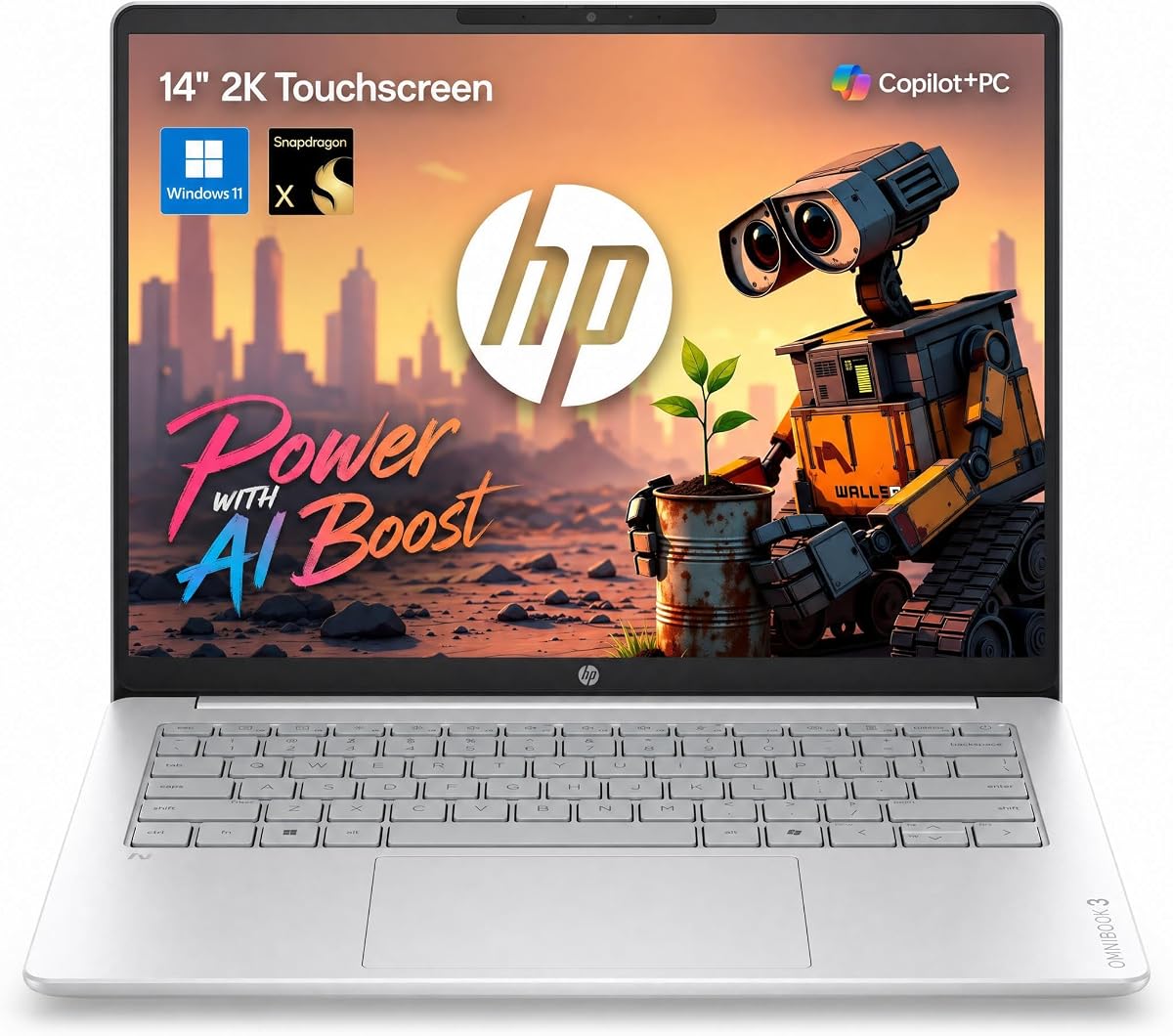
The HP OmniBook 3 14 brings a powerful new architecture to the table with its Snapdragon X processor and dedicated 45 TOPS NPU. Rated 4.6 stars this laptop excels at handling complex AI tasks locally ensuring fast responsiveness without cloud lag. It is a great choice for those who prioritize battery life and modern processing efficiency in a portable package.
We may earn a commission when you buy through this link, at no additional cost to you.
This device features a 2K IPS touchscreen that maximizes vertical workspace and provides vibrant visuals for media consumption. The 16GB LPDDR5x memory and 1TB SSD allow for smooth multitasking and quick access to your most important files. Its lightweight design makes it incredibly easy to carry around for work or travel without adding bulk to your bag.
However users should be aware that the Snapdragon architecture might have different compatibility requirements for older applications compared to traditional x86 processors. While it handles modern tasks well those who rely on specific legacy software may find limitations in this area. These issues are increasingly being resolved as software ecosystems adapt to this new standard.
If you are looking for a laptop that offers incredible battery endurance and solid AI performance the HP OmniBook 3 14 is an excellent option. It balances portability with performance and provides a modern experience that is well-suited for students and professionals who value mobility.
With up to 30 hours of video playback and the ability to charge from 0 to 50 percent in 45 minutes you are rarely tethered to an outlet.
The 14-inch 2K display with a 16:10 aspect ratio offers a spacious canvas that enhances productivity and entertainment significantly.
We may earn a commission when you buy through this link, at no additional cost to you.
The ASUS Vivobook S16 Laptop earns a perfect 5.0 rating thanks to its exceptional balance of power and visual fidelity. As one of the best AI Laptops with Npu it features a stunning 16-inch OLED display that delivers deep contrast and vivid colors. It is perfect for creatives who need accurate color representation and powerful processing to handle demanding workflows.
We may earn a commission when you buy through this link, at no additional cost to you.
Powered by the AMD Ryzen AI 9 465 processor this laptop offers up to 50 TOPS of NPU performance for seamless on-device AI tasks. The 32 GB RAM ensures that you can run multiple applications simultaneously without slowdowns making it ideal for complex engineering tasks or virtual machines. Storage is handled by a fast 1TB SSD which provides ample space for your projects.
While the OLED display is a major highlight users should be mindful of static images being displayed for extended periods which can lead to burn-in over time. The premium build quality and performance come at a higher price point compared to standard laptops but the value is high for those who need these features. These trade-offs are generally acceptable for professional use cases.
This laptop is recommended for creative professionals and power users who want a device that excels in both media consumption and production. If you need a large high-quality screen and robust memory for multitasking the ASUS Vivobook S16 is a top-tier choice that delivers on its promises.
The 16-inch OLED panel with 16:10 aspect ratio offers deep contrast and vivid detail that enhances both work and entertainment experiences.
With 32 GB of memory this laptop handles complex applications and multiple windows with ease ensuring a smooth and productive workflow.
We may earn a commission when you buy through this link, at no additional cost to you.
The Acer Aspire 16 AI Copilot+ PC is a compelling option for those who value screen fluidity and color accuracy. With a 120Hz refresh rate and 100% sRGB coverage it offers a visually immersive experience that is rare in this price range. It is a strong contender among AI Laptops with Npu thanks to its Snapdragon X processor which delivers efficient performance for daily tasks.
We may earn a commission when you buy through this link, at no additional cost to you.
This laptop is equipped with 16GB LPDDR5X memory and a 512GB PCIe Gen 4 SSD which provides fast storage speeds. The Wi-Fi 7 support ensures that you stay connected with the fastest wireless speeds available. The chassis is lightweight and includes a 180° lie-flat hinge for versatile use cases during meetings or study sessions.
The primary trade-off here is the storage capacity which is limited to 512GB compared to 1TB options in other models. Additionally the battery life is not as extensive as some of the Snapdragon-based competitors which may require more frequent charging during travel. These limitations are manageable for most users who prioritize display quality over raw storage capacity.
This device is well-suited for students and professionals who need a reliable machine with a great screen for media and creative work. If you want a laptop that feels smooth and responsive with modern connectivity features the Acer Aspire 16 is a great choice to consider.
The high refresh rate screen provides smooth motion and sharp detail making it ideal for both entertainment and productivity.
Support for Wi-Fi 7 and USB4 ports ensures you can transfer data and connect peripherals at the highest possible speeds.
We may earn a commission when you buy through this link, at no additional cost to you.
The NIMO 16" AI Laptop is a powerhouse designed specifically for developers and creators who need extreme local capabilities. With a stunning 4.6 rating it features the AMD Ryzen AI Max+ 395 processor and an impressive 128GB of unified memory. This configuration allows you to run massive local LLMs and handle 8K video editing without relying on cloud resources.
We may earn a commission when you buy through this link, at no additional cost to you.
This device is built for raw performance with up to 160W PPT performance release and a dedicated OCuLink port for external GPU expansion. The 50 Tops NPU ensures that AI tasks are accelerated efficiently while the 99Wh battery provides substantial endurance for long work sessions. It is one of the few laptops on the market that can truly handle professional-grade workflows.
The trade-off for this level of power is the weight and the higher price tag. It is heavier than typical ultrabooks and may be overkill for users who only need basic productivity. However for those who need to run complex simulations or local models the cost and weight are justified by the unparalleled performance.
If you are a developer or professional creator who needs a local workstation in a laptop form factor this device is an excellent investment. It removes the need for cloud compute subscriptions and offers a level of flexibility that is hard to match in other portable devices.
With 128GB of LPDDR5X memory you can run large models and heavy applications without memory bottlenecks ensuring smooth performance.
The OCuLink port allows for high-speed desktop eGPU expansion making it easy to upgrade graphics capabilities as needed.
We may earn a commission when you buy through this link, at no additional cost to you.
The ASUS Zenbook A16 AI Laptop represents the pinnacle of portable computing with its Snapdragon X2 Elite Extreme processor and 80 Tops NPU. It has earned a perfect 5.0 rating for its exceptional build quality and performance. This device is a premium AI Laptop with Npu that offers everything a professional could ask for in a portable package.
We may earn a commission when you buy through this link, at no additional cost to you.
With 48GB of high-speed LPDDR5x memory and a 2TB SSD this laptop handles any task with speed and ease. The 16-inch 3K OLED touchscreen provides vibrant visuals and a cinematic experience. Windows 11 Pro is included providing enterprise-grade security and advanced tools for serious users.
The high price is a trade-off but it reflects the top-tier materials and performance provided. The battery life is generally good but varies by usage intensity and brightness settings. For users who need the absolute best in AI performance and display quality the value is undeniable.
This laptop is best for professionals who need maximum performance without compromising on portability. If you want a device that stands out in terms of both aesthetics and raw power the Zenbook A16 is the ultimate choice.
The Snapdragon X2 Elite Extreme processor delivers up to 80 Tops of NPU power for the fastest local AI tasks available today.
The 3K OLED display offers 1100 nits of brightness and deep colors for a truly immersive visual experience.
We may earn a commission when you buy through this link, at no additional cost to you.
The NIMO 17.3" Copilot+ AI Laptop offers a spacious screen for those who need more real estate for multitasking. With a 144Hz refresh rate and a powerful Ryzen AI 9 HX 370 processor it provides a smooth and responsive experience. It is an excellent option for users who want a large display without compromising on AI capabilities.
We may earn a commission when you buy through this link, at no additional cost to you.
This device features 16GB DDR5 RAM and a 1TB SSD which can be expanded further thanks to the dual M.2 PCIe slots. The USB 4.0 ports support external graphics docks making it easy to upgrade graphics performance when connected to a desk. The aluminum design helps with heat dissipation during heavy workloads.
The main trade-off is the weight which is under 4.6 lbs but still heavier than standard ultrabooks. The screen resolution is Full HD which is standard for 17-inch panels but might be less sharp than OLED options. For those prioritizing size and expandability these limitations are acceptable.
This laptop is ideal for users who need a large workspace for coding or design work. If you want a machine that can grow with your needs through upgrades this NIMO model is a strong contender.
With dual DDR5 slots and dual M.2 slots you can customize this machine to meet your increasing storage and performance needs.
The 144Hz refresh rate ensures that motion looks smooth whether you are working or gaming on the 17-inch screen.
We may earn a commission when you buy through this link, at no additional cost to you.
The HP Omnibook 16" offers a powerful configuration for work at a competitive price point. With a 4.6 rating it features 32GB DDR5 RAM and a massive 2TB SSD which provides ample space for large datasets and files. The Ryzen AI 7 processor ensures that AI tasks are handled efficiently with 50 TOPS NPU performance.
We may earn a commission when you buy through this link, at no additional cost to you.
This laptop includes Windows 11 Pro which is essential for business users needing advanced security features. The 2K touchscreen adds to the usability allowing for intuitive navigation and precise control. The design is professional and suitable for office environments or remote work.
The battery life is not clearly specified which may be a concern for frequent travelers. The display brightness is also average compared to high-end models which could be a limitation in bright environments. Despite these factors the value provided by the specs is strong for professional use.
This is a great option for users who need a powerful machine for work without paying premium prices. If you value storage and memory capacity this laptop delivers excellent value for professional tasks.
Windows 11 Pro ensures advanced security and management features are available for business and professional environments.
The 2TB SSD allows you to store massive amounts of data locally without needing external drives.
We may earn a commission when you buy through this link, at no additional cost to you.
The Dell 16 Plus Touchscreen Laptop brings enterprise-grade security and performance to the consumer market. With a 4.5 rating it features the Intel Core Ultra 9 processor which includes the vPro platform for remote management. It is an ideal AI Laptop with Npu for businesses that require stability and security.
We may earn a commission when you buy through this link, at no additional cost to you.
This device has 32GB LPDDR5X RAM and a 1TB SSD which ensures smooth multitasking for daily tasks. The Thunderbolt 4 support allows for high-speed data transfer and connectivity to multiple 4K displays. The display includes ComfortView technology to reduce eye strain during long work sessions.
The NPU is slightly lower at 48 TOPS compared to some competitors which might matter for specific heavy AI workloads. However for business applications this is still a very capable machine. The premium build quality justifies the higher price for users who need reliability.
If you need a machine that integrates well with corporate IT infrastructure this laptop is a strong choice. It offers a reliable foundation for productivity with the added benefits of modern AI capabilities.
The vPro platform offers multilayer security and remote manageability to keep your device safe and up to date.
Thunderbolt 4 and Wi-Fi 7 ensure you can connect to the latest peripherals and networks at top speeds.
We may earn a commission when you buy through this link, at no additional cost to you.
The HP 16 inch Touchscreen AI Laptop earns a perfect 5.0 rating for its balanced features and reliable performance. It features the Intel Ultra 7 processor with AI Boost NPU which ensures efficient handling of modern tasks. This device is a strong all-rounder for students and professionals alike.
We may earn a commission when you buy through this link, at no additional cost to you.
With 32GB DDR5 RAM and a 1TB SSD you have plenty of memory and storage for your daily needs. The physical camera shutter provides peace of mind regarding privacy which is a valuable feature in any modern laptop. The fast charging technology ensures you can get back to work quickly when the battery is low.
The battery capacity is relatively small compared to some competitors which might require you to carry the charger for long trips. However the overall efficiency of the processor helps mitigate this issue. The price is competitive for the features provided.
If you want a reliable machine that handles everything from video calls to heavy workloads this is a great option. It offers a balanced combination of security performance and connectivity that fits most workflows well.
Physical privacy features and a fingerprint reader ensure your data and identity are secure during use.
Support for Wi-Fi 7 and multiple USB Type-C ports allows for flexible setup options and fast wireless speeds.
We may earn a commission when you buy through this link, at no additional cost to you.
Selecting the right AI Laptop with Npu requires evaluating several key factors to ensure the device meets your specific computing and mobility needs.
The Neural Processing Unit (NPU) is a critical component for handling AI tasks locally. Look for laptops with at least 45 TOPS (Tera Operations Per Second) to ensure smooth performance for features like background blur in video calls and instant image generation.
Higher TOPS ratings generally mean better efficiency for running large language models offline without slowing down your main CPU.
AI workloads are memory-intensive so 16GB of RAM is the minimum baseline for smooth multitasking. For heavier tasks like video editing or running local models 32GB or more is highly recommended.
Laptops with unified memory architectures can be more efficient for AI tasks but ensure the capacity suits your workload.
Modern laptops use processors from Intel and AMD that integrate NPUs or rely on dedicated NPU silicon. Check the specific processor model to verify it supports the latest AI features and Copilot+ capabilities.
Both x86 and ARM-based processors now offer robust AI performance but consider software compatibility before making a choice.
A high-quality display is essential for creative work and media consumption. Look for OLED or high-contrast IPS panels with at least 2K resolution for sharp text and vibrant colors.
If you watch a lot of media or create visual content a touchscreen with good color accuracy will significantly improve your experience.
Portability is a key advantage of modern laptops so aim for a model that offers at least 15 hours of real-world usage. Check reviews for actual battery performance rather than just manufacturer claims.
Fast charging capabilities are also beneficial as they minimize downtime when you are traveling or working away from an outlet.
Ensure the laptop has enough ports for your needs. Modern devices often rely on USB-C and Thunderbolt 4 so check if you need adapters for legacy devices.
Wi-Fi 7 support is a bonus for future-proofing your connectivity and ensuring faster wireless internet speeds.
A durable chassis protects your investment and helps with heat dissipation. Aim for a lightweight design if you carry your laptop daily to reduce physical strain.
A thin profile is convenient for travel but ensure the build quality is robust enough to withstand daily wear and tear.
A fast NVMe SSD is essential for quick boot times and efficient data access. Aim for at least 512GB of storage to store large AI datasets and media files.
Laptops with upgradeable storage options provide more flexibility for the future if your needs change.
To get the most out of your laptop ensure that your operating system is up to date. Microsoft and manufacturers release updates that optimize NPU performance for new features like Recall and advanced photo editing tools.
Maintain good airflow to prevent overheating by using the laptop on a hard flat surface. Avoid using it on soft surfaces like a bed which can block vents and cause the fans to work harder.
Calibrate your battery regularly and avoid leaving the laptop plugged in at 100 percent for extended periods. This helps maintain battery health and ensures you get the longest possible life from the battery.
An NPU or Neural Processing Unit is a dedicated processor designed to handle AI tasks efficiently. It allows your laptop to run features like background blur and live translation without slowing down the main CPU or using extra battery.
Yes 45 TOPS is generally sufficient for standard AI workloads like video call enhancements and basic creative tools. Higher numbers are beneficial for running massive models offline but 45 TOPS is a solid baseline for most users.
Many of these laptops can run local large language models depending on their memory configuration. Models with 32GB or 128GB of RAM will handle larger models more effectively than those with just 16GB.
Yes all models listed in this guide come with Windows 11 Home or Pro pre-installed. They are designed to be fully compatible with modern OS features and Copilot+ capabilities.
Several of the laptops listed feature touch-sensitive screens which can make navigation easier for creative tasks. However not all models have touch capabilities so check the specific product details if this is a priority for you.
Battery life varies by usage but most models offer between 15 to 30 hours of video playback. Real-world productivity tasks typically yield around 15 to 18 hours which is enough for a full workday.
Many of these laptops have soldered memory which means it cannot be upgraded after purchase. It is best to choose a configuration that meets your future needs at the time of buying.
Yes several of the top models support Wi-Fi 7 which offers faster and more stable wireless connections. This is a future-proof feature that ensures you can take advantage of the latest networking technology.
We have explored ten excellent models that demonstrate the power of modern AI Laptops with Npu. Each device brings unique strengths ranging from the high-speed performance of the NIMO 16" to the beautiful OLED screens of the ASUS Vivobook S16.
When making your choice prioritize the NPU speed and memory configuration that fit your daily tasks. If you need maximum performance for development the NIMO 16" is unmatched while casual users might find the Acer Aspire 14 to be the perfect fit.
Remember to check current prices and stock levels before buying as deals can change quickly. Investing in one of these devices ensures you have a powerful and future-ready tool for your digital life.