
Monport 60W Fiber Laser
4.3Editor score
100000 Hour Lifespan
LightBurn Compatible Software
Precision Metal Marking
Choosing the right 60W laser engraver can transform your creative projects into professional-grade outputs. Whether you are crafting custom signs or producing batch items, power and precision matter. A good machine balances speed with safety and offers versatile material compatibility for diverse applications.
We have evaluated ten top-rated 60W laser engravers based on power output, safety features, software compatibility, and user feedback. Our analysis focuses on real-world performance metrics like cutting speed, engraving accuracy, and ease of setup to ensure you find the right tool for your workshop needs.
Each pick in this list highlights specific strengths such as enclosed safety classes, dual-laser systems, or advanced camera alignment. Note that prices and availability can change frequently, so always verify current details before making a purchase decision to ensure you get the best value available today.
4.3Editor score

4.5Editor score

4.2Editor score
As an Amazon Associate we earn from qualifying purchases.
This side-by-side comparison highlights the key specifications of the top 60W laser engraver models available today. We have analyzed power types, safety classes, working areas, and software support to help you understand the differences at a glance.




The Creality Falcon2 Pro 60W stands out as a top contender for serious makers needing professional results. It combines high power with robust safety features and intuitive workflow tools like an HD camera for alignment. This machine is ideal for those who value precision and safety in equal measure.
We may earn a commission when you buy through this link, at no additional cost to you.
Its adjustable power output allows users to switch between 60W, 40W, and 22W modes to match material requirements. The dual laser system enhances versatility by using the main laser for cutting and a secondary laser for fine details. The enclosed Class 1 design ensures safe operation without needing additional protective eyewear during use.
While the price is higher than entry-level models, the included features justify the investment for production environments. The only notable trade-off is the need for sufficient space due to the enclosure size. For most users, this is a minor inconvenience compared to the safety and performance benefits gained.
We recommend this model for businesses or advanced hobbyists looking for a reliable, all-in-one solution. The combination of power, safety, and software compatibility makes it a standout choice in the current market. It delivers consistent results that can handle both hobby projects and commercial batch production efficiently.
The fully enclosed Class 1 design minimizes laser exposure and contains smoke effectively, creating a safer workspace for users.
The integration of a 1.6W auxiliary laser alongside the main 60W unit allows for precise positioning and detailed engraving tasks.
We may earn a commission when you buy through this link, at no additional cost to you.
This desktop version of the Falcon2 Pro focuses on speed and batch processing capabilities for small businesses. It offers high output power and an integrated enclosure to keep the workspace clean and safe during operation. The design emphasizes efficiency for users who need to produce multiple items quickly.
We may earn a commission when you buy through this link, at no additional cost to you.
With engraving speeds exceeding 500mm/s, it reduces processing time significantly compared to standard machines. The built-in camera allows for intelligent focus and accurate positioning without manual measurements. Safety features like a flame detector and emergency stop button add layers of protection during high-speed operations.
However, some users report higher noise levels during extended use which may require additional noise reduction measures. The software support is decent but may lack some advanced features found in competitor ecosystems. Despite this, the raw speed and safety profile make it a strong option for volume production.
Ideal for sole traders or small studios needing to turn around orders fast. The quick 10-minute setup is a plus for those starting fresh. If speed is your priority and you can manage minor software limitations, this model offers compelling performance value.
High-speed engraving capabilities allow for rapid production of multiple items, reducing total job time significantly.
Multiple safety protections including flame detection and limit switches ensure secure operation during high-speed batch runs.
We may earn a commission when you buy through this link, at no additional cost to you.
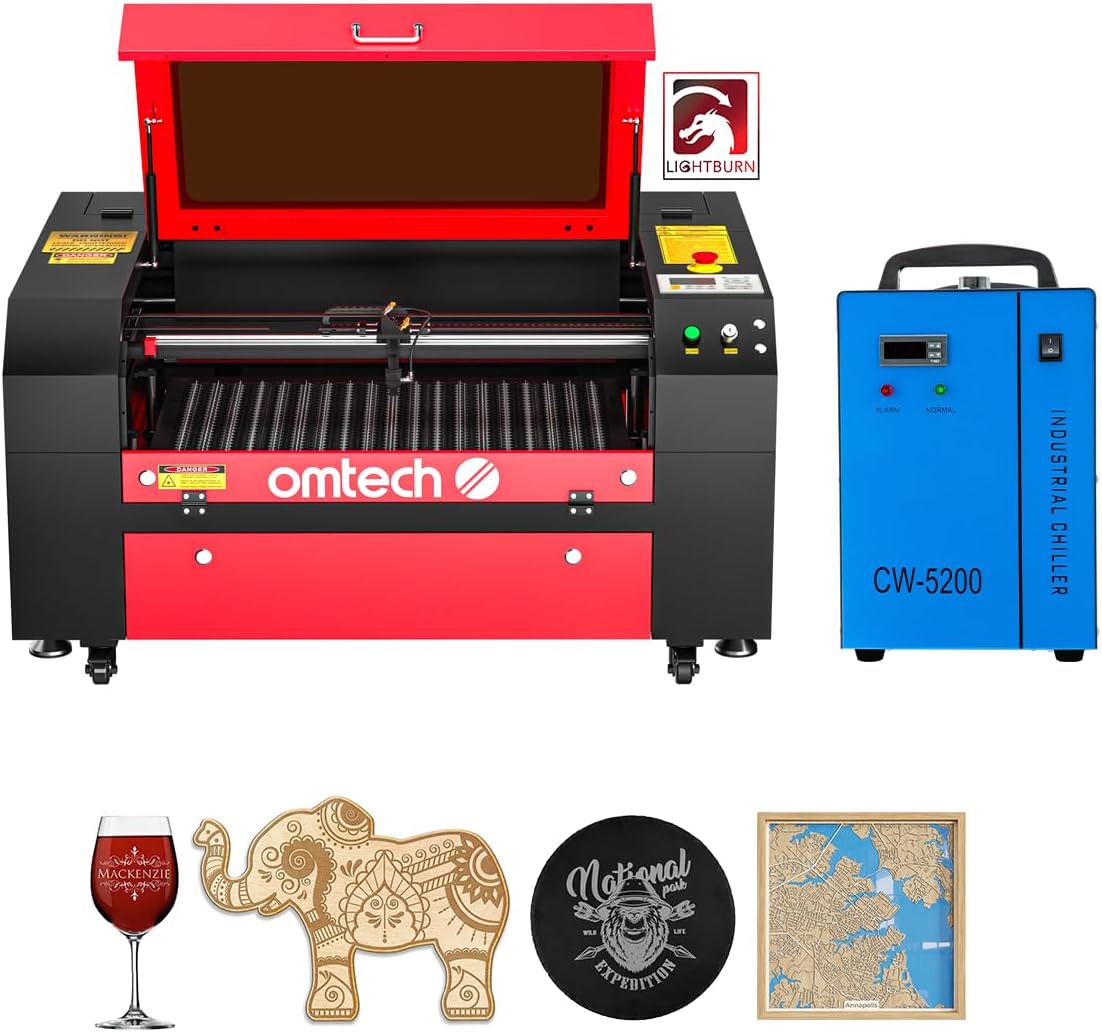
The OMTech Maker 60W CO2 laser engraver is designed for users who need to work on larger non-metallic materials. It comes bundled with LightBurn software and a water chiller to ensure consistent performance during long runs. The large bed size accommodates big projects that smaller machines cannot handle.
We may earn a commission when you buy through this link, at no additional cost to you.
Its autofocus system simplifies setup by automatically finding the right focal distance with the touch of a button. The four-way pass-through doors allow for even longer items to be processed without removing the material completely. This feature is particularly useful for woodworking and sign making applications.
The main limitation is that CO2 lasers cannot cut uncoated metals effectively, which restricts material choices compared to diode or fiber options. Additionally, the unit requires a dedicated space due to its size and ventilation needs. For non-metal work, however, it delivers excellent precision and finish.
This is an ideal choice for crafters and small businesses focused on acrylic, wood, and leather. The high rating reflects user satisfaction with reliability and ease of use. If you need a large format cutter and don't require metal engraving, this is a robust solution.
The 20×28 inch bed size provides ample space for oversized projects and continuous production runs without interruptions.
Automatic focal distance adjustment saves time and ensures consistent engraving depth across different material thicknesses.
We may earn a commission when you buy through this link, at no additional cost to you.
This version of the Falcon2 Pro emphasizes safety with a certified Class 1 cutting and engraving enclosure. It is built for users of all levels who prioritize a safe workspace without compromising on power. The integrated exhaust system helps manage smoke and noise effectively during operation.
We may earn a commission when you buy through this link, at no additional cost to you.
The dual laser bundle allows for versatile cutting and engraving performance across a wide range of materials. Auto-stop functions ensure the machine halts if the enclosure is opened, adding a critical layer of protection. The HD camera assists in visualizing operations and improving efficiency with batch processing.
Users may find the initial setup somewhat complex compared to simpler desktop units. While the performance is strong, the cost reflects these advanced safety and dual features. For environments where safety regulations are strict, the investment in enclosure technology pays off significantly.
Recommended for professional setups requiring robust safety compliance and versatility. It balances power and protection well for mixed material jobs. If safety is your top priority alongside performance, this model offers a compelling package for serious users.
Certified Class 1 safety ensures minimal laser exposure risk making it safe for open environment operation without glasses.
The high-performance exhaust system filters smoke and dust to maintain air quality and protect internal components.
We may earn a commission when you buy through this link, at no additional cost to you.
The xTool F2 Ultra combines a 60W MOPA fiber laser with a 40W diode laser to handle virtually any material. This dual system allows for precise metal marking with vibrant colors that other lasers cannot achieve. It represents the pinnacle of desktop laser versatility and power.
We may earn a commission when you buy through this link, at no additional cost to you.
Its industrial-grade productivity is supported by speeds up to 15,000mm/s which reduces job times significantly. The AI-powered cameras detect materials and suggest settings automatically to simplify the workflow. Color files are pre-set to help users find the right settings for specific metals quickly.
The cost is a major barrier for most hobbyists but justifiable for professional jewelers or metalworkers. Setup requires careful calibration to get the most out of both lasers. For those needing color engraving and metal cutting, this is currently one of the few viable desktop options.
Choose this if budget allows and you need advanced metal capabilities. It opens up possibilities for unique product offerings like colorful metal tags or jewelry. The precision and speed make it a long-term investment for serious professional applications.
The MOPA laser can engrave over 100 vibrant colors on metal without paint or dyes enabling unique product customization.
Dual AI cameras increase positioning accuracy to 0.2mm enabling highly detailed work with minimal manual adjustments.
We may earn a commission when you buy through this link, at no additional cost to you.
Monport offers a specialized fiber marking machine designed specifically for metal engraving tasks. It features a long lifespan of 100000 hours which ensures durability for production environments. The price point is attractive compared to industrial solutions making fiber technology accessible to smaller workshops.
We may earn a commission when you buy through this link, at no additional cost to you.
Its customized galvanometer system allows for high speeds up to 10000mm/s and precise carving accuracy. The working area is optimized for small to medium items like rings or tools. While it excels at marking it is not intended for cutting large sheets of metal.
The main limitation is the small work area which restricts batch sizes for larger items. If you need to process wide metal sheets this machine will not suffice. However for detailed work and high-volume small part marking it delivers exceptional value.
This is perfect for jewelers or industrial parts markers on a budget. The software compatibility simplifies integration into existing workflows. For focused metal marking needs this provides a reliable and cost-effective solution.
With up to 100000 hours of operation the laser source offers excellent longevity and low maintenance requirements.
The galvanometer system ensures high accuracy and speed making it ideal for detailed industrial marking tasks.
We may earn a commission when you buy through this link, at no additional cost to you.
VEVOR brings a spacious CO2 laser engraver designed for larger cutting and engraving projects. The 24×16 inch bed is combined with four-way pass-through doors to handle long materials easily. This configuration supports continuous production setups common in sign making and woodworking.
We may earn a commission when you buy through this link, at no additional cost to you.
It includes an air assist system to clear smoke and keep cuts clean. Compatibility with popular software like LightBurn and RDWorks makes it easy to integrate into existing design flows. The manual focusing process is straightforward and well-guided for most users.
While it does not handle metal it is excellent for acrylic wood and leather. The rating suggests high satisfaction among users regarding stability and performance. For those needing a large format machine without a massive budget this is a strong contender.
Ideal for sign makers and crafters needing a reliable large format cutter. The value proposition is strong for the features provided. If you need to cut large sheets regularly this unit offers practical capabilities.
Four-way pass-through doors allow long materials to be fed through the machine without moving the cutting head.
Support for LightBurn and RDWorks ensures flexible workflow options for different user preferences and design needs.
We may earn a commission when you buy through this link, at no additional cost to you.
The OMTech Commercial 60W CO2 laser engraver focuses on automation to reduce setup time for users. It features a motorized autolift system that adjusts the workbed height with the touch of a button. This simplifies focusing for frequent users changing between different material thicknesses.
We may earn a commission when you buy through this link, at no additional cost to you.
With speeds up to 600mm/s and a large bed area it handles high volume production efficiently. The included water chiller ensures the laser tube maintains stable temperature during prolonged operation. This helps extend the life of the tube and ensures consistent power output.
While setup can take time due to the number of components the automation benefits are significant. The unit requires a dedicated workspace for cooling and ventilation. For commercial shops needing reliable performance and reduced manual adjustment time it is a smart choice.
This machine is recommended for professional engravers prioritizing efficiency. The combination of automation and commercial-grade power makes it suitable for daily heavy use. If you value time savings over initial setup hassle this fits well.
Electric bed adjustment allows for precise and quick height changes reducing manual effort and setup time.
A high-performance tube ensures consistent output and longevity for demanding commercial application workflows.
We may earn a commission when you buy through this link, at no additional cost to you.
Aliencell X1 Lite focuses on achieving photo-quality results through high frequency pulse technology. It claims less than 5% deviation in engraving simulations which minimizes waste during the design phase. This makes it ideal for users needing precise detail work without excessive trial and error.
We may earn a commission when you buy through this link, at no additional cost to you.
The 20kHz frequency ensures sharp gradients and smoother finishes on detailed images. A fully enclosed Class 1 design adds safety and noise reduction for home studio environments. LightBurn compatibility provides professional control over parameters for advanced users.
While powerful it relies heavily on specific software for its best results. The price reflects the specialized high-quality capabilities compared to standard units. For artists and detail-focused professionals this level of precision is often worth the investment.
Choose this if image fidelity is your primary concern. It handles complex patterns and photos well on various non-metal materials. The balance of safety and precision makes it a great option for detailed custom work.
High frequency pulses allow for rich grayscale detail and smooth gradients ideal for photo engraving tasks.
Class 1 fully enclosed design protects users while maintaining a quiet and safe environment.
We may earn a commission when you buy through this link, at no additional cost to you.
Cloudray offers a fiber laser system optimized for deep engraving and color marking on metals. It uses a JPT MOPA source that supports over 100 color markings on steel and other metals. This capability allows for highly customized industrial parts and jewelry customization.
We may earn a commission when you buy through this link, at no additional cost to you.
The machine maintains high accuracy with 0.01mm precision resolution which is vital for small text and intricate designs. Its portable design makes it easy to move between different workstations or job sites. The lens system supports multiple working areas for flexibility in task size.
While it is compact it requires technical knowledge to operate effectively. Beginners may find the color settings and lens swaps challenging without training. However for specialized metal work it provides results that standard diode lasers cannot match.
This is best for industrial workshops needing detailed metal marking. The accuracy and color capabilities open up new revenue streams for custom parts. If metal customization is your focus this machine delivers professional results.
The MOPA technology allows for creating 100+ distinct color marks on metal surfaces for detailed part identification.
With 0.01mm accuracy it is ideal for fine text and intricate designs on small metal components.
We may earn a commission when you buy through this link, at no additional cost to you.
Selecting the right 60W laser engraver involves balancing power, safety, and workflow features. This guide breaks down key factors to consider before making a decision.
Power determines the depth and speed of your cuts. 60W is a strong mid-range option suitable for cutting thicker materials like wood and acrylic. Laser types include diode, CO2, and fiber. Diode and CO2 are versatile for non-metals while fiber excels at marking metals.
Safety is critical. Class 1 machines are fully enclosed and safe for operation without protective eyewear. Class 4 units require strict safety protocols. Enclosed models also help contain smoke and noise making them better for indoor use.
Check if the machine works with software you already know like LightBurn or RDWorks. Open software support allows for more flexibility in design and reduces the need to learn new interfaces.
Measure your projects. A small machine might be cheap but unusable for large boards. Ensure the bed size fits your typical project dimensions. Pass-through options help if you need to cut longer materials.
Focus accuracy affects engraving quality. Manual knobs are common but can be tedious. Autofocus or motorized beds save time and reduce user error during setup. This is especially valuable for frequent material changes.
Laser engraving creates fumes. A good exhaust system or compatible external fan keeps the air clean. Integrated fans reduce installation steps but external systems may be more powerful for heavy-duty production.
Reliable customer support can save you hours of troubleshooting. Look for vendors offering lifetime technical support or long warranties. Availability of replacement parts like lenses and tubes is also important for long-term use.
Price varies widely. Higher cost often includes better safety and automation. Balance your budget with the specific features you need. For small shops, a reliable standard model may offer better value than a high-end machine.
Always read the manual and understand safety protocols before powering on the machine. Ensure the workspace is well-ventilated and the machine is placed on a stable surface to prevent vibrations during operation.
Calibrate your focus before every job to ensure clean cuts and sharp engraving. Use the camera or focus gauge provided by the manufacturer to set the correct height for your material thickness.
Clean the lens and mirrors regularly to prevent buildup that reduces efficiency. Run a short test pattern on scrap material to verify settings and alignment before starting large projects.
A 60W laser can cut materials like wood, acrylic, leather, and fabric. CO2 and diode types cannot cut bare metal but can mark coated metal. Fiber lasers are better for direct metal engraving.
It depends on the safety class. Class 1 enclosed machines generally do not require eyewear during normal operation. Class 4 or open machines require specific laser safety glasses rated for the wavelength.
Noise levels vary. Enclosed units often have built-in fans and dampeners reducing noise to 60-70dB. Open machines may be louder especially during exhaust use. Enclosure helps significantly.
Most 60W engravers support popular software like LightBurn. Some come with proprietary software. Check compatibility lists on the product page to ensure you can import designs from your preferred tools.
Laser tube lifespan depends on usage. CO2 tubes typically last 3000 to 6000 hours. Fiber sources can last over 100000 hours. Proper cooling and maintenance extend the life significantly.
Most units include internal power supplies. Ensure your electrical outlet is stable. Surge protectors are recommended for sensitive electronics. Diode units often have simpler power needs than high voltage CO2 types.
We have reviewed ten top models that offer distinct advantages for different users. Whether you need speed, safety, or precision, there is a suitable option in this list. The Creality Falcon2 Pro stands out for its balance of features and safety.
Consider your primary materials and production volume when prioritizing features. If you work mainly with non-metals a CO2 unit is ideal. For metal marking a fiber system like the Monport offers better value.
Prices and availability change frequently so verify current deals before purchasing. A high-quality laser engraver is a long-term investment that can elevate your creative or business output significantly.