
Acer Nitro 27in QHD 2560×1440 IPS 180Hz Gaming Monitor KG271U N3bmiipx
4.5Editor score
180Hz refresh rate
AMD FreeSync Technology
DCI-P3 95% color
Finding the right display can transform your gaming setup entirely. A quality monitor delivers crisp visuals, smooth motion, and responsive controls that competitive players demand. With so many options available, selecting the perfect screen requires careful consideration of key features and performance metrics.
We evaluated ten leading models based on resolution, refresh rate, panel technology, and user feedback. Each product offers unique strengths tailored to different budgets and gaming styles. Our analysis highlights what matters most when upgrading your visual experience without compromising on quality or reliability.
Every pick showcases specific advantages like color accuracy, adaptive sync, or ergonomic design. Note that prices fluctuate often so check current listings before purchasing. This list helps you navigate the market efficiently and find a monitor that matches your specific needs and preferences.
4.5Editor score

4.6Editor score

4.6Editor score
As an Amazon Associate we earn from qualifying purchases.
Compare all ten models side by side to see how they stack up on specs and features. This table helps you quickly identify which monitor fits your budget and performance requirements.


The Acer Nitro KG271U stands out as a top contender in the mid-range segment. It delivers a vibrant IPS panel with WQHD resolution and a blazing fast 180Hz refresh rate. Gamers will appreciate the responsive 0.5ms response time that minimizes blur during intense action sequences.
We may earn a commission when you buy through this link, at no additional cost to you.
Color performance is impressive with support for 95% of the DCI-P3 gamut. This makes it suitable for creative work alongside gaming. AMD FreeSync ensures smooth visuals by syncing refresh rates with your graphics card to prevent tearing.
While the stand lacks height adjustment, the zero-frame design maximizes screen real estate. Input lag is minimal which helps competitive players react quickly. The overall package balances performance and price effectively for most users.
This monitor is ideal for gamers seeking high refresh rates without breaking the bank. It also suits content creators needing accurate colors. We recommend it for anyone looking for a versatile display that excels in both productivity and play.
The 180Hz refresh rate combined with FreeSync technology ensures fluid motion and eliminates screen tearing during fast gameplay.
With 95% DCI-P3 coverage and IPS technology, colors appear vivid and consistent across all viewing angles.
We may earn a commission when you buy through this link, at no additional cost to you.
The ASUS TUF VG27AQ3A offers a premium experience with G-Sync compatibility and ELMB Sync technology. This combination allows variable refresh rates and motion blur reduction to work simultaneously. It delivers sharp visuals and seamless performance for high-end gaming rigs.
We may earn a commission when you buy through this link, at no additional cost to you.
Color accuracy is a strong point with 130% sRGB coverage on a Fast IPS panel. The HDR10 support enhances contrast in supported games making bright and dark scenes more detailed. Integrated speakers add convenience for quick audio feedback without extra hardware.
The included Adobe Creative Cloud subscription adds value for designers and creators. While the price is higher, the feature set justifies the cost for enthusiasts. The build quality feels robust and the stand provides good ergonomics for long sessions.
We recommend this monitor for users who want the best balance of performance and features. It suits both competitive gaming and creative tasks effectively. If you need G-Sync and excellent color out this is a top choice to consider today.
ELMB Sync enables motion blur reduction while maintaining variable refresh rates for tear-free sharp visuals at high frame rates.
High color gamut coverage and Adobe subscription make this display excellent for design work alongside gaming.
We may earn a commission when you buy through this link, at no additional cost to you.
The Acer Nitro XV271U provides exceptional value with a fully ergonomic stand and fast performance. It matches the speed of pricier models with 180Hz refresh rate and 0.5ms response time. The stand allows height, tilt, pivot, and swivel adjustments for perfect positioning.
We may earn a commission when you buy through this link, at no additional cost to you.
FreeSync Premium ensures smooth gameplay on AMD and NVIDIA GPUs. The IPS panel offers wide viewing angles and consistent colors. Ports include DisplayPort and HDMI with cables included making setup straightforward and user friendly right out of the box.
While the OSD menu can be slow to navigate, the core performance shines. The build quality feels sturdy and reliable for daily use. It stands as a strong competitor for budget conscious buyers needing premium features.
We suggest this model for those prioritizing ergonomics and speed. It fits well in setups requiring flexible viewing angles. Overall it delivers high performance at a competitive price point for most gamers.
The stand offers full height and rotation adjustments ensuring comfortable viewing during long gaming or work sessions.
With 180Hz and 0.5ms response times this monitor handles fast-paced games without blur or lag.
We may earn a commission when you buy through this link, at no additional cost to you.
The Samsung Odyssey G5 offers an immersive curved screen ideal for single player games. Its 1500R curvature wraps around your vision to create a cinematic experience. The 180Hz refresh rate keeps motion smooth during intense combat scenarios.
We may earn a commission when you buy through this link, at no additional cost to you.
Black Equalizer helps reveal details in dark scenes so you never miss enemies. HDR10 support adds depth to visuals with brighter highlights and richer shadows. The stand is stable and offers tilt adjustments for comfort during extended sessions.
While it uses a VA panel which affects color accuracy compared to IPS it delivers excellent contrast. The 1ms response time minimizes ghosting in most cases. This model suits gamers who prefer immersion over professional color grading.
We recommend this monitor for immersion focused players on a budget. It provides a unique viewing experience that flat screens cannot match. Consider it if you value depth and contrast in your gaming environment today.
The curved design creates a natural field of view that enhances focus and immersion in games.
Black Equalizer technology enhances dark areas letting you spot enemies hidden in shadows easily.
We may earn a commission when you buy through this link, at no additional cost to you.
This SANSUI model pushes refresh rates up to 200Hz at an affordable price. The IPS panel ensures decent color quality and wide viewing angles. It is designed for gamers who want high speed performance without spending a fortune.
We may earn a commission when you buy through this link, at no additional cost to you.
The 120% sRGB coverage delivers vibrant colors for a budget monitor. Adaptive Sync smooths out gameplay on AMD and NVIDIA systems. Eye care features like low blue light help reduce strain during long usage periods.
The stand only tilts and lacks height adjustment which may affect ergonomics. However the VESA mount allows easy replacement with a better stand. This trade off keeps the cost down while retaining essential performance metrics.
We suggest this for competitive players on tight budgets. It provides a fast frame rate that rivals expensive models. If you prioritize speed over extra features this is a smart choice to consider now.
With 200Hz refresh rate this monitor delivers ultra smooth motion perfect for competitive shooters and racers.
Built-in eye care technology reduces flicker and blue light to help minimize strain during long sessions.
We may earn a commission when you buy through this link, at no additional cost to you.
This SANSUI variant excels with 95% DCI-P3 color coverage and 200Hz refresh rate. It blends professional color accuracy with gaming performance effectively. The Fast IPS panel provides quick response times and vibrant colors simultaneously.
We may earn a commission when you buy through this link, at no additional cost to you.
An ergonomic stand offers full height and pivot adjustments for versatile positioning. The brightness reaches 400 nits ensuring visibility in bright rooms. Adaptive Sync supports both AMD and NVIDIA cards for tear-free visuals across platforms.
While the OSD controls feel somewhat cheap the screen performance is strong. Crosshair overlays help FPS players aim precisely without external tools. The inclusion of DP cables simplifies setup for high refresh rates.
We recommend this for mixed use cases needing both color and speed. It suits streamers or editors who game occasionally. The balance of features makes it a versatile option for diverse workflows today.
With 95% DCI-P3 and 130% sRGB this monitor renders accurate colors for photo and video editing.
Fast IPS technology and crosshair overlays give competitive gamers a precise edge in multiplayer matches.
We may earn a commission when you buy through this link, at no additional cost to you.
KOORUI delivers a solid entry level option with 200Hz and wide color gamut. The thin bezels give a modern look that fits any desk. It supports HDR400 for slightly enhanced contrast in compatible content.
We may earn a commission when you buy through this link, at no additional cost to you.
Colors appear vibrant thanks to 95% DCI-P3 coverage. The 1ms response time helps keep motion clear during fast gameplay. Connectivity includes standard HDMI and DisplayPort options for most systems.
The stand is basic with tilt only which may require a VESA mount upgrade. HDR performance is modest but usable for casual media consumption. Overall it offers a lot of power for the price.
We suggest this for budget gamers needing high speed. It works well for FPS and racing games. If you want a fast refresh rate without overspending this is a strong contender.
Slim bezels and minimalist aesthetics blend seamlessly into contemporary gaming setups and office environments.
Achieving 200Hz at a low price makes high refresh gaming accessible to more users today.
We may earn a commission when you buy through this link, at no additional cost to you.
This Acer model brings a curved screen to the budget category. The 1500R curvature enhances immersion for single player adventures. FreeSync Premium ensures smooth gameplay with minimal tearing or stuttering on supported GPUs.
We may earn a commission when you buy through this link, at no additional cost to you.
The zero frame design maximizes screen space and reduces distractions. Built-in speakers offer basic audio convenience. Tilt adjustments help find a comfortable angle during long sessions.
Brightness is adequate for typical indoor lighting conditions. HDR support is present but limited in practical benefit. The overall experience is solid for casual gamers seeking immersion.
We recommend this for those wanting a curve without high costs. It suits story driven games well. If you prefer wrap-around visuals this model fits that need.
The curved design pulls you into the action for a more engaging gaming experience.
Included cables and multiple ports make setup quick and easy without extra purchases.
We may earn a commission when you buy through this link, at no additional cost to you.
The ASUS TUF VG27AQL1A is a premium option with G-Sync and ELMB Sync. It combines high refresh rates with motion blur reduction for crisp visuals. The IPS panel delivers wide viewing angles and excellent color coverage.
We may earn a commission when you buy through this link, at no additional cost to you.
HDR400 certification ensures decent contrast for media consumption. The stand is sturdy and supports ergonomic adjustments. Adobe Creative Cloud inclusion adds value for creative professionals who game occasionally.
While expensive the build quality and performance justify the cost. Eye care features reduce strain during extended work hours. It is a well rounded choice for high end setups.
We recommend this for users needing top tier features. It fits both gaming and creative work well. If you want a reliable workhorse this is a solid investment.
G-Sync and ELMB Sync work together to eliminate tearing and blur simultaneously for sharp gaming visuals.
Wide color gamut and eye care tech ensure stunning images and reduced strain over long use.
We may earn a commission when you buy through this link, at no additional cost to you.
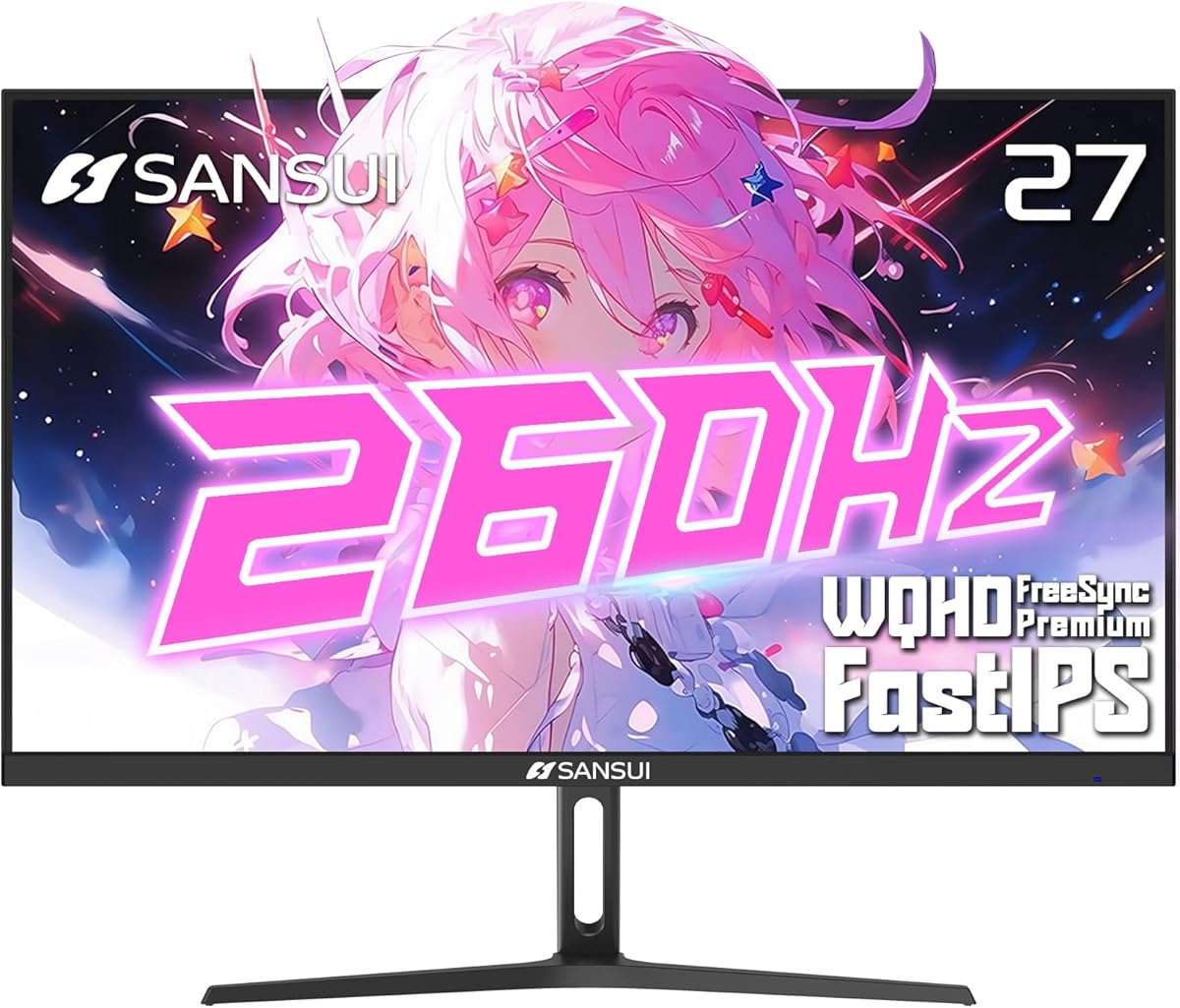
This SANSUI monitor pushes refresh rates to 260Hz for ultimate smoothness. The Fast IPS panel delivers quick response times and vibrant colors. It supports FreeSync Premium for tear-free performance across different GPU types.
We may earn a commission when you buy through this link, at no additional cost to you.
Color accuracy stands out with 98% DCI-P3 and 130% sRGB coverage. Crosshair overlays help competitive players aim accurately without external software. The build is functional with VESA mounting compatibility for customization.
The stand only tilts so ergonomic adjustments require a separate stand. HDR10 adds some visual depth but is not the main focus. The focus remains on speed and color performance.
We suggest this for esports players who prioritize frame rates. It offers top-tier speed with decent color. If you want the fastest refresh rate this is a strong choice.
With 260Hz refresh rate this monitor delivers the smoothest motion for competitive shooters and racers.
Broad color gamut coverage ensures vivid and accurate visuals that enhance gaming and creative work.
We may earn a commission when you buy through this link, at no additional cost to you.
Selecting the right monitor involves balancing performance specs with practical needs. This guide breaks down the key factors to consider before making your decision.
IPS panels offer wide viewing angles and excellent color accuracy making them ideal for mixed use. VA panels provide better contrast and deeper blacks suitable for dark rooms. TN panels deliver fast response times but often lack color depth and viewing angles.
Choose IPS for the best balance of color and speed for gaming and creative work.
Refresh rates determine how many frames per second the display can show. Higher rates like 144Hz or 180Hz produce smoother motion in fast-paced games. Lower rates may cause noticeable blur during quick camera movements.
Prioritize 144Hz or higher for competitive gaming to gain a visual advantage.
Response time measures how quickly pixels change color. Lower values like 1ms reduce motion blur and ghosting. While marketing numbers can vary real world performance often differs slightly.
Look for 1ms or lower to ensure sharp visuals during fast action.
Adaptive sync technologies like G-Sync and FreeSync match refresh rates to frame rates. This prevents screen tearing and stuttering during gameplay. It is crucial for smooth visuals especially if your GPU struggles with high settings.
Ensure compatibility with your graphics card for seamless performance.
Color gamut indicates the range of colors a monitor can display. Higher coverage like 95% DCI-P3 or 130% sRGB offers richer and more accurate images. This matters for creative work and visually immersive games.
Select higher gamut coverage if color accuracy is a priority.
Adjustable stands allow you to set the monitor at a comfortable height and angle. Look for tilt, swivel, pivot, and height adjustments. Fixed stands may lead to neck strain during long sessions.
Choose a stand with full adjustability for better posture.
Ports determine how you connect your devices. HDMI supports most consoles and PCs while DisplayPort handles higher refresh rates. Check that cables are included to avoid extra costs.
Verify sufficient HDMI and DisplayPort inputs for your setup.
Durability affects how long the monitor lasts under daily use. Metal stands and robust casings often indicate better longevity. Check warranty terms to ensure reliable support if issues arise.
Prioritize sturdy builds with solid warranty coverage for peace of mind.
Start by connecting your monitor using a high quality DisplayPort cable to support high refresh rates. Adjust brightness and contrast to match room lighting for comfort and clarity.
Keep the screen clean with a microfiber cloth to avoid scratches. Use distilled water if needed for stubborn marks instead of harsh chemicals.
Calibrate colors using built-in tools or software for accurate visuals. Regular updates to your graphics drivers ensure compatibility with new features and optimizations.
The difference is 36 frames per second which results in smoother motion. Higher refresh rates reduce blur during fast movements in games.
G-Sync Compatible models support both NVIDIA and AMD cards. Adaptive sync standards ensure compatibility across different brands.
IPS panels offer better color accuracy and viewing angles. VA panels provide deeper blacks but slower response times.
Yes many models offer wide color gamuts and high resolution. Check color accuracy specs for design tasks.
Most support HDR10 which enhances brightness and contrast. Actual HDR quality varies by brightness and peak output.
Use DisplayPort 1.2 or higher to support 180Hz at 1440p. HDMI 2.0 may limit refresh rates to 144Hz.
The Acer Nitro KG271U leads with balanced performance and color accuracy. The ASUS TUF VG27AQ3A shines with premium sync features and rich colors.
Focus on refresh rate and panel type based on your main activities. Competitive players should prioritize speed while creators need accurate colors.
Prices and stock change frequently so verify current details before purchasing. This guide helps you find the perfect fit for your setup today.