
Redragon M612 Wired RGB Optical Gaming Mouse 8000 DPI Remapping Keys
4.6Editor score
Five redefinable DPI levels
Nine programmable buttons
Ergonomic claw grip design
Dynamic RGB backlighting modes
Discover the top drag click mice for gaming in this guide comparing ten top models for performance comfort and precision in October 2026
Drag click mice are specialized peripherals designed to enhance the clicking experience for competitive gamers. They feature ergonomic shapes and high precision sensors that allow for rapid fire capabilities and reduced finger fatigue during extended sessions.
We compared ten leading models based on sensor accuracy switch durability and software customization. Each entry was evaluated for its ability to support rapid clicking techniques and maintain consistent performance under intense gaming conditions.
Every pick highlights unique strengths for specific play styles and budget considerations. Please note that availability and promotional offers may change so verifying current stock levels before purchase is always recommended.
4.6Editor score

4.6Editor score

4.6Editor score
This side-by-side comparison examines every model from the list to highlight key differences in weight sensor type connectivity and programmability.

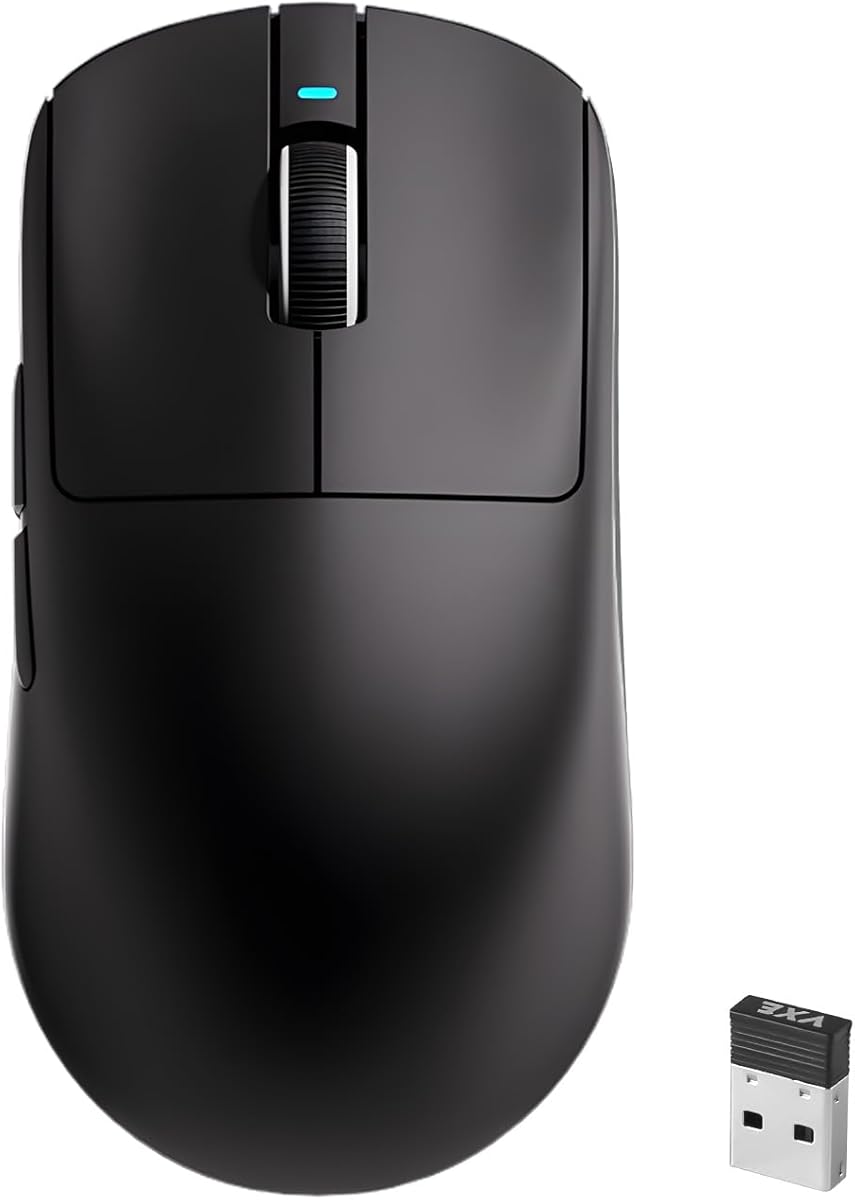



The Redragon M612 offers an accessible entry point for gamers seeking drag click capabilities without a premium price tag. It holds a strong customer rating and delivers consistent performance across various genres.
We may earn a commission when you buy through this link, at no additional cost to you.
Its skin friendly frosted coating provides excellent friction which is essential for successful rapid clicking techniques. The dedicated demand of DPI options allows for quick adjustments during gameplay to match specific in game needs.
While it lacks the advanced wireless features found in higher end models the wired connection ensures zero latency. The ergonomic design minimizes fatigue making it suitable for extended use.
This mouse is ideal for budget conscious players who prioritize grip and customization. Its combination of programmable buttons and reliable switches makes it a versatile choice for both gaming and productivity.
The frosted coating texture is specifically engineered to prevent slipping during rapid clicks ensuring consistent input registration.
Users can define up to five DPI levels or use software to fine tune sensitivity for precision aiming tasks.
We may earn a commission when you buy through this link, at no additional cost to you.
The Redragon M923 PRO bridges the gap between affordability and modern wireless convenience. It supports Bluetooth and 2.4Ghz connections offering flexibility for different setups.
We may earn a commission when you buy through this link, at no additional cost to you.
Its ergonomic shape ensures hours of comfortable gameplay without strain. The advanced shot feature allows for all buttons to be programmable enhancing tactical flexibility during intense matches.
While it may not match the raw speed of flagship esports mice it provides reliable performance for most users. The dynamic RGB vibe adds a stylish touch to any gaming space.
This model is perfect for those wanting wireless freedom without breaking the bank. The driver support allows for deep customization ensuring the mouse adapts to your specific workflow.
The inclusion of both Bluetooth and 2.4Ghz ensures stable connections whether you are gaming or working on a secondary device.
Designed for long sessions the battery life supports extended play without frequent interruptions for charging.
We may earn a commission when you buy through this link, at no additional cost to you.
The Razer Viper V3 Pro is engineered for elite competitive play offering unmatched precision and speed. Its collaboration with esports pros results in a perfectly balanced design that aids swift flicks.
We may earn a commission when you buy through this link, at no additional cost to you.
The Focus Pro 35K sensor delivers pro grade tracking even on glass surfaces. Combined with 8000 Hz polling this mouse reduces latency to near zero for reactive gameplay.
Optical switches ensure a 90 million click lifecycle with zero double clicking issues. The lightweight build prevents fatigue during long tournaments allowing focus to remain on the game.
For serious gamers seeking the ultimate advantage this mouse is a top contender. Its performance capabilities justify the investment for those dedicated to mastering fast paced competitive titles.
The 8000 Hz polling rate provides smoother cursor movement and faster response times compared to standard 1000 Hz mice.
Gen-3 optical switches eliminate debounce delay and double clicking ensuring every click is registered accurately and consistently.
We may earn a commission when you buy through this link, at no additional cost to you.
The ATK R1 SE+ stands out with its web driven interface allowing easy access to settings without bulky software. It features a lightweight design ideal for fast movements and precision control.
We may earn a commission when you buy through this link, at no additional cost to you.
Equipped with the PAW3395SE sensor it offers high DPI accuracy and adjustable polling rates. This ensures precise tracking for both subtle aiming and rapid shifts.
The tri mode connectivity supports Type-C wired 2.4G wireless and Bluetooth for versatile use cases. The ergonomic shape fits natural gripping curves reducing hand soreness over time.
This mouse is recommended for users who prefer quick setup via browser tools. Its combination of sensor quality and lightweight build makes it a strong contender for agile gaming styles.
The web driven interface allows for immediate parameter adjustments like DPI and polling rate directly through a browser.
The PAW3395SE sensor ensures high DPI tracking capabilities that support accurate movement across various surfaces.
We may earn a commission when you buy through this link, at no additional cost to you.
The Redragon M910-K delivers a feature rich experience with a dedicated fire button for rapid clicking. It supports up to 8000 DPI with customizable levels for precise control.
We may earn a commission when you buy through this link, at no additional cost to you.
Nine programmable buttons allow for complex macro editing and tactical keybinds. The five user profiles ensure settings are available for different scenarios or users seamlessly.
The ergonomic contour fits comfortably in any hand reducing fatigue during intense sessions. The RGB modes provide a customizable gaming atmosphere without compromising functionality.
This model is excellent for users wanting extensive customization on a budget. The fire button specifically aids competitive games by simplifying rapid input tasks.
The fire button feature allows for rapid fire capabilities with a single click improving efficiency in tactical scenarios.
Five user profiles let you store distinct settings for different games or work applications without reconfiguration.
We may earn a commission when you buy through this link, at no additional cost to you.
The MOJO Pro Performance combines silent buttons with a hand sculpted ergonomic design for a unique user experience. It is designed to be ninja quiet so you can play through the night without disturbance.
We may earn a commission when you buy through this link, at no additional cost to you.
With a PMW3336 sensor it delivers flawless performance at up to 12000 DPI. The software allows full customization of buttons macros and LED screens for tailored profiles.
The silent clicks ensure no loud noise is produced during rapid dragging which is great for shared spaces. The ergonomic design reduces strain allowing for sustained focus.
This mouse is best for those who prioritize silence alongside performance. It offers a distinct alternative for users who need quiet operation without sacrificing gaming accuracy.
The silent buttons eliminate click noise while maintaining tactile feedback essential for precise gaming inputs.
Hand sculpted ergonomic contours ensure the mouse fits comfortably reducing fatigue during extended usage sessions.
We may earn a commission when you buy through this link, at no additional cost to you.
The Redragon M913 Impact Elite is designed with MMO needs in mind featuring twelve side buttons for complex inputs. It supports both 2.4G wireless and USB-C wired modes for stability.
We may earn a commission when you buy through this link, at no additional cost to you.
Its optical Pixart 3335 sensor ensures accurate tracking and high DPI performance. The 45 hour battery life allows for extended use without frequent recharging.
The 16 programmable buttons provide extensive macro options for different game classes. The wireless capability reduces cable drag which is beneficial for rapid movement.
This mouse is ideal for MMO and MOBA players needing maximum button capacity. The balance between wireless freedom and input variety makes it a robust choice for specialized gaming.
Twelve side buttons provide easy access to multiple skills and actions without needing keyboard shortcuts.
Dual mode support allows switching between stable wired performance and convenient wireless usage as needed.
We may earn a commission when you buy through this link, at no additional cost to you.
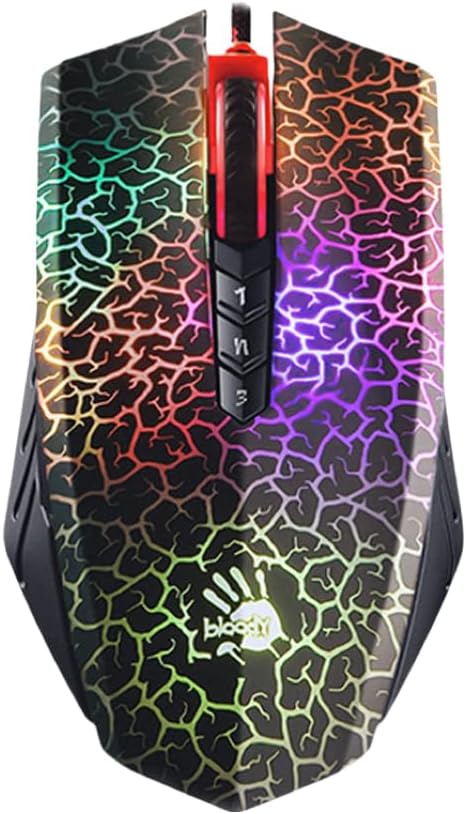
The Bloody A70 II features Light Strike switches for rapid speed response with minimal debounce delay. It is optimized for speed precision and control across different surfaces.
We may earn a commission when you buy through this link, at no additional cost to you.
The X'Glide Armor feet enhance durability and glide ensuring smooth movement. The optical sensor supports up to 8000 DPI for precise aiming and targeting.
With over 20 million click lifespan the switches are built to withstand intense use. The fully programmable macros allow for complex sequences essential in fast paced games.
This mouse is excellent for players seeking durability and speed. Its optical switch technology offers a competitive edge by reducing mechanical latency during rapid clicks.
Light Strike switches offer sub 0.2ms response times ensuring every click is registered instantly without noise.
X'Glide Armor feet ensure smooth movement while protecting the mouse from wear during intense friction dragging.
We may earn a commission when you buy through this link, at no additional cost to you.
The Logitech G PRO X2 SUPERSTRIKE is designed alongside esports athletes for peak performance. It features a Haptic Inductive Trigger System that provides real-time feedback for immersive interaction.
We may earn a commission when you buy through this link, at no additional cost to you.
The HERO 2 sensor tracks at over 888 IPS ensuring pinpoint accuracy. With 10-level actuation points it allows deep customization to match your exact click style.
The ultra-durable thin wall case is built for longevity and lightweight handling. Battery life ranges from 60 to 90 hours ensuring uninterrupted focus during marathons.
This model is for professionals seeking the absolute best technology available. Its combination of haptic feedback and sensor precision offers a premium experience unmatched by others.
The HITS system provides real-time tactile feedback enhancing immersion and precision during complex game scenarios.
HERO 2 technology delivers unmatched tracking accuracy that ensures every movement translates exactly to on-screen action.
We may earn a commission when you buy through this link, at no additional cost to you.
The Razer Basilisk V3 offers an iconic ergonomic design favored by millions for its support and comfort. The thumb rest ensures hand stability during intense rapid clicking sessions.
We may earn a commission when you buy through this link, at no additional cost to you.
Its HyperScroll tilt wheel allows switching between free spin and tactile modes for versatile scrolling. The 11 Chroma RGB zones provide dynamic lighting effects that react with over 150 games.
Optical switches deliver 0.2ms actuation speed with zero unintended misclicks. The Focus Plus 26K DPI sensor tracks flawlessly for pixel-precise accuracy in any scenario.
This mouse is best for users prioritizing comfort and customization. Its ergonomic shape reduces strain making it ideal for those with larger hands or long play sessions.
The iconic thumb rest design ensures the hand remains stable and comfortable during extended gaming marathons.
The HyperScroll tilt wheel offers both precision and speed allowing quick navigation or detailed adjustments as needed.
We may earn a commission when you buy through this link, at no additional cost to you.
Selecting the right mouse involves analyzing sensor quality switch durability and ergonomic fit to ensure rapid clicking is successful and comfortable.
A high quality sensor ensures accurate movement registration during rapid fire inputs. Look for optical sensors with high DPI range and low latency polling to maintain control.
Prioritize sensors like the Focus Pro or HERO series for consistent tracking across different surfaces without jitter.
Mechanical and optical switches differ in lifespan and tactile feel. Optical switches often reduce double clicking risks which is vital for drag clicking longevity.
Choose mice with rated click life above 50 million to ensure the buttons survive intense rapid clicking sessions.
The shape of the mouse determines how well it fits your grip style. Claw grips benefit from streamlined designs while palm grips prefer broader shells.
Ensure the mouse has textured surfaces or coatings to increase friction and prevent slipping during rapid movement.
Lightweight mice reduce fatigue during fast flicks but too light models may feel unstable. Aim for a weight around 60 to 70 grams for a balanced experience.
Consider how the weight is distributed to maintain control during rapid directional changes without arm strain.
Wired mice offer zero latency which is preferred for competitive play. Wireless models provide freedom but require reliable 2.4G technology to avoid lag.
Choose wired options if you prioritize absolute speed and wireless if cable management is a major concern.
Robust software allows for DPI adjustment and macro creation which enhances control over rapid inputs. Ensure the software is intuitive and supports multiple profiles.
Look for support that lets you store settings on-board so your profile works across different computers.
Programmable buttons offer flexibility for macros and secondary actions. More buttons provide more control but can clutter the hand if not needed.
Select a layout that matches your specific game requirements without overwhelming the hand with unused switches.
Drag clicking often requires a claw or fingertip grip for maximum speed. Ensure the mouse size supports your specific hand shape for stability.
Test different shapes if possible to confirm the mouse aligns with your natural hand posture.
To utilize drag clicking effectively rest the middle of your finger on the left button. Apply light pressure while sliding your finger forward to create multiple clicks per press.
Regularly clean the sensor and feet of your mouse to maintain smooth movement. Dust or residue on the mouse feet can increase friction and slow down your cursor.
Use software settings to adjust DPI and polling rates to match your game preferences. Calibrate your settings for optimal speed and accuracy without introducing unwanted jitter.
A mouse is good for drag clicking when it has a textured surface for friction and switches that register multiple inputs quickly. Optical switches are often preferred for their speed and durability compared to mechanical ones.
Wireless mice can work well if they have high polling rates like 1000Hz or higher to minimize lag. Modern wireless technology has closed the gap but wired options remain the standard for competitive use.
Sensor DPI is important for precision but the click mechanism matters more for drag clicking itself. Aim for a reliable sensor that tracks movement smoothly during rapid movements.
Excessive force or prolonged high speed clicking can wear down mechanical switches over time. Optical switches are more durable and resist double clicking issues common with mechanical wear.
Hard or hybrid pads often provide the consistent friction needed for drag clicking. Soft cloth pads can also work if the mouse feet have a high quality coating.
Most tournaments allow standard peripherals but may restrict external software macros. Always check the specific rules of your competitive event regarding hardware and input methods.
The models listed above offer a diverse range of options for players seeking speed and control. Whether you prefer the lightweight agility of the Razer Viper or the ergonomic comfort of the Basilisk there is a choice for everyone.
Prioritize durability and sensor accuracy when making your final decision to ensure longevity in competitive play. Your input method plays a crucial role in your overall performance and experience.
Always check current availability and specific details before purchase to ensure you get the right model for your setup. The right choice will elevate your gaming session to the next level.