
ASUS 2023 Vivobook Go 15
4.3Editor score
AMD Ryzen 5 7520U Processor
Fast Charging Battery Technology
Military Grade Durability Standards
Choosing the right laptop can be overwhelming given the myriad options available today. The ASUS Vivobook line offers a diverse range of models catering to various needs from budget-friendly basics to high-performance machines. Each model balances build quality, display fidelity, and processing power to suit different user profiles effectively.
We have carefully evaluated ten distinct Vivobook configurations to provide a comprehensive overview. Our comparison focuses on key specifications such as processor type, memory capacity, storage speed, and screen real estate. This approach ensures you understand the tangible differences between these closely related devices before making a decision.
Each selection below highlights specific strengths and potential limitations to guide your purchase. We emphasize real-world usability scenarios to illustrate where each laptop excels or falls short. Please note that pricing and availability fluctuate frequently so always verify current details before checkout.
4.3Editor score

4.5Editor score

5.0Editor score
As an Amazon Associate we earn from qualifying purchases.
The following table provides a side-by-side comparison of all ten selected models. It outlines essential specifications to help you quickly identify which device matches your performance needs and budget constraints without navigating through lengthy descriptions.


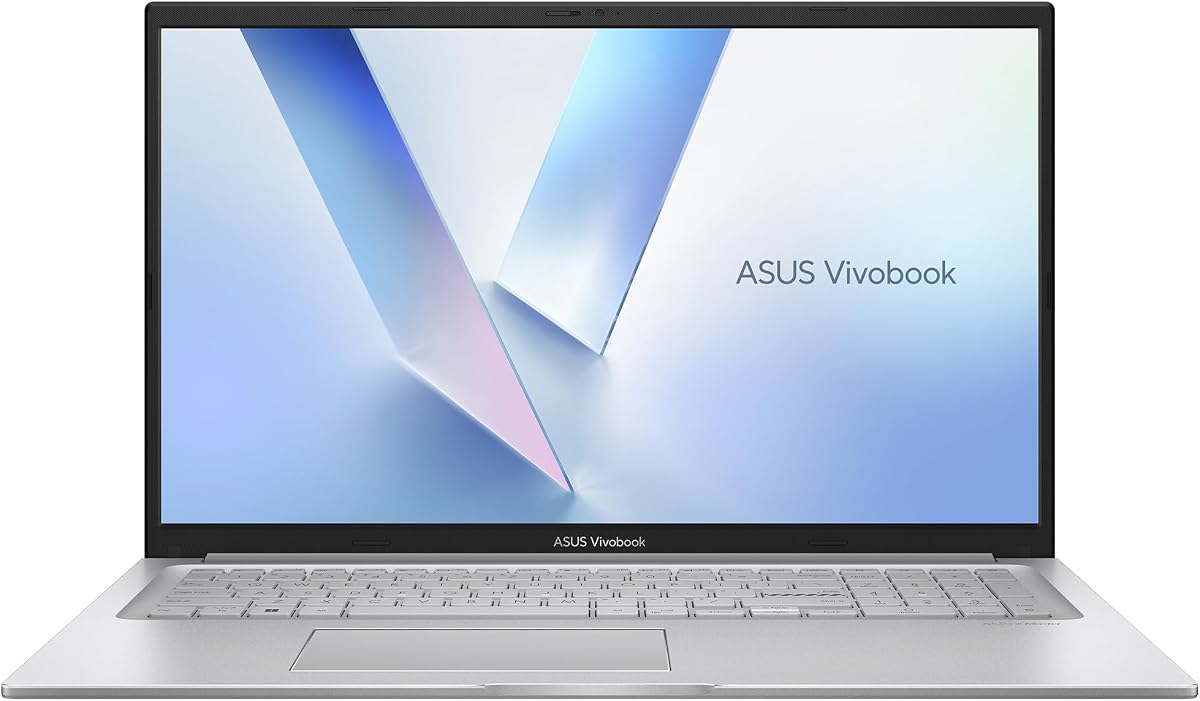




This model stands out as the top recommendation due to its powerful Intel Core i9 processor and substantial memory. It excels in demanding scenarios such as content creation or complex data processing where speed is paramount.
We may earn a commission when you buy through this link, at no additional cost to you.
The inclusion of 32GB RAM allows for seamless multitasking across numerous applications without slowdowns. The 1TB SSD provides ample space for large files while ensuring quick boot times and responsive system performance.
While the performance is elite, the cost reflects these upgrades compared to entry-level options. Users should consider if their workflow truly requires such high specifications to justify the investment.
Ideal for professionals or power users who need reliability and speed, this laptop delivers exceptional value through its robust configuration and advanced security features like the fingerprint reader.
Optimized for Next Gen AI workloads this processor handles complex simulations and creative software with ease.
The bundled PCO Cooler ensures peak frequency maintenance preventing thermal throttling during intense tasks.
We may earn a commission when you buy through this link, at no additional cost to you.
Featuring the Qualcomm Snapdragon X this laptop offers a unique balance of power and efficiency. The 16-inch screen provides a vibrant workspace ideal for media consumption and productivity tasks alike.
We may earn a commission when you buy through this link, at no additional cost to you.
The Adreno GPU ensures smooth visuals while the optimized chipset extends battery life significantly. This makes it a strong candidate for users who prioritize portability and endurance over raw processing power.
One consideration is the ecosystem compatibility with the Snapdragon platform which may affect specific legacy software. Most modern applications run smoothly but verifying specific workflow needs is advisable before purchase.
This model is perfect for students or mobile professionals seeking a visually striking machine that can last through a full workday without frequent charging.
Indulge in breathtaking 1920 x 1200 resolution with brilliant life-like colors and smooth refresh rates.
Unleash performance with Qualcomm Hexagon NPU designed for AI and unparalleled power efficiency.
We may earn a commission when you buy through this link, at no additional cost to you.
This laptop combines a strong Core i7 processor with a spacious 16-inch screen making it versatile for various tasks. The lightweight construction enhances portability for those who travel frequently or move between desks.
We may earn a commission when you buy through this link, at no additional cost to you.
The Iris Xe graphics support smooth everyday visuals while the ample RAM ensures responsive performance. It strikes a solid middle ground between cost and capability for general productivity needs.
While it lacks some premium features like touchscreen interaction the core performance remains competitive. Users should weigh the value of the screen size against the portability factors based on their habits.
A reliable choice for business users or students needing a durable yet capable machine this model offers consistent performance in a sleek package.
The Intel Core i7 processor ensures multitasking capabilities that meet daily productivity demands effectively.
Wi-Fi 6 and Bluetooth 5.1 provide fast wireless connections alongside multiple physical ports.
We may earn a commission when you buy through this link, at no additional cost to you.
For users needing extra screen real estate this model provides a generous 17.3 inch display within a sturdy chassis. The numeric keypad is a distinct advantage for those handling data entry or financial calculations regularly.
We may earn a commission when you buy through this link, at no additional cost to you.
The Core 7 processor handles everyday tasks with ease while the 1TB SSD offers plenty of storage space. Fast charging ensures you spend less time plugged in and more time working on the go.
Although the size makes it less convenient for frequent travel it offers excellent stability as a home office setup. The durability standards add confidence for daily use in varied environments.
Best suited for stationary productivity users this laptop delivers a practical feature set that emphasizes comfort and longevity over mobility.
Enjoy bright sharp visuals on a slim-bezel NanoEdge display with wide viewing angles.
Type comfortably with an ErgoSense keyboard designed for optimal key bounce and travel.
We may earn a commission when you buy through this link, at no additional cost to you.
This model represents an ideal entry point into the Vivobook range offering essential features at a competitive price. The AMD Ryzen 5 processor ensures smooth operation for web browsing and office applications.
We may earn a commission when you buy through this link, at no additional cost to you.
The fast-charge technology allows quick power boosts which is beneficial for users on tight schedules. Despite the lower price point the build meets military-grade standards ensuring it withstands regular wear and tear.
While the RAM might be sufficient for most users power users may find it limiting for heavy multitasking. However for casual users it provides a balanced experience without financial strain.
Highly recommended for students or home users seeking a reliable secondary device or primary machine for basic tasks.
Equipped with an AMD Ryzen 5 processor and 512GB SSD for an ultrafast and smooth experience.
Stays cool in all situations thanks to ASUS IceCool thermal technology and military standards.
We may earn a commission when you buy through this link, at no additional cost to you.
Designed for those who prioritize portability this laptop offers a slim profile with modern DDR5 memory. It serves as an efficient tool for basic computing tasks and online classes.
We may earn a commission when you buy through this link, at no additional cost to you.
The fast charging feature ensures you stay productive during short power windows. The included webcam shield adds a necessary layer of privacy for remote interactions.
However the small storage capacity may require external drives for media or large software suites. Users with minimal file storage needs will find this manageable but others should consider upgrades.
This unit is best suited for light users or travelers who need a compact companion without sacrificing essential performance features.
Super slim bezel design with vibrant color gamut and sustained brightness for clear visuals.
Weighing under 4 pounds it is easy to carry while maintaining a sturdy build.
We may earn a commission when you buy through this link, at no additional cost to you.
This customized version delivers top-tier performance by allowing users to select higher configurations for RAM and storage. It caters to advanced users who need the flexibility to scale resources as demands grow.
We may earn a commission when you buy through this link, at no additional cost to you.
The Core i9 processor ensures elite-level speed suitable for complex simulations or heavy rendering tasks. Security features like the fingerprint reader and privacy shield protect your data effectively during usage.
While it requires a higher investment the performance capabilities justify it for professional workflows. Users should review the warranty terms carefully as upgrades come with specific coverage details.
It is the perfect choice for those needing a high-performance workstation that fits within a standard laptop chassis.
Experience future computing with a 14-core powerhouse optimized for AI workloads.
Eliminate dongles with a comprehensive I/O suite including USB-C and HDMI ports.
We may earn a commission when you buy through this link, at no additional cost to you.
This model balances a compact form factor with generous RAM and storage specs for its class. It is designed for users needing speed in loading applications without requiring high-end processing power.
We may earn a commission when you buy through this link, at no additional cost to you.
The 24GB RAM is particularly impressive for this tier allowing many browser tabs and apps to run simultaneously. The 1TB SSD ensures you have plenty of room for documents and media.
The processor limits raw computing power so heavy gaming or video editing might be slow. It is better suited for productivity tasks where memory and storage are more critical than CPU cores.
Ideal for students or office workers needing a portable machine for daily administrative tasks efficiently.
24GB high-bandwidth RAM smoothly runs multiple applications and browser tabs at once.
i3-1215U provides sufficient base frequency for general computing requirements.
We may earn a commission when you buy through this link, at no additional cost to you.
This laptop introduces Copilot+ PC features designed to enhance productivity through advanced AI tools. The Snapdragon X processor ensures efficient computing that supports these intelligent capabilities.
We may earn a commission when you buy through this link, at no additional cost to you.
The 14-inch FHD+ screen offers clear visuals suitable for both work and entertainment. It is a sleek choice for users looking to explore modern AI-driven workflows in a portable package.
As AI features evolve some users may need to ensure compatibility with their specific software stack. However the hardware is prepared for upcoming updates that will unlock full potential.
Recommended for early adopters seeking a blend of style and next-generation AI functionality in a lightweight device.
Snapdragon X processor ensures smooth multitasking and efficient computing for Copilot+ PC.
Windows 11 Home offers latest features and intuitive user interface.
We may earn a commission when you buy through this link, at no additional cost to you.
Featuring the AMD Ryzen AI 7 processor this laptop is built for ultimate AI processing efficiency. The stunning WUXGA display provides a vibrant workspace for creating and viewing content.
We may earn a commission when you buy through this link, at no additional cost to you.
The integration of Radeon graphics supports a good range of gaming and creative tasks. FastCharge technology ensures you can quickly top up battery during busy days.
Some AI features like Recall are rolling out gradually so full utility may vary over time. However the hardware provides a solid foundation for the upcoming AI era.
A strong contender for creative professionals who value visual fidelity and future-proof AI capabilities in a stylish chassis.
Experience trusted 8-core processor for ultimate gaming and content creation.
Indulge in breathtaking resolution with brilliant life-like colors.
We may earn a commission when you buy through this link, at no additional cost to you.
Selecting the right Vivobook involves evaluating key specifications against your specific needs. This guide breaks down the essential factors to consider before making your final decision.
The processor is the heart of your laptop determining how quickly it handles tasks. Vivobooks range from Intel Core i3 to i9 and AMD Ryzen 3 to AI series. Higher numbers indicate better performance for demanding applications like video editing or gaming.
Choose a processor tier that matches your workload to avoid overspending or under-specing your needs.
RAM determines how many apps you can run simultaneously while storage holds your files and system. Most Vivobooks offer 8GB to 32GB RAM and 512GB to 2TB SSDs.
Aim for at least 16GB RAM for smooth multitasking and 512GB storage to ensure quick boot times.
Screen size impacts portability and workspace. Options include 14-inch for travel to 17.3-inch for desktop replacements. Resolution varies from FHD to WUXGA for sharper images.
Select a screen size that fits your workspace and ensure the resolution meets your visual needs.
Battery life varies by component efficiency and usage. Some models offer up to 12 hours while others may need frequent charging. Fast charging features reduce downtime significantly.
Look for models with fast charging if you often use the device away from a power outlet.
Physical dimensions and weight determine ease of carrying. Vivobooks range from slim lightweight units to heavier models with numeric keyboards. Military-grade durability ensures longevity.
Prioritize weight and thickness if you commute frequently to ensure the laptop fits your bag comfortably.
Most units ship with Windows 11 Home or Pro. Pro versions offer additional security and management tools. Features like fingerprint readers or webcam shields enhance privacy.
Confirm the OS version aligns with your software requirements and security preferences before purchase.
A variety of ports like USB-C USB-A and HDMI ensure compatibility with peripherals. Wi-Fi 6 provides faster internet speeds than older standards.
Check that the port selection matches your external devices to avoid needing extra adapters or docks.
Prices vary significantly based on specs and customizations. Budget models offer basics while premium ones provide high-end performance and features. Determine your price range beforehand.
Balance cost with features to find a model that provides the best value for your specific requirements.
To maximize battery life avoid extreme temperatures and keep the device plugged in only when necessary. Use battery saver modes when working away from a power source to extend usage time.
Keep the screen clean using a microfiber cloth to prevent scratches. Avoid using harsh chemicals that may damage the anti-glare coating or the chassis material.
Regularly update Windows and drivers to maintain security and performance. Use built-in cooling vents effectively by ensuring they are not blocked during operation.
Yes the Vivobooks listed are pre-installed with Windows 11 Home or Pro ensuring immediate compatibility. They meet the system requirements for modern OS features and updates.
Some models allow RAM upgrades but many Vivobooks have soldered memory. Check the specific product documentation or contact support before attempting any hardware modifications.
Use a dry microfiber cloth for the screen and compressed air for the keyboard. Avoid liquids directly on the device to prevent damage to internal components.
Standard warranties typically cover one year for parts and labor. Custom upgrades may have separate terms so review the warranty details provided with your purchase.
The 2023 Vivobook Go 15 offers excellent value with sufficient specs for coursework. Its portability and battery life make it ideal for daily campus use.
Most models include HDMI or USB-C ports supporting external displays. Verify the specific port capabilities to ensure they match your monitor's connection type.
The ten models highlighted offer diverse solutions for various needs from budget basics to premium performance. Each selection provides distinct advantages in terms of speed display quality and portability.
Prioritize factors like processor power and memory capacity based on your daily tasks. This ensures you get a machine that grows with your requirements rather than limits them.
Prices and availability change so check current listings before purchasing. This ensures you secure the best deal available at the time of your transaction.