
Micro-USB Ethernet Adapter for Amazon Fire TV Devices
4.5Editor score
Reliable wired speeds
Easy USB port connection
Compatible with most sticks
This guide compares the top Fire TV Stick Ethernet Adapter options for wired connectivity, speed, and compatibility to help you choose the perfect network
Reliable internet connectivity is essential for smooth streaming on your Fire TV Stick. Wireless signals often struggle with interference, leading to buffering and lag. An Ethernet adapter provides a stable, wired connection that eliminates these common issues.
We evaluated ten top-rated adapters based on compatibility, speed, build quality, and ease of setup. Our analysis covers Micro USB and USB-C options to ensure you find the right fit for your specific Fire TV model.
Each pick highlights key features, pros, cons, and real-world performance details. Prices fluctuate frequently, so check current listings before purchasing. This guide helps you make an informed decision for uninterrupted entertainment.
4.5Editor score

4.7Editor score

3.7Editor score
The following table provides a side-by-side comparison of all ten selected adapters. Review each product's specifications, compatibility, and standout features to identify the best match for your streaming setup needs.


This Ethernet adapter offers a robust solution for Fire TV Stick owners seeking stable internet. With a high user rating, it delivers consistent 10/100 Mbps speeds ideal for 4K streaming. The build quality ensures durability during extended use.
We may earn a commission when you buy through this link, at no additional cost to you.
Its universal compatibility spans most Fire TV Stick models featuring a Micro USB port. The sleek aluminum design not only looks premium but also aids in heat management. Setup requires no drivers, making it accessible for all users.
While it does not support USB-C devices, its performance for Micro USB models is exceptional. The included adhesive tapes help secure the adapter to prevent accidental disconnections. Users appreciate the straightforward installation process.
Ideal for households with unreliable WiFi, this adapter guarantees buffer-free viewing. Whether gaming or streaming, it provides the necessary stability. We recommend this for anyone needing a reliable wired link.
The 10/100 Mbps speed ensures smooth streaming without interruptions.
No driver installation is needed for immediate connectivity.
We may earn a commission when you buy through this link, at no additional cost to you.
For those seeking an affordable way to wire their Fire TV, this adapter is a top choice. It offers essential connectivity without breaking the bank. The rating reflects consistent performance across various Fire TV models.
We may earn a commission when you buy through this link, at no additional cost to you.
It connects directly to a router via Ethernet, freeing up valuable WiFi bandwidth. Compatibility includes the Fire TV Stick Lite and multiple generations of standard sticks. This makes it a versatile option for most users.
The setup is straightforward: plug into the USB port and connect the cable. While it lacks premium features like aluminum casing, it gets the job done reliably. Power is drawn from the Fire TV's adapter.
This is an excellent entry-level option for eliminating WiFi drops. If you have a compatible Micro USB port, this adapter delivers solid results. It is perfect for budget-conscious shoppers needing reliability.
Provides stable wired speeds at a very competitive price.
Works with Fire TV Stick Lite and many other models.
We may earn a commission when you buy through this link, at no additional cost to you.
This adapter stands out for its potential 1000Mbps throughput, catering to high-speed needs. The premium aluminum construction ensures longevity and effective heat management. Users who prioritize speed often find this model appealing.
We may earn a commission when you buy through this link, at no additional cost to you.
It supports a wide range of devices with Micro USB ports, including the Fire TV Stick 4K Max. The visual indicators provide clear feedback on connection status. This added detail helps troubleshoot issues quickly.
However, some users report mixed experiences with actual speed performance. It is crucial to ensure your internet plan supports these speeds. The build quality is robust, but results may vary based on environment.
For tech-savvy users needing maximum wired potential, this is a strong contender. If you want a premium look and feel, the aluminum casing is a plus. Check compatibility before purchasing to ensure it fits your device.
Offers up to 1000Mbps for future-proof connectivity.
LED lights clearly indicate network connection status.
We may earn a commission when you buy through this link, at no additional cost to you.
The ELECTOP adapter promises a fast 1000Mbps experience for demanding users. Its aluminum construction helps manage heat during long streaming sessions. This is ideal for those needing stable connections for gaming or large downloads.
We may earn a commission when you buy through this link, at no additional cost to you.
Setup is simple with plug and play functionality. The LED light confirms the connection status at a glance. Users can secure it with adhesive tapes to avoid dangling cables. This design enhances stability and aesthetics.
It is vital to note this requires a compatible Micro USB port. If your device uses USB-C, this adapter will not work. Some users recommend an additional power cable for optimal performance.
For users seeking high-speed wired internet on older Fire TV models, this is a great choice. The aluminum casing ensures it runs cool. Check your port type before ordering to ensure compatibility.
Designed for 1000Mbps speeds to reduce lag effectively.
Includes adhesive tapes to keep the adapter in place.
We may earn a commission when you buy through this link, at no additional cost to you.
This adapter delivers reliable performance at a reasonable price point. With a strong user rating, it effectively eliminates buffering for 4K streaming. The setup is incredibly quick, taking about a minute to complete.
We may earn a commission when you buy through this link, at no additional cost to you.
Its aluminum casing keeps it cool during extended viewing sessions. The smart status lights offer visual confirmation that the network is active. This peace of mind is valuable for daily use.
It supports a wide range of Fire TV Stick generations, from Lite to 4K Max. While it does not support USB-C, it covers most older models well. Power requirements are standard for these devices.
For anyone needing a quick and effective solution to Wi-Fi drops, this adapter is excellent. It balances cost and performance well. We recommend it for households with older Fire TV hardware.
Plug in and connect in under a minute.
Aluminum casing prevents overheating during use.
We may earn a commission when you buy through this link, at no additional cost to you.
The UGREEN adapter is known for its practical design, including a 3.3 ft power cable. This length is beneficial for tight spaces behind the TV. It ensures a stable connection without needing extra extensions.
We may earn a commission when you buy through this link, at no additional cost to you.
It works with a wide range of devices, including Chromecast and Fire TV. The included USB-A power cord simplifies setup. Users can power both the adapter and the TV Stick simultaneously.
Speed is limited to 100Mbps, which is sufficient for most streaming needs. The setup requires a USB wall charger over 5W for optimal performance. Check your power source before connecting to ensure stability.
This adapter is perfect for those with limited space behind their TV. The longer cable provides necessary flexibility. For standard streaming needs, its performance is consistent and reliable.
Power cable reaches tight spaces behind your TV easily.
No drivers are needed for immediate use.
We may earn a commission when you buy through this link, at no additional cost to you.
Cable Matters is a trusted brand, offering a reliable adapter for Fire TV users. This model provides speeds up to 300+ Mbps, which is faster than typical fast Ethernet. It ensures smooth 4K streaming without interruptions.
We may earn a commission when you buy through this link, at no additional cost to you.
The 3-foot USB power cable adds convenience for various setups. It connects easily to wall chargers, maintaining power stability. The build quality reflects the brand's reputation for durability and attention to detail.
While priced higher than some competitors, the consistent performance justifies the cost. It works with Fire TV Cube and various Chromecast models. Users appreciate the straightforward setup process without extra software.
For those who value brand reliability, this adapter is a top choice. It delivers consistent results and stable connections. Ideal for users needing a guaranteed wired solution for streaming.
Known for reliable performance and durable build.
Supports data transmission up to 300+ Mbps.
We may earn a commission when you buy through this link, at no additional cost to you.
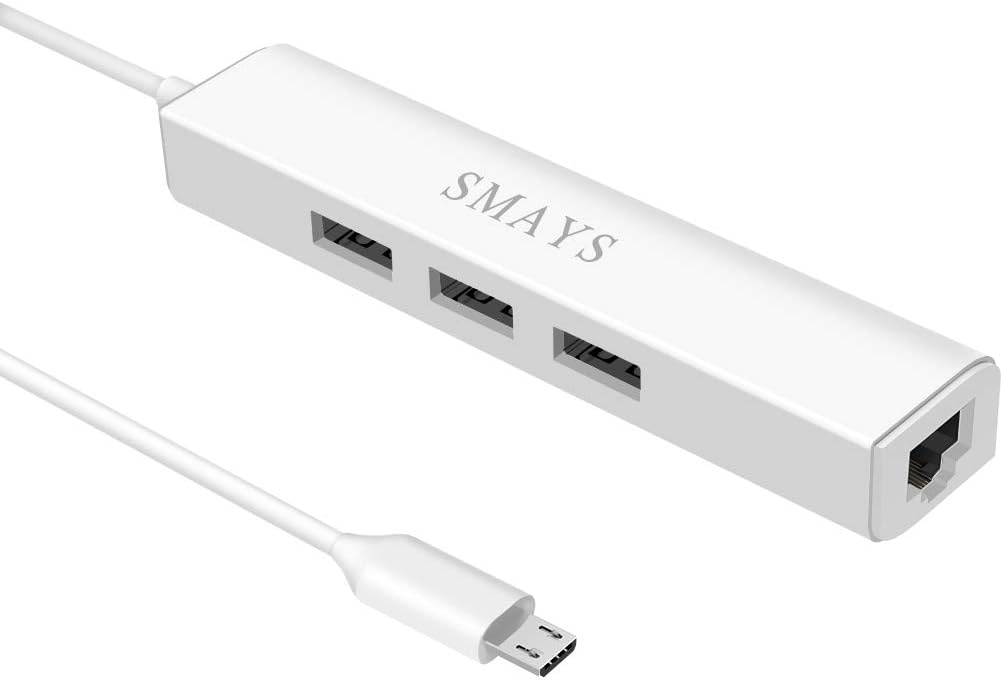
This adapter doubles as a USB hub, offering three ports for extra connectivity. It is ideal for those needing to plug in drives or peripherals. The Ethernet functionality ensures a stable internet connection.
We may earn a commission when you buy through this link, at no additional cost to you.
It supports Fire TV Cube and various Fire Stick models effectively. The setup involves connecting the power cord, hub, and Ethernet cable. This slightly more complex process is worth the added utility.
The hub supports external drives and input devices, expanding your TV stick capabilities. While it needs a wall charger for power, it handles loads well. Users appreciate the versatility of having multiple connections.
If you need both network and peripheral connectivity, this hub is the perfect solution. It provides value by combining two adapters into one. Check your power source before setting up.
Adds USB ports for drives and input devices.
Combines Ethernet and USB hub in one device.
We may earn a commission when you buy through this link, at no additional cost to you.
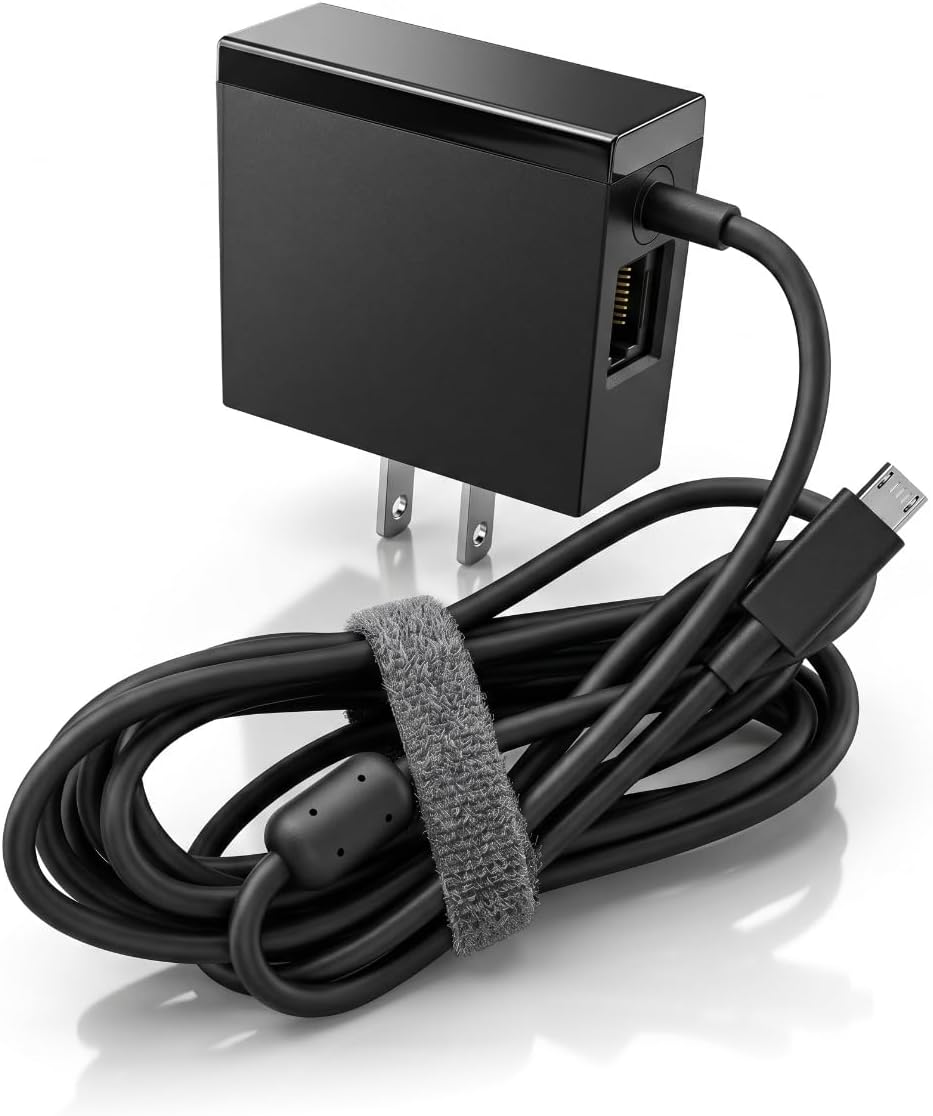
This adapter integrates power supply with Ethernet connectivity, simplifying the setup process. It is designed for Fire TV models with Micro USB ports. The original standard power ensures safe and stable operation.
We may earn a commission when you buy through this link, at no additional cost to you.
It supports 100Mbps transmission, which is sufficient for most streaming. The universal input voltage makes it versatile for travel. Users report consistent performance with minimal signal delay or loss.
While it lacks USB-C support, it covers many older Fire TV models well. The integrated design reduces clutter behind the TV. For those needing a combined solution, it offers practical convenience.
For users with Micro USB devices, this provides a neat all-in-one solution. It combines power and network needs effectively. Check your device port before purchasing to ensure compatibility.
Combines power adapter and Ethernet port in one unit.
Supports 100-240V for global compatibility.
We may earn a commission when you buy through this link, at no additional cost to you.
Designed specifically for the Fire TV Stick HD (2nd Gen), this adapter offers USB-C connectivity. The right angle design helps fit snugly against the device. It provides a reliable link to your wired network.
We may earn a commission when you buy through this link, at no additional cost to you.
With support up to 480mbps, it ensures adequate speed for HD streaming. This adapter bridges the gap for newer USB-C models that lack built-in Ethernet. Users value its seamless integration with their devices.
It does not work with older Micro USB models, so check compatibility carefully. The build is compact and fits well behind TVs. For those with the newest Fire TV HD, this is a necessary accessory.
If you have the 2nd Gen Fire TV Stick HD, this adapter is the ideal choice. It provides a stable, fast connection without taking up extra space. Ensure your model is compatible before buying.
Works with newer Fire TV models featuring USB-C.
Right angle design reduces bulk behind the TV.
We may earn a commission when you buy through this link, at no additional cost to you.
Choosing the right Ethernet adapter depends on your Fire TV model, internet speed needs, and budget. Consider these factors to ensure a compatible and effective upgrade to your streaming setup.
The most critical step is verifying your Fire TV Stick's port type. Older models use Micro USB, while newer ones like the Fire TV Stick HD (2nd Gen) use USB-C. Using the wrong adapter will prevent connection. Always check your device's physical port before purchasing.
Ensure the adapter matches your device's connector type exactly. Micro USB adapters won't work on USB-C models. Check your device specs or physical port to confirm the correct adapter type.
Most basic adapters offer 10/100 Mbps speeds, which are sufficient for most HD and 4K streaming needs. If you have high-speed internet and require faster LAN access, look for Gigabit (1000 Mbps) models. However, ensure your internet plan supports these speeds to maximize the benefit.
Choose 100 Mbps for standard streaming or Gigabit for high-performance needs. Check your broadband plan to ensure you aren't paying for speeds you can't utilize.
Some adapters draw power directly from the Fire TV's USB port, while others require a separate power source. Adapters with included power cables offer more flexibility. If your TV's USB port is weak, an external power source may be necessary to prevent disconnections.
Check if the adapter needs a wall charger. Some models include a power cord, while others do not. Ensure you have a compatible power source for the adapter.
Premium adapters often use aluminum alloy to dissipate heat efficiently. This is important during long streaming sessions to prevent overheating. Plastic models are more affordable but may run hotter. Investing in a durable build ensures longevity.
Look for metal casing if you plan on using the adapter for extended periods. Better materials lead to more consistent performance and longer lifespan.
The length of the Ethernet cable and power cord matters based on your TV's location. A longer cable provides flexibility in positioning the router. Short cables can cause tension and accidental unplugging. Measure the distance to your router before buying.
Consider the distance between your TV and router. Adapters with longer power cords help reach outlets easily without extensions.
Well-known brands often offer better customer support and build quality. While lesser-known brands may be cheaper, trusted brands provide more reliable performance. Reading user reviews can highlight common issues or benefits with specific models.
Choose reputable brands for better reliability. Reviews can reveal real-world performance issues that product specs might not show.
Some adapters come with extra features like LED status lights or adhesive mounting tapes. LED lights help verify connection status quickly, while tapes secure the adapter to prevent accidental disconnects. These small additions improve convenience.
Look for useful extras like status lights or mounting tapes. They simplify setup and keep your setup organized.
Prices range from budget-friendly to premium options. Determine how much you need speed or build quality. Budget adapters often work well for basic streaming. Premium models are better for power users requiring top-tier performance.
Match the price to your needs. Higher cost doesn't always mean better performance if basic speeds are sufficient.
To begin, plug the adapter into the Micro USB or USB-C port on your Fire TV Stick. Ensure the connection is secure and snug. Some models may require a separate power cable; connect it to a USB wall charger if needed. Verify the power light is active.
Next, connect one end of your Ethernet cable to the adapter's RJ45 port and the other end to your router or modem. Once connected, wait a few moments for your Fire TV to recognize the wired network. You can verify the connection in the device settings menu.
To care for the adapter, avoid bending the cables sharply or pulling them forcefully. Keep it in a cool, dry place to prevent overheating. If you notice connection issues, unplug and replug the adapter to reset the connection. Regular checks ensure consistent performance.
Not all adapters work with every Fire TV model. Most adapters are designed for Micro USB ports, which are found on older Fire TV Sticks. Newer models like the Fire TV Stick HD (2nd Gen) use USB-C ports, requiring a specific USB-C adapter. Always verify your device's port type before purchasing to ensure compatibility.
Yes, you can use a USB hub to connect both an Ethernet adapter and a power source if your Fire TV Stick has enough power output. However, ensure the hub is powered externally to avoid power shortages. Some adapters come with integrated power supplies, simplifying this setup. This can help if your TV's USB port does not provide enough power.
No, most Fire TV Stick Ethernet adapters do not require driver installation. They are plug-and-play devices. Once connected to your router and Fire TV, the device automatically recognizes the wired connection. You may need to navigate to your network settings to switch from WiFi to Ethernet manually.
Using an Ethernet adapter can significantly improve streaming quality by providing a more stable internet connection. Wired connections reduce interference common with WiFi, minimizing buffering and dropouts. This ensures smoother playback, especially for high-resolution content like 4K. It also frees up WiFi bandwidth for other devices on your network.
It depends on the specific adapter model. Some Ethernet adapters draw power directly from the Fire TV Stick's USB port, while others require a separate power adapter. If your Fire TV Stick's USB port does not provide enough power, a separate power source is necessary to ensure stable connectivity and prevent interruptions.
To check your Fire TV Stick's port, look at the end of the device. Micro USB ports have a trapezoidal shape, while USB-C ports are smaller and oval-shaped. Newer models typically use USB-C, while older ones use Micro USB. Refer to your device's user manual for confirmation if unsure.
Yes, most Fire TV Stick Ethernet adapters are compatible with the Fire TV Cube. The Cube uses a Micro USB port for connectivity, allowing it to work with standard Micro USB Ethernet adapters. Ensure you choose an adapter that supports the Cube specifically if your model has unique power requirements.
An Ethernet adapter does not inherently slow down internet speeds. In fact, it can improve performance by providing a direct, stable connection to your router. Speed limits depend on your internet plan and the adapter's capabilities. For best results, use an adapter that supports your plan's maximum speed.
Our top picks highlight the Ethernet Adapter for Fire TV Stick as the best overall choice due to its reliability and ease of use. For budget-conscious shoppers, the Micro-USB Ethernet Adapter offers great value. The ZEXMTE 1000 Mbps Adapter stands out for those needing higher speeds.
When choosing an adapter, prioritize compatibility with your Fire TV model to avoid unnecessary returns. Consider your internet speed needs and whether extra features like longer cables or cooling designs matter. These factors ensure you select the right tool for uninterrupted streaming.
Remember that prices fluctuate regularly, so always verify current listings before making your purchase. Checking for deals can save money while ensuring you get the best adapter. We hope this guide helps you enjoy a smoother, buffer-free entertainment experience.