
Highwings 8K HDMI 2.1 Cable 2-Pack
4.7Editor score
48Gbps Bandwidth
Dual Pack Value
Nylon Braided Design
Discover the top HDMI cables for Roku Ultra. This guide compares 10 certified options for 8K support, durability, and performance to ensure optimal streaming
Finding the right HDMI cable for your Roku Ultra is essential for unlocking the full potential of your streaming experience. A quality cable ensures crisp 4K visuals, immersive audio, and reliable connectivity without signal dropouts or flickering issues.
We have carefully evaluated ten leading HDMI cables based on certification standards, build quality, bandwidth capabilities, and user feedback. Each product was assessed for compatibility with high-resolution content and support for advanced features like HDR and eARC.
Every pick in this list highlights specific strengths such as gaming performance, durability, or value. Please note that product prices and availability can change frequently, so verify the latest details before making your final purchase decision.
4.7Editor score
4.8Editor score

4.7Editor score
The following table provides a side-by-side comparison of all ten HDMI cables reviewed in this guide. Each entry highlights key specifications and features to help you quickly identify the best option for your specific Roku Ultra setup needs.






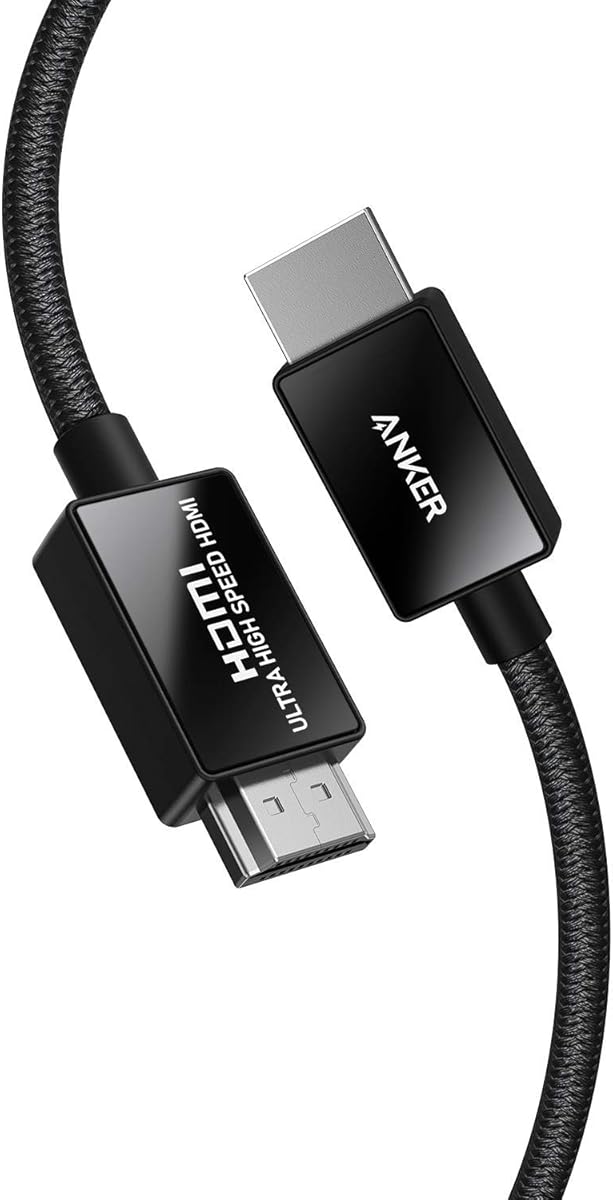
The Anker HDMI 2.1 Cable stands out as the top choice for users seeking reliability and future-proofing. With a rating of 4.8 stars, it delivers exceptional performance for high-resolution streaming on devices like the Roku Ultra. Its certified Ultra High Speed status ensures compatibility with 8K content and advanced audio formats.
We may earn a commission when you buy through this link, at no additional cost to you.
This cable features a robust construction with carbon steel connectors and gold connector pins that resist corrosion. The double-braided nylon finish protects against daily wear and tear, allowing for thousands of plug and unplug cycles without degradation. Such durability is essential for users who frequently swap devices or rearrange their entertainment centers.
While the price point is higher than some competitors, the longevity and performance justify the investment. The only minor drawback is the standard 6.6-foot length, which may not reach larger setups without extension. However, for most standard living room configurations, this length is perfectly adequate.
Anyone looking for a dependable HDMI cable that will work seamlessly with current and upcoming devices should choose this option. It is particularly well-suited for those who prioritize quality and are willing to pay a premium for a product backed by a strong warranty and brand trust.
Being certified by the HDMI Forum guarantees this cable meets strict technical standards for bandwidth and signal integrity, ensuring a stable connection for your Roku Ultra without compatibility issues.
The reinforced nylon braiding and metal connectors are designed to withstand bending and stress, making it ideal for environments where cables are frequently moved or adjusted.
We may earn a commission when you buy through this link, at no additional cost to you.
The Highwings 8K HDMI 2.1 Cable 2-Pack offers exceptional value for money without compromising on performance. Rated 4.7 stars, it is an excellent choice for households needing multiple connections or those who want a spare cable handy. Both cables are certified to handle high-speed data transmission.
We may earn a commission when you buy through this link, at no additional cost to you.
Each cable features an upgraded aluminum alloy shell that protects internal components from interference and physical damage. The anti-bending design at the tail enhances durability, preventing cracks that often occur near the connector. This attention to detail makes the set a reliable option for daily use.
The primary trade-off is the slight rigidity of the nylon material compared to softer alternatives, which can make routing tight corners slightly more difficult. However, the included extra cable mitigates this inconvenience by providing flexibility in where you can place devices or connect them to your TV.
This pack is ideal for budget-conscious buyers who still demand official certification and high-speed capabilities. Whether you are setting up a new streaming center or replacing an old cord, having two certified cables ensures you are prepared for any connection need without overspending.
Buying a two-pack ensures you have a replacement ready if one cable fails, reducing downtime and ensuring your Roku Ultra stays connected without the hassle of ordering a replacement separately.
These cables meet the strict HDMI 2.1 standards for 48Gbps bandwidth, ensuring your 4K content streams smoothly without frame drops or color errors.
We may earn a commission when you buy through this link, at no additional cost to you.
This single cable from Highwings is designed for users who need a reliable connection without the extras of a multi-pack. With a 4.7 rating, it supports cutting-edge features like 8K at 60Hz and 10K resolution. It is ideal for those seeking a straightforward high-performance solution for their Roku Ultra setup.
We may earn a commission when you buy through this link, at no additional cost to you.
The construction focuses heavily on durability with military-grade tensile nylon material that resists daily wear. The anti-bending tail design helps maintain structural integrity over time, reducing the risk of internal wire damage. This makes it a strong candidate for gaming setups or daily streaming that require consistent signal quality.
While it does not include an extra cable like the two-pack version, it offers the same core performance at a lower cost for a single unit. The only limitation is that you must ensure you have enough cable length for your specific setup since only one is provided with the purchase.
Buyers who need a single, robust cable for a permanent setup will find this option sufficient and effective. It delivers on its promise of high-speed transmission and is particularly good for those who want to future-proof their connection without paying for multiple units they might not need.
The military-grade tensile nylon provides exceptional durability against physical stress, ensuring the cable remains functional even after years of daily handling and adjustment.
Supports variable refresh rates and high frame rates like 4K at 120Hz, making it suitable for gaming consoles or PCs connected to your streaming setup.
We may earn a commission when you buy through this link, at no additional cost to you.
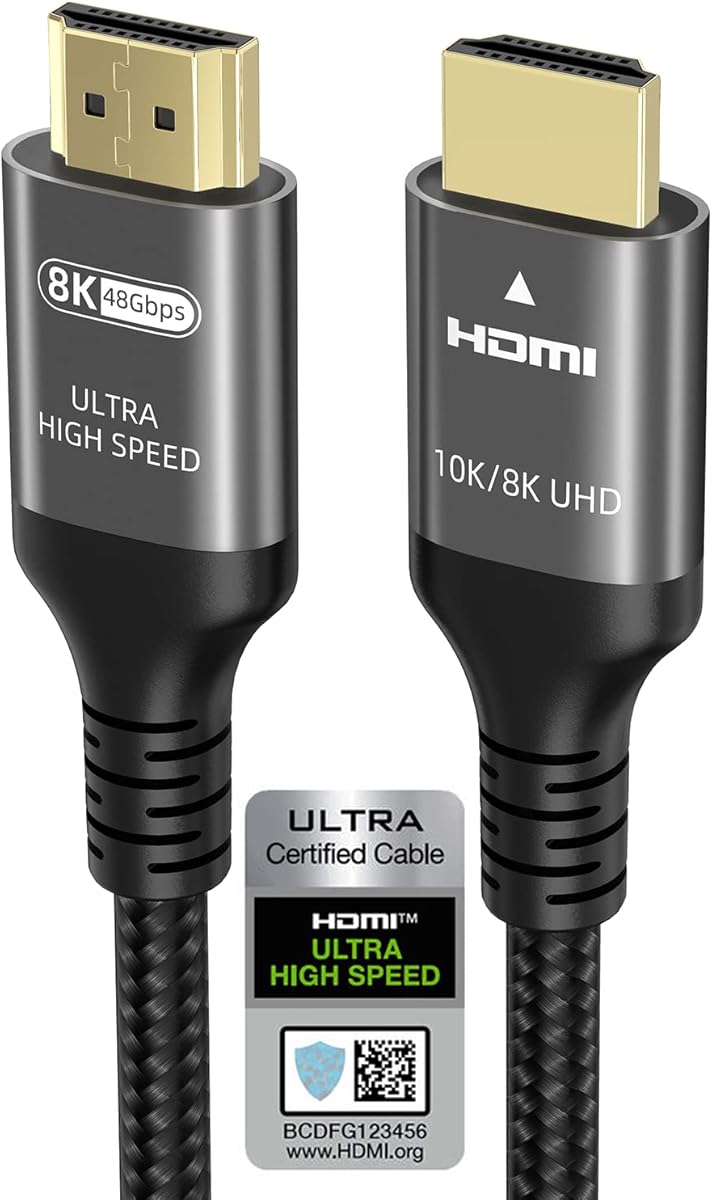
The Ubluker cable is recognized for its official HDMI certification label, providing assurance of compliance with strict standards. This model supports resolutions up to 10K and features advanced audio and video technologies like Dynamic HDR and eARC. It is a solid choice for those who prioritize official certification over generic high-speed claims.
We may earn a commission when you buy through this link, at no additional cost to you.
Its wide compatibility covers everything from gaming PCs to Apple TV and Roku TV setups. The inclusion of features like eARC ensures high-quality audio transmission to soundbars, while the 48Gbps bandwidth handles heavy video streams without dropping frames. This versatility makes it useful across multiple devices in a smart home environment.
While the cable performs well, some users find it slightly stiffer than braided alternatives, which can make routing through tight spaces challenging. The price is also a bit higher than budget options, but the official certification justifies the cost for users who need guaranteed performance.
If you are looking for a cable that is officially verified to meet HDMI Forum standards, this is a dependable option. It is especially recommended for users who connect to high-end displays or audio systems where signal integrity and format support are critical for an optimal viewing experience.
The official HDMI certification label means this cable has passed rigorous testing to ensure it meets all bandwidth and signal integrity requirements for high-performance streaming.
Supports advanced features like eARC and HDR10+ to deliver immersive sound and detailed visuals, enhancing the quality of your streaming content significantly.
We may earn a commission when you buy through this link, at no additional cost to you.
Silkland offers a unique feature with its QR code verification system that allows users to confirm the cable's certification status easily. The cable itself is built with a double-layer fishnet winding and nylon braiding for enhanced durability. This makes it an excellent choice for users who want to verify the authenticity of their high-speed cable.
We may earn a commission when you buy through this link, at no additional cost to you.
The cable supports resolutions up to 8K at 60Hz and includes advanced audio features like Dolby Atmos and DTS:X. It is backward compatible with older HDMI versions, ensuring it works with existing devices as well as new ones. This backward compatibility adds value for households with mixed device generations.
One minor drawback is the need to scan a QR code to verify the product, which might be an extra step for some buyers. Additionally, the cable length is fixed at 6.6 feet, so users needing longer runs might find this restrictive. However, the build quality and support team compensate for these small inconveniences.
Buyers who want a verified product with strong customer support and durable construction will appreciate this option. It is particularly suitable for tech enthusiasts who value transparency in product claims and want a reliable connection for their streaming devices.
The QR code allows you to verify that the cable meets Ultra High Speed standards, providing confidence that you are purchasing a genuine certified product rather than a generic copy.
The double-layer braided design provides extra protection against wear and tear, ensuring the cable remains functional even after frequent movement or bending.
We may earn a commission when you buy through this link, at no additional cost to you.
The Acer HDMI 2.1 Cable is designed with gamers and high-performance users in mind. It supports features like Variable Refresh Rate (VRR) to reduce screen tearing and ensures smooth gameplay on compatible consoles. With a 4.7 rating, it offers reliable performance for both video and audio transmission.
We may earn a commission when you buy through this link, at no additional cost to you.
The cable features a braided jacket and aluminum alloy shell that resist EMI and physical wear. It delivers stable video and audio signals at up to 48Gbps, ensuring your content looks sharp and sounds clear. The backward compatibility ensures it works with older HDMI devices as well.
While it performs well, the 6.6-foot length might be limiting for users who need to connect devices from a distance. The brand is also primarily known for monitors, so users might expect the cable performance to match their display quality expectations. Overall, it remains a competitive option for its price.
This cable is a strong pick for gamers using PS5 or Xbox Series X who need VRR support. If you want a reliable connection that handles high frame rates and high resolution without breaking the bank, this Acer cable fits the bill for most standard setups.
Variable Refresh Rate (VRR) support ensures that the display refreshes synchronously with the graphics card, eliminating screen tearing during fast-paced gaming sessions.
The aluminum alloy shell and braided jacket protect against electromagnetic interference and physical damage, extending the lifespan of the cable.
We may earn a commission when you buy through this link, at no additional cost to you.
UGREEN provides a robust option with its certified 8K HDMI cable that supports 48Gbps bandwidth for uncompressed video. It includes advanced features like Auto Low Latency Mode (ALLM) and Dynamic HDR for an immersive viewing experience. The 4.8 rating reflects its strong performance and reliability among users.
We may earn a commission when you buy through this link, at no additional cost to you.
The cable is built with a durable nylon braided jacket and nickel-plated connectors that resist corrosion. It supports HDCP 2.3 and Ethernet channels, making it versatile for various device setups. The wide compatibility range ensures it works with Apple TV, PS5, and Roku devices seamlessly.
The only minor trade-off is the standard length which may not fit larger rooms without extension. However, the included features like Ethernet and advanced audio support make up for this limitation by providing comprehensive connectivity options. The price point is also higher than basic cables but justifies the added features.
This cable is recommended for users seeking a blend of performance and durability. If you want a cable that handles high-resolution video and supports the latest audio standards without sacrificing build quality, this UGREEN option is a strong contender for your streaming setup.
Supports HDMI Ethernet Channel to enable network connectivity over the cable, which is useful for devices that need an internet connection alongside video transmission.
Dynamic HDR and ALLM ensure that your display adjusts brightness and refresh rates automatically for the best picture quality and lowest latency possible.
We may earn a commission when you buy through this link, at no additional cost to you.
The Zeskit cable is designed for precise connections where a shorter length is preferred. At 5 feet, it is ideal for connecting soundbars to TVs without excess cable clutter. The hologram sticker offers a quick visual verification of its certified status, adding a layer of trust for buyers.
We may earn a commission when you buy through this link, at no additional cost to you.
It supports immersive audio formats like Dolby Atmos and Vision, ensuring high-quality sound and picture for compatible devices. The inclusion of ALLM and VRR makes it suitable for gaming as well. Its certification ensures that it meets the necessary standards for bandwidth and signal integrity.
One downside is that the shorter length might not reach devices placed further away, requiring planning for placement. The price per foot is also higher than longer cables, but the focus on short-range precision justifies this for specific use cases like home theater setups.
For users wanting a clean setup with high-performance audio and video, this cable is an excellent choice. If your goal is to connect a soundbar or projector close to the TV without loose wire, the Zeskit cable provides the necessary performance in a compact form.
With eARC support and a 5-foot length, this cable ensures a tidy connection between your TV and soundbar while delivering uncompressed audio for a cinematic experience.
The hologram sticker allows for quick visual verification that the cable is certified, saving time and providing confidence in the product's authenticity.
We may earn a commission when you buy through this link, at no additional cost to you.
The Stouchi cable is optimized for compact setups where space is limited. With a slim braided design and a 4-foot length, it is perfect for tight connections without excess cable mess. Its 4.7 rating highlights its ability to deliver high performance in a small package.
We may earn a commission when you buy through this link, at no additional cost to you.
Despite its size, it supports 8K at 60Hz and includes features like Dynamic HDR and eARC for high-quality video and audio. The copper core and triple tin shielding minimize interference, ensuring stable transmission even in signal-heavy environments. This makes it reliable for devices in close proximity.
The main limitation is the short length, which restricts its use to devices near each other. If you need to bridge a longer distance, this cable will not suffice. However, for close-range connections like those from a streaming stick to a nearby TV port, it is highly effective.
Buyers looking for a compact solution will find this cable ideal. It is great for desktops or entertainment centers where devices are clustered together. If you value a clean, clutter-free setup and have short connection distances, this Stouchi cable meets the requirements efficiently.
The slim braided design takes up less space than standard cables, making it easier to route through tight slots or behind small devices without bulk.
Triple tin shielding ensures that high-speed signals are protected from electromagnetic interference, maintaining high-quality video and audio transmission.
We may earn a commission when you buy through this link, at no additional cost to you.
The BlueRigger 8K HDMI Cable offers an impressive 15-foot length for users with large setups or distant device placements. It supports 8K at 60Hz and includes a lifetime warranty, providing peace of mind for long-term use. This makes it the top pick for those needing extended reach without sacrificing quality.
We may earn a commission when you buy through this link, at no additional cost to you.
Built with solid copper wires and 24K gold-plated connectors, the cable resists corrosion and ensures stable signal strength. The braided jacket adds durability, and the cable supports hot plugging for convenience. Its broad compatibility ensures it works with a wide range of devices like Roku and PS5.
The price is higher than standard cables, and the thicker build can be less flexible than slim alternatives. However, the 15-foot length and lifetime warranty offer value that outweighs the extra cost for those with specific distance requirements. It eliminates the need for extensions that might degrade signal.
This cable is recommended for home theater enthusiasts or large room setups where distance is a factor. If you need a reliable, long-range connection that supports high-resolution content and comes with a warranty, the BlueRigger cable is an ideal choice for your premium setup.
The 15-foot length allows you to place your streaming device away from the TV without signal loss, perfect for cabinets or mounts where distance is an issue.
The lifetime warranty ensures that you are covered for the long haul, providing confidence that the cable will last and be supported throughout its useful life.
We may earn a commission when you buy through this link, at no additional cost to you.
Choosing the right HDMI cable involves considering several factors beyond just length and price. This guide breaks down the key specifications to help you select a cable that maximizes your Roku Ultra performance.
Bandwidth determines how much data the cable can transmit. For Roku Ultra and similar devices, you need at least 48Gbps bandwidth to support 8K or high frame rate 4K content. Ensure the cable is labeled as Ultra High Speed HDMI 2.1 to guarantee this capacity.
Always look for 48Gbps rating to avoid lag or dropped frames during high-resolution streaming.
Official certification from the HDMI Forum ensures that the cable meets strict technical standards. Certified cables are tested for signal integrity, color accuracy, and audio format support. This reduces the risk of compatibility issues or signal loss.
Prioritize cables with official certification labels or verification methods to ensure reliable performance.
The materials used in a cable affect its durability and longevity. Look for braided nylon jackets and metal shells that protect against bending and physical wear. Gold-plated connectors resist corrosion and maintain a strong signal over time.
Choose cables with reinforced connectors and braided designs for better resistance to daily wear and tear.
Select a length that reaches from your device to your TV without leaving slack. Too much cable can clutter your setup, while too little can cause strain on connections. Consider the physical layout of your room before purchasing.
Measure your setup and add a few feet to the total to ensure comfortable routing without tension.
Modern HDMI cables should support advanced audio and video formats like Dolby Atmos, HDR10+, and eARC. These features enhance the immersive experience and ensure compatibility with modern soundbars and displays. Check the product specs for these features.
Verify support for eARC and HDR to maximize audio and video quality on your device.
Ensure the cable is compatible with your specific devices and their HDMI versions. While HDMI 2.1 is backward compatible, using a cable that supports your device's highest capabilities ensures optimal performance. Check the device specifications before buying.
Confirm backward compatibility with your Roku Ultra and TV to ensure seamless connection.
While premium cables cost more, they often offer better durability and warranties. Balance the price with the features you need. Sometimes paying extra for certified cables saves money in the long run by avoiding replacement costs.
Invest in a quality cable that meets your specific needs to avoid frequent replacements.
A good warranty indicates the manufacturer's confidence in their product. Look for warranties of at least one year to cover defects. Responsive customer support helps resolve issues quickly if any arise with the cable.
Choose brands that offer solid warranties and support to protect your investment.
To install your HDMI cable, plug one end into the HDMI port on your Roku Ultra and the other into your TV. Ensure the connection is snug to prevent signal loss. If your cable has an ethernet pin, make sure it aligns correctly with the port.
Avoid bending the cable sharply at the connectors as this can damage internal wires over time. Route cables through walls or behind furniture gently using clips to secure them without putting stress on the connection points.
Keep your HDMI cable away from heat sources and direct sunlight to prevent material degradation. Regularly check connectors for dust and clean gently with a dry cloth to maintain optimal connection performance over time.
Yes, an HDMI 2.1 cable is recommended to support 4K at 60Hz and advanced features like HDR and eARC. The Roku Ultra benefits from the higher bandwidth provided by HDMI 2.1 for optimal streaming performance.
The best length depends on your setup distance. A 6-foot cable is standard for most TV setups. If your devices are far apart, opt for a longer cable to avoid signal loss from extension adapters.
Not necessarily. A certified cable meeting HDMI 2.1 standards ensures high-quality transmission regardless of price. However, premium cables may offer better durability and materials for long-term reliability.
You can use older cables, but they may not support high-resolution features like 4K at 60Hz or HDR. For the best experience with Roku Ultra, upgrading to an HDMI 2.1 cable is recommended.
Certified cables often come with a hologram sticker or QR code verification. Check the product packaging or manufacturer website to confirm the cable meets HDMI Ultra High Speed standards.
With certified 48Gbps cables, signal quality remains stable up to 15 feet. Beyond that, signal degradation may occur, so using a certified high-speed cable is crucial for maintaining performance.
Most certified Ultra High Speed HDMI cables support eARC for enhanced audio return. However, always check the product specs to confirm eARC support if you plan to use it with soundbars.
A 2-pack offers value if you need a spare cable or have multiple devices to connect. It ensures you have a replacement ready without waiting for a new order, making it practical for many households.
We have reviewed ten top HDMI cables for Roku Ultra ranging from budget-friendly options to premium choices. Each option delivers reliable performance with 48Gbps bandwidth to support high-quality streaming and gaming experiences.
Prioritize certifications and build quality when choosing a cable to ensure longevity and signal stability. Consider your specific setup needs such as length and features like eARC to find the perfect match for your entertainment system.
Remember that prices and availability can change, so verify current offers before purchasing. With the right cable, you can fully enjoy the capabilities of your Roku Ultra and connected devices for years to come.