
VIVO Pneumatic Arm Quad Ultrawide
4.5Editor score
Fits ultra-wide screens up to 49 inch
Pneumatic height adjustment
Heavy-duty cast aluminum construction
Finding the right 4 monitor mount with adjustable arms can transform your workspace into a highly efficient productivity hub. These mounts elevate screens to eye level, reduce clutter, and offer flexible positioning for various tasks. A good mount ensures stability, easy adjustment, and compatibility with your existing displays for long-term satisfaction.
We evaluated ten top-rated models based on build quality, weight capacity, articulation range, and ease of installation. Each product was assessed for its ability to support multiple screens without sagging while maintaining a clean desk aesthetic. Our analysis focuses on real-world usability and ergonomic benefits for professionals and enthusiasts alike.
Each pick highlights key features, pros, cons, and ideal use cases to guide your decision-making process. Prices and availability may change over time, so verify details before purchasing. Explore our detailed reviews to find the perfect solution for your multi-monitor setup needs today.
4.5Editor score

4.5Editor score

4.5Editor score
As an Amazon Associate we earn from qualifying purchases.
This side-by-side comparison highlights key specifications and features across ten leading quad monitor mount models to help you identify the best fit for your workspace requirements.

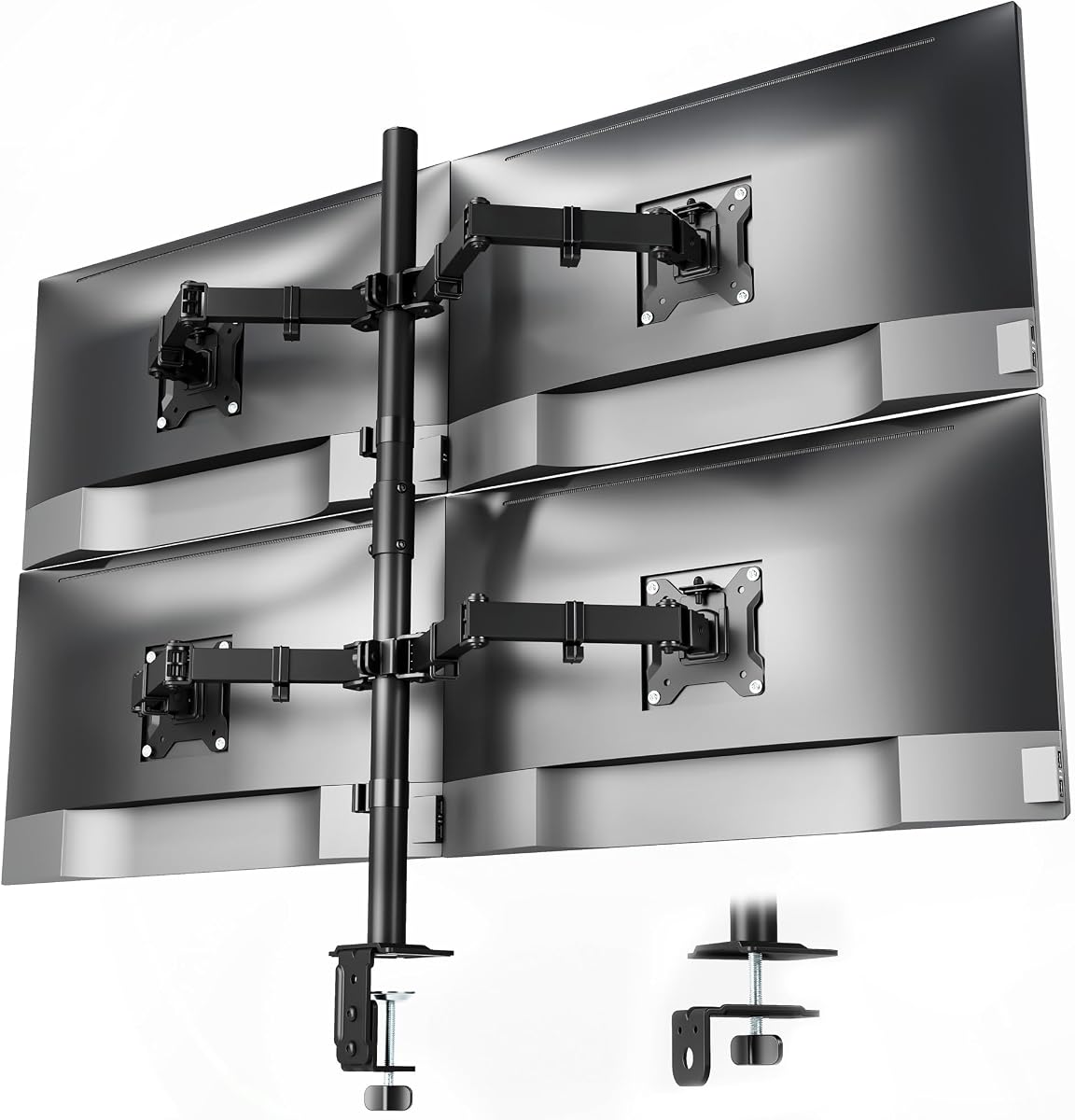


The WALI Stacked 4 Monitor Mount stands out as a reliable choice for users needing a versatile quad display setup. With a 4.5 star rating and robust steel frame, it offers stability and adjustability for screens ranging from 13 to 27 inches.
We may earn a commission when you buy through this link, at no additional cost to you.
Its fully adjustable arms allow tilt, swivel, and rotation to find optimal viewing angles. The integrated cable management keeps wires tidy, while the C-clamp and grommet options ensure compatibility with most desks. This model effectively reduces neck strain by elevating monitors to eye level.
While it cannot accommodate ultra-wide screens beyond 27 inches, its weight capacity of 22 lbs per arm handles most standard displays comfortably. Assembly is straightforward, taking roughly 20 minutes for most users. The height adjustability up to 31.65 inches supports various workstation configurations.
Ideal for professionals seeking a clutter-free desk without compromising on flexibility, this mount delivers solid performance at a competitive price. It transforms your workspace into a professional station suitable for both work and entertainment needs.
The sturdy steel frame prevents sagging even during frequent adjustments, ensuring screens remain level and secure throughout the day.
Integrated cable clips hide wires along the arms, keeping your desk surface clear for keyboard, mouse, and other essentials.
We may earn a commission when you buy through this link, at no additional cost to you.
For users with large ultra-wide monitors, the VIVO Pneumatic Arm Quad Ultrawide offers unmatched support with a 4.5 star rating. Its heavy-duty construction accommodates screens up to 49 inches with a capacity of 44 lbs per arm, ensuring stability for demanding setups.
We may earn a commission when you buy through this link, at no additional cost to you.
Pneumatic height adjustment allows effortless repositioning without tools, making it ideal for dynamic work environments. The cast aluminum frame provides scratch resistance and durability, while tilt and swivel joints reduce glare effectively. Detachable VESA plates simplify monitor installation significantly.
Though more expensive than basic options, the investment pays off in longevity and performance for premium displays. The clamp base fits desks up to 2 inches thick, but users with thicker surfaces may need to verify compatibility. Assembly instructions are clear for a smooth setup experience.
This mount is perfect for traders, designers, or enthusiasts needing a expansive multi-monitor workspace. It combines premium materials with user-friendly features to deliver a high-end ergonomic solution for your office.
Cast aluminum arms and joints provide maximum strength and scratch resistance, ensuring the mount lasts for years under heavy use.
Powerful pneumatic arms counterbalance monitor weight, enabling quick height adjustments with minimal effort for enhanced flexibility.
We may earn a commission when you buy through this link, at no additional cost to you.
The MOUNT PRO 4 Monitor Mount delivers excellent value with a 4.5 star rating at a budget-friendly price. It supports displays up to 32 inches and 17.6 lbs per arm, making it suitable for many standard office setups without breaking the bank.
We may earn a commission when you buy through this link, at no additional cost to you.
Its fully adjustable arms offer a wide range of motion including tilt and swivel to optimize ergonomic comfort. The extra tall pole allows reaching a height of 31.7 inches, accommodating standing desks or varied user preferences. Installation is straightforward with labeled parts and clear instructions.
While it lacks advanced features like pneumatic springs, its simplicity ensures reliability for everyday use. The vertical design saves desk space effectively, and cable clips help maintain an organized workspace. It is a practical choice for those prioritizing cost and functionality over luxury features.
This mount is ideal for home offices or startups needing a clean multi-monitor arrangement. It provides essential ergonomic benefits and desk organization at an accessible price point for most users.
Achieve comfortable viewing positions with adjustable height and tilt options that reduce strain without expensive technology.
Lifting screens off the surface creates room for other essentials while cable clips keep wires managed and tidy.
We may earn a commission when you buy through this link, at no additional cost to you.
The PUTORSEN Quad Monitor Mount caters to users wanting a top ultra-wide screen with smaller ones below, earning a 4.5 star rating. This specialized design accommodates a 49 inch monitor on top and three 27 inch screens below securely for multitasking.
We may earn a commission when you buy through this link, at no additional cost to you.
Its 3-section arm design distributes weight evenly to prevent sagging, with gas springs ensuring smooth positioning. Arms tilt and rotate fully to eliminate neck and spine strain. The detachable VESA plate simplifies mounting for each screen independently.
While the configuration is fixed to specific sizes, it offers a unique solution for complex workflows. The included C-clamp and grommet base allow installation on most desks. Assembly requires patience but results in a stable workstation for professional use.
Ideal for traders or analysts needing extensive screen real estate, this mount provides a practical arrangement. It balances capacity and flexibility to support diverse monitoring needs efficiently.
A top ultra-wide plus three lower screens creates an ultimate canvas for data analysis and workflow management.
Gas spring and 3-section arms ensure stability across heavy loads without compromising adjustability or level positioning.
We may earn a commission when you buy through this link, at no additional cost to you.
The monTEK Quad Monitor Stand is engineered for stability with high-grade materials and a 4.5 star rating. It supports screens up to 32 inches and 22 lbs each, ensuring displays stay level without sagging during adjustments.
We may earn a commission when you buy through this link, at no additional cost to you.
Its advanced joint design and integrated cable organizers enhance both functionality and aesthetics. Tilt and swivel options help find the perfect viewing angle to minimize eye strain. Setup is simple with C-clamp or grommet options included.
While it lacks a height-adjustable pole, its fixed bracket offers reliable support for standard desks. The quick-release VESA plates make monitor changes easy. This model is a solid choice for users prioritizing durability and clean desk organization.
Ideal for gaming or workstations where steady visuals matter, this mount delivers consistent performance. It combines modern design with practical features for a comfortable viewing experience.
Engineered joints and high-grade materials keep screens perfectly level even after frequent adjustments or long hours.
Tilt and swivel ranges allow custom angles to reduce neck strain and improve comfort throughout the workday.
We may earn a commission when you buy through this link, at no additional cost to you.
The MOUNTUP Quad Monitor Stand offers an easy assembly process with a 4.5 star rating. It supports screens up to 32 inches and 17.6 lbs per arm, featuring a solid base that reduces clutter while providing stability.
We may earn a commission when you buy through this link, at no additional cost to you.
Quick-release VESA plates simplify monitor attachment, and clear instructions guide setup in under 20 minutes. Full adjustability includes tilt, swivel, and rotation for flexible viewing. Cable clips keep wires protected and organized for a neat look.
While it lacks advanced height mechanisms, its fixed pole is sufficient for most desks. The 3-year support adds peace of mind for buyers. This mount balances simplicity with essential ergonomic features effectively.
Ideal for users seeking a straightforward quad solution without complexity, this stand delivers reliable results. It is a practical investment for home offices needing a tidy, adjustable setup.
Clear instructions and included hardware ensure a quick setup with minimal tools required for immediate use.
A single solid base supports four arms, freeing up desk surface for other work essentials and creating a clean look.
We may earn a commission when you buy through this link, at no additional cost to you.
The VIVO Quad Pneumatic Mount provides smooth height changes with dual pneumatic springs and a 4.4 star rating. It supports screens up to 32 inches and 17.6 lbs each, offering a solid heavy-duty design for daily use.
We may earn a commission when you buy through this link, at no additional cost to you.
Pneumatic arms counterbalance monitors for effortless positioning, while tilt and swivel options enhance ergonomics. Adjustable tension accommodates varying weights. The C-clamp is easy install up to 3.25 inch thick desks without drilling.
While the price is higher than basic models, the pneumatic benefit justifies the cost for frequent users. The steel and aluminum construction ensures durability. Assembly is straightforward with provided hardware and clear steps.
Ideal for offices requiring frequent monitor repositioning, this mount offers precision and ease. It combines robust build with functional features for a reliable multi-screen setup.
Dual pneumatic springs allow smooth transitions between sitting and standing heights with minimal physical effort.
A heavy-duty C-clamp provides a solid hold without drilling, making installation non-invasive and flexible for most desks.
We may earn a commission when you buy through this link, at no additional cost to you.
The Pholiten Quad Monitor Arm features advanced gas spring technology for smooth screen positioning with a 4.4 star rating. It supports up to 32 inch screens and 22 lbs each, designed to reduce health risks from fixed postures.
We may earn a commission when you buy through this link, at no additional cost to you.
Its arm adjusts forward/backward for flexible placement, while tilt and rotation allow optimal viewing angles. The design sits on the desk back to save surface area. Installation uses C-clamps or grommets for versatility.
While lacking vertical pole height changes, the horizontal flexibility compensates for many users. The gas springs ensure effortless moves. Clear instructions simplify setup for a clutter-free workspace.
Ideal for users needing adjustable positions without bulky mechanisms, this mount offers a scientific approach to comfort. It supports a healthy work environment with efficient desk usage.
Gas spring arms provide superior weight support and effortless positioning for enhanced ergonomic comfort daily.
The bracket sits on the desk back, minimizing footprint and keeping the surface clear for other tasks.
We may earn a commission when you buy through this link, at no additional cost to you.
The WALI Quad Monitor Desk Mount boasts a 4.6 star rating with built-in cable management for a tidy workspace. It supports screens up to 32 inches and 22 lbs each, with detachable plates for easy setup.
We may earn a commission when you buy through this link, at no additional cost to you.
Its 31.5 inch height pole allows flexible viewing heights, while tilt and swivel offer optimal angles. The two-stage locking system ensures secure clamps on various desks. Lifting screens frees desk space for keyboard and other items.
While it lacks advanced springs, its mechanical adjustability is reliable and effective. Installation is simple with all hardware provided. This model focuses on organization and stability for daily productivity.
Ideal for professionals valuing a clean desk, this mount combines functionality with durability. It offers essential ergonomic features at a reasonable price for consistent performance.
Built-in cable management guides wires along arms, creating a neat and organized workspace.
A tall pole allows height adjustments to suit sitting or standing preferences for ergonomic comfort.
We may earn a commission when you buy through this link, at no additional cost to you.
The VIVO Quad Monitor Mount is built for team projects with a 4.3 star rating. It supports up to 32 inch screens at 22 lbs each, featuring a longer upper bracket to align top monitors easily.
We may earn a commission when you buy through this link, at no additional cost to you.
Swivel and rotation allow flexible orientations, while cable clips organize wires. The C-clamp fits up to 3.94 inch desks without drilling. This setup is great for real-time data or monitoring needs.
Though tilt is limited to +/-15 degrees, swivel compensates for many viewing angles. Installation includes padding to protect surfaces. It provides solid durability for group workspaces.
Ideal for collaborative environments or surveillance, this mount offers practical adjustments. It supports multiple screens effectively for streamlined workflows and organization.
A longer upper bracket helps align top monitors with lower ones, aiding team viewing and alignment.
Included padding protects desk surfaces during installation and use, ensuring no scratches or damage occurs.
We may earn a commission when you buy through this link, at no additional cost to you.
Selecting the ideal quad monitor mount requires evaluating several factors to ensure compatibility and ergonomic benefits.
Verify that the mount supports your monitor dimensions and weight. Look for models matching your screen size range and per-arm weight limits to avoid sagging or instability during use.
Choose a mount with capacity exceeding your heaviest display to ensure long-term stability and safety.
Decide between C-clamp or grommet options based on your desk type. C-clamps suit solid edges without holes, while grommets work on desks with mounting holes. Check thickness limits to guarantee secure installation.
Match the mounting type to your desk construction for a stable and safe setup without damage.
Consider the range of tilt, swivel, and rotation available. Fully adjustable arms help optimize viewing angles and reduce strain. Some models offer pneumatic springs for smoother height changes compared to mechanical ones.
Prioritize features that align with your need for frequent repositioning and ergonomic comfort.
Look for sturdy materials like steel or aluminum that resist sagging and wear. Heavy-duty construction ensures durability, especially for larger screens. Check reviews for long-term performance insights.
Opt for robust materials that promise lasting support and stability for your investment.
Integrated cable clips or channels help organize wires for a cleaner desk. Effective cable management reduces clutter and prevents tangling during adjustments. This feature enhances both safety and aesthetics.
Select a model with cable organization tools to maintain a tidy workspace effortlessly.
Check if the mount includes clear instructions and all necessary hardware. Simpler assembly saves time and frustration. Tools-free options or quick-release plates further ease setup and adjustments.
Choose mounts with straightforward setup processes to avoid delays and ensure ease of use.
Ensure the mount supports VESA patterns (75×75 or 100×100) matching your screens. Most models are universal, but verifying prevents issues. Some mounts handle specific screen shapes like curved displays.
Confirm VESA compatibility to guarantee a proper fit and secure connection for your monitors.
Compare prices relative to features and durability. Budget options may lack advanced adjustments, while premium ones offer pneumatic tech. Check warranty periods for peace of mind against defects.
Balance cost with necessary features and warranty coverage to make a smart purchase decision.
Begin by reading the assembly instructions carefully and ensuring all parts are present. Attach the base securely to your desk using the appropriate clamp or grommet method. Make sure the desk surface is sturdy enough to handle the weight.
Install each monitor using the VESA plates and tighten screws properly. Adjust arms to desired height and angles, locking joints to prevent movement. Regularly check for any loosening over time.
Keep arms clean with a soft cloth to prevent dust buildup. Avoid overloading beyond weight limits to maintain stability. Adjust positioning as needed for ergonomic comfort and desk organization.
Capacities vary by model, ranging from 17.6 to 44 lbs per arm. Check specifications to ensure your screens are supported without sagging or risking damage to the mount.
Most support curved screens as long as they meet VESA and size requirements. Verify product details to confirm compatibility with your specific curved display models.
Glass desks may not support C-clamps safely. Use grommet mounts if your desk has holes or consider alternative stands to avoid breakage or instability.
Many models allow height adjustment via telescoping poles. Lift screens gently and reposition along the pole before locking them in place for optimal viewing.
No, most use C-clamps or grommets for drill-free installation. This ensures your desk remains undamaged while providing a secure mount for your monitors.
Yes, most models rotate 360 degrees for easy switching between orientations. Adjust the VESA plate to lock screens in vertical or horizontal positions comfortably.
Typically, no tools are required as mounts include all necessary hardware and Allen keys. Follow the provided instructions for a straightforward assembly process.
We reviewed ten top quad monitor mounts ranging from budget-friendly to premium options. The WALI Stacked, VIVO Pneumatic, and MOUNT PRO models stand out for versatility, large screen support, and value respectively.
Prioritize weight capacity and adjustment features to meet your workspace needs. Choose durable materials and reliable installation methods for long-lasting performance and ergonomic benefits.
Always verify current prices and availability before purchasing as details may change. Explore our guide to make an informed decision for your ideal multi-monitor setup.