
4 Pack HDMI Dummy Plug 4K HDR Virtual Monitor EDID Emulator
4.8Editor score
4K 60Hz virtual display output
Industrial grade aluminum armor build
Universal GPU and OS compatibility
Compare the top HDMI Dummy Plug models for remote desktop mining gaming streaming headless PC optimization with key specs features and real-world use case
An HDMI dummy plug is a small adapter that tricks your computer into thinking a monitor is connected. This enables GPU acceleration for remote desktop mining rendering and streaming without needing a physical screen.
We compared ten leading HDMI dummy plug models based on resolution support build quality compatibility and ease of use. Each product was evaluated for stability performance and suitability for headless PC deployments.
Each pick highlights unique strengths like 4K HDR support aluminum housing or multi-pack value. Prices and availability change frequently so check the links for the latest deals before purchasing.
4.8Editor score
4.6Editor score

This table compares all ten HDMI dummy plug models side by side. Check the key specifications to find the right balance of resolution refresh rate and value for your headless setup.


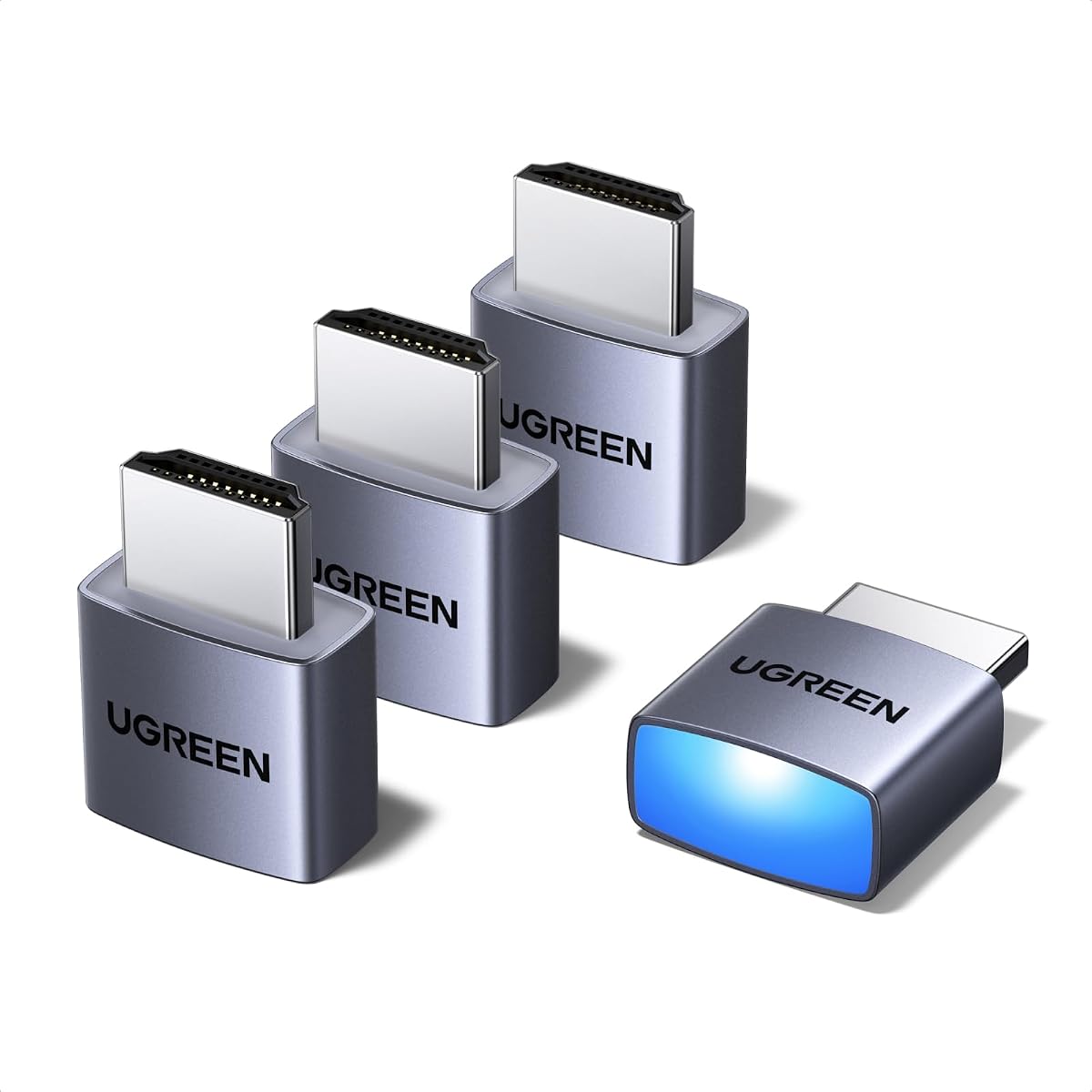
The UGREEN 4 Pack HDMI Dummy Plug stands out as a top tier choice for professionals seeking reliable headless performance. With a 4.6 rating and true 4K 60Hz HDR support it delivers consistent virtual display emulation for remote desktop video editing and gaming tasks.
We may earn a commission when you buy through this link, at no additional cost to you.
Its robust aluminum shell effectively dissipates heat during intensive GPU loads ensuring long term stability without overheating. The integrated LED provides instant visual confirmation of connection status while plug and play functionality eliminates driver installation hassles entirely.
While it supports up to 4K 60Hz it lacks higher refresh rates like 144Hz or 240Hz which may limit ultra fast gaming setups. However this trade off is acceptable for most server remote work and mining use cases requiring steady high resolution.
For users managing multiple PCs or needing spare adapters for different machines this 4 pack offers excellent value. It remains the best all round HDMI dummy plug for reliability performance and cross platform compatibility in headless deployments.
Activates the GPU to create a virtual display supporting 4K Ultra HD at 60Hz for high fidelity remote desktop and rendering tasks.
Built with a sturdy aluminum housing that prevents overheating during long mining or streaming sessions ensuring consistent performance.
We may earn a commission when you buy through this link, at no additional cost to you.
This 4 pack HDMI dummy plug delivers premium features at a competitive budget price earning a 4.8 user rating. It activates GPUs for seamless remote desktop operations video editing and intensive game development without requiring a physical monitor.
We may earn a commission when you buy through this link, at no additional cost to you.
The industrial grade aluminum armor resists overheating during marathon computing tasks while the built-in status LED offers real-time connection verification. Zero drivers external power or software are needed making setup instant for remote workflows.
Some users may find default resolution settings require manual adjustment for specific use cases like streaming or virtual desktop clients. However this minor setup step does not detract from its consistent stable performance over long running sessions.
For small businesses home labs or individual traders needing multiple adapters this bundle provides exceptional value. It balances cost build quality and performance making it the best budget choice for headless PC optimization.
Rugged aluminum casing ensures durability and heat resistance for 24/7 operation in mining or remote server environments.
Works flawlessly with NVIDIA AMD and Intel GPUs across Windows macOS and Linux systems for broad deployment flexibility.
We may earn a commission when you buy through this link, at no additional cost to you.
This HDMI dummy plug pushes the limits with support for 8K 30Hz and 4K 120Hz via HDMI 2.1. It targets advanced users who need ultra high refresh rates for gaming streaming or VR without sacrificing GPU acceleration.
We may earn a commission when you buy through this link, at no additional cost to you.
The gold plated connector ensures maximum signal stability and corrosion resistance while the advanced circuitry supports up to 4096×2160 at 120Hz. It works seamlessly with Steam Link Moonlight and ROG Ally for high fidelity remote gaming.
Compatibility depends heavily on having an HDMI 2.1 compatible graphics card which may limit use on older systems. Additionally the higher price reflects cutting edge features that casual users may not fully utilize.
For headless gaming PCs streaming setups or users planning future display upgrades this premium adapter delivers unmatched refresh rate flexibility. It remains the top choice for those seeking maximum resolution and speed without physical monitors.
Enables ultra high resolution and refresh rates for future proofing gaming and video rendering workflows.
Perfect for Steam Link and Moonlight remote gaming setups requiring smooth high frame rate performance.
We may earn a commission when you buy through this link, at no additional cost to you.
DTech offers a reliable 3 pack HDMI dummy plug that emulates up to 4K 4096×2160 resolution for headless PCs. It features gold plated connectors for stable signal transmission and works across Windows Mac and Linux without drivers.
We may earn a commission when you buy through this link, at no additional cost to you.
The compact low profile design ensures the adapter stays hidden behind your PC or server without obstructing other ports. It is ideal for small office home office and server farm deployments where space and simplicity matter.
Lacking a status LED or aluminum housing this model relies on basic build materials which may feel less premium under extended use. However its consistent performance and affordable multi-pack pricing remain appealing for cost conscious buyers.
For users needing several adapters for multiple machines DTech provides a practical and budget friendly solution. It balances resolution support and plug-and-play functionality well for standard headless tasks like mining and remote desktop.
Delivers high resolution output for GPU accelerated tasks and accurate remote desktop visual fidelity.
Ensures stable digital signal transmission and resists corrosion for long term reliability.
We may earn a commission when you buy through this link, at no additional cost to you.
This HDMI dummy plug is designed for simplicity and low cost offering 1080p 60Hz virtual display emulation. It works with any graphics card that has HDMI output and requires no drivers configuration or external power.
We may earn a commission when you buy through this link, at no additional cost to you.
The ultra compact low profile design lets you install it discreetly behind laptops or desktops without cluttering your workspace. It is a set and forget solution ideal for basic remote desktop or headless server management.
Limited to 1080p resolution this plug is not suitable for high resolution workflows like 4K video rendering or gaming. However for basic tasks where resolution is not critical its affordability and ease of use stand out.
For users who need just one adapter and do not require advanced resolution features this remains a practical choice. It delivers reliable headless functionality at a minimal price for straightforward remote desktop and GPU tasks.
Small footprint ensures the plug remains hidden behind devices without blocking other ports or adapters.
Works with any graphics card that has HDMI output without compatibility issues or special setup.
We may earn a commission when you buy through this link, at no additional cost to you.
This 3 pack HDMI dummy plug offers solid 4K 60Hz HDR performance with a generous 2 year unconditional warranty. Gold plated interfaces guarantee signal transmission stability while low power consumption keeps energy usage minimal.
We may earn a commission when you buy through this link, at no additional cost to you.
The hot swap capability allows you to move the plug between devices without powering down your system. It supports Windows macOS Linux and is ideal for game streaming VR and mini server applications with screen sharing.
Lacking a status LED indicator this model relies on system feedback to confirm connection which may be less convenient for some users. Additionally its plastic shell offers less heat dissipation than aluminum options.
With the warranty coverage and affordable multi pack pricing this remains a dependable choice for standard headless tasks. It balances resolution support and long term reliability well for remote desktop and mining needs.
Simulates high resolution for remote control video editing and GPU accelerated tasks with HDR fidelity.
Provides peace of mind with long term coverage for hardware defects and performance issues.
We may earn a commission when you buy through this link, at no additional cost to you.
This HDMI dummy plug offers versatile resolution options including 4K@60Hz and 1440P@120Hz for high-performance systems. It simulates vivid output with peak brightness up to 1000 nits making it suitable for color-sensitive video preview tasks.
We may earn a commission when you buy through this link, at no additional cost to you.
The full board copper pouring and new solder construction enhance signal stability while the 5 pack provides excellent value for multi-system deployments. Its hot-swappable design allows easy switching without powering down connected devices.
Users may find the default resolution varies depending on system configuration which could require manual adjustment for specific workflows. The 5 pack pricing is higher than some competitors but the flexibility offsets this for larger setups.
For content creators remote workers or gamers needing multiple adapters this bundle offers strong HDR and refresh rate support. It remains a versatile option for users prioritizing color accuracy and multi-device compatibility.
Enhances brightness and color accuracy for realistic display simulation in video preview tasks.
Reduces electromagnetic interference for stable signal transmission during intensive GPU workloads.
We may earn a commission when you buy through this link, at no additional cost to you.
This HDMI 2.1 dummy plug enables 4K 120Hz output for advanced gaming and streaming workflows. It keeps your GPU active for mining rendering and streaming without needing a physical monitor while supporting high refresh rates.
We may earn a commission when you buy through this link, at no additional cost to you.
Gold plated connectors ensure stable digital signal transmission while the low power design emits negligible heat for long term reliability. It works seamlessly with TeamViewer AnyDesk and Steam Link for remote desktop and gaming.
On Windows 11 systems HDR may be limited to 4K 60Hz due to compatibility updates. Additionally it requires an HDMI 2.1 graphics card interface to achieve 4K 120Hz rates which may not be available on older hardware.
For gamers and VR users needing high frame rates for remote setups this adapter delivers impressive performance. It remains a solid choice for headless gaming PCs and streaming setups prioritizing refresh rate.
Perfect for high frame rate remote gaming on devices like Steam Link ROG Ally and Moonlight.
Ensures complete signal transmission and corrosion resistance for reliable long-term operation.
We may earn a commission when you buy through this link, at no additional cost to you.
This 5 pack HDMI dummy plug defaults to 1440p 120Hz making it ideal for high refresh rate headless deployments. Enhanced electromagnetic shielding and full board copper pouring ensure stable signal transmission during intensive GPU tasks.
We may earn a commission when you buy through this link, at no additional cost to you.
The hot swappable design allows easy device switching without system restarts while the aluminum housing adds premium feel and durability. It supports up to 4K 60Hz for versatile resolution options across Windows macOS and Linux.
While it offers strong build quality it lacks detailed OS-specific tuning guides which may complicate initial setup for new users. The aluminum finish is basic but provides effective heat dissipation for continuous operation.
For businesses or power users managing multiple workstations this bundle provides robust multi-device value. It balances high refresh rate support and signal stability for reliable virtual display emulation in headless environments.
Provides balanced high resolution and refresh rate for gaming and productivity tasks.
Reduces interference to maintain stable performance during long mining or remote sessions.
We may earn a commission when you buy through this link, at no additional cost to you.
This 5 pack HDMI dummy plug defaults to 2160p 60Hz for true 4K virtual display emulation. It offers vibrant realistic simulation with HDR support making it suitable for color-sensitive applications like video preview and mirroring.
We may earn a commission when you buy through this link, at no additional cost to you.
Broad compatibility extends to Raspberry Pi Jetson Nano and Mac Mini devices which is rare among standard adapters. The aluminum shielding provides durability while the low power design ensures efficient headless operation.
The lack of a status LED means connection verification relies on system indicators rather than physical feedback. Additionally there are no detailed OS-specific optimization guides which may require manual setup for non-standard systems.
For developers hobbyists or businesses needing high resolution headless setups on diverse platforms this offers strong value. It remains a solid option for users prioritizing true 4K emulation and ecosystem compatibility.
Ensures true 4K virtual display support for high fidelity remote desktop and rendering tasks.
Broad system support extends to development boards for flexible IoT and edge computing use.
We may earn a commission when you buy through this link, at no additional cost to you.
Selecting the right HDMI dummy plug depends on resolution requirements refresh rates system compatibility and build durability. This guide outlines key factors to evaluate before purchase.
Check the dummy plug supports your target resolution such as 4K 60Hz or 1440p 120Hz. For gaming or video rendering higher refresh rates like 120Hz or 144Hz improve smoothness.
Prioritize HDMI 2.1 models if you need 4K 120Hz or 8K support for future proofing.
Aluminum housing provides better heat dissipation during continuous GPU loads compared to plastic shells. Look for models with LED indicators for connection monitoring.
Choose durable connectors and reinforced casings for long-term reliability in 24/7 mining or server setups.
Ensure the adapter works with your OS such as Windows macOS Linux Raspberry Pi or Jetson Nano. Most modern adapters support major systems but some have specific Mac or Linux limitations.
Verify driver-free plug-and-play functionality to avoid configuration issues across different platforms.
Gold plated HDMI connectors resist corrosion and ensure stable signal transmission over time. Look for full board copper pouring or EMI shielding to reduce electromagnetic interference.
Higher quality connectors reduce latency and pixel artifacts during remote desktop or streaming sessions.
Consider buying multi-packs if you manage multiple machines or need spare adapters for travel. These often provide better per-unit pricing than single plugs.
Balance bundle size with your actual needs to avoid unnecessary extra adapters you won't use.
Check for warranties like 2 year unconditional coverage which indicate manufacturer confidence. Reliable customer support helps resolve compatibility or defect issues quickly.
Prioritize brands with clear return policies and responsive support channels for long-term peace of mind.
For color-critical workflows look for HDR support and accurate color simulation ratings. Some plugs simulate peak brightness for realistic video preview.
Verify HDR compatibility with your GPU and streaming software to ensure consistent visual output.
Most dummy plugs require no external power and draw minimal energy from the HDMI port. This makes them ideal for laptops and low-power devices.
Confirm hot-swappable capability to switch devices without powering down your system.
To begin connect the HDMI dummy plug directly to an available HDMI port on your PC laptop or development board. Ensure the connection is fully seated to avoid intermittent signal drops during use.
Once connected your system should recognize the virtual display automatically. If your GPU does not activate check display settings to enable extended or second screen mode for full performance.
Care for the plug by avoiding bending the connector or exposing it to dust and moisture. Store unused adapters in a dry place and inspect periodically for physical wear or contact degradation.
Yes. It tricks the GPU into thinking a monitor is attached enabling hardware acceleration without a physical screen. This is useful for remote desktop mining headless servers or virtual desktop tasks.
Absolutely. It keeps the GPU active for mining software to run efficiently. Many miners use multiple dummy plugs to maximize GPU output across multiple rigs without monitors.
Many do. Look for models that explicitly state 4K 60Hz HDR support. These enable high resolution and accurate color output for rendering or streaming workflows.
Most support macOS and Linux without drivers. Check product compatibility lists for specific OS support especially if using Apple or headless Linux servers.
No. Most plug and play models draw power from the HDMI port itself. They use minimal energy making them ideal for laptops and low-power devices.
Yes. Using multiple adapters lets you create additional virtual displays for multi-monitor setups. This is helpful for extended desktop workflows or simultaneous GPU tasks.
Check display settings for detected monitors. Some models include LED indicators to confirm connection. Remote access tools like TeamViewer also show active display output.
Yes. They enable full resolution remote access through applications like TeamViewer VNC Parsec and Moonlight. The GPU runs as if a physical monitor is present.
The UGREEN 4 Pack model stands out as the best overall choice for reliability and 4K 60Hz HDR support. It balances performance build quality and cross-platform compatibility for most headless use cases.
Budget shoppers will appreciate the 4 Pack HDMI Dummy Plug with its industrial aluminum build and high user rating. For advanced gaming users the 8K 30Hz HDMI 2.1 plug offers unmatched refresh rate flexibility.
Prices and availability change frequently so review current listings before purchase. Consider your resolution refresh rate and OS needs to find the model that best fits your headless or remote workflow.