
VPFET HDMI Audio Extractor 4K HDMI to Optical 3.5mm AUX Audio Adapter Splitter Converter Support HDCP Digital DTS 5.1 PCM
4.1Editor score
Supports 4K resolution
Optical and 3.5mm outputs
Low energy USB power
This guide compares the top HDMI Audio Extractor models for 2026, focusing on audio quality, video resolution support, and connectivity options.
Finding the right HDMI Audio Extractor ensures your home theater sounds as good as it looks. These devices separate audio from video signals, allowing you to connect to external speakers or soundbars effectively.
We evaluated ten top-rated models based on resolution support, audio format compatibility, and ease of setup. Our analysis considers real-world performance across gaming consoles, streaming devices, and TVs to help you choose wisely.
Each pick below highlights key features, pros, and cons to guide your decision. Prices and availability change frequently, so verify details on the product pages before making your final purchase decision today.
4.1Editor score

4.4Editor score

4.2Editor score
Below is a detailed side-by-side comparison of the ten selected models, highlighting their core specifications and compatibility features to help you find the perfect fit for your setup.




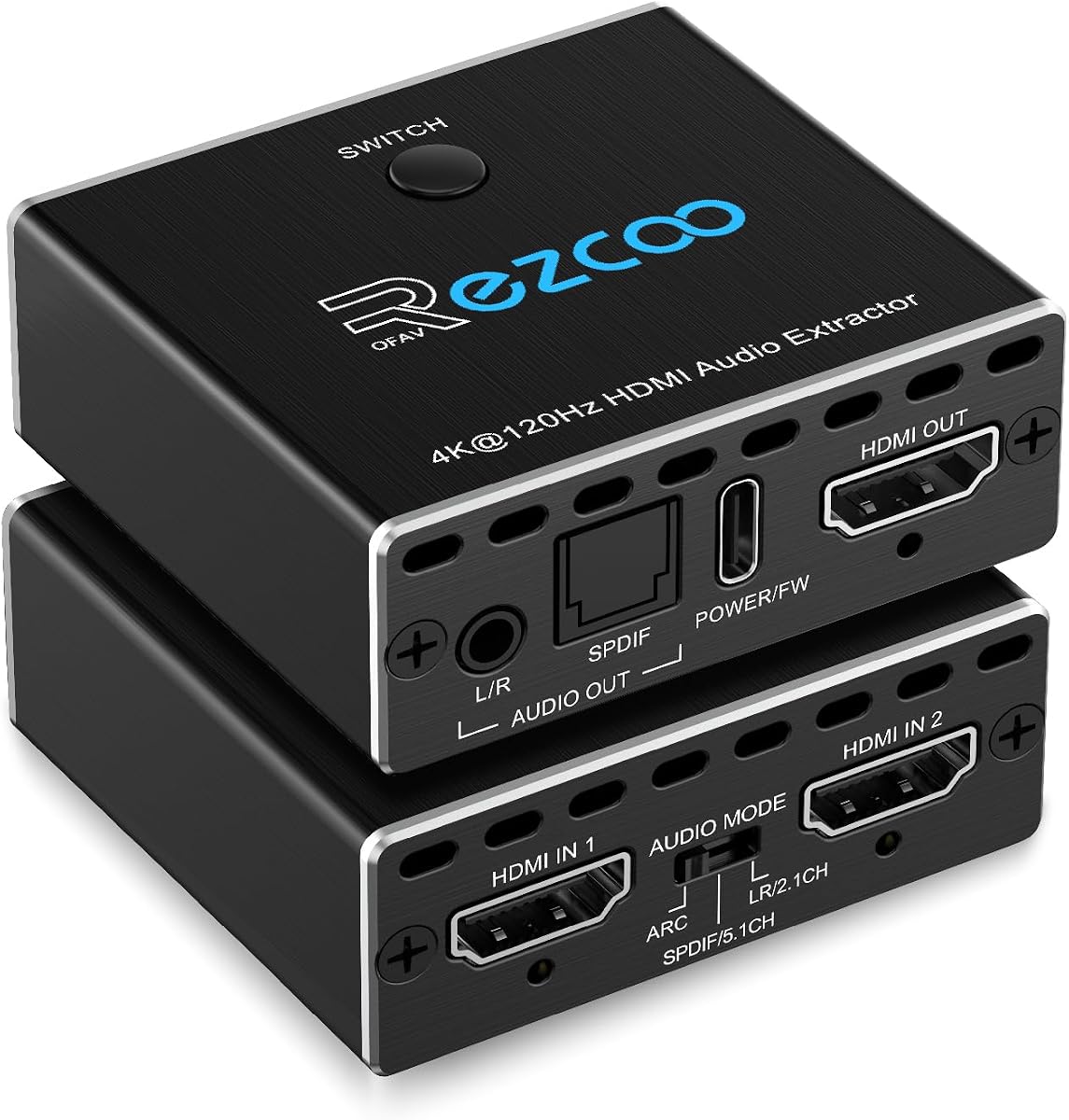


The VPFET HDMI Audio Extractor delivers solid performance at a budget-friendly price. With a 4.1 rating from users, it is a reliable choice for those needing basic audio separation.
We may earn a commission when you buy through this link, at no additional cost to you.
This device supports 4K@30Hz video pass-through and offers both optical and 3.5mm audio outputs. It handles DTS 5.1 via optical and PCM 2.0 via the analog port effectively.
Users note that it lacks ARC support, which limits TV audio extraction. However, for game consoles and media players, it works seamlessly without additional drivers or software.
Ideal for casual users seeking an affordable way to connect external speakers, this extractor balances cost and functionality well for standard HD setups.
This model offers essential features like 4K support and dual audio outputs at a very competitive price point for budget-conscious buyers.
Choose between optical for digital surround sound or the 3.5mm jack for simple stereo headphones and speakers depending on your needs.
We may earn a commission when you buy through this link, at no additional cost to you.
The OREI HDMI Audio Extractor ARC stands out for its ability to handle ARC connections from TVs. It earns our editor's choice for balancing modern features and reliable performance.
We may earn a commission when you buy through this link, at no additional cost to you.
Supporting 4K@60Hz and HDR pass-through, this unit ensures your video quality remains intact while you extract audio for external systems. It also manages CEC commands effectively.
While it is pricier than basic options, the support for HDCP 2.2 and downmixing makes it versatile for home theaters. Volume control via TV remote is not supported on outputs.
Buyers needing to connect a TV via ARC to a soundbar without built-in speakers will find this model offers the best blend of features for 2026 setups.
Extract audio directly from your TV’s HDMI ARC port to connect to external speakers or soundbars with ease and high fidelity.
Maintain full 4K@60Hz resolution with YUV 4:4:4 chroma sampling ensuring no visual degradation during audio extraction.
We may earn a commission when you buy through this link, at no additional cost to you.
For users planning ahead for 8K TVs, the OREI 8K Audio Extractor is the top premium choice. It handles 48Gbps bandwidth and HDCP 2.3 seamlessly.
We may earn a commission when you buy through this link, at no additional cost to you.
This device supports 8K@60Hz and 4K@120Hz resolutions, making it perfect for PS5 and Xbox Series X. It also includes ARC functionality for flexible audio routing.
The heavy-duty metal enclosure ensures durability and heat dissipation. While it requires high-speed cables, its performance justifies the investment for high-end home theater systems.
If you demand the highest possible resolution and bandwidth, this premium extractor ensures your audio and video setup remains competitive for years to come.
Supports video pass-through up to 8K@60Hz and 4K@120Hz ensuring compatibility with next-generation displays and gaming consoles.
Fully compliant with HDMI 2.1 protocols including ALLM QMS and QFT providing smooth gaming and video experiences.
We may earn a commission when you buy through this link, at no additional cost to you.
This OREI model is a robust option for users needing 4K@60Hz support without ARC. It provides reliable audio extraction with optical and analog outputs.
We may earn a commission when you buy through this link, at no additional cost to you.
It supports a wide range of audio formats including LPCM and DTS-HD Master Audio. The metal housing ensures durability and effective heat management during use.
However, it lacks ARC support, meaning it is better suited for source devices like consoles rather than TVs. Also note it does not support certain high-refresh resolutions.
For gamers and media users prioritizing audio quality and video stability, this converter offers a balanced solution with strong international voltage compatibility.
Maintains full 4K Ultra HD resolution with 10-bit HDR support ensuring no video degradation while splitting audio signals.
Works with devices like Apple TV, Fire TV Stick, and gaming consoles making it versatile for various home entertainment setups.
We may earn a commission when you buy through this link, at no additional cost to you.
The eSynic Professional extractor is tailored for users with TVs supporting ARC or eARC ports. It converts those signals to analog outputs for older audio systems.
We may earn a commission when you buy through this link, at no additional cost to you.
With support up to 192KHz sampling, it ensures high-fidelity audio transmission. The device is compact and USB powered making it easy to place near your TV.
Note that it only works with HDMI ARC/eARC interfaces on TVs. Also lacks optical output limiting its use for digital surround sound setups.
Ideal for connecting a soundbar or stereo system to a TV that lacks analog outputs, this tool simplifies audio routing efficiently.
Supports high sampling rates up to 24bit/192KHz ensuring clean sound quality and accurate audio detail reproduction.
Designed specifically for extracting audio from TV HDMI ARC/eARC ports to connect to external analog speakers.
We may earn a commission when you buy through this link, at no additional cost to you.
This J-Tech Digital model is a strong contender for PC and console gamers needing high refresh rate support. It handles 1080p@144Hz signals well.
We may earn a commission when you buy through this link, at no additional cost to you.
It offers both SPDIF and 3.5mm outputs for flexible audio routing. However, analog outputs require PCM audio settings on your source device.
While it supports HDR10 and 4K660Hz, compatibility with certain devices like Apple TV 3rd Gen is limited. Always check source requirements before buying.
For gaming rigs needing reliable audio extraction with high refresh rates, this unit delivers consistent performance without complex setup.
Supports resolutions like 1080p@120Hz and 1080p@144Hz making it suitable for fast-paced gaming setups.
Maintains full 4K Ultra HD resolution with HDR10 support ensuring vibrant visuals while extracting audio.
We may earn a commission when you buy through this link, at no additional cost to you.
This VPFET model provides both optical and coaxial digital outputs from a TV's ARC/eARC port. It is excellent for users needing to connect coaxial receivers.
We may earn a commission when you buy through this link, at no additional cost to you.
With 192KHz sampling support, it ensures high-quality audio reproduction. The package includes necessary cables and a power adapter for quick installation.
It does not support CEC for remote control passthrough. Also strictly limited to TV ARC inputs limiting source device flexibility.
For home theater enthusiasts needing dual digital outputs from their TV, this adapter bridges the gap between modern HDMI audio and older systems.
Simultaneous optical and coaxial outputs offer broad compatibility with a wide range of speakers and amplifiers.
High sampling rates allow lossless transmission of multi-channel digital audio for a premium experience.
We may earn a commission when you buy through this link, at no additional cost to you.
This unit combines an HDMI switch with audio extraction making it perfect for gamers with two consoles. It routes video to a display while extracting audio.
We may earn a commission when you buy through this link, at no additional cost to you.
Supporting up to 8K@60Hz and 4K@120Hz, it ensures future-proof performance. Users praise its ability to handle Dolby Atmos and DTS:X formats.
It lacks HDMI outputs, so you must connect your display separately. Also requires high-quality HDMI 2.1 cables for stable signal transmission.
Ideal for console gamers needing to switch between devices while sending audio to a soundbar, this switch-extractor hybrid simplifies the setup.
Easily switch between two HDMI sources like PS5 and Xbox while outputting video to one display and audio separately.
Supports resolutions up to 8K@60Hz and 4K@120Hz ensuring smooth video without compression issues.
We may earn a commission when you buy through this link, at no additional cost to you.
This extractor offers versatile modes for different audio needs including optical surround or stereo analog. It supports 8K@60Hz and 4K@120Hz pass-through.
We may earn a commission when you buy through this link, at no additional cost to you.
The triple operating modes allow manual or automatic audio handling. Optical output supports bitstream while analog needs PCM for best results.
Users should ensure their TV supports 8K60Hz and HDMI cables match requirements. It does not work with TVs as direct input sources without ARC.
For home theater owners needing flexibility in audio formats and high resolution, this unit offers excellent value and broad compatibility.
Triple operating modes allow manual or automatic audio handling fitting different system configurations and audio formats.
Supports up to 8K@60Hz resolution with 24-bit color depth ensuring sharp visuals while extracting audio.
We may earn a commission when you buy through this link, at no additional cost to you.
This basic splitter is perfect for connecting headphones or small speakers via 3.5mm. It supports 4Kx2K@30Hz and 3D video pass-through.
We may earn a commission when you buy through this link, at no additional cost to you.
Its lightweight and compact design makes it portable and easy to hide. USB power ensures it works with most HDMI ports without extra adapters.
Lack of optical output limits digital audio options. Also it does not support ARC for TV audio extraction requiring specific setup.
For users needing a simple and cheap solution to get audio from HDMI to analog speakers or headphones, this splitter is effective and reliable.
Plug and play design with USB power makes installation straightforward for casual users.
Supports 3D stereo imaging technology offering an immersive visual experience when connected to compatible devices.
We may earn a commission when you buy through this link, at no additional cost to you.
Choosing the right HDMI Audio Extractor involves understanding your specific audio and video needs. This section outlines key factors to consider.
Ensure the extractor supports the resolution and refresh rate of your source devices. Look for 4K@60Hz or higher if you own modern consoles or 8K TVs.
Prioritize models with 4K@60Hz support for smooth video and avoid 4K@30Hz units if you need high refresh rates.
Check if the device supports your desired audio formats like Dolby Digital, DTS 5.1, or Atmos. Some units require PCM for analog outputs.
Confirm support for your preferred formats to avoid buzzing or signal loss during playback.
If connecting a TV, ensure the extractor supports ARC or eARC. Many models only work with source devices and not TV HDMI ports.
Look for ARC compatibility to extract audio directly from your TV without additional hardware.
Decide between optical, coaxial, or analog 3.5mm outputs. Optical is best for digital surround sound while analog suits simple headphones.
Choose outputs that match your existing speakers or soundbar inputs.
Some extractors are USB powered while others need an AC adapter. USB powered models are more portable but may struggle with high power HDMI ports.
Consider whether you have access to USB power near your setup.
Metal enclosures provide better heat dissipation and durability compared to plastic. Look for solid construction if the device will stay in one place.
Invest in metal housing for longevity and stable performance over time.
Most extractors are plug and play. However some require mode selection switches for audio formats.
Check for indicators or switches to simplify setup and operation.
Prices vary widely based on features like 8K support or ARC compatibility. Balance your budget with necessary features for your system.
Don't overspend for features you won't use but prioritize essential connectivity.
Connect the HDMI input to your source device and the HDMI output to your display. Ensure the audio output is plugged into your speakers or soundbar.
Power on the extractor via USB or AC adapter. Check your source settings to ensure audio formats like PCM or Bitstream are correctly selected.
Keep the device ventilated to prevent overheating. Periodically check cable connections to maintain stable signal transmission.
Most extractors are designed for source devices like consoles or players. Only models with ARC/eARC support can extract audio from a TV's HDMI port effectively.
Some extractors allow mode switching. If using analog outputs you may need to set your source to PCM format to avoid digital buzz.
Many units run on USB 5V power. If your HDMI port provides low power, use the included USB adapter or a dedicated power supply for stability.
Yes. Connect the optical or RCA outputs to your soundbar inputs. Ensure the soundbar is set to accept the specific signal format provided.
Only extractors supporting 8K@60Hz and HDMI 2.1 protocols can pass 8K video. Check specs carefully if you own an 8K display.
Check all cable connections and power. Verify your source is outputting a supported audio format. Try resetting the device or checking HDMI handshake issues.
Our top picks highlight options like the OREI ARC model for modern TVs and the VPFET budget choice for basic needs.
Prioritize features like ARC support or 4K@60Hz video pass-through based on your specific audio and video setup requirements.
Always verify current product details and prices on Amazon before purchasing to ensure you get the right match for your gear.