
ASUS Prime B350-Plus AMD Ryzen AM4 DDR4 HDMI DVI VGA M.2 USB 3.1 ATX B350 Motherboard
4.4Editor score
5X Protection III hardware safeguards
RGB header for fan strips
SafeSlot Core fortified PCIe slot
This guide compares the top AMD B350 motherboards for gaming and productivity, highlighting features like VRM quality, connectivity, and expandability to help
Choosing the right motherboard is crucial for building a stable and high-performance PC. The AMD B350 chipset offers a balanced mix of features for gamers and enthusiasts looking for value without sacrificing essential capabilities or future potential.
We evaluated these products based on their build quality, power delivery systems, connectivity options, and user feedback. Our goal is to provide a clear overview of how each model performs in real-world scenarios like gaming and content creation tasks.
Each pick highlights specific strengths such as audio quality, cooling solutions, or port availability. Please note that stock and pricing change frequently so always verify current availability before making your final purchase decision online.
4.4Editor score
3.9Editor score

4.6Editor score
This side-by-side comparison lists all ten models with their key specifications to help you quickly identify the best fit for your specific build requirements and budget constraints.



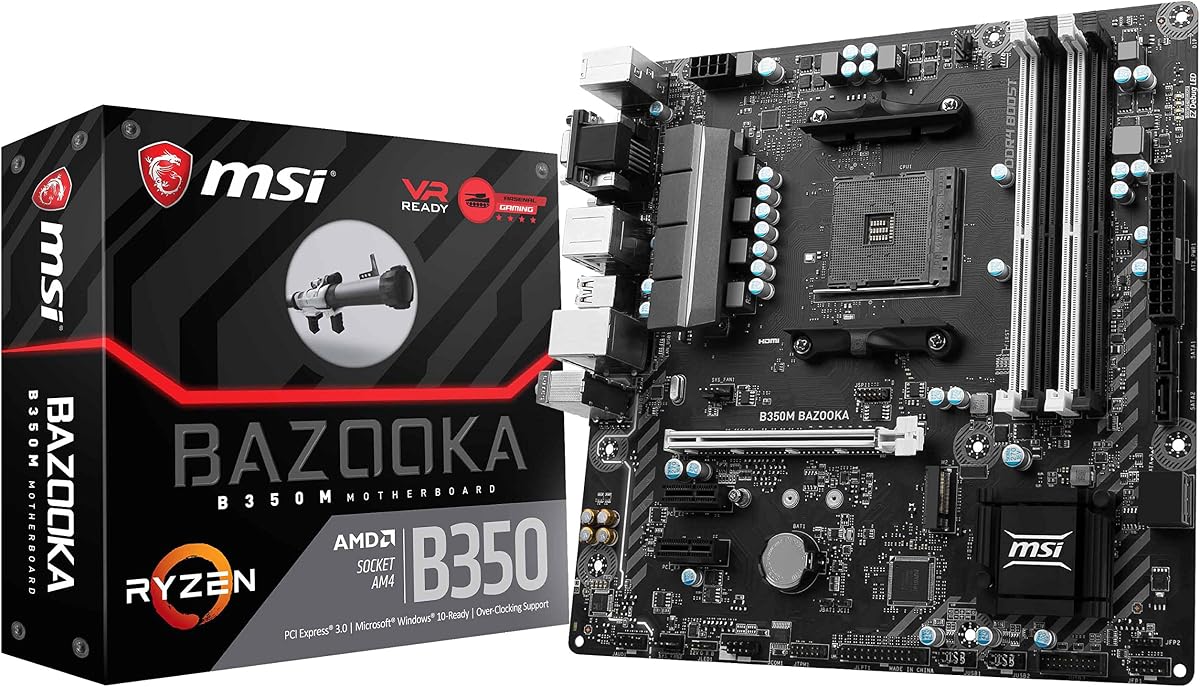
This motherboard delivers a solid foundation for Ryzen builds with a focus on audio and ease of use. Its rating reflects mixed user experiences but highlights clear strengths in sound and diagnostics.
We may earn a commission when you buy through this link, at no additional cost to you.
The studio grade sound quality ensures immersive audio for games and media. The EZ Debug LED simplifies troubleshooting by pinpointing hardware issues instantly without complex software tools or external testers.
While it may lack some advanced overclocking features found on higher-end boards it provides essential tools like Game Boost and X-Boost. These help optimize performance without requiring deep technical knowledge from the user.
It is an excellent choice for budget-conscious gamers who prioritize audio and straightforward setup. The Micro-ATX form factor fits well in compact cases while still offering the necessary expansion slots.
Studio grade sound technology delivers clear and immersive audio that enhances gaming and media consumption significantly.
EZ Debug LED provides a quick visual way to identify hardware issues during startup or troubleshooting sessions.
We may earn a commission when you buy through this link, at no additional cost to you.
The ASUS Prime B350-Plus offers reliable performance at an attractive price point for standard ATX cases. Its protection features provide peace of mind for daily computing and gaming workloads over time.
We may earn a commission when you buy through this link, at no additional cost to you.
5X Protection III hardware safeguards extend component longevity by guarding against power surges and physical damage. SafeSlot Core reinforces the PCIe slot to prevent bending under heavy graphics cards during use.
FanXpert 2+ allows advanced tuning to keep system temperatures optimal without excessive noise. This balance between cooling efficiency and acoustic comfort makes it suitable for home office or bedroom setups.
This model is ideal for users seeking a straightforward ATX board with essential modern ports. The inclusion of M.2 and USB 3.1 ensures you can connect fast storage and peripherals without adapters.
5X Protection III hardware ensures component longevity and reliability under various usage conditions.
SafeSlot Core fortified PCIe slot prevents damage caused by heavyweight GPUs during installation.
We may earn a commission when you buy through this link, at no additional cost to you.
This Micro-ATX board stands out with USB 3.1 Gen2 support and robust corporate stability features. Its high rating indicates consistent performance and reliability across a wide range of user configurations.
We may earn a commission when you buy through this link, at no additional cost to you.
The Aura Sync RGB header allows you to synchronize lighting effects across multiple components for a unified aesthetic. Corporate Stable Model support ensures long lifecycle availability and complimentary replacement services for business users.
Safe Slot Core technology prevents damage from heavy GPUs while maintaining structural integrity over time. The inclusion of legacy PS2 ports alongside modern USB options caters to diverse peripheral needs without compromise.
It is a top choice for compact builds needing high-speed storage connectivity and reliable power delivery. The balance of modern features and legacy support makes it versatile for both gaming and office environments.
USB 3.1 Gen2 support maximizes connectivity and speed for high performance storage and peripherals.
Aura Sync RGB header provides nearly endless color spectrum options with ecosystem synchronization.
We may earn a commission when you buy through this link, at no additional cost to you.
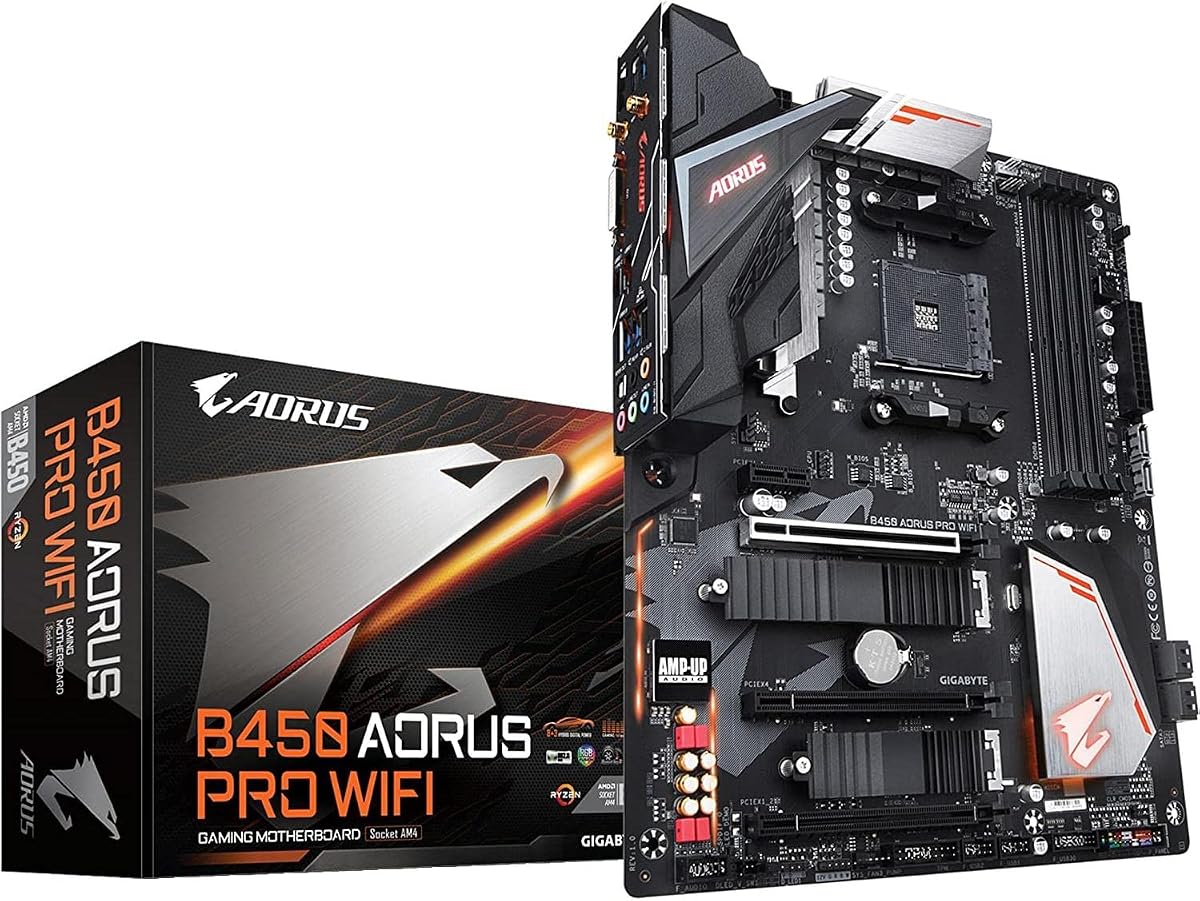
This board excels with onboard Wi-Fi and dual M.2 slots for fast storage expansion. The rating reflects strong satisfaction with its connectivity options and overall build quality for ATX cases.
We may earn a commission when you buy through this link, at no additional cost to you.
Dual PCIe Gen3 M.2 NVMe slots with thermal guards ensure storage runs cool under heavy workloads. The Intel Ethernet and Wi-Fi combo provides reliable networking options whether wired or wireless connection is needed.
Audio quality is enhanced by the Alc1220 codec and WIMA capacitors for clear sound. RGB Fusion headers offer extensive lighting customization to match any case aesthetic preferences you might have.
It is perfect for users needing wireless convenience without compromising on storage or audio performance. The thermal guards and solid VRM design support sustained performance during long gaming or rendering sessions.
Dual band 802.11AC Wi-Fi and Intel Ethernet provide flexible connectivity options.
Dual M.2 slots with thermal guards ensure fast and cool storage performance.
We may earn a commission when you buy through this link, at no additional cost to you.
This motherboard brings modern features like PCIe 4.0 and WiFi 6E to the AM4 platform with strong reliability. The rating highlights user appreciation for its robust power and comprehensive connectivity suite.
We may earn a commission when you buy through this link, at no additional cost to you.
The 12+2 teamed power stages deliver stable current to the CPU ensuring performance consistency. BIOS Flashback allows updating firmware without a processor which simplifies testing new hardware configurations.
Networking is excellent with WiFi 6E and Intel 2.5Gb Ethernet for low latency connections. HDMI 2.1 supports high resolution outputs making it versatile for both gaming monitors and 4K displays.
It is best suited for enthusiasts who want cutting-edge networking and storage speeds. The bundled software tools provide intuitive control over system performance and diagnostics without complexity.
12+2 teamed power stages with ProCool connector ensure steady current delivery to CPU.
WiFi 6E and Intel 2.5Gb Ethernet ensure smooth and stable online experience.
We may earn a commission when you buy through this link, at no additional cost to you.
The B550M K provides efficient power delivery in a compact Micro-ATX format for space constrained builds. Its rating suggests reliable performance for mid-range processors and everyday computing tasks.
We may earn a commission when you buy through this link, at no additional cost to you.
A digital 3+3 VRM design ensures steady power delivery through quality chokes and capacitors. Advanced thermal armor on the chipset helps dissipate heat to maintain stability under load.
The motherboard supports PCIe 4.0 and 2x M.2 slots for fast storage expansion and bandwidth. Q-Flash utility simplifies firmware updates making maintenance straightforward for all technical skill levels.
It is an excellent option for small form factor PCs needing modern storage speeds. The balance of features and price makes it attractive for budget builders seeking future-proof connectivity.
Digital 3+3 VRM Design ensures steady power delivery with premium components.
Supports PCIe 4.0 M.2 slot for blazing fast data transfer rates.
We may earn a commission when you buy through this link, at no additional cost to you.
This ATX board delivers strong power delivery and modern connectivity for gaming systems. The rating reflects user satisfaction with its thermal design and ease of building.
We may earn a commission when you buy through this link, at no additional cost to you.
A digital twin 10+3 power phase provides steady current delivery for consistent performance. The advanced VRM heatsink helps dissipate heat to prevent throttling during intense workloads.
Q-Flash Plus allows BIOS updates without installing CPU or RAM which saves time during troubleshooting. Front USB 3.2 Gen 1 Type-C offers quick access for modern peripherals and fast charging.
It is perfect for users needing a reliable ATX platform with future proof features. The DIY friendly design and refreshed BIOS interface make assembly and configuration intuitive and straightforward.
Advanced VRM heatsink ensures better heat dissipation for stable operation.
Front USB 3.2 Gen 1 Type-C offers quick access for peripherals.
We may earn a commission when you buy through this link, at no additional cost to you.
The PRO-VDH WiFi ProSeries combines essential modern features with a compact design for smaller cases. The rating indicates consistent satisfaction with its thermal performance and connectivity options.
We may earn a commission when you buy through this link, at no additional cost to you.
Core Boost technology optimizes power circuits for precise current delivery to the CPU. The premium thermal solution uses thickened copper and rated thermal pads to manage heat effectively.
Flash BIOS Button enables updates without a CPU which simplifies hardware compatibility testing. Integrated wireless and Bluetooth keep your system connected without needing external adapters or cables.
It is a solid choice for compact builds needing robust audio and wireless capabilities. The balance of features ensures you get modern speed and convenience without sacrificing stability.
Core Boost technology combines optimized layouts for precise current delivery to CPU.
Premium Thermal Solution rated for high heat dissipation keeps components stable.
We may earn a commission when you buy through this link, at no additional cost to you.
This Micro-ATX board offers strong memory support and thermal management for everyday tasks. The rating reflects solid reliability and value for budget builds needing modern connectivity.
We may earn a commission when you buy through this link, at no additional cost to you.
DDR4 Memory Boost allows extreme overclocking speeds to maximize system performance. Frozr AI cooling automatically adjusts fans to keep thermal and noise in balance for comfort.
Core Boost technology improves stability and performance for the CPU during demanding tasks. Double M.2 connectors provide ample storage options with one Gen4 and one Gen3 slot.
It is best for builders seeking affordable performance with essential modern features. The Gigabit LAN and audio boost ensure reliable networking and sound for typical user needs.
DDR4 Memory Boost enables extreme memory overclocking speeds for peak performance.
Frozr AI cooling adjusts fan settings based on CPU and GPU temperatures.
We may earn a commission when you buy through this link, at no additional cost to you.
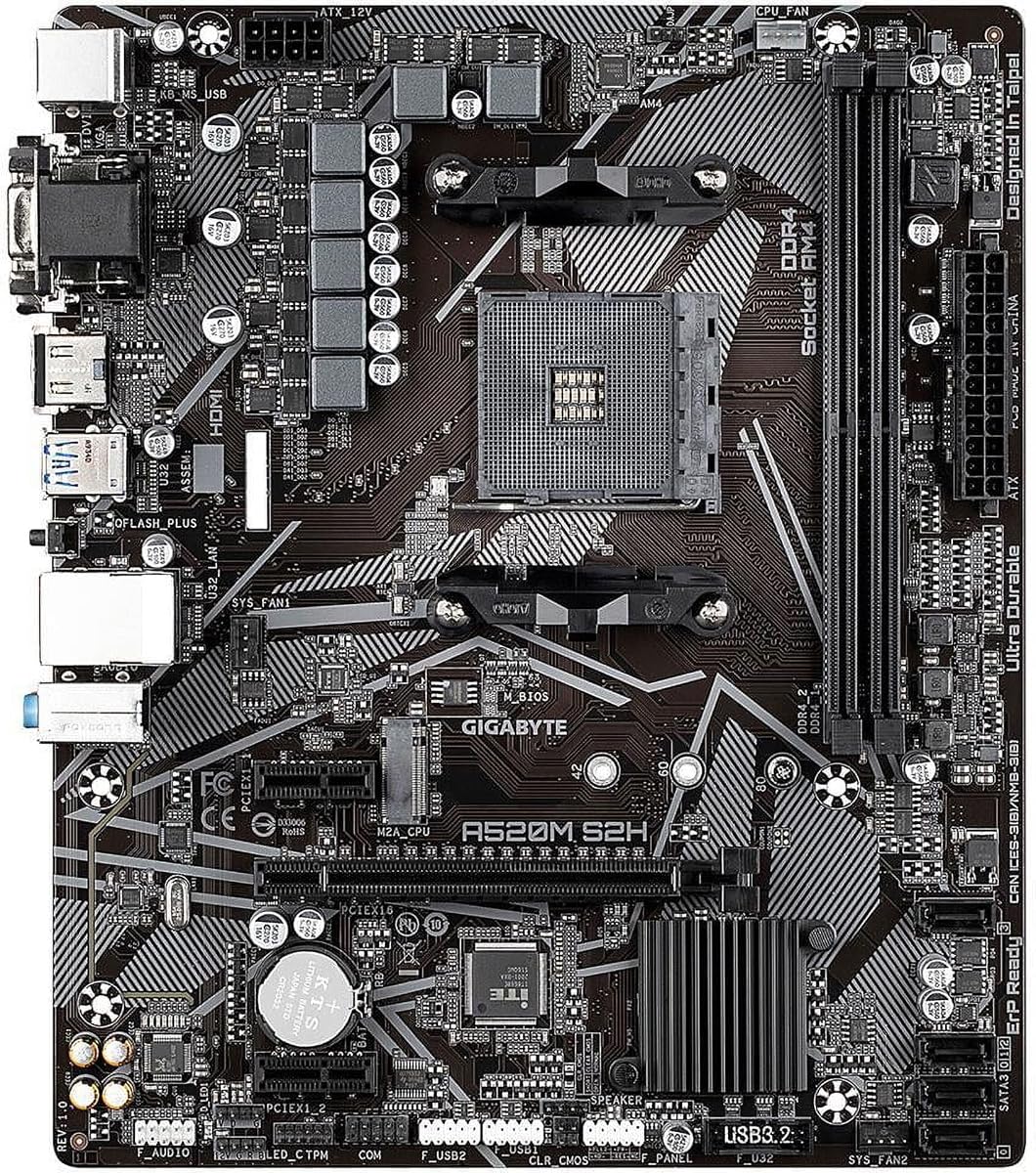
This board provides an affordable entry into the AM4 ecosystem with essential modern features. The rating reflects user satisfaction with its build quality and usability for casual builds.
We may earn a commission when you buy through this link, at no additional cost to you.
A digital 4+3 phase PWM ensures steady power delivery without excessive heat. Q-Flash Plus allows BIOS updates without a processor making hardware compatibility easy to manage.
Three display interfaces including DVI HDMI and D-Sub offer flexible options for older or multiple monitors. RGB Fusion 2.0 lets you customize lighting to match your system aesthetic easily.
It is ideal for budget builds prioritizing core functions and reliability over high-end features. The Gigabit LAN and Micro-ATX size make it suitable for small office PCs and compact setups.
4+3 Phases Digital PWM provides efficient power for system stability.
3 Display Interfaces including DVI and HDMI offer flexible visual options.
We may earn a commission when you buy through this link, at no additional cost to you.
Selecting the right motherboard requires balancing performance features and budget. Below are key factors to consider before making your purchase decision.
Ensure the motherboard supports your specific AMD Ryzen processor generation. AM4 sockets vary in BIOS requirements which can affect compatibility with newer CPUs without updates.
Check the manufacturer's CPU support list to confirm your chosen processor works out of the box or with a BIOS flash.
ATX boards offer more expansion slots and ports while Micro-ATX and Mini-ITX save space. Choose based on your case size and how many components you plan to install.
A smaller board can limit future upgrades so weigh your needs before committing to a compact layout.
VRM quality and phase count determine how well the board powers your CPU under load. Higher phase counts generally mean better stability for overclocking and sustained workloads.
Look for boards with adequate heatsinks on the VRMs to prevent throttling during heavy usage.
Modern builds benefit from M.2 NVMe slots for fast storage. Check how many slots are available and whether they support PCIe 4.0 for maximum speeds.
Dual M.2 slots provide flexibility for both boot and secondary storage drives without slowing down performance.
Gigabit LAN is standard but some models include integrated Wi-Fi or faster Ethernet. Consider whether wireless connectivity is essential for your setup or if cables are sufficient.
Higher speed LAN like 2.5Gb can be useful for large file transfers and future proofing.
Onboard codecs vary in quality affecting sound clarity for gaming and media. Look for boards with enhanced audio features if you do not plan to use an external DAC.
Capacitors and shielding on the audio section reduce interference and improve signal integrity.
PCIe lanes and slots allow for adding GPUs or capture cards. Ensure the board has enough physical slots and bandwidth for your planned expansion.
Some boards reduce PCIe speeds when using multiple M.2 slots so check specifications before buying.
Tools like Flash BIOS allow updates without installing a CPU. This can save time when testing compatibility with new processors or fixing bugs.
A clear and intuitive BIOS interface makes tuning and monitoring easier for all users.
Always install components on a non-conductive surface and use an anti-static wrist strap to prevent damage during assembly.
Keep the motherboard clean by using compressed air to remove dust from heatsinks and slots every few months.
Monitor temperatures regularly using software tools and adjust fan curves if the system becomes too loud.
Yes they remain viable for budget builds especially with compatible Ryzen processors. While newer chipsets offer PCIe 4.0 the B350 provides solid performance for many users.
Often yes. Some models require a BIOS update to support 3000 series or later Ryzen CPUs. Check the manufacturer support page before installation.
Micro-ATX boards are smaller and have fewer expansion slots. ATX offers more connectivity and RAM slots but requires a larger case.
Most modern GPUs fit standard PCIe x16 slots. Verify the slot length matches your card and check physical clearance in your case.
Yes many B350 models include at least one M.2 slot for NVMe SSDs. Check specifications for speed and slot count.
For most casual gamers onboard audio is sufficient. High end audio users may prefer dedicated sound cards or external DACs.
Look for boards with adequate VRM heatsinks and multiple phases to ensure stable power for your CPU especially if overclocking.
Some models include integrated WiFi but many do not. Check product details to confirm wireless connectivity if needed.
The top picks highlight boards offering solid performance and features for various budgets and needs. Whether you prefer budget-friendly or feature-rich options there is a suitable choice for you.
Prioritize compatibility power delivery and required connectivity before focusing on aesthetics. These factors will ensure long term reliability and performance for your system.
Always check current prices and availability as stock fluctuates frequently. Compare offers across retailers to find the best value for your specific configuration.