
CORSAIR RS120 ARGB 120mm PWM Fans Triple Pack
4.6Editor score
Daisy-Chain Connection
Low-Noise Design
Magnetic Dome Bearing
This guide compares the top Corsair case fans for 2026, covering airflow, static pressure, RGB lighting, and connectivity options to help you choose the best
Choosing the right cooling solution is critical for maintaining peak performance in your PC build. Corsair offers a wide range of case fans designed to balance noise, aesthetics, and thermal efficiency. Whether you prioritize airflow or static pressure, there is a model to fit your needs.
We evaluated ten top-rated Corsair case fans based on performance metrics, build quality, and user feedback. Our analysis focuses on PWM control, ARGB customization, and proprietary technologies like AirGuide and iCUE Link. This list helps you navigate the options efficiently.
Each pick highlights specific strengths like reverse rotors or thick blades for radiators. Prices and availability fluctuate frequently, so verify current stock before purchasing. Use this guide to find the ideal fan configuration for your specific chassis and cooling requirements.
4.6Editor score

4.6Editor score

4.5Editor score
This table provides a side-by-side comparison of all ten selected Corsair case fans. It highlights key specifications such as airflow, static pressure, lighting technology, and connectivity options to help you quickly identify the model that best fits your specific cooling and aesthetic requirements.


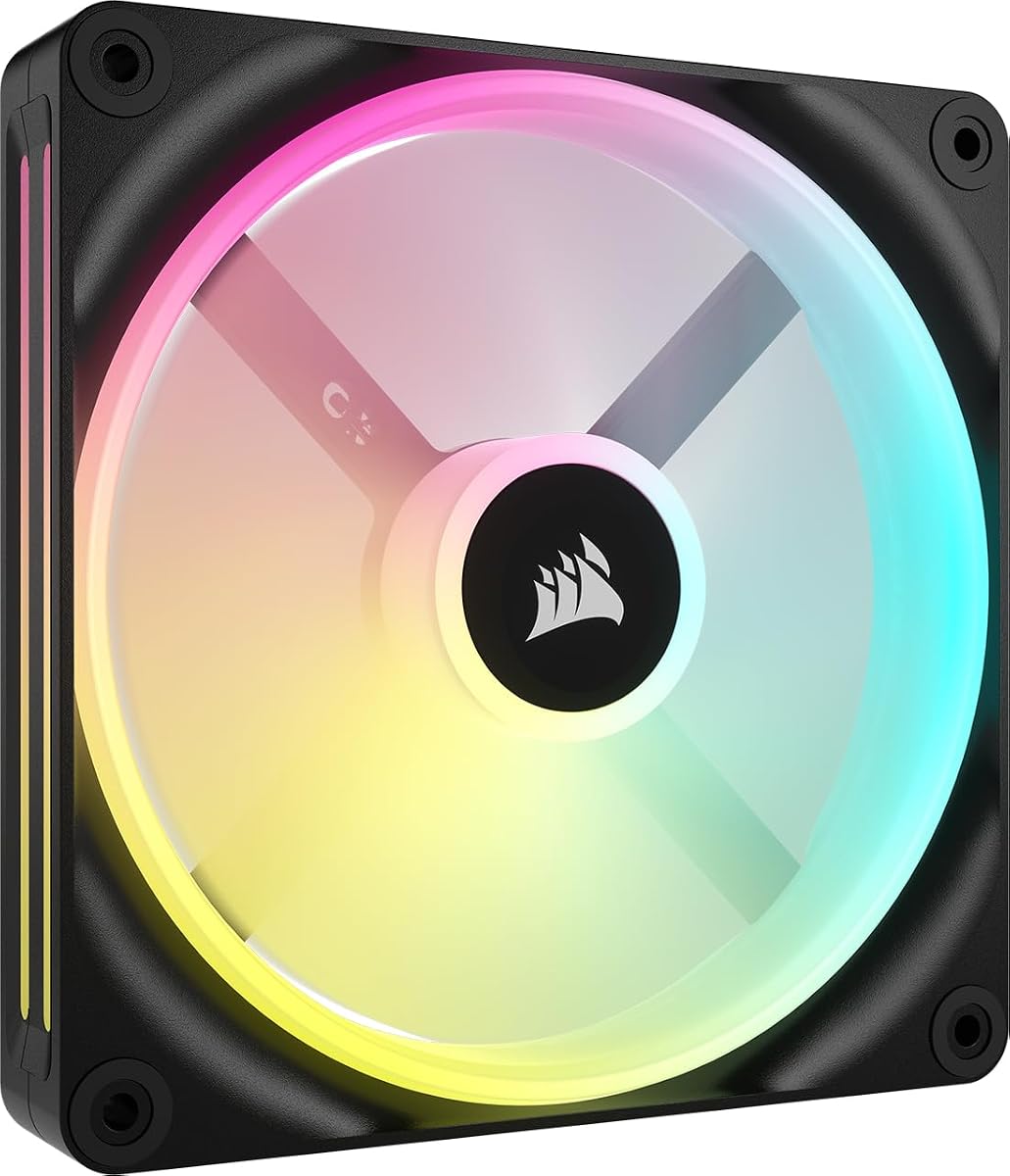


This triple pack stands out as the most comprehensive solution for Corsair users needing high-end RGB and cooling. With a 4.6 rating, it delivers powerful cooling and seamless cable management through the iCUE Link ecosystem.
We may earn a commission when you buy through this link, at no additional cost to you.
The dual light loops provide stunning visual depth, while the included hub simplifies wiring significantly. AirGuide technology ensures airflow is directed efficiently, making these fans ideal for both intake and radiator setups.
The main trade-off is the premium pricing and the dependency on the specific Link Hub for full functionality. However, the reduction in cable clutter justifies the cost for builders seeking a clean aesthetic.
Buy this if you want top-tier aesthetics and performance without messy wiring. It is the perfect choice for mid to high-end builds prioritizing software control and lighting synchronization.
The iCUE Link system connects all fans to one hub with a single cable, reducing internal clutter dramatically.
With 18 LEDs per fan and dual loops, you can create intricate lighting effects via iCUE software.
We may earn a commission when you buy through this link, at no additional cost to you.
For those seeking reliable cooling without breaking the bank, this RS120 trio is an excellent choice. It offers impressive airflow and a straightforward daisy-chain connection that works with standard motherboard headers.
We may earn a commission when you buy through this link, at no additional cost to you.
The Magnetic Dome Bearing ensures quiet operation even at higher speeds. While it lacks advanced iCUE Link features, it still provides customizable ARGB lighting for those who want aesthetic customization on a budget.
The trade-off is slightly lower static pressure compared to higher-end models like the LX series. This makes them better suited for case airflow rather than pushing air through dense radiators.
Choose this pack if you need a cost-effective way to upgrade case airflow. It is ideal for builders who want decent RGB and performance without proprietary cable systems.
Connect multiple fans using just one PWM and one ARGB connector, saving valuable motherboard headers.
With over 72 CFM of airflow, these fans move significant air to cool components effectively.
We may earn a commission when you buy through this link, at no additional cost to you.
The RX140 MAX pushes the boundaries of cooling performance with a 5mm thicker blade design. This allows it to move massive amounts of air at lower speeds, significantly reducing noise while maximizing thermal efficiency.
We may earn a commission when you buy through this link, at no additional cost to you.
Its airflow capacity exceeds 100 CFM, making it a powerhouse for high-performance systems. The iCUE Link connectivity ensures it integrates smoothly with other Link devices for a unified control experience.
The trade-off is physical clearance; you must ensure your case or radiator supports the extra 5mm thickness. Additionally, the single-fan price point is higher than triple packs, making it a specialized purchase.
This fan is best for extreme cooling builds where noise and performance are equally critical. It is the ultimate upgrade for those willing to pay extra for top-tier thermal management.
The thicker blade moves more air per rotation, allowing lower RPMs for the same cooling effect.
A built-in window in the frame lets you view the RGB LEDs from the side for unique aesthetics.
We may earn a commission when you buy through this link, at no additional cost to you.
Reverse rotor fans solve the common issue of exposed fan frames on the front intake. This white triple pack ensures the LEDs are visible even when the fan is mounted to pull air into the case.
We may earn a commission when you buy through this link, at no additional cost to you.
With a high 4.7 rating, users appreciate the seamless look and effective cooling performance. The daisy-chain support simplifies installation while maintaining a clean and organized build aesthetic.
The trade-off is a slightly higher price compared to standard fans. Additionally, you must mount them correctly to ensure airflow direction aligns with your cooling strategy.
Buy this if you want a pristine white build with uninterrupted RGB lighting. It is the best option for white-themed PCs needing intake fans that look great from the outside.
The blades are positioned so light flows outward without obstruction from the frame or motor housing.
Despite the reversed design, the Magnetic Dome Bearing ensures consistent performance and low noise.
We may earn a commission when you buy through this link, at no additional cost to you.
The black variant of the RS-R fans offers the same reverse rotor benefits for dark-themed builds. It ensures that lighting effects are visible on the intake side without any mechanical obstruction.
We may earn a commission when you buy through this link, at no additional cost to you.
Performance matches the white version, delivering solid airflow and static pressure for radiators or case intake. The Zero RPM mode ensures silent operation during light loads, keeping your system quiet when idle.
Similar to the white model, the cost is slightly higher than standard fans due to the specialized motor housing. However, the visual payoff for front intake setups is significant.
This pack is ideal for builders who want a premium look for their black PC case. It balances high-end aesthetics with practical thermal management solutions.
The black frame blends with the chassis while the LEDs shine brightly through the clear housing.
High static pressure ensures these fans perform well even when mounted on dense cooling radiators.
We may earn a commission when you buy through this link, at no additional cost to you.
This 140mm fan is designed for users who need larger intake or exhaust points. It offers substantial airflow and unique lighting modes available only through the iCUE Link ecosystem.
We may earn a commission when you buy through this link, at no additional cost to you.
The Time Warp lighting mode adds a dynamic visual effect that stands out in any RGB setup. Combined with Magnetic Dome bearings, it provides reliable performance without excessive noise at moderate speeds.
The primary limitation is the price per fan, which is higher when bought individually rather than in a triple pack. You also need the iCUE Link Hub to unlock its full connectivity potential.
Select this if you need a 140mm fan with specific Link features. It works best when used alongside other QX fans to create a uniform high-performance cooling solution.
The Time Warp mode uses the dual light zones to create a strobing effect unique to QX fans.
Zero RPM mode stops the fan completely during light workloads to keep your system silent.
We may earn a commission when you buy through this link, at no additional cost to you.
This kit combines the reverse rotor aesthetic with the high-performance LX series. It is the ultimate choice for those who want flawless lighting visibility on the intake side without compromise.
We may earn a commission when you buy through this link, at no additional cost to you.
The included QuikTurn screws make installation significantly easier, saving time during your build. The dual light loops and iCUE Link hub ensure that your cooling looks as good as it performs.
The main drawback is the high price point compared to standard RS or LX kits. You are paying for the combination of reverse rotors, premium bearings, and advanced lighting technology.
Buy this if budget is secondary to achieving the best possible visual and thermal results. It represents the top tier of Corsair reverse fan technology.
QuikTurn screws allow you to mount fans quickly without standard tools, reducing installation friction.
Two distinct LED zones create depth in the RGB lighting that standard single-ring fans cannot match.
We may earn a commission when you buy through this link, at no additional cost to you.
The RS120 MAX is a performance-focused fan without RGB. Its thick blade design allows for significantly higher static pressure, making it perfect for pushing air through dense radiators.
We may earn a commission when you buy through this link, at no additional cost to you.
Constructed with Liquid Crystal Polymer, the blades are rigid and durable, reducing vibration and maintaining structural integrity over time. This durability translates to consistent cooling performance.
The trade-off is the lack of lighting features. If you want aesthetics, you may need to pair this with other RGB fans elsewhere in your case.
Choose this fan for pure cooling power in radiator setups. It is an excellent addition for builders who prioritize thermal efficiency over visual customization.
The high static pressure rating ensures air moves effectively even through dense cooling fins.
The special polymer construction prevents flex, which helps maintain performance and reduces noise.
We may earn a commission when you buy through this link, at no additional cost to you.
This white 140mm fan delivers impressive airflow and high static pressure in a clean design. It is a strong choice for white builds needing powerful intake or exhaust without the thick blade compromise.
We may earn a commission when you buy through this link, at no additional cost to you.
The high CFM rating ensures it moves air effectively even at lower speeds. The iCUE Link support allows for seamless integration with other Link devices for unified control.
As a single fan, it comes at a higher cost per unit compared to packs. Ensure you have a Link hub to fully utilize the connectivity features.
Buy this for white builds requiring powerful and quiet 140mm cooling. It balances aesthetics with high performance well.
Moving nearly 96 CFM allows this fan to cool cases efficiently without spinning at maximum speed.
The eight RGB LEDs provide customizable lighting that fits well with white-themed PC cases.
We may earn a commission when you buy through this link, at no additional cost to you.
This renewed kit offers a complete entry point into the iCUE Link ecosystem. It includes two fans and the necessary hub, making it a convenient choice for those new to Corsair Link technology.
We may earn a commission when you buy through this link, at no additional cost to you.
The fans support the same powerful performance and unique lighting modes as new QX models. Choosing renewed can save money while still delivering the benefits of the Link system.
The trade-off is the condition and warranty compared to brand-new products. However, for many users, the cost savings outweigh the risks of buying renewed hardware.
Buy this if you want to start a Link setup without spending extra on separate components. It is a great value for white-themed builds needing two fans and a hub.
This set provides everything needed to start using Link technology without additional purchases.
Buying renewed helps reduce waste while providing reliable performance for PC cooling needs.
We may earn a commission when you buy through this link, at no additional cost to you.
Selecting the ideal fan involves balancing airflow, static pressure, aesthetics, and connectivity. This guide outlines the critical factors to consider before purchasing a Corsair cooling solution.
Airflow (CFM) measures how much air the fan moves and is best for general case cooling. Static Pressure (mm-H2O) indicates the fan's ability to push air through obstructions like radiators or filters. If your fans are moving air freely inside a case, look for high CFM. If you are mounting fans on a radiator or behind a dust filter, prioritize high static pressure models like the RX or RS MAX series.
In short, choose high airflow for intake and exhaust, and high static pressure for radiators.
Corsair offers fans in 120mm and 140mm sizes. Ensure your case supports the specific size you choose. 140mm fans generally move more air at lower speeds, reducing noise. Check your radiator dimensions to ensure they accept the fan thickness, especially with 5mm thicker models like the RX140 MAX.
Always verify case specs for fan and radiator support before buying.
Corsair fans use ARGB or RGB lighting. ARGB allows for more colors and animations via motherboard or Corsair software. Consider whether you want dual light loops or standard lighting. Reverse rotor fans eliminate visual obstructions when mounted as intake, ensuring RGB is fully visible.
Decide on lighting style and orientation to match your build theme.
Traditional fans use individual PWM or ARGB connectors. Modern Corsair fans like the LX and RX series support iCUE Link, which chains fans together to one hub. This saves motherboard headers and reduces cable clutter. Check if you need a hub separately or if it is included.
Link systems are superior for clean builds, but standard fans work fine without hubs.
Noise is measured in decibels. Magnetic Dome Bearings or fluid dynamic bearings reduce friction and noise. RPM limits also affect noise; lower max RPM often means quieter operation. Look for fans with Zero RPM modes to stop them completely when your system is idle.
Prioritize bearing quality and Zero RPM support if quiet operation is essential.
Prices vary based on features. Single fans cost more than triple packs. Premium models with Link hubs are expensive but offer superior aesthetics. RS series fans are budget-friendly, while RX and LX models cost more. Calculate the cost per fan to determine the best value.
Balance your budget against the features you truly need.
Corsair uses iCUE software for lighting and control. Link fans need iCUE Link hardware. If you already use Corsair memory or RGB strips, Link fans integrate well. If you mix brands, standard ARGB fans may be more versatile without proprietary hubs.
Check if you want full ecosystem integration or simple plug-and-play.
Materials like Liquid Crystal Polymer improve rigidity and reduce vibration. Stronger frames withstand higher speeds without flexing. Warranty terms usually cover manufacturing defects. High-quality bearings ensure longevity and consistent performance over time.
Invest in high-quality fans for long-term reliability and performance.
Install your fans by aligning the mounting holes with the case or radiator screws. Ensure the arrows on the frame indicate airflow direction correctly; arrows on the side show direction, arrows on the back show exhaust. Secure fans firmly to minimize vibration.
Connect fans to the motherboard headers or iCUE Link Hub. Standard fans plug into PWM headers, while Link fans daisy-chain to a single hub. Use software like iCUE or BIOS to set fan curves and lighting modes for optimized performance.
Clean your fans regularly to maintain performance. Dust buildup increases noise and reduces airflow. Use compressed air to blow dust out of the blades and frame every few months, especially if you have pets or operate in dusty environments.
RS fans are standard high-performance case fans designed for airflow and pressure. RX fans are thicker and built for maximum cooling efficiency on radiators. RX models offer higher static pressure and often feature unique lighting options.
Not all RGB fans need a hub. Standard ARGB fans connect directly to motherboard headers. However, Corsair iCUE Link fans like LX and RX require a Link System Hub for full control and cabling benefits.
A reverse rotor fan has blades on the opposite side of the motor housing. This ensures the RGB lighting is visible on the intake side where the frame would usually block it in standard fans.
Install iCUE software from the Corsair website. Connect your fans to compatible headers or Link hubs. The software allows you to create effects, change colors, and sync lighting across devices.
Corsair fans are designed for quiet operation. Bearing technologies and RPM limits help reduce noise. Many models also support Zero RPM modes so fans stop spinning during light loads for silence.
Yes, you can mix different fan models. However, using different series may require separate headers or hubs. Standard ARGB and PWM connections are universal, but Link fans need the iCUE Link ecosystem.
The iCUE Link Hub is a controller that manages multiple Link fans via a single cable. It simplifies installation by reducing header usage and allows centralized control through iCUE software.
Cleaning every three to six months is recommended. Dust accumulation reduces cooling efficiency and increases noise. Use compressed air to remove dust from blades and frames regularly.
We explored ten top Corsair case fans ranging from budget triple packs to premium thick-blade models. Each offers unique strengths for airflow, pressure, and aesthetics tailored to different build needs.
Prioritize airflow for general cooling and static pressure for radiators. Consider whether you want standard PWM or the iCUE Link system to manage your setup efficiently.
Prices and stock change frequently. Check current listings for the latest deals before purchasing to ensure you get the best value for your investment.