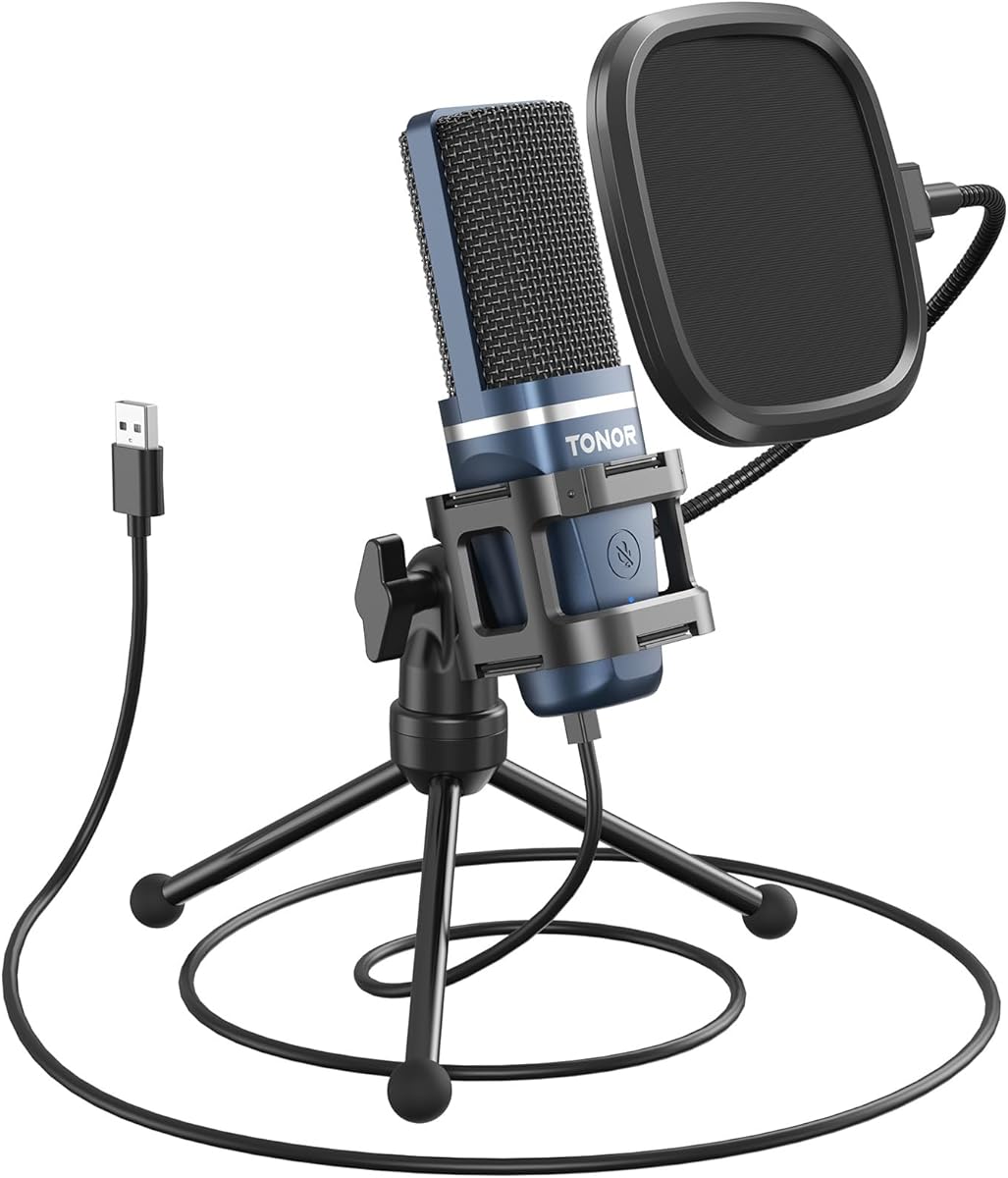
TONOR Podcast Microphone
4.3Editor score
Cardioid pickup pattern
Plug and play USB
Includes pop filter
Finding the right recording tool is essential for creators starting their journey. A reliable microphone ensures your voice comes through clearly without breaking the bank. We have selected top options that balance performance and affordability for everyone.
Our team evaluated each product based on sound quality, build durability, and ease of use. We considered user feedback and technical specifications to ensure you get accurate information. This list covers various styles suitable for home studios and casual setups.
Each pick highlights specific strengths to help you match a mic to your needs. Keep in mind that product availability and pricing can fluctuate over time. Always check the latest details before making your final purchase decision today.
4.3Editor score

4.5Editor score

4.6Editor score
As an Amazon Associate we earn from qualifying purchases.
Here is a side-by-side view of all ten microphones to help you compare specs quickly.




The ZealSound Podcast Microphone offers impressive audio clarity for its price point. With a 4.4 rating, users appreciate its broadcast-level sound quality and intelligent noise reduction features. It stands out for providing professional tools like echo knobs and monitoring jacks without high costs.
We may earn a commission when you buy through this link, at no additional cost to you.
Its intelligent noise reduction mode effectively minimizes background distractions like fan noise or keyboard clicks. The cardioid pickup pattern focuses on your voice while reducing unwanted ambient sound. You can adjust gain and monitoring volume independently for precise control over your recordings.
While it delivers excellent sound, the fixed base design limits positioning flexibility compared to boom arms. Some users might find the lack of XLR connectivity restrictive for advanced setups. However, for most home podcasters, the USB convenience is more than sufficient.
This microphone is ideal for beginners seeking studio quality without complex setups. If you need clear audio for podcasts or streaming on a budget, it is a strong choice. Check current availability to ensure you get the best deal today.
Press and hold the mute button to enable a mode that reduces keyboard clicks and hum for cleaner audio.
Listen to your voice instantly through the headphone jack to catch issues before they affect the final file.
We may earn a commission when you buy through this link, at no additional cost to you.
The Amazon Basics Condenser Microphone delivers essential features for clear recording at a very low cost. With a 4.4 rating, it is known for its large diaphragm that captures detailed sound. It is perfect for users who want reliability without paying for extra bells and whistles.
We may earn a commission when you buy through this link, at no additional cost to you.
Its cardioid pickup pattern isolates background noise effectively, ensuring clean broadcasts. The 360-degree adjustable stand allows flexible positioning for different desk setups. You can mute the mic with a single tap, which is handy for quick interruptions during calls.
This mic lacks some advanced features like echo controls or RGB lighting found in pricier models. The stand is functional but may not be as sturdy as metal alternatives. Still, it meets basic needs for streaming and online classes effectively.
If you need a straightforward, reliable mic for general use, this is a top pick. It suits those prioritizing simplicity and cost over advanced customization. Verify the current price to confirm it fits your budget today.
Quickly mute your mic with a single press to avoid accidental background noise during important moments.
Rotate the mic easily to align perfectly with your voice source for the best possible audio capture.
We may earn a commission when you buy through this link, at no additional cost to you.
The TONOR Podcast Microphone is a favorite among budget creators for its complete setup out of the box. Rated 4.3 by users, it includes a pop filter and shock mount to protect audio quality. It is designed for clarity and ease of use across various platforms.
We may earn a commission when you buy through this link, at no additional cost to you.
Its cardioid pickup pattern captures crisp voice while suppressing side noise. The non-slip stand ensures stability on your desk during active sessions. One-click mute and volume control make it simple to manage audio without software interruption.
While it works well with PCs and consoles like PS5, it does not support Xbox. Some users prefer longer cables for distant setups. However, for most home environments, the included accessories provide excellent value and performance.
Choose this if you want a full kit without buying extra parts separately. It is great for streaming or recording on a strict budget. Always check current stock levels to secure your order quickly.
The included pop filter reduces plosive sounds like p and b for smoother and cleaner vocal recordings.
Works seamlessly with Windows, Mac, and gaming consoles for versatile use across your devices.
We may earn a commission when you buy through this link, at no additional cost to you.
The FIFINE K669B USB Microphone stands out for its robust metal build and clear sound output. With a 4.5 rating, it delivers smooth audio perfect for meetings and streaming. Users praise its durability and straightforward controls that simplify daily use.
We may earn a commission when you buy through this link, at no additional cost to you.
Its metal construction extends service life and reduces vibration noise during recording. The dedicated volume knob lets you adjust levels without opening software settings. It works well with popular apps like Zoom and OBS for reliable performance.
Some users note it does not work with Xbox, which limits gaming compatibility slightly. The stand is functional but could be more premium for some tastes. Despite this, it offers exceptional quality for the price range.
This is a solid choice if you need a long-lasting mic for daily tasks. It suits professionals needing clear vocals without complex setups. Review current listings to ensure it matches your specific needs.
The sturdy metal body resists wear and tear while minimizing unwanted vibration noise from the desk.
Adjust your microphone sensitivity directly on the device for quick changes during live sessions.
We may earn a commission when you buy through this link, at no additional cost to you.
The FIFINE AmpliGame AM8 offers a versatile path for creators planning to upgrade their audio later. With a 4.5 rating, it supports both USB and XLR connections for flexibility. Users love the RGB lighting and natural audio clarity it provides for streams.
We may earn a commission when you buy through this link, at no additional cost to you.
Its cardioid dynamic pattern rejects off-axis noise while maintaining vocal originality. The RGB ring adds visual appeal to your setup and can be controlled easily. You can monitor audio directly through the headphone jack for real-time adjustments.
While XLR support is great, the cable is not included which adds to the initial cost. The price is higher than basic USB mics but justified by the upgrade potential. It is perfect for gamers growing their content production.
Choose this if you want room to grow your setup later without replacing the mic. It balances performance and aesthetics well for streaming. Check the current bundle options for the best value today.
Connect to an audio interface via XLR to explore advanced mixing and recording capabilities later.
Customize your desk ambiance with multiple lighting modes that sync with your gaming environment.
We may earn a commission when you buy through this link, at no additional cost to you.
The Logitech Creators Blue Yeti is a legendary name in podcasting and streaming with its versatility. Rated 4.6 by users, it offers four distinct pickup patterns for different recording needs. It stands as a premium option for those needing broadcast quality without external interfaces.
We may earn a commission when you buy through this link, at no additional cost to you.
Its custom three-capsule array produces powerful sound suitable for vocals and instruments. The Blue VO!CE software enhances vocal clarity with effects that polish your stream instantly. Onboard controls for gain and patterns provide immediate adjustments during recording.
The size is larger than desktop alternatives which might take up significant desk space. The price is higher but the quality and software support justify the investment. It remains a top choice for serious creators.
If you value flexibility and professional sound, this mic is unmatched in its class. It suits podcasters needing different recording configurations. Always verify the latest price to see if it fits your budget.
Switch between cardioid, omni, bidirectional, and stereo modes to adapt to different recording scenarios.
Enhance your voice with broadcast effects and modulation directly in your software for polished audio.
We may earn a commission when you buy through this link, at no additional cost to you.
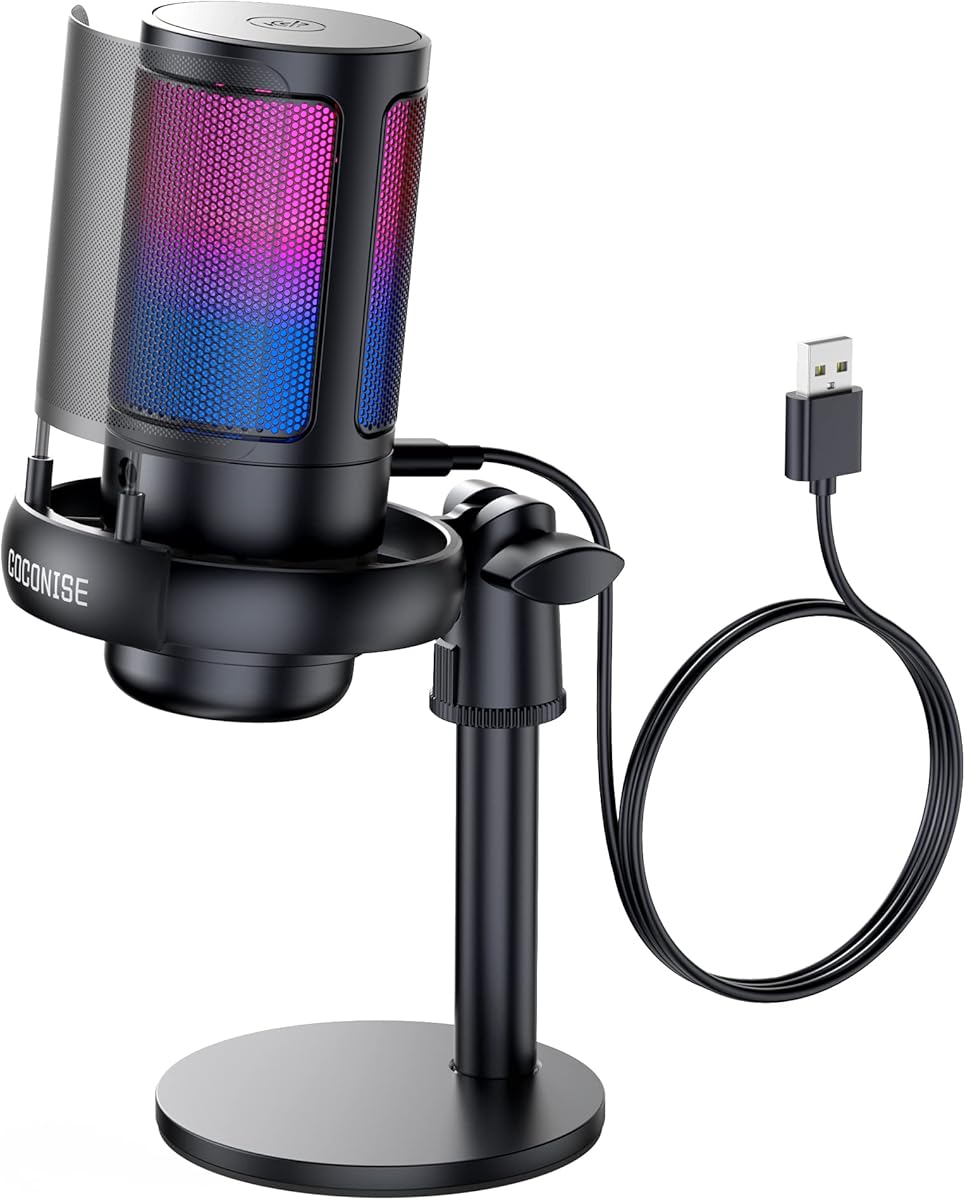
The Gaming Microphone for PC brings visual flair to your setup with gradient RGB lighting. Rated 4.3 by users, it combines aesthetic appeal with solid audio performance. The RGB lights turn off when muted providing a clear visual cue during broadcasts.
We may earn a commission when you buy through this link, at no additional cost to you.
Its cardioid pattern captures smooth sound while reducing side noise effectively. The metal anti-splash screen filters plosives better than foam for cleaner vocals. The weighted carbon steel base ensures stability during active gaming sessions.
While it offers great visuals, the build quality may feel slightly basic compared to metal options. It lacks advanced software support which limits customization. Still, for gamers wanting style and function, it delivers good value.
This is a perfect gift for gamers wanting a stylish mic that performs well. It suits users needing quick mute access and visual feedback. Check current availability to get this feature-packed option now.
Enjoy cyclic and gradient RGB effects that sync with your broadcast aesthetic for an immersive look.
Lightly touch the sensor to mute instantly and see the RGB lights go off for confirmation.
We may earn a commission when you buy through this link, at no additional cost to you.
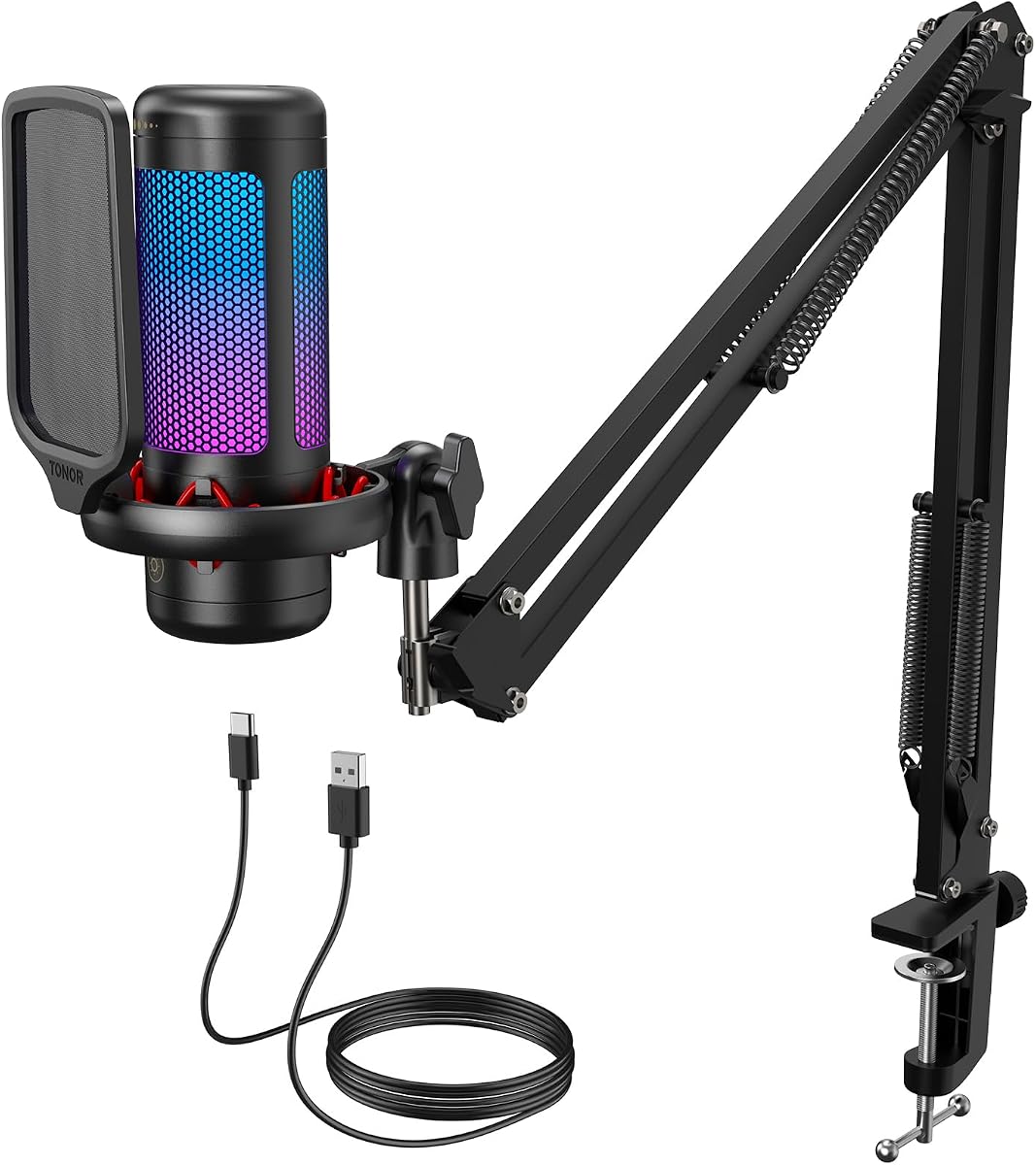
The TONOR Gaming Microphone Set provides a complete recording kit including a boom arm. Rated 4.5 by users, it offers pure sound with vibrant RGB lighting effects. It is designed for streamers wanting professional presentation without separate purchases.
We may earn a commission when you buy through this link, at no additional cost to you.
Its boom arm allows flexible positioning to save desk space while keeping the mic close. You can control brightness and modes easily via the lighting control button. Tap mute and gain knobs make managing volume intuitive during streams.
The clamp fits most desks up to 2.36 inches which limits some thick surfaces. Some users might prefer more robust lighting effects. However, the convenience of the all-in-one package is a significant plus.
Choose this if you want a full setup ready to go in one box. It is ideal for streamers prioritizing convenience and presentation. Check current prices to secure this comprehensive kit today.
Get a mic and boom arm together so you can start recording immediately without buying extra parts.
Choose from four modes including breathing and gradient to transform your gaming vibe easily.
We may earn a commission when you buy through this link, at no additional cost to you.
The MAONO A04 USB Microphone delivers high-resolution audio with a 192kHz sampling rate. Rated 4.5 by users, it captures smooth frequency response ideal for studio-quality podcasting. It includes a full set with arm and filters for a complete workflow.
We may earn a commission when you buy through this link, at no additional cost to you.
Its 16mm condenser transducer provides strong bass response and crystal clear audio. The anti-interference magnet ring on the cable ensures better signal stability during use. You can monitor levels effectively with the included shock mount and arm.
While it supports most operating systems, Xbox users will find it incompatible. The long cable might require management to avoid clutter. However, for detailed recording on a budget, it offers exceptional specs.
This is a great choice for users needing high-quality audio without expensive gear. It suits voice-over artists and podcasters needing clarity. Review current listings to confirm availability and price before buying.
Enjoy high-resolution sampling that captures detailed vocals with smooth frequency response for studio quality.
Get a full stand with adjustable joints to position your mic perfectly at the best angle.
We may earn a commission when you buy through this link, at no additional cost to you.
The FIFINE AmpliGame A6V stands out for its recognized design and practical features. With a 4.5 rating, it delivers naturally detailed audio with RGB effects. It is perfect for gamers wanting professional features in a stylish package.
We may earn a commission when you buy through this link, at no additional cost to you.
Its quick mute button prevents unwanted audio during emotional moments. The RGB cycle adds visual flair and indicates status instantly. The included shock mount and pop filter reduce noise for clearer communication.
Some users might find the RGB limited compared to larger systems. The tripod is stable but fixed compared to arms. Still, it offers excellent value for those needing quick control and style.
If you want a stylish, reliable mic for gaming streams, this is a top pick. It balances aesthetics and function effectively for teams. Check current offers to see if it fits your needs today.
Tap to silence the mic instantly to maintain a positive team atmosphere during live chats.
Enjoy a globally recognized design that ensures both quality and style in your setup.
We may earn a commission when you buy through this link, at no additional cost to you.
Choosing the right microphone depends on your budget and recording environment. Consider these factors to make an informed decision.
There are two main types: dynamic and condenser. Condenser mics are more sensitive and ideal for treated rooms. Dynamics are more forgiving and work well in noisy environments.
Choose condenser for studio quality or dynamic for noise-heavy settings.
USB microphones connect directly to your computer for easy setup. XLR mics require an audio interface but offer better sound control. Decide based on your technical needs and budget.
USB offers plug-and-play simplicity while XLR provides more flexibility.
Cardioid patterns focus on sound in front while reducing background noise. Omnidirectional captures sound from all sides. Select a pattern that matches your recording setup.
Cardioid is best for solo podcasting to isolate your voice effectively.
Look for metal construction that resists vibration and lasts longer. Plastic bodies might be lighter but less durable. Ensure the stand is stable enough to prevent tipping.
Metal builds often provide better acoustic isolation and longevity.
Mute buttons and gain knobs allow quick adjustments during recording. Noise cancellation software can help clean up poor environments. RGB lighting adds style but isn't necessary for sound.
Prioritize essential controls like mute and gain for daily workflows.
Verify that the mic works with your operating system and apps. Some models do not support consoles or mobile devices. Ensure your chosen model fits your tech stack.
Check system requirements to avoid connectivity issues later.
Some kits include arms, filters, and shock mounts saving extra costs. Others sell these separately. Look for complete packages if you need a ready-to-use setup.
Bundles often offer better value than buying each part individually.
Set a realistic budget and compare what features you get for the price. Higher prices don't always mean better quality for beginners. Look for mics that meet your immediate recording needs.
Focus on value for money instead of just the lowest cost.
Place the microphone at least six inches from your mouth to avoid popping sounds and distortion. Ensure it faces the right direction based on its pickup pattern for optimal sound.
Keep the mic away from keyboard clicks or fans to reduce unwanted background noise. Use a pop filter or windscreen if you speak with strong consonant sounds like p or b.
Wipe the mic regularly with a soft cloth to remove dust and skin oils. Store it in a safe place when not in use to prevent accidental drops or damage.
Many affordable mics offer excellent sound quality for beginners and home studios. They lack some advanced features found in premium models but are sufficient for most podcasts. Focus on your setup and recording techniques rather than just price.
Yes, most USB microphones work well with gaming platforms like Discord and Twitch. Ensure the mic is compatible with your console or PC system. Check settings to enable the correct audio input device.
USB mics plug directly into your computer while XLR mics need an audio interface. USB is easier to set up and cheaper for beginners. XLR offers more control and better sound quality for professionals.
Use a cardioid microphone to focus on your voice and reduce side noise. Record in a quiet room or use software tools for noise reduction. Close windows or turn off fans to minimize ambient sound.
A boom arm helps position the mic correctly and frees up desk space. It also reduces vibration noise from desk contact. If you have space, a boom arm improves comfort and recording quality.
Check your gain settings and ensure the mic is not too close to your mouth. Adjust levels in your software to avoid clipping or low volume. Proper placement helps balance sound clarity effectively.
We reviewed ten top options that balance cost and performance for creators. Each pick offers unique features like noise reduction or RGB lighting to match your style.
Prioritize sound quality and ease of use when making your final choice. Look for models that include essential accessories to save on extra purchases.
Remember to check current prices and availability before buying today. Deals change frequently so act quickly if you find a great offer.