
Gigabit Ethernet Splitter 1 to 2
4.3Editor score
Gigabit speeds up to 1000Mbps
Two active ports simultaneously
Universal Cat 5 to 8 compatibility
This guide compares the top 10 Internet Splitter options available today for home and office networking needs with expert insights and detailed product
Finding the right Internet Splitter can be challenging with so many options on the market. A good splitter expands your network ports efficiently while maintaining stable high-speed connections for all your devices.
We compared leading models based on speed, port count, build quality, and ease of use. This list covers the most reliable Internet Splitter choices for various home and office setups.
Each pick shows key features and real-world performance insights to help you choose confidently. Please note that availability and pricing may change frequently across retailers.
4.3Editor score

4.7Editor score

4.6Editor score
Below is a side-by-side comparison of all ten Internet Splitter models reviewed in this guide to help you quickly identify the right fit for your needs.


This LIEZHUA Gigabit Ethernet Splitter offers an efficient network expansion solution for users needing extra ports without breaking the budget. With a rating of 4.3 stars it proves reliable for daily home and office use.
We may earn a commission when you buy through this link, at no additional cost to you.
It allows two devices to transfer data simultaneously at speeds up to 1,000 Mbps making it ideal for streaming or gaming setups. The included USB power cable and six LED indicators make setup straightforward and status clear.
The only trade-off is that it requires a 5V power source to function which means you need an available USB outlet. However this ensures stable operation and prevents connection issues common with passive splitters.
Anyone needing a quick affordable way to expand one Ethernet port into two active connections will find this a practical choice for most networking environments today.
Unlike older splitters that share bandwidth poorly this device enables two connected devices to work simultaneously with optimized network resource utilization.
It works seamlessly with Cat 5 through Cat 8 cables ensuring you can integrate it into existing setups without replacing current wiring.
We may earn a commission when you buy through this link, at no additional cost to you.
The TP-Link TL-SG105 stands out as a robust 5 port Gigabit Unmanaged Ethernet Switch offering superior versatility for network expansion. Its high rating of 4.7 stars reflects strong reliability and user satisfaction across many environments.
We may earn a commission when you buy through this link, at no additional cost to you.
It supports 10/100/1000Mbps speeds with Auto Negotiation and features energy efficient technology that saves power without sacrificing performance. The fanless metal design ensures quiet operation while the shielded ports protect against interference.
While it takes up more desk space than tiny plug adapters the trade-off delivers five active ports instead of two plus a 3 year warranty and free technical support. This makes it suitable for offices or busy homes.
Users seeking a reliable long-term solution for expanding multiple wired devices will appreciate the build quality and consistent performance this model delivers daily.
Latest innovative tech greatly expands network capacity with much less power consumption helping save money while maintaining full Gigabit speeds.
The sturdy metal casing and shielded ports ensure longevity and reliable data transfer even in demanding environments with many connected devices.
We may earn a commission when you buy through this link, at no additional cost to you.
TP-Link delivers a premium experience with this Ethernet Splitter 1 to 2 model designed for secure and stable connectivity. With a 4.6 rating it balances high performance with security features trusted by professionals.
We may earn a commission when you buy through this link, at no additional cost to you.
It supports up to 1000Mbps total bandwidth and includes a USB-C power cable plus a Cat5e Ethernet cable for instant setup. The compact aluminum alloy housing enhances durability and heat dissipation for long-term stable use.
The Cybersecurity Commitment is a standout feature ensuring the device is built with advanced security as a core requirement. While bandwidth is shared between two devices the connection remains stable without crosstalk.
Security-conscious users and travelers needing a reliable portable splitter will find the combination of secure design and premium build quality worth the investment.
TP-Link is a signatory of CISA Secure-by-Design pledge ensuring this device is designed built and maintained with advanced security requirements.
Lightweight and compact enough for laptop bags it allows easy placement on desks or behind TVs while maintaining durable aluminum construction.
We may earn a commission when you buy through this link, at no additional cost to you.
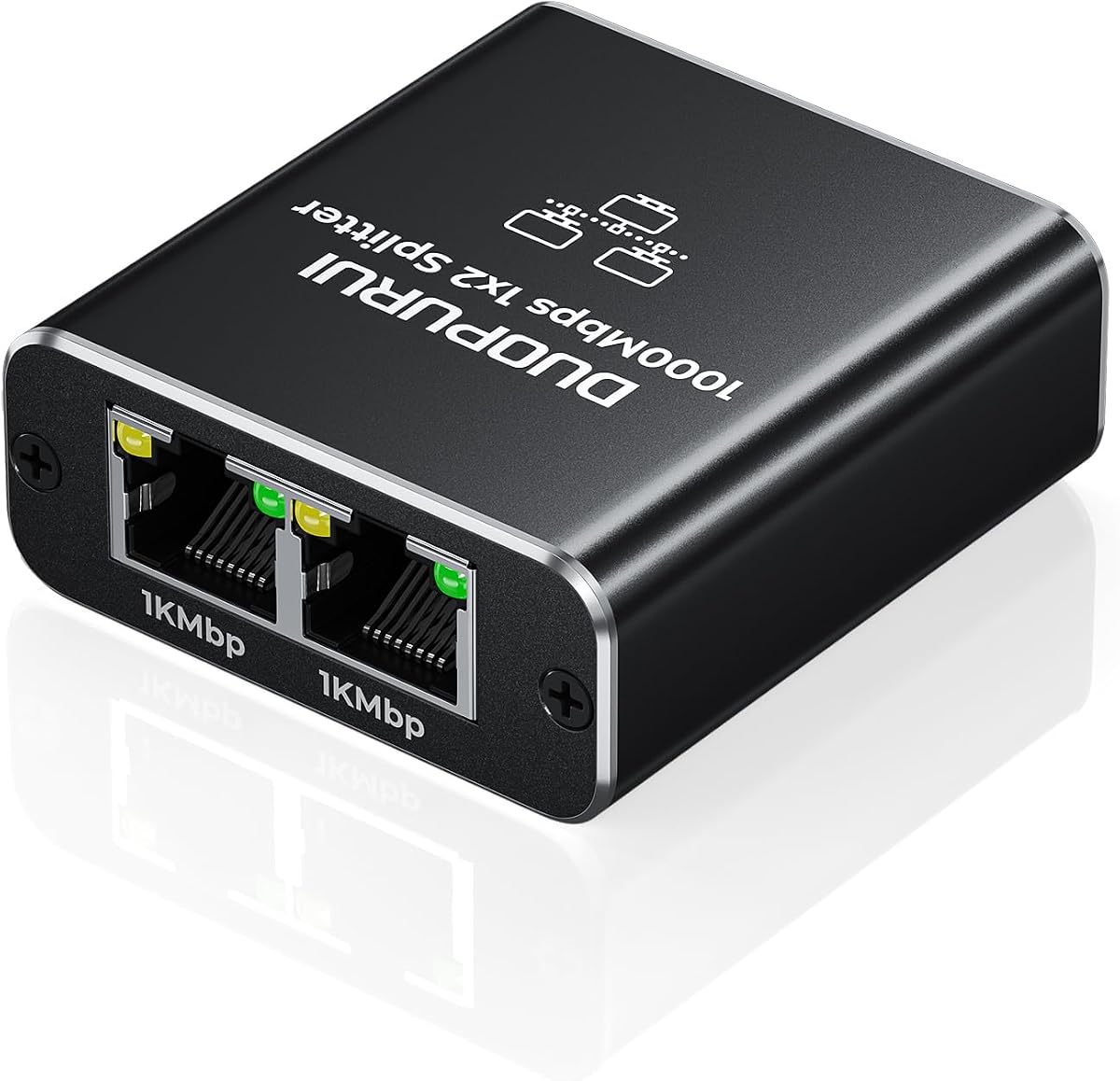
This DUOPURUI Ethernet Splitter expands one Gigabit signal into two independent outputs with a concurrent rate of 1000Mbps for fast performance. It earns a 4.4 rating by solving insufficient network port problems effectively.
We may earn a commission when you buy through this link, at no additional cost to you.
The alloy shell and high-performance circuit board ensure stable signal transmission even in complex scenarios. It perfectly meets needs for 4K HD video online games and large file transfers without dropping connections.
A power adapter is strongly recommended over laptop USB ports for best stability. This requirement ensures the device runs smoothly and provides anti-jamming protection for data security.
Users prioritizing signal stability and durability over extra features will appreciate this rugged design that handles demanding network loads reliably.
All RJ45 ports support up to 1000Mbps transmission rates backward compatible with 10/100Mbps adaptive matching for versatile connectivity.
The high-quality alloy shell safeguards data security and ensures the device withstands regular use in various environments without damage.
We may earn a commission when you buy through this link, at no additional cost to you.
This LIEZHUA Splitter connects one Ethernet port to four devices providing fast and stable connections for everyone. It holds a 4.4 rating by delivering ultra-fast data transfer speeds up to 1000Mbps consistently.
We may earn a commission when you buy through this link, at no additional cost to you.
The design includes a USB power cord and Cat 6 LAN cable so you can plug in and start using immediately. Its lightweight and portable nature makes it easy to carry for office or travel use.
While it requires a USB power source the convenience of four active ports outweighs the minor setup step. It works with various cable types ensuring compatibility with existing setups.
Households or offices needing to connect four devices like streaming a will find this an efficient way to expand wired connectivity easily.
Unlike most splitters that offer two outputs this model connects one port to four devices enabling simultaneous networking for more hardware.
The compact design makes it easy to carry around allowing you to create network connections anywhere without bulky equipment.
We may earn a commission when you buy through this link, at no additional cost to you.
This Internet Splitter features four RJ45 output ports from a single input perfect for expanding wired connections. It carries a 4.4 rating by supporting data transfer speeds up to 1000Mbps reliably.
We may earn a commission when you buy through this link, at no additional cost to you.
The USB-C power cable ensures reliable operation without needing external adapters. You simply connect cables and power source to start using immediately with no configuration required.
It works with Cat5 through Cat8 cables for maximum flexibility in network setups. While it shares bandwidth the stable connection supports most home and office tasks effectively.
Users needing four ports from one line without complex switches will appreciate this straightforward solution for expanding network capabilities.
Ethernet Splitter features 4 RJ45 output ports from a single input perfect for expanding your wired network connections efficiently.
Simple setup with no configuration required just connect your cables and power source to start using right away.
We may earn a commission when you buy through this link, at no additional cost to you.
This Ethernet Splitter Adapter expands network ports without additional cables and includes a Cat 6 cable for immediate use. It holds a 4.3 rating by supporting speeds up to 1000Mbps with seamless connectivity.
We may earn a commission when you buy through this link, at no additional cost to you.
The upgraded transmission chip ensures high-speed connectivity without compromising performance across various settings. Lightweight plastics provide excellent heat dissipation while nickel-plated jacks ensure stable signal transmission.
LED indicators clearly display the working status of each port so you can monitor connections easily. The included cable saves extra purchasing and simplifies initial setup for users.
Those wanting a ready-to-use package with a quality cable and clear status indicators will find this model practical and effective.
Experience seamless network connectivity with this adapter and included Cat 6 cable allowing you to expand your network without requiring additional cables.
With a transmission distance of up to 100 meters this splitter is perfect for sharing a single network in various settings.
We may earn a commission when you buy through this link, at no additional cost to you.
This 1 to 3 Splitter supports three devices sharing a single ethernet line at the same time offering a unique middle ground. With a 4.5 rating it ensures stable data transfer between devices at rates up to 1000M.
We may earn a commission when you buy through this link, at no additional cost to you.
The compact LAN splitter fits easily into laptop travel bags making it suitable for home office hotel and other environments. USB charging cable is included and the aluminum metal material provides durability and stability.
You can run devices like Xbox PS5 and TV simultaneously while playing online games on your PC without rebooting. LEDs on the device help you see which device is active for easy monitoring.
Anyone needing three active ports from a single line without a full switch will find this a flexible and reliable solution.
This Ethernet splitter high speed supports three devices sharing a single ethernet line at the same time helping you expand ports.
The internet splitter is made of high-quality aluminum metal material providing durability stability and efficient heat dissipation.
We may earn a commission when you buy through this link, at no additional cost to you.
This Dockteck Splitter allows three devices to share a single Ethernet line effectively solving connection issues caused by insufficient ports. It earns a 4.5 rating by ensuring stable and reliable data transfer at rates up to 1000Mbps.
We may earn a commission when you buy through this link, at no additional cost to you.
The RJ45 1 to 3 splitter adapter is crafted from high-quality aluminum metal material providing durability and efficient heat dissipation. It supports LAN cables up to 100 meters meeting needs for sharing networks across locations.
You simply plug in the network cable and connect up to three devices at the same time to access the Internet with ease. The lightweight and compact design make it suitable for home office and industrial environments.
Users wanting a sturdy portable three-way split solution with reliable heat management will find this adapter a strong choice.
The RJ45 1 to 3 splitter adapter is crafted from high-quality aluminum metal material providing durability stability and efficient heat dissipation.
It supports the LAN cable up 100 meters network meeting the needs of sharing a network across different locations easily.
We may earn a commission when you buy through this link, at no additional cost to you.
UGREEN offers a stylish Space Grey Ethernet Splitter dividing one-gigabit network into two active networks simultaneously. It holds a 4.5 rating by providing lightning-fast network transmission speeds without crosstalk.
We may earn a commission when you buy through this link, at no additional cost to you.
The aluminum alloy material ensures durability with an eco-friendly PCB board and full metal protection for RJ45 sockets. Gold-plated pin cores ensure no signal crosstalk and interference for safer reliable data transfer.
You simply need a 5V power connection to operate and the design is compact enough to carry in a laptop bag for business trips. It is ideal for fast consistent transfers of large amounts of data.
Users seeking a visually appealing splitter with strong build quality and reliable performance will appreciate this well-engineered option.
The ethernet LAN splitter is made of high-quality aluminum alloy material with full metal protection for RJ45 sockets and gold-plated pin cores.
The design of the internet splitter is compact and lightweight making it highly portable for business trips.
We may earn a commission when you buy through this link, at no additional cost to you.
Choosing the right Internet Splitter involves considering several factors to ensure compatibility and performance for your setup.
Decide how many devices need wired access simultaneously. Some models offer two ports while others provide three or four allowing more flexibility for complex setups.
Choose a model with enough active ports to meet your needs without sharing bandwidth too thin across too many devices.
Ensure the splitter supports Gigabit speeds up to 1000Mbps to match your router and modem capabilities. This prevents bottlenecks that slow down data transfers.
Always verify the splitter supports the speed class of your existing network cables for optimal performance.
Most active splitters require external power via USB cable to maintain stable connections. Check if a power adapter is included or needed separately.
Plan to have an available USB power source nearby for uninterrupted operation of the device.
Verify the splitter works with your current Ethernet cables like Cat 5e Cat 6 or higher. This ensures you do not need to replace existing wiring.
Universal compatibility with Cat 5 through Cat 8 cables provides the best flexibility for your setup.
Metal housings provide better heat dissipation and durability compared to plastic alternatives especially for longer continuous use.
Look for robust construction with shielded ports to protect against interference and signal loss.
Select a plug-and-play model that requires no software installation or configuration for immediate use.
Simple setup saves time and technical hassle for users who want quick network expansion.
Premium models may include advanced security pledges to protect data transmission from vulnerabilities.
Consider security features if handling sensitive information over your wired network.
Compact and lightweight designs are ideal if you need to move the splitter between locations or travel regularly.
A small form factor ensures the device fits easily in bags or behind TVs without clutter.
Begin by connecting one end of your Ethernet cable to your router or modem and the other end to the input port on the splitter.
Connect additional Ethernet cables from the output ports to your devices ensuring all connections are secure and seated properly.
Attach the provided USB power cable to a power adapter and plug it in to activate the splitter for stable operation.
An Internet Splitter expands one Ethernet port into multiple active ports allowing several devices to connect via wired network simultaneously. It manages data traffic to ensure stable connections without requiring a full network switch.
Active Ethernet splitters maintain high speeds by using internal chips to manage traffic but total bandwidth is shared among connected devices. Performance depends on the quality of the splitter and network environment.
Active splitters require external power to run internal electronics that process data signals. This ensures stable connections and prevents signal loss that passive adapters might experience.
Splitters work with wired Ethernet connections not directly with Wi-Fi signals. They expand wired ports on routers which may provide Wi-Fi access but do not create Wi-Fi themselves.
Yes most active splitters support Cat 5 through Cat 8 cables ensuring compatibility with existing wiring. Always check the product specs to confirm your specific cable type is supported.
No setup is straightforward requiring only physical cable connections and power plug-in. No software installation or configuration is needed for most plug-and-play models.
We have explored ten reliable Internet Splitter options ranging from budget-friendly dual-port models to premium aluminum solutions.
Prioritize port count speed compatibility and build quality to ensure long-lasting performance for your network needs.
Always check current availability and specifications before purchasing to confirm the model fits your specific setup perfectly.