
Philips 241V8LB
4.6Editor score
100Hz Refresh Rate
VA Panel Technology
Flicker-Free Design
Finding the right display for your workspace or gaming setup requires careful consideration of screen quality, connectivity options, and overall value. An HDMI LED monitor offers versatile connection options for various devices while delivering clear visuals and reliable performance for daily tasks.
We have analyzed ten highly rated models focusing on their refresh rates, color accuracy, eye care features, and build quality. Each product was evaluated based on user feedback and technical specifications to ensure this list represents the most reliable options available today.
Every selection below highlights specific strengths such as budget-friendly pricing, premium features, or specialized gaming capabilities. Please note that product availability and pricing can fluctuate over time so checking current listings is recommended before making your final purchase decision.
4.6Editor score

4.7Editor score

4.6Editor score
As an Amazon Associate we earn from qualifying purchases.
The following comparison table provides a side-by-side overview of key specifications for all ten monitors featured in this guide to help you quickly identify the model that best fits your specific requirements and budget constraints.






The Sceptre E248W-19203R stands out as a top contender in the budget HDMI LED monitor category with its impressive 100Hz refresh rate and strong color performance. Rated highly by users for its value proposition this 24-inch display delivers crisp visuals suitable for both work and casual gaming experiences.
We may earn a commission when you buy through this link, at no additional cost to you.
Its 99% sRGB color gamut ensures that colors appear vivid and accurate across different media types making it an excellent choice for content creators on a budget. The inclusion of two HDMI ports plus VGA allows seamless connectivity with laptops consoles and older devices without needing extra adapters.
While the stand lacks advanced ergonomic adjustments the monitor is VESA mount compatible which offers flexibility for custom mounting solutions. The built-in speakers provide convenient audio for everyday tasks though dedicated speakers are recommended for immersive entertainment sessions.
Anyone seeking an affordable yet capable display with solid refresh rates and color accuracy will find this monitor delivers significant value. Its balanced feature set makes it a reliable daily driver for students professionals and casual gamers alike.
The 100Hz refresh rate reduces motion blur and screen tearing making fast-paced content and games appear smoother than standard 60Hz displays.
With 99% sRGB coverage the monitor displays accurate and vibrant colors that enhance the viewing experience for photos videos and creative work.
We may earn a commission when you buy through this link, at no additional cost to you.
The Sceptre E275W-19203R offers a larger 27-inch viewing area at an affordable price point making it ideal for users who prioritize screen real estate over high refresh rates. With solid color accuracy and useful gaming modes it remains a strong option for office work and light gaming.
We may earn a commission when you buy through this link, at no additional cost to you.
Its 99% sRGB color gamut ensures images look vibrant and true to life while the Blue Light Shift feature helps reduce eye strain during extended usage. The tiltable stand provides some ergonomic flexibility though VESA mounting is available for more advanced setups.
Gaming specific modes like FPS and RTS optimize display settings for different game genres enhancing the competitive edge. Dual HDMI and VGA ports ensure compatibility with a wide range of devices including modern laptops and legacy systems.
Buyers looking for a spacious budget-friendly monitor with good color performance will appreciate this model's balance of features. It serves well as a secondary screen or primary display for non-intensive gaming tasks.
The 27-inch screen provides ample room for multitasking and media consumption enhancing productivity without a significant cost increase.
Custom FPS and RTS modes adjust contrast and color settings to improve visibility and reaction times in specific game genres.
We may earn a commission when you buy through this link, at no additional cost to you.
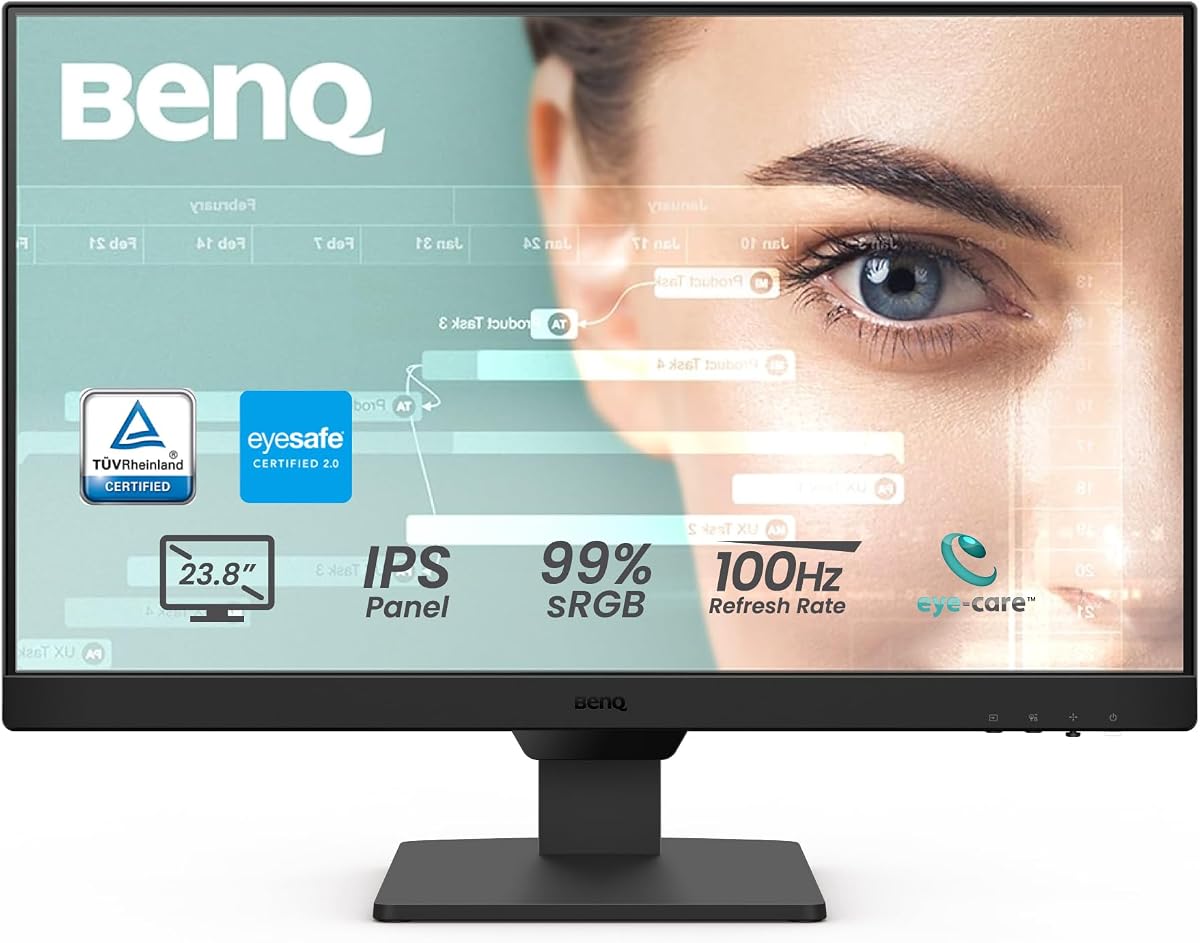
The BenQ GW2490 prioritizes user comfort with advanced eye care technology including Low Blue Light Plus that filters harmful high energy radiation without compromising color quality. Its 100Hz refresh rate and IPS panel ensure smooth motion and consistent colors from wide viewing angles.
We may earn a commission when you buy through this link, at no additional cost to you.
Adaptive brightness automatically adjusts screen levels based on ambient lighting conditions reducing eye strain during long sessions. The Input Hotkey feature allows seamless switching between connected devices making it convenient for users with multiple computers or consoles.
While the stand only offers tilt adjustment the thin bezel design maximizes screen space and supports VESA wall mounting for flexible placement. Built-in speakers add convenience for basic audio needs without requiring external hardware on the desk.
This monitor is an excellent choice for professionals and students who spend long hours in front of the screen and value eye health. Its combination of display quality and comfort features makes it a standout in the mid-range category.
BenQ's Low Blue Light Plus feature reduces harmful blue-violet radiation while maintaining vivid color accuracy for comfortable extended viewing.
Adaptive brightness technology automatically adjusts display brightness to match room lighting reducing eye fatigue throughout the day.
We may earn a commission when you buy through this link, at no additional cost to you.
The Dell SE2426H delivers exceptional performance for gamers with its 144Hz refresh rate and 1ms MPRT response time ensuring smooth tear-free motion during fast-paced action. TÜV 3-star eye comfort certification maintains visual clarity while reducing harmful blue light emissions.
We may earn a commission when you buy through this link, at no additional cost to you.
IPS technology provides excellent color accuracy and consistency across wide viewing angles which is vital for creative work and immersive gaming. AMD FreeSync synchronization matches the monitor refresh rate to your graphics card minimizing screen stutter and input lag.
Despite the basic tilt-only stand the monitor's ultra-thin bezels maximize screen real estate and complement multi-monitor setups. Two HDMI ports allow connection to multiple systems without switching cables constantly for streamlined workflow.
For gamers seeking high refresh rates and fast response times without breaking the budget this monitor offers top-tier specs. Its balance of performance and eye care features makes it the best overall value in its class.
144Hz refresh rate combined with 1ms response time eliminates motion blur and screen tearing for fluid gaming and video experiences.
IPS panel technology ensures accurate colors remain consistent regardless of viewing angle which benefits content creators and gamers alike.
We may earn a commission when you buy through this link, at no additional cost to you.
The Philips 241V8LB offers remarkable value with a 100Hz refresh rate and VA panel technology producing deep blacks and bright whites for high contrast images. Flicker-free technology protects eyes from strain during long working hours making it suitable for office environments.
We may earn a commission when you buy through this link, at no additional cost to you.
Its EasyRead mode adjusts the screen to mimic paper-like reading conditions which reduces eye fatigue when viewing lengthy documents. The virtually bezel-free design on three sides allows for seamless multi-monitor setups enhancing productivity in creative or coding tasks.
While VA panels typically have narrower viewing angles than IPS the wide 178-degree angles on this model mitigate that limitation for most desktop arrangements. VESA mounting support provides flexibility if the included stand does not meet ergonomic needs.
Budget-conscious buyers seeking high refresh rates and solid image quality will find this monitor delivers more than expected. It is a reliable option for general use multimedia and light gaming without premium pricing.
VA panel technology delivers deeper blacks and brighter whites than IPS creating images with more detail and dynamic range.
EasyRead mode changes screen tone to a paper-like appearance reducing strain when working with text-heavy documents or e-books.
We may earn a commission when you buy through this link, at no additional cost to you.
The Dell P2425H prioritizes ergonomic flexibility with a stand offering height tilt swivel and pivot adjustments allowing users to customize their viewing position precisely. This level of adjustability reduces neck strain during long workdays significantly improving overall comfort.
We may earn a commission when you buy through this link, at no additional cost to you.
A robust contrast ratio of 1500:1 ensures deep blacks and clear images suitable for document editing and media consumption. While it lacks high refresh rates it delivers reliable performance for office workflows and productivity tasks requiring consistent visuals.
Built-in premium build quality ensures durability over years of professional use. The 24-inch Full HD resolution balances screen space and pixel density well for standard office applications and web browsing.
Professionals who spend most of their day at a computer will benefit most from the extensive ergonomic controls. Its focus on comfort and reliability makes it an ideal choice for office deployments and home offices.
Full adjustability including height swivel tilt and pivot helps maintain proper posture reducing physical strain during extended work.
Dell's robust build quality ensures consistent performance and durability for daily business use and demanding workloads.
We may earn a commission when you buy through this link, at no additional cost to you.
The BenQ BL2490 features a high-quality anti-glare coating that significantly reduces reflections and glare in bright environments ensuring a clearer view regardless of room lighting. This makes it ideal for offices near windows or spaces with overhead lighting.
We may earn a commission when you buy through this link, at no additional cost to you.
Its 100Hz refresh rate provides smooth visuals suitable for casual gaming and video playback while HDMI and DisplayPort inputs offer versatile connectivity options. A perfect user rating reflects consistent satisfaction with its performance and build quality across different use cases.
The tilt stand allows some ergonomic customization though it lacks height adjustment. The 1300:1 contrast ratio delivers solid image depth and detail for standard office and media tasks.
Users needing a glare-free display for long work hours will appreciate the thoughtful design and reliable performance. Its simplicity and high ratings make it a dependable choice for budget-conscious professionals.
Anti-glare coating diffuses incoming light to minimize reflections and improve visibility in bright or varied lighting conditions.
Both HDMI and DisplayPort connections allow compatibility with modern and older devices without requiring adapters.
We may earn a commission when you buy through this link, at no additional cost to you.
The LG 24U411A-B brings HDR10 support to the 24-inch class allowing for richer colors and improved dynamic range when viewing compatible content. Its 120Hz refresh rate and IPS panel ensure smooth motion and vibrant visuals from virtually any angle.
We may earn a commission when you buy through this link, at no additional cost to you.
Dynamic Action Sync minimizes input lag for faster reactions in games while Black Stabilizer brightens dark scenes to help spot enemies easily. Reader Mode lowers blue light levels for comfortable extended reading or browsing sessions.
The ultra-slim bezels create a borderless aesthetic that supports seamless dual-monitor setups. Flicker Safe technology reduces screen flicker to protect eyes during long-term use improving overall viewing comfort.
Media consumers and casual gamers who value HDR and smooth motion will find this monitor offers premium features at a competitive price. Its blend of performance and eye care makes it a versatile daily display.
HDR10 support expands dynamic range and color depth enhancing realism in supported movies games and streaming content.
Dynamic Action Sync reduces input lag and Black Stabilizer improves visibility in dark scenes for an edge in competitive gameplay.
We may earn a commission when you buy through this link, at no additional cost to you.
The Acer KB220Q H2bi features a compact 21.5-inch form factor ideal for smaller desks or secondary setups. Its ZeroFrame design maximizes screen real estate and allows seamless multi-monitor arrangements without distracting bezels disrupting the view.
We may earn a commission when you buy through this link, at no additional cost to you.
Adaptive-Sync technology matches refresh rates with your graphics card reducing tearing and stuttering in games and videos. A 100Hz refresh rate ensures fluid motion while a fast 1ms response time prevents ghosting in rapid scenes.
Vibrant colors and sharp text at Full HD resolution make this monitor excellent for detailed work despite the smaller dimensions. It suits users prioritizing desk space and clean aesthetics over larger screen sizes.
Those with limited workspace or needing an auxiliary screen will appreciate its small footprint and strong performance. It is a practical choice for students home offices and compact workstations.
ZeroFrame bezel-less design allows more screen area within a compact footprint saving desk space for other peripherals.
Adaptive-Sync and 100Hz refresh rate work together to deliver smooth frame transitions without tearing or stuttering.
We may earn a commission when you buy through this link, at no additional cost to you.
The Dell S2425HSM combines premium features including integrated dual 3W speakers high refresh rates and full ergonomic adjustments in a cohesive package. TÜV 4-star eye comfort certification reduces blue light without sacrificing image quality for healthy long-term viewing.
We may earn a commission when you buy through this link, at no additional cost to you.
Its stand offers height tilt pivot and swivel options for precise customization matching any seating arrangement. AMD FreeSync ensures smooth visuals by synchronizing refresh rates with compatible graphics cards reducing tearing and stuttering.
A 144Hz refresh rate and 1ms response time deliver fluid motion for gaming and video streaming. The Dell Display and Peripheral Manager software optimizes performance across connected devices enhancing workspace efficiency.
Users seeking a complete all-in-one display with robust audio ergonomic flexibility and high refresh rates will value this premium option. It serves well as a primary monitor for demanding professionals and enthusiasts alike.
Dual 3W speakers deliver a wide frequency range eliminating the need for external speakers in basic multimedia use.
Stand adjustments including height tilt pivot and swivel allow perfect positioning to suit user preferences and reduce strain.
We may earn a commission when you buy through this link, at no additional cost to you.
Selecting the right HDMI LED monitor involves evaluating several key technical and ergonomic factors to ensure the display meets your specific usage requirements and budget constraints effectively.
Screen size impacts both workspace comfort and desk space usage with 24 inches being ideal for standard work and 27 inches offering more immersion for media. Resolution determines sharpness and detail clarity where Full HD 1080p remains standard and sufficient for most tasks in these sizes.
Consider your viewing distance and primary use case when selecting size and resolution to ensure text remains readable and images look crisp without pixelation.
Refresh rate measured in Hertz indicates how many times the screen updates per second with higher rates like 100Hz or 144Hz delivering smoother motion crucial for gaming and video. Response time in milliseconds measures how quickly pixels change color and lower times reduce ghosting and blur.
Prioritize high refresh rates and fast response times if you plan on gaming or watching fast motion content to minimize screen tearing and improve visual fluidity.
IPS panels provide the best color accuracy and viewing angles making them suitable for creative work and multi-user viewing. VA panels offer higher contrast ratios and deeper blacks which benefit media consumption but may have narrower viewing angles.
Choose IPS if color consistency matters most and VA if deep contrast and movie viewing take priority for your specific workflow needs.
HDMI remains the most versatile connector for linking laptops gaming consoles and media devices while DisplayPort often supports higher refresh rates on PCs. Additional ports like USB hubs or headphone jacks can reduce cable clutter and add convenience to your setup.
Verify that the monitor has enough HDMI ports and compatible inputs to connect all your devices without requiring frequent cable switching or adapters.
Modern monitors include technologies like Blue Light Shift Flicker-Free and adaptive brightness to reduce eye strain during extended work sessions. TÜV certification validates these claims ensuring the display meets recognized safety standards for visual comfort.
Look for monitors with certified eye care features if you spend many hours daily at the screen to maintain comfort and reduce fatigue.
Stands offering height tilt swivel and pivot adjustments enable proper posture and reduce neck strain over long use. VESA compatibility allows wall mounting or use with third-party arms if the included stand lacks desired flexibility.
Evaluate stand adjustability based on your workspace setup to ensure the screen can be positioned at the correct height and angle for comfort.
Brands with established reputations often provide better build quality reliable performance and longer warranty terms that protect your investment. Customer reviews can offer insights into longevity and service quality that might not be evident from specifications alone.
Check warranty length and support policies carefully to ensure peace of mind and reliable assistance in case of defects or issues.
Balancing price with essential features ensures you get the best performance per dollar without overspending on unnecessary capabilities. Entry models cover basic needs while mid-range and premium tiers add benefits like high refresh rates ergonomic stands or better color accuracy.
Determine which features matter most to your workflow before buying to avoid overspending on specs you won't use regularly.
Always connect your monitor to a surge protector to protect sensitive electronics from power spikes and ensure a stable power source. Use high quality HDMI cables that support the refresh rates and resolution of your display to avoid signal issues.
Keep the screen clean by gently wiping it with a soft microfiber cloth to avoid scratches. Avoid using chemical cleaners or spraying liquid directly onto the panel to prevent moisture damage to internal components.
Adjust brightness and contrast settings based on ambient light to reduce eye strain and maintain image clarity. Activate any built-in eye care modes like Blue Light Filter when working during nighttime hours for better comfort.
For casual gaming 75Hz to 100Hz provides smooth motion suitable for most titles. Competitive players should prefer 144Hz and higher for minimal input lag and fluidity. Ensure your graphics card can support these rates for best performance.
Yes most HDMI LED monitors are compatible with Mac computers via HDMI or adapters. macOS supports standard resolutions and refresh rates provided by these displays for basic productivity and media tasks.
Use built-in Blue Light Shift or Reader Mode settings to filter high energy blue light. Adjust brightness and contrast to comfortable levels and consider software solutions to control color temperature based on time of day.
VESA mounts are helpful when you need greater height or arm flexibility than the stand offers. They allow wall mounting or third-party monitor arms to optimize viewing angles and save desk space efficiently.
HDMI is universal for TVs and consoles while DisplayPort supports higher refresh rates and resolutions on PCs. Most monitors include both so you can choose based on connected device capabilities and cable availability.
No not all monitors have integrated speakers. Many budget models omit them while mid-range and premium options include basic audio suitable for notifications and casual media playback.
Yes many monitors with IPS panels and 99% sRGB color gamut are suitable for professional design. Check specifications for color accuracy and calibration tools if precision is critical.
LED monitors generally last between five to ten years depending on usage and build quality. Proper care like avoiding excessive brightness and protecting from power surges helps extend lifespan.
The top picks in this guide including the Dell SE2426H and Philips 241V8LB represent the best balance of performance features and value available in November 2026. Each model offers distinct strengths whether you prioritize refresh rates eye care or ergonomics.
Consider your primary usage and budget when selecting from this list to ensure the monitor supports your workflow effectively. High refresh rates benefit gamers while ergonomic features help professionals who spend long hours on-screen.
Prices and availability change frequently so reviewing current listings and deals before purchasing will help secure the best value. Checking user feedback can also confirm that a model meets your expectations for reliability and performance.