
AOC 27 Gaming Monitor FHD 260Hz
4.6Editor score
260Hz overclocked refresh rate
Adaptive-Sync technology support
Frameless design for multi-setup
Finding the right display can transform your digital experience significantly. Aoc monitors offer a wide range of options catering to gamers, professionals, and casual users alike with diverse screen sizes and technologies.
We evaluated ten standout models based on performance metrics, build quality, and user feedback. Our comparison covers everything from budget-friendly FHD screens to high-end OLED panels designed for competitive play.
Each selection highlights unique strengths tailored to specific needs. Please note that availability and pricing fluctuate frequently, so verify details before making your final purchase decision.
4.6Editor score

4.6Editor score
4.4Editor score
As an Amazon Associate we earn from qualifying purchases.
The following table provides a side-by-side overview of key specifications across all ten selected models to help you quickly identify the best fit for your setup.


The AOC 27 Gaming Monitor stands out as a top-tier choice for competitive gamers seeking high performance without compromising on image quality. With a rating of 4.6 stars, it reflects strong user satisfaction regarding its speed and visual fidelity. The combination of QHD resolution and an overclocked 260Hz refresh rate makes it a powerhouse for fast-paced titles.
We may earn a commission when you buy through this link, at no additional cost to you.
Its IPS panel ensures that colors remain vivid and consistent across wide viewing angles, which is crucial for multiplayer sessions where multiple people might view the screen. The 0.3ms MPRT response time minimizes motion blur, allowing players to track enemies with precision. Adaptive-Sync support further enhances the experience by preventing screen tearing during intense gameplay moments.
While the monitor offers tilt adjustment, it lacks more extensive ergonomic features like height or pivot adjustments, which might be a limitation for users needing specific positioning. Additionally, the absence of a USB hub means you may need external solutions for connecting peripherals. However, these trade-offs are acceptable given the primary focus on raw gaming performance and visual clarity.
This model is ideal for enthusiasts who prioritize smooth motion and sharp details in their gaming setup. Whether you are playing competitive shooters or immersive RPGs, the balance of speed and resolution provides a significant advantage. For those seeking a reliable, high-speed display, this AOC monitor delivers excellent value and performance.
The 260Hz refresh rate paired with a 0.3ms response time ensures that fast-moving objects appear sharp and clear, reducing motion blur significantly.
The QHD resolution on a 27-inch screen offers a sweet spot for detail and pixel density, providing a crisp image without requiring excessive graphics card power.
We may earn a commission when you buy through this link, at no additional cost to you.
The AOC 27 Gaming Monitor FHD 260Hz offers an impressive balance of speed and affordability. With a 4.6 rating, it is highly regarded by users who want competitive performance without a premium price tag. The 260Hz overclocked refresh rate allows for incredibly smooth gameplay, making it a strong contender for budget-conscious gamers.
We may earn a commission when you buy through this link, at no additional cost to you.
Its IPS panel provides excellent color reproduction and wide viewing angles, ensuring that the image looks good from any position. The monitor supports Adaptive-Sync technology, which synchronizes the refresh rate with your graphics card to eliminate screen tearing. Additionally, flicker-free technology helps reduce eye strain during long gaming sessions.
The primary trade-off is the Full HD resolution, which offers less detail compared to QHD or 4K models. The stand also offers basic tilt functionality without height adjustment. Despite these limitations, the speed and color quality make it a compelling choice for those focused on frame rates rather than pixel density.
This monitor is perfect for players who prioritize smooth motion and responsive controls. It is also suitable for users who need a large screen for general productivity tasks alongside gaming. If you are looking for high-speed performance on a budget, this AOC model is a smart investment.
With a 260Hz overclocked refresh rate, this monitor delivers buttery smooth motion that gives you a competitive edge in fast-paced games.
Flicker-Free and Low Blue Light technologies are integrated to help reduce eye fatigue, allowing for longer and more comfortable gaming sessions.
We may earn a commission when you buy through this link, at no additional cost to you.
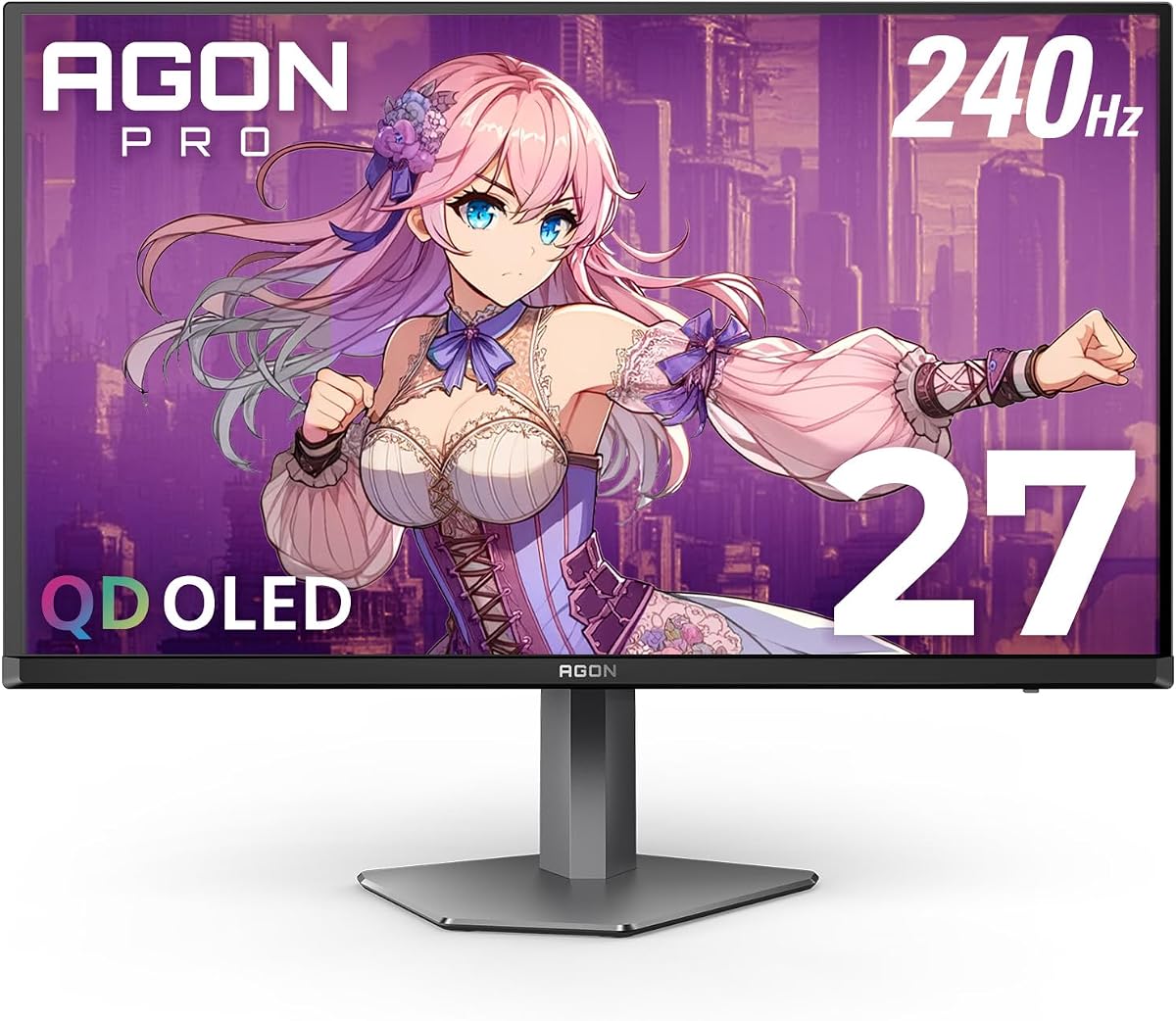
The AOC Agon Pro 27 Inch Gaming Monitor represents the pinnacle of display technology for enthusiasts. Rated 4.4 stars, it appeals to users seeking the best possible visual fidelity. The QD OLED panel delivers perfect blacks and infinite contrast, creating an immersive experience that LCD panels cannot match.
We may earn a commission when you buy through this link, at no additional cost to you.
With a 240Hz refresh rate and a 0.03ms response time, this monitor eliminates motion blur almost entirely. The wide color gamut ensures that images look rich and lifelike. HDR10 support enhances dynamic range, making bright highlights and dark shadows pop realistically on screen.
The main drawbacks are the higher cost compared to standard LCDs and the inherent risk of burn-in with static content, though AOC includes features to mitigate this. Additionally, OLED panels may not reach the same peak brightness as top-tier Mini-LED displays in very bright rooms. However, for contrast and color, nothing currently rivals this technology.
This monitor is best suited for serious gamers and creatives who demand the highest image quality. If you want a display that transforms your setup into a visual masterpiece, the Agon Pro is a worthy investment. It is also excellent for console gaming where deep blacks enhance cinematic scenes.
The self-luminous OLED technology allows each pixel to turn off independently, resulting in true blacks and an infinite contrast ratio for deep immersion.
A 0.03ms GTG response time ensures that there is virtually no ghosting or lag, making fast action scenes incredibly clear and sharp.
We may earn a commission when you buy through this link, at no additional cost to you.
The AOC 27 Inch Computer Monitor is designed primarily for productivity and multimedia consumption. With a 4.2 rating, it serves well for users who prioritize sharp text and detailed images over gaming speed. The 4K UHD resolution provides an abundance of screen real estate for multitasking and editing work.
We may earn a commission when you buy through this link, at no additional cost to you.
Its IPS panel ensures accurate colors and wide viewing angles, which is beneficial for photo editing and general office work. The inclusion of built-in speakers simplifies the setup by reducing cable clutter. The frameless design enhances aesthetics, making it easy to integrate into a clean workspace or multi-monitor array.
While it is capable of handling media well, the refresh rate is not optimized for competitive gaming. It lacks adaptive sync technology which is standard in gaming models. However, for static content like documents, spreadsheets, or design work, the high resolution is a significant advantage.
This monitor is ideal for professionals who need crisp visuals and a clutter-free desk. It is also a good choice for secondary displays in a dual-monitor setup. If you work with detailed graphics or text daily, this AOC monitor offers the clarity and convenience you need.
The 4K resolution ensures that text is crisp and images are detailed, reducing eye strain during long work hours.
Built-in speakers and a frameless design help maintain a tidy desk environment without needing extra peripherals or bulk.
We may earn a commission when you buy through this link, at no additional cost to you.
The AOC 32 Inch Curved Gaming Monitor offers an immersive experience for both gaming and movies. Rated 4.3 stars, it is favored by users who enjoy wrapping their view around the screen. The 32-inch size combined with a 1500R curve creates a sense of depth that flat screens lack.
We may earn a commission when you buy through this link, at no additional cost to you.
Its VA panel delivers deep blacks and high contrast, making dark scenes look rich and detailed. The 180Hz refresh rate ensures smooth gameplay, and HDR support adds depth to visuals. Connectivity options include multiple HDMI and DisplayPort inputs, supporting various devices easily.
While VA panels generally have slower pixel transitions than IPS, this model manages to keep ghosting minimal. The curvature might take time to get used to if you are coming from flat monitors. For a large-screen experience, this trade-off is often considered worth it for the immersion provided.
This monitor is perfect for users who want a large, engaging display for sim racing or flight sim games. It also works well for casual gaming and media consumption. If you value immersion and contrast over absolute sharpness, this curved model is a top choice.
The 1500R curvature wraps around your natural field of view, creating a more immersive experience that reduces eye movement.
The VA panel technology provides deep blacks and high contrast ratios, enhancing the visual depth of movies and games.
We may earn a commission when you buy through this link, at no additional cost to you.
The AOC C32G2ZE 32 Curved Monitor is a specialized choice for simulators and competitive players. With a 4.6 rating, it is praised for its smooth performance and immersive screen shape. The 240Hz refresh rate on a 32-inch curved panel ensures fluid motion without compromising on screen real estate.
We may earn a commission when you buy through this link, at no additional cost to you.
Its VA panel provides deep blacks which are excellent for dark games. The FreeSync Premium support ensures synchronized visuals with compatible AMD cards. Low input lag and adaptive sync technology make this a responsive choice for fast-paced action and racing games.
The resolution is Full HD, which may appear less sharp on a 32-inch screen compared to QHD models. However, for gaming where motion is prioritized over static text, the blur remains manageable. The lack of height adjustment is a minor ergonomic limitation for some users.
This monitor is best for sim racers or FPS gamers who want a wide field of view. The curve helps reduce eye tracking distance. If you prioritize speed and immersion over pixel sharpness, this model delivers a high-performance experience.
The 32-inch curve wraps around your vision, making it easier to track peripheral action in racing and simulation games.
A 240Hz refresh rate provides incredibly smooth frame transitions, giving you a competitive edge in fast-paced multiplayer titles.
We may earn a commission when you buy through this link, at no additional cost to you.
The AOC 27 Gaming Monitor QHD 240Hz offers high-end OLED performance in a standard 27-inch form factor. Rated 4.4 stars, it delivers stunning visuals with perfect blacks and vibrant colors. The 240Hz refresh rate makes it suitable for high-frame-rate gaming without sacrificing image quality.
We may earn a commission when you buy through this link, at no additional cost to you.
Its QD OLED panel provides a wide color gamut, covering a significant portion of DCI-P3. This makes content creation and gaming look incredibly lifelike. HDR10 support ensures that highlights and shadows are displayed with precision. G-Sync compatibility adds smooth gameplay across NVIDIA GPUs.
While it shares the benefits of OLED, the high cost requires a significant budget. Care must be taken to avoid static image burn-in, though AOC includes features to mitigate this risk. For users wanting the best visual experience, these costs are often justified by the quality.
This model is ideal for users who want top-tier contrast and speed in a compact size. It serves well for both competitive gaming and media consumption. If you seek premium visuals without the larger footprint of 32-inch screens, this monitor is a great fit.
The QD OLED technology provides over a billion colors and wide gamut coverage, making every image pop with realism.
Unlike LCDs, the OLED panel can turn off individual pixels completely, resulting in true blacks and an infinite contrast ratio.
We may earn a commission when you buy through this link, at no additional cost to you.
The AOC Agon Pro AG276QZD2 is designed to maximize console and PC gaming experiences. With a 4.4 rating, it stands out for its combination of OLED quality and console-friendly features. The HDMI 2.1 ports support 120Hz gaming on modern consoles, making it a perfect match for PS5 and Xbox Series X.
We may earn a commission when you buy through this link, at no additional cost to you.
Its OLED panel delivers deep blacks and fast response times, ensuring visuals are sharp and motion is fluid. The USB hub simplifies connectivity for controllers and headsets. Height adjustment allows for ergonomic customization, which is crucial for long gaming sessions.
The high price reflects the premium technology inside, and brightness may not match high-end mini-LEDs in very bright rooms. However, for color accuracy and contrast, it remains a top contender. It is designed for users who want a one-stop shop for both console and PC use.
This monitor is best for gamers who want a single display for all platforms. The combination of features and visual quality makes it a versatile choice. If you own a next-gen console and want the best image quality, this AOC monitor is highly recommended.
With HDMI 2.1 support, you can unlock full 120Hz performance on compatible consoles for buttery smooth gameplay.
The built-in USB hub reduces cable clutter by allowing direct connection of peripherals to the monitor itself.
We may earn a commission when you buy through this link, at no additional cost to you.
The AOC 22B30HM2 21.5 Monitor is a compact solution for those with limited desk space. With a 4.7 rating, it is highly appreciated for its value and flexibility. The smaller 21.5-inch form factor makes it easy to fit into tight corners or as a secondary display.
We may earn a commission when you buy through this link, at no additional cost to you.
It supports FreeSync for smooth gaming and includes flicker-free technology to protect eyes during long sessions. The VESA mount compatibility allows for easy integration with wall mounts or monitor arms. This flexibility is rare in budget-friendly models.
While the refresh rate is lower than premium models, it is still smooth enough for casual gaming. The VA panel ensures decent contrast, though viewing angles are narrower than IPS. For the price, the feature set offers significant value for small setups.
This monitor is ideal for students or those in small apartments who need a functional screen. It is also perfect for a secondary monitor for monitoring chats or music. If space is at a premium, this AOC option provides practical utility.
The 21.5-inch footprint is perfect for small desks, leaving room for other essentials without sacrificing screen utility.
VESA compatibility allows you to mount the monitor on a wall or arm, freeing up valuable desk space for your workspace.
We may earn a commission when you buy through this link, at no additional cost to you.
The AOC 24 Gaming Monitor FHD 200Hz hits a sweet spot for mid-range buyers. With a 4.6 rating, it delivers high speed in a popular 24-inch size. The IPS panel ensures vibrant colors, while the 200Hz refresh rate keeps action smooth and responsive.
We may earn a commission when you buy through this link, at no additional cost to you.
It supports Adaptive-Sync and low input lag, making it great for competitive shooters. The frameless design is perfect for multi-monitor setups where seamless visuals are important. Console compatibility means it can handle high refresh rates on modern hardware effectively.
The stand offers limited ergonomic adjustments, and there is no USB hub for extra connectivity. However, these omissions are common in this price range. The combination of color quality and speed makes it a well-rounded choice for general gaming.
This monitor is best for those who want a reliable main display without overspending. It balances performance and cost well for most users. If you are looking for a standard 24-inch screen with gaming performance, this AOC monitor is a solid choice.
A 200Hz refresh rate ensures that fast-paced games run smoothly, giving you a competitive edge in action titles.
The frameless design makes it easy to connect multiple screens, allowing for a seamless and immersive multi-monitor setup.
We may earn a commission when you buy through this link, at no additional cost to you.
Choosing the right AOC monitor depends on your specific needs, whether for gaming, work, or general use. This guide outlines the key factors to consider.
Resolution determines how sharp the image appears. 1080p is standard for 24-inch screens, while 1440p or 4K is better for 27 inches and larger. Larger screens offer more workspace but may require more powerful graphics hardware to drive higher resolutions.
For gaming, a balance between pixel density and frame rate is crucial. Consider your desk space and viewing distance when selecting the physical dimensions of the monitor.
Refresh rate measured in Hertz indicates how many times the screen updates per second. Higher rates like 144Hz or 240Hz make motion smoother, which is critical for competitive gaming. Lower rates are acceptable for office work or video consumption.
Ensure your graphics card can support the monitor's refresh rate to avoid bottlenecking. Look for models with Adaptive-Sync technology to match the display with your GPU output.
IPS panels offer the best color accuracy and viewing angles, making them ideal for creative work and general use. VA panels provide better contrast and deeper blacks, which suits dark gaming environments. OLED offers superior contrast and speed but at a higher price.
Choose a panel based on your priority. If color consistency is key, go with IPS. If you prefer deep blacks and contrast, consider VA or OLED options.
Response time measures how quickly a pixel changes color. Lower response times reduce motion blur and ghosting, which is vital for fast-paced gaming. Aim for 1ms or lower for competitive titles.
While response time is important, it often correlates with color performance. Ensure the monitor meets both speed and quality standards for your specific gaming needs.
Check for the ports your devices need. HDMI and DisplayPort are standard for PCs and consoles. USB hubs can help with peripheral management. Ensure the cables support the refresh rates and resolutions you plan to use.
Future-proofing your setup with newer port standards like HDMI 2.1 or DisplayPort 1.4 ensures compatibility with upcoming hardware upgrades.
A monitor stand should allow for height, tilt, and pivot adjustments to maintain a comfortable viewing angle. Poor ergonomics can lead to neck strain over time. VESA mounting compatibility offers flexibility for third-party arms or wall mounts.
If the included stand is limited, budget for a VESA mount arm. This adjustment freedom significantly improves long-term comfort.
Features like flicker-free technology and low blue light filters help reduce eye fatigue during long sessions. These are essential for productivity and extended gaming. Look for certifications if you work late hours.
Prioritizing eye comfort ensures that you can use the monitor for longer periods without discomfort or health concerns.
Prices vary significantly based on panel technology and speed. Set a realistic budget that balances features with what you actually need. Check the warranty terms, especially regarding pixel defects or burn-in for OLED models.
A longer warranty provides peace of mind for expensive investments. Always verify the manufacturer's support policies before purchasing.
To ensure the best image quality, calibrate your display settings according to your environment. Adjust brightness and contrast to match ambient lighting to reduce eye strain. Use built-in presets to tailor the screen for specific tasks like gaming or photo editing.
Clean the screen gently with a microfiber cloth to avoid scratches. Avoid using harsh chemicals or sprays directly on the panel. Regular dusting prevents debris from accumulating on vents or bezels.
Protect your monitor from power surges by using a quality surge protector. Turn off the display completely when not in use to prevent burn-in. Ensure proper ventilation to keep internal components cool during long sessions.
IPS panels generally offer better color accuracy and wider viewing angles, making them ideal for creative work. VA panels provide higher contrast ratios and deeper blacks, which can look better in dark gaming environments.
Higher refresh rates provide smoother motion and reduced input lag, which benefits even casual players. However, if you only play slow-paced games, a standard 60Hz or 75Hz monitor may suffice.
Yes, many models support HDMI connections and high refresh rates compatible with modern consoles. Ensure the monitor has HDMI 2.1 for the best experience on next-gen devices.
Enable Game Mode or Low Input Lag settings in the OSD menu. Ensure your graphics card drivers are up to date and use a direct HDMI or DisplayPort connection instead of adapters.
Adaptive-Sync synchronizes the monitor's refresh rate with the graphics card to prevent screen tearing. It creates a smoother visual experience by matching frame outputs with display updates.
Many models include tilt adjustments, but height and pivot features vary by model. Check the specific product details if you require full ergonomic adjustability.
Use built-in pixel shift features and avoid static content for long periods. Enable screen savers and ensure the monitor is turned off when not in use to maintain panel health.
The range of AOC monitors available offers excellent options for every type of user. From high-speed OLED models to budget-friendly FHD screens, there is a perfect fit for any setup.
Prioritize your specific needs such as resolution, refresh rate, and size to narrow down your choices. A well-chosen monitor can significantly enhance your productivity and gaming experience.
Prices and availability change frequently, so review current stock before buying. Investing in the right display ensures long-term satisfaction and optimal performance.