
Yilador Webcam Cover 3 Pack
4.3Editor score
Value pack of three
Stylish thin profile
Strong adhesive hold
This guide compares the top 10 laptop webcam covers for privacy and security, evaluating thinness, durability, compatibility, and ease of use to help you
In an era where digital privacy is paramount, securing your laptop camera is essential. A high-quality webcam cover provides a physical barrier against unauthorized access, ensuring peace of mind during daily tasks and remote work sessions.
We evaluated ten top-rated webcam covers based on their design, material quality, compatibility with various devices, and user feedback. Our analysis focuses on practical features like ultra-thin profiles, adhesive strength, and sliding mechanisms to determine the most reliable options available.
Each product selection highlights specific strengths and potential limitations to guide your decision-making process. Please note that availability and pricing may vary over time, so checking current listings is recommended before making a final purchase decision.
4.3Editor score

4.5Editor score
4.3Editor score
The following table provides a side-by-side comparison of all ten selected webcam covers, highlighting their key specifications and unique features to help you quickly identify the best fit for your specific device and privacy needs.


The CloudValley Laptop Camera Cover Slide stands out as a top choice for users seeking a balance of privacy and aesthetics. With a rating of 4.5 stars, it offers a durable metal construction that ensures longevity while maintaining an ultra-thin profile.
We may earn a commission when you buy through this link, at no additional cost to you.
Its space aluminum alloy design complements the look of modern laptops without adding bulk. The cover slides smoothly to block the camera lens when not in use, providing reliable protection against unauthorized access without obstructing the indicator light.
While the adhesive is generally strong, some users might find it weakens after extended use, requiring reapplication. However, the ease of installation and removal makes this a minor inconvenience compared to the robust privacy protection it offers.
This cover is ideal for professionals and students who prioritize security and style. Its broad compatibility with various laptops and tablets makes it a versatile choice for anyone looking to enhance their digital privacy effortlessly.
The metal construction ensures durability and resistance to wear, making it a long-lasting solution for privacy needs.
Its ultra-thin design allows laptops to close properly without obstruction, maintaining device functionality and portability.
We may earn a commission when you buy through this link, at no additional cost to you.
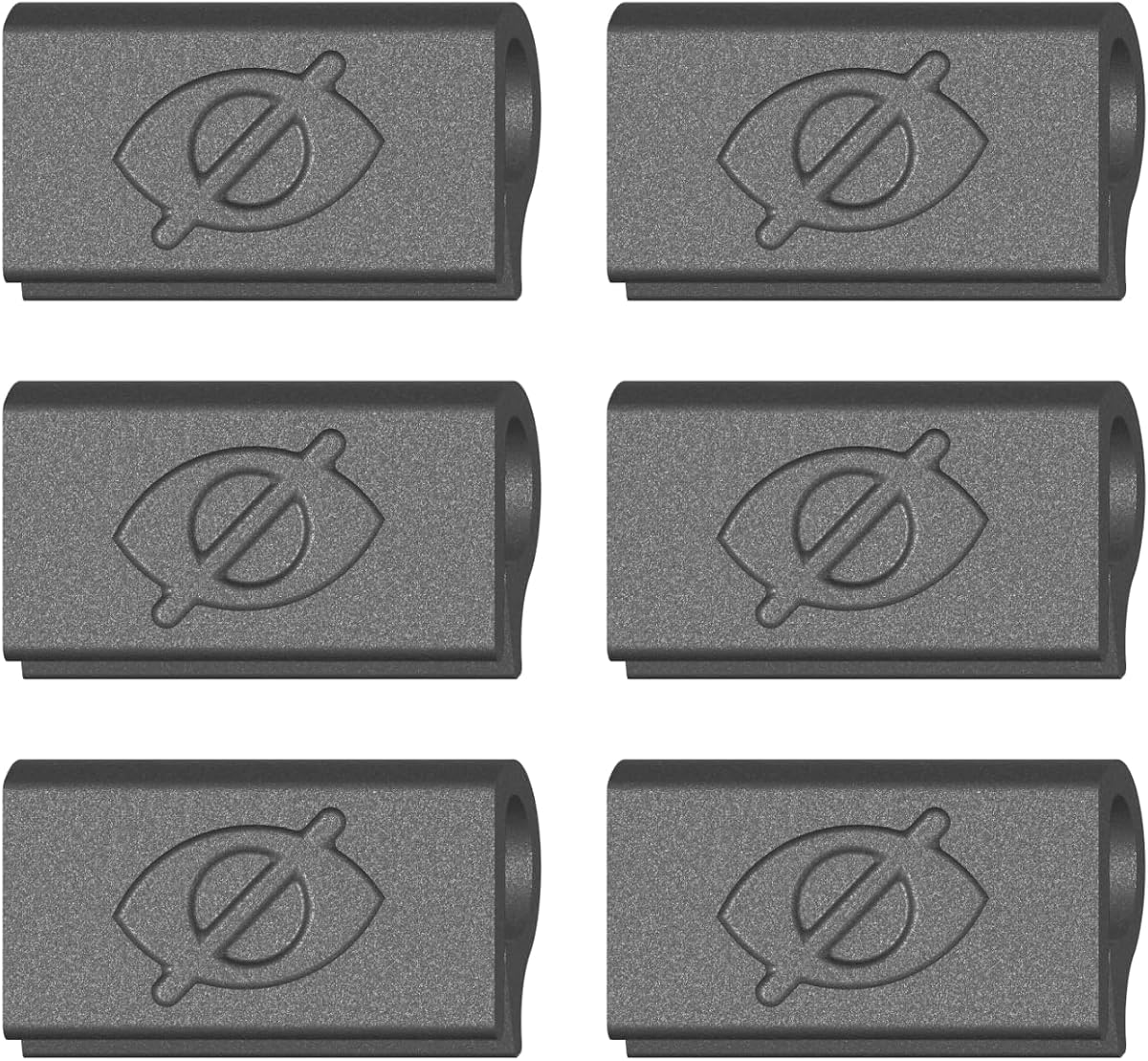
The Yilador Webcam Cover 3 Pack offers exceptional value for budget-conscious consumers looking to secure multiple devices. With a 4.3-star rating, it provides reliable privacy protection across laptops, tablets, and even smartphones.
We may earn a commission when you buy through this link, at no additional cost to you.
Its ultra-thin design ensures that the cover does not interfere with laptop lid closure, maintaining the sleekness of your device. The adhesive backing is designed to hold firmly without damaging the surface, ensuring long-term use.
While effective, users should be cautious with newer MacBook models due to potential fit issues. Additionally, the adhesive might leave some residue upon removal, so careful application and removal are recommended.
This product is perfect for families or small offices needing to protect multiple devices. Its combination of affordability, durability, and ease of use makes it a standout choice for everyday privacy protection.
Buying a pack of three allows for coverage across multiple devices at an affordable price point.
Designed to work with a wide range of devices, including phones and tablets, enhancing its utility.
We may earn a commission when you buy through this link, at no additional cost to you.
For users with external Logitech webcams, the CloudValley Webcam Cover offers a tailored solution that ensures privacy and lens protection. With a high rating of 4.6 stars, it is praised for its precise fit and functionality.
We may earn a commission when you buy through this link, at no additional cost to you.
The cover features a flip mechanism that allows for quick and easy access to the camera when needed. This design prevents dust and scratches from damaging the lens, extending the lifespan of your webcam.
While highly effective for Logitech models, it is not compatible with other brands, limiting its versatility. However, the dedicated 18-month support provides additional peace of mind for buyers seeking reliable customer service.
This cover is ideal for professionals relying on high-quality external webcams for streaming or conferencing. Its specialized design and high rating make it a top choice for maintaining webcam performance and privacy.
Designed exclusively for Logitech models to ensure a perfect fit and seamless operation.
Protects the lens from dust and scratches, preserving image quality and device longevity.
We may earn a commission when you buy through this link, at no additional cost to you.
The Webcam Cover Slide for Laptop Clip-On distinguishes itself with a unique clip-on design that eliminates the need for adhesive. This feature makes it ideal for users who frequently change devices or dislike sticky residues.
We may earn a commission when you buy through this link, at no additional cost to you.
Made from flexible TPU, the cover grips the bezel securely without damaging the device. Its slim profile allows laptops to close normally, ensuring uninterrupted use while maintaining privacy when needed.
While highly versatile, it may not fit devices with thick cases or non-standard bezels. Users should verify their device's design before purchase to ensure a snug and effective fit.
This product is perfect for privacy-conscious individuals who value convenience and device integrity. Its American-made quality and comprehensive 6-pack offering make it a premium choice for reliable privacy protection.
The clip-on mechanism ensures no sticky residue is left on your device when removed.
Crafted in the USA, ensuring high-quality standards and reliable product performance.
We may earn a commission when you buy through this link, at no additional cost to you.
The Laptop Camera Cover Slide 6 Pack offers a bulk solution for securing multiple devices at once. With a 4.2-star rating, it provides practical privacy protection that is both effective and affordable.
We may earn a commission when you buy through this link, at no additional cost to you.
Its ultra-thin design ensures that the cover does not interfere with laptop functionality, while the flexible ABS material offers durability. The strong adhesive backing keeps the cover securely in place, ensuring reliable privacy.
However, the adhesive might require careful application to avoid bubbles or misalignment. Additionally, the material may not be as durable as metal options, potentially affecting long-term use.
This pack is ideal for families or offices needing to cover several devices simultaneously. Its balance of affordability, flexibility, and privacy makes it a solid choice for widespread protection.
A six-pack option that provides extensive coverage for multiple devices at a competitive price.
Made from ABS material that offers durability and flexibility, ensuring a snug fit on various devices.
We may earn a commission when you buy through this link, at no additional cost to you.
The JOS California 9 Pack provides an extensive variety of webcam covers in different sizes and shapes. With a rating of 4.1 stars, it caters to users needing to cover diverse devices, from laptops to phones.
We may earn a commission when you buy through this link, at no additional cost to you.
The pack includes large, medium, and small options, ensuring a fit for most cameras. Its universal design and easy installation make it a practical choice for securing multiple screens without hassle.
Users may find that certain sizes do not perfectly fit specific devices, requiring trial and error. Additionally, the adhesive might leave some residue, so careful application is advised.
This variety pack is perfect for those with multiple devices of varying sizes. Its comprehensive set ensures that every camera can be protected, making it a versatile and convenient solution.
Includes nine covers in three sizes to fit a wide range of devices and camera shapes.
Simple installation process allows for quick setup and reliable privacy protection across devices.
We may earn a commission when you buy through this link, at no additional cost to you.
The Webcam Cover Slide No Adhesive offers a practical solution for users seeking a residue-free privacy option. With a rating of 3.6 stars, it provides a convenient way to protect cameras without sticky backings.
We may earn a commission when you buy through this link, at no additional cost to you.
Its slide-on mechanism allows for easy access to the camera lens when needed, and the flexible material ensures a secure fit. This design prevents any damage to the device's surface during installation or removal.
However, some users report fit issues on devices with thick bezels, which might affect stability. Additionally, the lower rating suggests varying levels of satisfaction among customers regarding long-term performance.
This cover is suitable for those prioritizing device cleanliness and ease of use. Its American-made quality and reusable design make it a viable option for maintaining privacy across multiple devices.
The slide-on design eliminates the need for adhesive, ensuring no sticky residue on your devices.
Constructed from flexible materials that adapt to different bezel shapes for a secure and safe fit.
We may earn a commission when you buy through this link, at no additional cost to you.
The Jungle Deer Pattern Cover brings a touch of style to privacy protection with its unique and cute designs. With a 4.4-star rating, it combines functionality with aesthetics, making it appealing to users who value appearance.
We may earn a commission when you buy through this link, at no additional cost to you.
Its large opening ensures that the cover does not obstruct the camera lens, allowing for clear visibility when in use. The 360-degree rotation feature adds versatility, enabling users to switch views as needed.
While visually appealing, some users report that the patterns might wear off over time. Additionally, the adhesive could be challenging to apply smoothly, which may affect the overall look.
This cover is perfect for those who want to express their personality while maintaining privacy. Its combination of style and utility makes it a standout choice for personalizing your device.
Cute patterns allow users to express their style while keeping their camera protected from prying eyes.
The large opening design ensures that the camera lens remains unobstructed for clear video calls.
We may earn a commission when you buy through this link, at no additional cost to you.
The Logitech Lens Cover Slider is specifically designed for content creators using Logitech webcams. With a 4.6-star rating, it offers reliable privacy and lens protection, ensuring optimal performance during streaming or recording.
We may earn a commission when you buy through this link, at no additional cost to you.
Its slider mechanism allows for quick and smooth access to the camera, minimizing disruption during use. This design helps prevent dust and scratches, maintaining the high quality of video output.
While highly effective, it is limited to specific Logitech models, which may not suit users with different webcams. Users should ensure compatibility before purchase to avoid any fit issues.
This cover is ideal for professionals who rely on consistent video quality and privacy. Its specialized design and high rating make it a top choice for creators prioritizing performance.
Protects your webcam lens from dust and scratches, preserving image clarity for high-quality video.
The slider mechanism ensures you can easily open and close the cover without interrupting your workflow.
We may earn a commission when you buy through this link, at no additional cost to you.
The MESMOS Cute Cover is tailored for MacBook users seeking a blend of privacy and style. With a 4.4-star rating, it offers an adorable design that complements Apple devices while providing essential security.
We may earn a commission when you buy through this link, at no additional cost to you.
Its slim profile ensures that it does not interfere with the laptop's functionality, and the easy application process makes it accessible for all users. The cover slides smoothly to protect the camera when not in use.
While visually appealing, some users report that the design might fade over time. Additionally, the large size may not fit smaller devices, so checking dimensions is recommended.
This cover is perfect for Apple users who value aesthetics alongside privacy. Its combination of design and functionality makes it a popular choice for enhancing device security.
Designed specifically for MacBooks and iPads, ensuring a perfect fit and seamless operation.
Combines privacy protection with a cute design that enhances the look of your Apple device.
We may earn a commission when you buy through this link, at no additional cost to you.
Selecting the right webcam cover involves considering several key factors that ensure compatibility, durability, and ease of use. This guide explores essential aspects to help you make an informed decision.
Ensure the webcam cover fits your specific device model and size. Different laptops, tablets, and phones have varying bezel dimensions, so verify compatibility before purchasing to avoid fit issues.
Check the product specifications for mentions of your device type, such as MacBook, PC, or specific models, to guarantee a snug and secure fit.
The material of the webcam cover affects its durability and longevity. Metal covers tend to be more durable than plastic, while flexible materials like TPU offer better fit on various surfaces.
Opt for high-quality materials that resist wear and tear, ensuring the cover remains functional and intact over time.
Webcam covers come with adhesive or clip-on installation methods. Adhesive covers are easy to apply but may leave residue, while clip-on options offer residue-free removal but require precise fit.
Choose an installation method that aligns with your preference for convenience and device cleanliness to maintain your device's appearance.
An ultra-thin profile ensures that the webcam cover does not interfere with closing your laptop. A thick cover might prevent the lid from closing properly, potentially damaging the device.
Look for covers with minimal thickness to maintain device functionality while ensuring effective privacy protection.
The sliding mechanism should be smooth and easy to operate. A poorly designed slider might be difficult to move, hindering quick access to the camera when needed.
Test the slider action through product reviews or descriptions to ensure it offers seamless operation during daily use.
Webcam covers come in various designs, from plain black to patterned options. Choose a design that matches your personal style or device aesthetic to enhance the overall look.
Consider if the design might fade over time and opt for durable finishes that maintain their appearance.
Some products offer packs of multiple covers, ideal for securing several devices at once. Evaluate your needs to determine if a single cover or a multi-pack is more cost-effective.
Bulk packs often provide better value and ensure you have backups for replacements or additional devices.
Beyond blocking the lens, some covers offer additional privacy features like dust protection. Ensure the cover effectively blocks light and provides complete privacy when closed.
Look for models with tested privacy performance to guarantee that they offer the security you need from unauthorized access.
To install your webcam cover, first clean the area around the lens with a soft cloth to remove any dust or oils. Align the cover precisely with the camera and press firmly according to the manufacturer's instructions.
Regularly check the adhesive or clip mechanism to ensure it remains secure. If using adhesive, avoid exposing it to extreme temperatures that might weaken the bond over time.
When removing the cover, do so gently to avoid damaging the lens or device surface. If residue is left behind, use a mild adhesive remover to clean the area without harming the device.
When opened correctly, a webcam cover should not affect camera quality. However, ensure the cover slides smoothly without obstructing the lens to maintain optimal image clarity during use.
Yes, many webcam covers are compatible with smartphones. Check the product specifications to confirm it fits your phone's camera size and bezel design effectively.
Yes, most webcam covers are safe for devices when used correctly. Choose covers with non-abrasive materials to prevent scratching your device's surface during installation and use.
No, you do not need to remove the cover to update software. The cover only affects the camera lens and does not interfere with system updates or other functions.
Adhesive lifespan varies by brand and usage. Typically, it lasts several months, but high temperatures or frequent removal can shorten its effectiveness over time.
Yes, a physical cover provides an additional layer of security beyond software controls. It ensures privacy even if software is compromised or unintentionally left active.
Yes, damaged covers can be replaced easily. Many products are sold in multi-packs, ensuring you have spares available for seamless replacement.
Most covers are designed not to block indicator lights. Verify the product details to ensure the light remains visible for status monitoring during use.
Choosing the right laptop webcam cover is essential for maintaining digital privacy and security. Our top picks offer a range of options catering to different needs, from budget-friendly choices to premium, specialized designs.
Prioritize compatibility and material quality when making your selection. A cover that fits perfectly and is durable will provide the most reliable protection against unauthorized access over time.
Remember to check current availability and user reviews before purchasing. With the right cover, you can ensure peace of mind while using your devices for work, leisure, or communication.