
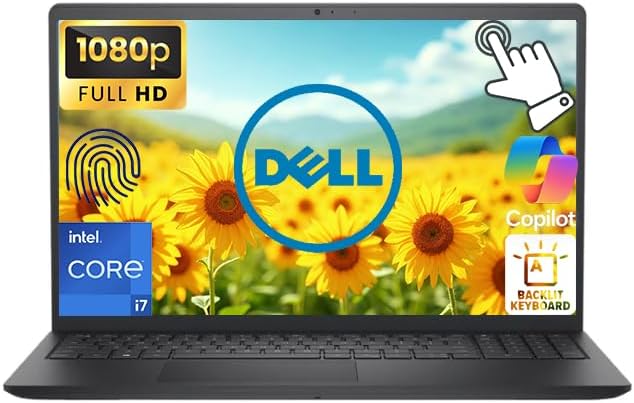
Dell Inspiron 15.6 Business Laptop
4.7Editor score
10-Core Intel i5 processor
Numeric keypad included
Affordable price point
Discover the best laptop with keypad and touchscreen for productivity and ease of use. We compare ten top models from HP, Dell, and more to help you choose.
Finding the right device for productivity means balancing power with ease of use. A laptop with keypad and touchscreen offers a unique blend of traditional typing comfort and modern interactive control. This combination suits professionals, students, and creators who need efficiency.
We evaluated ten top models based on performance, display quality, and input versatility. Our comparison focuses on processors, memory, storage, and the quality of the touch interface. We also considered portability and battery life to ensure all-day usability for various workflows.
Each pick highlights specific strengths like budget value or premium features. You will see detailed pros and cons to guide your decision. Prices and availability change frequently so check current offers before purchasing to ensure you get the best deal available.
4.7Editor score

4.0Editor score

4.5Editor score
This table provides a side-by-side comparison of all ten models. It highlights key specifications to help you quickly identify the best fit for your needs.


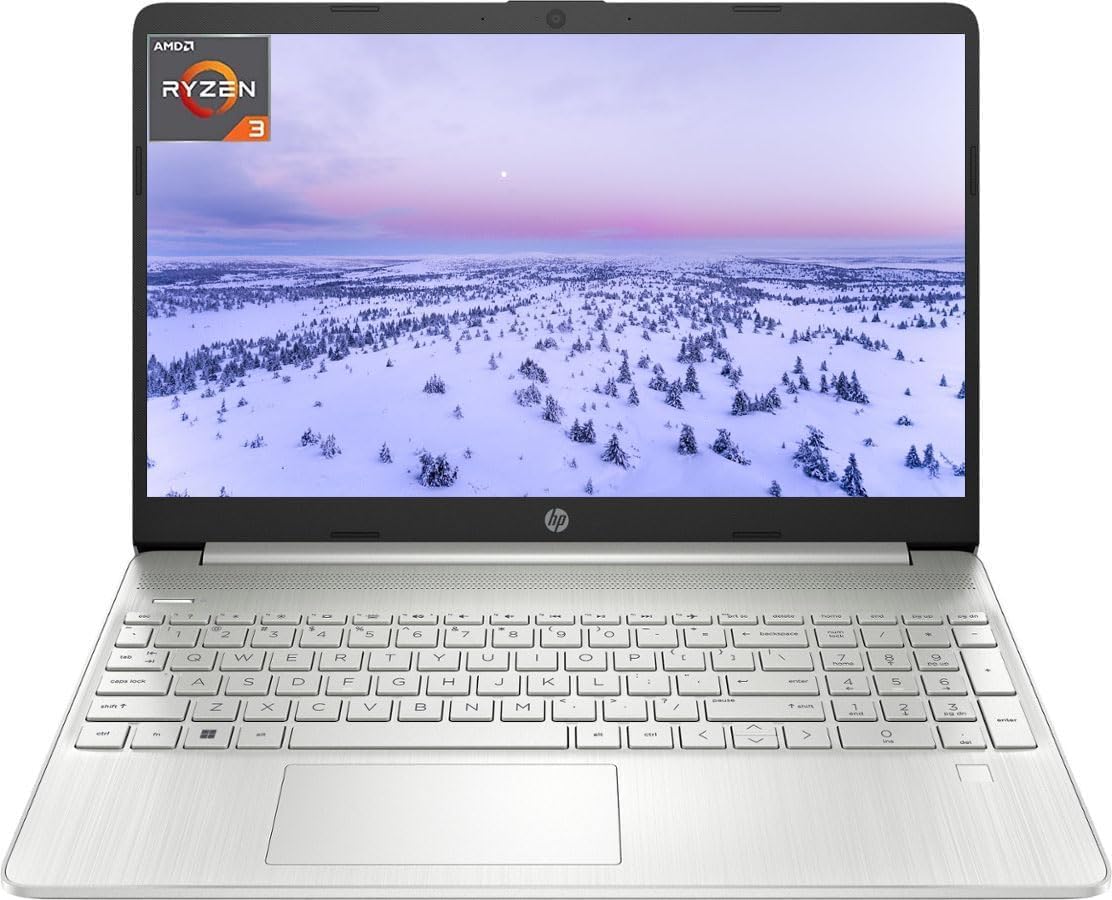


This model stands out for its powerful specs at a mid-range price point. With a Ryzen 7 processor and 32GB RAM, it handles multitasking effortlessly. The 15.6-inch touchscreen is responsive and clear, making it ideal for interactive tasks.
We may earn a commission when you buy through this link, at no additional cost to you.
The inclusion of a full-size numeric keypad makes data entry a breeze. You can manage spreadsheets and financial data without needing an external keyboard. The high-speed SSD ensures quick boot times and fast application loading.
While the build feels solid, the weight might be a concern for daily commuters. The battery life is decent but not exceptional compared to ultrabooks. However, the performance trade-off is worth it for stationary work.
Ideal for students and professionals needing a desktop replacement. It balances performance and input versatility well. We recommend this if you prioritize processing power and touch functionality.
32GB RAM allows running multiple heavy applications without lag.
IPS panel ensures wide viewing angles and accurate color reproduction.
We may earn a commission when you buy through this link, at no additional cost to you.
This laptop features a large 17.3-inch display ideal for multitasking. The Intel Core i7 processor ensures smooth performance for demanding tasks. The 10-core design supports complex workflows and virtual meetings.
We may earn a commission when you buy through this link, at no additional cost to you.
The spacious screen offers ample room for side-by-side windows. This is perfect for research and content creation. The AI capabilities streamline workflows and optimize battery usage effectively.
Portability is limited due to the size and weight. It is better suited for a desk setup than frequent travel. The larger screen may drain battery faster than smaller units.
Best for power users needing screen real estate. It delivers professional-grade performance in a mobile form factor. Consider this if you work primarily from fixed locations.
17.3-inch display provides expansive viewing for detailed work.
Built-in AI features enhance productivity and system efficiency.
We may earn a commission when you buy through this link, at no additional cost to you.
This business laptop balances performance with practical features. The 11th Gen processor handles daily tasks efficiently. Express charge technology keeps you working even during short breaks.
We may earn a commission when you buy through this link, at no additional cost to you.
Windows 11 Pro offers security features for business environments. The numeric keypad simplifies data entry for spreadsheets. The IPS display ensures clear visuals from various angles.
It is not the fastest on the market but reliable enough for office work. The build quality is standard for this price range. Ports are sufficient for typical office accessories.
Great for office workers and students needing reliability. It supports professional workflows with ease. We recommend it for those prioritizing uptime and security.
Express charge quickly restores power to minimize downtime.
Windows 11 Pro enhances protection and professional features.
We may earn a commission when you buy through this link, at no additional cost to you.
This laptop is a great budget option for casual users. The included Microsoft 365 adds immediate value for work and study. The 17.3-inch screen provides comfort for long viewing sessions.
We may earn a commission when you buy through this link, at no additional cost to you.
Despite the size, it is relatively light for its class. The backlit keyboard helps with typing in low light. Fingerprint security offers quick and safe access to your system.
Storage is limited at 128GB so external drives may be needed. The processor handles web tasks well but struggles with heavy apps. It suits light usage scenarios effectively.
Perfect for students needing a primary device for basic tasks. It offers premium features at a lower cost. We suggest it for budget-conscious buyers requiring a large screen.
Microsoft 365 ensures access to essential office tools.
17.3-inch screen balances size with portable weight.
We may earn a commission when you buy through this link, at no additional cost to you.
This laptop offers strong specs for a very competitive price. The 10-Core processor delivers solid performance for daily use. It is a top choice for those needing value and functionality.
We may earn a commission when you buy through this link, at no additional cost to you.
Windows 11 AI Copilot streamlines tasks and boosts efficiency. The numeric keypad makes data entry simple for office work. The fast SSD ensures smooth navigation and application loading.
RAM is standard at 8GB which limits heavy multitasking. There is no fingerprint reader for biometric security. However, the performance per dollar is hard to beat.
Ideal for home users and students seeking efficiency. It covers essential productivity tasks without overspending. We recommend this as the top budget-friendly choice.
High core count ensures smooth multitasking at low cost.
Copilot integration helps automate routine computer tasks.
We may earn a commission when you buy through this link, at no additional cost to you.
This model focuses on security and simplicity with S Mode. It provides a fast boot experience and protection against malware. The privacy shutter on the camera adds peace of mind.
We may earn a commission when you buy through this link, at no additional cost to you.
Numeric keypad support makes it versatile for spreadsheet work. Connectivity options include Wi-Fi and Bluetooth for seamless linking. The design is sleek and fits well in modern spaces.
S Mode restricts app installations to the Microsoft Store. The screen resolution is basic compared to newer FHD panels. These factors make it suitable for specific basic usage needs.
Good for home users prioritizing security. It offers a hassle-free experience for everyday browsing. We suggest it for those needing a simple secure device.
Windows 11 S Mode restricts installs to safe apps.
Physical shutter blocks camera for better privacy.
We may earn a commission when you buy through this link, at no additional cost to you.
This laptop shines with a crisp 2K IPS touchscreen. The 16:10 aspect ratio offers more vertical space for productivity. Its design is slim and feels premium in the hand.
We may earn a commission when you buy through this link, at no additional cost to you.
AI noise reduction ensures clear audio during calls and meetings. Windows 11 Pro provides advanced security and management tools. The Ryzen 5 processor balances speed and battery life well.
It is not designed for heavy gaming or rendering tasks. The battery is average for the size of the device. However, portability and visual quality are top-tier.
Best for professionals needing a high-quality mobile workspace. It looks professional and performs well for daily tasks. We recommend it for its screen and build quality.
2K resolution brings text and images to life.
Thin and light design fits easily into bags.
We may earn a commission when you buy through this link, at no additional cost to you.
This model features a powerful i7 processor for demanding workflows. The fingerprint reader offers quick and secure access to files. It is designed for business users needing reliability.
We may earn a commission when you buy through this link, at no additional cost to you.
AI Copilot integration helps automate and optimize daily tasks. The backlit keyboard ensures usability in any lighting condition. 1TB storage provides ample space for large file collections.
The price reflects the high-end components included. It is heavier than consumer-grade laptops. However, the performance and security features justify the cost.
Ideal for business professionals and IT admins. It offers robust protection and speed. We recommend this for critical work environments.
Fingerprint reader adds biometric protection for data.
10-Core i7 ensures fast processing of complex tasks.
We may earn a commission when you buy through this link, at no additional cost to you.
This laptop stands out with 32GB of RAM for multitasking. It is perfect for students needing to run multiple apps. Windows 11 Pro adds professional tools and security.
We may earn a commission when you buy through this link, at no additional cost to you.
The Full HD IPS display offers good color and angles. A numeric keypad is included for data entry tasks. It supports both learning and business workflows.
The processor is mid-range but handles general tasks well. Design is functional without being flashy. It prioritizes internal specs over external styling.
Best for multitasking students and home offices. It provides high capacity for virtual memory. We recommend it for heavy application users.
32GB RAM supports heavy multitasking and virtual apps.
Practical features meet academic and creative needs.
We may earn a commission when you buy through this link, at no additional cost to you.
This laptop offers a nice balance of performance and portability. The Octa-Core processor handles daily tasks efficiently. WiFi 6 ensures fast wireless connections for work.
We may earn a commission when you buy through this link, at no additional cost to you.
It features a vibrant Moonlight Blue finish. The numeric keypad is included for convenient input. USB C support allows easy connectivity for external devices.
RAM and storage are standard but adequate for most users. It is not meant for heavy editing or gaming. The design is sleek and professional.
Ideal for home offices and casual professionals. It fits well in small spaces and is portable. We recommend it for everyday business use.
WiFi 6 provides stable and quick internet access.
Moonlight Blue color adds a unique touch.
We may earn a commission when you buy through this link, at no additional cost to you.
Selecting the right device requires balancing screen quality with input options. This guide breaks down key factors to consider.
Touchscreens should offer sharp visuals for accurate touch input. Look for at least Full HD 1080p on 15 inch screens. Larger 17 inch panels provide space for split screens but reduce portability.
Choose resolution based on viewing distance and clarity needs.
A strong CPU ensures smooth multitasking with touch and keyboard inputs. Intel Core i5 or higher is recommended for professional work. AMD Ryzen options also provide excellent value.
Prioritize processors with multiple cores for better performance.
RAM should be at least 16GB for modern OS efficiency. SSDs are essential for fast boot and app load times. Avoid models with only eMMC storage if possible.
Ensure storage matches your file retention and speed requirements.
Numeric keypads are critical for data entry efficiency. Check that keys have proper travel and spacing for comfort. Backlit keyboards help with low-light productivity.
Verify the keypad is physical rather than virtual.
Touchscreens consume more power so battery is key. Look for models rated 8 hours or higher for daily mobility. Check if fast charge is available for quick top-ups.
Balance screen size with battery capacity for travel.
USB-C and HDMI ports allow connecting external monitors and drives. Bluetooth 5.0 or higher ensures reliable peripheral pairing. Verify you have enough ports to avoid dongles.
Select models with diverse ports for your peripherals.
Windows 11 offers touch optimizations and AI tools. Pro editions provide better security for business environments. Check if the OS version supports your software needs.
Choose an OS version that matches your workflow.
Durable construction ensures longevity with frequent touch use. Weight matters if you carry the laptop daily. Metal chassis often resist wear better than plastic.
Consider portability when selecting screen sizes.
Clean the touchscreen regularly with a soft microfiber cloth. Avoid harsh chemicals that can damage the coating. Wipe the keypad gently to remove dust and debris.
Calibrate the touch input settings if you experience drift. Ensure the laptop is on a hard surface to prevent overheating. Keep the numeric keypad dry to avoid damage.
Update drivers regularly to maintain screen responsiveness. Use a protective sleeve when carrying the device. Avoid exposing it to extreme temperatures or direct sunlight.
Touchscreens are designed to withstand frequent touching but may develop scratches over time. Using a screen protector helps extend the life of the display. Always clean gently to avoid damage.
Yes you can use a virtual keyboard for text but the physical keypad is better for numbers. The numeric keypad works best for spreadsheets and data entry tasks. Virtual inputs are great for emails.
Windows 11 offers the best support for touch inputs. It includes gestures and on-screen keyboard features. Older systems may require third-party tools for full functionality.
8GB is sufficient for basic web and document work. However multitasking with touch apps may slow down. 16GB or more is recommended for smoother performance.
Lower screen brightness when using touch. Disable unnecessary background apps that use sensors. Use battery saver mode when unplugged to extend usage time.
Most modern touchscreen laptops support passive styluses. Active pens often require specific display tech. Check compatibility before buying if you need drawing features.
The HP 15.6 FHD Touchscreen offers the best balance of power and features. It stands out for its RAM and SSD capacity in this category.
Prioritize performance and screen quality based on your work. Ensure the keypad fits your typing style and workflow. Portability matters if you travel often.
Prices fluctuate so check current offers before buying. Always verify warranty details for peace of mind. This guide helps narrow down the top choices.