
Dell Precision 3581
Core i7 13th Gen
RTX A500 Graphics
32GB DDR5 RAM
Selecting the right laptop for CAD work requires balancing raw processing power with portability and display fidelity. Professionals need machines that can handle complex 3D models without lag or crashes during critical design phases.
We evaluated ten top-rated workstations focusing on CPU speed, GPU capabilities, and memory configurations essential for software like AutoCAD and SolidWorks. Our analysis ensures you find a reliable tool for demanding engineering and design tasks.
Each pick below highlights specific strengths tailored to different workflow needs ranging from mobile drafting to heavy rendering. Please note that prices and availability fluctuate frequently so always check current listings before purchasing your next machine.

4.4Editor score

5.0Editor score
As an Amazon Associate we earn from qualifying purchases.
The following table provides a side-by-side comparison of all ten workstations to help you quickly identify the model that matches your specific performance requirements and budget constraints effectively.




This flagship Dell workstation offers exceptional performance for professional architects and engineers. With a rating of 4.4 stars it stands out for its robust build and ability to handle intensive 3D rendering tasks efficiently without compromising speed.
We may earn a commission when you buy through this link, at no additional cost to you.
The Intel Core i9 processor paired with 32GB of DDR5 RAM ensures smooth multitasking even when running large assemblies in AutoCAD or Revit. ISV certifications guarantee that the hardware works reliably with industry standard applications reducing downtime.
While it commands a high price point the performance gains are significant for users who rely on their machines for critical deadlines. The battery life is limited under heavy workloads but this is expected for desktop replacement class hardware.
Professionals seeking the highest tier of performance should prioritize this model for daily operations. It balances raw power with enterprise grade features making it an excellent investment for long term productivity in demanding design environments.
The high core count processor accelerates simulation and rendering tasks significantly reducing wait times for complex calculations and visualizations.
Multiple Thunderbolt and HDMI ports allow you to connect up to three external monitors for enhanced workspace flexibility during projects.
We may earn a commission when you buy through this link, at no additional cost to you.
This variant of the Precision 7680 provides a balanced option for those needing professional reliability without the absolute highest CPU costs. It holds a 4.3 star rating reflecting its steady performance in typical CAD and engineering workflows.
We may earn a commission when you buy through this link, at no additional cost to you.
The inclusion of the RTX 1000 Ada GPU offers dedicated graphics power which is crucial for viewport navigation and basic rendering tasks. The 32GB RAM ensures you can keep multiple applications open without slowdowns.
The main trade-off involves the slightly less powerful processor compared to i9 options which might limit performance in highly threaded simulation software. However for standard drafting and modeling it remains highly effective for most users.
Buyers looking for a dependable daily driver that supports future upgrades will find this unit appealing. It maintains the rugged build quality of the 7000 series while offering a more accessible entry point into the high end market.
The dedicated NVIDIA GPU accelerates 3D visuals ensuring smooth rotation and zooming within complex design environments.
Military standard testing ensures the device withstands daily transport and usage in various office or on-site conditions.
We may earn a commission when you buy through this link, at no additional cost to you.
The HP ZBook 8 G1i introduces modern AI capabilities with a high-end touchscreen interface perfect for interactive design work. Its 4.1 star rating highlights strong performance but also points to some thermal or battery limitations under load.
We may earn a commission when you buy through this link, at no additional cost to you.
With an impressive 64GB of DDR5 RAM this machine is overprepared for heavy multitasking and large dataset processing. The touchscreen adds a layer of usability for sketching or annotating plans directly on the display.
The high cost is justified by the sheer amount of memory and storage included in the base configuration. However users should expect shorter battery life when utilizing the touch and high brightness features during extended field work.
This model is ideal for creative professionals who value direct screen interaction alongside traditional CAD operations. It represents a forward-thinking approach to mobile workstations combining AI features with robust engineering standards.
The touchscreen allows direct manipulation of models speeding up adjustments and review processes during collaborative sessions.
Wi-Fi 7 ensures ultra-fast data transfer rates essential for cloud collaboration and accessing large remote project files.
We may earn a commission when you buy through this link, at no additional cost to you.
For those seeking professional capability on a budget this renewed Precision 3581 offers a compelling entry point into certified workstations. It provides essential power for CAD tasks without the premium cost associated with new flagship units.
We may earn a commission when you buy through this link, at no additional cost to you.
The Core i7 processor delivers sufficient power for most 2D and moderate 3D workloads. The included RTX A500 graphics card ensures compatibility with professional software requiring certified drivers for stability.
Since this is a renewed unit buyers should expect cosmetic wear even if performance remains solid. The warranty coverage helps mitigate risks associated with buying pre-owned hardware for critical professional use.
This laptop is perfect for students or small businesses needing reliable performance without breaking the bank. It demonstrates that high-end workstation features can be accessible when looking at renewed market options.
Pricing significantly lower than new models makes this an attractive option for expanding teams or educational institutions.
The dedicated RTX A500 GPU provides necessary acceleration for design software ensuring smoother rendering and visualization.
We may earn a commission when you buy through this link, at no additional cost to you.
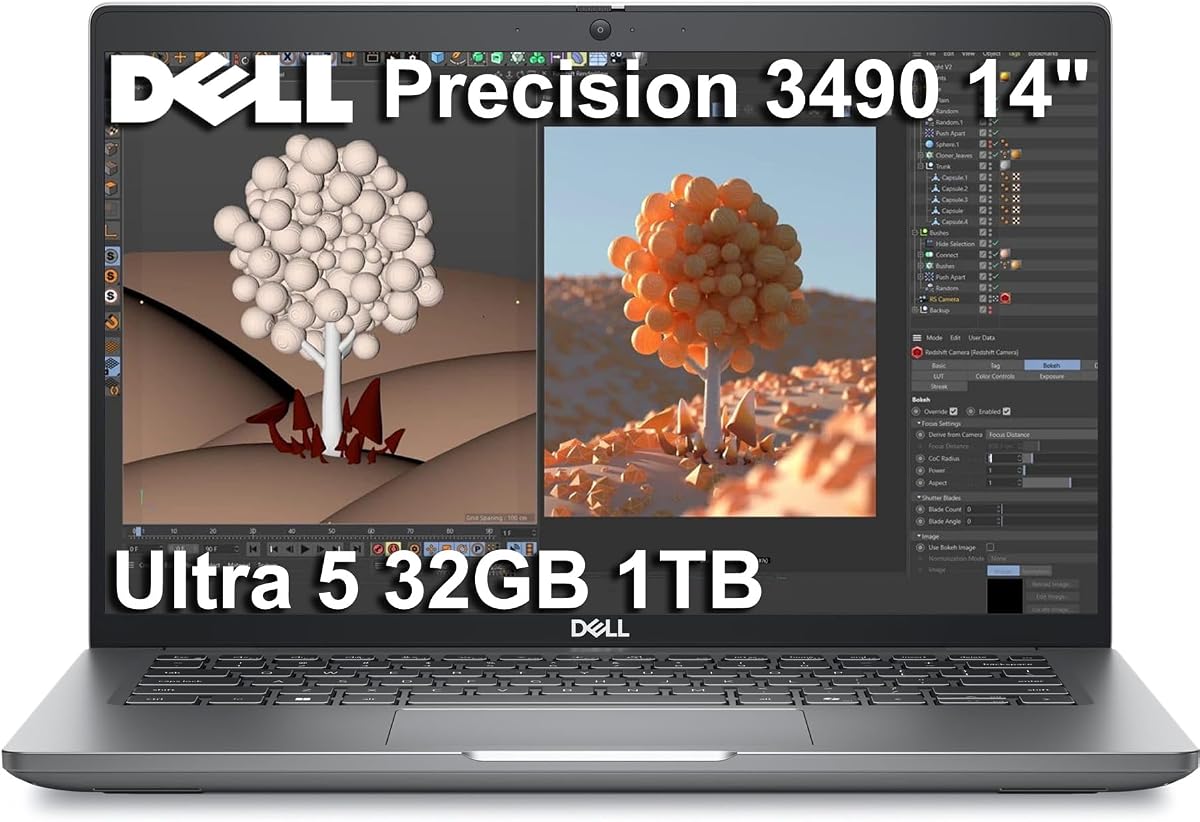
The Precision 3490 is designed for engineers who travel frequently and need a reliable machine for drafting and minor modeling. Its perfect 5.0 star rating suggests high customer satisfaction with its build quality and portability.
We may earn a commission when you buy through this link, at no additional cost to you.
While it relies on integrated graphics it still handles 2D CAD tasks efficiently due to the generous 32GB RAM. The compact 14-inch form factor fits easily into bags making it ideal for site visits.
The lack of a dedicated GPU means it may struggle with complex 3D rendering compared to larger models. Users focused on mobility over raw graphics power will find this trade-off acceptable for daily tasks.
This unit is highly recommended for mobile professionals needing a secondary device for documentation and light design work. It proves that workstation reliability can be achieved in a much smaller package.
Weighing just over three pounds this laptop is easy to carry during site visits without straining your backpack.
The integrated graphics solution helps extend battery runtime allowing for full workdays away from an outlet.
We may earn a commission when you buy through this link, at no additional cost to you.
This workstation delivers top-tier performance for users who prioritize screen real estate and graphical power above all else. It carries a 5.0 star rating indicating exceptional quality and reliability for demanding rendering workflows.
We may earn a commission when you buy through this link, at no additional cost to you.
The RTX 4000 Ada GPU with 12GB of VRAM is perfect for rendering high fidelity models and managing complex textures. The 17.3 inch display offers ample space for toolbars and side-by-side document viewing.
Portability is compromised here as the unit is heavy and thick to accommodate cooling for high-end components. It is best suited for fixed office environments rather than frequent travel or mobile use.
Creative directors and architects requiring maximum visualization capabilities should consider this machine. It offers a near desktop experience in a laptop form factor ensuring no performance bottleneck limits creativity.
Twelve gigabytes of graphics memory support extremely complex scenes without memory bottlenecks during rendering.
The bright display ensures colors are accurate and visible even in well lit office environments.
We may earn a commission when you buy through this link, at no additional cost to you.
This configuration offers a middle ground between the i5 and i9 options with a strong GPU for rendering. It maintains the robust build quality of the Precision series while keeping costs somewhat more controlled.
We may earn a commission when you buy through this link, at no additional cost to you.
The RTX 2000 Ada provides ample video memory for most CAD applications ensuring smooth operation during detailed design phases. The 32GB RAM remains a standard and necessary amount for professional productivity.
Users might find the performance slightly below flagship expectations depending on specific rendering workloads. However for consistent daily use it provides a stable platform for most engineering departments.
Buyers should consider this if they need better graphics than the entry models but do not require the absolute fastest CPU. It strikes a practical balance for teams with varied project requirements.
The dedicated GPU accelerates rendering tasks ensuring visual feedback remains fluid during active design sessions.
Multiple USB and HDMI ports allow seamless connection to projectors and external monitors for client presentations.
We may earn a commission when you buy through this link, at no additional cost to you.
This configuration is a powerhouse designed for users who manage enormous datasets or run virtual machines locally. It holds a perfect 5.0 star rating for its ability to handle the most demanding professional tasks with ease.
We may earn a commission when you buy through this link, at no additional cost to you.
The 128GB of RAM ensures you can run dozens of applications and heavy simulations without any slowdown. This capacity is rare in laptops and makes it suitable for data intensive engineering analysis.
The price reflects these premium specs making it a significant investment for any organization. However for those who need to maximize memory capacity the value is high compared to building a custom desktop.
Select this model only if your workflow specifically requires massive memory. It is overkill for basic drafting but essential for high-end simulation and rendering tasks.
With 128GB of RAM you can load massive assemblies instantly without waiting for virtual memory paging.
The 500-nit screen ensures clear visibility even in brightly lit conference rooms or outdoor settings.
We may earn a commission when you buy through this link, at no additional cost to you.
This variant focuses on high memory capacity paired with a capable processor to manage complex engineering files. Its 5.0 star rating highlights customer satisfaction with its performance and build quality in professional settings.
We may earn a commission when you buy through this link, at no additional cost to you.
The 64GB RAM allows for smoother handling of multiple CAD applications simultaneously. It provides a buffer for future-proofing your workstation against increasingly resource-heavy software updates.
While the GPU is powerful it is not the top-tier option available in the series. Users who prioritize rendering over RAM might prefer a model with a higher-end graphics card instead.
This model is ideal for users who frequently work with large assemblies and data sets. It offers a robust memory configuration that ensures long-term reliability and speed.
64GB of RAM provides ample headroom for large projects and multitasking across various design tools.
The core count supports efficient data processing for simulations and rendering operations in modern workflows.
We may earn a commission when you buy through this link, at no additional cost to you.
The ThinkPad P16s brings workstation standards to a more portable chassis suitable for daily commuting. It earns a 4.0 star rating for delivering a balance between performance and mobility in a familiar ThinkPad design.
We may earn a commission when you buy through this link, at no additional cost to you.
With Wi-Fi 7 and a powerful Ultra 7 processor it handles modern collaboration and drafting tools efficiently. The 32GB RAM ensures you can manage multiple open files without experiencing lag.
Graphics performance is limited compared to dedicated GPU models which may hinder complex 3D rendering. For 2D CAD and general engineering tasks it remains a highly effective solution for mobile professionals.
This laptop is perfect for engineers who need a reliable machine that fits easily in a carry-on bag. It combines the durability of ThinkPads with modern connectivity for versatile work environments.
Lighter than most workstations it allows for easy transport between home office and client sites.
Wi-Fi 7 ensures fast internet speeds crucial for cloud syncing and video conferencing on the go.
We may earn a commission when you buy through this link, at no additional cost to you.
Selecting the right workstation requires understanding your specific software demands and mobility needs. We break down the essential factors to ensure you invest in hardware that supports your workflow efficiently.
The CPU is the brain of your CAD system determining how quickly calculations are processed for rendering and simulation. Look for at least six high-performance cores to handle multitasking and complex geometry operations without lag.
Prioritize processors with high clock speeds if your workflow involves frequent recalculations or 3D rendering tasks.
RAM allows you to keep multiple applications open and large design files loaded in memory simultaneously. For professional work 32GB is the standard baseline but 64GB or more provides future-proofing for larger assemblies.
Ensure your machine supports DDR5 RAM for faster data transfer speeds essential for modern software efficiency.
A dedicated GPU with sufficient VRAM is critical for smooth viewport navigation and realistic rendering. Look for NVIDIA RTX A series or Ada GPUs certified for stability in industry applications.
Higher VRAM counts allow for more complex textures and detailed models to be displayed without stuttering.
A larger screen provides ample workspace for toolbars and design views reducing eye strain over time. High color accuracy and brightness are vital for ensuring your designs match final printed or rendered outputs.
Opt for displays with at least 400 nits brightness and 100% sRGB coverage for professional fidelity.
If you travel often to job sites the weight and battery life become significant factors alongside raw power. Desktop replacements offer more performance but are difficult to transport compared to 14 or 15-inch models.
Balance your need for power with the convenience of a lighter chassis for daily commuting.
A robust selection of USB and Thunderbolt ports allows you to connect external drives and monitors easily. Ethernet ports are also valuable for stable wired network connections during large file transfers.
Ensure the laptop supports at least three external monitors if you require a multi-screen workspace setup.
ISV certification guarantees that the hardware is tested and optimized for specific professional software. This reduces the risk of crashes and ensures stable driver performance during critical project deadlines.
Always verify certification status if you rely on specialized engineering or architectural tools.
Workstations should withstand the rigors of travel and daily use without failing prematurely. Look for MIL-STD-810H testing which verifies resistance to shocks and extreme environmental conditions.
A sturdy chassis protects internal components and extends the usable lifespan of the investment.
Keep your system cool by using a hard surface and avoiding carpets during intense work sessions to prevent thermal throttling.
Back up your design files to a cloud service or external drive regularly to prevent data loss from hardware failure.
Update your graphics drivers through the manufacturer support page regularly to maintain stability and performance.
For most modern applications 32GB of RAM is the recommended minimum. This allows for smooth operation with multiple tabs and large files. Lower amounts may cause slowdowns during complex rendering.
Yes a dedicated GPU is essential for 3D modeling and rendering tasks. Integrated graphics may struggle with complex assemblies. Look for certified RTX cards for best results.
While gaming laptops often have powerful hardware they lack ISV certification. Workstations offer better driver stability and reliability for professional deadlines.
An NVMe SSD is highly recommended for fast boot times and quick file access. It significantly improves workflow efficiency compared to older SATA drives.
Sixteen inch screens offer a good balance of detail and portability. If you need to minimize external displays a larger 17-inch model can be beneficial.
With proper maintenance a quality workstation can last five to seven years. Durability depends on usage habits and software update frequency.
We have reviewed ten top workstations ranging from mobile options to desktop replacements. Each model offers unique strengths depending on your specific design needs and budget constraints.
Prioritize memory and GPU capabilities if you work with complex 3D models daily. Portability should be a secondary concern if you mostly work in a fixed office.
Prices and availability change frequently so check current listings before finalizing your purchase decision.