
ASUS Dual GeForce RTX 3050 6GB GDDR6 OC Edition
4.7Editor score
NVIDIA Ampere Architecture
2nd Gen RT Cores
Axial-tech Fan Design
Discover the top GPU for ASUS Prime A320M K motherboards with expert comparisons on performance, compatibility, cooling, and value for gaming and productivity
Finding the right graphics card for your ASUS Prime A320M K motherboard is essential for maximizing gaming performance and system stability. This guide explores compatible options that fit the PCIe slot and power requirements.
We evaluated ten top-rated GPUs based on real-world performance, cooling efficiency, and user feedback. Each product was assessed for compatibility with AM4 socket systems and overall value in the current market.
Every pick highlights key features, pros, and cons to help you decide. Prices fluctuate frequently, so always verify the latest costs before purchasing to ensure you get the best deal available.
4.7Editor score

4.6Editor score

4.6Editor score
This table provides a side-by-side view of the ten selected GPUs. Compare specs, ratings, and key features to find the perfect match for your ASUS Prime A320M K system build and budget constraints.

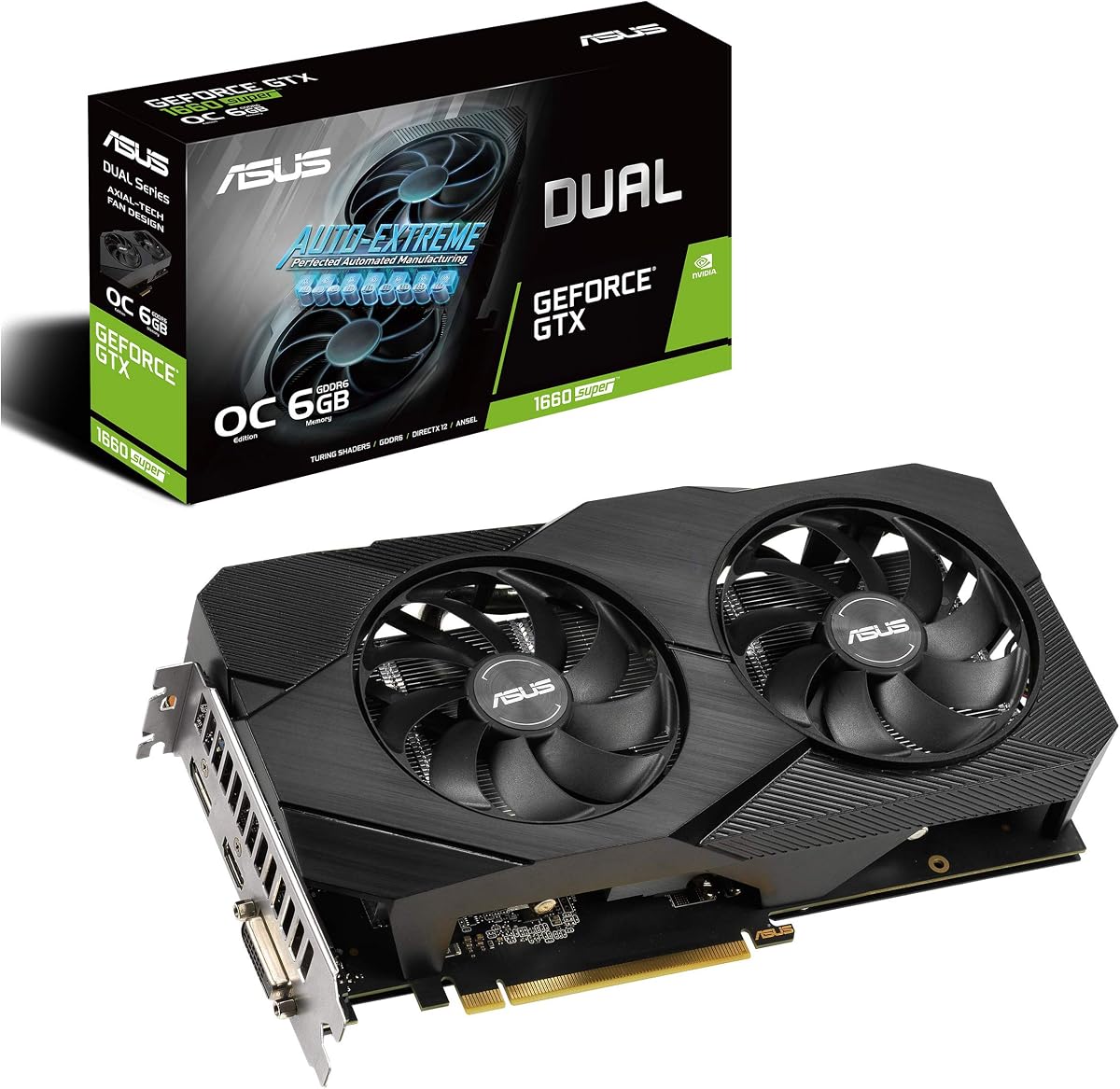


The ASUS Dual GeForce RTX 3050 6GB GDDR6 OC Edition stands out as a top choice for budget-conscious builders. With a solid 4.7 rating, it offers NVIDIA Ampere architecture benefits without breaking the bank.
We may earn a commission when you buy through this link, at no additional cost to you.
Its Ampere Streaming Multiprocessors deliver 2X the FP32 throughput compared to previous generations. The 2nd Generation RT Cores enable ray-tracing capabilities that were previously unavailable at this price point. Axial-tech fan design ensures efficient cooling in a compact 2-slot form factor.
The trade-off is the 6GB VRAM, which may limit performance in high-resolution textures. However, for 1080p gaming and general productivity, this card remains highly capable. The IP5X dust resistance adds long-term durability.
Buyers seeking an affordable upgrade for their ASUS Prime A320M K should consider this card. It balances modern features with reasonable power consumption, making it ideal for entry-level gaming setups.
Experience 2X the throughput of 1st gen RT Cores with concurrent RT and shading for a whole new level of ray-tracing performance.
Axial-tech fan design features a smaller fan hub that facilitates longer blades and a barrier ring that increases downward air pressure.
We may earn a commission when you buy through this link, at no additional cost to you.
The ASUS TUF Gaming GeForce GTX 1660 Super Overclocked 6GB Edition is a reliable performer with a 4.6 rating. It leverages NVIDIA Turing architecture to deliver smooth gaming experiences across multiple titles.
We may earn a commission when you buy through this link, at no additional cost to you.
Its TUF compatibility testing ensures flawless operation with TUF Gaming motherboards and chassis. Space-grade lubricant brings dual Ball bearings durability to quieter Sleeve bearing designs. The Auto-extreme technology guarantees premium quality through automated manufacturing.
While it lacks ray tracing, the 1408 CUDA cores provide excellent rasterization performance. The overclocked 6GB GDDR6 memory handles textures efficiently. However, it consumes more power than newer Ampere options.
For users prioritizing durability and value, this card is an excellent pick. The 3 Year Warranty adds peace of mind for long-term use in an ASUS Prime A320M K system.
Tuf compatibility testing runs cards through a suite of tests to ensure TUF Gaming motherboards, chassis, and other TUF Gaming Alliance components work together flawlessly.
Auto-extreme technology delivers premium quality and reliability using an automated manufacturing process for consistent performance.
We may earn a commission when you buy through this link, at no additional cost to you.
The ASUS Phoenix NVIDIA GeForce RTX 3060 V2 Gaming Graphics Card is a premium choice with a 4.6 rating. It brings 12GB of GDDR6 memory to the table, ensuring excellent handling of high-resolution assets.
We may earn a commission when you buy through this link, at no additional cost to you.
NVIDIA Ampere Streaming Multiprocessors boost FP32 throughput significantly. The 2nd Generation RT Cores enable realistic lighting effects. Axial-tech fan design features a smaller fan hub facilitating longer blades for increased air pressure.
The 12GB VRAM future-proofs the system for upcoming titles demanding higher memory. However, it requires a 650W PSU and has a larger physical footprint. The 4.6 rating reflects high user satisfaction.
If budget allows, this card offers top-tier performance for the ASUS Prime A320M K. Its PCIe 4.0 support and advanced cooling make it a standout for gamers and creators alike.
12GB GDDR6 memory ensures smooth performance in modern games and creative applications that demand significant video memory resources.
PCIe 4.0 support delivers faster data transfer rates for improved frame rates and quicker load times.
We may earn a commission when you buy through this link, at no additional cost to you.
The ASUS GeForce RTX 2060 6GB Phoenix Fan Edition brings solid performance with a 4.2 rating. It supports VR gaming and connects up to four monitors via DisplayPort 1.4 and HDMI 2.0.
We may earn a commission when you buy through this link, at no additional cost to you.
Powered by NVIDIA Turing, it features 1920 CUDA cores and 6GB GDDR6 memory. The Phoenix double ball Bearing fan provides superior airflow with 2x longer lifespan. Auto extreme manufacturing ensures premium quality.
As a renewed product, it carries some risk compared to new items. However, the price point and 1710 MHz boost clock make it attractive. The short form factor fits small cases well.
Buyers looking for VR capability at a mid-range price should consider this. Ensure the seller offers a warranty for renewed items to mitigate potential hardware issues.
Supports up to 4 monitors with DisplayPort 1.4, HDMI 2.0, and DVI D for versatile workstation setups.
Phoenix double ball Bearing fan provides superior airflow and cooling with 2x longer lifespan compared to standard fans.
We may earn a commission when you buy through this link, at no additional cost to you.
The ASUS TUF Gaming GeForce GTX 1660 Super Overclocked 6GB Edition (Renewed) offers impressive value with a 4.8 rating. It retains the robust TUF durability and overclocked performance of the new version.
We may earn a commission when you buy through this link, at no additional cost to you.
Powered by NVIDIA Turing with 1845 MHz Boost Clock and 1408 CUDA cores. Space-grade lubricant brings durability to sleeve bearings. The renewed status ensures cost savings while maintaining functional reliability.
Trade-offs include potential cosmetic wear and limited warranty options. However, the Amazon Renewed Guarantee covers replacements. This card suits budget builds needing strong 1080p performance.
Recommend this for users comfortable with refurbished components. It provides excellent gaming potential at a lower cost than new equivalents.
Products are professionally inspected and tested to work and look like new. If not satisfied, they are eligible for replacement or refund.
Overclocked 6GB GDDR6 memory ensures higher data transfer rates for smoother gaming experiences.
We may earn a commission when you buy through this link, at no additional cost to you.
The ASUS GeForce GTX 1660 Super Overclocked 6GB Dual-Fan Evo Edition (Renewed) is another top-value option with a 4.8 rating. It features dual fans for reliable cooling and VR readiness.
We may earn a commission when you buy through this link, at no additional cost to you.
This pre-owned product is professionally inspected to ensure performance. The Dual-Fan Evo Edition design optimizes airflow. It supports multiple display outputs for flexible setups.
Buying renewed can introduce variability in component lifespan. But the 4.8 rating suggests consistent quality. The 6GB GDDR6 handles modern titles well.
Consider this for VR gaming on a budget. It offers solid performance without the premium cost of new cards.
Supports virtual reality applications, providing immersive experiences with compatible headsets and software.
Dual fans ensure efficient heat dissipation to maintain stable boost clocks during extended sessions.
We may earn a commission when you buy through this link, at no additional cost to you.
The ASUS GeForce GTX 1660 Super Overclocked 6GB Phoenix Fan Edition offers compact performance with a 4.5 rating. Its short form factor makes it ideal for small chassis systems.
We may earn a commission when you buy through this link, at no additional cost to you.
Powered by NVIDIA Turing with 1408 CUDA cores. Supports up to 3 monitors. The Phoenix double-ball Bearing fan provides superior airflow with 2x longer lifespan. Auto-extreme technology ensures reliability.
Trade-offs include fewer monitor outputs compared to full-size cards. But the build quality and 3-year warranty are strong positives. The 4.5 rating reflects user satisfaction.
Select this for builds needing a smaller GPU without sacrificing gaming power. It fits perfectly in compact cases.
Designed for compact builds, ensuring compatibility with smaller cases without sacrificing performance.
Auto-extreme technology delivers premium quality with aerospace-grade Super Alloy Power II components for faster and longer operation.
We may earn a commission when you buy through this link, at no additional cost to you.
The ASUS GeForce GTX 1660 Super Overclocked 6GB Dual-Fan Evo Edition delivers solid gaming performance with a 4.8 rating. It includes 3 monitor support and VR readiness.
We may earn a commission when you buy through this link, at no additional cost to you.
Powered by NVIDIA Turing with 1408 CUDA cores. Dual-fan cooling provides doubled airflow for 3x quieter gameplay. Auto-extreme technology ensures reliability.
The 4.8 rating is notable for a card in this category. It balances noise and performance well. The 3-year warranty adds value.
Ideal for users wanting a balance of cooling and connectivity. It handles modern titles effectively.
Dual-fan cooling provides doubled airflow for 3x quieter gameplay, ensuring a peaceful gaming environment.
Fully supports virtual reality applications for immersive experiences with compatible VR headsets.
We may earn a commission when you buy through this link, at no additional cost to you.
The ASUS GeForce GT 1030 2GB GDDR5 Graphics Card is an entry-level choice with a 4.6 rating. It focuses on multimedia and basic tasks with passive cooling.
We may earn a commission when you buy through this link, at no additional cost to you.
Powered by Pascal architecture with 1506MHz Boost Clock. Asus exclusive heatsink design with passive cooling ensures quiet operation. Fully supports DX12 on Windows 10.
It is not suitable for high-end gaming. However, it handles video playback and light office work efficiently. The 4.6 rating confirms reliability.
Buy this for media centers or non-gaming PCs. It consumes minimal power and runs silently.
Asus exclusive heatsink design with passive cooling ensures quiet HTPC and multimedia operation without fan noise.
Ideal for low-power systems and HTPCs, requiring no external power connectors.
We may earn a commission when you buy through this link, at no additional cost to you.
The ASUS STRIX GeForce GTX 970 Overclocked 4 GB (Renewed) delivers legacy power with a 5.0 rating. It features DirectCU II technology for silent gaming.
We may earn a commission when you buy through this link, at no additional cost to you.
It has 4GB GDDR5 memory and a 256-bit interface. DirectCU II + 0dB fan technology ensures silent gaming at 30% cooler. Fits PCI Express 3.0 bus.
Though older, it still handles many titles at decent settings. The 5.0 rating suggests exceptional condition upon purchase. It fits older PCIe slots well.
Perfect for upgrading legacy systems on a tight budget. Ensure your power supply can handle its requirements.
DirectCU II + 0dB fan technology ensures silent gaming at 30% cooler temperatures during moderate loads.
Fits PCI Express 3.0 bus making it compatible with a wide range of older motherboards.
We may earn a commission when you buy through this link, at no additional cost to you.
Choosing the right GPU for your ASUS Prime A320M K involves considering multiple factors. This guide breaks down what to look for to ensure compatibility and performance.
The ASUS Prime A320M K features a PCIe 3.0 x16 slot. Most modern GPUs are backward compatible with PCIe 3.0, but performance may be slightly throttled on PCIe 4.0 cards like the RTX 3060. Ensure the slot is free from damage before installation.
Check that your motherboard supports the specific GPU architecture. All cards listed here are compatible with PCIe 3.0 standards.
Different GPUs require different power outputs. The RTX 3060 needs a 650W PSU, while the GT 1030 requires minimal power. Always check the recommended PSU wattage before purchasing to avoid instability.
Ensure your PSU has the necessary PCIe power connectors, typically 6-pin or 8-pin for mid-range cards.
Case size matters significantly. Compact GPUs like the Phoenix RTX 3060 or Dual RTX 3050 fit 2-slot spaces. Larger cards may not fit in small form factor cases. Measure your available space before buying.
Look for 2-slot designs if you have a compact case to ensure proper fit and airflow.
Efficient cooling prevents throttling. Axial-tech fan designs and dual-fan setups offer better thermal management. Check for fan technology like ball bearings for longer lifespan.
Choose models with proven cooling solutions to maintain stable boost clocks during gaming.
VRAM impacts texture handling and modern game performance. 6GB is standard for 1080p, while 12GB offers future-proofing. Ensure the card has enough memory for your desired resolution.
Higher VRAM ensures smoother performance in demanding titles and creative applications.
Verify that the card supports your monitor connections. HDMI 2.0 and DisplayPort 1.4 are standard. Some cards offer DVI for older monitors. Ensure your display ports match.
Multiple monitor support is crucial for productivity builds needing multi-screen setups.
Look for manufacturers with solid warranties. ASUS offers 3-year warranties on many cards. Renewed products often come with Amazon Renewed Guarantees for peace of mind.
Extended warranties protect your investment against hardware failures and defects.
Prices range significantly from budget cards to premium models. Determine your spending limit. The GT 1030 is entry-level, while the RTX 3060 is premium. Balance cost with performance needs.
Invest more for features you will use regularly, such as ray tracing or VR support.
Install the GPU carefully into the PCIe slot. Secure it with screws and connect the required power cables. Ensure the case is closed properly to maintain airflow.
Install the latest drivers from NVIDIA's website. Update periodically for new features and security patches. Use GPU Tweak II for monitoring performance and adjusting settings.
Clean dust from the fans regularly. Use compressed air to prevent buildup that hinders cooling. Monitor temperatures using software tools to ensure optimal operation.
The motherboard supports PCIe 3.0 x16. While PCIe 4.0 GPUs like the RTX 3060 work fine, they will operate at PCIe 3.0 speeds. Performance differences are usually minimal for gaming.
It depends on the model. The GT 1030 requires no extra power. The RTX 3060 needs at least 650W with 8-pin connectors. Always check the recommended PSU for your specific card.
Yes, if your case has enough clearance. Ensure you have room for the card length and height. Compact GPUs are recommended for small cases to maintain airflow efficiency.
The RTX 3050 and GTX 1660 Super are excellent for 1080p. They balance cost and performance well. For higher settings, the RTX 3060 is a premium option.
Buy from reputable sellers like Amazon. Check packaging for holograms. Verify the serial number. Look for the Amazon Renewed Guarantee on refurbished items for assurance.
Yes, warranties protect against defects. ASUS typically offers 3-year warranties. Renewed products come with Amazon's Guarantee. This ensures recourse if the hardware fails.
Choosing the right GPU for your ASUS Prime A320M K depends on balancing compatibility, performance, and budget. The ASUS Dual RTX 3050 offers budget-friendly efficiency. The TUF GTX 1660 Super provides robust reliability.
For premium needs, the RTX 3060 V2 delivers significant power with 12GB VRAM. Whether you prioritize ray tracing, compact size, or cost, there is a suitable option in this list.
Remember that prices change frequently. Always check the current costs on Amazon before finalizing your purchase. Verify your PSU and case space to ensure a smooth installation experience.