
Switch Cooling Fan with Bottom Cooling
4.5Editor score
Universal Compatibility
Adjustable Speed
Low Noise Operation
This guide compares the top external cooling fan Nintendo Switch dock accessories to help you prevent overheating and extend console lifespan during long
Keeping your gaming console cool is essential for long sessions. An external cooling fan Nintendo Switch dock accessory helps prevent overheating and ensures smooth performance during intense gameplay.
We evaluated ten top-rated options based on fan speed, noise levels, and compatibility. Our list covers various designs including stand-alone coolers and dock replacements for different Switch models.
Each pick highlights key features and real-world performance data. Prices may vary by retailer and availability. Check current listings for the most accurate information before buying.
4.5Editor score

4.6Editor score
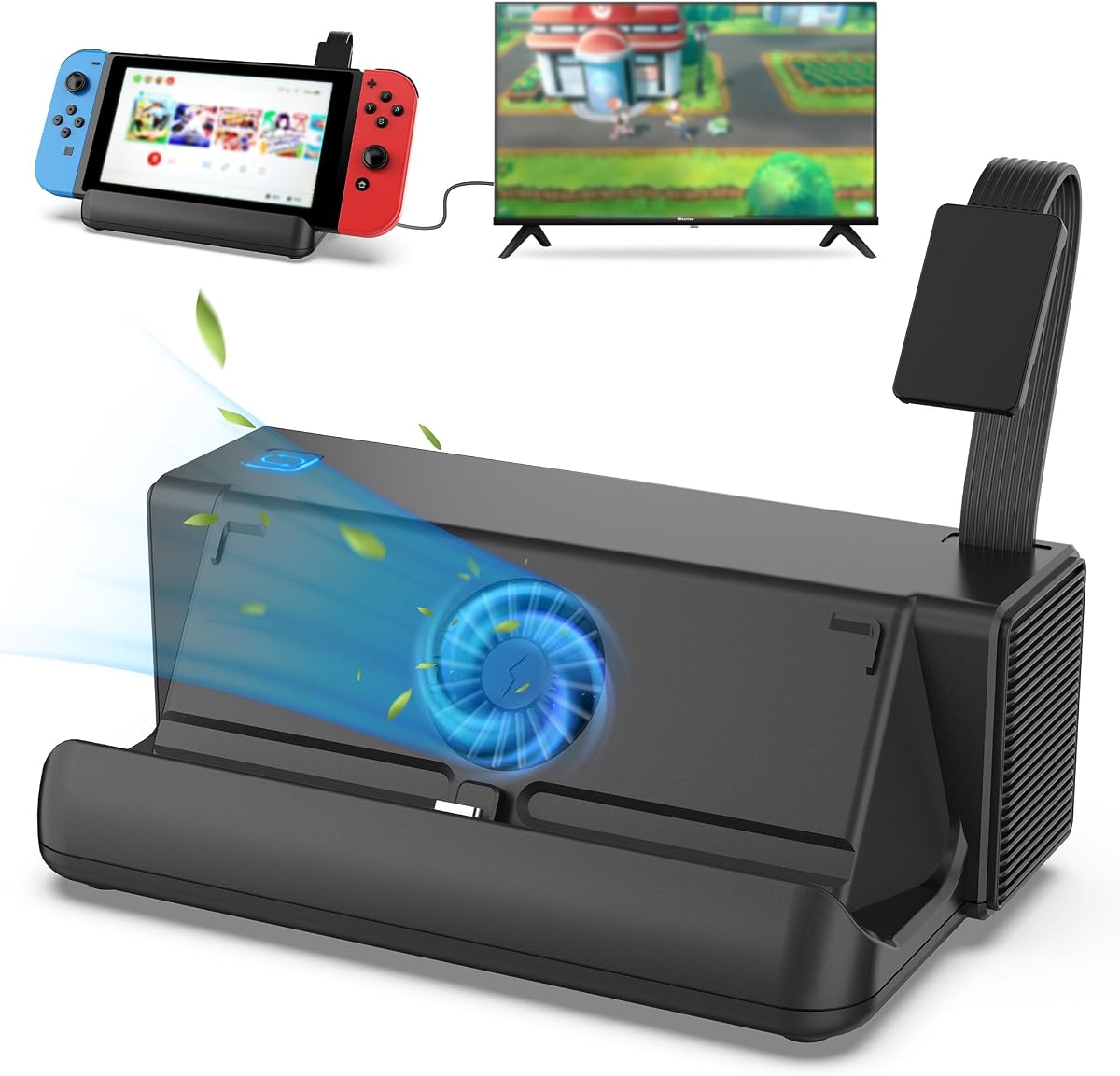
4.4Editor score
The following table compares key specifications across all ten products to help you find the right cooling solution for your setup.


This cooling fan replacement kit stands out as the top pick for its detailed LED display showing both fan speed and air temperature. It fits seamlessly into the original dock to keep your console cool during extended sessions.
We may earn a commission when you buy through this link, at no additional cost to you.
The adjustable speed range allows you to match cooling power to your needs. At lower speeds, it runs nearly silently while still providing sufficient airflow to prevent overheating during casual gameplay.
While higher speeds produce some noise, the option to control it means you can prioritize quiet for story modes and power for intense multiplayer. The included joystick caps add extra value to the package.
Ideal for owners seeking reliable thermal management without replacing the entire dock. Its straightforward installation and clear controls make it a practical choice for any Nintendo Switch user.
The digital display lets you track exact exhaust temperatures in Celsius so you can adjust settings before issues arise.
A fixed pad with sponges ensures the unit stays secure in the dock without scratching your console surfaces.
We may earn a commission when you buy through this link, at no additional cost to you.
Designed specifically for the original dock, this unit uses three high-speed fans to boost heat dissipation. It connects directly to the dock USB port so no extra power source is needed.
We may earn a commission when you buy through this link, at no additional cost to you.
The triple fan setup provides strong airflow that quickly lowers console temperatures. This is useful for long gaming sessions where the standard dock might struggle to keep up.
Some users note that turbo mode can be louder than normal use. However, the option to switch modes means you can balance cooling and noise as needed.
A solid choice for those wanting maximum airflow without replacing their existing dock. Its compact form ensures it fits neatly under TVs or in entertainment cabinets.
Three fans working together create robust ventilation that actively pulls heat away from the console during use.
Installation requires no tools as the unit simply slides onto the back of the dock and plugs in.
We may earn a commission when you buy through this link, at no additional cost to you.
This stand is built for the Switch 2 charging dock featuring dual fans that kick into gear when connected. It also adds useful features like game card slots and USB ports.
We may earn a commission when you buy through this link, at no additional cost to you.
Three-stage cooling adjustment gives you control over how aggressively the fans run. This helps manage power consumption and noise while still protecting the system from heat buildup.
The RGB lighting adds a visual flair to your setup with nine distinct modes. While mostly aesthetic it complements the gaming environment well.
Perfect for Switch 2 owners who want a dock accessory that combines cooling with storage and connectivity. Its integration with the dock simplifies setup.
Six slots let you keep favorite game cards handy without needing a separate case.
Extra USB ports allow you to charge controllers and headsets directly from the dock.
We may earn a commission when you buy through this link, at no additional cost to you.
A simple base stand designed to cool various game consoles. It holds three cooling fans that help dissipate heat effectively during gameplay.
We may earn a commission when you buy through this link, at no additional cost to you.
The small design ensures it does not take up much space on your desk or shelf. Setup is quick and does not require any additional hardware.
You can toggle between turbo and normal modes depending on how hard your console is working. This flexibility helps manage fan noise.
Best for users who need a basic solution without extra bells or whistles. Its universal approach makes it versatile across different systems.
A single side button lets you switch between cooling levels without navigating menus.
Made from sturdy material it can withstand regular use without warping or cracking.
We may earn a commission when you buy through this link, at no additional cost to you.
This all-in-one docking station replaces the standard dock while adding advanced features like game card switching and robust cooling. It is built for long sessions.
We may earn a commission when you buy through this link, at no additional cost to you.
Eight slots hold your game cards and a one-key switch lets you change titles without touching the console. A dedicated fan keeps temps low even during heavy use.
Independent switches let you turn off unused features to save power and reduce noise. This extends device life and keeps your setup tidy.
A premium option for power users who want maximum functionality in one unit. It is ideal for those who swap games often and play on both TV and handheld.
Swap between four active game cards with a single button press protecting your console from wear.
Use desktop mode for portable play or TV mode for immersive 1080P gaming on a big screen.
We may earn a commission when you buy through this link, at no additional cost to you.
Tailored for the 2021 OLED dock this fan uses turbo blades to blow air directly onto the base. It includes slots for fourteen game cards.
We may earn a commission when you buy through this link, at no additional cost to you.
Installation is plug and play with the included Type-C cable. The blue light adds a tech inspired look and syncs with the fan.
The high efficiency fan ensures the console stays cool during charging and play. Input delay is reduced thanks to better temperature control.
Best for OLED owners who need extra card storage and effective cooling. The design fits perfectly with the official base without adding bulk.
Super turbo fans move air directly to the OLED base surface to prevent overheating efficiently.
Fourteen slots on top provide ample space to store your frequently played game collection.
We may earn a commission when you buy through this link, at no additional cost to you.
This accessory is designed specifically for the Switch OLED base providing a high speed fan to improve airflow. It uses a Type-C power connection.
We may earn a commission when you buy through this link, at no additional cost to you.
The fan is compact and easy to install by connecting the adapter to the base input. The blue lighting effect turns on with the fan.
Its main benefit is improving air circulation inside the host to dissipate heat. It runs quietly enough for home environments.
Suitable for OLED users wanting a simple cooling upgrade. The white finish matches the console and provides reliable heat reduction.
The fan accelerates air inside the base to achieve effective heat dissipation of the host console.
Blue LED lighting effect turns on and off with the fan switch for a cohesive look.
We may earn a commission when you buy through this link, at no additional cost to you.
Designed for Switch 2 this fan offers three adjustable wind speeds and a smart auto function. It matches airflow to your gaming needs.
We may earn a commission when you buy through this link, at no additional cost to you.
A 45mm turbine fan generates ample airflow with an optimized blade structure that reduces noise. This keeps you immersed without loud distractions.
The auto on off feature means no manual operation is required. The vertical air duct aligns with the console inlet for efficiency.
Ideal for Switch 2 owners wanting hassle free cooling. The sleek design and secure mount ensure it stays put during play.
The fan automatically starts and stops along with your console offering true hands-free use.
Built with a vertical air duct that aligns with the console inlet for fast heat removal.
We may earn a commission when you buy through this link, at no additional cost to you.
A passive stand tailored for the Switch 2 dock to boost airflow without any moving parts. It features a hollowed-out structure to reduce overheating risks.
We may earn a commission when you buy through this link, at no additional cost to you.
Made of black acrylic with non-slip pads it locks your dock in place. Installation is effortless as no tools or assembly are required.
Since it has no fan it produces zero noise and needs no power. This makes it great for quiet rooms where sound is a concern.
Best for users who prefer silent setups. It is a clean and practical way to improve heat reduction on your desk.
Fanless structure boosts airflow without any sound making it perfect for quiet environments.
Just place your dock on the stand for instant airflow enhancement and heat reduction.
We may earn a commission when you buy through this link, at no additional cost to you.
An economical cooling fan that fits the original dock station and prevents overheating. It displays real time speed and temperature clearly.
We may earn a commission when you buy through this link, at no additional cost to you.
Speed adjustment ranges from low to high to meet different needs. Below a certain threshold it is nearly silent balancing performance and noise.
Package includes a stabilizer pad and joystick caps for extra utility. The sponge pad prevents scratches and ensures stable placement.
A great entry level option for budget conscious buyers. Its reliability and warranty support make it a safe choice for long gaming sessions.
LED display shows real-time fan speed and exhaust temperature clearly at a glance.
Lifetime warranty and 24-hour customer service ensure product problems are solved quickly.
We may earn a commission when you buy through this link, at no additional cost to you.
Selecting the right cooling solution depends on your console model and setup needs. Consider these factors before making a purchase.
Ensure the fan fits your specific dock model. Some units are made for the original dock while others target OLED or the newer Switch 2. Using an incompatible unit can lead to poor fit or blocked ventilation.
Check the product description for supported models to avoid returns.
Adjustable speeds let you balance cooling power with noise. Models offering multiple settings let you choose quiet for casual play and high for intensive sessions.
Look for at least two speed options to manage performance effectively.
Noise is a common complaint. Fans under 2400 RPM typically run quietly. If you are sensitive to sound check reviews for noise feedback before buying.
Lower RPM settings should prioritize silent operation.
Most fans draw power from USB ports on the dock. Verify if it uses Type-C or Micro USB cables. Having the right adapter ensures easy setup.
Choose units that use standard cables you already own.
Some accessories include game card slots RGB lights or extra USB ports. Decide if these extras add value to your workflow.
Prioritize features that enhance usability beyond cooling.
Build materials affect durability. ABS or acrylic housings should feel sturdy. A high quality build resists wear over time.
Inspect product images to gauge material thickness.
Look for tools free setups. Units that slide or plug directly save time. Avoid complex assembly if you want quick use.
Simple fits reduce setup friction.
A warranty shows confidence in quality. Many top picks offer lifetime or multi-year coverage. Check support response times for peace of mind.
Verify warranty terms on the product page.
Install the fan by sliding it into the dock vents or attaching the cable to a USB port. Ensure all ventilation channels remain open.
Run the unit during long sessions to prevent heat buildup. Use lower speeds when noise is a priority to keep the room quiet.
Clean dust from fans monthly to maintain performance. Use a soft brush to clear vents and remove debris.
Yes consistent cooling reduces thermal stress on internal components. This helps maintain performance and prevents overheating shutdowns during extended use.
Look for models designed specifically for the 2021 OLED dock with Type-C power. These units align perfectly with the official base vents.
Check product descriptions for RPM noise data. Units under 2400 RPM generally run quietly. Reading reviews can also reveal real world noise levels.
Some universal coolers fit multiple systems but most are tailored for Switch. Verify console compatibility before buying to ensure a snug fit.
Yes real time data lets you monitor temperature and adjust fan speed accordingly. This proactive approach prevents unexpected overheating issues.
Most units are safe for long use but avoid leaving them unattended when unused. Some models have auto off functions for convenience.
Clean dust every month to maintain airflow. Use compressed air or a soft brush to clear vents and blades for optimal performance.
Most coolers replace the original dock entirely while others attach externally. Decide based on whether you need storage or simple ventilation.
The top picks include the LED display model for precision cooling and the ZMBESUP dock for full functionality. These options cover various needs from basic fans to full stations.
Prioritize compatibility and noise levels when selecting a fan. Adjustable speeds and easy installation enhance the user experience significantly.
Check current listings for the most accurate pricing and availability. Accessories vary by retailer and stock so verify details before purchasing.