
SANSUI 24 Inch Curved 160Hz Gaming Monitor
4.4Editor score
160Hz refresh rate
1500R curvature
1ms MPRT response
Choosing the right display can transform your gaming experience from flat to immersive. A curved 160Hz gaming monitor offers smooth motion and deep engagement for competitive play.
We evaluated ten top models based on refresh rate, resolution, color accuracy, and build quality. Our analysis focuses on real-world performance for gamers seeking value and speed.
Each pick highlights specific strengths like budget friendliness or premium features. Keep in mind that availability and deals shift frequently, so check current listings before buying.
4.4Editor score
4.5Editor score

4.6Editor score
As an Amazon Associate we earn from qualifying purchases.
The following table provides a side-by-side view of key specifications for all ten monitors. This helps you quickly identify differences in resolution, refresh rate, and panel type.






This SANSUI monitor ranks as our top budget pick for its impressive refresh rate and curved design at a low cost. It delivers smooth visuals for competitive gaming without breaking the bank.
We may earn a commission when you buy through this link, at no additional cost to you.
The 160Hz refresh rate and 1ms MPRT response time ensure minimal motion blur during fast-paced scenes. The 1500R curvature enhances immersion while the VA panel provides deep blacks and high contrast.
While it lacks speakers and advanced ergonomic adjustments, the stand offers sufficient tilt. The color accuracy meets general gaming needs with 110% sRGB coverage for vibrant images.
Budget-conscious gamers seeking a reliable entry-level curved monitor will find this model excellent. It balances performance and price effectively for casual or competitive play.
At this price point, finding a 160Hz curved monitor is rare. It allows smooth gameplay without expensive hardware requirements.
The 1500R curve wraps around your view to reduce eye strain. It helps maintain focus during long gaming sessions.
We may earn a commission when you buy through this link, at no additional cost to you.
This 27-inch model offers a larger canvas than the 24-inch version while keeping the same 160Hz refresh rate. It is suitable for gamers who want more screen real estate.
We may earn a commission when you buy through this link, at no additional cost to you.
The 1500R curvature remains consistent to reduce distortion. Game assistant tools like crosshair and timer help competitive players. HDR mode enhances visuals when connected properly.
The lack of speakers and specific HDR connection requirements are minor drawbacks. The panel offers solid contrast and brightness for everyday gaming and media.
Users wanting a step up in screen size without huge cost will appreciate this unit. It maintains the budget-friendly ethos while expanding the view.
The 27-inch size provides more space for UI elements. It helps in strategy games or multitasking scenarios.
Built-in tools like timers and crosshairs aid gameplay. These are accessible without needing extra software.
We may earn a commission when you buy through this link, at no additional cost to you.
This variant focuses on color performance with DCI-P3 97% coverage. It is a strong choice for content creation and gaming. The flicker-free tech protects eye health during long use.
We may earn a commission when you buy through this link, at no additional cost to you.
The 160Hz refresh rate ensures fluid motion. VESA compatibility allows flexible mounting. The 1ms response time reduces ghosting in fast scenes.
The stand is basic but functional. Users needing extensive ergonomics might need a separate arm. Overall it balances visual quality and cost well.
Gamers needing accurate colors or eye comfort will find this appealing. It stands out for visual fidelity within its class.
The DCI-P3 coverage supports accurate color work. It is rare at this price level.
VESA mounting enables custom setup. You can position the monitor precisely.
We may earn a commission when you buy through this link, at no additional cost to you.
This model brings 4K resolution to a curved gaming experience. It offers crisp details for immersive worlds. Built-in speakers reduce cable clutter for a clean setup.
We may earn a commission when you buy through this link, at no additional cost to you.
The 160Hz refresh rate supports smooth gaming. AMD FreeSync ensures compatibility. HDMI 2.1 and DP 1.4 provide robust connectivity.
Running 4K at high refresh rates needs a powerful GPU. The build is functional but not premium. It is a great option for media and gaming.
Users wanting high resolution without flat screen compromise will like this. It merges sharp visuals with gaming performance.
The 4K resolution delivers sharp text and textures. It enhances open world exploration.
Built-in speakers save space and wires. It simplifies your desktop layout.
We may earn a commission when you buy through this link, at no additional cost to you.
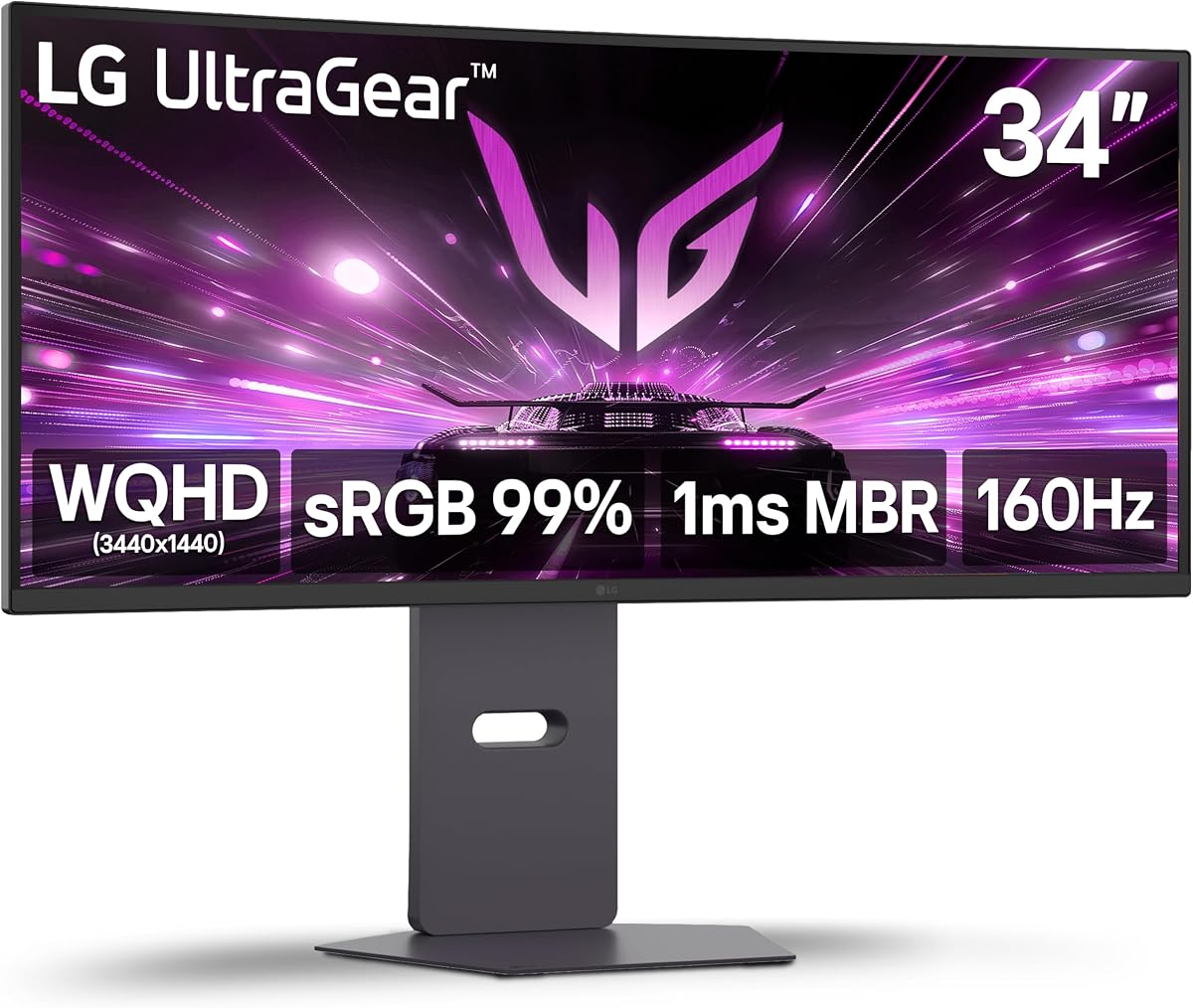
This LG UltraGear delivers exceptional ultrawide immersion with 160Hz speed. The stand offers height and swivel adjustments. Audio via Waves MaxxAudio enhances the experience without extra gear.
We may earn a commission when you buy through this link, at no additional cost to you.
The 1800R curvature balances immersion and desk space. WQHD provides sharp visuals. Dynamic Action Sync reduces input lag for competitive edge.
It costs more than budget options but offers premium features. The large size fits dedicated gaming setups. It is a top pick for serious users.
Gamers seeking balance and performance will love this monitor. It excels in both work and play.
The 34 inch panel expands your field of view. It is ideal for racing and open world games.
The stand adjusts fully to fit your posture. It helps reduce neck strain.
We may earn a commission when you buy through this link, at no additional cost to you.
This renewed version offers the same premium LG experience at a lower cost. It is a smart option for budget conscious buyers. The condition is typically excellent.
We may earn a commission when you buy through this link, at no additional cost to you.
Performance matches the new unit with 160Hz and WQHD. Certified renewed units undergo testing. Warranty support ensures peace of mind.
Minor cosmetic wear might be present but does not affect use. It is a viable choice if new stock is pricey.
Buyers who value specs over packaging will prefer this. It brings high-end features within reach.
Renewed units are tested for function. It ensures consistent performance.
This model lowers the entry to premium features. It saves money without compromise.
We may earn a commission when you buy through this link, at no additional cost to you.
This Samsung model features a deep 1000R curve for maximum immersion. It wraps around your vision to eliminate distractions. QHD offers sharp details.
We may earn a commission when you buy through this link, at no additional cost to you.
The 165Hz refresh rate ensures smooth action. Eye Saver Mode protects vision during long sessions. FreeSync keeps visuals stable.
The curve is deeper than most. Some users may need time to adapt. It is great for focused gaming.
Gamers wanting maximum immersion will enjoy this design. It stands out for its wrap-around feel.
The 1000R curve matches eye focus. It pulls you into the game.
Eye Saver Mode reduces blue light. It supports longer play without fatigue.
We may earn a commission when you buy through this link, at no additional cost to you.
This Sceptre model offers an ultrawide experience at a budget price. It supports up to 180Hz refresh rate. The LED backcover adds a modern touch.
We may earn a commission when you buy through this link, at no additional cost to you.
99% sRGB coverage supports vibrant colors. Dual DisplayPort offers flexibility. Built-in speakers complete the setup.
Build quality is basic compared to premium brands. It is a great entry into ultrawide gaming.
Users wanting wide view without spending much will like this. It balances cost and features well.
The 21:9 ratio increases workspace. It aids multitasking tasks.
Backcover LEDs match your room vibe. It adds style to your setup.
We may earn a commission when you buy through this link, at no additional cost to you.
This Alienware monitor represents top tier performance with 180Hz speed. It offers VESA HDR400 for vivid visuals. The hardware based low blue light reduces strain.
We may earn a commission when you buy through this link, at no additional cost to you.
WQHD resolution delivers sharp details. It supports console modes for versatility. Color coverage is excellent for content.
It is an investment for dedicated gamers. The size requires space. It is a best choice for enthusiasts.
Users prioritizing speed and visual quality will love this. It is a standout in premium gaming.
The 180Hz rate ensures ultra smooth play. It reduces motion blur.
Console modes support latest systems. It adapts to different platforms.
We may earn a commission when you buy through this link, at no additional cost to you.
This AOC model leads with 200Hz refresh rate for extreme speed. It delivers 0.3ms response to reduce blur. The stand offers height and swivel adjustments.
We may earn a commission when you buy through this link, at no additional cost to you.
UWQHD provides sharp visuals. Adaptive Sync keeps gameplay smooth. It suits fast paced competitive games.
200Hz requires powerful hardware. HDR is basic. It is a top choice for speed.
Users chasing the fastest refresh rates will like this. It stands out for raw performance.
The 200Hz rate pushes motion fluidity. It is for high end rigs.
0.3ms response ensures crisp tracking. It aids competitive reactions.
We may earn a commission when you buy through this link, at no additional cost to you.
Selecting the right monitor involves balancing resolution, refresh rate, and ergonomic needs.
A 160Hz refresh rate ensures smooth visuals during motion. It reduces tearing and stuttering significantly. Look for compatibility with your graphics card.
Higher refresh rates aid competitive gaming by improving reaction visibility.
Curved screens improve immersion by wrapping around your view. Common values are 1500R and 1800R. A deeper curve suits larger screens.
Choose based on your desk space and comfort preference.
Resolution defines pixel sharpness. FHD suits 24 inch monitors while WQHD fits 34 inch. Higher resolution needs more GPU power.
Match resolution to your system capability for best results.
VA panels offer deep contrast and good color. IPS provides wider viewing angles but may cost more. VA is common in budget models.
Select VA for contrast and media or IPS for color work.
Ensure ports like HDMI 2.0 or DP 1.4 support refresh rates. Check for audio jacks if speakers are not included. VESA mounting offers flexibility.
Confirm cables are included to avoid extra costs.
Adjustable stands help maintain good posture. Tilt and height adjustment reduce neck strain. Some models offer limited movement.
Consider a separate arm if stand adjustments are minimal.
Look for FreeSync or G Sync support to reduce tearing. Built-in speakers save space but sound quality varies. HDR enhances contrast in supported content.
Prioritize features that match your gaming habits.
A warranty protects against defects. Some brands offer replacement for early failures. Check support policies before buying.
Good support ensures long term reliability and peace of mind.
Calibrate your monitor using built-in tools for accurate color. Adjust brightness to match room lighting. Proper setup enhances the viewing experience.
Keep the screen clean with a soft microfiber cloth. Avoid harsh chemicals or water. Dust gently to maintain clarity.
Allow proper ventilation around the monitor. Do not block vents or place in direct sunlight. Regular care extends its lifespan.
A 160Hz refresh rate means the screen updates 160 times per second. This creates smoother motion and reduces blur in fast games. It provides a competitive edge by improving visibility of quick movements.
Curved monitors offer a more immersive experience by wrapping around your field of view. They reduce distortion and eye strain. However flat screens may suit wider multi-monitor setups better.
Yes, your graphics card must support the refresh rate at your chosen resolution. Check the monitor's documentation. Modern cards usually handle 160Hz at FHD or WQHD easily.
Most of these models support both gaming and productivity. High refresh rates ensure smooth scrolling while curved views aid focus. Text clarity is typically good for work tasks.
AMD FreeSync syncs the monitor's refresh rate with your graphics card. It prevents screen tearing and stuttering during gameplay. It is essential for a smooth visual experience.
Use a microfiber cloth to wipe gently. Avoid spraying liquid directly on the panel. For stubborn smudges, use a small amount of water on the cloth.
Many models feature standard VESA mounting holes. This allows installation on wall mounts or arms. Check the spec list for the exact mount size.
Basic HDR enhances contrast and brightness. However, true HDR requires higher brightness and wider gamuts. It helps for movies and supported games but is not essential for all.
Our top picks cover a range of needs from budget to premium. The SANSUI 24 inch offers affordable speed while the LG 34 inch delivers premium ergonomics and immersion.
Prioritize resolution and refresh rate based on your hardware. Consider your desk space and ergonomic needs. A good monitor will serve you for years.
Prices and stock change quickly. Verify current listings and availability before purchasing. We hope this guide helps you find the perfect monitor.