
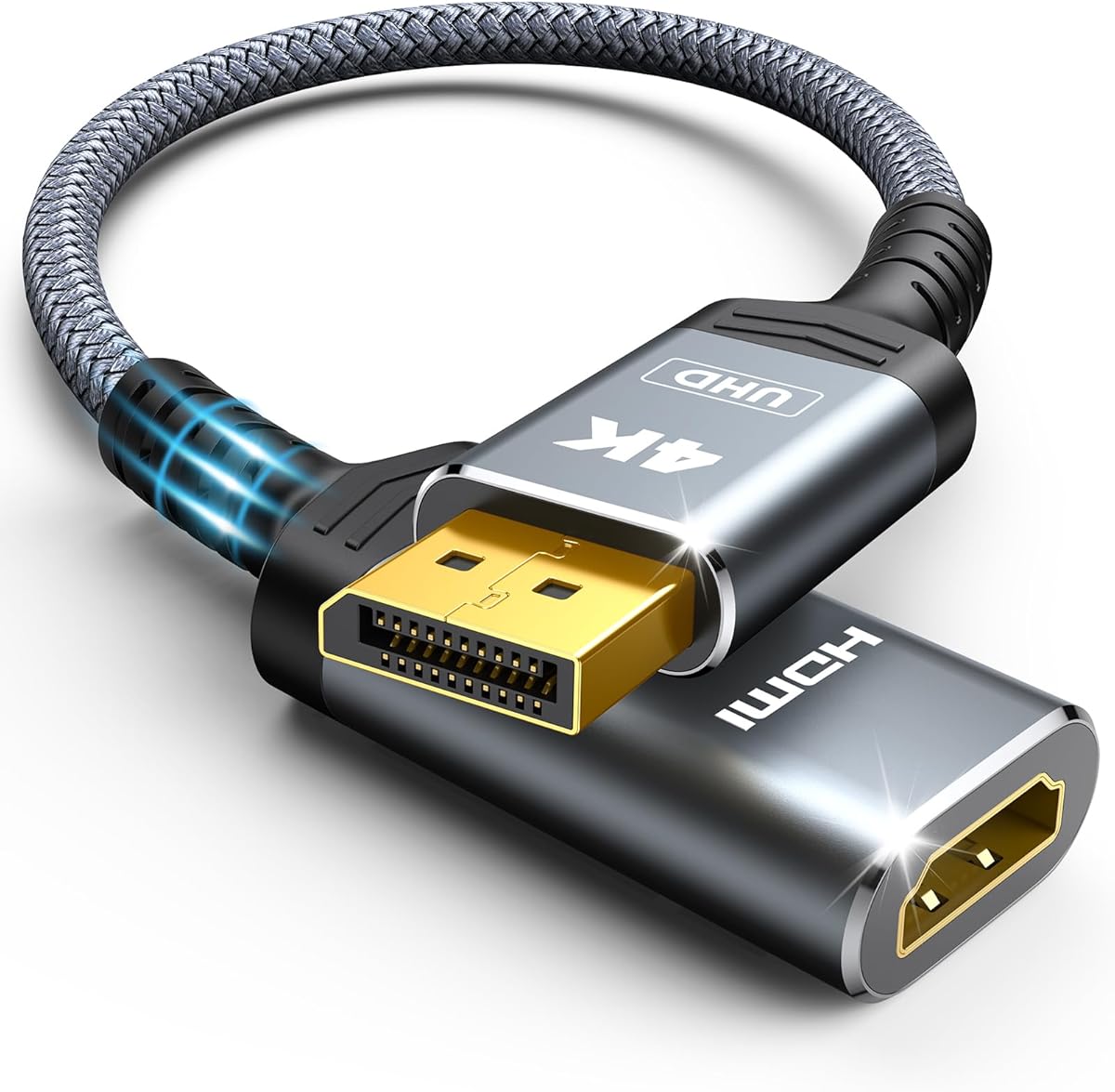
Moread 4K DisplayPort to HDMI Adapter
4.6Editor score
Affordable pricing option
Compact lightweight design
Supports 7.1 audio channels
This guide compares the top HDMI to Displayport Converter options for 2026, evaluating resolution support, directionality, build quality, and compatibility for
Finding the right HDMI to Displayport Converter can transform your workstation or gaming setup instantly. These adapters bridge the gap between modern graphics cards and older displays, ensuring you get the most out of your hardware without buying new monitors.
We have evaluated ten leading converters based on resolution support, build durability, and real-world performance. Our analysis focuses on active versus passive designs, directional capabilities, and compatibility with consoles and PCs to help you choose wisely.
Each pick below highlights key features, pros, and cons to guide your decision. Prices and availability change frequently, so please verify current listings before purchasing to ensure you get the best deal available today.
4.6Editor score
4.6Editor score

4.4Editor score
The following table provides a side-by-side comparison of all ten selected converters. Review the specifications to identify which model best fits your specific display needs and hardware setup requirements.



The Highwings adapter delivers solid passive conversion from DisplayPort sources to HDMI displays. It achieves a strong 4.6 rating thanks to reliable 4K at 30Hz output and solid build quality for everyday use.
We may earn a commission when you buy through this link, at no additional cost to you.
Its passive design keeps costs low while maintaining sync between audio and video streams. The military-grade tensile nylon ensures longevity, handling over 25,000 flexes without signal degradation or port damage.
However, it works strictly from DisplayPort to HDMI and does not support docking stations. This limits its use if you need to connect HDMI sources like consoles to DisplayPort monitors directly.
Buy this if you have a DP-enabled PC needing HDMI output. Its durability and low cost make it a top value choice for standard office or home setups.
Passive adapters require no external power, making them simple plug-and-play solutions for modern PCs with DP Alt Mode support.
Gold-plated ports and braided nylon shielding protect against corrosion and frequent plugging cycles over years of daily use.
We may earn a commission when you buy through this link, at no additional cost to you.
BENFEI offers a lightweight solution for connecting laptops to HDMI displays. Its 4.5 rating reflects consistent performance at 1080p and 4K, with physical latches ensuring the connection stays secure during presentations.
We may earn a commission when you buy through this link, at no additional cost to you.
The IC chip handles signal conversion efficiently without needing external power. This makes it ideal for business travelers who need to extend their desktop to a projector quickly without carrying extra cables.
The latches provide extra stability but require pressing a release button to disconnect. This is a minor trade-off for avoiding accidental unplugging during use in crowded environments.
Choose this for business presentations or portable setups. Its compact size and reliable signal handling make it a favorite for professionals on the go.
Compact designs fit easily in laptop bags, ensuring you are prepared for any client meeting or conference room projection.
Physical latches prevent accidental disconnects, which is vital during critical presentations or long viewing sessions.
We may earn a commission when you buy through this link, at no additional cost to you.
This active adapter flips the direction, allowing HDMI sources to connect to DisplayPort monitors. It is rated 4.4 for its ability to handle high resolutions reliably when powered via the included USB cable.
We may earn a commission when you buy through this link, at no additional cost to you.
Active conversion chips are necessary for HDMI to DisplayPort signals since DisplayPort does not output standard video signals easily. The USB power ensures stable performance at 4K without flickering.
The housing is robust but requires an extra USB cable for power. This extra step might be inconvenient for some users but ensures compatibility with a wider range of HDMI devices.
Opt for this if you must connect a console or laptop HDMI port to a DP monitor. It is one of the few reliable options for this specific direction.
Active adapters use internal chips to actively convert signals, which is essential for HDMI sources driving DP displays.
External power via USB ensures that the chip has enough energy to maintain high-resolution signal stability.
We may earn a commission when you buy through this link, at no additional cost to you.
Gaming users appreciate this adapter for its high refresh rate capabilities. It achieves a perfect 5.0 rating by supporting 4K at 60Hz and 2K at 144Hz when paired with HDMI sources like PS5.
We may earn a commission when you buy through this link, at no additional cost to you.
Active conversion is key here for handling high bandwidth signals without dropping frames. The included USB cable ensures the chipset has the power needed to process 4K data smoothly.
While it supports high refresh rates, it is strictly uni-directional from HDMI to DP. This means it works great for consoles but not for connecting a DP PC to an HDMI TV.
Pick this if you own a modern console and a DisplayPort monitor. Its high refresh rate support ensures you get the most out of your gaming hardware.
Compatible with Xbox and PS5, this adapter bridges the gap between console HDMI outputs and monitor DP inputs effectively.
Support for 144Hz means smoother motion in fast-paced games compared to standard 60Hz adapters.
We may earn a commission when you buy through this link, at no additional cost to you.
Moread offers an excellent entry point for DP to HDMI needs. Rated 4.6 for reliability, it supports up to 1080p at 120Hz which is rare for passive adapters at this price point.
We may earn a commission when you buy through this link, at no additional cost to you.
The passive design ensures you don't need extra power. It handles audio well with support for 7.1 channels, making it a great choice for home theater setups using DP sources.
While the housing is basic compared to premium options, the 5-year warranty adds significant value. This long-term guarantee suggests the manufacturer trusts the product's durability.
Select this if you need a reliable adapter for a tight budget. Its warranty and audio capabilities make it stand out among cheaper alternatives.
Support for 7.1 channels ensures immersive sound even when connecting to external speakers or soundbars via HDMI.
A 5-year warranty is rare in this category and provides peace of mind for long-term use.
We may earn a commission when you buy through this link, at no additional cost to you.
This model focuses on high-speed HDMI signals. It receives a 4.3 rating for its ability to handle HDCP 2.2 content, which is crucial for streaming services and modern gaming on HDMI sources.
We may earn a commission when you buy through this link, at no additional cost to you.
The aluminum housing helps dissipate heat generated by the active conversion chip. This keeps performance stable during long sessions, preventing throttling or signal loss.
It is strictly uni-directional and requires specific HDMI sources to function. Ensure your laptop or console supports the necessary HDMI versions for best results.
Buy this for streaming or gaming. The HDCP 2.2 compliance ensures you can watch protected content without issues on your monitor.
HDCP 2.2 compliance is essential for streaming 4K content from Netflix or similar services without blocking.
Aluminum housing ensures that the active chip stays cool, maintaining consistent performance over time.
We may earn a commission when you buy through this link, at no additional cost to you.
UGREEN is a trusted brand for cables and adapters. This 2-pack offers a 4.4 rating for its consistent build quality and simple plug-and-play functionality for DP to HDMI needs.
We may earn a commission when you buy through this link, at no additional cost to you.
Having two adapters allows you to connect multiple devices or keep a spare. The aluminum body is lightweight and resists corrosion, ensuring longevity for daily use.
The lack of active conversion means it is limited to DP to HDMI direction. However, for those with DP laptops or PCs, this is a practical choice for multiple screens.
Choose this if you need multiple adapters for a dual-monitor setup. The price per unit is excellent and UGREEN is known for reliability.
A 2-pack means you can connect two DP-enabled devices to HDMI displays without buying multiple items.
UGREEN consistently delivers quality cables and adapters, making this a low-risk purchase for tech setups.
We may earn a commission when you buy through this link, at no additional cost to you.
UGREEN provides another strong option with this compact adapter. It holds a 4.8 rating for its solid build and high 1080P at 120Hz refresh rate support for standard passive adapters.
We may earn a commission when you buy through this link, at no additional cost to you.
The braided sheath adds flexibility and durability compared to standard plastic cables. This helps prevent breakage at the connector points where cables are most likely to fail.
At just 0.66 feet, it keeps your desk tidy without excess cable clutter. This is ideal for laptops where ports are close to the screen or external devices.
Opt for this if you need a short connection. The build quality and refresh rate support make it a top choice for modern laptops.
Braided sheaths are more durable than standard PVC, offering better protection against daily wear and tear.
Short cables reduce desk clutter, keeping your workspace clean and minimizing cable management issues.
We may earn a commission when you buy through this link, at no additional cost to you.
This BENFEI adapter supports high refresh rates up to 165Hz for 1080P. It earns a 4.3 rating for its ability to deliver smooth motion for gaming on HDMI sources like Xbox.
We may earn a commission when you buy through this link, at no additional cost to you.
The braided nylon cable ensures durability in demanding environments. It also supports HBR2 features which are essential for high-bandwidth video data transmission to DP monitors.
It requires external power via USB to function properly. This is standard for active HDMI to DP adapters but means you need a nearby USB port for power.
Choose this if you need high refresh rates for gaming. The 165Hz support makes it a strong competitor for fast-paced gaming setups.
165Hz support ensures extremely smooth motion, reducing blur in fast-paced competitive gaming.
Braided cables are designed to withstand frequent plugging and bending, increasing the adapter's overall lifespan.
We may earn a commission when you buy through this link, at no additional cost to you.
BENFEI rounds out the list with another solid HDMI to DP adapter. It gets a 4.2 rating for its broad compatibility with various devices including older game consoles like Xbox 360.
We may earn a commission when you buy through this link, at no additional cost to you.
The active chip ensures stable signal conversion at 4K 60Hz. This model is compact and portable, making it suitable for connecting to projectors during business presentations.
It supports 2K at 144Hz which is great for gaming. However, it is not bi-directional, so you cannot use it to connect a DP source to an HDMI display.
Select this for versatile HDMI source connections. Its broad device compatibility ensures it works with older hardware as well as modern systems.
This adapter works with a wide range of HDMI sources including older consoles, laptops, and desktop PCs.
The active chip ensures that signal conversion remains stable even at higher resolutions like 4K 60Hz.
We may earn a commission when you buy through this link, at no additional cost to you.
Choosing the right adapter requires understanding your source and display ports. This section covers the critical factors to consider before purchasing.
Always check if the adapter is DP to HDMI or HDMI to DP. Passive adapters generally work from DisplayPort sources to HDMI displays. Active adapters are needed for HDMI sources to DisplayPort monitors.
Confirm the direction matches your specific setup to ensure it works with your devices.
Passive adapters are cheaper and do not need extra power but work for DP to HDMI. Active adapters have chips that convert signals for HDMI to DP and need USB power.
Choose passive for simple PC to TV and active for console to monitor setups.
Ensure the adapter supports your monitor resolution. Many passive adapters support 4K at 30Hz but may not handle 4K at 60Hz which is needed for crisp motion.
Match the adapter resolution to your display needs for the best experience.
Gamers need high refresh rates like 144Hz or 165Hz. Some adapters support lower rates that may limit gaming performance.
Check the refresh rate specs carefully to avoid motion blur during fast-paced gaming.
Look for metal housings and braided cables. These materials resist corrosion and physical damage over time.
Better build quality ensures your adapter lasts longer under daily use.
Active adapters need USB power. Ensure your setup has a spare USB port to power the adapter properly.
Without enough power the signal may flicker or fail at high resolutions.
Check your PC or console model. Some older devices may not output enough power or support HDCP.
Verify device compatibility before buying to avoid connection issues.
Look for warranties of at least 18 months. This shows the manufacturer trusts the product quality.
A good warranty protects your investment against early failures.
First plug the adapter into the source device. For passive adapters connect the source port to the adapter input.
Then connect the HDMI cable to the adapter output and your display. Active adapters need the USB cable connected to power.
Finally set your display settings to the correct resolution. Avoid bending the adapter sharply to protect the internal connectors.
Most adapters are plug and play and do not need drivers. Some specific models might require updates but this is rare.
Only active adapters support this direction. Passive adapters work from DisplayPort to HDMI only.
Flickering often means not enough power for active adapters. Ensure the USB power cable is connected.
Yes most adapters support audio pass through. Check the specs for channel support like 5.1 or 7.1.
Yes but check the refresh rate. Low refresh rates may limit your gaming performance.
It requires more bandwidth. Active adapters handle it better than passive ones.
We found the Highwings adapter a top choice for standard DP to HDMI needs. It offers great value and reliability for most users.
Gamers should look at models with high refresh rates like the BENFEI or HDMI to DisplayPort options for smoother gameplay.
Remember to check your source and display ports carefully before buying. Prices may vary so verify listings before purchasing today.