
AI Voice Recorder Lite
4.4Editor score
Unlimited free transcription
Credit card sized
Smart AI summary
This guide compares the top AI meeting transcription devices for 2026, evaluating accuracy, battery life, and features to help you choose the right recorder.
Finding the right AI meeting transcription device can transform how you capture and organize professional conversations. These tools automate note-taking and provide summaries that save valuable time during busy workdays.
We have evaluated ten leading models based on transcription accuracy, battery performance, and ease of use. Our analysis focuses on real-world capabilities like noise cancellation and language support to ensure reliable results.
Each pick highlights unique strengths tailored to different workflows and environments. Please note that specific features and availability may vary over time, so verify current details before purchasing.
4.4Editor score

4.5Editor score

4.8Editor score
This side-by-side comparison highlights the core capabilities of each device to help you identify the model that best fits your specific professional needs.


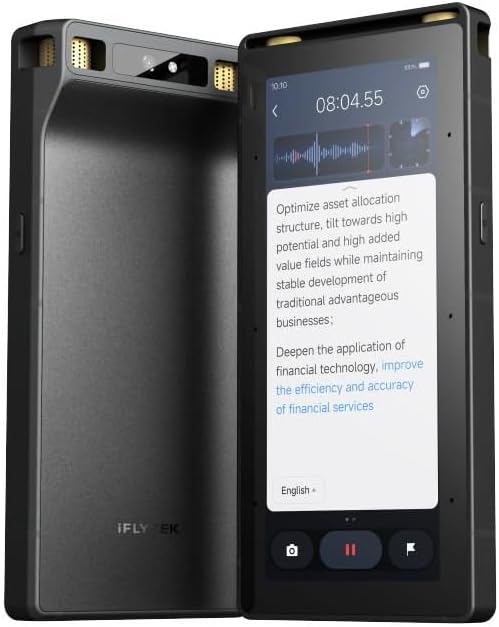
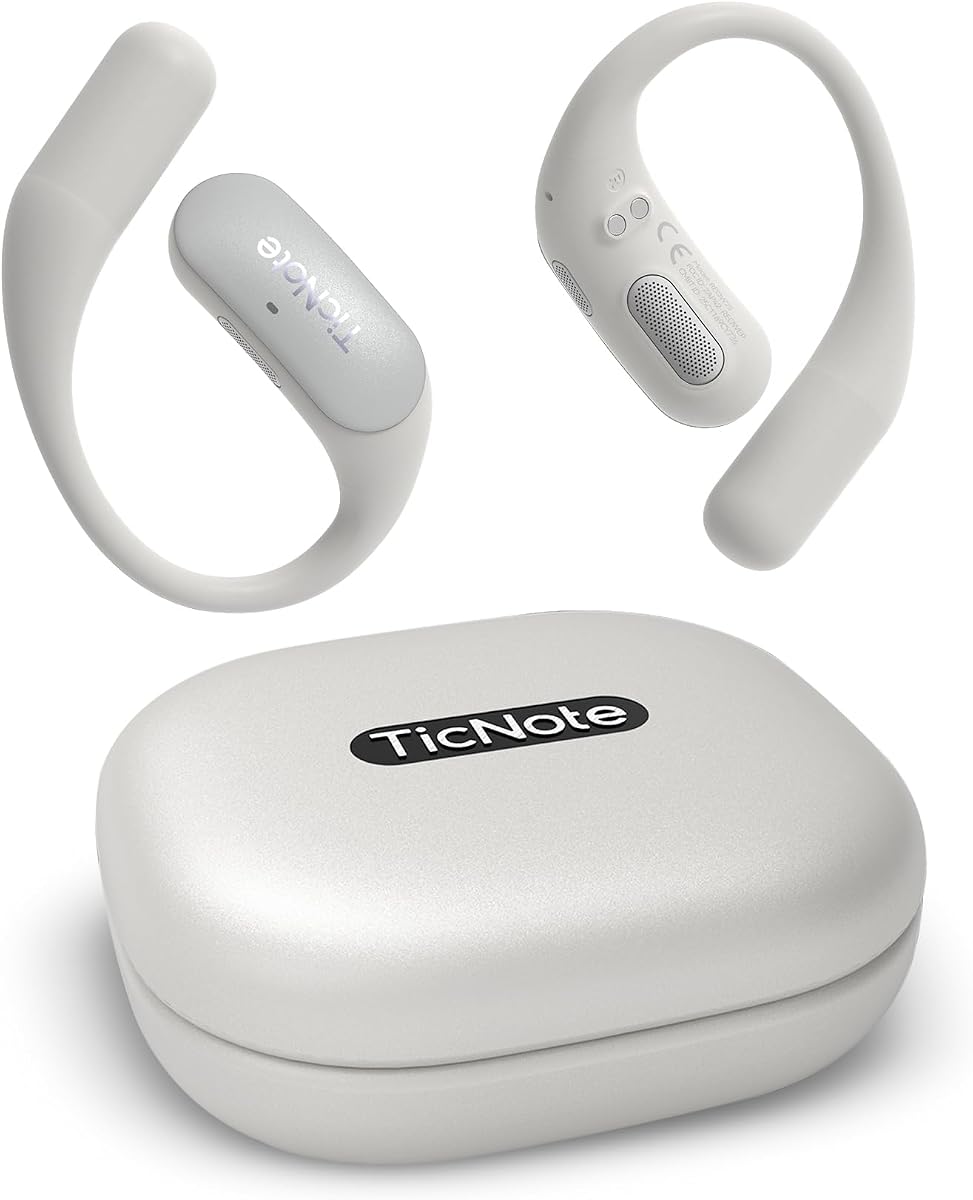

This device leads our list for its ability to capture rich context during meetings. With a rating of 4.5 stars, it balances advanced AI with practical usability for professionals.
We may earn a commission when you buy through this link, at no additional cost to you.
Its standout feature is the multimodal input, allowing you to snap photos or type notes while recording. This creates a layered record that goes beyond simple audio transcripts.
The battery life supports up to 30 hours of continuous recording. While this is strong, power users might find the need for periodic recharging during long conferences.
Choose this device if you need a tool that integrates visual and textual notes with audio. It is ideal for those who value comprehensive meeting records.
Use the button to highlight key moments instantly for richer understanding later.
Compliance with ISO and SOC standards ensures your sensitive conversations remain protected.
We may earn a commission when you buy through this link, at no additional cost to you.
This recorder stands out for its MagSafe compatibility, making it effortless to attach to your phone. It delivers reliable transcription with minimal setup required for users.
We may earn a commission when you buy through this link, at no additional cost to you.
The battery can last up to four days on a single charge. This durability makes it a great companion for travel or extended work sessions without frequent charging.
Some advanced tools require a subscription, which might limit immediate access to all features. However, core functionality remains available for everyday productivity.
Buy this if you use an iPhone and want a recorder that attaches securely to your device. It simplifies capturing notes during calls on the go.
Attach the device to your phone for hands-free recording without holding it.
Enjoy up to four days of battery life to ensure you are always ready.
We may earn a commission when you buy through this link, at no additional cost to you.
This model offers unlimited transcription in its starter plan, which is rare in this category. It provides a cost-effective way to capture and summarize meetings without hidden fees.
We may earn a commission when you buy through this link, at no additional cost to you.
You can ask the AI to search the web for deeper insights beyond your recordings. This adds a layer of context that helps connect meeting topics to broader industry trends.
The device is very slim and lightweight, fitting easily into a card holder. While durable, its minimalist build may feel less premium than heavier metal options.
Choose this if you need unlimited transcription without paying monthly fees. It is perfect for students or professionals on a tight budget.
Get unlimited AI transcription included with the starter plan for everyday use.
Use the AI to search the web for additional context on your meeting topics.
We may earn a commission when you buy through this link, at no additional cost to you.
This recorder includes a knowledge base for specific industries like law and finance. This helps ensure that technical terms are transcribed accurately during professional calls.
We may earn a commission when you buy through this link, at no additional cost to you.
It supports fast Wi-Fi syncing, which transfers files much faster than Bluetooth. You can also access unlimited cloud backup to secure your meeting notes effectively.
While there is a free plan, deeper analysis tools require a subscription. Users should weigh the value of these tools against their specific workflow needs.
Select this device if you work in specialized fields requiring accurate terminology. It offers a robust free tier for standard recording needs.
Industry verticals help capture precise professional terms during meetings.
Transfer your recordings to the cloud at speeds up to ten times faster than Bluetooth.
We may earn a commission when you buy through this link, at no additional cost to you.
This model excels at turning voice notes into editable slides and emails automatically. It reduces the manual effort required to organize meeting notes into formal documents.
We may earn a commission when you buy through this link, at no additional cost to you.
The battery supports over 70 hours of recording, which is exceptional for long periods of use. Combined with a six-mic setup, it captures clear audio in various environments.
The premium features come with a higher initial cost compared to basic recorders. However, the time saved on document creation may justify this investment.
Invest in this if you need automated document drafting from your meetings. It is a top choice for productivity-focused professionals.
Generate slides and drafts directly from your conversation without extra prompts.
Use the device for over 70 hours on a single charge without interruption.
We may earn a commission when you buy through this link, at no additional cost to you.
This device supports transcription in 150 languages, making it ideal for global teams. It uses advanced AI models to deliver high accuracy across different accents.
We may earn a commission when you buy through this link, at no additional cost to you.
It includes a large storage capacity and generous free minutes for transcription. You also get a desktop suite that helps manage your files across different systems.
Some of the advanced features may require internet connectivity to function properly. This could limit usage in areas with poor or no network access.
Choose this if you often work with international teams and need multilingual support. It offers a complete ecosystem for file management and editing.
Access accurate transcription and translation in up to 150 languages.
Store thousands of hours of audio locally with 64GB of built-in storage.
We may earn a commission when you buy through this link, at no additional cost to you.
This version includes a vibration conduction sensor specifically for capturing phone calls. It ensures that internal phone audio is recorded clearly without external interference.
We may earn a commission when you buy through this link, at no additional cost to you.
It shares the same security and encryption standards as the Pro model. Your conversations are protected, and data is exclusive to you with proper authorization.
As the non-pro version, it lacks some of the advanced hardware features. This makes it a solid choice for those who do not need the extra sensors.
Select this if you prioritize call quality and want a reliable slim design. It is a strong option for standard meeting and call needs.
Capture clear internal phone audio with dedicated conduction technology.
Data remains encrypted and exclusive to you with global compliance standards.
We may earn a commission when you buy through this link, at no additional cost to you.
This device allows you to perform transcription and translation without an internet connection. It is a vital feature for secure meetings in areas with limited connectivity.
We may earn a commission when you buy through this link, at no additional cost to you.
It features hardware-level encryption and a wide pickup range of 20 meters. This ensures high-quality recording even in large halls or complex acoustic environments.
The number of languages available offline is limited compared to cloud models. You may need to connect to the internet for full translation support.
Buy this if offline security and independence from networks are your priority. It offers robust protection for sensitive business data.
Process transcripts and translations offline to maintain privacy and access.
Capture clear audio from up to 20 meters away with an eight-mic array.
We may earn a commission when you buy through this link, at no additional cost to you.
This wearable recorder is designed specifically for Wi-Fi environments and team work. It allows you to focus on the conversation while it handles the note-taking duties.
We may earn a commission when you buy through this link, at no additional cost to you.
It includes Shadow AI support and collaboration features for shared cloud storage. This helps teams stay aligned on outcomes and next steps after meetings end.
The battery life is limited to five hours of continuous recording. Users should be mindful of the duration when planning long sessions.
Choose this if you work in a team setting that relies on Wi-Fi sync. It offers a convenient way to manage shared notes securely.
Share and edit transcripts securely with team members via cloud storage.
Capture conversations easily with a device designed to attach to you.
We may earn a commission when you buy through this link, at no additional cost to you.
This device highlights fast Wi-Fi transfer speeds for syncing your files quickly. It avoids the slower speeds typically associated with Bluetooth connections for large files.
We may earn a commission when you buy through this link, at no additional cost to you.
It provides both built-in storage and unlimited cloud backup for your safety. AES encryption ensures your meeting notes remain secure during transit and storage.
The user experience relies heavily on the companion app for full features. Those who prefer standalone hardware without software may find this less convenient.
Select this if speed and security are critical to your workflow. It offers a balanced solution for modern recording needs.
Sync your recordings at speeds ten times faster than standard Bluetooth.
Protect your files with AES encryption and secure cloud backups.
We may earn a commission when you buy through this link, at no additional cost to you.
Choosing the right device depends on your specific recording needs and workflow requirements.
Accuracy is crucial for reliable meeting notes. Look for models that use advanced AI engines and support a wide range of languages to ensure clarity.
Prioritize devices with proven track records in noisy environments or with diverse accents.
Battery capacity determines how long you can record without interruption. Devices offering 30 hours or more are ideal for long meetings or travel.
Check for features like quick charging or standby modes to extend usability throughout the day.
Sensitive meeting data requires robust encryption. Ensure the device complies with standards like ISO or GDPR to protect your conversations.
Opt for options that store data locally or offer end-to-end encryption for maximum security.
If you work internationally, language coverage is essential. Select a model that supports many languages and offers translation features.
Verify that the AI can handle specific accents and industry jargon relevant to your field.
Consider how you will transfer files. Wi-Fi syncing is faster than Bluetooth and ensures your notes are backed up quickly.
Devices with cloud integration allow you to access transcripts from any device easily.
Portability matters for professionals on the go. Slim and lightweight devices fit easily into pockets or wallets.
Look for durable materials and features like magnetic mounts for hands-free recording.
Many devices have free tiers but charge for advanced features. Review the included limits to see if they meet your daily needs.
Choose a plan that offers value without hidden fees for essential tools like transcription.
Modern AI offers more than transcription, such as summaries and action items. Look for models that generate structured notes automatically.
Features like web search or document drafting can significantly boost your productivity.
Start by pairing your device with the dedicated app on your phone or computer. This setup usually involves connecting via Bluetooth or Wi-Fi to enable seamless sync.
Place the device on a flat surface near the speakers for the best audio quality. Avoid covering the microphones with your hand or fabric to ensure clear sound.
Regularly clean the device with a soft cloth to remove dust. Update the app software to ensure you always have the latest features and security patches.
Some models offer offline transcription capabilities, allowing you to record and summarize without an active connection. However, full AI features like cloud sync usually require internet access. Check the specific model details for offline limits.
Yes, most devices come with an app that allows you to edit transcripts and summaries. You can correct errors or refine notes to match your requirements. This flexibility ensures your records are accurate.
Many devices offer dual storage options, allowing you to save files locally on the device and in the cloud. This ensures you have backups and can access your notes from any device. Security is often handled via encryption.
Most top devices support a wide range of languages, often exceeding 100 options. This makes them suitable for international teams and multilingual meetings. Translations are typically handled by the AI engine within the app.
Battery life varies by model, with many offering between 30 to 70 hours of continuous recording. Standby times are often longer, extending to weeks. Charging typically takes less than two hours for full power.
Yes, several manufacturers include free starter plans with unlimited or generous transcription minutes. These allow you to use core features without monthly fees. Premium plans unlock advanced tools like deeper analysis.
Some devices have specific sensors or features designed to capture phone calls clearly. Others may require you to place the device on speaker mode for recording. Check the device specifications for built-in call recording modes.
The top picks like the Plaud Note Pro and Comu Action Pro offer excellent balance between features and usability. They provide advanced AI capabilities that streamline your note-taking process.
Prioritize factors like battery life and security based on your specific work environment. If you travel often, portability is key. If security is paramount, look for ISO compliance.
Always check current product details before making a final decision. Features and plans may change over time, so verify the latest specifications to ensure the device meets your needs.